ignition KIA CEED 2016 Owner's Guide
[x] Cancel search | Manufacturer: KIA, Model Year: 2016, Model line: CEED, Model: KIA CEED 2016Pages: 643, PDF Size: 38.19 MB
Page 131 of 643
Features of your vehicle
48
4
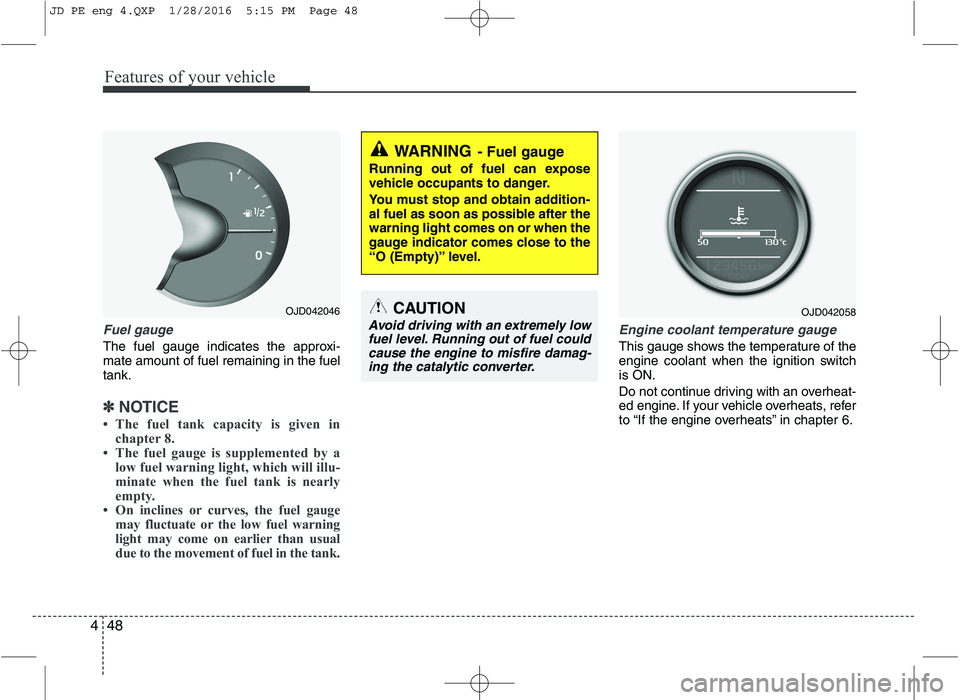
Fuel gauge
The fuel gauge indicates the approxi- mate amount of fuel remaining in the fueltank.
✽✽
NOTICE
The fuel tank capacity is given in chapter 8.
The fuel gauge is supplemented by a low fuel warning light, which will illu-
minate when the fuel tank is nearly
empty.
On inclines or curves, the fuel gauge may fluctuate or the low fuel warning
light may come on earlier than usual
due to the movement of fuel in the tank.
Engine coolant temperature gauge
This gauge shows the temperature of the
engine coolant when the ignition switchis ON.
Do not continue driving with an overheat-
ed engine. If your vehicle overheats, refer
to “If the engine overheats” in chapter 6.
WARNING - Fuel gauge
Running out of fuel can expose
vehicle occupants to danger.
You must stop and obtain addition-
al fuel as soon as possible after thewarning light comes on or when the
gauge indicator comes close to the
“O (Empty)” level.
CAUTION
Avoid driving with an extremely low fuel level. Running out of fuel could cause the engine to misfire damag-ing the catalytic converter.
OJD042046OJD042058
JD PE eng 4.QXP 1/28/2016 5:15 PM Page 48
Page 134 of 643
451
Features of your vehicle
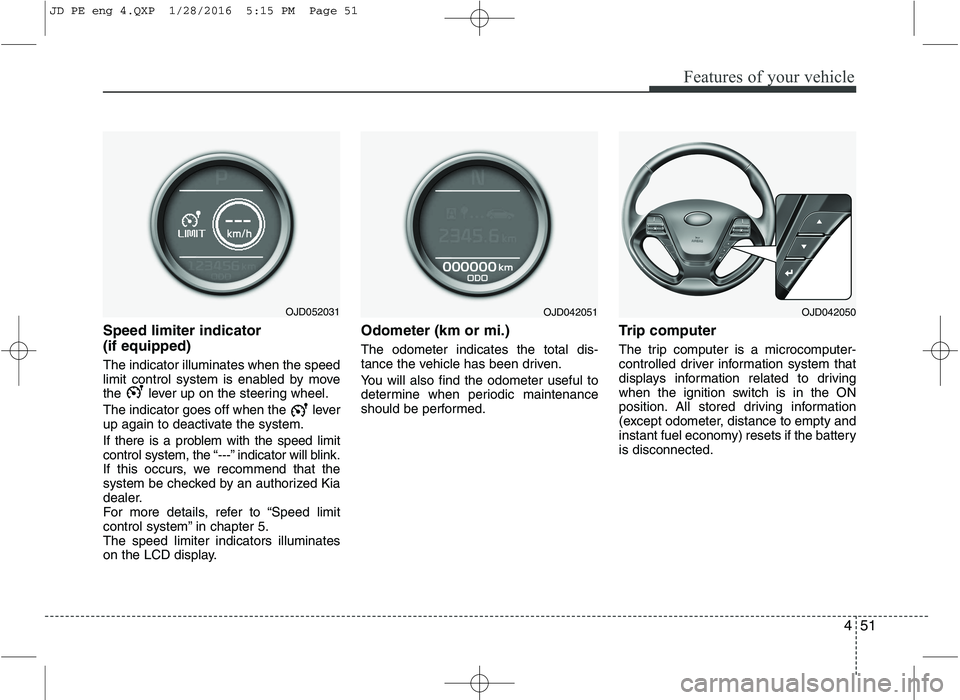
Speed limiter indicator (if equipped) The indicator illuminates when the speed
limit control system is enabled by move
the lever up on the steering wheel.
The indicator goes off when the lever
up again to deactivate the system.
If there is a problem with the speed limit
control system, the “---” indicator will blink.
If this occurs, we recommend that the
system be checked by an authorized Kia
dealer.
For more details, refer to “Speed limit
control system” in chapter 5.The speed limiter indicators illuminates
on the LCD display.Odometer (km or mi.) The odometer indicates the total dis-
tance the vehicle has been driven.
You will also find the odometer useful to
determine when periodic maintenance
should be performed.
Trip computer
The trip computer is a microcomputer-
controlled driver information system that
displays information related to driving
when the ignition switch is in the ON
position. All stored driving information
(except odometer, distance to empty and
instant fuel economy) resets if the batteryis disconnected.
OJD052031OJD042051OJD042050
JD PE eng 4.QXP 1/28/2016 5:15 PM Page 51
Page 139 of 643
Features of your vehicle
56
4
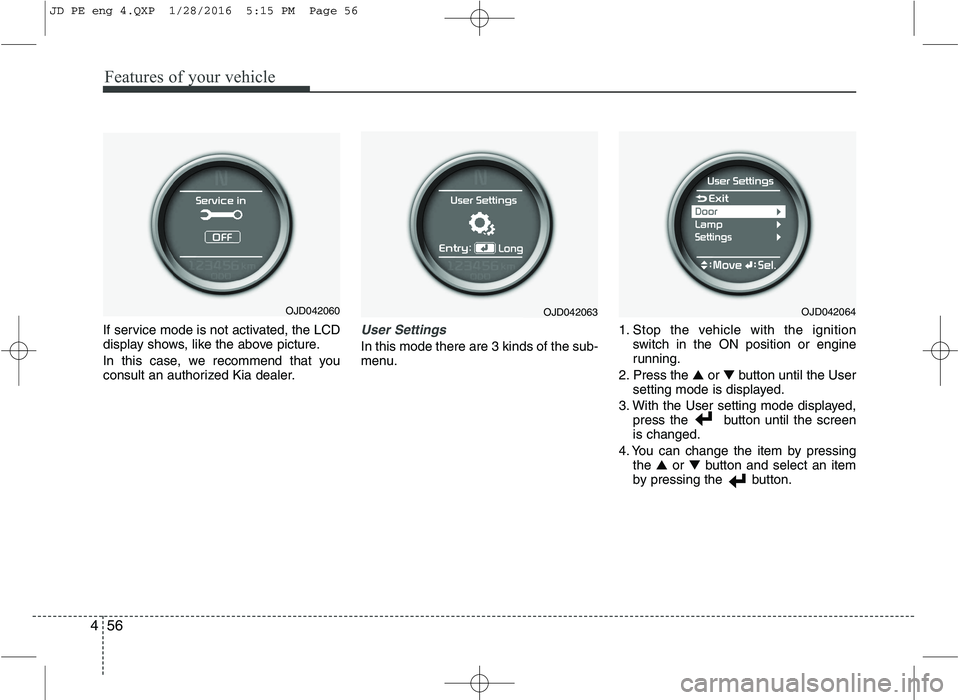
If service mode is not activated, the LCD
display shows, like the above picture.
In this case, we recommend that you
consult an authorized Kia dealer.User Settings
In this mode there are 3 kinds of the sub-
menu. 1. Stop the vehicle with the ignition
switch in the ON position or engine
running.
2. Press the ▲ or ▼ button until the User
setting mode is displayed.
3. With the User setting mode displayed, press the button until the screenis changed.
4. You can change the item by pressing the ▲ or ▼ button and select an item
by pressing the button.
OJD042063OJD042060OJD042064
JD PE eng 4.QXP 1/28/2016 5:15 PM Page 56
Page 140 of 643

457
Features of your vehicle
Door Menu
Auto Door Lock
Off - The auto door lock operation will becanceled.
Speed - All doors will be automatically locked when the vehicle speed
exceeds 15km/h (9.3mph).
Shift Lever - All doors will be automati- cally locked if the shift lever
is shifted from the P(Park)
position to the R(Reverse),
N(Neutral) or D(Drive) posi-
tion. (for automatic transaxle
shift lever)
Auto Door Unlock
Off - The auto door unlock operation will be canceled.
Key Out - All doors will be automatically unlocked when the ignition key
is removed from ignition switch
(or smart key is in the OFFposition).
Shift Lever - All doors will be automati- cally unlocked if the shift
lever is shifted to the
P(Park) position. (for auto-
matic transaxle shift lever) Lamp Menu
Headlamp delay (if equipped)
If the headlamp delay function is checked :
The Headlamp delay and Headlamp
Welcome function will be activated.
Welcome Light (if equipped)
If the welcome light function is checked :
The welcome light function of puddle
lamp will activate.
Auto Triple Turn
(One-touch triple turn signal)
If the auto triple turn function is checked :
The lane change signals will blink 3 times
when the turn signal lever is moved
slightly. Settings Menu
Seat Easy Access (for Driver Position
Memory System equipped vehicle)
(if equipped)
If the seat easy access function is
checked :
The driver's seat will automatically move
forward or rearward for the driver to enter
or exit the vehicle comfortably.
Steering position (if equipped)
If the steering position function is
checked:
The warning illuminates on the LCD dis-
play when the steering wheel is not
aligned with the ENGINE STRAT/STOP
button in the ON position.
Shift indicator (for manual transaxle)
If the shift indicator function is checked :
The shift indicator function will be activated.
For more details, refer to “Manual
transaxle shift indicator” in this chapter.
JD PE eng 4.QXP 1/28/2016 5:15 PM Page 57
Page 144 of 643
461
Features of your vehicle
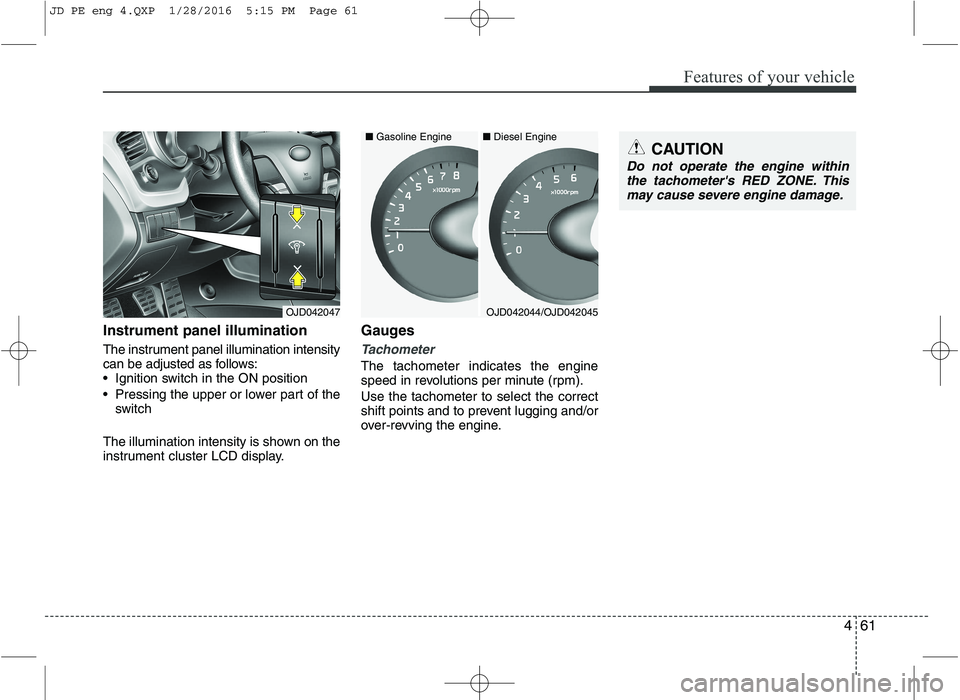
Instrument panel illumination
The instrument panel illumination intensity
can be adjusted as follows:
Ignition switch in the ON position
Pressing the upper or lower part of theswitch
The illumination intensity is shown on the
instrument cluster LCD display. Gauges
Tachometer
The tachometer indicates the engine
speed in revolutions per minute (rpm). Use the tachometer to select the correct
shift points and to prevent lugging and/or
over-revving the engine.
OJD042047
CAUTION
Do not operate the engine within
the tachometer's RED ZONE. Thismay cause severe engine damage.
OJD042044/OJD042045
■
Diesel Engine
■ Gasoline Engine
JD PE eng 4.QXP 1/28/2016 5:15 PM Page 61
Page 147 of 643

Features of your vehicle
64
4
Engine coolant temperature gauge
This gauge shows the temperature of the
engine coolant when the ignition switchis ON.
Do not continue driving with an overheat-
ed engine. If your vehicle overheats, refer
to “If the engine overheats” in chapter 6. Manual transaxle shift indicator
This indicator informs you which gear is
desired while driving to save fuel.
For example
: Indicates that shifting up to the 3rdgear is desired (currently the shift
lever is in the 2nd or 1st gear).
: Indicates that shifting down to the 3rd gear is desired (currently the
shift lever is in the 4th or 5th gear).
OJD042236/OJD042237
CAUTION
If the gauge pointer moves beyond
the normal range area toward the“130°C” position, it indicates over-heating that may damage the engine.
WARNING
Never remove the radiator cap
when the engine is hot. The enginecoolant is under pressure and
could cause severe burns. Wait
until the engine is cool before
adding coolant to the reservoir.
OJD043250
■ Type B
■Type A
OJD045176L
JD PE eng 4.QXP 1/28/2016 5:16 PM Page 64
Page 150 of 643
467
Features of your vehicle
Trip computer
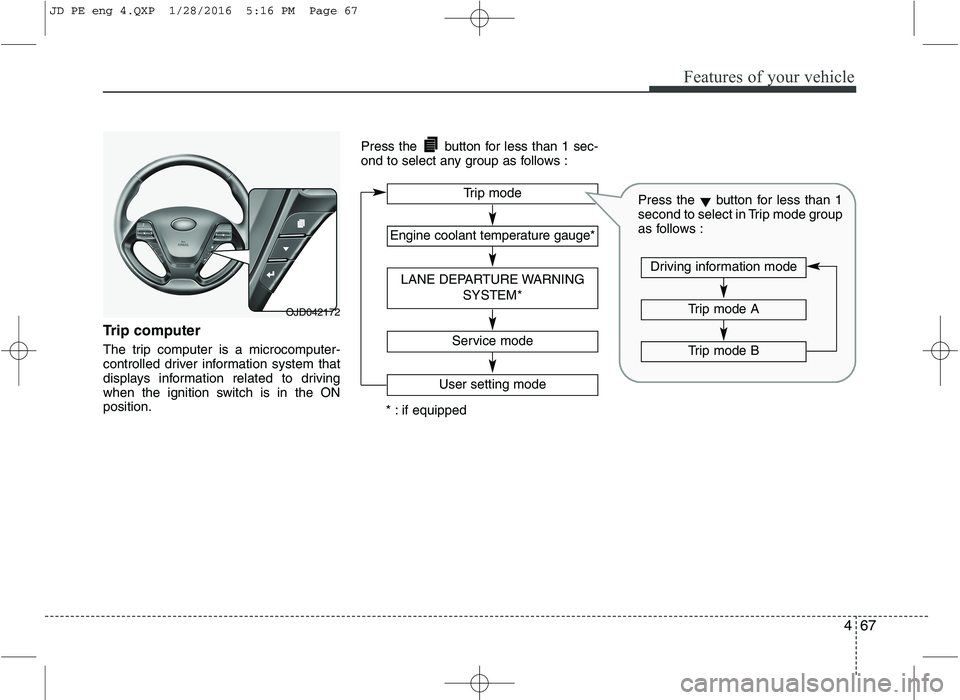
The trip computer is a microcomputer-
controlled driver information system that
displays information related to driving
when the ignition switch is in the ONposition.Press the button for less than 1 sec-
ond to select any group as follows :
OJD042172
Engine coolant temperature gauge*
User setting mode
Service mode
LANE DEPARTURE WARNING
SYSTEM*
Trip mode
* : if equipped
Trip mode A
Trip mode B
Driving information mode
Press the▼button for less than 1
second to select in Trip mode group
as follows :
JD PE eng 4.QXP 1/28/2016 5:16 PM Page 67
Page 155 of 643

Features of your vehicle
72
4
User Settings
1. Stop the vehicle with the ignition
switch in the ON position or engine
running.
2. Press the button until the User set- ting mode is displayed.
3. You can change the item by pressing the ▼button and select an item by
pressing the button. Door Menu
Auto Door Lock
Off - The auto door lock operation will be
canceled.
Speed - All doors will be automatically locked when the vehicle speed
exceeds 15km/h (9.3mph).
Shift Lever - All doors will be automati- cally locked if the shift lever
is shifted from the P(Park)
position to the R(Reverse),
N(Neutral) or D(Drive) posi-
tion. (for automatic transaxle
shift lever)
Auto Door Unlock
Off - The auto door unlock operation will be canceled.
Key Out - All doors will be automatically unlocked when the ignition key
is removed from ignition switch
(or smart key is in the OFFposition).
Shift Lever - All doors will be automati- cally unlocked if the shift
lever is shifted to the
P(Park) position. (for auto-
matic transaxle shift lever) Lamp Menu
Headlamp delay (if equipped)
If the headlamp delay function is checked :
The Headlamp delay and Headlamp
Welcome function will be activated.
Auto Triple Turn
(One-touch triple turn signal)
If the auto triple turn function is checked :
The lane change signals will blink 3 times
when the turn signal lever is moved
slightly.
Welcome Light (if equipped)
If the welcome light function is checked :
The welcome light function of puddle
lamp will activate.
OJD045522L
JD PE eng 4.QXP 1/28/2016 5:17 PM Page 72
Page 157 of 643
Features of your vehicle
74
4
LCD display information
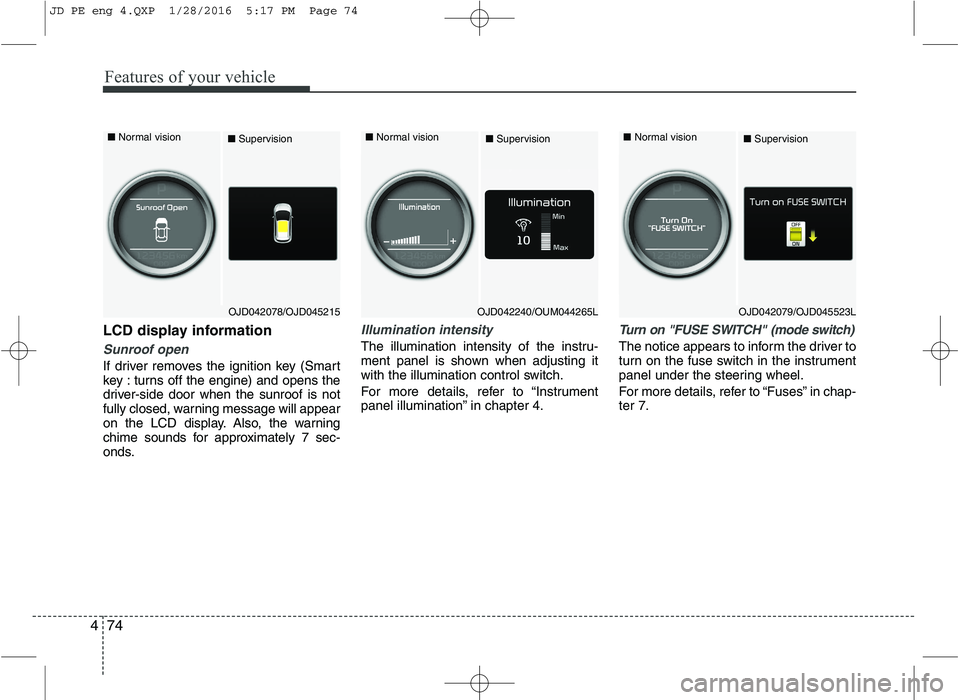
Sunroof open
If driver removes the ignition key (Smart
key : turns off the engine) and opens the
driver-side door when the sunroof is not
fully closed, warning message will appear
on the LCD display. Also, the warning
chime sounds for approximately 7 sec-
onds.
Illumination intensity
The illumination intensity of the instru-
ment panel is shown when adjusting it
with the illumination control switch.
For more details, refer to “Instrument
panel illumination” in chapter 4.
Turn on "FUSE SWITCH" (mode switch)
The notice appears to inform the driver to
turn on the fuse switch in the instrument
panel under the steering wheel.
For more details, refer to “Fuses” in chap- ter 7.
■ Normal vision
■Supervision■ Normal vision
■Supervision■ Normal vision
■Supervision
OJD042240/OUM044265LOJD042079/OJD045523LOJD042078/OJD045215
JD PE eng 4.QXP 1/28/2016 5:17 PM Page 74
Page 163 of 643
Features of your vehicle
80
4
Warnings and indicators
(Instrument cluster)
All warning lights are checked by turning
the ignition switch ON (do not start the
engine). If any light that does not illumi-
nate, we recommend that the system be
checked by an authorized Kia dealer.
After starting the engine, check to make
sure that all warning lights are off. If anyare still on, this indicates a situation thatneeds attention.
The following warning and indicators are
introduced in the previous pages.
Automatic transaxle/Double clutch trans-
mission shift lever indicator
Manual transaxle shift indicator
Parking assist warning (LCD display)Active ECO indicator (if equipped)
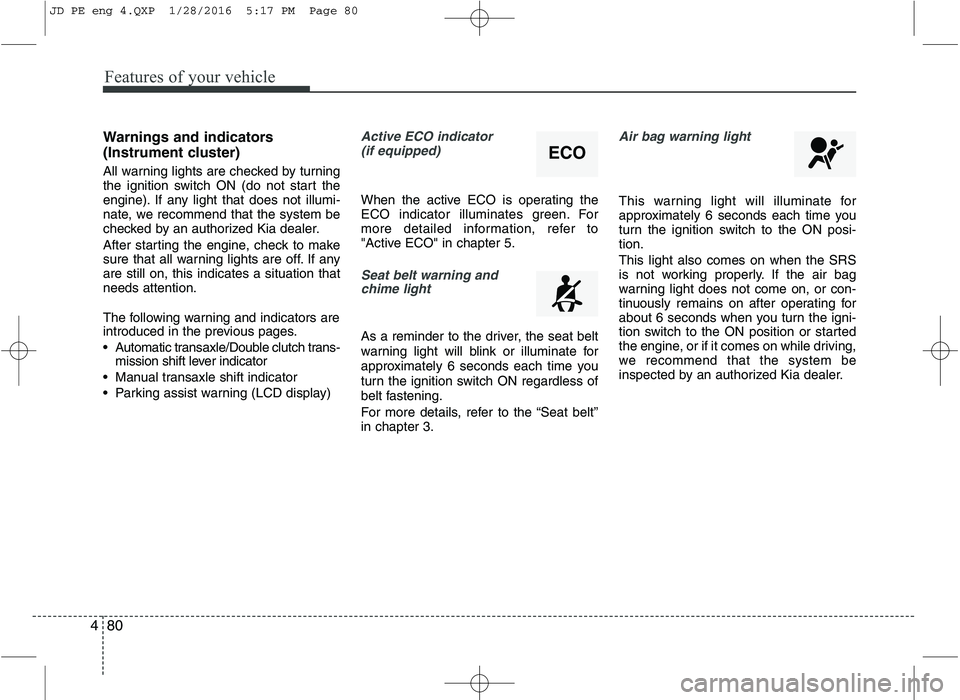
When the active ECO is operating the
ECO indicator illuminates green. For
more detailed information, refer to
"Active ECO" in chapter 5.
Seat belt warning andchime light
As a reminder to the driver, the seat belt
warning light will blink or illuminate for
approximately 6 seconds each time you
turn the ignition switch ON regardless of
belt fastening.
For more details, refer to the “Seat belt” in chapter 3.
Air bag warning light
This warning light will illuminate for
approximately 6 seconds each time you
turn the ignition switch to the ON posi-tion. This light also comes on when the SRS
is not working properly. If the air bag
warning light does not come on, or con-
tinuously remains on after operating for
about 6 seconds when you turn the igni-
tion switch to the ON position or started
the engine, or if it comes on while driving,
we recommend that the system be
inspected by an authorized Kia dealer.
ECO
JD PE eng 4.QXP 1/28/2016 5:17 PM Page 80