lock KIA CEED 2016 Repair Manual
[x] Cancel search | Manufacturer: KIA, Model Year: 2016, Model line: CEED, Model: KIA CEED 2016Pages: 643, PDF Size: 38.19 MB
Page 225 of 643
Features of your vehicle
142
4
Operation Tips
To keep dust or unpleasant fumes from
entering the vehicle through the venti-
lation system, temporarily set the air
intake control to the recirculated air
position. Be sure to return the control
to the fresh air position when the irrita-
tion has passed to keep fresh air in the
vehicle. This will help keep the driver
alert and comfortable.
Air for the heating/cooling system is drawn in through the grilles just ahead
of the windshield. Care should be
taken that these are not blocked by
leaves, snow, ice or other obstructions.
To prevent interior fog on the wind- shield, set the air intake control to the
fresh air position and fan speed to the
desired position, turn on the air condi-tioning system, and adjust the temper-
ature control to desired temperature.Air conditioning (if equipped)
Kia Air Conditioning Systems are filled
with environmentally friendly refrigerant*.
1. Start the engine. Push the air condi- tioning button.
2. Set the mode to the position.
3. Set the air intake control to the outside air or recirculated air position.
4. Adjust the fan speed control and tem- perature control to maintain maximum
comfort.
*: Your vehicle is filled with R-134a or R- 1234yf according to the regulation in
your country at the time of producing.
You can find out which air conditioning
refrigerant is applied to your vehicle at
the label inside of hood. Refer to chap-
ter 8 for more detail location of air con-
ditioning refrigerant label.CAUTION
The refrigerant system should
only be serviced by trained andcertified technicians to insureproper and safe operation.
The refrigerant system should be serviced in a well-ventilated place.
The air conditioning evaporator (cooling coil) shall never berepaired or replaced with one removed from a used or salvaged
vehicle and new replacement MAC evaporators shall be certi-fied (and labeled) as meeting SAE Standard J2842.
JD PE eng 4.QXP 1/28/2016 5:23 PM Page 142
Page 236 of 643
4153
Features of your vehicle
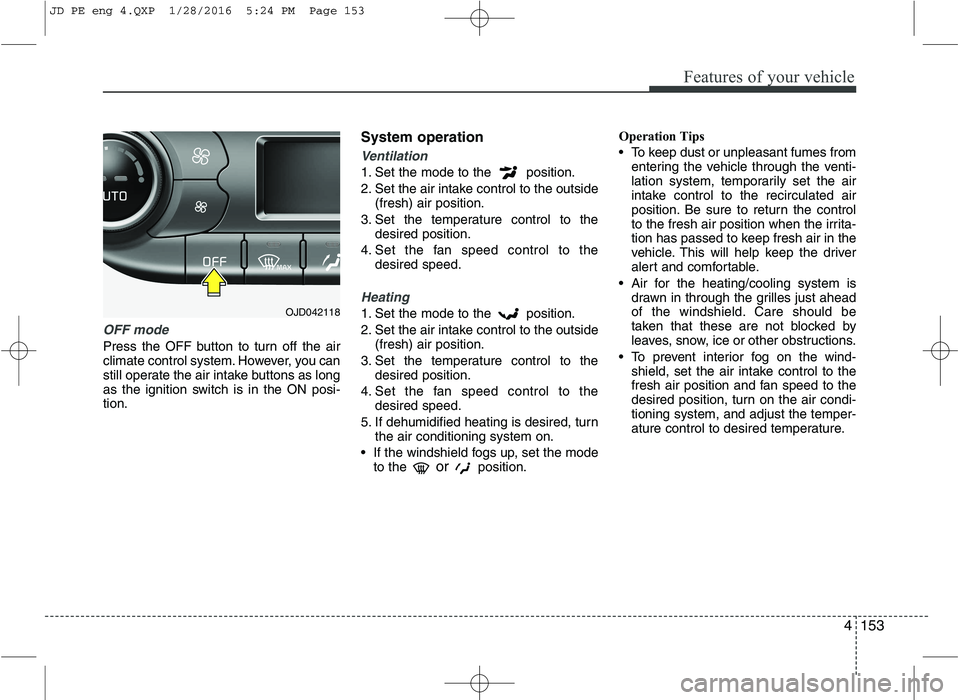
OFF mode
Press the OFF button to turn off the air
climate control system. However, you can
still operate the air intake buttons as long
as the ignition switch is in the ON posi-tion.System operation
Ventilation
1. Set the mode to the position.
2. Set the air intake control to the outside
(fresh) air position.
3. Set the temperature control to the desired position.
4. Set the fan speed control to the desired speed.
Heating
1. Set the mode to the position.
2. Set the air intake control to the outside
(fresh) air position.
3. Set the temperature control to the desired position.
4. Set the fan speed control to the desired speed.
5. If dehumidified heating is desired, turn the air conditioning system on.
If the windshield fogs up, set the mode to the or
position. Operation Tips
To keep dust or unpleasant fumes from
entering the vehicle through the venti-
lation system, temporarily set the air
intake control to the recirculated air
position. Be sure to return the control
to the fresh air position when the irrita-
tion has passed to keep fresh air in the
vehicle. This will help keep the driver
alert and comfortable.
Air for the heating/cooling system is drawn in through the grilles just ahead
of the windshield. Care should be
taken that these are not blocked by
leaves, snow, ice or other obstructions.
To prevent interior fog on the wind- shield, set the air intake control to the
fresh air position and fan speed to the
desired position, turn on the air condi-tioning system, and adjust the temper-
ature control to desired temperature.OJD042118
JD PE eng 4.QXP 1/28/2016 5:24 PM Page 153
Page 244 of 643
4161
Features of your vehicle
Glove box
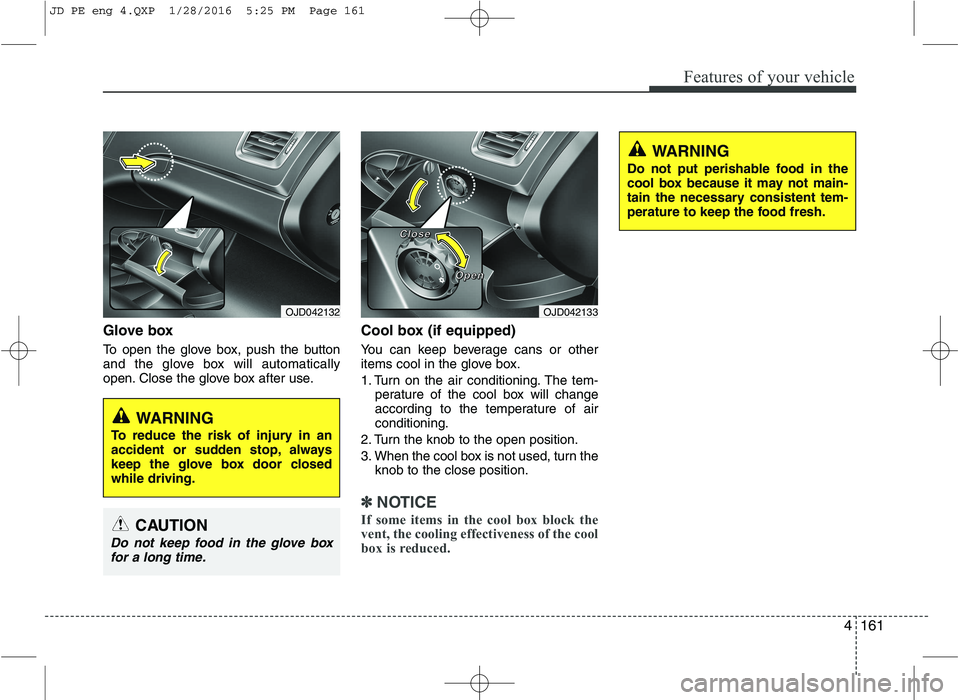
To open the glove box, push the button
and the glove box will automatically
open. Close the glove box after use.Cool box (if equipped)
You can keep beverage cans or other
items cool in the glove box.
1. Turn on the air conditioning. The tem-
perature of the cool box will change
according to the temperature of airconditioning.
2. Turn the knob to the open position.
3. When the cool box is not used, turn the knob to the close position.
✽✽ NOTICE
If some items in the cool box block the
vent, the cooling effectiveness of the cool
box is reduced.
OJD042133
WARNING
Do not put perishable food in the
cool box because it may not main-
tain the necessary consistent tem-
perature to keep the food fresh.
OJD042132
WARNING
To reduce the risk of injury in an
accident or sudden stop, always
keep the glove box door closedwhile driving.
CAUTION
Do not keep food in the glove box for a long time.
CCCClllloooosssseeee
OOOOppppeeeennnn
JD PE eng 4.QXP 1/28/2016 5:25 PM Page 161
Page 245 of 643
Features of your vehicle
162
4
Sunglass holder
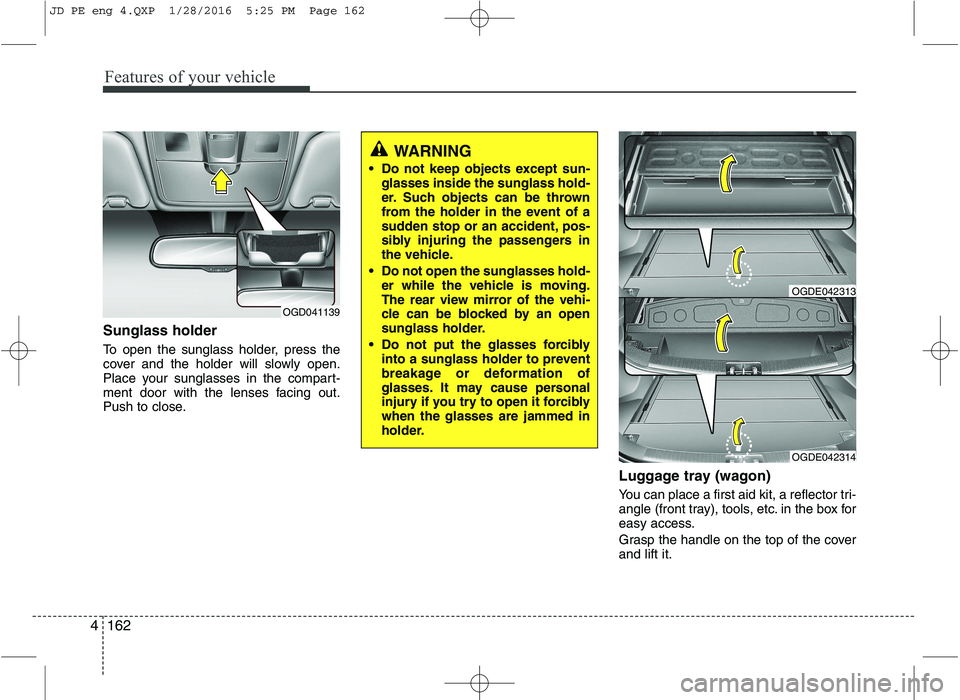
To open the sunglass holder, press the
cover and the holder will slowly open.
Place your sunglasses in the compart-
ment door with the lenses facing out.
Push to close.
Luggage tray (wagon)
You can place a first aid kit, a reflector tri-
angle (front tray), tools, etc. in the box for
easy access.
Grasp the handle on the top of the cover and lift it.
OGD041139
WARNING
Do not keep objects except sun- glasses inside the sunglass hold-
er. Such objects can be thrown
from the holder in the event of a
sudden stop or an accident, pos-
sibly injuring the passengers in
the vehicle.
Do not open the sunglasses hold- er while the vehicle is moving.
The rear view mirror of the vehi-
cle can be blocked by an open
sunglass holder.
Do not put the glasses forcibly into a sunglass holder to prevent
breakage or deformation of
glasses. It may cause personal
injury if you try to open it forciblywhen the glasses are jammed in
holder.
OGDE042314
OGDE042313
JD PE eng 4.QXP 1/28/2016 5:25 PM Page 162
Page 256 of 643
4173
Features of your vehicle
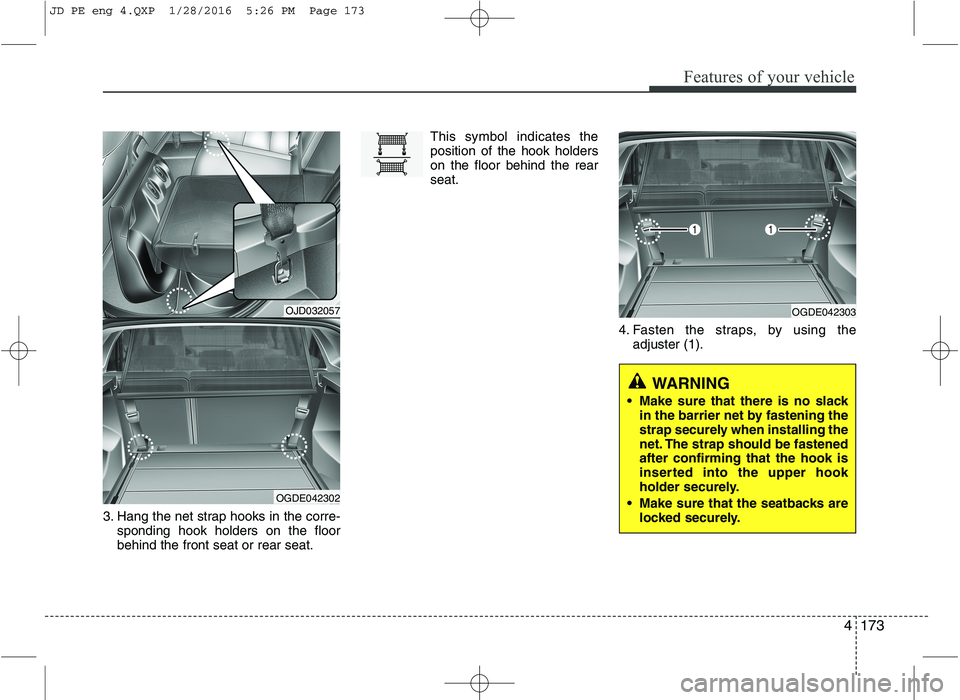
3. Hang the net strap hooks in the corre-sponding hook holders on the floor behind the front seat or rear seat. This symbol indicates theposition of the hook holderson the floor behind the rearseat.
4. Fasten the straps, by using theadjuster (1).
OJD032057
OGDE042302
OGDE042303
WARNING
Make sure that there is no slack in the barrier net by fastening the
strap securely when installing the
net. The strap should be fastenedafter confirming that the hook is
inserted into the upper hook
holder securely.
Make sure that the seatbacks are locked securely.
JD PE eng 4.QXP 1/28/2016 5:26 PM Page 173
Page 259 of 643
Features of your vehicle
176
4
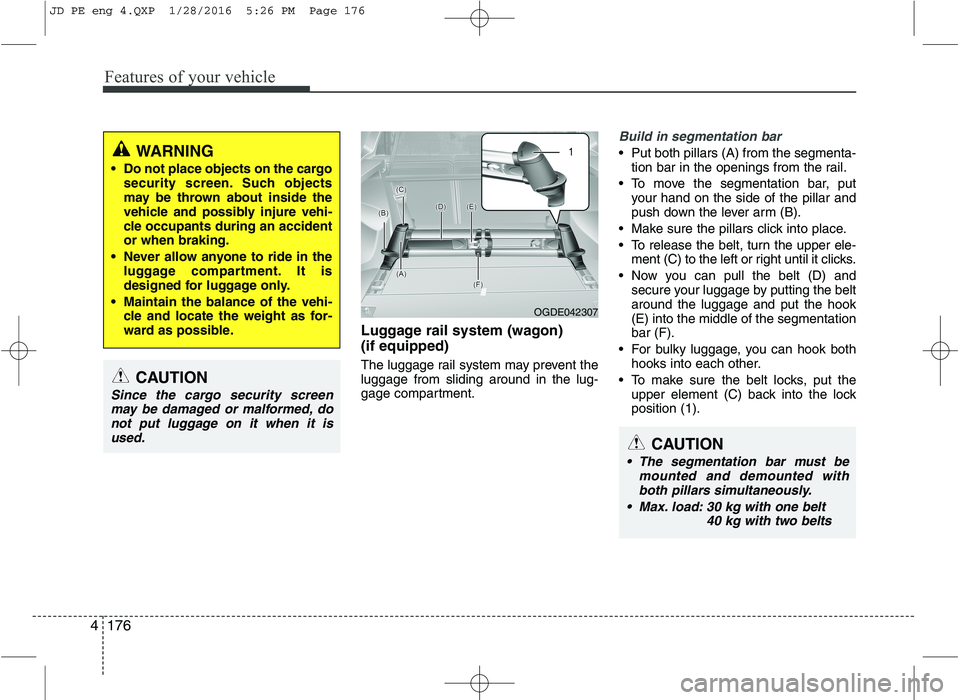
Luggage rail system (wagon) (if equipped)
The luggage rail system may prevent the luggage from sliding around in the lug-
gage compartment.
Build in segmentation bar
Put both pillars (A) from the segmenta-
tion bar in the openings from the rail.
To move the segmentation bar, put your hand on the side of the pillar and
push down the lever arm (B).
Make sure the pillars click into place.
To release the belt, turn the upper ele- ment (C) to the left or right until it clicks.
Now you can pull the belt (D) and secure your luggage by putting the belt around the luggage and put the hook(E) into the middle of the segmentationbar (F).
For bulky luggage, you can hook both hooks into each other.
To make sure the belt locks, put the upper element (C) back into the lockposition (1).WARNING
Do not place objects on the cargo security screen. Such objects
may be thrown about inside the
vehicle and possibly injure vehi-
cle occupants during an accidentor when braking.
Never allow anyone to ride in the luggage compartment. It is
designed for luggage only.
Maintain the balance of the vehi- cle and locate the weight as for-
ward as possible.
CAUTION
Since the cargo security screen
may be damaged or malformed, donot put luggage on it when it is used.
OGDE042307
CAUTION
The segmentation bar must be mounted and demounted withboth pillars simultaneously.
Max. load: 30 kg with one belt 40 kg with two belts
JD PE eng 4.QXP 1/28/2016 5:26 PM Page 176
Page 264 of 643
Features of your vehicle
4181
AUDIO SYSTEM
✽✽
NOTICE
If you install an after market HID
head lamp, your vehicle’s audio and
electronic device may malfunction.
❈ If your vehicle is equipped with
AVN(Audio, Video and Navigation)
system, refer to a separately sup-
plied manual for detailed informa-tion. Antenna
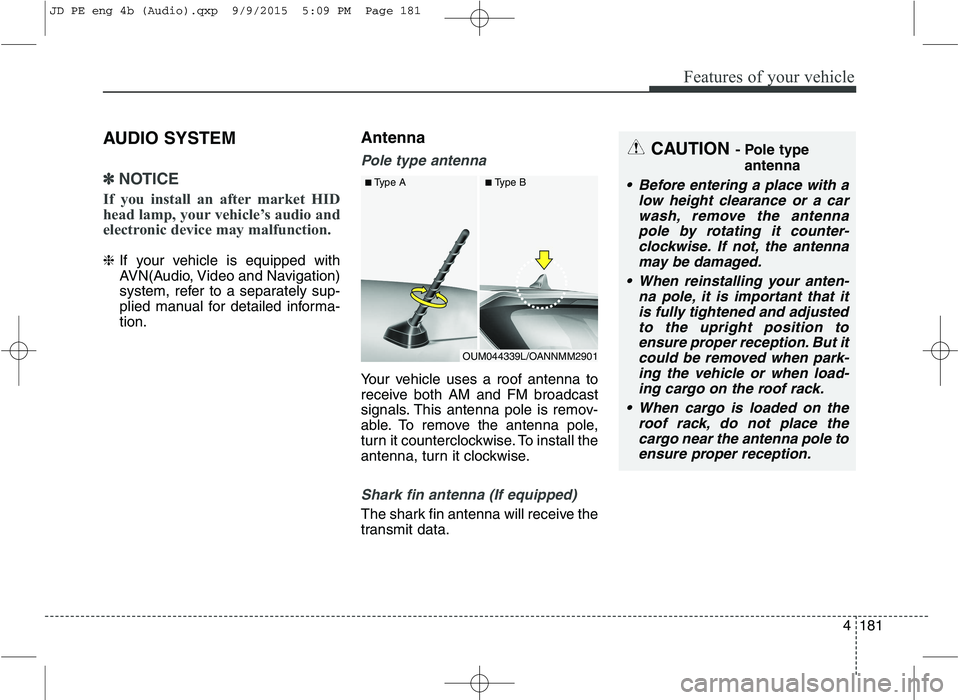
Pole type antenna
Your vehicle uses a roof antenna to
receive both AM and FM broadcast
signals. This antenna pole is remov-
able. To remove the antenna pole,
turn it counterclockwise. To install the
antenna, turn it clockwise.
Shark fin antenna (If equipped)
The shark fin antenna will receive the
transmit data.
CAUTION
- Pole type
antenna
• Before entering a place with a low height clearance or a carwash, remove the antennapole by rotating it counter-clockwise. If not, the antenna may be damaged.
When reinstalling your anten- na pole, it is important that itis fully tightened and adjustedto the upright position to ensure proper reception. But itcould be removed when park-ing the vehicle or when load- ing cargo on the roof rack.
When cargo is loaded on the roof rack, do not place thecargo near the antenna pole toensure proper reception.
OUM044339L/OANNMM2901
■
Type A ■Type B
JD PE eng 4b (Audio).qxp 9/9/2015 5:09 PM Page 181
Page 268 of 643
Features of your vehicle
4185
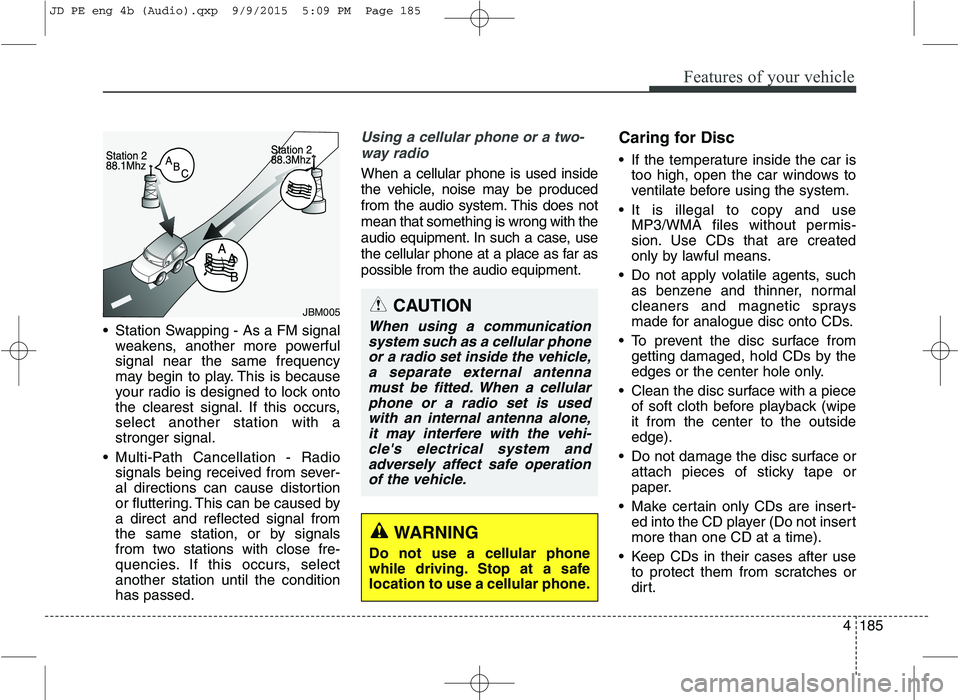
Station Swapping - As a FM signal
weakens, another more powerful signal near the same frequency
may begin to play. This is because
your radio is designed to lock onto
the clearest signal. If this occurs,select another station with astronger signal.
Multi-Path Cancellation - Radio signals being received from sever-
al directions can cause distortion
or fluttering. This can be caused bya direct and reflected signal from
the same station, or by signals
from two stations with close fre-
quencies. If this occurs, selectanother station until the conditionhas passed.
Using a cellular phone or a two-
way radio
When a cellular phone is used inside
the vehicle, noise may be produced
from the audio system. This does notmean that something is wrong with the
audio equipment. In such a case, use
the cellular phone at a place as far as
possible from the audio equipment. Caring for Disc
If the temperature inside the car is
too high, open the car windows to
ventilate before using the system.
It is illegal to copy and use MP3/WMA files without permis-
sion. Use CDs that are created
only by lawful means.
Do not apply volatile agents, such as benzene and thinner, normal
cleaners and magnetic sprays
made for analogue disc onto CDs.
To prevent the disc surface from getting damaged, hold CDs by the
edges or the center hole only.
Clean the disc surface with a piece of soft cloth before playback (wipeit from the center to the outsideedge).
Do not damage the disc surface or attach pieces of sticky tape or
paper.
Make certain only CDs are insert- ed into the CD player (Do not insertmore than one CD at a time).
Keep CDs in their cases after use to protect them from scratches or
dirt.
CAUTION
When using a communication
system such as a cellular phoneor a radio set inside the vehicle, a separate external antennamust be fitted. When a cellularphone or a radio set is used with an internal antenna alone,it may interfere with the vehi-cle's electrical system andadversely affect safe operation of the vehicle.
WARNING
Do not use a cellular phone
while driving. Stop at a safe
location to use a cellular phone.
JBM005
JD PE eng 4b (Audio).qxp 9/9/2015 5:09 PM Page 185
Page 328 of 643
Features of your vehicle
4245
(Continued)
Charging through the USB maynot work for some mobile devices.
The device may not support nor- mal operation when using a USB
memory type besides (Metal
Cover Type) USB Memory.
The device may not support nor- mal operation when using formats
such as HDD Type, CF, or SD
Memory.
The device will not support files locked by DRM (Digital Rights
Management.)
USB memory sticks used by con- necting an Adaptor (SD Type or
CF Type) may not be properly rec-
ognized.
The device may not operate prop- erly when using USB HDDs or
USBs subject to connection fail-
ures caused by vehicle vibrations.
(e.g. i-stick type) (Continued)(Continued)
Avoid use of USB
memory products that
can also be used as key
chains or mobile phone
accessories. Use of such products
may cause damage to the USB
jack.
Connecting an MP3 device or phone through various channels,
such as AUX/BT or Audio/USB
mode may result in pop noises or
abnormal operation.
JD PE eng 4b (Audio).qxp 9/9/2015 5:11 PM Page 245
Page 374 of 643
Driving your vehicle
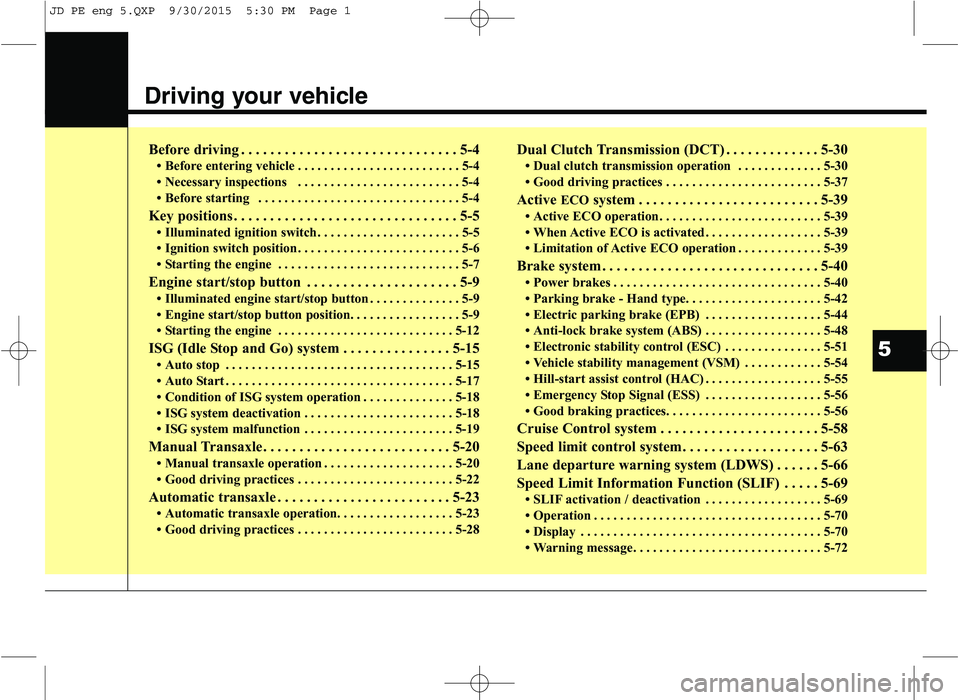
Before driving . . . . . . . . . . . . . . . . . . . . . . . . . . . . . . 5-4 Before entering vehicle . . . . . . . . . . . . . . . . . . . . . . . . . 5-4
Necessary inspections . . . . . . . . . . . . . . . . . . . . . . . . . 5-4
Before starting . . . . . . . . . . . . . . . . . . . . . . . . . . . . . . . 5-4
Key positions . . . . . . . . . . . . . . . . . . . . . . . . . . . . . . . 5-5 Illuminated ignition switch . . . . . . . . . . . . . . . . . . . . . . 5-5
Ignition switch position . . . . . . . . . . . . . . . . . . . . . . . . . 5-6
Starting the engine . . . . . . . . . . . . . . . . . . . . . . . . . . . . 5-7
Engine start/stop button . . . . . . . . . . . . . . . . . . . . . 5-9 Illuminated engine start/stop button . . . . . . . . . . . . . . 5-9
Engine start/stop button position. . . . . . . . . . . . . . . . . 5-9
Starting the engine . . . . . . . . . . . . . . . . . . . . . . . . . . . 5-12
ISG (Idle Stop and Go) system . . . . . . . . . . . . . . . 5-15 Auto stop . . . . . . . . . . . . . . . . . . . . . . . . . . . . . . . . . . . 5-15
Auto Start . . . . . . . . . . . . . . . . . . . . . . . . . . . . . . . . . . . 5-17
Condition of ISG system operation . . . . . . . . . . . . . . 5-18
ISG system deactivation . . . . . . . . . . . . . . . . . . . . . . . 5-18
ISG system malfunction . . . . . . . . . . . . . . . . . . . . . . . 5-19
Manual Transaxle . . . . . . . . . . . . . . . . . . . . . . . . . . 5-20 Manual transaxle operation . . . . . . . . . . . . . . . . . . . . 5-20
Good driving practices . . . . . . . . . . . . . . . . . . . . . . . . 5-22
Automatic transaxle . . . . . . . . . . . . . . . . . . . . . . . . 5-23 Automatic transaxle operation. . . . . . . . . . . . . . . . . . 5-23
Good driving practices . . . . . . . . . . . . . . . . . . . . . . . . 5-28 Dual Clutch Transmission (DCT) . . . . . . . . . . . . . 5-30
Dual clutch transmission operation . . . . . . . . . . . . . 5-30
Good driving practices . . . . . . . . . . . . . . . . . . . . . . . . 5-37
Active ECOsystem . . . . . . . . . . . . . . . . . . . . . . . . . 5-39
Active ECO operation . . . . . . . . . . . . . . . . . . . . . . . . . 5-39
When Active ECO is activated . . . . . . . . . . . . . . . . . . 5-39
Limitation of Active ECO operation . . . . . . . . . . . . . 5-39
Brake system . . . . . . . . . . . . . . . . . . . . . . . . . . . . . . 5-40 Power brakes . . . . . . . . . . . . . . . . . . . . . . . . . . . . . . . . 5-40
Parking brake - Hand type. . . . . . . . . . . . . . . . . . . . . 5-42
Electric parking brake (EPB) . . . . . . . . . . . . . . . . . . 5-44
Anti-lock brake system (ABS) . . . . . . . . . . . . . . . . . . 5-48
Electronic stability control (ESC) . . . . . . . . . . . . . . . 5-51
Vehicle stability management (VSM) . . . . . . . . . . . . 5-54
Hill-start assist control (HAC) . . . . . . . . . . . . . . . . . . 5-55
Emergency Stop Signal (ESS) . . . . . . . . . . . . . . . . . . 5-56
Good braking practices. . . . . . . . . . . . . . . . . . . . . . . . 5-56
Cruise Control system . . . . . . . . . . . . . . . . . . . . . . 5-58
Speed limit control system. . . . . . . . . . . . . . . . . . . 5-63
Lane departure warning system (LDWS) . . . . . . 5-66
Speed Limit Information Function (SLIF) . . . . . 5-69 SLIF activation / deactivation . . . . . . . . . . . . . . . . . . 5-69
Operation . . . . . . . . . . . . . . . . . . . . . . . . . . . . . . . . . . . 5-70
Display . . . . . . . . . . . . . . . . . . . . . . . . . . . . . . . . . . . . . 5-70
Warning message . . . . . . . . . . . . . . . . . . . . . . . . . . . . . 5-72
5
JD PE eng 5.QXP 9/30/2015 5:30 PM Page 1