phone KIA CEED 2017 Owner's Manual
[x] Cancel search | Manufacturer: KIA, Model Year: 2017, Model line: CEED, Model: KIA CEED 2017Pages: 653, PDF Size: 54.59 MB
Page 292 of 653
![KIA CEED 2017 Owners Manual Features of your vehicle
208
4
Auto Download
When connecting a mobile phone, it
is possible to automatically download
new phone book and Call Histories.
Select [Auto Download] Set /
through TUNE kn](/img/2/57941/w960_57941-291.png "KIA CEED 2017 Owners Manual Features of your vehicle
208
4
Auto Download
When connecting a mobile phone, it
is possible to automatically download
new phone book and Call Histories.
Select [Auto Download] Set /
through TUNE kn")
Features of your vehicle
208
4
Auto Download
When connecting a mobile phone, it
is possible to automatically download
new phone book and Call Histories.
Select [Auto Download] Set /
through TUNE knob
Outgoing Volume
This is used to set the volume of your
voice as heard by the other partywhile on a
Bluetooth®Wireless
Technology enabled handsfree call.
Select [Outgoing Volume] Set vol-
ume through TUNE knob ❈ Even while on a call, the volume
can be changed by using the
, key.
Bluetooth®Wireless Technology
System Off
This feature is used when you do not wish to use the
Bluetooth®Wireless
Technology system.
Select [Bluetooth System Off] Set
through TUNE knob ❈ If a phone is already connected,
disconnect the currently connect-
ed phone and turn the
Bluetooth®
Wireless Technology system off.
TRACKSEEK
OFF
ON
Page 293 of 653

Features of your vehicle
4 209
Using the
Bluetooth®Wireless
Technology System
To use
Bluetooth®Wireless Technology
when the system is currently off, follow
these next steps.
Turning On
Bluetooth®Wireless
Technology through the
Key
Press the key Screen Guidance ❈ Moves to the screen where
Bluetooth®Wireless Technology
functions can be used and dis-
plays guidance. Turning On
Bluetooth®Wireless
Technology through the
Key
Press the key Select [Phone] knob ➀ A screen asking whether to turn on
Bluetooth®Wireless Technology will
be displayed.
➁ On the screen, select to turn on
Bluetooth®Wireless Technology
and display guidance.
❈ If the
Bluetooth®Wireless
Technology system is turned on,
the system will automatically try toconnect the most recently con-nected
Bluetooth®Wireless
Technology mobile phone. YES
SETUP
SETUP
PHONE
PHONE
CAUTION
Bluetooth
®
Wireless Technology
connection may become inter- mittently disconnected in somemobile phones. Follow thesenext steps to try again.
1)Turn the Bluetooth ®
Wireless
Technology function within the mobile phone ON/OFF andtry to connect again.
2)Turn the mobile phone power ON/OFF and try to connectagain.
3)Completely remove the mobile phone battery, reboot, andthen try to connect again.
4)Reboot the audio system and try to connect again
5)Delete all paired devices in your mobile phone and theaudio system and pair againfor use.
Page 306 of 653
Features of your vehicle
222
4
Bluetooth®Wireless
Technology AUDIO
Type A-1
What is
Bluetooth®Wireless
Technology?
Bluetooth®Wireless Technology
allows devices to be connected in a
short distance, including hands-free
devices, stereo headsets, wireless
remote controllers, etc. For more
information, visit the
Bluetooth®
Wireless Technology website atwww.Bluetooth.com
Before using Bluetooth®Wireless
Technology audio features
Bluetooth®Wireless Technology
audio may not be supported depending on the compatibility of
your
Bluetooth®Wireless Technology
mobile phone.
In order to use
Bluetooth®
Wireless Technology audio, you
must first pair and connect the
Bluetooth®Wireless Technology
mobile phone. The Bluetooth
®
word mark and
logos are registered trademarks
owned by Bluetooth ®
SIG, Inc. and
any use of such marks by Kia is
under license. Other trademarks
and trade names are those of their
respective owners. A Bluetooth ®
enabled cell phone is required to
use
Bluetooth®Wireless Technology.
Bluetooth®Wireless Technology
audio can be used only when the
[Audio Streaming] of Phone is
turned On.
WARNING
Driving while distracted can
result in a loss of vehicle con-
trol that may lead to an acci-
dent, severe personal injury,
and death. The driver’s primary
responsibility is in the safe and
legal operation of a vehicle, and
use of any handheld devices,
other equipment, or vehicle sys-
tems which take the driver’s
eyes, attention and focus away
from the safe operation of a
vehicle or which are not permis-
sible by law should never beused during operation of the
vehicle.
Page 307 of 653
Features of your vehicle
4 223
Starting
Bluetooth®Wireless
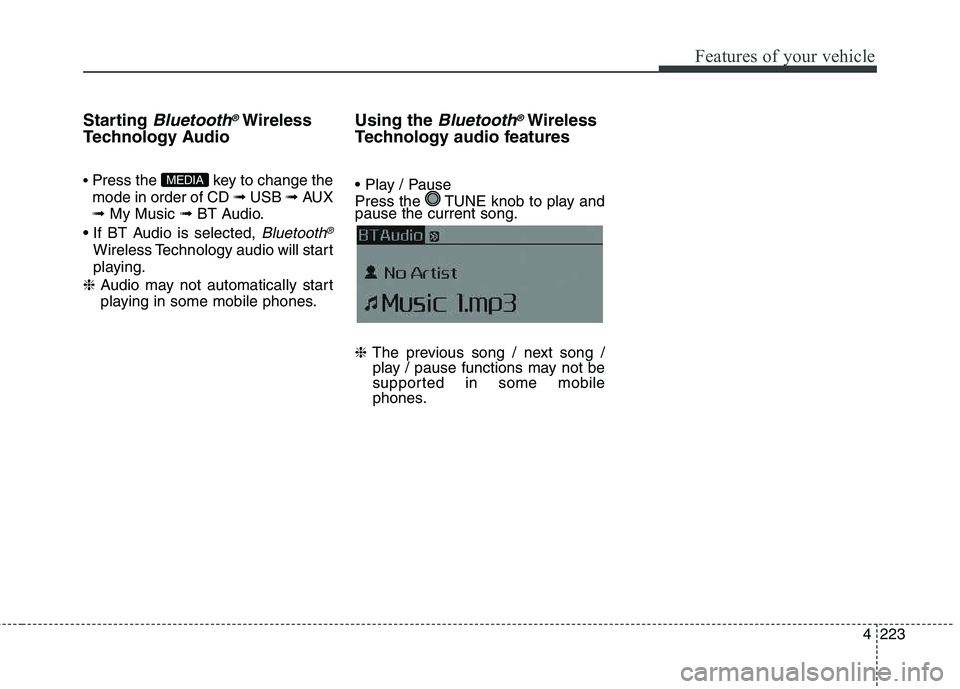
Technology Audio Press the key to change the mode in order of CD ➟ USB ➟ AUX
➟ My Music ➟ BT Audio.
Bluetooth®
Wireless Technology audio will start
playing.
❈ Audio may not automatically start
playing in some mobile phones. Using the
Bluetooth®Wireless
Technology audio features
Press the TUNE knob to play and pause the current song. ❈ The previous song / next song /
play / pause functions may not be
supported in some mobile
phones.
MEDIA
Page 308 of 653
Features of your vehicle
224
4 PHONE (If equipped)
Before using the
Bluetooth®Wireless
Technology
phone features
In order to use
Bluetooth®Wireless
Technology phone, you must first pair and connect the
Bluetooth®
Wireless Technology mobile
phone.
If the mobile phone is not paired or connected, it is not possible to
enter Phone mode. Once a phoneis paired or connected, the guid-
ance screen will be displayed.
If Priority is set upon vehicle igni- tion (IGN/ACC ON), the
Bluetooth®
Wireless Technology phone will be
automatically connected. Even if
you are outside, the
Bluetooth®
Wireless Technology phone will be
automatically connected once you
are in the vicinity of the vehicle. If
you do not want automatic
Bluetooth®Wireless Technology
phone connection, set the
Bluetooth®Wireless Technology
power to OFF. Making a call using the
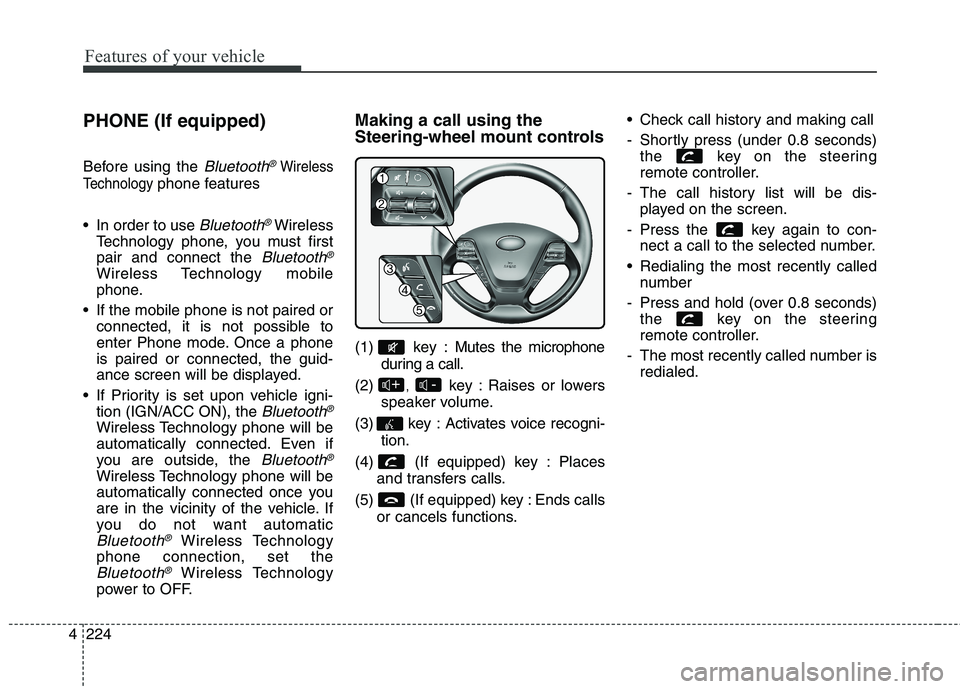
Steering-wheel mount controls
(1) key : Mutes the microphone
during a call.
(2) , key : Raises or lowers
speaker volume.
(3) key : Activates voice recogni- tion.
(4) (If equipped) key : Places and transfers calls.
(5) (If equipped) key : Ends calls or cancels functions. Check call history and making call
- Shortly press (under 0.8 seconds)
the key on the steering
remote controller.
- The call history list will be dis- played on the screen.
- Press the key again to con- nect a call to the selected number.
Redialing the most recently called number
- Press and hold (over 0.8 seconds) the key on the steering
remote controller.
- The most recently called number is redialed.
-+
Page 309 of 653
![KIA CEED 2017 Owners Manual Features of your vehicle
4 225
Phone MENU
Type A-1
Press the key to display
three menus (Call History, PhoneBook, Phone Setup).
History
Press the key Set [
History] through the TUNE knob
or key](/img/2/57941/w960_57941-308.png "KIA CEED 2017 Owners Manual Features of your vehicle
4 225
Phone MENU
Type A-1
Press the key to display
three menus (Call History, PhoneBook, Phone Setup).
History
Press the key Set [
History] through the TUNE knob
or key")
Features of your vehicle
4 225
Phone MENU
Type A-1
Press the key to display
three menus (Call History, PhoneBook, Phone Setup).
History
Press the key Set [
History] through the TUNE knob
or key.
The call history is displayed and can
be used to select a number and
make a call.
If call history does not exist, a screen
asking whether to download call his-
tory is displayed. (The download fea-
ture may not be supported in somemobile phones)
P.Book
Press the key Set [ P.
Book] through the TUNE knob or
key.
The phone book is displayed and
can be used to select a number and
make a call. ❈ If more than one number is saved
to one contact, then a screen
showing the mobile phone num-
ber, Home and office number is
displayed. Select the desired num-
ber to make the call.
❈ If phone book do not exist, a
screen asking whether to down-
load phone book is displayed.
(The download feature may not be
supported in some mobilephones)
Setup
Press the key Set [ Setup]
through the TUNE knob or
key. The
Bluetooth®Wireless Technology
mobile phone setup screen is dis-
played. For more information, refer to“Phone Setup”.
3
PHONE
2 RDM
PHONE
1 RPT
PHONE
PHONE
Page 310 of 653
Features of your vehicle
226
4 VOICE COMMAND (If equipped)
Starting Voice Command
To start voice command, shortly
press the key on the steering
wheel remote controller.
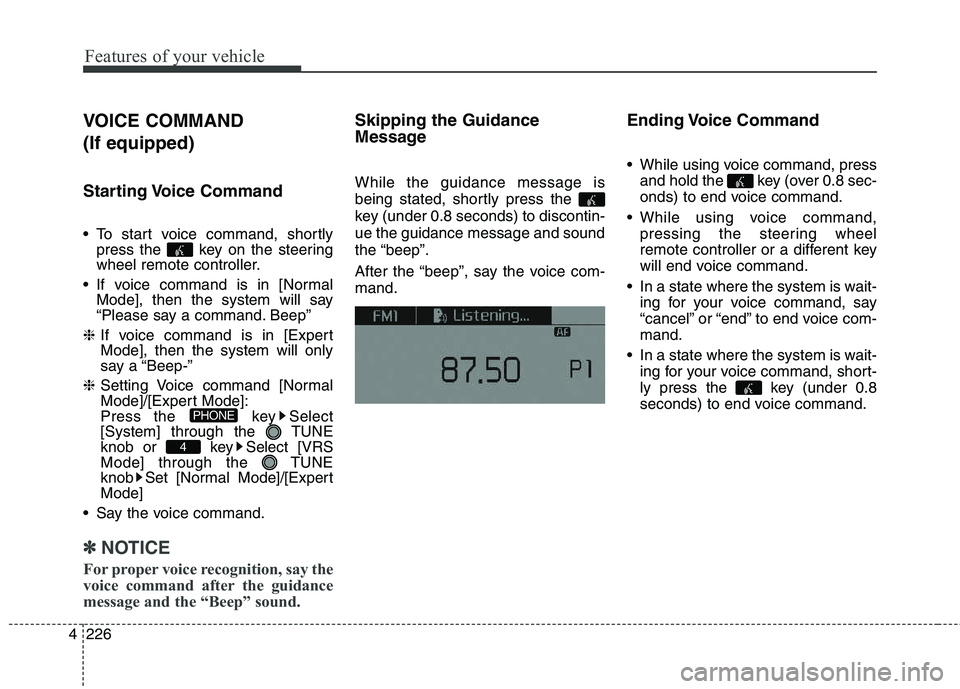
If voice command is in [Normal Mode], then the system will say
“Please say a command. Beep”
❈ If voice command is in [Expert
Mode], then the system will only
say a “Beep-”
❈ Setting Voice command [Normal
Mode]/[Expert Mode]:
Press the key Select
[System] through the TUNE
knob or key Select [VRS
Mode] through the TUNE
knob Set [Normal Mode]/[ExpertMode]
Say the voice command.
✽✽ NOTICE
For proper voice recognition, say the
voice command after the guidance
message and the “Beep” sound.
Skipping the Guidance
Message While the guidance message is
being stated, shortly press the
key (under 0.8 seconds) to discontin-ue the guidance message and soundthe “beep”.
After the “beep”, say the voice com- mand. Ending Voice Command
While using voice command, press
and hold the key (over 0.8 sec-
onds) to end voice command.
While using voice command, pressing the steering wheel
remote controller or a different key
will end voice command.
In a state where the system is wait- ing for your voice command, say
“cancel” or “end” to end voice com-mand.
In a state where the system is wait- ing for your voice command, short-
ly press the key (under 0.8
seconds) to end voice command.
4
PHONE
Page 311 of 653

Features of your vehicle
4 227
Illustration on using voice commands
Shortly pressing the key (under 0.8 seconds):
Shortly pressing the key (under 0.8 seconds):
Shortly pressing the key (under 0.8 seconds):
while guidance message is being stated
More Help
Phone book
Cancel
More Help
Please say a command
Please say a...
More Help.
You can say Radio, FM, AM, Media, CD, USB, AUX,
My Music, iPod ®
, Bluetooth Audio, Phone, Call
History or Phone book. Please say a command.
Phone book
Please say the name of the Phone book
you want to call.
More Help.
You can say Radio, FM, AM, Media, CD, USB, AUX,
My Music, iPod ®
, Bluetooth Audio, Phone, Call
History or Phone book. Please say a command.
Beep-
Beep-
Beep-
Beep Beep.. (end beep)
Shortly pressing the key (under 0.8 seconds):
Page 312 of 653

Features of your vehicle
228
4 Voice Command List
Common Commands : These commands can be used in most operations. (However a few commands may not be
available during certain operations)
Command Function
More Help Provides guidance on commands that can be
used anywhere in the system.
Help Provides guidance on commands that can be
used within the current mode.
Call
phone book
Ex) Call “John Smith”
Phone Provides guidance on Phone related com- mands. After saying this command, say “Call
History”, “
Phone book”, “Dial Number” to exe-
cute corresponding functions.
Call History Displays the Call History screen.
Phone bookDisplays the phone bookscreen. After saying
this command, say the name of a
phone book
saved in the phone bookto automatically con-
nect the call.
Dial Number Displays the Dial number screen. After saying this command, you can say the number that
you want to call.
Redial Connects the most recently called number. Radio
When listening to the radio, displays the next
radio screen. (FM1➟FM2 ➟FMA ➟AM ➟AMA)
When listening to a different mode, displays
the most recently played radio screen.
Command Function
FM
When currently listening to the FM radio, main-
tains the current state.
When listening to a different mode, displaysthe most recently played FM screen.
FM1(FM One) Displays the FM1 screen.
FM2(FM Two) Displays the FM2 screen.
FMA Displays the FMA screen.
AM Displays the AM screen.
AMA Displays the AMA screen.
FM Preset 1~6 Plays the most recently played broadcast
saved in FM Preset 1~6.
AM Preset 1~6 Plays the broadcast saved in AM Preset 1~6.
FM 87.5~107.9 Plays the FM broadcast of the corresponding frequency.
❈ Range can be different by application frequen-
cy of corresponding country.
AM 530~1710 Plays the AM broadcast of the corresponding frequency.
❈ Range can be different by application frequen-
cy of corresponding country.
TA on Enables Traffic Announcement
TA off Disables Traffic Announcement
News on Enables RDS News feature
News off Disables RDS News feature
Page 316 of 653

Features of your vehicle
232
4 My Music Commands : Commands available during
My Music operation. Commands available during
Bluetooth®Wireless
Technology audio streaming from mobile phone oper-
ation Command Operation.
Command Function
Random Randomly plays all saved files.
Random Off Cancels random play to play files in sequential
order.
Repeat Repeats the current file.
Repeat Off Cancels repeat play to play files in sequential
order.
Next File Plays the next file.
Previous File Plays the previous file.
Scan Scans the files from the next files for 10 sec-
onds each.
Information Displays the information screen of the current
file.
Delete Deletes the current file. You will bypass an
additional confirmation process.
Delete All Deletes all files saved in My Music. You will
bypass an additional confirmation process.
Command Function
Play Plays the currently paused song.
Pause Pauses the current song.