key KIA CEED 2017 Manual PDF
[x] Cancel search | Manufacturer: KIA, Model Year: 2017, Model line: CEED, Model: KIA CEED 2017Pages: 653, PDF Size: 54.59 MB
Page 318 of 653

Features of your vehicle
234
4 SYSTEM CONTROLLERS AND FUNCTIONS
Audio Head Unit (1) (EJECT) Ejects the disc.
(2)
Converts to Radio(FM/AM) mode.
Each time the key is pressed, the mode is changed in order of FM1
➟
FM2 ➟FMA ➟AM ➟AMA.
(3)
Converts to Phone mode ❈ When a phone is not connected, the connection screen is dis-
played.
(4)
Start Media mode
Each time the key is pressed, the
mode is changed in order of CD,
USB(iPod ®
) AUX, My Music, BT
Audio. (5) POWER/VOL knob
Power : Press to turn power on/off.
Volume : Turn left / right to control
volume. (6)
When pressed shortly (under 0.8 seconds)
- Radio mode : plays previous / next frequency.
- Media (CD / USB / iPod ®
/ My Music
/BT Audio) modes : changes the
track, Song(file)
When pressed and held (0.8 seconds)
- Radio mode : continuously changes the frequency. Upon release, plays
the current frequency.
- Media(CD / USB / iPod ®
/ My
Music) modes : rewinds or fast for-
wards the track or file
- During a Handsfree call, controls the call volume.
SEEK
TRACK
MEDIA
PHONE
RADIO
Page 319 of 653

Features of your vehicle
4 235
(7)
Each time the button is shortly
pressed (under 0.8 seconds), sets Screen Off ➟Screen On ➟Screen
Off
❈ Audio operation is maintained and
only the screen will be turned Off.
In the Screen Off state, press any
key to turn the Screen On again. (8)
Set TA(Traffic Announcement) feature
On/Off. (9)
Converts to Setup mode. (10)
- Press and hold the key (over 0.8
seconds): Previews each broad-
cast for 5 seconds each.
- Press and hold the key (over 0.8 seconds): Previews each song
(file) for 10 seconds each.
❈ Press and holding the key again to
continue listening to the current song (file). (11) TUNE knob
- Radio mode : turn to change
broadcast frequencies.
- Media (CD / USB / iPod ®
/ My
Music) modes : turn to search
tracks/channels/files.
(12)
MP3 CD / USB mode : Folder Search ❈ May differ depending on the
selected audio.
FOLDERSCAN
SETUP
TA
Page 321 of 653
Features of your vehicle
4 237
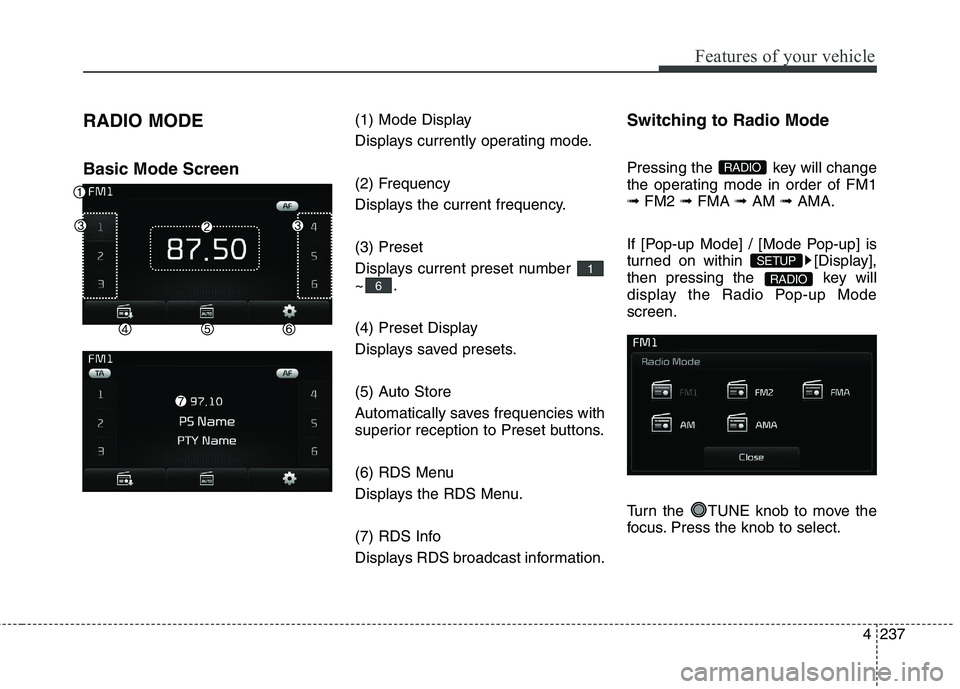
RADIO MODE Basic Mode Screen
(1) Mode Display
Displays currently operating mode.
(2) Frequency
Displays the current frequency. (3) Preset
Displays current preset number ~.
(4) Preset Display
Displays saved presets.
(5) Auto Store
Automatically saves frequencies with
superior reception to Preset buttons.
(6) RDS Menu
Displays the RDS Menu.
(7) RDS Info
Displays RDS broadcast information.Switching to Radio Mode
Pressing the key will change
the operating mode in order of FM1➟
FM2 ➟FMA ➟AM ➟AMA.
If [Pop-up Mode] / [Mode Pop-up] is
turned on within [Display],
then pressing the key will
display the Radio Pop-up Modescreen.
Turn the TUNE knob to move the
focus. Press the knob to select.
RADIO
SETUP
RADIO
6
1
Page 322 of 653
Features of your vehicle
238
4 Searching Radio Frequencies
Using Seek
Press the key to play the
previous/next frequency.
Using TUNE
Turn the TUNE knob to select the
desired frequency.
Using Radio Mode
Selecting/Saving Presets
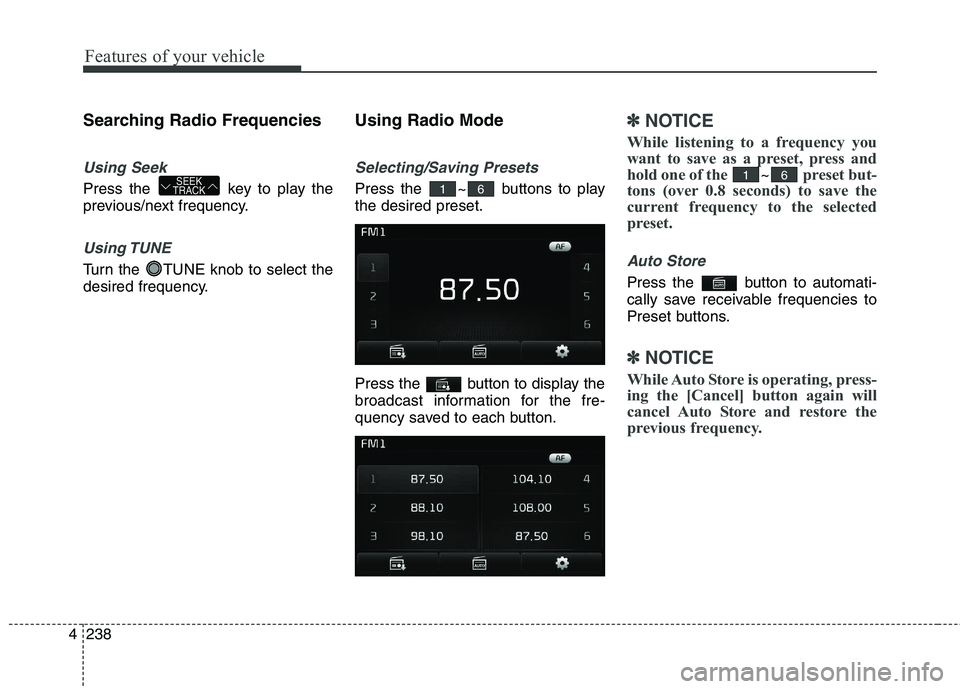
Press the ~ buttons to play the desired preset.
Press the button to display the
broadcast information for the fre-
quency saved to each button.
✽✽
NOTICE
While listening to a frequency you
want to save as a preset, press and
hold one of the
~preset but-
tons (over 0.8 seconds) to save the
current frequency to the selected
preset.
Auto Store
Press the button to automati-
cally save receivable frequencies to
Preset buttons.
✽✽ NOTICE
While Auto Store is operating, press-
ing the [Cancel] button again will
cancel Auto Store and restore the
previous frequency.
6161SEEK
TRACK
Page 323 of 653
Features of your vehicle
4 239
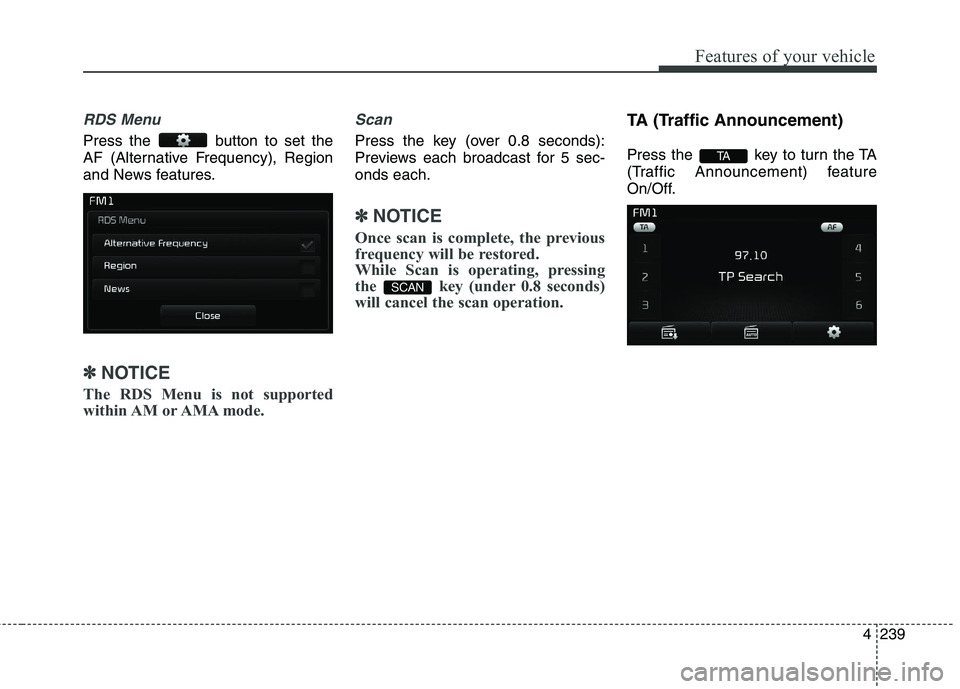
RDS Menu
Press the button to set the
AF (Alternative Frequency), Region
and News features.
✽✽NOTICE
The RDS Menu is not supported
within AM or AMA mode.
Scan
Press the key (over 0.8 seconds):
Previews each broadcast for 5 sec-onds each.
✽✽ NOTICE
Once scan is complete, the previous
frequency will be restored.
While Scan is operating, pressing
the key (under 0.8 seconds)
will cancel the scan operation.
TA (Traffic Announcement)
Press the key to turn the TA
(Traffic Announcement) feature
On/Off.
TA
SCAN
Page 324 of 653
Features of your vehicle
240
4 MEDIA MODE
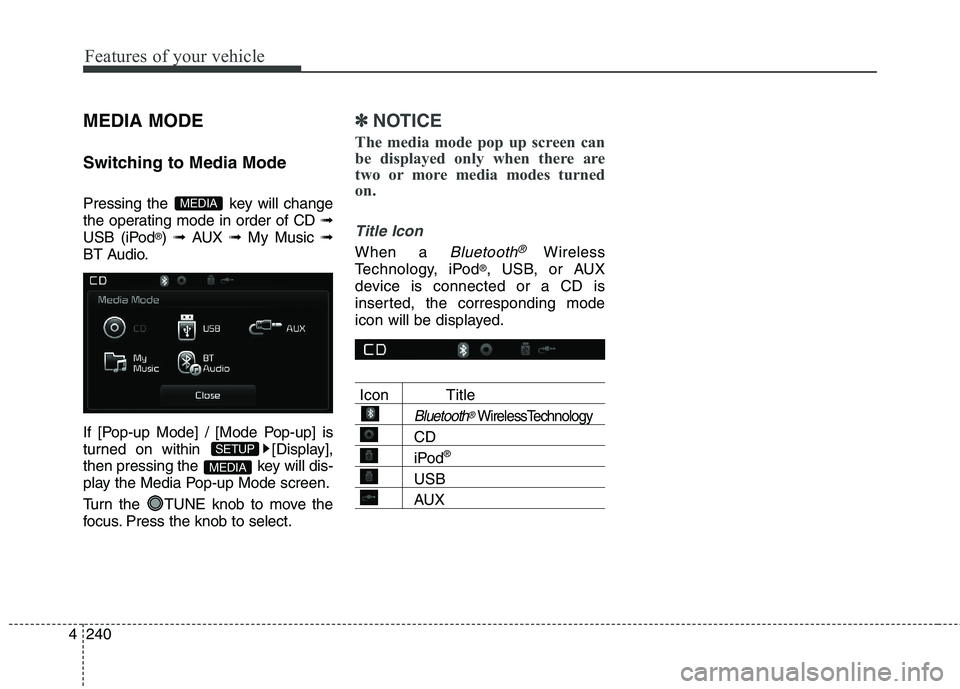
Switching to Media Mode
Pressing the key will change
the operating mode in order of CD
➟
USB (iPod ®
) ➟ AUX ➟ My Music ➟
BT Audio.
If [Pop-up Mode] / [Mode Pop-up] is
turned on within [Display],
then pressing the key will dis-
play the Media Pop-up Mode screen.
Turn the TUNE knob to move the
focus. Press the knob to select.
✽✽ NOTICE
The media mode pop up screen can
be displayed only when there are
two or more media modes turned
on.
Title Icon
When a Bluetooth®Wireless
Technology, iPod ®
, USB, or AUX
device is connected or a CD is
inserted, the corresponding mode
icon will be displayed.
Icon Title
Bluetooth®WirelessTechnology
CD
iPod ®
USB
AUX
MEDIA
SETUP
MEDIA
Page 326 of 653
Features of your vehicle
242
4 Using Audio CD Mode
Playing/Pausing CD Tracks
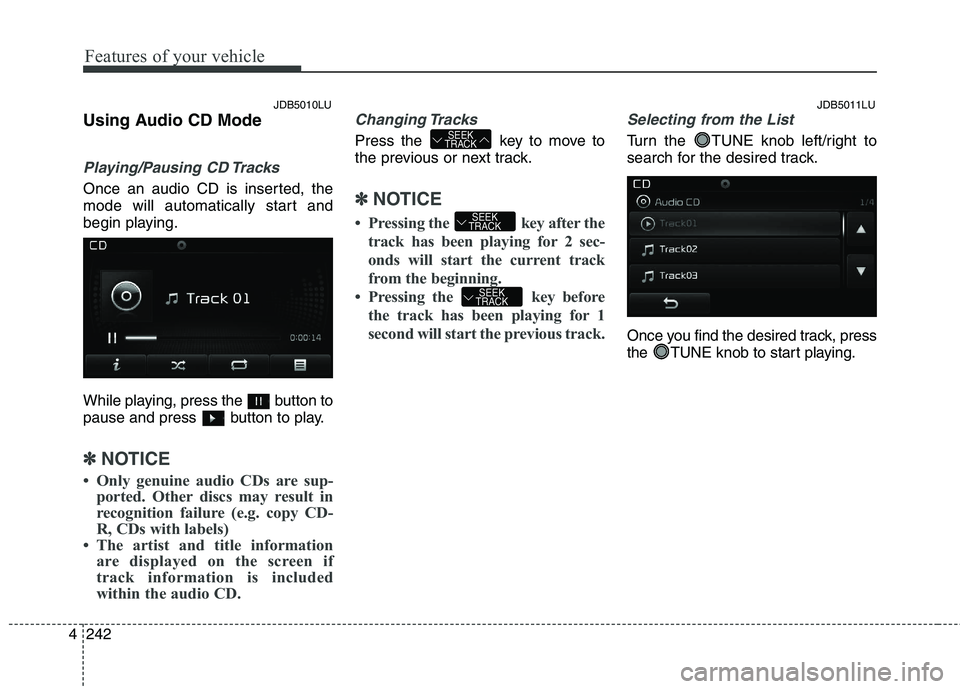
Once an audio CD is inserted, the
mode will automatically start and
begin playing.
While playing, press the button to
pause and press button to play.
✽✽
NOTICE
Only genuine audio CDs are sup- ported. Other discs may result in
recognition failure (e.g. copy CD-
R, CDs with labels)
The artist and title information are displayed on the screen if
track information is included
within the audio CD.
Changing Tracks
Press the key to move to
the previous or next track.
✽✽ NOTICE
Pressing the key after the track has been playing for 2 sec-
onds will start the current track
from the beginning.
Pressing the key before the track has been playing for 1
second will start the previous track.
Selecting from the List
Turn the TUNE knob left/right to
search for the desired track.
Once you find the desired track, press
the TUNE knob to start playing.
SEEK
TRACK
SEEK
TRACK
SEEK
TRACK
JDB5010LU JDB5011LU
Page 327 of 653
Features of your vehicle
4 243
Rewinding / Fast-forwardingTracks
While playing, press and hold the
key (over 0.8 seconds) to
rewind or fast-forward the current
track.
Scan
Press the key to play the first
10 seconds of each file.
Press the key again to turn
off. Audio CD Mode Menu
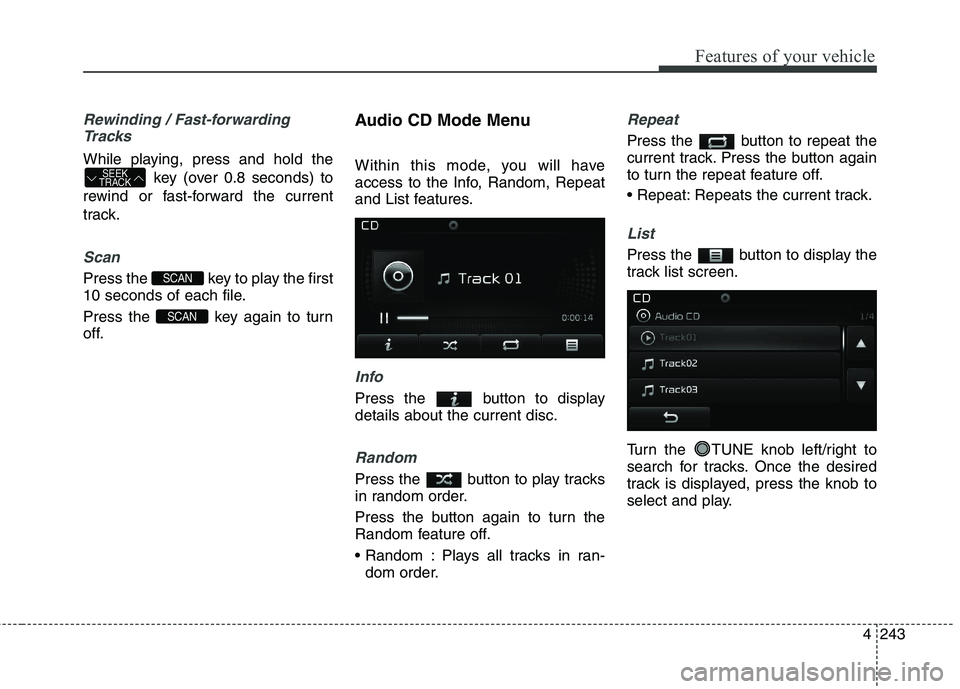
Within this mode, you will have
access to the Info, Random, Repeat
and List features.
Info
Press the button to display details about the current disc.
Random
Press the button to play tracks
in random order.
Press the button again to turn the
Random feature off.
Plays all tracks in ran-
dom order.
Repeat
Press the button to repeat the
current track. Press the button again
to turn the repeat feature off.
Repeats the current track.
List
Press the button to display the
track list screen.
Turn the TUNE knob left/right to
search for tracks. Once the desired
track is displayed, press the knob to
select and play.
SCAN
SCAN
SEEK
TRACK
Page 329 of 653
Features of your vehicle
4 245
Using MP3 CD Mode
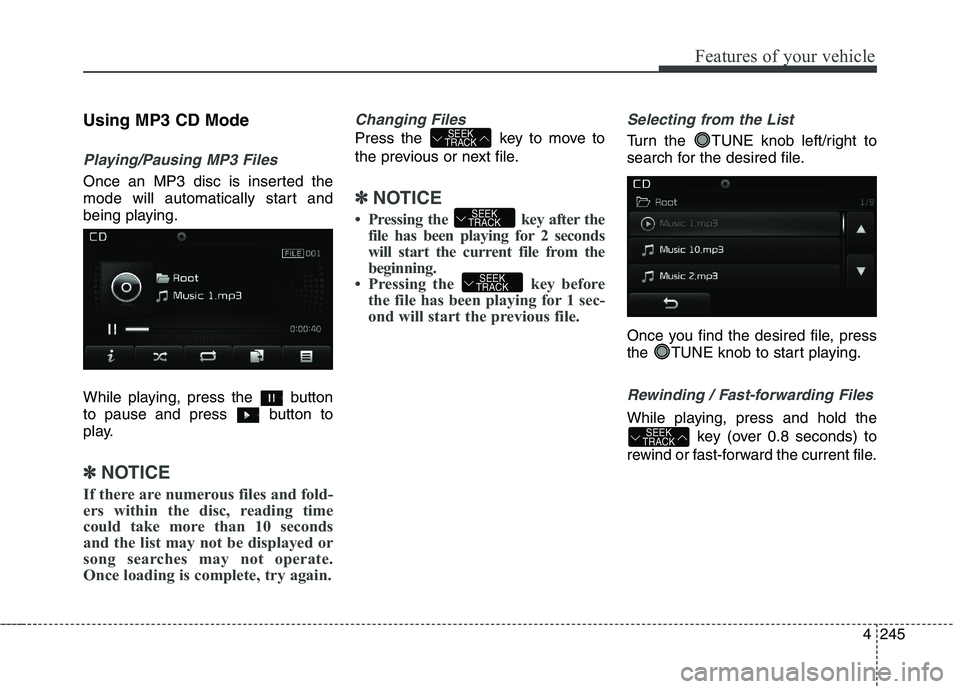
Playing/Pausing MP3 Files
Once an MP3 disc is inserted the
mode will automatically start and
being playing.
While playing, press the button
to pause and press button to
play.
✽✽
NOTICE
If there are numerous files and fold-
ers within the disc, reading time
could take more than 10 seconds
and the list may not be displayed or
song searches may not operate.
Once loading is complete, try again.
Changing Files
Press the key to move to
the previous or next file.
✽✽ NOTICE
Pressing the key after the file has been playing for 2 seconds
will start the current file from the
beginning.
Pressing the key before the file has been playing for 1 sec-
ond will start the previous file.
Selecting from the List
Turn the TUNE knob left/right to
search for the desired file.
Once you find the desired file, press
the TUNE knob to start playing.
Rewinding / Fast-forwarding Files
While playing, press and hold the
key (over 0.8 seconds) to
rewind or fast-forward the current file.SEEK
TRACK
SEEK
TRACK
SEEK
TRACK
SEEK
TRACK
Page 330 of 653
Features of your vehicle
246
4
Scan
Press the key to play the first
10 seconds of each file.
Press the key again to turn
off.
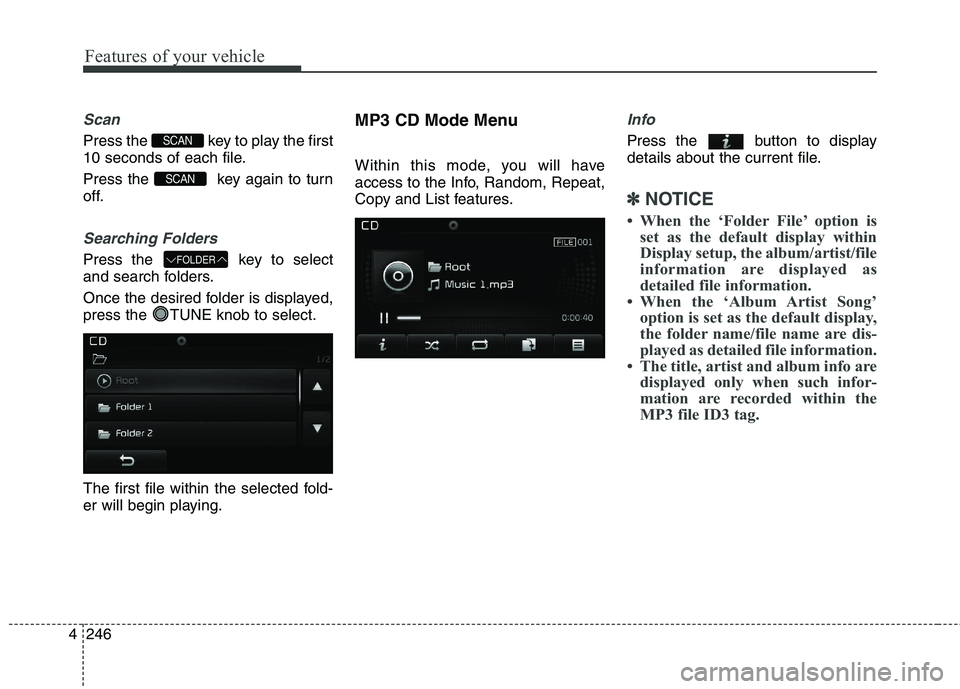
Searching Folders
Press the key to select
and search folders.
Once the desired folder is displayed,
press the TUNE knob to select.
The first file within the selected fold-
er will begin playing. MP3 CD Mode Menu
Within this mode, you will have
access to the Info, Random, Repeat,
Copy and List features.
Info
Press the button to display
details about the current file.
✽✽
NOTICE
When the ‘Folder File’ option is set as the default display within
Display setup, the album/artist/file
information are displayed as
detailed file information.
When the ‘Album Artist Song’ option is set as the default display,
the folder name/file name are dis-
played as detailed file information.
The title, artist and album info are displayed only when such infor-
mation are recorded within the
MP3 file ID3 tag.
FOLDER
SCAN
SCAN