warning KIA CERATO 2007 Workshop Manual
[x] Cancel search | Manufacturer: KIA, Model Year: 2007, Model line: CERATO, Model: KIA CERATO 2007Pages: 329, PDF Size: 34.09 MB
Page 96 of 329
Knowing your vehicle
86
3
1 23456789
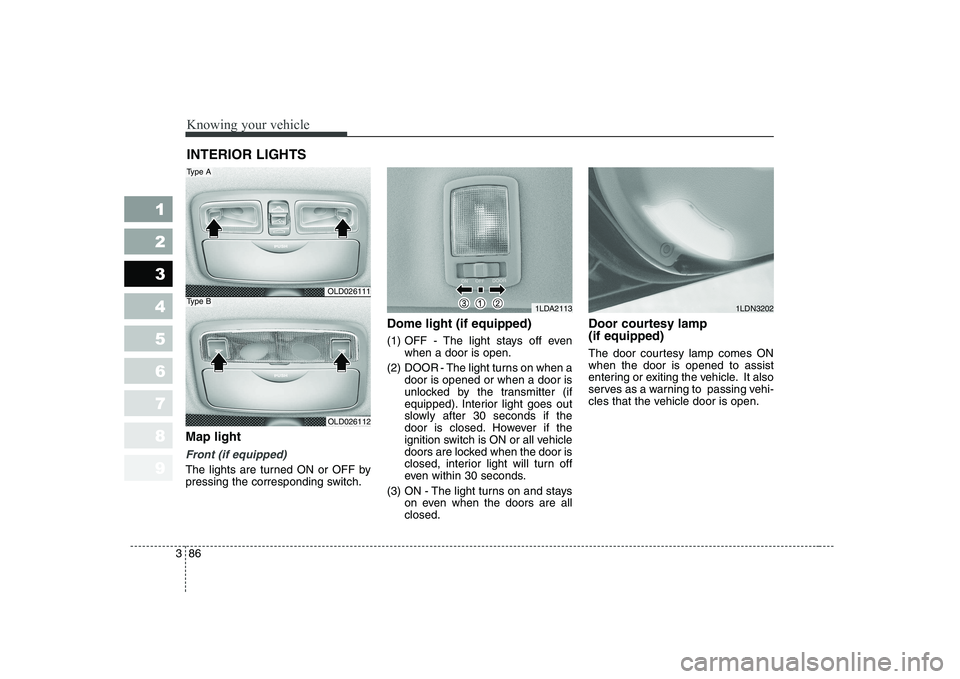
Map light
Front (if equipped)
The lights are turned ON or OFF by
pressing the corresponding switch. Dome light (if equipped)
(1) OFF - The light stays off even
when a door is open.
(2) DOOR - The light turns on when a door is opened or when a door is
unlocked by the transmitter (if
equipped). Interior light goes out
slowly after 30 seconds if the
door is closed. However if the
ignition switch is ON or all vehicle
doors are locked when the door is
closed, interior light will turn off
even within 30 seconds.
(3) ON - The light turns on and stays on even when the doors are allclosed. Door courtesy lamp (if equipped)
The door courtesy lamp comes ON when the door is opened to assist
entering or exiting the vehicle. It also
serves as a warning to passing vehi-
cles that the vehicle door is open.
INTERIOR LIGHTS
1LDA2113
OLD026111
OLD026112
Type A
Type B1LDN3202
Page 101 of 329
391
1 23456789
Knowing your vehicle
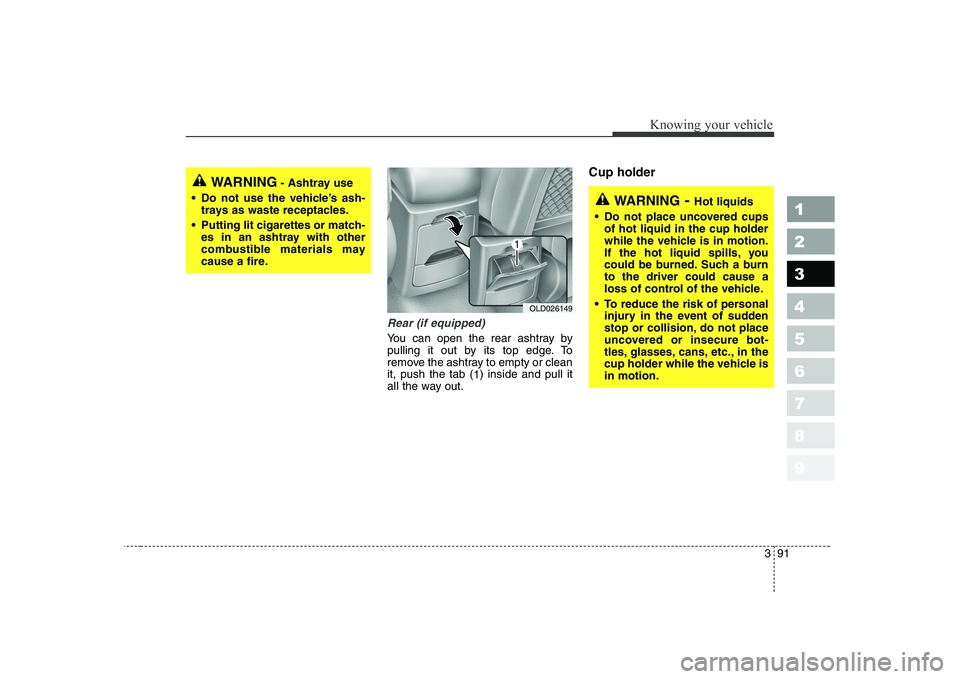
Rear (if equipped)
You can open the rear ashtray by
pulling it out by its top edge. To
remove the ashtray to empty or cleanit, push the tab (1) inside and pull it
all the way out. Cup holder
WARNING
- Ashtray use
Do not use the vehicle’s ash- trays as waste receptacles.
Putting lit cigarettes or match- es in an ashtray with other
combustible materials may
cause a fire.
WARNING - Hot liquids
Do not place uncovered cups of hot liquid in the cup holder
while the vehicle is in motion.
If the hot liquid spills, you
could be burned. Such a burnto the driver could cause a
loss of control of the vehicle.
To reduce the risk of personal injury in the event of sudden
stop or collision, do not place
uncovered or insecure bot-
tles, glasses, cans, etc., in the
cup holder while the vehicle isin motion.
OLD026149
Page 109 of 329
399
1 23456789
Knowing your vehicle
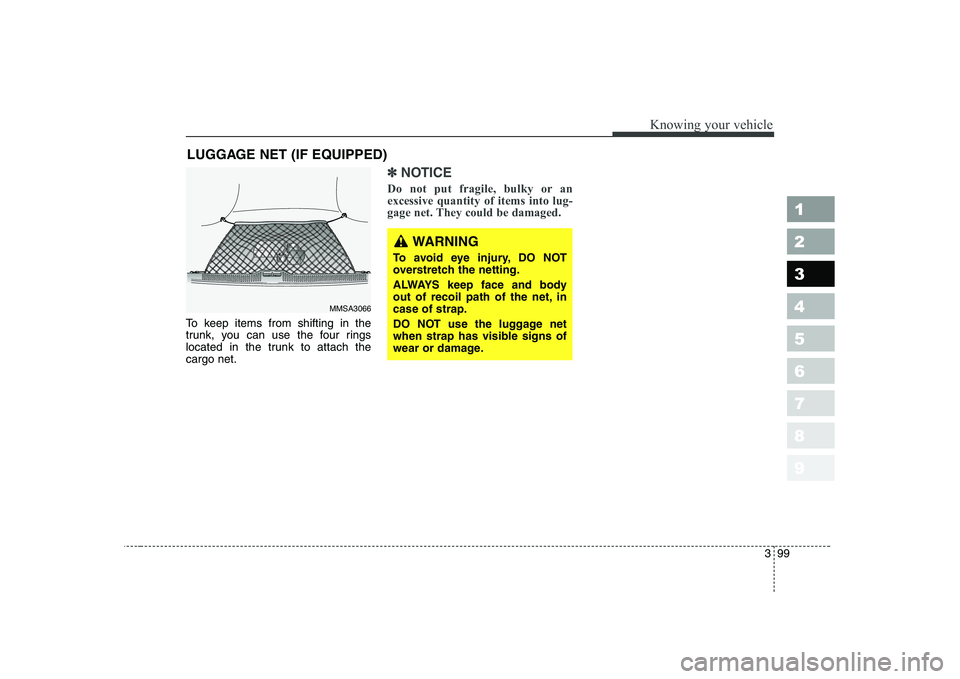
To keep items from shifting in the
trunk, you can use the four rings
located in the trunk to attach thecargo net.
✽✽NOTICE
Do not put fragile, bulky or an excessive quantity of items into lug-
gage net. They could be damaged.
LUGGAGE NET (IF EQUIPPED)
MMSA3066
WARNING
To avoid eye injury, DO NOT
overstretch the netting.
ALWAYS keep face and body
out of recoil path of the net, incase of strap.
DO NOT use the luggage net
when strap has visible signs of
wear or damage.
Page 113 of 329
3 103
Knowing your vehicle
1 23456789
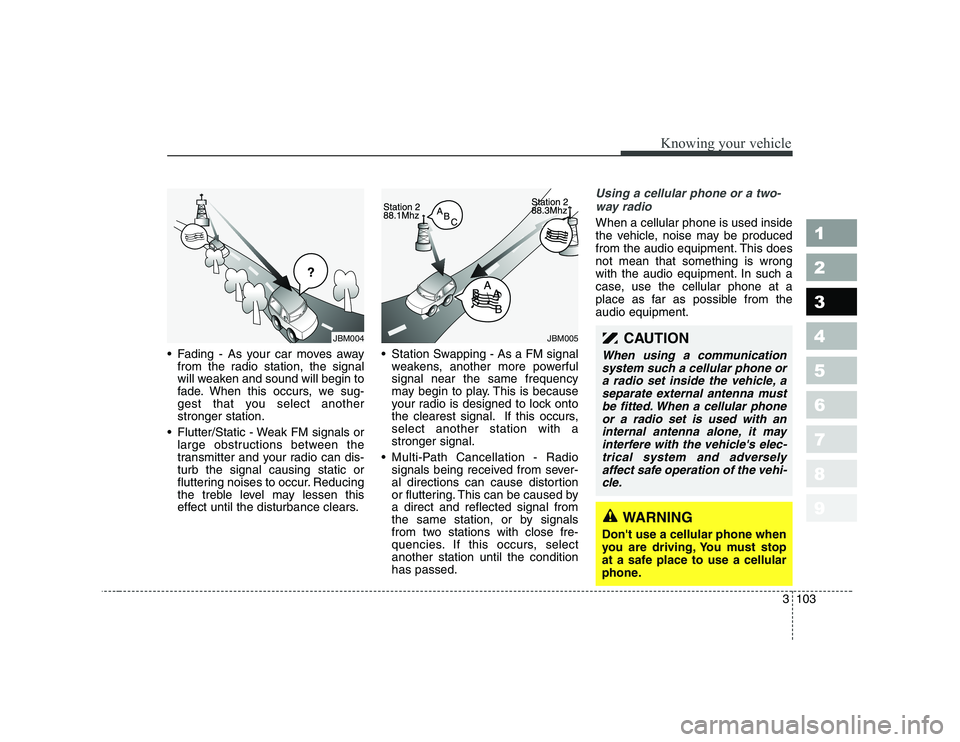
• Fading - As your car moves awayfrom the radio station, the signal
will weaken and sound will begin to
fade. When this occurs, we sug-
gest that you select anotherstronger station.
Flutter/Static - Weak FM signals or large obstructions between the
transmitter and your radio can dis-turb the signal causing static or
fluttering noises to occur. Reducing
the treble level may lessen this
effect until the disturbance clears. Station Swapping - As a FM signal
weakens, another more powerfulsignal near the same frequency
may begin to play. This is because
your radio is designed to lock onto
the clearest signal. If this occurs,select another station with astronger signal.
Multi-Path Cancellation - Radio signals being received from sever-
al directions can cause distortion
or fluttering. This can be caused bya direct and reflected signal from
the same station, or by signals
from two stations with close fre-
quencies. If this occurs, selectanother station until the conditionhas passed.
Using a cellular phone or a two-
way radio
When a cellular phone is used inside
the vehicle, noise may be produced
from the audio equipment. This doesnot mean that something is wrong
with the audio equipment. In such a
case, use the cellular phone at a
place as far as possible from theaudio equipment.
¢¢¢
JBM004JBM005CAUTION
When using a communicationsystem such a cellular phone ora radio set inside the vehicle, a separate external antenna mustbe fitted. When a cellular phoneor a radio set is used with an internal antenna alone, it mayinterfere with the vehicle's elec-trical system and adversely affect safe operation of the vehi-cle.
WARNING
Don't use a cellular phone when
you are driving, You must stop
at a safe place to use a cellular
phone.
Page 129 of 329
3 119
Knowing your vehicle
1 23456789
(Continued) Do not attempt to grab or pull the compact disc out while thedisc is being pulled into theaudio unit by the self-loadingmechanism. Damage to the audio unit and compact disccould occur.
Avoid using recorded compact discs in your audio unit.Original compact discs are recommended for best results.
WARNING
When driving your vehicle, be
sure to keep the volume of the
unit set low enough to allow you
to hear sounds coming from the
outside.
CAUTION
Do not insert warped or poor quality discs into the CD play-er as damage to the unit mayoccur.
Do not insert anything like coins into the player slot asdamage to the unit may occur.
Do not place beverages close to the audio system. The play-back mechanism may be dam- aged if you spill them.
Do not strike or allow anything to impact the audio system,damage to the system mecha- nisms could occur.
Off-road or rough surface driving may cause the com-pact disc to skip. Do not usethe compact disc when driv- ing in such conditions asdamage to the compact discface could occur.
(Continued)
Page 136 of 329
1 23456789Ignition switch / 4-2
Starting the engine / 4-4Manual transaxle / 4-7Automatic transaxle / 4-8Brake system / 4-14
Steering wheel / 4-20
Cruise control / 4-23
Traction control system / 4-27
Instrument cluster / 4-30Gauges / 4-31
Warnings and indicators / 4-37Lighting / 4-45
Wipers and washers / 4-51
Defroster / 4-53
Hazard warning flasher / 4-54
Manual climate control system / 4-55
Automatic climate control system / 4-64
Windshield defrosting and defogging / 4-76Theft-alarm system / 4-81
Driving your vehicle
Page 137 of 329

Driving your vehicle
2
4
1 23456789
Illuminated ignition switch (if equipped)
Whenever a door is opened, the igni-
tion switch will be illuminated for your
convenience, provided the ignition
switch is not in the ON position. The
light will go off approximately 30 sec-onds after closing the door or when
the ignition switch is turned on. Ignition switch and anti-theft
steering column lock
Ignition switch position
LOCK
The steering wheel locks to protect
against theft. The ignition key can be
removed only in the LOCK position.
When turning the ignition switch to
the LOCK position, push the key
inward at the ACC position and turn
the key toward the LOCK position. ACC (Accessory)
The steering wheel is unlocked and
electrical accessories are operative.ON
The warning lights can be checked
before the engine is started. This is
the normal running position after the
engine is started.
Do not leave the ignition switch ON if
the engine is not running to preventbattery discharge.
START
Turn the ignition key to the START
position to start the engine. The
engine will crank until you release
the key; then it returns to the ON
position. The brake warning lamp
can be checked in this position.
✽✽
NOTICE
If difficulty is experienced in turn-
ing the ignition key to the STARTposition, turn the steering wheel
right and left to release the tension
and then turn the key.
IGNITION SWITCH
1LDA3012OUN036002
Page 138 of 329
43
1 23456789
Driving your vehicle
WARNING - Ignition key
• Never turn the ignition switch to LOCK or ACC while the
vehicle is moving. This wouldresult in loss of directional
control and braking function,
which could cause an immedi-ate accident.
The anti-theft steering column lock is not a substitute for the
parking brake. Before leaving
the driver’s seat, always make
sure the shift lever is engagedin 1 st
gear for manual transaxle
or P (Park) for automatic
transaxle, set the parking
brake fully and shut the
engine off. Unexpected and
sudden vehicle movement
may occur if these precau-tions are not taken.
(Continued)(Continued)
Never reach for the ignitionswitch, or any other controls
through the steering wheel
while the vehicle is in motion.
The presence of your hand orarm in this area could cause a
loss of vehicle control, an
accident and serious bodily
injury or death.
Do not place any movable objects around the driver’s
seat as they may move while
driving, interfere with the driv-er and lead to an accident.
Page 142 of 329
47
1 23456789
Driving your vehicle
Manual transaxle operation
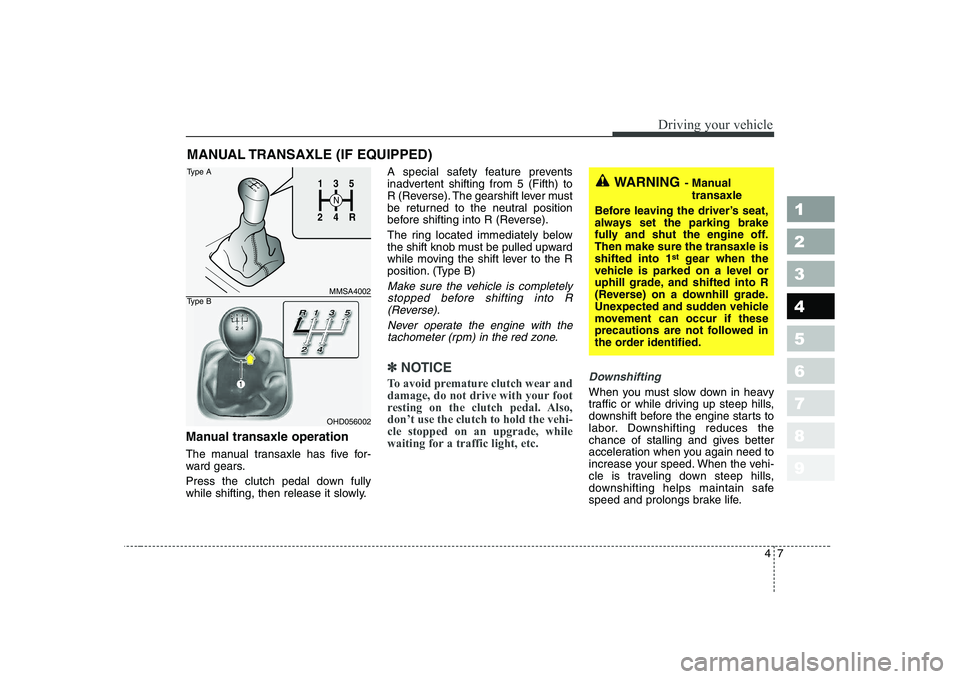
The manual transaxle has five for-
ward gears.
Press the clutch pedal down fully
while shifting, then release it slowly.A special safety feature prevents
inadvertent shifting from 5 (Fifth) to
R (Reverse). The gearshift lever must
be returned to the neutral position
before shifting into R (Reverse).
The ring located immediately below
the shift knob must be pulled upward
while moving the shift lever to the R
position. (Type B)
Make sure the vehicle is completely
stopped before shifting into R (Reverse).
Never operate the engine with thetachometer (rpm) in the red zone.
✽✽ NOTICE
To avoid premature clutch wear and
damage, do not drive with your foot
resting on the clutch pedal. Also,don’t use the clutch to hold the vehi-cle stopped on an upgrade, while
waiting for a traffic light, etc.Downshifting
When you must slow down in heavy
traffic or while driving up steep hills,
downshift before the engine starts to
labor. Downshifting reduces the
chance of stalling and gives better
acceleration when you again need to
increase your speed. When the vehi-
cle is traveling down steep hills,
downshifting helps maintain safe
speed and prolongs brake life.
MANUAL TRANSAXLE (IF EQUIPPED)
WARNING
- Manual
transaxle
Before leaving the driver’s seat,
always set the parking brake
fully and shut the engine off.Then make sure the transaxle isshifted into 1 st
gear when the
vehicle is parked on a level or
uphill grade, and shifted into R
(Reverse) on a downhill grade.
Unexpected and sudden vehicle
movement can occur if these
precautions are not followed in
the order identified.1
2 4
R
3
S
N
135
R
4
2
MMSA4002
OHD056002
Type A
Type B
Page 145 of 329
Driving your vehicle
10
4
1 23456789
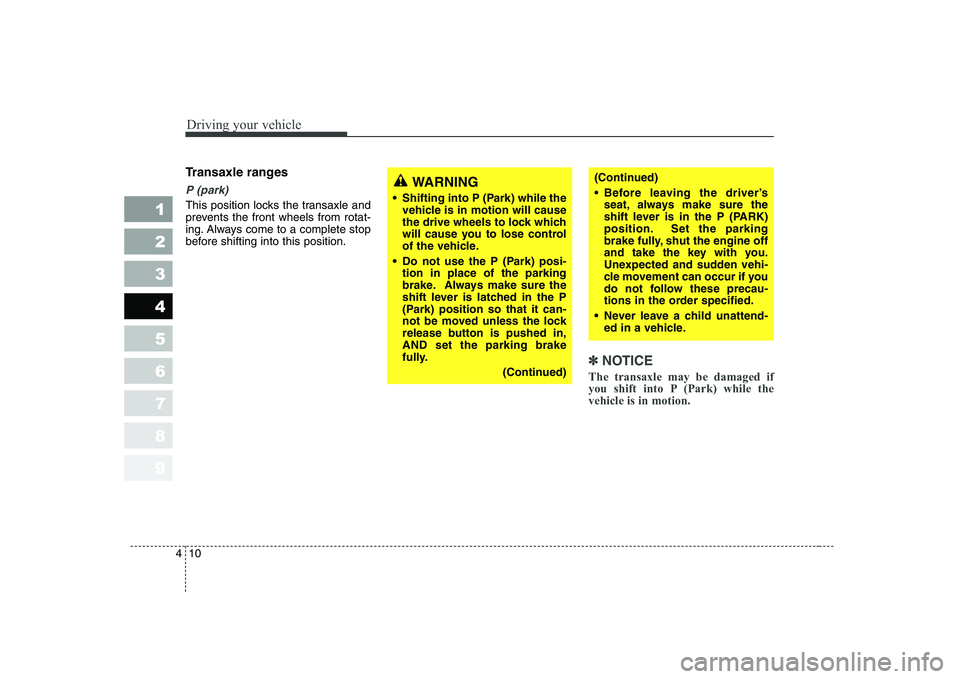
Transaxle ranges
P (park)
This position locks the transaxle and
prevents the front wheels from rotat-
ing. Always come to a complete stop
before shifting into this position.
✽✽
NOTICE
The transaxle may be damaged if
you shift into P (Park) while thevehicle is in motion.
(Continued)
Before leaving the driver’s seat, always make sure the
shift lever is in the P (PARK)
position. Set the parking
brake fully, shut the engine off
and take the key with you.
Unexpected and sudden vehi-
cle movement can occur if you
do not follow these precau-
tions in the order specified.
Never leave a child unattend- ed in a vehicle.WARNING
Shifting into P (Park) while the vehicle is in motion will cause
the drive wheels to lock which
will cause you to lose control
of the vehicle.
Do not use the P (Park) posi- tion in place of the parking
brake. Always make sure the
shift lever is latched in the P
(Park) position so that it can-
not be moved unless the lock
release button is pushed in,AND set the parking brake
fully.
(Continued)