light KIA CERATO 2008 Owner's Manual
[x] Cancel search | Manufacturer: KIA, Model Year: 2008, Model line: CERATO, Model: KIA CERATO 2008Pages: 327, PDF Size: 42.19 MB
Page 136 of 327
1 23456789Ignition switch / 4-2
Starting the engine / 4-4Manual transaxle / 4-7Automatic transaxle / 4-8Brake system / 4-14
Steering wheel / 4-20
Cruise control / 4-23
Traction control system / 4-26
Instrument cluster / 4-29Gauges / 4-31
Warnings and indicators / 4-37Lighting / 4-45
Wipers and washers / 4-51
Defroster / 4-53
Hazard warning flasher / 4-54
Manual climate control system / 4-55
Automatic climate control system / 4-64
Windshield defrosting and defogging / 4-75
Driving your vehicle
Page 137 of 327
Driving your vehicle
2
4
1 23456789
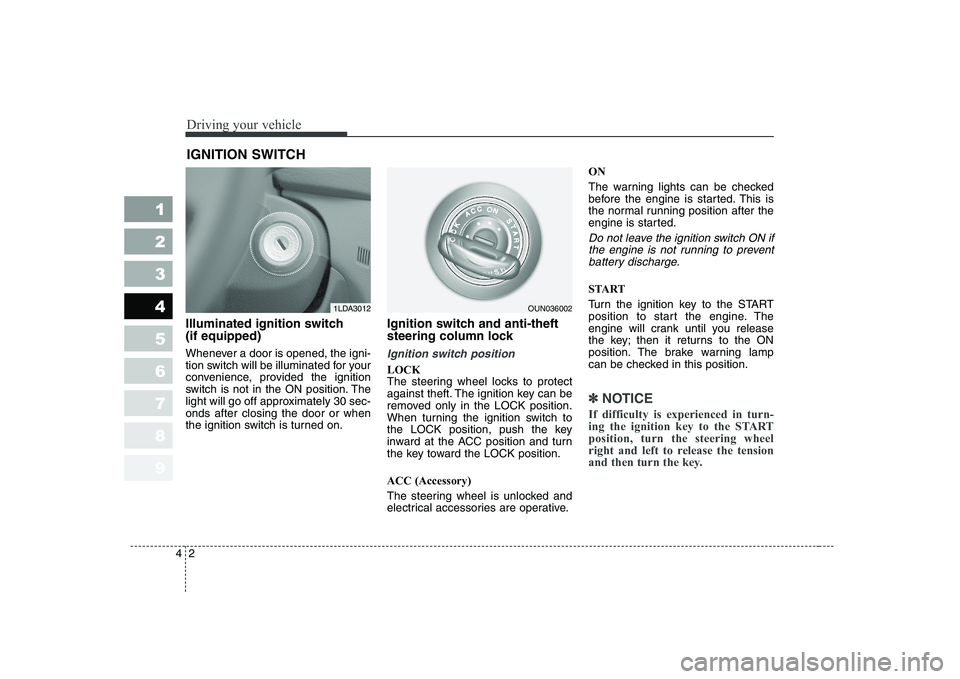
Illuminated ignition switch (if equipped)
Whenever a door is opened, the igni-
tion switch will be illuminated for your
convenience, provided the ignition
switch is not in the ON position. The
light will go off approximately 30 sec-onds after closing the door or when
the ignition switch is turned on. Ignition switch and anti-theft
steering column lock
Ignition switch position
LOCK
The steering wheel locks to protect
against theft. The ignition key can be
removed only in the LOCK position.
When turning the ignition switch to
the LOCK position, push the key
inward at the ACC position and turn
the key toward the LOCK position. ACC (Accessory)
The steering wheel is unlocked and
electrical accessories are operative.ON
The warning lights can be checked
before the engine is started. This is
the normal running position after the
engine is started.
Do not leave the ignition switch ON if
the engine is not running to preventbattery discharge.
START
Turn the ignition key to the START
position to start the engine. The
engine will crank until you release
the key; then it returns to the ON
position. The brake warning lamp
can be checked in this position.
✽✽
NOTICE
If difficulty is experienced in turn-
ing the ignition key to the STARTposition, turn the steering wheel
right and left to release the tension
and then turn the key.
IGNITION SWITCH
1LDA3012OUN036002
Page 140 of 327
45
1 23456789
Driving your vehicle
Starting the diesel engine
To start the diesel engine when the engine is cold, it has to be pre-heat-
ed before starting the engine and
then have to be warmed up before
starting the driving.
1. Make sure the parking brake isapplied.
2. Manual Transaxle - Depress the
clutch pedal fully and shift the
Transaxle into the Neutral. Keepthe clutch pedal depressed while
cranking the engine.
Automatic Transaxle - Place the
Transaxle shift lever in P(park).
Depress the brake pedal fully.
You can also start the engine when
the shift lever is in the N(neutral) position.
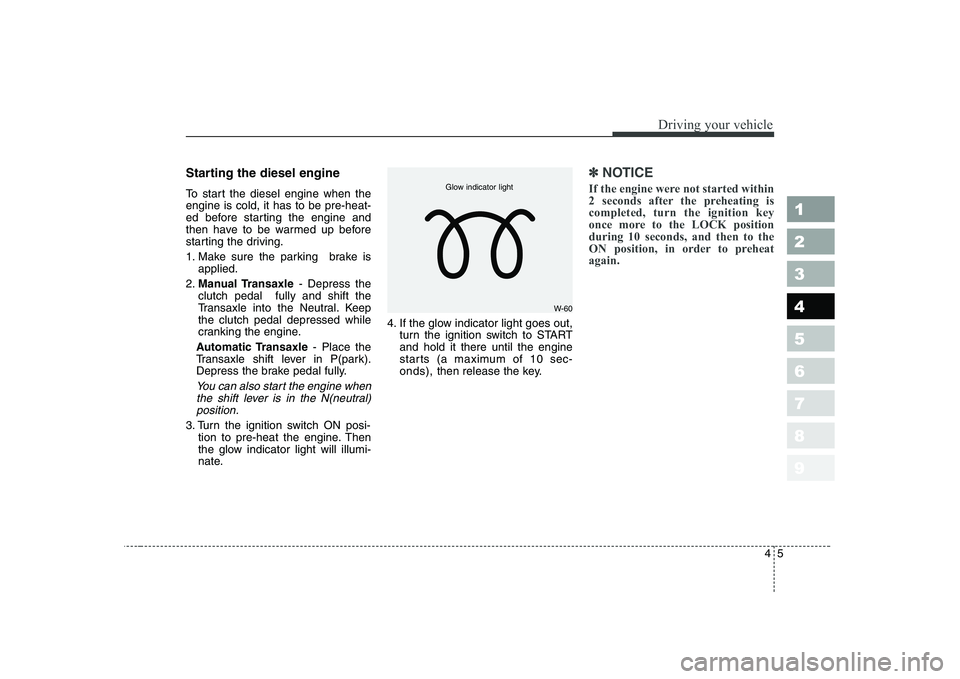
3. Turn the ignition switch ON posi- tion to pre-heat the engine. Then
the glow indicator light will illumi-
nate. 4. If the glow indicator light goes out,
turn the ignition switch to STARTand hold it there until the engine
starts (a maximum of 10 sec-onds), then release the key.
✽✽
NOTICE
If the engine were not started within
2 seconds after the preheating iscompleted, turn the ignition key
once more to the LOCK positionduring 10 seconds, and then to the
ON position, in order to preheatagain.
W-60
Glow indicator light
Page 142 of 327
47
1 23456789
Driving your vehicle
Manual transaxle operation
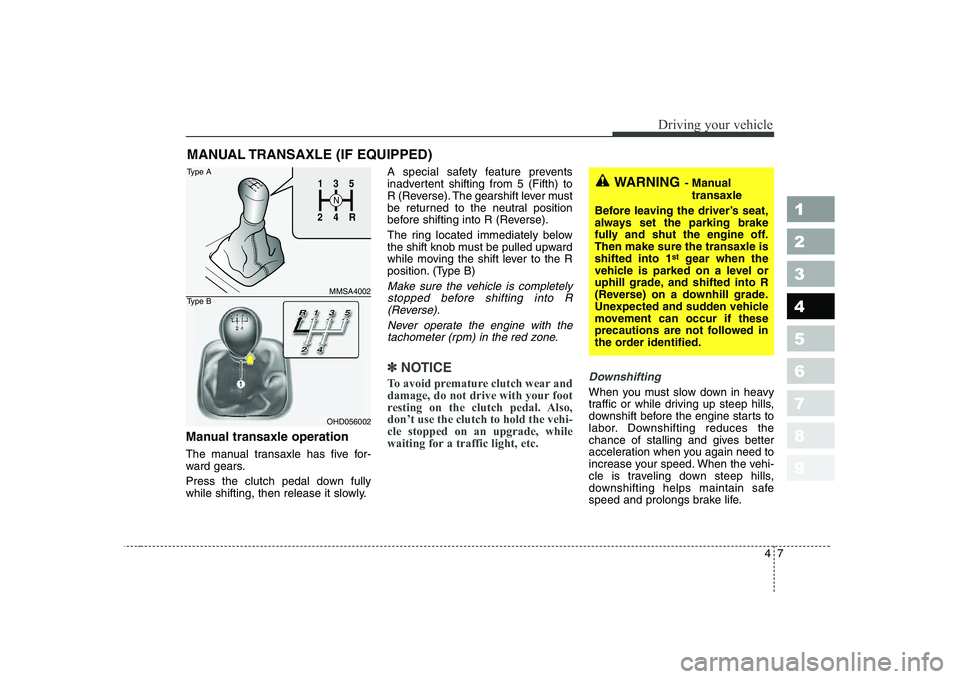
The manual transaxle has five for-
ward gears.
Press the clutch pedal down fully
while shifting, then release it slowly.A special safety feature prevents
inadvertent shifting from 5 (Fifth) to
R (Reverse). The gearshift lever must
be returned to the neutral position
before shifting into R (Reverse).
The ring located immediately below
the shift knob must be pulled upward
while moving the shift lever to the R
position. (Type B)
Make sure the vehicle is completely
stopped before shifting into R (Reverse).
Never operate the engine with thetachometer (rpm) in the red zone.
✽✽ NOTICE
To avoid premature clutch wear and
damage, do not drive with your foot
resting on the clutch pedal. Also,don’t use the clutch to hold the vehi-cle stopped on an upgrade, while
waiting for a traffic light, etc.Downshifting
When you must slow down in heavy
traffic or while driving up steep hills,
downshift before the engine starts to
labor. Downshifting reduces the
chance of stalling and gives better
acceleration when you again need to
increase your speed. When the vehi-
cle is traveling down steep hills,
downshifting helps maintain safe
speed and prolongs brake life.
MANUAL TRANSAXLE (IF EQUIPPED)
WARNING
- Manual
transaxle
Before leaving the driver’s seat,
always set the parking brake
fully and shut the engine off.Then make sure the transaxle isshifted into 1 st
gear when the
vehicle is parked on a level or
uphill grade, and shifted into R
(Reverse) on a downhill grade.
Unexpected and sudden vehicle
movement can occur if these
precautions are not followed in
the order identified.1
2 4
R
3
S
N
135
R
4
2
MMSA4002
OHD056002
Type A
Type B
Page 146 of 327
411
1 23456789
Driving your vehicle
R (reverse)
Use this position to drive the vehicle
backward.
✽✽
NOTICE
Always come to a complete stop
before shifting into or out of R(Reverse); you may damage thetransaxle if you shift into R whilethe vehicle is in motion, except as
explained in “Rocking the Vehicle”,in this manual.
N (neutral)
With the gearshift in the N position,
the wheels and transaxle are not
locked. The vehicle will roll freely
even on the slightest incline unless
the parking brake or service brakesare applied.
D (drive)
This is the normal forward driving
position. The transaxle will automati-cally shift through a 4-gear
sequence, providing the best fuel
economy and power.
For extra power when passing anoth-
er vehicle or climbing grades,
depress the accelerator fully, at
which time the transaxle will auto-
matically downshift to the next lower
gear.
✽✽
NOTICE
Always come to a complete stop
before shifting into D (Drive).
Page 150 of 327
415
1 23456789
Driving your vehicle
Disc brakes wear indicator
Your vehicle has disc brakes.
When your brake pads are worn and
it's time for new pads, you will hear a
high-pitched warning sound from
your front brakes or rear brakes (if
equipped). You may hear this sound
come and go or it may occur when-
ever you depress the brake pedal.
Please remember that some driving
conditions or climates may cause a
brake squeal when you first apply (or
lightly apply) the brakes. This is nor-
mal and does not indicate a problem
with your brakes.✽✽NOTICE
To avoid costly brake repairs, do not continue to drive with worn brakepads.
WARNING - Brake wear
This brake wear warning sound
means your vehicle needs serv-
ice. If you ignore this audible
warning, you will eventually lose
braking performance, whichcould lead to a serious accident.
CAUTION
Always replace brake pads as complete front or rear axle sets.
(Continued)
Wet brakes may result in the vehicle not slowing down at the usual rate and pulling toone side when the brakes are
applied. Applying the brakes
lightly will indicate whether
they have been affected in this
way. Always test your brakesin this fashion after driving
through deep water. To dry the
brakes, apply them lightly
while maintaining a safe for-
ward speed until brake per-
formance returns to normal.
Page 151 of 327
Driving your vehicle
16
4
1 23456789
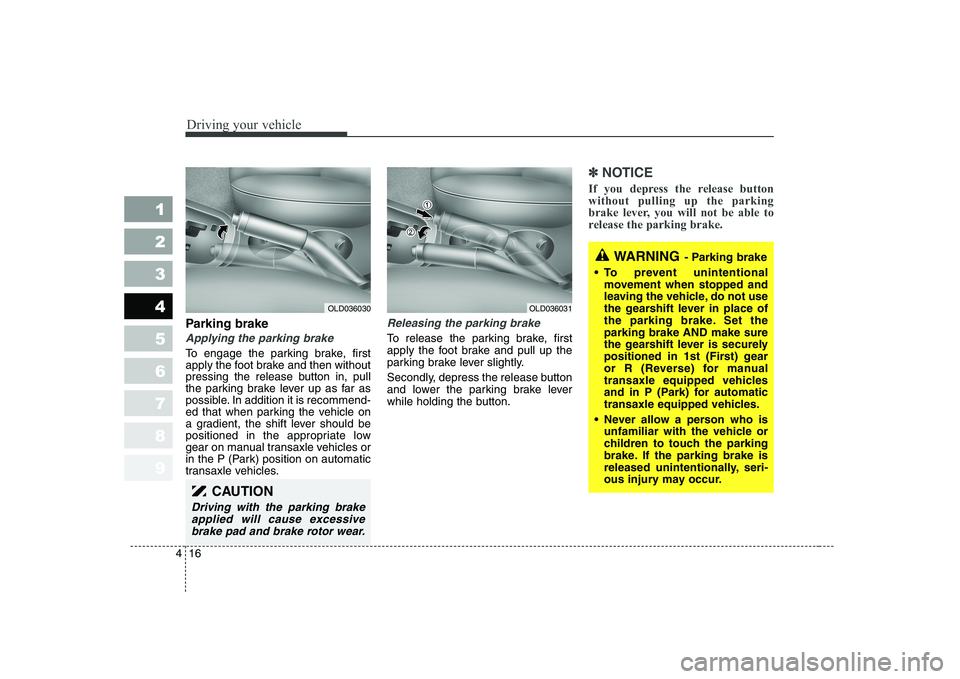
Parking brake
Applying the parking brake
To engage the parking brake, first
apply the foot brake and then without
pressing the release button in, pull
the parking brake lever up as far as
possible. In addition it is recommend-
ed that when parking the vehicle on
a gradient, the shift lever should be
positioned in the appropriate low
gear on manual transaxle vehicles or
in the P (Park) position on automatic
transaxle vehicles.
Releasing the parking brake
To release the parking brake, first
apply the foot brake and pull up the
parking brake lever slightly.
Secondly, depress the release button
and lower the parking brake lever
while holding the button.
✽✽
NOTICE
If you depress the release button without pulling up the parking
brake lever, you will not be able to
release the parking brake.
CAUTION
Driving with the parking brake applied will cause excessivebrake pad and brake rotor wear.
OLD036030OLD036031
WARNING - Parking brake
To prevent unintentional movement when stopped and
leaving the vehicle, do not use
the gearshift lever in place of
the parking brake. Set theparking brake AND make sure
the gearshift lever is securely
positioned in 1st (First) gear
or R (Reverse) for manual
transaxle equipped vehicles
and in P (Park) for automatic
transaxle equipped vehicles.
Never allow a person who is unfamiliar with the vehicle or
children to touch the parking
brake. If the parking brake is
released unintentionally, seri-
ous injury may occur.
Page 152 of 327
417
1 23456789
Driving your vehicle
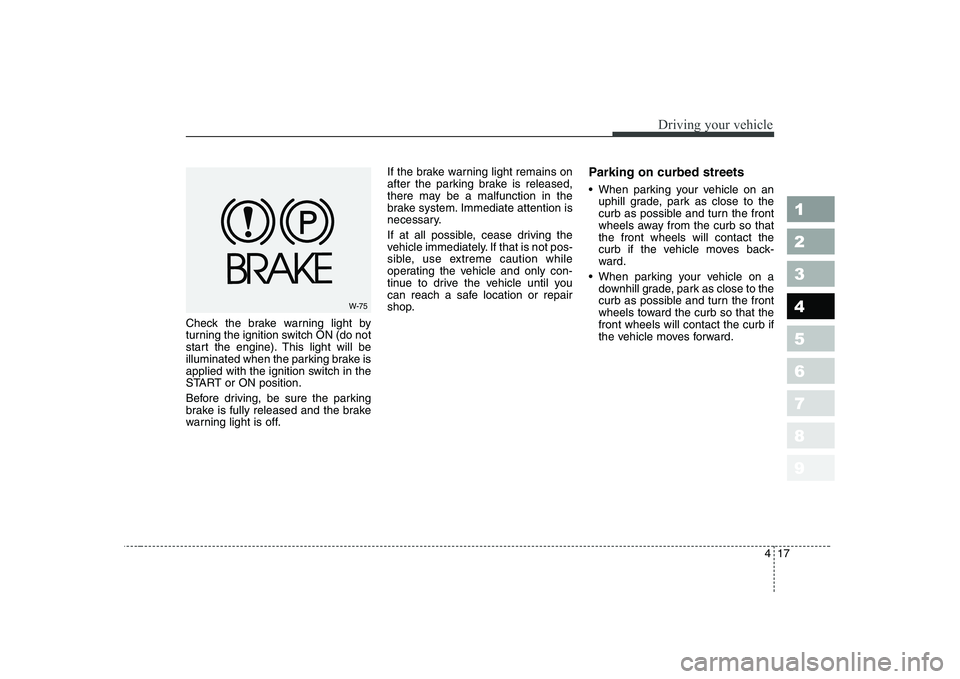
Check the brake warning light by
turning the ignition switch ON (do not
start the engine). This light will be
illuminated when the parking brake is
applied with the ignition switch in the
START or ON position.
Before driving, be sure the parking
brake is fully released and the brake
warning light is off.If the brake warning light remains on
after the parking brake is released,
there may be a malfunction in the
brake system. Immediate attention is
necessary.
If at all possible, cease driving the
vehicle immediately. If that is not pos-
sible, use extreme caution while
operating the vehicle and only con-
tinue to drive the vehicle until you
can reach a safe location or repair
shop.
Parking on curbed streets
When parking your vehicle on an
uphill grade, park as close to the
curb as possible and turn the front
wheels away from the curb so thatthe front wheels will contact the
curb if the vehicle moves back-
ward.
When parking your vehicle on a downhill grade, park as close to the
curb as possible and turn the front
wheels toward the curb so that thefront wheels will contact the curb if
the vehicle moves forward.
W-75
Page 156 of 327
421
1 23456789
Driving your vehicle
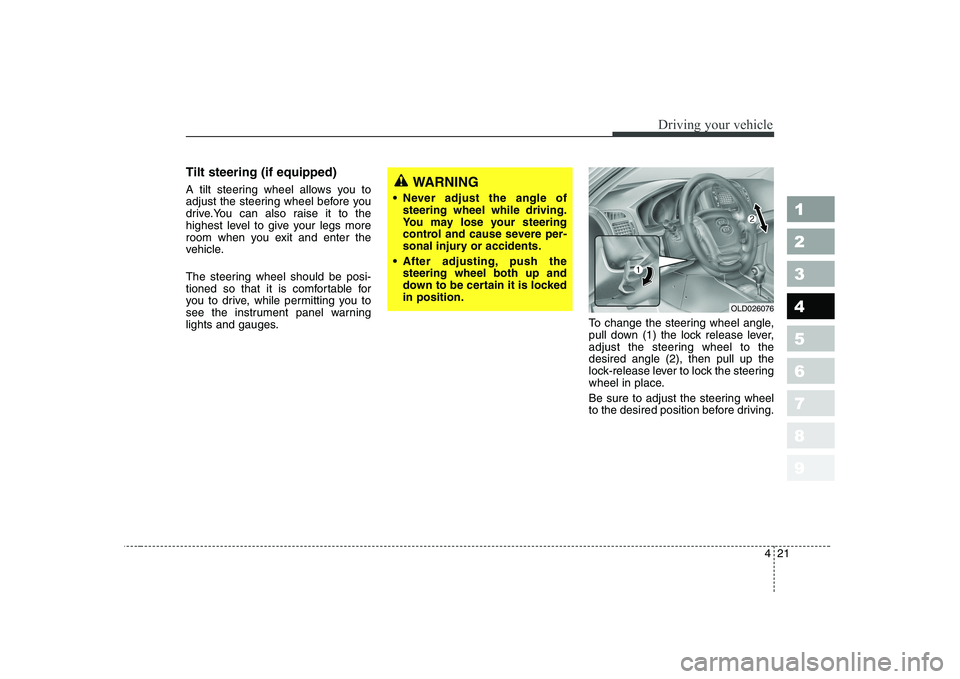
Tilt steering (if equipped)
A tilt steering wheel allows you to
adjust the steering wheel before you
drive.You can also raise it to the
highest level to give your legs more
room when you exit and enter the
vehicle.
The steering wheel should be posi-
tioned so that it is comfortable for
you to drive, while permitting you to
see the instrument panel warning
lights and gauges.To change the steering wheel angle,
pull down (1) the lock release lever,
adjust the steering wheel to thedesired angle (2), then pull up the
lock-release lever to lock the steering
wheel in place.
Be sure to adjust the steering wheel
to the desired position before driving.WARNING
Never adjust the angle of steering wheel while driving.
You may lose your steering
control and cause severe per-
sonal injury or accidents.
After adjusting, push the steering wheel both up and
down to be certain it is lockedin position.
OLD026076
Page 158 of 327
423
1 23456789
Driving your vehicle
The cruise control system allows you
to program the vehicle to maintain a
constant speed without resting your
foot on the accelerator pedal. This system is designed to function
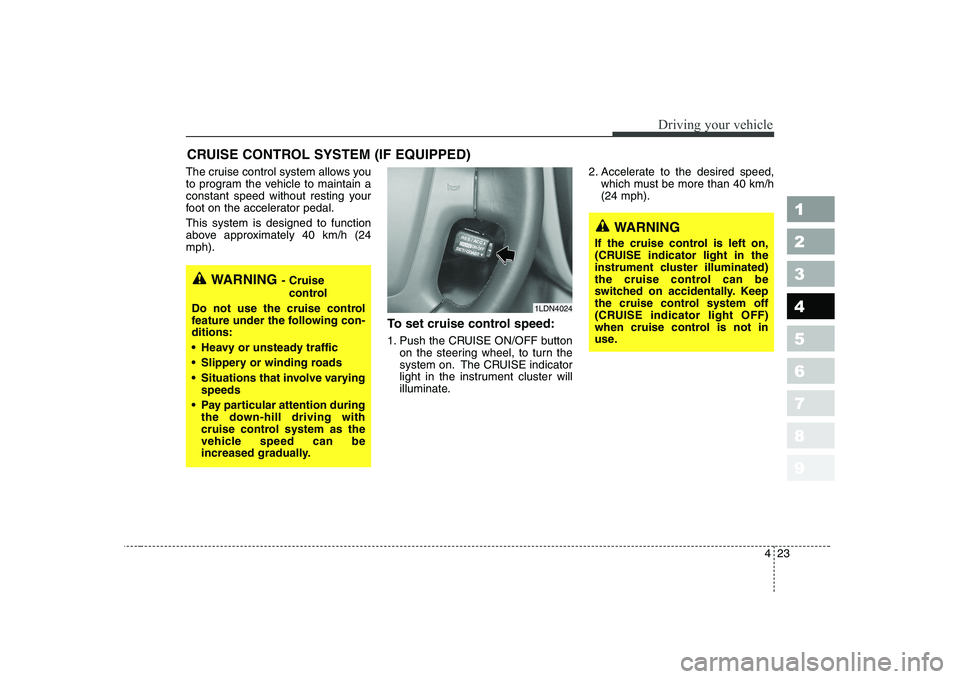
above approximately 40 km/h (24mph).To set cruise control speed:
1. Push the CRUISE ON/OFF buttonon the steering wheel, to turn the
system on. The CRUISE indicator
light in the instrument cluster will
illuminate. 2. Accelerate to the desired speed,
which must be more than 40 km/h(24 mph).
CRUISE CONTROL SYSTEM (IF EQUIPPED)
WARNING
- Cruise
control
Do not use the cruise control
feature under the following con-ditions:
Heavy or unsteady traffic
Slippery or winding roads
Situations that involve varying speeds
Pay particular attention during the down-hill driving with
cruise control system as the
vehicle speed can be
increased gradually.
WARNING
If the cruise control is left on,
(CRUISE indicator light in the
instrument cluster illuminated)
the cruise control can be
switched on accidentally. Keep
the cruise control system off
(CRUISE indicator light OFF)
when cruise control is not in
use.
1LDN4024