light KIA CERATO 2008 Workshop Manual
[x] Cancel search | Manufacturer: KIA, Model Year: 2008, Model line: CERATO, Model: KIA CERATO 2008Pages: 327, PDF Size: 42.19 MB
Page 183 of 327
Driving your vehicle
48
4
1 23456789
Lane change signals (B)
To signal a lane change, move the
turn signal lever slightly and hold it in
position. The lever will return to theOFF position when released.
If an indicator stays on and does not
flash or if it flashes abnormally, one
of the turn signal bulbs may be
burned out and will require replace-ment.
✽✽
NOTICE
If an indicator flash is abnormally
quick or slow, bulb may be burned
out or have a poor electrical con-
nection in the circuit.Front fog light (if equipped)
Fog lights are used to provide
improved visibility and avoid acci-dents when visibility is poor due to
fog, rain or snow etc. The fog lights
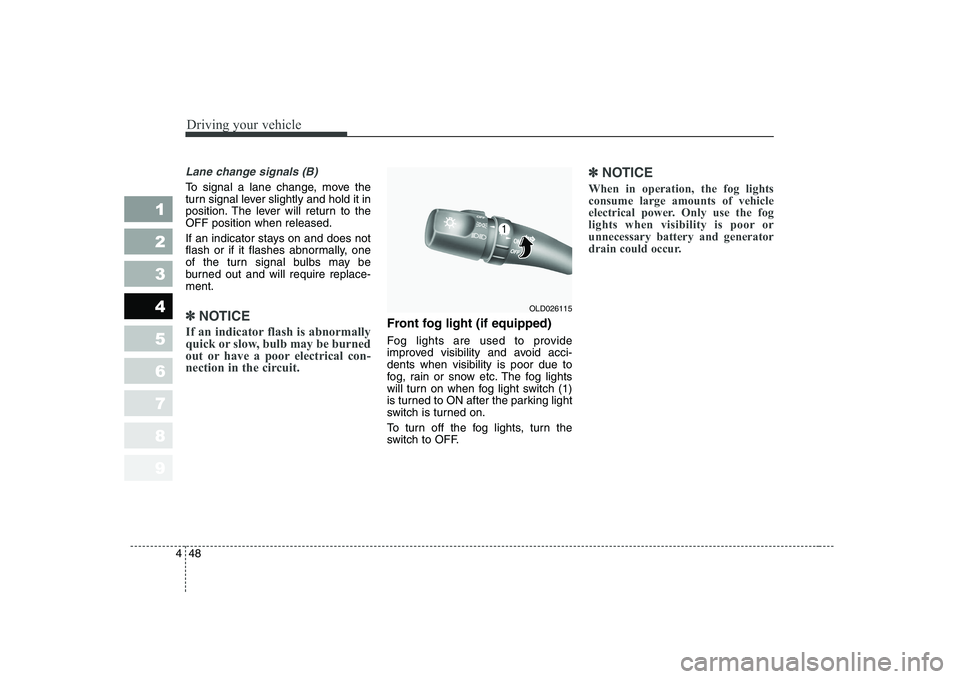
will turn on when fog light switch (1)
is turned to ON after the parking light
switch is turned on.
To turn off the fog lights, turn the
switch to OFF.
✽✽
NOTICE
When in operation, the fog lights consume large amounts of vehicle
electrical power. Only use the fog
lights when visibility is poor orunnecessary battery and generator
drain could occur.
OLD026115
Page 184 of 327
449
1 23456789
Driving your vehicle
Daytime running light (if equipped)
Daytime Running Lights (DRL) can
make it easier for others to see the
front of your vehicle during the day.
DRL can be helpful in many different
driving conditions, and it is especial-
ly helpful after dawn and before sun-set.
The DRL system will make your low-
beam headlights turn OFF when:
1. The headlight switch is ON.
2. The parklight switch is ON.
3. Engine stops.Headlight leveling device (if equipped)
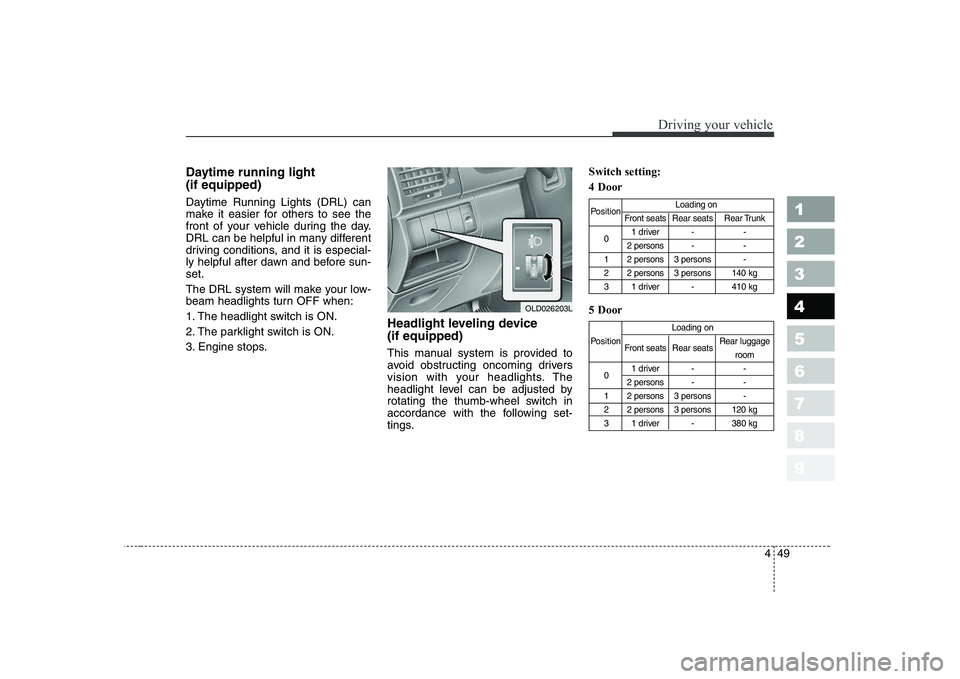
This manual system is provided to
avoid obstructing oncoming drivers
vision with your headlights. The
headlight level can be adjusted by
rotating the thumb-wheel switch in
accordance with the following set-
tings.Switch setting: 4 Door 5 Door
Position
Loading on
Front seats Rear seats Rear Trunk
0 1 driver - -
2 persons - -
1 2 persons 3 persons -
2 2 persons 3 persons 140 kg
3 1 driver - 410 kg
Loading on
Position Front seats Rear seats Rear luggage
room
0 1 driver - -
2 persons - -
1 2 persons 3 persons -
2 2 persons 3 persons 120 kg
3 1 driver - 380 kg
OLD026203L
Page 185 of 327
Driving your vehicle
50
4
1 23456789
Rear fog light (if equipped)
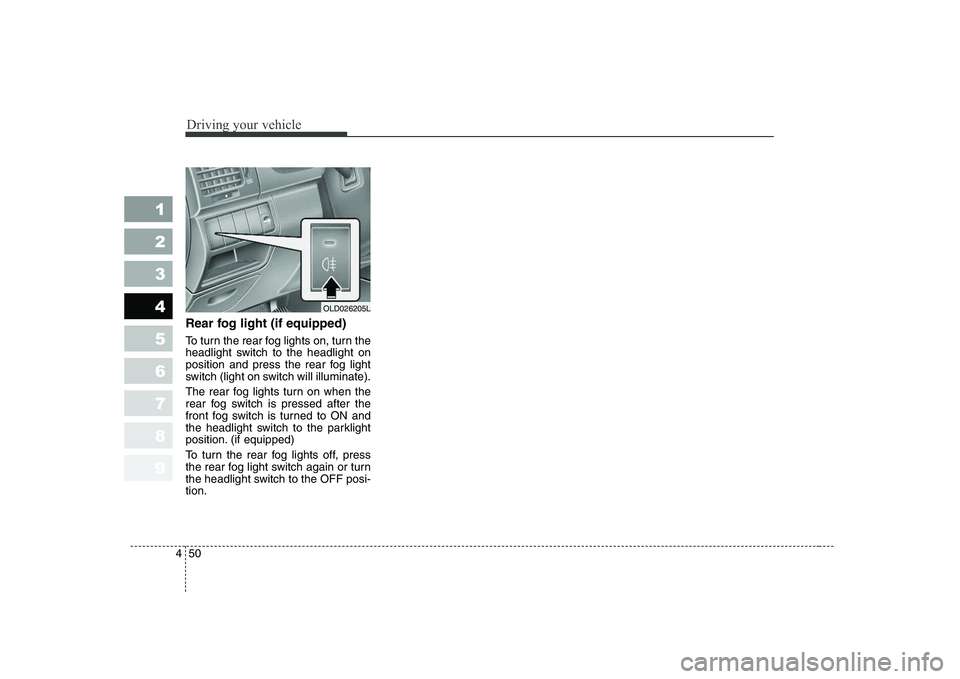
To turn the rear fog lights on, turn the
headlight switch to the headlight on
position and press the rear fog light
switch (light on switch will illuminate).
The rear fog lights turn on when the
rear fog switch is pressed after the
front fog switch is turned to ON and
the headlight switch to the parklight
position. (if equipped)
To turn the rear fog lights off, press
the rear fog light switch again or turn
the headlight switch to the OFF posi-tion.
OLD026205L
Page 186 of 327
451
1 23456789
Driving your vehicle
Windshield wipers
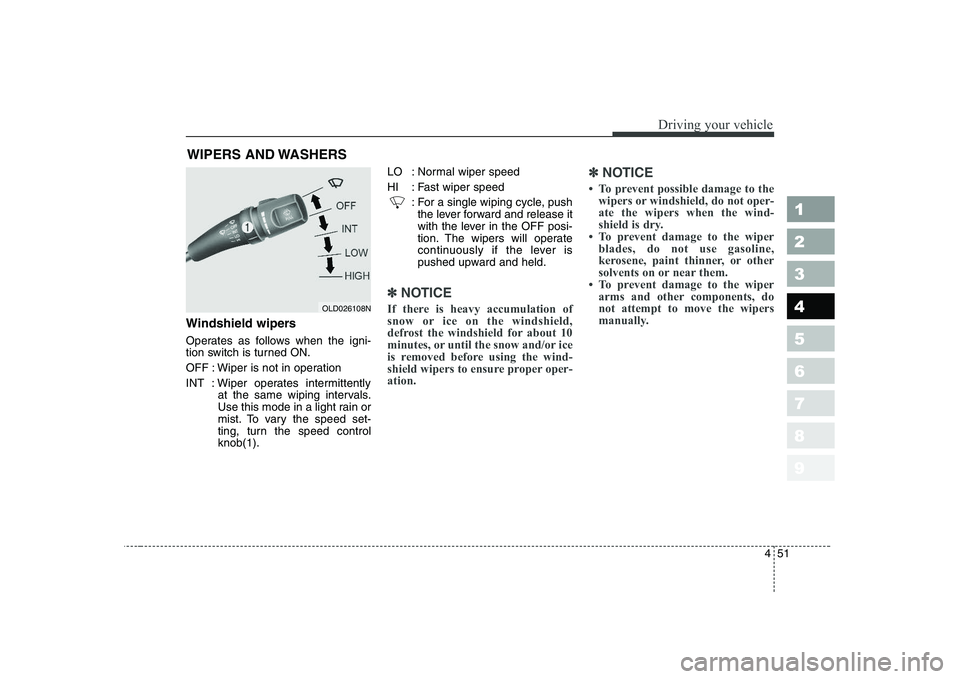
Operates as follows when the igni-
tion switch is turned ON.
OFF : Wiper is not in operation
INT : Wiper operates intermittentlyat the same wiping intervals.
Use this mode in a light rain or
mist. To vary the speed set-
ting, turn the speed controlknob(1). LO : Normal wiper speed
HI : Fast wiper speed
: For a single wiping cycle, pushthe lever forward and release it
with the lever in the OFF posi-
tion. The wipers will operate
continuously if the lever is
pushed upward and held.
✽✽ NOTICE
If there is heavy accumulation of
snow or ice on the windshield,
defrost the windshield for about 10
minutes, or until the snow and/or ice
is removed before using the wind-
shield wipers to ensure proper oper-ation. ✽
✽
NOTICE
Page 189 of 327
Driving your vehicle
54
4
1 23456789
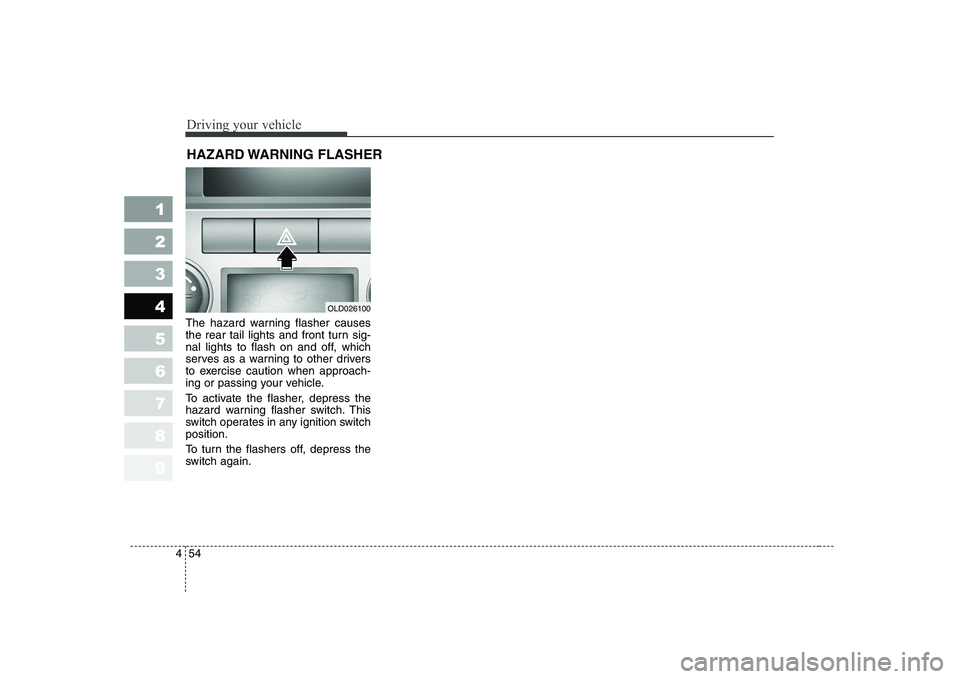
The hazard warning flasher causes
the rear tail lights and front turn sig-
nal lights to flash on and off, which
serves as a warning to other drivers
to exercise caution when approach-
ing or passing your vehicle.
To activate the flasher, depress the
hazard warning flasher switch. This
switch operates in any ignition switchposition.
To turn the flashers off, depress the
switch again. HAZARD WARNING FLASHER
OLD026100
Page 194 of 327
459
1 23456789
Driving your vehicle
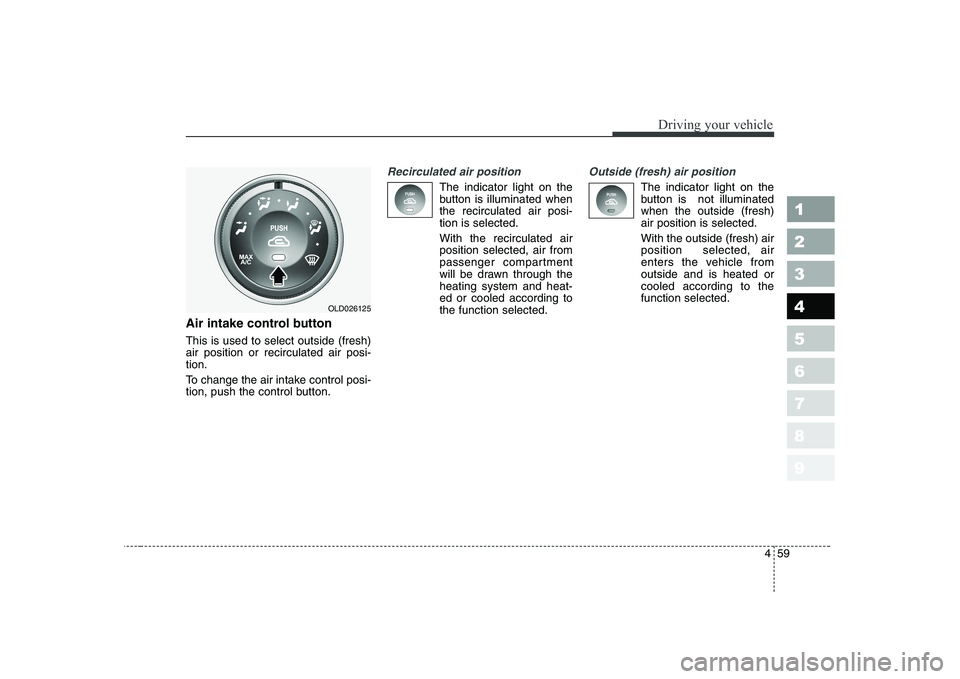
Air intake control button This is used to select outside (fresh) air position or recirculated air posi-tion.
To change the air intake control posi-
tion, push the control button.
Recirculated air position
The indicator light on the
button is illuminated whenthe recirculated air posi-tion is selected. With the recirculated air position selected, air from
passenger compartment
will be drawn through theheating system and heat-ed or cooled according tothe function selected.
Outside (fresh) air position
The indicator light on the
button is not illuminatedwhen the outside (fresh)air position is selected. With the outside (fresh) air position selected, air
enters the vehicle fromoutside and is heated orcooled according to thefunction selected.
OLD026125
Page 195 of 327
Driving your vehicle
60
4
1 23456789
✽✽
NOTICE
It should be noted that prolonged
operation of the heating in recircu-
lated air position will cause foggingof the windshield and side windows
and the air within the passengercompartment will become stale.
In addition, prolonged use of the air
conditioning with the “recirculated
air position” selected, will result in
excessively dry air in the passengercompartment.
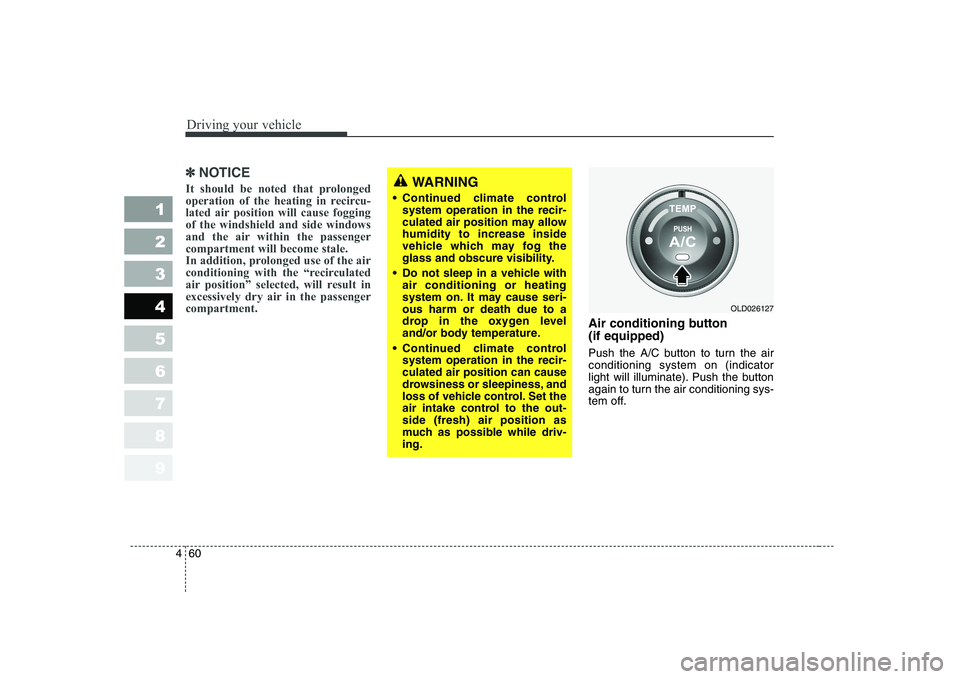
Air conditioning button (if equipped)
Push the A/C button to turn the air conditioning system on (indicator
light will illuminate). Push the button
again to turn the air conditioning sys-
tem off.
WARNING
Continued climate control system operation in the recir-
culated air position may allowhumidity to increase inside
vehicle which may fog the
glass and obscure visibility.
Do not sleep in a vehicle with air conditioning or heating
system on. It may cause seri-ous harm or death due to a
drop in the oxygen level
and/or body temperature.
Continued climate control system operation in the recir-culated air position can cause
drowsiness or sleepiness, and
loss of vehicle control. Set the
air intake control to the out-side (fresh) air position as
much as possible while driv-ing.
OLD026127
Page 202 of 327
467
1 23456789
Driving your vehicle
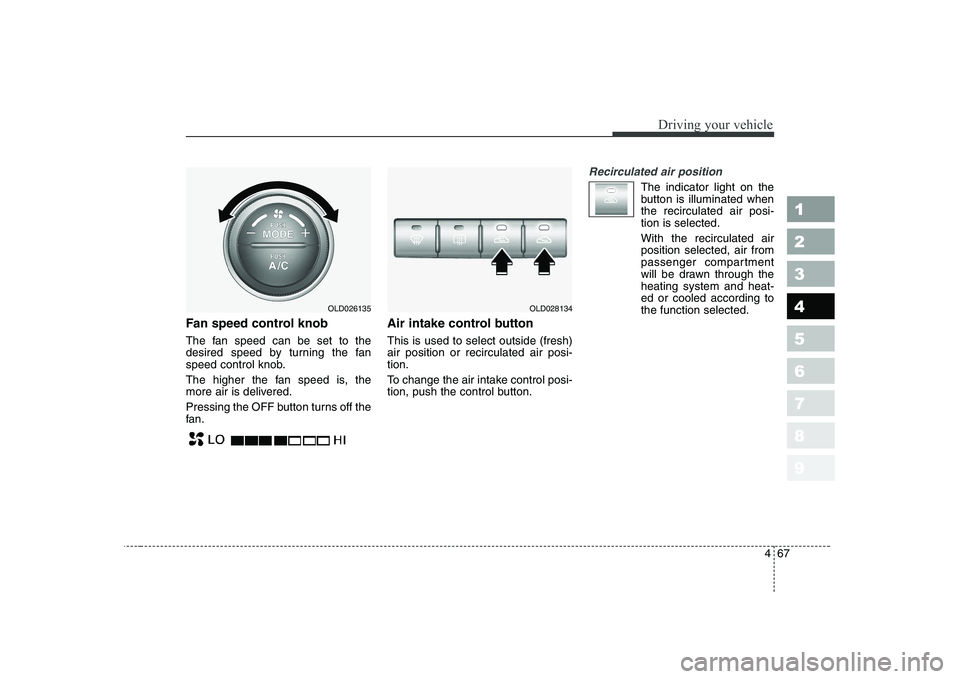
Fan speed control knob
The fan speed can be set to the
desired speed by turning the fan
speed control knob.
The higher the fan speed is, the
more air is delivered.
Pressing the OFF button turns off the
fan.Air intake control button This is used to select outside (fresh) air position or recirculated air posi-tion.
To change the air intake control posi-
tion, push the control button.
Recirculated air position
The indicator light on the
button is illuminated whenthe recirculated air posi-tion is selected. With the recirculated air position selected, air from
passenger compartment
will be drawn through theheating system and heat-ed or cooled according tothe function selected.
OLD026135OLD028134
Page 203 of 327
Driving your vehicle
68
4
1 23456789
Outside (fresh) air position
The indicator light on the
button is illuminated whenthe outside (fresh) airposition is selected. With the outside (fresh) air position selected, air
enters the vehicle fromoutside and is heated orcooled according to thefunction selected.
✽✽
NOTICE
It should be noted that prolonged
operation of the heating in recircu-
lated air position will cause foggingof the windshield and side windows
and the air within the passengercompartment will become stale.
In addition, prolonged use of the air
conditioning with the “recirculated
air position” selected, will result in
excessively dry air in the passengercompartment. WARNING
• Continued climate control system operation in the recir-
culated air position may allowhumidity to increase inside
vehicle which may fog the
glass and obscure visibility.
Do not sleep in a vehicle with air conditioning or heating
system on. It may cause seri-ous harm or death due to a
drop in the oxygen level
and/or body temperature.
Continued climate control system operation in the
reciruclated air position can
cause drowsiness or sleepi-
ness, and loss of vehicle con-
trol. Set the air intake controlto the outside (fresh) air posi-
tion as much as possiblewhile driving.
Page 206 of 327
471
1 23456789
Driving your vehicle
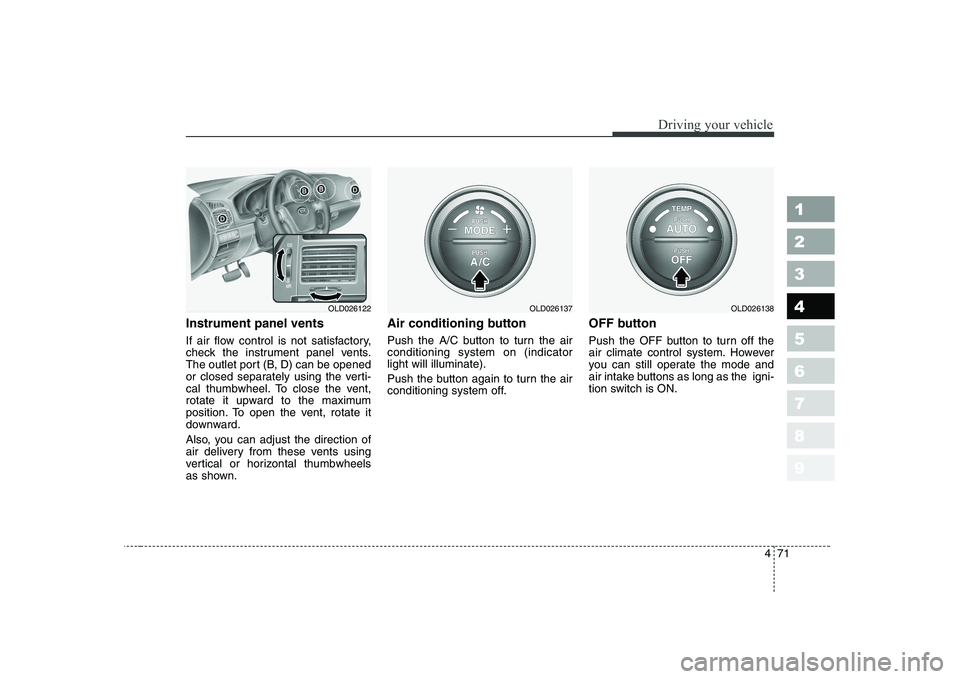
Instrument panel vents
If air flow control is not satisfactory,
check the instrument panel vents.
The outlet port (B, D) can be opened
or closed separately using the verti-
cal thumbwheel. To close the vent,
rotate it upward to the maximum
position. To open the vent, rotate it
downward.
Also, you can adjust the direction of
air delivery from these vents using
vertical or horizontal thumbwheels
as shown.Air conditioning button
Push the A/C button to turn the air conditioning system on (indicatorlight will illuminate).
Push the button again to turn the air
conditioning system off.
OFF button
Push the OFF button to turn off the
air climate control system. However
you can still operate the mode and
air intake buttons as long as the igni-
tion switch is ON.
OLD026122OLD026137OLD026138