Button KIA Cerato 2010 1.G User Guide
[x] Cancel search | Manufacturer: KIA, Model Year: 2010, Model line: Cerato, Model: KIA Cerato 2010 1.GPages: 321, PDF Size: 6.3 MB
Page 71 of 321
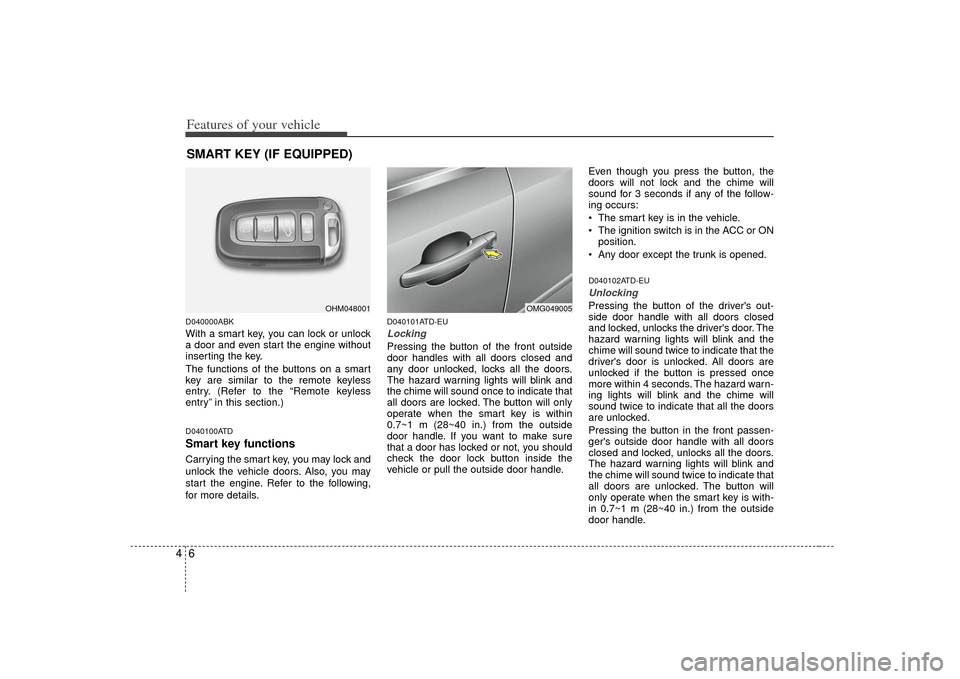
Features of your vehicle64D040000ABKWith a smart key, you can lock or unlock
a door and even start the engine without
inserting the key.
The functions of the buttons on a smart
key are similar to the remote keyless
entry. (Refer to the “Remote keyless
entry” in this section.)D040100ATDSmart key functionsCarrying the smart key, you may lock and
unlock the vehicle doors. Also, you may
start the engine. Refer to the following,
for more details.
D040101ATD-EULocking Pressing the button of the front outside
door handles with all doors closed and
any door unlocked, locks all the doors.
The hazard warning lights will blink and
the chime will sound once to indicate that
all doors are locked. The button will only
operate when the smart key is within
0.7~1 m (28~40 in.) from the outside
door handle. If you want to make sure
that a door has locked or not, you should
check the door lock button inside the
vehicle or pull the outside door handle.Even though you press the button, the
doors will not lock and the chime will
sound for 3 seconds if any of the follow-
ing occurs:
The smart key is in the vehicle.
The ignition switch is in the ACC or ON
position.
Any door except the trunk is opened.
D040102ATD-EUUnlocking Pressing the button of the driver's out-
side door handle with all doors closed
and locked, unlocks the driver's door. The
hazard warning lights will blink and the
chime will sound twice to indicate that the
driver's door is unlocked. All doors are
unlocked if the button is pressed once
more within 4 seconds. The hazard warn-
ing lights will blink and the chime will
sound twice to indicate that all the doors
are unlocked.
Pressing the button in the front passen-
ger's outside door handle with all doors
closed and locked, unlocks all the doors.
The hazard warning lights will blink and
the chime will sound twice to indicate that
all doors are unlocked. The button will
only operate when the smart key is with-
in 0.7~1 m (28~40 in.) from the outside
door handle.
SMART KEY (IF EQUIPPED)
OHM048001
OMG049005
Page 73 of 321
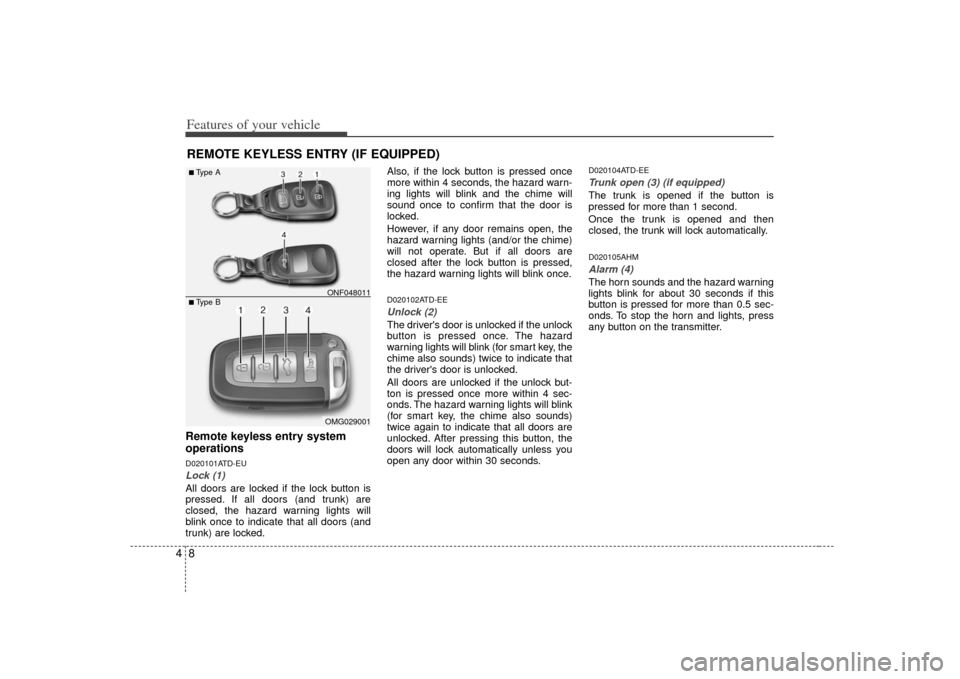
Features of your vehicle84REMOTE KEYLESS ENTRY (IF EQUIPPED)Remote keyless entry system
operationsD020101ATD-EULock (1)All doors are locked if the lock button is
pressed. If all doors (and trunk) are
closed, the hazard warning lights will
blink once to indicate that all doors (and
trunk) are locked.Also, if the lock button is pressed once
more within 4 seconds, the hazard warn-
ing lights will blink and the chime will
sound once to confirm that the door is
locked.
However, if any door remains open, the
hazard warning lights (and/or the chime)
will not operate. But if all doors are
closed after the lock button is pressed,
the hazard warning lights will blink once.
D020102ATD-EEUnlock (2) The driver's door is unlocked if the unlock
button is pressed once. The hazard
warning lights will blink (for smart key, the
chime also sounds) twice to indicate that
the driver's door is unlocked.
All doors are unlocked if the unlock but-
ton is pressed once more within 4 sec-
onds. The hazard warning lights will blink
(for smart key, the chime also sounds)
twice again to indicate that all doors are
unlocked. After pressing this button, the
doors will lock automatically unless you
open any door within 30 seconds.
D020104ATD-EETrunk open (3) (if equipped)The trunk is opened if the button is
pressed for more than 1 second.
Once the trunk is opened and then
closed, the trunk will lock automatically.D020105AHMAlarm (4)The horn sounds and the hazard warning
lights blink for about 30 seconds if this
button is pressed for more than 0.5 sec-
onds. To stop the horn and lights, press
any button on the transmitter.
OMG029001
■Type B■Type A
ONF048011
Page 77 of 321
Features of your vehicle12
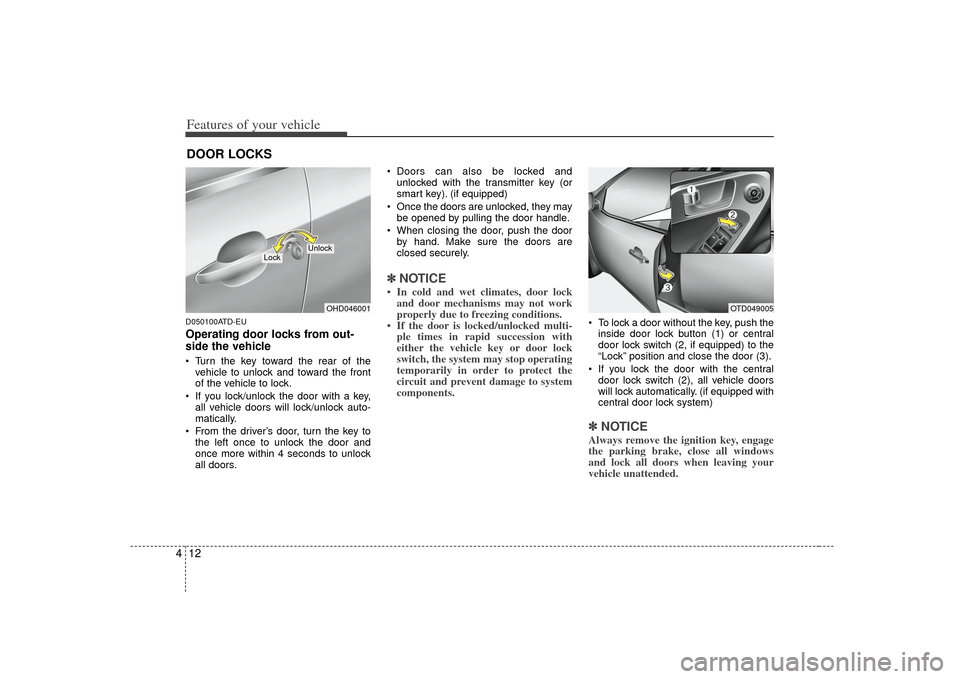
4D050100ATD-EUOperating door locks from out-
side the vehicle Turn the key toward the rear of the
vehicle to unlock and toward the front
of the vehicle to lock.
If you lock/unlock the door with a key, all vehicle doors will lock/unlock auto-
matically.
From the driver’s door, turn the key to the left once to unlock the door and
once more within 4 seconds to unlock
all doors. Doors can also be locked and
unlocked with the transmitter key (or
smart key). (if equipped)
Once the doors are unlocked, they may be opened by pulling the door handle.
When closing the door, push the door by hand. Make sure the doors are
closed securely.
✽ ✽ NOTICE• In cold and wet climates, door lock
and door mechanisms may not work
properly due to freezing conditions.
• If the door is locked/unlocked multi- ple times in rapid succession with
either the vehicle key or door lock
switch, the system may stop operating
temporarily in order to protect the
circuit and prevent damage to system
components.
To lock a door without the key, push the
inside door lock button (1) or central
door lock switch (2, if equipped )to the
“Lock” position and close the door (3).
If you lock the door with the central door lock switch (2), all vehicle doors
will lock automatically. (if equipped with
central door lock system)✽ ✽ NOTICEAlways remove the ignition key, engage
the parking brake, close all windows
and lock all doors when leaving your
vehicle unattended.
DOOR LOCKS
OHD046001
Lock
Unlock
OTD049005
Page 78 of 321
413
Features of your vehicle
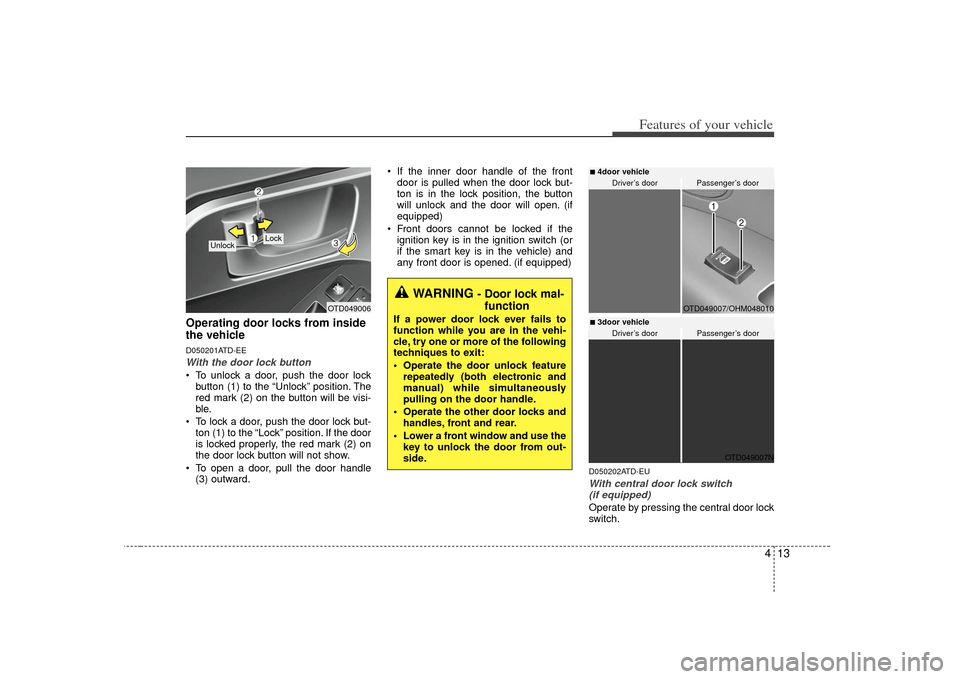
Operating door locks from inside
the vehicleD050201ATD-EEWith the door lock button To unlock a door, push the door lockbutton (1) to the “Unlock” position. The
red mark (2) on the button will be visi-
ble.
To lock a door, push the door lock but- ton (1) to the “Lock” position. If the door
is locked properly, the red mark (2) on
the door lock button will not show.
To open a door, pull the door handle (3) outward. If the inner door handle of the front
door is pulled when the door lock but-
ton is in the lock position, the button
will unlock and the door will open. (if
equipped)
Front doors cannot be locked if the ignition key is in the ignition switch (or
if the smart key is in the vehicle) and
any front door is opened. (if equipped)
D050202ATD-EUWith central door lock switch (if equipped)Operate by pressing the central door lock
switch.
OTD049006
Lock
Unlock
WARNING
- Door lock mal- function
If a power door lock ever fails to
function while you are in the vehi-
cle, try one or more of the following
techniques to exit:
Operate the door unlock feature
repeatedly (both electronic and
manual) while simultaneously
pulling on the door handle.
Operate the other door locks and handles, front and rear.
Lower a front window and use the key to unlock the door from out-
side.
OTD049007N
OTD049007/OHM048010
Driver’s door
Passenger’s door
Driver’s door
Passenger’s door
■4door vehicle ■3door vehicle
Page 80 of 321
415
Features of your vehicle
D050400ATD-EE✽
✽NOTICEAn authorized KIA dealer can activate
or deactivate some auto door lock/
unlock features as follows;
• Auto door unlock by using the dri-
ver's door lock button
• Auto door lock/unlock by shifting the transaxle shift lever out of P (Park) or
into P (Park)
• Auto door unlock when the ignition key is removed from the ignition
switch (for smart key, when the
ENGINE START/STOP button is
turned to the OFF position)
If you want to activate or deactivate
some door lock/unlock feature, consult
an authorized KIA dealer.
D050500ATD-EUChild-protector rear door lock
(for 4door vehicle only)The child safety lock is provided to help
prevent children from accidentally open-
ing the rear doors from inside the vehicle.
The rear door safety locks should be
used whenever children are in the vehi-
cle.
1. Open the rear door.
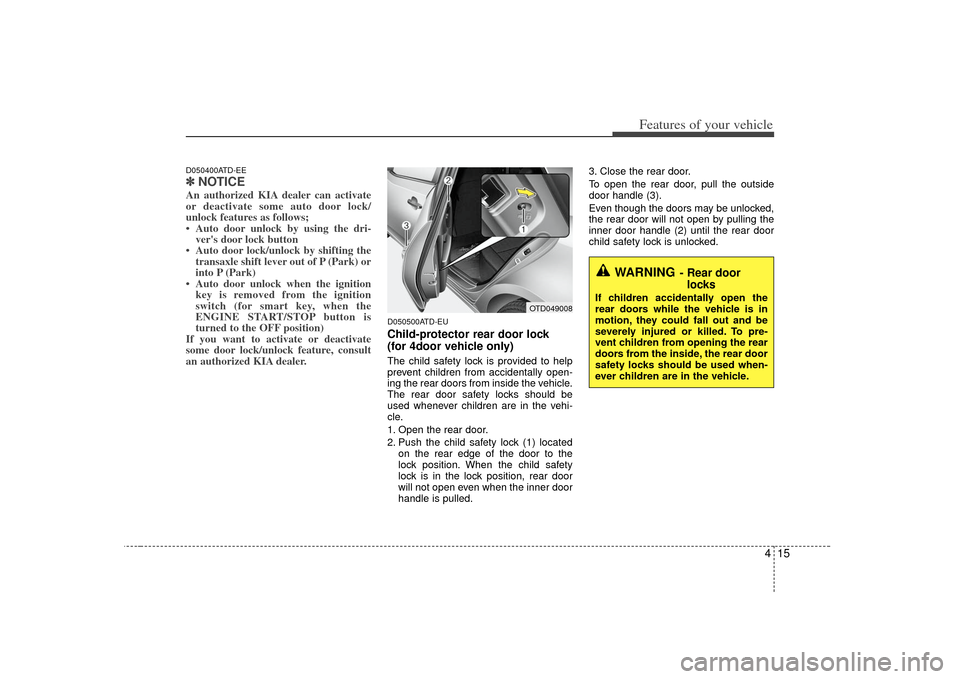
2. Push the child safety lock (1) located
on the rear edge of the door to the
lock position. When the child safety
lock is in the lock position, rear door
will not open even when the inner door
handle is pulled. 3. Close the rear door.
To open the rear door, pull the outside
door handle (3).
Even though the doors may be unlocked,
the rear door will not open by pulling the
inner door handle (2) until the rear door
child safety lock is unlocked.
WARNING
- Rear door
locks
If children accidentally open the
rear doors while the vehicle is in
motion, they could fall out and be
severely injured or killed. To pre-
vent children from opening the rear
doors from the inside, the rear door
safety locks should be used when-
ever children are in the vehicle.
OTD049008
Page 81 of 321
Features of your vehicle16
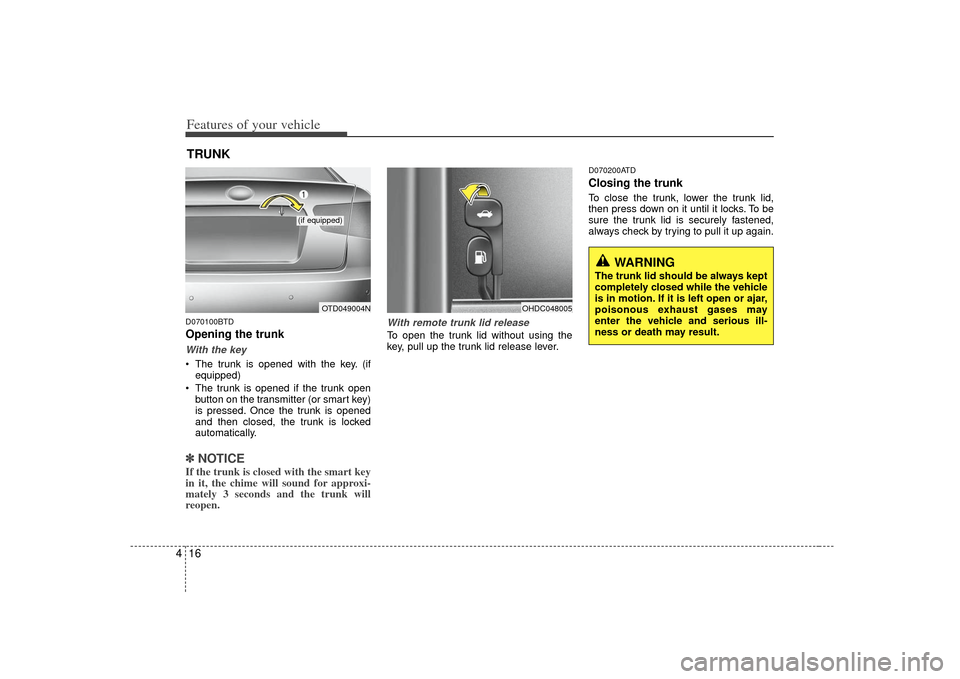
4D070100BTDOpening the trunkWith the key The trunk is opened with the key. (if
equipped)
The trunk is opened if the trunk open button on the transmitter (or smart key)
is pressed. Once the trunk is opened
and then closed, the trunk is locked
automatically.✽ ✽ NOTICEIf the trunk is closed with the smart key
in it, the chime will sound for approxi-
mately 3 seconds and the trunk will
reopen.
With remote trunk lid releaseTo open the trunk lid without using the
key, pull up the trunk lid release lever.
D070200ATDClosing the trunkTo close the trunk, lower the trunk lid,
then press down on it until it locks. To be
sure the trunk lid is securely fastened,
always check by trying to pull it up again.
TRUNK
OTD049004N
(if equipped)
OHDC048005
WARNING
The trunk lid should be always kept
completely closed while the vehicle
is in motion. If it is left open or ajar,
poisonous exhaust gases may
enter the vehicle and serious ill-
ness or death may result.
Page 83 of 321
Features of your vehicle18
4
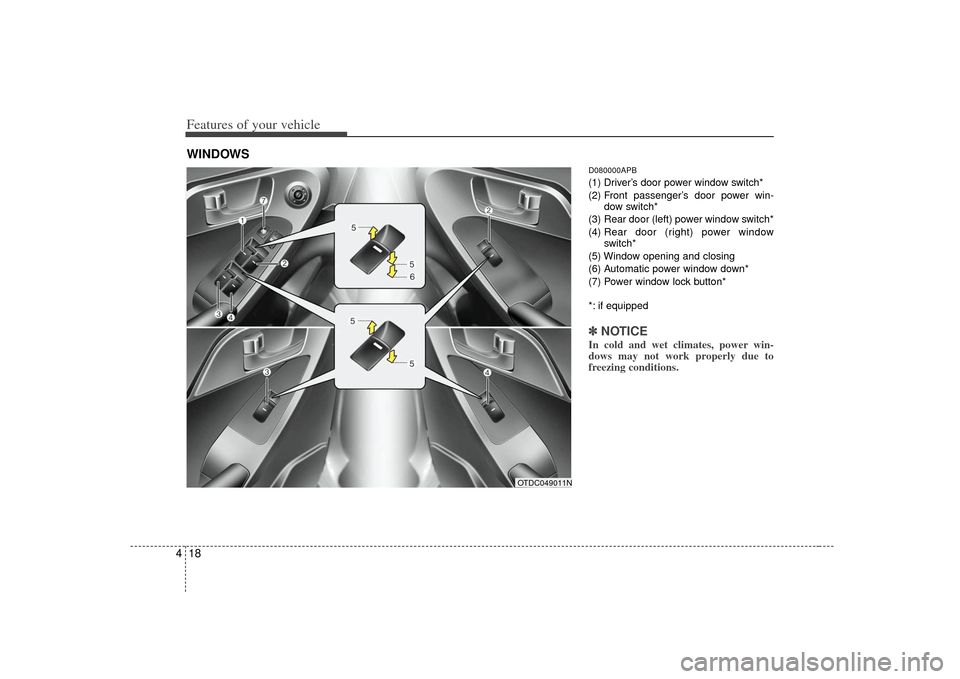
D080000APB(1) Driver’s door power window switch*
(2) Front passenger’s door power win-
dow switch*
(3) Rear door (left) power window switch*
(4) Rear door (right) power window
switch*
(5) Window opening and closing
(6) Automatic power window down*
(7) Power window lock button*
*: if equipped✽ ✽ NOTICEIn cold and wet climates, power win-
dows may not work properly due to
freezing conditions.
WINDOWS
OTDC049011N
Page 84 of 321
419
Features of your vehicle
D080100ATDPower windowsThe ignition switch must be in the ON
position for power windows to operate.
Each door has a power window switch
that controls the door’s window. The driv-
er has a power window lock switch which
can block the operation of passenger
windows.
The power windows can be operated for
approximately 30 seconds after the igni-
tion key is removed or turned to the ACC
or LOCK position. However, if the front
doors are opened, the power windows
cannot be operated even within the 30
second period.✽ ✽NOTICEWhile driving with the rear windows
down or with the sunroof (if equipped)
in an open (or partially open) position,
your vehicle may demonstrate a wind
buffeting or pulsation noise. This noise
is a normal occurrence and can be
reduced or eliminated by taking the fol-
lowing actions. If the noise occurs with
one or both of the rear windows down,
partially lower both front windows
approximately one inch. If you experi-
ence the noise with the sunroof open,
slightly reduce the size of the sunroof
opening.
D080101AUNWindow opening and closing
(if equipped)The driver’s door has a master power
window switch that controls all the win-
dows in the vehicle.
To open or close a window, press down
or pull up the front portion of the corre-
sponding switch to the first detent posi-
tion (5).D080102AAMAuto down window (if equipped) (Driver’s window)Pressing the power window switch
momentarily to the second detent posi-
tion (6) completely lowers the driver’s
window even when the switch is
released. To stop the window at the
desired position while the window is in
operation, momentarily pull up the switch
to the opposite direction of the window
movement.
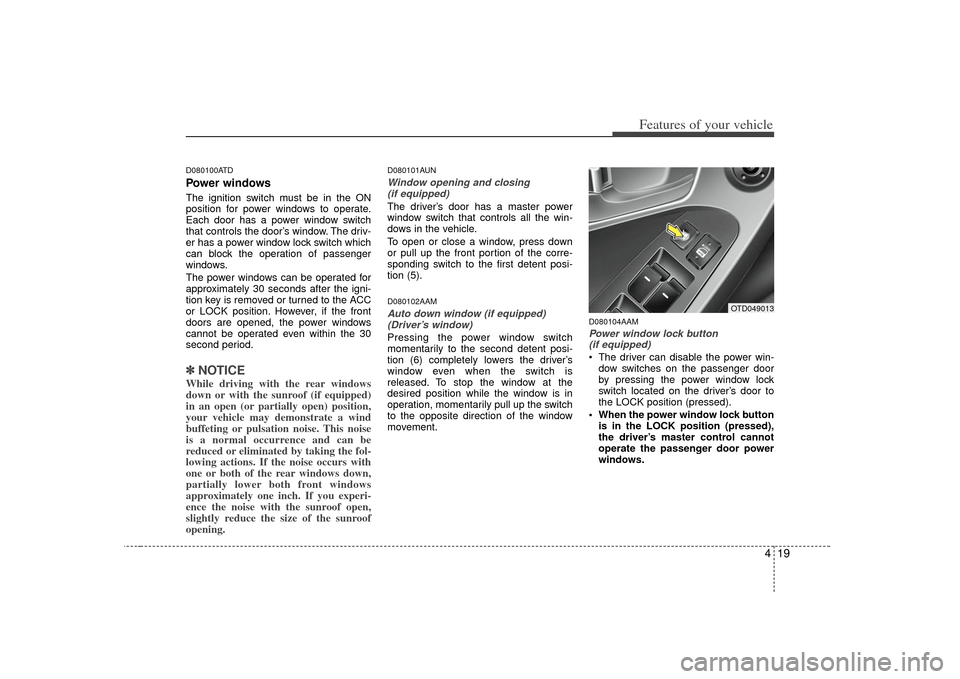
D080104AAMPower window lock button (if equipped) The driver can disable the power win-
dow switches on the passenger door
by pressing the power window lock
switch located on the driver’s door to
the LOCK position (pressed).
When the power window lock button is in the LOCK position (pressed),
the driver’s master control cannot
operate the passenger door power
windows.
OTD049013
Page 99 of 321
Features of your vehicle34
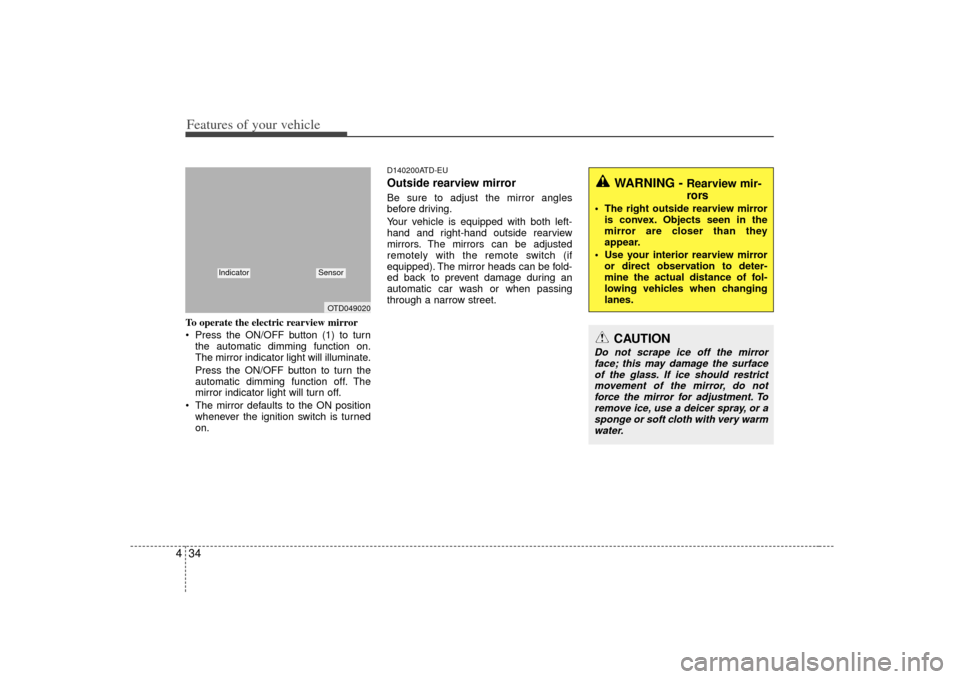
4To operate the electric rearview mirror
Press the ON/OFF button (1) to turn
the automatic dimming function on.
The mirror indicator light will illuminate.
Press the ON/OFF button to turn the
automatic dimming function off. The
mirror indicator light will turn off.
The mirror defaults to the ON position whenever the ignition switch is turned
on.
D140200ATD-EUOutside rearview mirror Be sure to adjust the mirror angles
before driving.
Your vehicle is equipped with both left-
hand and right-hand outside rearview
mirrors. The mirrors can be adjusted
remotely with the remote switch (if
equipped). The mirror heads can be fold-
ed back to prevent damage during an
automatic car wash or when passing
through a narrow street.
WARNING -
Rearview mir-
rors
The right outside rearview mirroris convex. Objects seen in the
mirror are closer than they
appear.
Use your interior rearview mirror or direct observation to deter-
mine the actual distance of fol-
lowing vehicles when changing
lanes.
CAUTION
Do not scrape ice off the mirrorface; this may damage the surface of the glass. If ice should restrictmovement of the mirror, do notforce the mirror for adjustment. To remove ice, use a deicer spray, or asponge or soft cloth with very warm water.
OTD049020
Indicator
Sensor
Page 105 of 321
Features of your vehicle40
4✽
✽
NOTICEIt is forbidden to alter the odometer of
all vehicles with the intent to change the
mileage registered on the odometer. The
alteration may void your warranty cov-
erage.
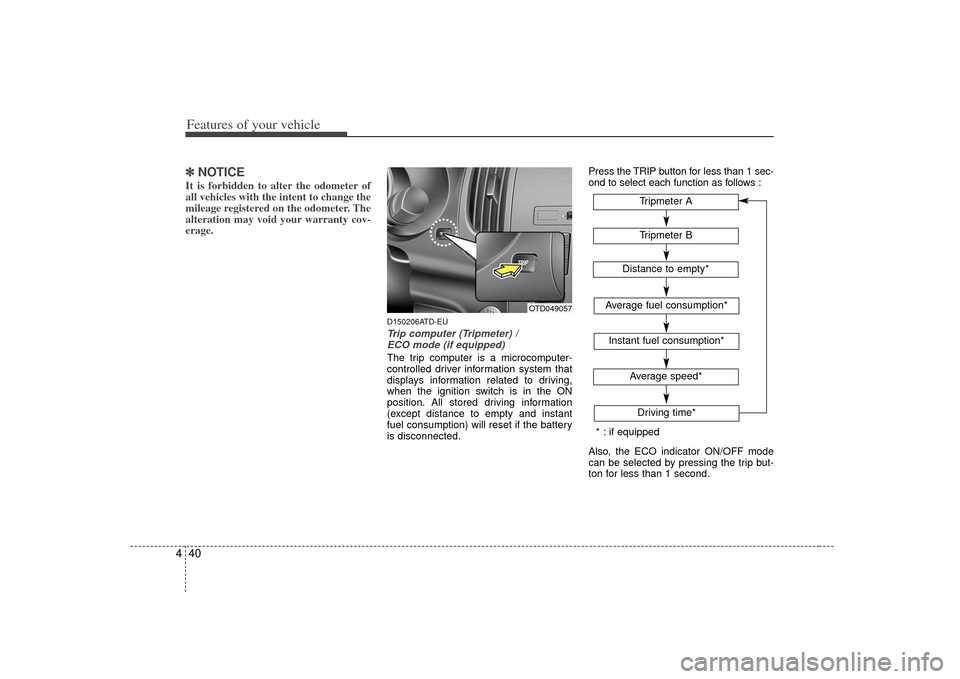
D150206ATD-EUTrip computer (Tripmeter) /
ECO mode (if equipped)The trip computer is a microcomputer-
controlled driver information system that
displays information related to driving,
when the ignition switch is in the ON
position. All stored driving information
(except distance to empty and instant
fuel consumption) will reset if the battery
is disconnected. Press the TRIP button for less than 1 sec-
ond to select each function as follows :
Also, the ECO indicator ON/OFF mode
can be selected by pressing the trip but-
ton for less than 1 second.
OTD049057
Tripmeter B
Average fuel consumption*Instant fuel consumption*
Average speed*Driving time*Tripmeter A
Distance to empty*
* : if equipped