Start KIA Cerato 2011 1.G User Guide
[x] Cancel search | Manufacturer: KIA, Model Year: 2011, Model line: Cerato, Model: KIA Cerato 2011 1.GPages: 342, PDF Size: 7.23 MB
Page 79 of 342
45
Features of your vehicle
D010301AUN-EC
Limp home (override) procedure
When you turn the ignition switch to the
ON position, if the immobilizer indicator
( ) goes off after blinking 5 times,
your transponder equipped in the ignition
key is out of order. You cannot start the
engine without the lime home procedure.
To start the engine, you have to input
your password by using the ignition
switch.
The following procedure is how to input
your password of “2345” as an example.
1. Turn the ignition switch to the ON posi-
tion. The immobilizer indicator ( )
will blink 5 times and go off indicating
the beginning of the limp home proce-
dure.
2. Turn the ignition switch to the ACC position.
3. To enter the first digit (in this example “2”), turn the ignition switch to the ON
and ACC position twice. Perform the
same procedure for the next digits
between 3 seconds and 10 seconds
(for example, for “3”, turn the ignition
ON and ACC 3 times). 4. If all of the digits have been input suc-
cessfully, you have to start the engine
within 30 seconds. If you attempt to
start the engine after 30 seconds, the
engine will not start and you will have
to input your password again.
After performing the limp home proce-
dure, you have to see an authorized KIA
dealer immediately to inspect and repair
your ignition key or immobilizer system.
Page 80 of 342
Features of your vehicle
64
D040000ABK
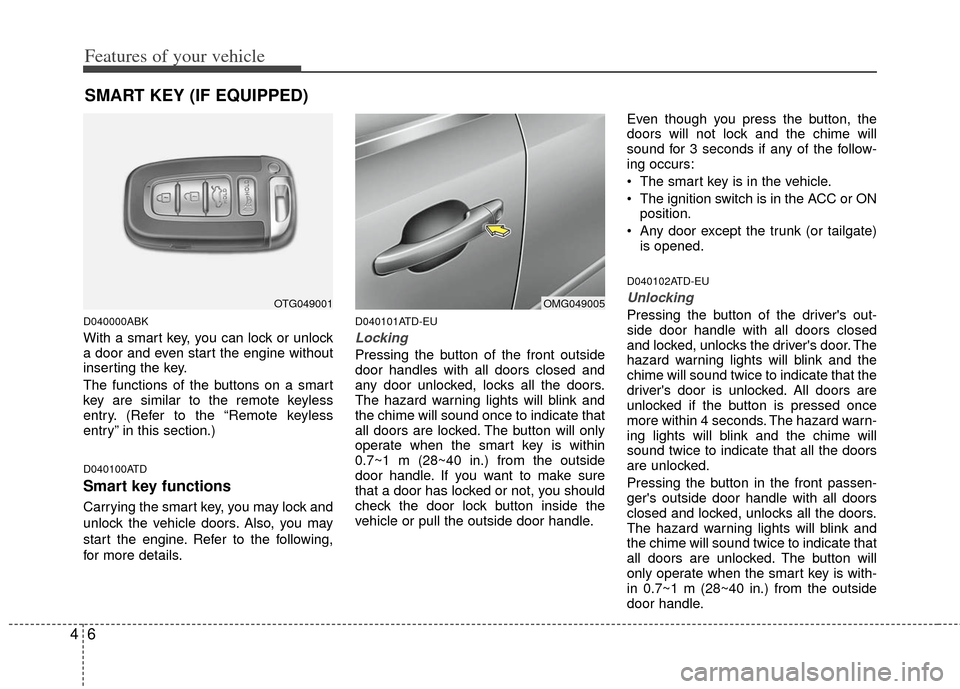
With a smart key, you can lock or unlock
a door and even start the engine without
inserting the key.
The functions of the buttons on a smart
key are similar to the remote keyless
entry. (Refer to the “Remote keyless
entry” in this section.)
D040100ATD
Smart key functions
Carrying the smart key, you may lock and
unlock the vehicle doors. Also, you may
start the engine. Refer to the following,
for more details.
D040101ATD-EU
Locking
Pressing the button of the front outside
door handles with all doors closed and
any door unlocked, locks all the doors.
The hazard warning lights will blink and
the chime will sound once to indicate that
all doors are locked. The button will only
operate when the smart key is within
0.7~1 m (28~40 in.) from the outside
door handle. If you want to make sure
that a door has locked or not, you should
check the door lock button inside the
vehicle or pull the outside door handle.Even though you press the button, the
doors will not lock and the chime will
sound for 3 seconds if any of the follow-
ing occurs:
The smart key is in the vehicle.
The ignition switch is in the ACC or ON
position.
Any door except the trunk (or tailgate) is opened.
D040102ATD-EU
Unlocking
Pressing the button of the driver's out-
side door handle with all doors closed
and locked, unlocks the driver's door. The
hazard warning lights will blink and the
chime will sound twice to indicate that the
driver's door is unlocked. All doors are
unlocked if the button is pressed once
more within 4 seconds. The hazard warn-
ing lights will blink and the chime will
sound twice to indicate that all the doors
are unlocked.
Pressing the button in the front passen-
ger's outside door handle with all doors
closed and locked, unlocks all the doors.
The hazard warning lights will blink and
the chime will sound twice to indicate that
all doors are unlocked. The button will
only operate when the smart key is with-
in 0.7~1 m (28~40 in.) from the outside
door handle.
SMART KEY (IF EQUIPPED)
OTG049001OMG049005
Page 81 of 342
47
Features of your vehicle
D040104AHM
Start-up
You can start the engine without inserting
the key. For detailed information refer to
“Starting the engine with a smart key” in
section 5.
D040300AHM-EC
Smart key precautions
✽ ✽NOTICE
• If, for some reason, you happen to lose
your smart key, you will not be able to
start the engine. Tow the vehicle, if
necessary, and contact an authorized
KIA dealer.
• A maximum of 2 smart keys can be registered to a single vehicle. If you
lose a smart key, you should immedi-
ately take the vehicle and key to your
authorized KIA dealer to protect it
from potential theft.
• The smart key will not work if any of following occurs:
- The smart key is close to a radiotransmitter such as a radio station or
an airport which can interfere with
normal operation of the smart key.
- The smart key near a mobile two- way radio system or a cellular
phone.
- Another vehicle’s smart key is being operated close to your vehicle.
When the smart key does not work
correctly, open and close the door with
the mechanical key. If you have a
problem with the smart key, contact
an authorized KIA dealer.
This device complies with Industry
Canada Standard RSS-210.
Operation is subject to the following two
conditions:
1. This device may not cause harmful
interference, and
2. This device must accept any interfer- ence received, including interference
that may cause undesired operation.
CAUTION
Keep the smart key away fromwater or any liquid. If the keylessentry system is inoperative due to exposure to water or liquids, it willnot be covered by your manufactur-er’s vehicle warranty.
WARNING
Changes or modifications not
expressly approved by the party
responsible for compliance could
void the user’s authority to operate
the equipment. If the keyless entry
system is inoperative due to
changes or modifications not
expressly approved by the party
responsible for compliance, it will
not be covered by your manufactur-
er’s vehicle warranty.
Page 89 of 342
415
Features of your vehicle
D050400ATD-EE
✽
✽NOTICE
An authorized KIA dealer can activate
or deactivate some auto door lock/
unlock features as follows;
• Auto door unlock by using the dri-
ver's door lock button
• Auto door lock/unlock by shifting the transaxle shift lever out of P (Park) or
into P (Park)
• Auto door unlock when the ignition key is removed from the ignition
switch (for smart key, when the
ENGINE START/STOP button is
turned to the OFF position)
If you want to activate or deactivate
some door lock/unlock feature, consult
an authorized KIA dealer.
D050500ATD-EU
Child-protector rear door lock
(for 4 door, 5 door vehicle only)
The child safety lock is provided to help
prevent children from accidentally open-
ing the rear doors from inside the vehicle.
The rear door safety locks should be
used whenever children are in the vehi-
cle.
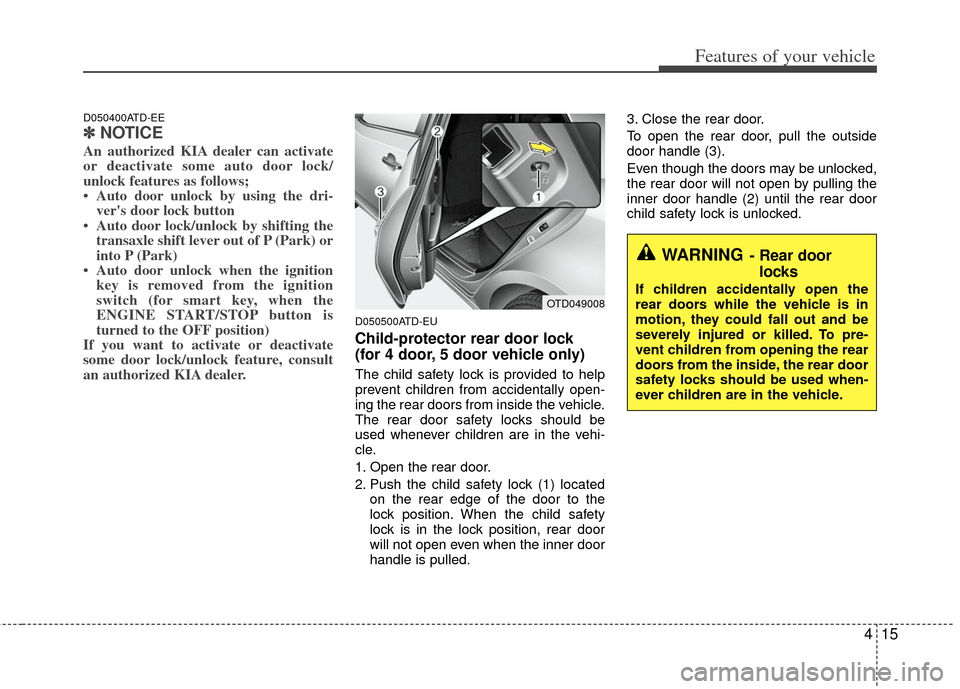
1. Open the rear door.
2. Push the child safety lock (1) located
on the rear edge of the door to the
lock position. When the child safety
lock is in the lock position, rear door
will not open even when the inner door
handle is pulled. 3. Close the rear door.
To open the rear door, pull the outside
door handle (3).
Even though the doors may be unlocked,
the rear door will not open by pulling the
inner door handle (2) until the rear door
child safety lock is unlocked.
WARNING- Rear door
locks
If children accidentally open the
rear doors while the vehicle is in
motion, they could fall out and be
severely injured or killed. To pre-
vent children from opening the rear
doors from the inside, the rear door
safety locks should be used when-
ever children are in the vehicle.OTD049008
Page 100 of 342
Features of your vehicle
26
4
WARNING - Refueling dan-
gers
Automotive fuels are flammable
materials. When refueling, please
note the following guidelines care-
fully. Failure to follow these guide-
lines may result in severe personal
injury, severe burns or death by fire
or explosion.
Read and follow all warnings
posted at the gas station facility.
Before refueling, note the loca- tion of the Emergency Gasoline
Shut-Off, if available, at the gas
station facility.
Before touching the fuel nozzle, you should eliminate potentially
dangerous static electricity dis-
charge by touching another metal
part of the vehicle, a safe dis-
tance away from the fuel filler
neck, nozzle, or other gas source.
(Continued)
(Continued)
Do not get back into a vehicleonce you have begun refueling
since you can generate static
electricity by touching, rubbing
or sliding against any item or fab-
ric (polyester, satin, nylon, etc.)
capable of producing static elec-
tricity. Static electricity discharge
can ignite fuel vapors resulting in
rapid burning. If you must re-
enter the vehicle, you should
once again eliminate potentially
dangerous static electricity dis-
charge by touching a metal part
of the vehicle, away from the fuel
filler neck, nozzle or other gaso-
line source.
When using an approved portable fuel container be sure to
place the container on the
ground prior to refueling. Static
electricity discharge from the
container can ignite fuel vapors
causing a fire. Once refueling has
begun, contact with the vehicle
should be maintained until the
filling is complete.
(Continued)(Continued)Use only approved portable plas-
tic fuel containers designed to
carry and store gasoline.
Do not use cellular phones while refueling. Electric current and/or
electronic interference from cel-
lular phones can potentially
ignite fuel vapors causing a fire.
When refueling, always shut the engine off. Sparks produced by
electrical components related to
the engine can ignite fuel vapors
causing a fire. Once refueling is
complete, check to make sure the
filler cap and filler door are
securely closed, before starting
the engine.
DO NOT use matches or a lighter and DO NOT SMOKE or leave a lit
cigarette in your vehicle while at
a gas station especially during
refueling. Automotive fuel is
highly flammable and can, when
ignited, result in fire.
(Continued)
Page 106 of 342
Features of your vehicle
32
4
D130100AHM
Power steering (if equipped)
Power steering uses energy from the
engine to assist you in steering the vehi-
cle. If the engine is off or if the power
steering system becomes inoperative,
the vehicle may still be steered, but it will
require increased steering effort.
Should you notice any change in the
effort required to steer during normal
vehicle operation, have the power steer-
ing checked by an authorized KIA dealer.
✽ ✽
NOTICE
• If the power steering drive belt breaks
or if the power steering pump mal-
functions, the steering effort will
greatly increase.
• If the vehicle is parked for extended periods outside in cold weather (below
-10°C/14°F), the power steering may
require increased effort when the
engine is first started. This is caused
by increased fluid viscosity due to the
cold weather and does not indicate a
malfunction.
When this happens, increase the
engine RPM by depressing the accel-
erator until the RPM reaches 1,500
rpm then release or let the engine idle
for two or three minutes to warm up
the fluid.
D130200ATD
Electric power steering
(if equipped)
Power steering uses the motor to assist
you in steering the vehicle. If the engine
is off or if the power steering system
becomes inoperative, the vehicle may
still be steered, but it will require
increased steering effort.
The motor driven power steering is con-
trolled by the power steering control unit
which senses the steering wheel torque
and vehicle speed to command the
motor.
The steering wheel becomes heavier as
the vehicle’s speed increases and
becomes lighter as the vehicle’s speed
decreases for better control of the steer-
ing wheel.
Should you notice any change in the
effort required to steer during normal
vehicle operation, have the power steer-
ing checked by an authorized KIA dealer.
STEERING WHEEL
CAUTION
Never hold the steering wheel to the
extreme right or left for more than 5seconds with the engine running. Holding the steering wheel for morethan 5 seconds in either positionmay cause damage to the powersteering pump.
Page 109 of 342
435
Features of your vehicle
D140100ATD
Inside rearview mirror
Adjust the rearview mirror so that the
center view through the rear window is
seen. Make this adjustment before you
start driving.
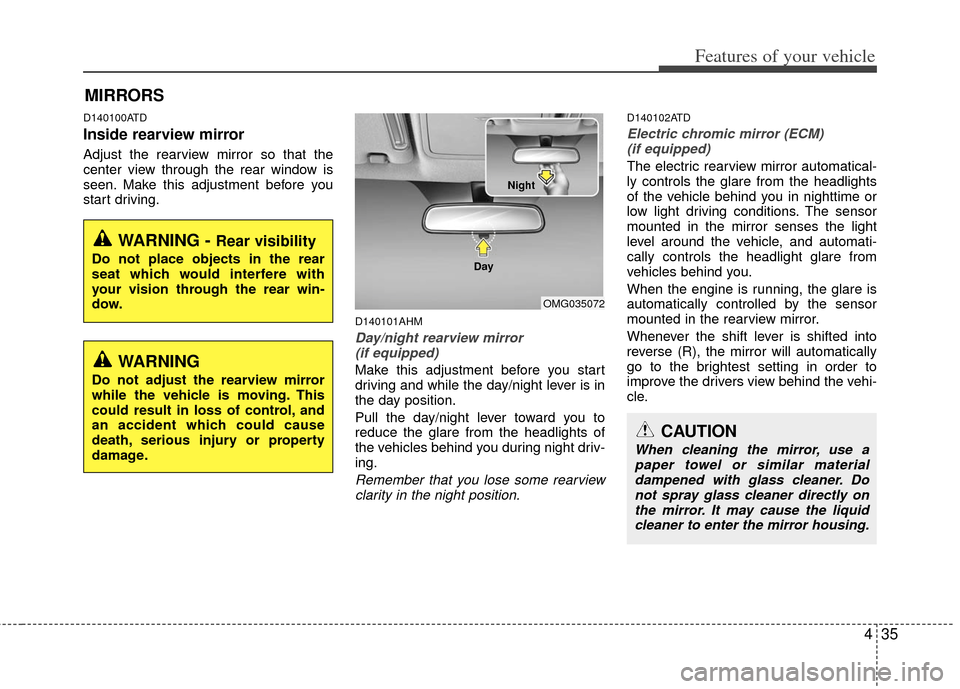
D140101AHM
Day/night rearview mirror (if equipped)
Make this adjustment before you start
driving and while the day/night lever is in
the day position.
Pull the day/night lever toward you to
reduce the glare from the headlights of
the vehicles behind you during night driv-
ing.
Remember that you lose some rearviewclarity in the night position.
D140102ATD
Electric chromic mirror (ECM)(if equipped)
The electric rearview mirror automatical-
ly controls the glare from the headlights
of the vehicle behind you in nighttime or
low light driving conditions. The sensor
mounted in the mirror senses the light
level around the vehicle, and automati-
cally controls the headlight glare from
vehicles behind you.
When the engine is running, the glare is
automatically controlled by the sensor
mounted in the rearview mirror.
Whenever the shift lever is shifted into
reverse (R), the mirror will automatically
go to the brightest setting in order to
improve the drivers view behind the vehi-
cle.
MIRRORS
WARNING - Rear visibility
Do not place objects in the rear
seat which would interfere with
your vision through the rear win-
dow.
OMG035072
CAUTION
When cleaning the mirror, use a paper towel or similar materialdampened with glass cleaner. Do not spray glass cleaner directly onthe mirror. It may cause the liquid cleaner to enter the mirror housing.
WARNING
Do not adjust the rearview mirror
while the vehicle is moving. This
could result in loss of control, and
an accident which could cause
death, serious injury or property
damage.
Night
Day
Page 120 of 342
Features of your vehicle
46
4
D150300AAM
Warnings and indicators
All warning lights are checked by turning
the ignition switch ON (do not start the
engine). Any light that does not illuminate
should be checked by an authorized KIA
dealer.
After starting the engine, check to make
sure that all warning lights are off. If any
warning lights are still on, this indicates a
situation that needs attention. When
releasing the parking brake, the brake
system warning light should go off. The
fuel warning light will stay on if the fuel
level is low.
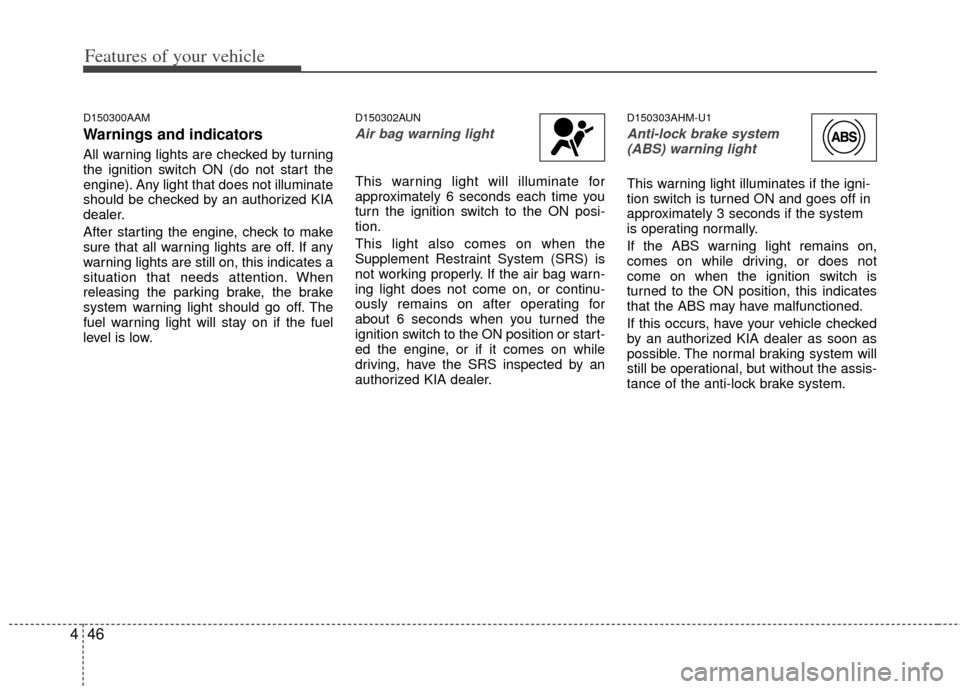
D150302AUN
Air bag warning light
This warning light will illuminate for
approximately 6 seconds each time you
turn the ignition switch to the ON posi-
tion.
This light also comes on when the
Supplement Restraint System (SRS) is
not working properly. If the air bag warn-
ing light does not come on, or continu-
ously remains on after operating for
about 6 seconds when you turned the
ignition switch to the ON position or start-
ed the engine, or if it comes on while
driving, have the SRS inspected by an
authorized KIA dealer.
D150303AHM-U1
Anti-lock brake system
(ABS) warning light
This warning light illuminates if the igni-
tion switch is turned ON and goes off in
approximately 3 seconds if the system
is operating normally.
If the ABS warning light remains on,
comes on while driving, or does not
come on when the ignition switch is
turned to the ON position, this indicates
that the ABS may have malfunctioned.
If this occurs, have your vehicle checked
by an authorized KIA dealer as soon as
possible. The normal braking system will
still be operational, but without the assis-
tance of the anti-lock brake system.
Page 122 of 342
Features of your vehicle
48
4
D150305ATD
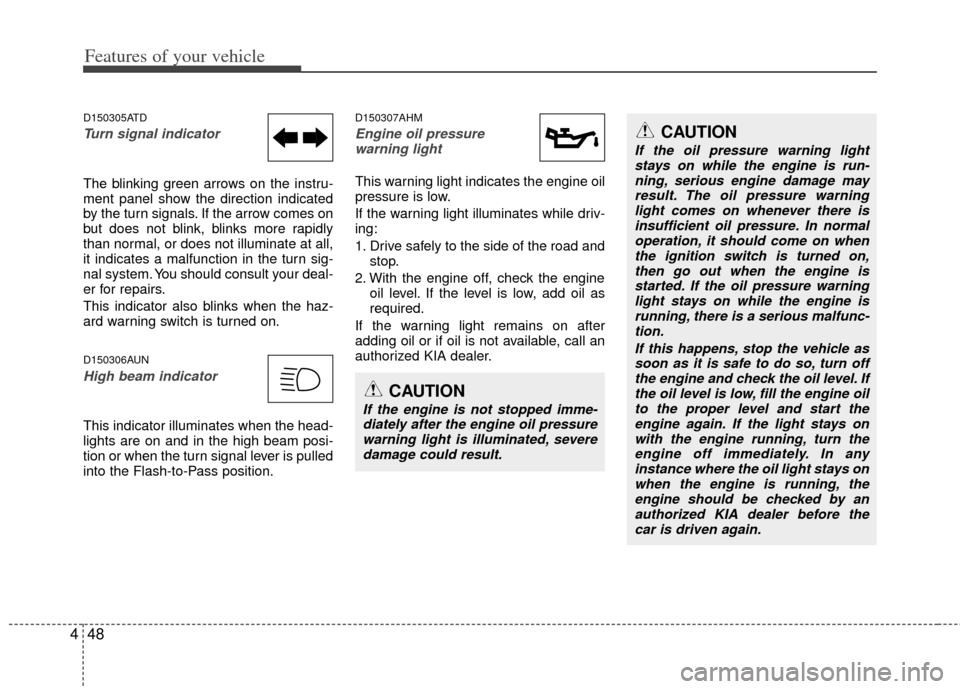
Turn signal indicator
The blinking green arrows on the instru-
ment panel show the direction indicated
by the turn signals. If the arrow comes on
but does not blink, blinks more rapidly
than normal, or does not illuminate at all,
it indicates a malfunction in the turn sig-
nal system. You should consult your deal-
er for repairs.
This indicator also blinks when the haz-
ard warning switch is turned on.
D150306AUN
High beam indicator
This indicator illuminates when the head-
lights are on and in the high beam posi-
tion or when the turn signal lever is pulled
into the Flash-to-Pass position.
D150307AHM
Engine oil pressure
warning light
This warning light indicates the engine oil
pressure is low.
If the warning light illuminates while driv-
ing:
1. Drive safely to the side of the road and stop.
2. With the engine off, check the engine oil level. If the level is low, add oil as
required.
If the warning light remains on after
adding oil or if oil is not available, call an
authorized KIA dealer.
CAUTION
If the engine is not stopped imme- diately after the engine oil pressurewarning light is illuminated, severe damage could result.
CAUTION
If the oil pressure warning lightstays on while the engine is run-ning, serious engine damage may result. The oil pressure warninglight comes on whenever there isinsufficient oil pressure. In normal operation, it should come on whenthe ignition switch is turned on, then go out when the engine isstarted. If the oil pressure warning light stays on while the engine isrunning, there is a serious malfunc-tion.
If this happens, stop the vehicle assoon as it is safe to do so, turn offthe engine and check the oil level. If the oil level is low, fill the engine oilto the proper level and start the engine again. If the light stays onwith the engine running, turn theengine off immediately. In any instance where the oil light stays onwhen the engine is running, theengine should be checked by an authorized KIA dealer before thecar is driven again.
Page 123 of 342
449
Features of your vehicle
D150308ATD
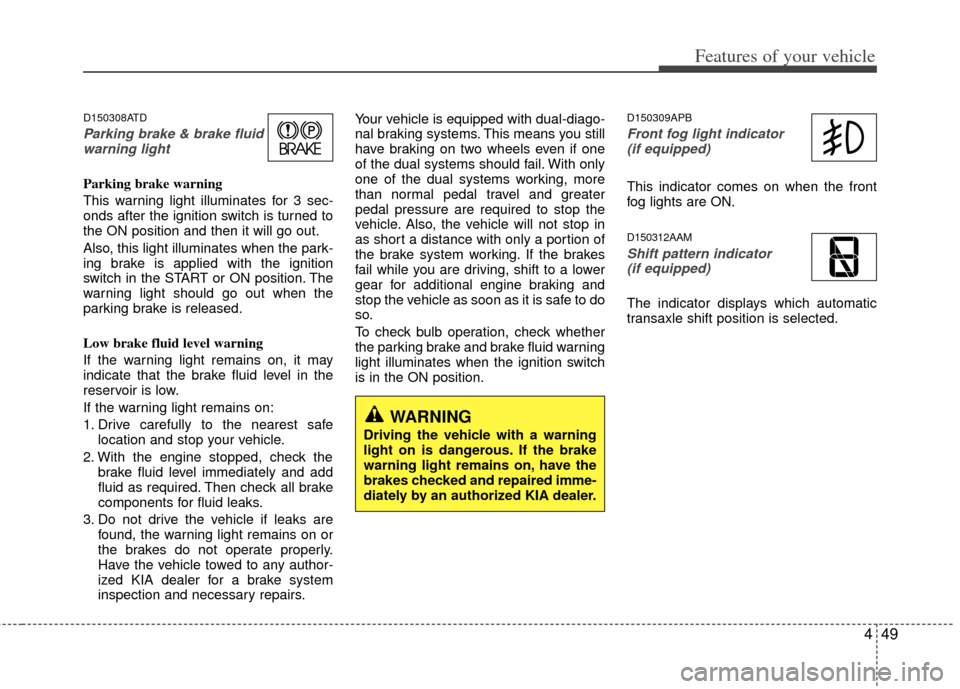
Parking brake & brake fluidwarning light
Parking brake warning
This warning light illuminates for 3 sec-
onds after the ignition switch is turned to
the ON position and then it will go out.
Also, this light illuminates when the park-
ing brake is applied with the ignition
switch in the START or ON position. The
warning light should go out when the
parking brake is released.
Low brake fluid level warning
If the warning light remains on, it may
indicate that the brake fluid level in the
reservoir is low.
If the warning light remains on:
1. Drive carefully to the nearest safe location and stop your vehicle.
2. With the engine stopped, check the brake fluid level immediately and add
fluid as required. Then check all brake
components for fluid leaks.
3. Do not drive the vehicle if leaks are found, the warning light remains on or
the brakes do not operate properly.
Have the vehicle towed to any author-
ized KIA dealer for a brake system
inspection and necessary repairs. Your vehicle is equipped with dual-diago-
nal braking systems. This means you still
have braking on two wheels even if one
of the dual systems should fail. With only
one of the dual systems working, more
than normal pedal travel and greater
pedal pressure are required to stop the
vehicle. Also, the vehicle will not stop in
as short a distance with only a portion of
the brake system working. If the brakes
fail while you are driving, shift to a lower
gear for additional engine braking and
stop the vehicle as soon as it is safe to do
so.
To check bulb operation, check whether
the parking brake and brake fluid warning
light illuminates when the ignition switch
is in the ON position.
D150309APB
Front fog light indicator
(if equipped)
This indicator comes on when the front
fog lights are ON.
D150312AAM
Shift pattern indicator (if equipped)
The indicator displays which automatic
transaxle shift position is selected.
WARNING
Driving the vehicle with a warning
light on is dangerous. If the brake
warning light remains on, have the
brakes checked and repaired imme-
diately by an authorized KIA dealer.