Auto KIA Cerato 2014 2.G User Guide
[x] Cancel search | Manufacturer: KIA, Model Year: 2014, Model line: Cerato, Model: KIA Cerato 2014 2.GPages: 446, PDF Size: 7.32 MB
Page 52 of 446
Safety features of your vehicle
38
3
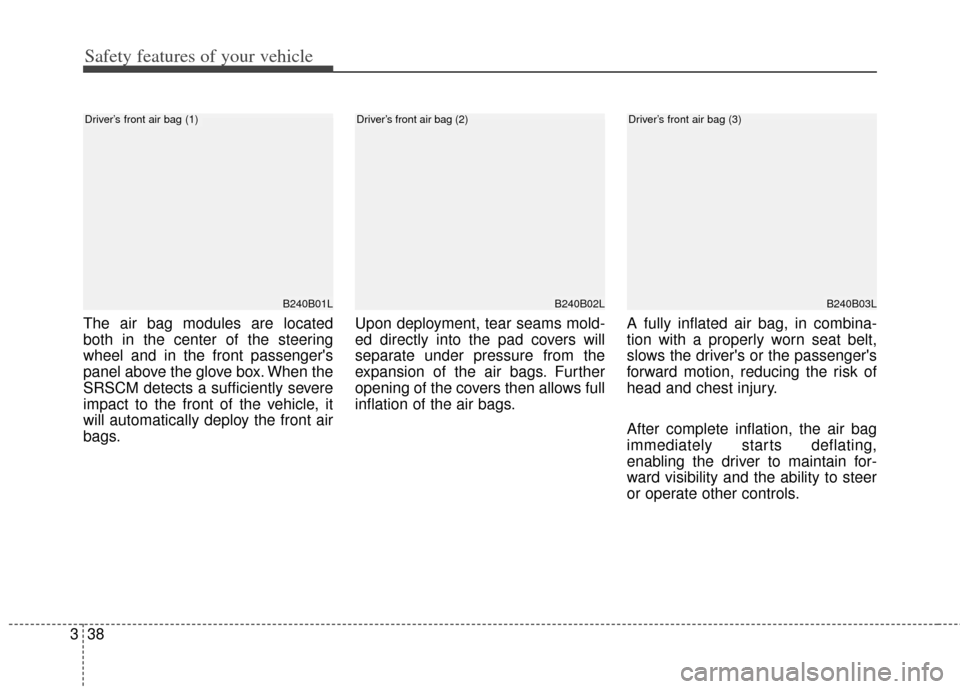
The air bag modules are located
both in the center of the steering
wheel and in the front passenger's
panel above the glove box. When the
SRSCM detects a sufficiently severe
impact to the front of the vehicle, it
will automatically deploy the front air
bags. Upon deployment, tear seams mold-
ed directly into the pad covers will
separate under pressure from the
expansion of the air bags. Further
opening of the covers then allows full
inflation of the air bags.
A fully inflated air bag, in combina-
tion with a properly worn seat belt,
slows the driver's or the passenger's
forward motion, reducing the risk of
head and chest injury.
After complete inflation, the air bag
immediately starts deflating,
enabling the driver to maintain for-
ward visibility and the ability to steer
or operate other controls.
B240B01L
Driver’s front air bag (1)
B240B02L
Driver’s front air bag (2)
B240B03L
Driver’s front air bag (3)
Page 70 of 446

Features of your vehicle
Keys . . . . . . . . . . . . . . . . . . . . . . . . . . . . . . . . . . . . \
. . 4-4
• Record your key number . . . . . . . . . . . . . . . . . . . . . . . 4-4
• Key operations . . . . . . . . . . . . . . . . . . . . . . . . . . . . . . . . 4-4
Smart key . . . . . . . . . . . . . . . . . . . . . . . . . . . . . . . . . 4-6
• Smart key function . . . . . . . . . . . . . . . . . . . . . . . . . . . . 4-6
• Precautions . . . . . . . . . . . . . . . . . . . . . . . . . . . . . . . . . . . 4-\
7
Remote keyless entry . . . . . . . . . . . . . . . . . . . . . . . . 4-9
• Remote keyless entry system operations . . . . . . . . . . . 4-9
• Transmitter precautions . . . . . . . . . . . . . . . . . . . . . . . 4-10
• Battery replacement . . . . . . . . . . . . . . . . . . . . . . . . . . 4-11
• Immobilizer system . . . . . . . . . . . . . . . . . . . . . . . . . . 4-12
Theft-alarm system . . . . . . . . . . . . . . . . . . . . . . . . 4-15
• Armed stage . . . . . . . . . . . . . . . . . . . . . . . . . . . . . . . . . 4-15
• Theft-alarm stage . . . . . . . . . . . . . . . . . . . . . . . . . . . . 4-16
• Disarmed stage. . . . . . . . . . . . . . . . . . . . . . . . . . . . . . . 4-16
Door locks . . . . . . . . . . . . . . . . . . . . . . . . . . . . . . . . 4-18
• From outside . . . . . . . . . . . . . . . . . . . . . . . . . . . . . . . . 4-18
• From inside . . . . . . . . . . . . . . . . . . . . . . . . . . . . . . . . . 4-18
• Impact sensing door unlock system . . . . . . . . . . . . . . 4-20
• Auto door lock/unlock feature . . . . . . . . . . . . . . . . . . 4-20
• Speed sensing door lock system . . . . . . . . . . . . . . . . . 4-21
• Child-protector rear door lock. . . . . . . . . . . . . . . . . . 4-21
Trunk . . . . . . . . . . . . . . . . . . . . . . . . . . . . . . . . . . . . \
4-22
• Opening the trunk . . . . . . . . . . . . . . . . . . . . . . . . . . . . 4-22
• Closing the trunk . . . . . . . . . . . . . . . . . . . . . . . . . . . . . 4-23• Emergency trunk safety release . . . . . . . . . . . . . . . . . 4-23
Windows . . . . . . . . . . . . . . . . . . . . . . . . . . . . . . . . . 4-24
• Power windows . . . . . . . . . . . . . . . . . . . . . . . . . . . . . . 4-25
Hood. . . . . . . . . . . . . . . . . . . . . . . . . . . . . . . . . . . . \
. 4-29
• Opening the hood . . . . . . . . . . . . . . . . . . . . . . . . . . . . 4-29
• Closing the hood . . . . . . . . . . . . . . . . . . . . . . . . . . . . . 4-30
Fuel filler lid . . . . . . . . . . . . . . . . . . . . . . . . . . . . . . 4-31
• Opening the fuel filler lid . . . . . . . . . . . . . . . . . . . . . . 4-31
• Closing the fuel filler lid . . . . . . . . . . . . . . . . . . . . . . . 4-31
Sunroof . . . . . . . . . . . . . . . . . . . . . . . . . . . . . . . . . . 4-34\
• Sunroof open warning. . . . . . . . . . . . . . . . . . . . . . . . . 4-34
• Sliding the sunroof . . . . . . . . . . . . . . . . . . . . . . . . . . . 4-35
• Tilting the sunroof . . . . . . . . . . . . . . . . . . . . . . . . . . . . 4-36
• Sunshade . . . . . . . . . . . . . . . . . . . . . . . . . . . . . . . . . . . 4-\
36
• Resetting the sunroof . . . . . . . . . . . . . . . . . . . . . . . . . 4-37
Steering wheel . . . . . . . . . . . . . . . . . . . . . . . . . . . . . 4-38
• Electronic power steering . . . . . . . . . . . . . . . . . . . . . . 4-38
• Tilt & telescopic steering . . . . . . . . . . . . . . . . . . . . . . 4-39
• Horn . . . . . . . . . . . . . . . . . . . . . . . . . . . . . . . . . . . . \
. . . 4-39
• Heated steering wheel . . . . . . . . . . . . . . . . . . . . . . . . . 4-40
• FLEX STEER . . . . . . . . . . . . . . . . . . . . . . . . . . . . . . . 4-40
Mirrors . . . . . . . . . . . . . . . . . . . . . . . . . . . . . . . . . . 4-43\
• Inside rearview mirror . . . . . . . . . . . . . . . . . . . . . . . . 4-43
• Outside rearview mirror. . . . . . . . . . . . . . . . . . . . . . . 4-48
4
Page 71 of 446
Instrument cluster . . . . . . . . . . . . . . . . . . . . . . . . . 4-52
• Instrument Cluster Control . . . . . . . . . . . . . . . . . . . . 4-53
• LCD Display Control . . . . . . . . . . . . . . . . . . . . . . . . . 4-54
• Gauges . . . . . . . . . . . . . . . . . . . . . . . . . . . . . . . . . . . . \
. 4-54
• Transaxle Shift Indicator . . . . . . . . . . . . . . . . . . . . . . 4-57
LCD display . . . . . . . . . . . . . . . . . . . . . . . . . . . . . . 4-58
• LCD Modes . . . . . . . . . . . . . . . . . . . . . . . . . . . . . . . . . 4-58
• Service Mode . . . . . . . . . . . . . . . . . . . . . . . . . . . . . . . . 4-59
• User Settings Mode . . . . . . . . . . . . . . . . . . . . . . . . . . . 4-60
• A/V Mode . . . . . . . . . . . . . . . . . . . . . . . . . . . . . . . . . . . 4-\
63
• Turn By Turn Mode . . . . . . . . . . . . . . . . . . . . . . . . . . 4-63
• Warning Messages . . . . . . . . . . . . . . . . . . . . . . . . . . . . 4-64
Trip computer . . . . . . . . . . . . . . . . . . . . . . . . . . . . . 4-71
• Overview . . . . . . . . . . . . . . . . . . . . . . . . . . . . . . . . . . . 4-\
71
• Fuel Economy . . . . . . . . . . . . . . . . . . . . . . . . . . . . . . . 4-72
• Trip A/B . . . . . . . . . . . . . . . . . . . . . . . . . . . . . . . . . . . . \
4-73
Warning and indicator lights . . . . . . . . . . . . . . . . 4-75
• Warning lights . . . . . . . . . . . . . . . . . . . . . . . . . . . . . . . 4-75
• Indicator Lights . . . . . . . . . . . . . . . . . . . . . . . . . . . . . . 4-81
Parking assist system . . . . . . . . . . . . . . . . . . . . . . . 4-86
• Operation . . . . . . . . . . . . . . . . . . . . . . . . . . . . . . . . . . . 4-\
87
• Non-operational conditions . . . . . . . . . . . . . . . . . . . . 4-89
• Self-diagnosis . . . . . . . . . . . . . . . . . . . . . . . . . . . . . . . . 4-91
Rearview camera . . . . . . . . . . . . . . . . . . . . . . . . . . 4-92
Lighting . . . . . . . . . . . . . . . . . . . . . . . . . . . . . . . . . . 4-93\
• Battery saver function. . . . . . . . . . . . . . . . . . . . . . . . . 4-93
• Headlamp escort function. . . . . . . . . . . . . . . . . . . . . . 4-93
• Daytime running light . . . . . . . . . . . . . . . . . . . . . . . . . 4-94
• Lighting control . . . . . . . . . . . . . . . . . . . . . . . . . . . . . . 4-94
• High - beam operation . . . . . . . . . . . . . . . . . . . . . . . . 4-96
• Turn signals and lane change signals . . . . . . . . . . . . 4-97
• Front fog light . . . . . . . . . . . . . . . . . . . . . . . . . . . . . . . 4-98
Wipers and washers . . . . . . . . . . . . . . . . . . . . . . . . 4-99
• Windshield wipers . . . . . . . . . . . . . . . . . . . . . . . . . . . . 4-99
• Windshield washers. . . . . . . . . . . . . . . . . . . . . . . . . . . 4-99
Interior light . . . . . . . . . . . . . . . . . . . . . . . . . . . . . 4-101
• Automatict turn off function . . . . . . . . . . . . . . . . . . 4-101
• Map lamp . . . . . . . . . . . . . . . . . . . . . . . . . . . . . . . . . . 4-10\
1
• Room lamp . . . . . . . . . . . . . . . . . . . . . . . . . . . . . . . . . 4-102
• Trunk room lamp . . . . . . . . . . . . . . . . . . . . . . . . . . . 4-103
• Glove box lamp . . . . . . . . . . . . . . . . . . . . . . . . . . . . . 4-103
• Vanity mirror lamp . . . . . . . . . . . . . . . . . . . . . . . . . . 4-104
Welcome system . . . . . . . . . . . . . . . . . . . . . . . . . . 4-105
• Headlamp welcome . . . . . . . . . . . . . . . . . . . . . . . . . . 4-105
• Interior light. . . . . . . . . . . . . . . . . . . . . . . . . . . . . . . . 4-105
• Puddle lamp and pocket lamp . . . . . . . . . . . . . . . . . 4-105
Defroster . . . . . . . . . . . . . . . . . . . . . . . . . . . . . . . . 4-106
• Rear window defroster . . . . . . . . . . . . . . . . . . . . . . . 4-106
4
Page 72 of 446
• Front wiper deicer . . . . . . . . . . . . . . . . . . . . . . . . . . . 4-106
Manual climate control system . . . . . . . . . . . . . . 4-107
• Heating and air conditioning . . . . . . . . . . . . . . . . . . 4-108
• System operation . . . . . . . . . . . . . . . . . . . . . . . . . . . . 4-113
• Climate control air filter . . . . . . . . . . . . . . . . . . . . . . 4-115
• Refrigerant and compressor lubricant . . . . . . . . . . 4-116
Automatic climate control system. . . . . . . . . . . . 4-117
• Automatic heating and air conditioning . . . . . . . . . 4-118
• Manual heating and air conditioning . . . . . . . . . . . 4-119
• System operation . . . . . . . . . . . . . . . . . . . . . . . . . . . . 4-125
Windshield defrosting and defogging . . . . . . . . . 4-127
• Manual climate control system . . . . . . . . . . . . . . . . 4-127
• Automatic climate control system . . . . . . . . . . . . . . 4-128
• Defogging logic. . . . . . . . . . . . . . . . . . . . . . . . . . . . . . 4-129
Storage compartment . . . . . . . . . . . . . . . . . . . . . . 4-132
• Center console storage . . . . . . . . . . . . . . . . . . . . . . . 4-132
• Glove box . . . . . . . . . . . . . . . . . . . . . . . . . . . . . . . . . . 4-13\
2
• Cool box . . . . . . . . . . . . . . . . . . . . . . . . . . . . . . . . . . . 4-\
133
• Sunglass holder . . . . . . . . . . . . . . . . . . . . . . . . . . . . . 4-133
Interior features . . . . . . . . . . . . . . . . . . . . . . . . . . 4-135
• Cigarette lighter. . . . . . . . . . . . . . . . . . . . . . . . . . . . . 4-135
• Ashtray . . . . . . . . . . . . . . . . . . . . . . . . . . . . . . . . . . . . \
4-135
• Cup holder . . . . . . . . . . . . . . . . . . . . . . . . . . . . . . . . . 4-136
• Sliding armrest . . . . . . . . . . . . . . . . . . . . . . . . . . . . . 4-136
• Sunvisor . . . . . . . . . . . . . . . . . . . . . . . . . . . . . . . . . . . 4-\
137• Seat warmer . . . . . . . . . . . . . . . . . . . . . . . . . . . . . . . . 4-137
• Climate control seat . . . . . . . . . . . . . . . . . . . . . . . . . 4-139
• Power outlet . . . . . . . . . . . . . . . . . . . . . . . . . . . . . . . . 4-140
• LCD monitor . . . . . . . . . . . . . . . . . . . . . . . . . . . . . . . 4-141
• Clothes hanger . . . . . . . . . . . . . . . . . . . . . . . . . . . . . . 4-142
• Floor mat anchor(s). . . . . . . . . . . . . . . . . . . . . . . . . . 4-142
• Navigation system . . . . . . . . . . . . . . . . . . . . . . . . . . . 4-143
Audio system . . . . . . . . . . . . . . . . . . . . . . . . . . . . . 4-144
• Glass antenna . . . . . . . . . . . . . . . . . . . . . . . . . . . . . . . 4-144
• Steering wheel audio control . . . . . . . . . . . . . . . . . . 4-145
• Aux, USB and iPod
®port . . . . . . . . . . . . . . . . . . . . . 4-1464
Page 73 of 446
Features of your vehicle
44
Record your key number
The key code number
is stamped on the bar
code tag attached to
the key set. Should
you lose your keys,
this number will enable an author-
ized Kia dealer to duplicate the keys
easily. Remove the bar code tag and
store it in a safe place. Also, record
the code number and keep it in a
safe place (not in the vehicle).
Key operations
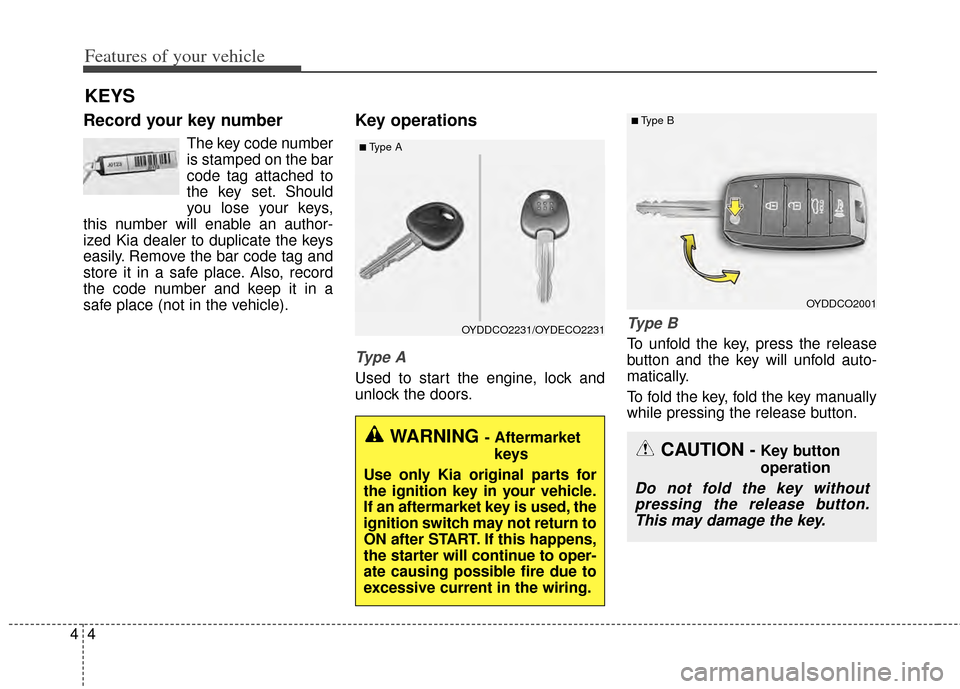
Type A
Used to start the engine, lock and
unlock the doors.
Ty p e B
To unfold the key, press the release
button and the key will unfold auto-
matically.
To fold the key, fold the key manually
while pressing the release button.
KEYS
■Type A
OYDDCO2231/OYDECO2231
WARNING - Aftermarket
keys
Use only Kia original parts for
the ignition key in your vehicle.
If an aftermarket key is used, the
ignition switch may not return to
ON after START. If this happens,
the starter will continue to oper-
ate causing possible fire due to
excessive current in the wiring.
OYDDCO2001
■Type B
CAUTION - Key button
operation
Do not fold the key without pressing the release button.This may damage the key.
Page 78 of 446
49
Features of your vehicle
REMOTE KEYLESS ENTRY (IF EQUIPPED)
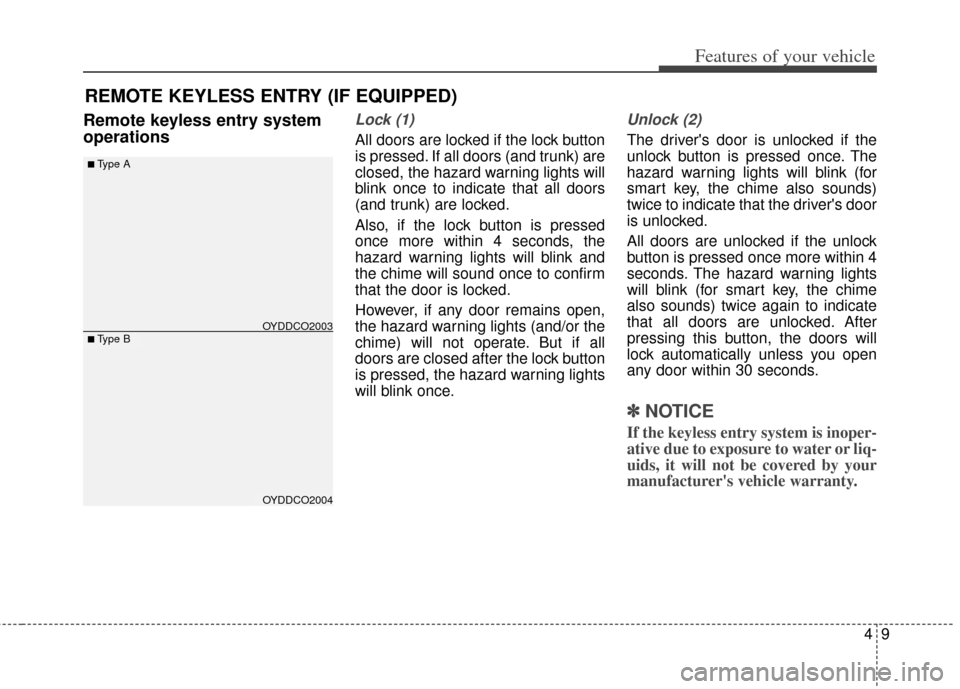
Remote keyless entry system
operationsLock (1)
All doors are locked if the lock button
is pressed. If all doors (and trunk) are
closed, the hazard warning lights will
blink once to indicate that all doors
(and trunk) are locked.
Also, if the lock button is pressed
once more within 4 seconds, the
hazard warning lights will blink and
the chime will sound once to confirm
that the door is locked.
However, if any door remains open,
the hazard warning lights (and/or the
chime) will not operate. But if all
doors are closed after the lock button
is pressed, the hazard warning lights
will blink once.
Unlock (2)
The driver's door is unlocked if the
unlock button is pressed once. The
hazard warning lights will blink (for
smart key, the chime also sounds)
twice to indicate that the driver's door
is unlocked.
All doors are unlocked if the unlock
button is pressed once more within 4
seconds. The hazard warning lights
will blink (for smart key, the chime
also sounds) twice again to indicate
that all doors are unlocked. After
pressing this button, the doors will
lock automatically unless you open
any door within 30 seconds.
✽ ✽NOTICE
If the keyless entry system is inoper-
ative due to exposure to water or liq-
uids, it will not be covered by your
manufacturer's vehicle warranty.
OYDDCO2004
■Type B
■Type A
OYDDCO2003
Page 79 of 446
Features of your vehicle
10
4
Trunk open (3) (if equipped)
The trunk is opened if the button is
pressed for more than 1 second.
Once the trunk is opened and then
closed, the trunk will lock automatically.
Alarm (4)
The horn sounds and the hazard
warning lights blink for about 30 sec-
onds if this button is pressed for
more than 0.5 seconds. To stop the
horn and lights, press any button on
the transmitter.
Transmitter precautions
The transmitter (or smart key) will not
work if any of following occurs:
The ignition key is in the ignition
switch.
You exceed the operating distance limit (about 30 m [90 feet]).
The battery in the transmitter (or smart key) is weak.
Other vehicles or objects may be blocking the signal.
The weather is extremely cold.
The transmitter (or smart key) is close to a radio transmitter such as
a radio station or an airport which
can interfere with normal operation
of the transmitter.
When the transmitter (or smart key)
does not work properly, open and
close the door with the ignition key. If
you have a problem with the trans-
mitter (or smart key), contact an
authorized Kia dealer. If the transmitter is in close proximi-
ty to your cell phone or smart phone,
the signal from the transmitter could
be blocked by normal operation of
your cell phone or smart phone. This
is especially important when the
phone is active such as making call,
receiving calls, text messaging,
and/or sending/receiving emails.
Avoid placing the transmitter and
your cell phone or smart phone in
the same pants or jacket pocket and
maintain adequate distance
between the two devices.
Page 82 of 446
413
Features of your vehicle
To deactivate the immobilizersystem:
Insert the ignition key into the key
cylinder and turn it to the ON position.
To activate the immobilizer sys-tem:
Turn the ignition key to the OFF posi-
tion. The immobilizer system acti-
vates automatically. Without a valid
ignition key for your vehicle, the
engine will not start.
Your Immobilizer password is a cus-
tomer unique password and should
be kept confidential. Do not leave this
number anywhere in your vehicle.
✽ ✽ NOTICE
Keep each key separately in order to
avoid a starting malfunction.
Do not put metal accessories near
the ignition switch.
Metal accessories may interrupt the
transponder signal and may prevent
the engine from being started.
If you need additional keys or lose
your keys, consult an authorized Kia
dealer. This device complies with Industry
Canada Standard RSS-210.
Operation is subject to the following
two conditions:
1. This device may not cause harm-
ful interference, and
2. This device must accept any inter- ference received, including inter-
ference that may cause undesired
operation.
WARNING
Changes or modifications not
expressly approved by the party
responsible for compliance
could void the user's authority
to operate the equipment.
CAUTION - Immobilizer
damage
Do not expose your immobilizersystem to moisture, static elec-tricity and rough handling. Thismay damage your immobilizer.
CAUTION - Immobilizer
alterations
Do not change, alter or adjustthe immobilizer system becauseit could cause the immobilizersystem to malfunction.
Page 87 of 446
Features of your vehicle
18
4
DOOR LOCKS
Operating door locks from
outside the vehicle
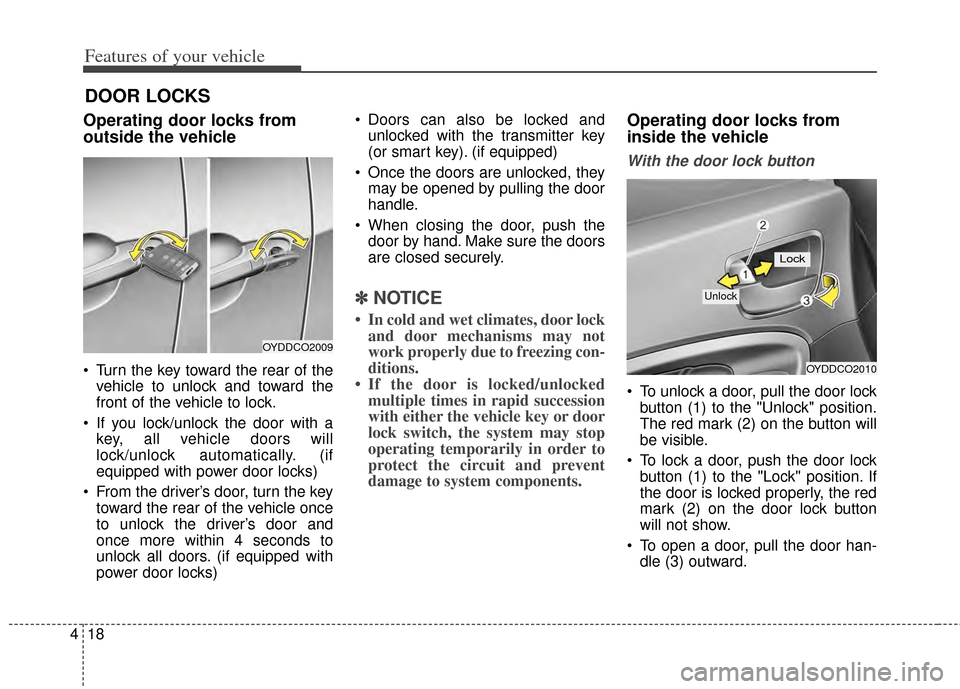
Turn the key toward the rear of the
vehicle to unlock and toward the
front of the vehicle to lock.
If you lock/unlock the door with a key, all vehicle doors will
lock/unlock automatically. (if
equipped with power door locks)
From the driver’s door, turn the key toward the rear of the vehicle once
to unlock the driver’s door and
once more within 4 seconds to
unlock all doors. (if equipped with
power door locks) Doors can also be locked and
unlocked with the transmitter key
(or smart key). (if equipped)
Once the doors are unlocked, they may be opened by pulling the door
handle.
When closing the door, push the door by hand. Make sure the doors
are closed securely.
✽ ✽ NOTICE
• In cold and wet climates, door lock
and door mechanisms may not
work properly due to freezing con-
ditions.
• If the door is locked/unlocked multiple times in rapid succession
with either the vehicle key or door
lock switch, the system may stop
operating temporarily in order to
protect the circuit and prevent
damage to system components.
Operating door locks from
inside the vehicle
With the door lock button
To unlock a door, pull the door lock
button (1) to the "Unlock" position.
The red mark (2) on the button will
be visible.
To lock a door, push the door lock button (1) to the "Lock" position. If
the door is locked properly, the red
mark (2) on the door lock button
will not show.
To open a door, pull the door han- dle (3) outward.
OYDDCO2009
OYDDCO2010
Lock
Unlock
Page 89 of 446
Features of your vehicle
20
4
Press the switch to the "Lock" posi-
tion (1), all vehicle doors will lock.
Press the switch to the "Unlock" position (2), all vehicle doors will
unlock.
If the key is in the ignition switch (or if the smart key is in the vehicle)
and any front door is opened, the
doors will not lock when the "Lock"
position (1) of the central door lock
switch is pressed. (if equipped)Impact sensing door unlock
system (if equipped)
All doors will automatically unlock
when an impact causes the air bags
to deploy.
Auto door lock/unlock feature
(if equipped)
All doors will automatically lockwhen the transaxle shift lever is
shifted out of P (Park).
All doors will automatically unlock when the transaxle shift lever is
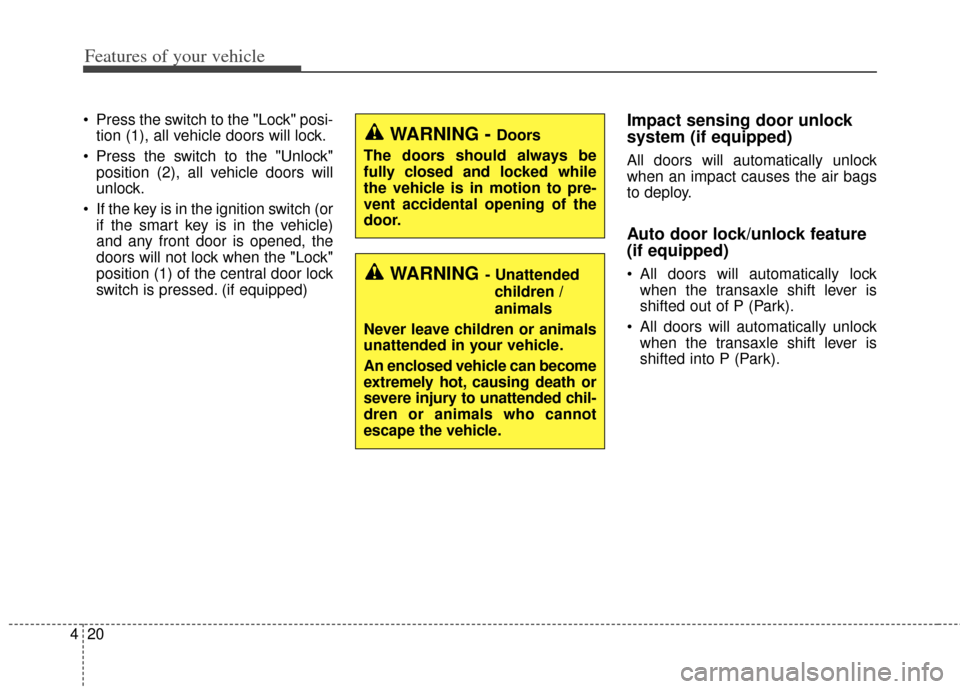
shifted into P (Park).WARNING- Unattended
children /
animals
Never leave children or animals
unattended in your vehicle.
An enclosed vehicle can become
extremely hot, causing death or
severe injury to unattended chil-
dren or animals who cannot
escape the vehicle.
WARNING - Doors
The doors should always be
fully closed and locked while
the vehicle is in motion to pre-
vent accidental opening of the
door.