Drive KIA Cerato 2016 2.G Repair Manual
[x] Cancel search | Manufacturer: KIA, Model Year: 2016, Model line: Cerato, Model: KIA Cerato 2016 2.GPages: 501, PDF Size: 14.8 MB
Page 167 of 501
Features of your vehicle
96
4
Battery saver function
The purpose of this feature is to
prevent the battery from being dis-
charged. The system automatically
turns off the parking lights when
the driver removes the ignition key
and opens the driver-side door.
With this feature, the parking lights will turn off automatically if the driv-
er parks on the side of the road at
night.
If necessary, to keep the lights on
when the ignition key is removed,
perform the following:
1) Open the driver-side door.
2) Turn the parking lights OFF and ON again using the light switch
on the steering column.
Headlight escort function
(if equipped)
The headlights (and/or taillights) will
remain on for approximately 20 min-
utes after the ignition key is removed
or turned to the ACC or LOCK posi-
tion. However, if the driver’s door is
opened and closed, the headlights
are turned off after 30 seconds.
The headlights can be turned off by
pressing the lock button on the trans-
mitter (or smart key) twice or turning
off the light switch from the headlight
or Auto light position. If the driver gets out of the vehicle
through other doors (except driver's
door), the battery saver function
does not operate and the headlight
escort function does not turn off
automatically. Therefore, It causes
the battery to be discharged. In this
case, make sure to turn off the lamp
before getting out of the vehicle.
If the headlights are not working
properly have your vehicle inspected
by an authorized Kia dealer.
Don't attempt to inspect or replace
the wiring yourself to prevent mal-
function.
LIGHTING
Page 170 of 501
499
Features of your vehicle
High beam operation
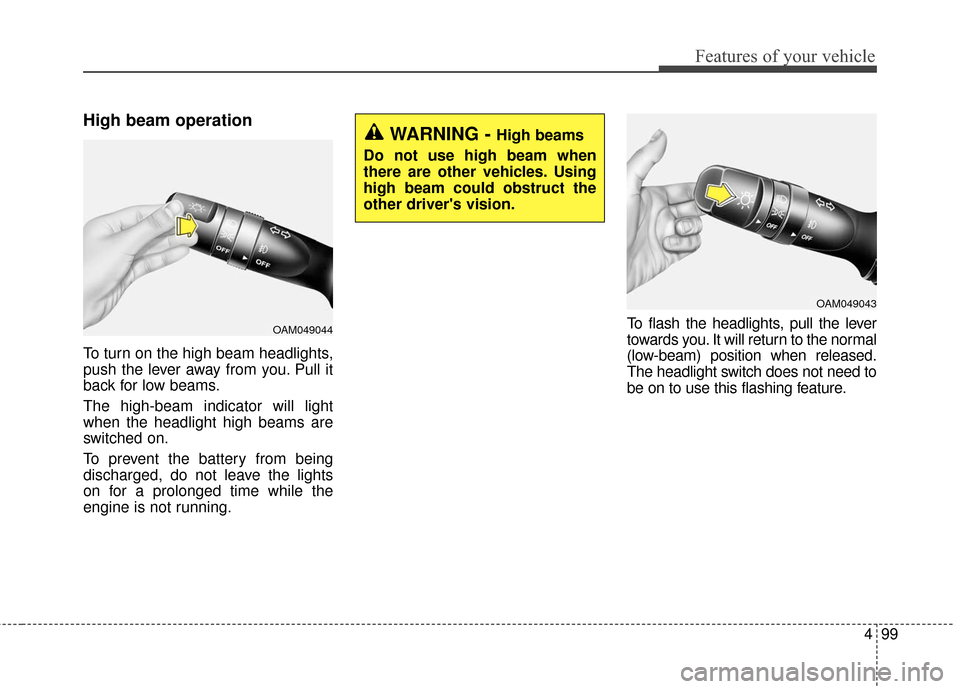
To turn on the high beam headlights,
push the lever away from you. Pull it
back for low beams.
The high-beam indicator will light
when the headlight high beams are
switched on.
To prevent the battery from being
discharged, do not leave the lights
on for a prolonged time while the
engine is not running.To flash the headlights, pull the lever
towards you. It will return to the normal
(low-beam) position when released.
The headlight switch does not need to
be on to use this flashing feature.
OAM049044
WARNING - High beams
Do not use high beam when
there are other vehicles. Using
high beam could obstruct the
other driver's vision.
OAM049043
Page 175 of 501
Features of your vehicle
104
4
Do not use the interior lights for
extended periods when the engine is
not running.
It may cause battery discharge.Automatic turn off function
(if equipped)
The interior lights automatically turn
off approximately 20 minutes after
the ignition switch is turned off.
If your vehicle is equipped with the
theft alarm system, the interior lights
automatically turn off approximately
3 seconds after the system is in
armed stage.
Map lamp (if equipped)
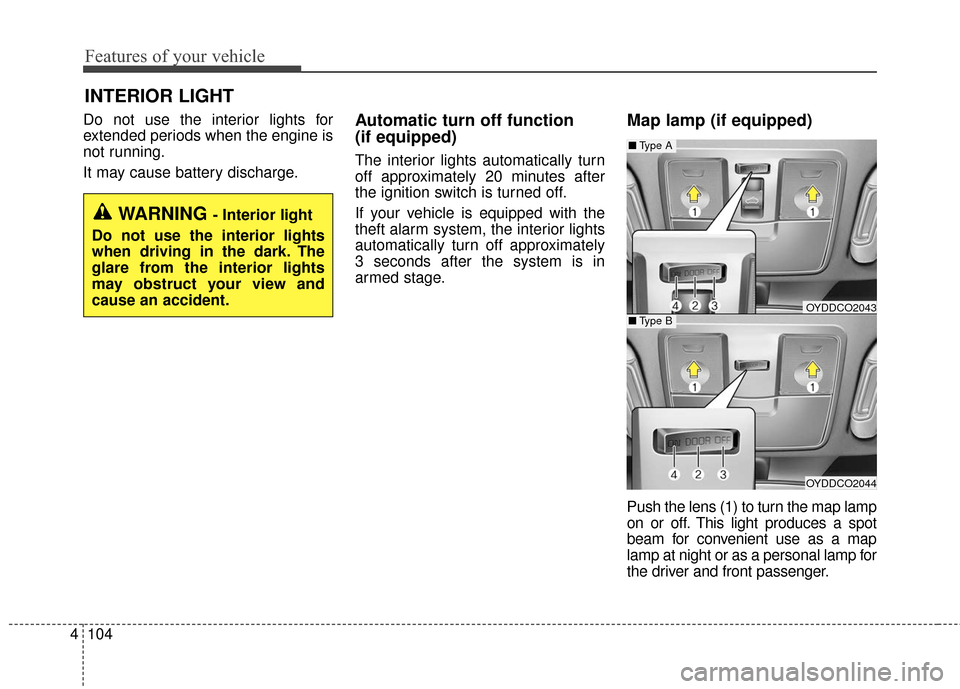
Push the lens (1) to turn the map lamp
on or off. This light produces a spot
beam for convenient use as a map
lamp at night or as a personal lamp for
the driver and front passenger.
INTERIOR LIGHT
WARNING - Interior light
Do not use the interior lights
when driving in the dark. The
glare from the interior lights
may obstruct your view and
cause an accident.
OYDDCO2043
OYDDCO2044
■ Type B
■Type A
Page 189 of 501
Features of your vehicle
118
4
Operating the air conditioning sys-
tem in the recirculated air position
provides maximum cooling, how-
ever, continual operation in this
mode may cause the air inside the
vehicle to become stale.
During cooling operation, you may occasionally notice a misty air flow
because of rapid cooling and
humid air intake. This is a normal
system operation characteristic.Climate control air filter
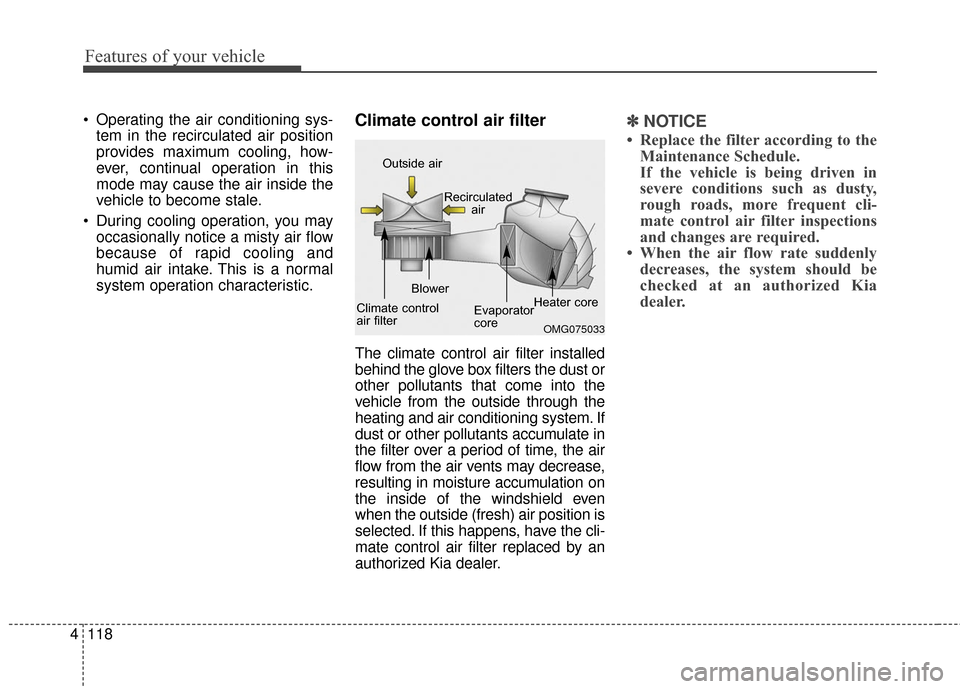
The climate control air filter installed
behind the glove box filters the dust or
other pollutants that come into the
vehicle from the outside through the
heating and air conditioning system. If
dust or other pollutants accumulate in
the filter over a period of time, the air
flow from the air vents may decrease,
resulting in moisture accumulation on
the inside of the windshield even
when the outside (fresh) air position is
selected. If this happens, have the cli-
mate control air filter replaced by an
authorized Kia dealer.
✽ ✽ NOTICE
• Replace the filter according to the
Maintenance Schedule.
If the vehicle is being driven in
severe conditions such as dusty,
rough roads, more frequent cli-
mate control air filter inspections
and changes are required.
• When the air flow rate suddenly decreases, the system should be
checked at an authorized Kia
dealer.
OMG075033
Outside air
Recirculatedair
Climate control
air filter Blower
Evaporator
coreHeater core
Page 191 of 501
Features of your vehicle
120
4
AUTOMATIC CLIMATE CONTROL SYSTEM (IF EQUIPPED)
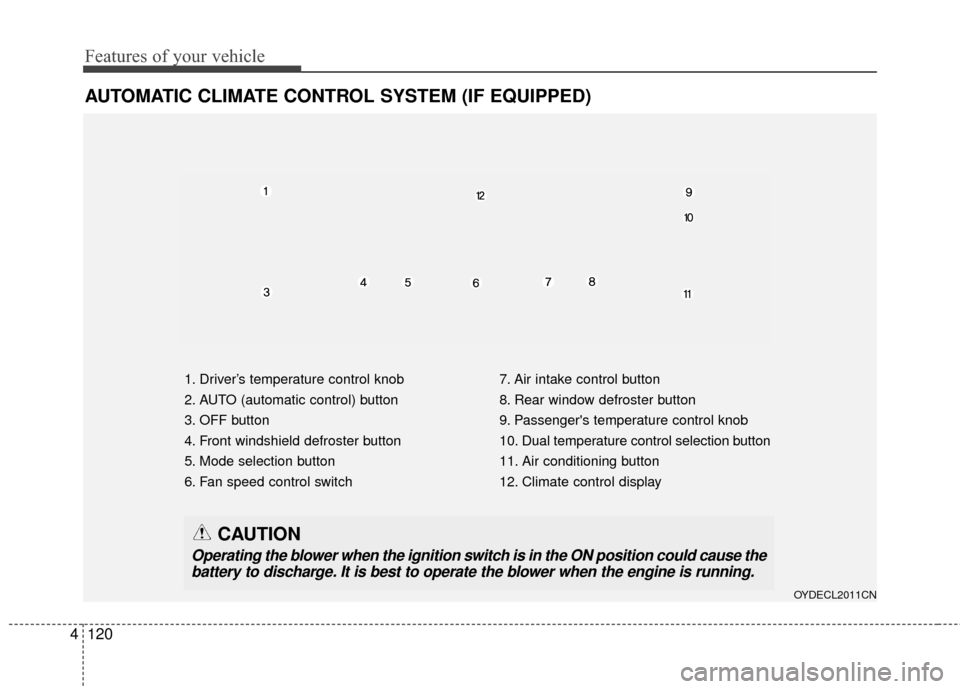
1. Driver’s temperature control knob
2. AUTO (automatic control) button
3. OFF button
4. Front windshield defroster button
5. Mode selection button
6. Fan speed control switch 7. Air intake control button
8. Rear window defroster button
9. Passenger's temperature control knob
10. Dual temperature control selection button
11. Air conditioning button
12. Climate control display
OYDECL2011CN
CAUTION
Operating the blower when the ignition switch is in the ON position could cause the
battery to discharge. It is best to operate the blower when the engine is running.
Page 192 of 501
4121
Features of your vehicle
Automatic heating and air con-
ditioning
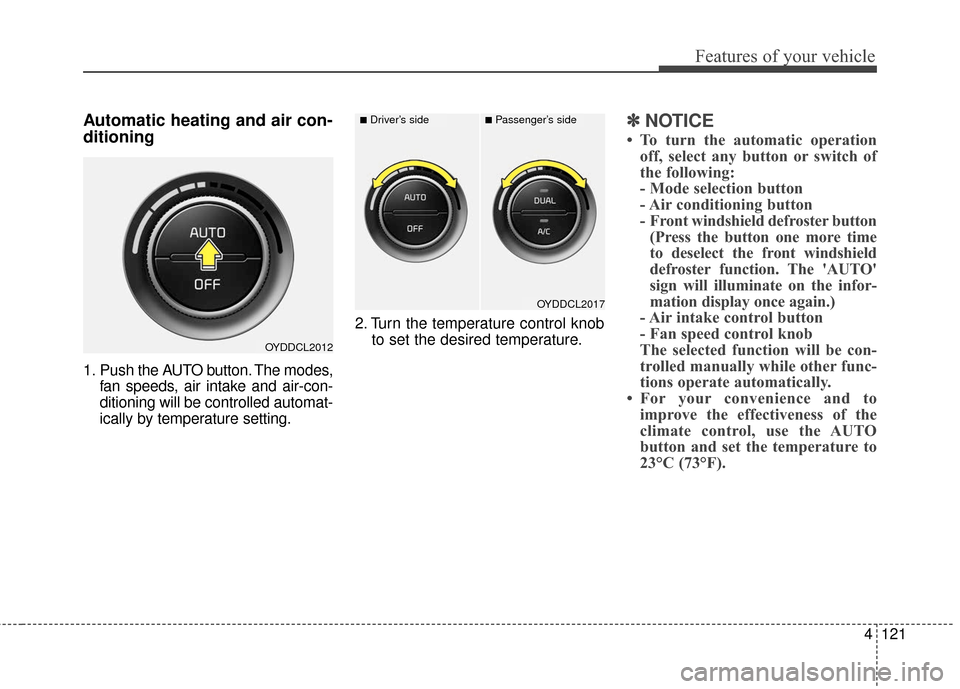
1. Push the AUTO button. The modes,fan speeds, air intake and air-con-
ditioning will be controlled automat-
ically by temperature setting. 2. Turn the temperature control knob
to set the desired temperature.
✽ ✽NOTICE
• To turn the automatic operation
off, select any button or switch of
the following:
- Mode selection button
- Air conditioning button
- Front windshield defroster button(Press the button one more time
to deselect the front windshield
defroster function. The 'AUTO'
sign will illuminate on the infor-
mation display once again.)
- Air intake control button
- Fan speed control knob
The selected function will be con-
trolled manually while other func-
tions operate automatically.
• For your convenience and to improve the effectiveness of the
climate control, use the AUTO
button and set the temperature to
23°C (73°F).
OYDDCL2012
OYDDCL2017
■Driver’s side■Passenger’s side
Page 195 of 501
Features of your vehicle
124
4
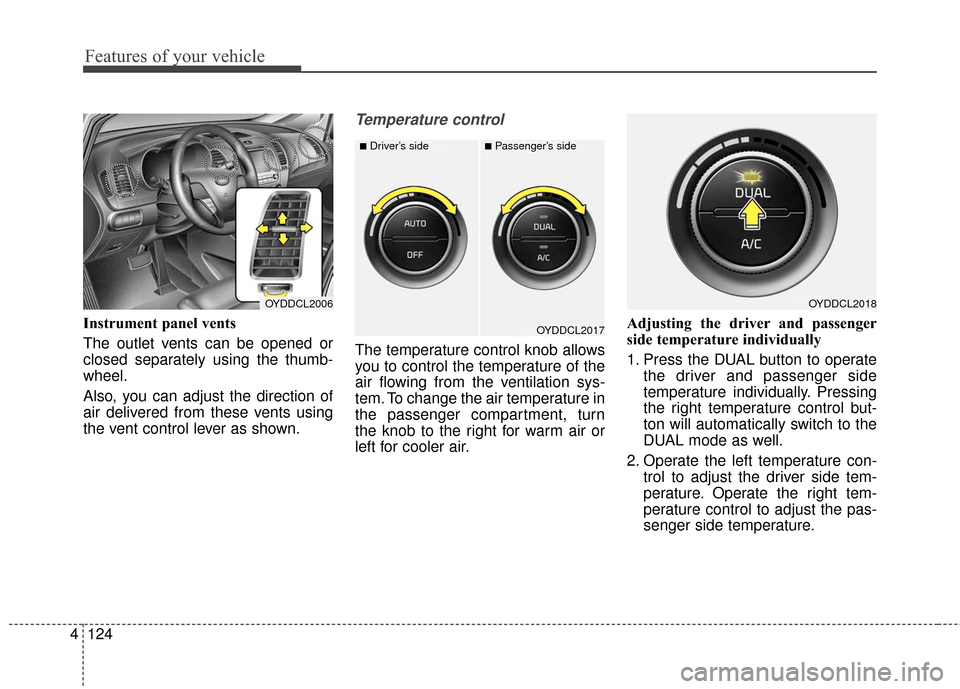
Instrument panel vents
The outlet vents can be opened or
closed separately using the thumb-
wheel.
Also, you can adjust the direction of
air delivered from these vents using
the vent control lever as shown.
Temperature control
The temperature control knob allows
you to control the temperature of the
air flowing from the ventilation sys-
tem. To change the air temperature in
the passenger compartment, turn
the knob to the right for warm air or
left for cooler air. Adjusting the driver and passenger
side temperature individually
1. Press the DUAL button to operate
the driver and passenger side
temperature individually. Pressing
the right temperature control but-
ton will automatically switch to the
DUAL mode as well.
2. Operate the left temperature con- trol to adjust the driver side tem-
perature. Operate the right tem-
perature control to adjust the pas-
senger side temperature.
OYDDCL2006OYDDCL2018
OYDDCL2017
■Driver’s side■Passenger’s side
Page 196 of 501
4125
Features of your vehicle
When the driver side temperature is
set to the highest (HIGH) or lowest
(LOW) temperature setting, the
DUAL mode is deactivated for maxi-
mum heating or cooling.Adjusting the driver and passenger
side temperature equally
1. Press the DUAL button again to
deactivate DUAL mode. The pas-
senger side temperature will be
set to the same temperature as
the driver side temperature.
2. Operate the driver side tempera- ture control switch. The driver and
passenger side temperature will
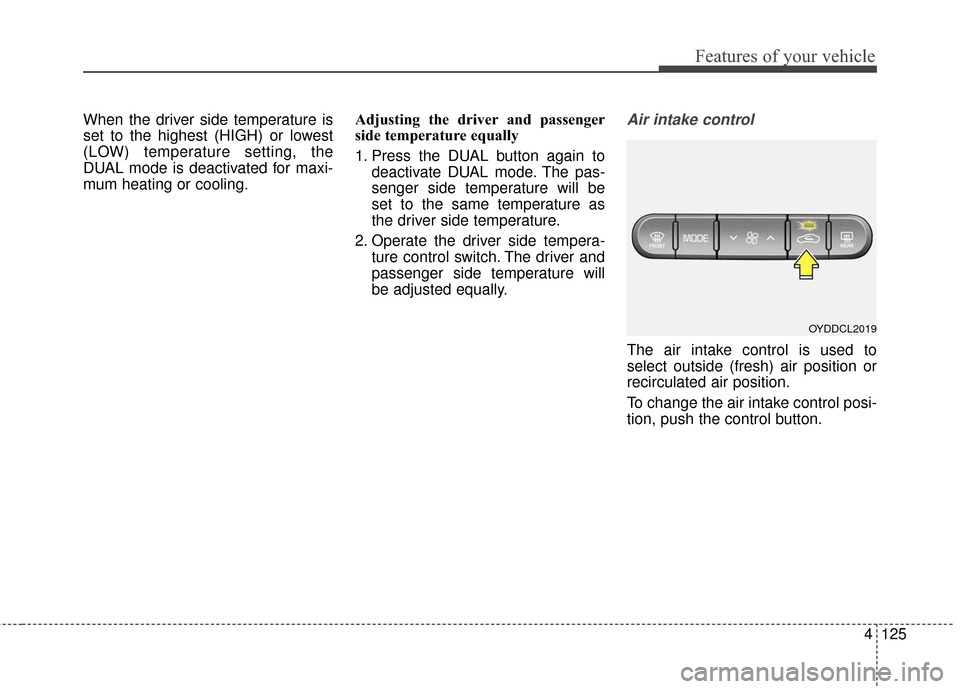
be adjusted equally.Air intake control
The air intake control is used to
select outside (fresh) air position or
recirculated air position.
To change the air intake control posi-
tion, push the control button.
OYDDCL2019
Page 205 of 501

Features of your vehicle
134
4
If your vehicle is equipped with the
auto defogging system, it is automat-
ically activated when the conditions
are met. However, if you would like to
cancel the auto defogging system,
press the front defroster button 4
times within 2 seconds while press-
ing the AUTO button. The indicator
will blink 3 times to notify you that the
system is cancelled. To use the auto
defogging system again, follow the
procedures mentioned above.
If the battery has been disconnected
or discharged, it resets to the auto
defogging status.✽ ✽
NOTICE
• When the air conditioning is
turned on by Auto defogging sys-
tem, if you try to turn off the air
conditioning, the indicator will
blink 3 times and the air condi-
tioning will not be turned off.
• For efficiency, do not select recir- culated air position while Auto
defogging system is operating.
CAUTION
Do not remove the sensor cover
located on the upper end of thedriver side windshield glass.Damage to the system partscould occur and may not be cov-ered by your vehicle warranty.
Page 210 of 501
4139
Features of your vehicle
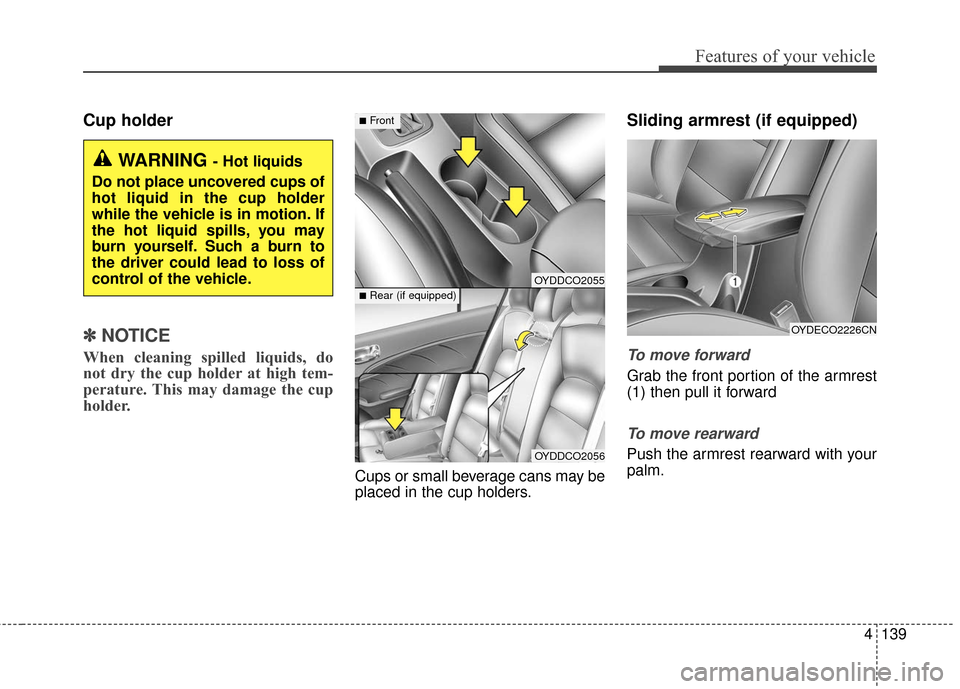
Cup holder
✽
✽NOTICE
When cleaning spilled liquids, do
not dry the cup holder at high tem-
perature. This may damage the cup
holder.
Cups or small beverage cans may be
placed in the cup holders.
Sliding armrest (if equipped)
To move forward
Grab the front portion of the armrest
(1) then pull it forward
To move rearward
Push the armrest rearward with your
palm.
WARNING - Hot liquids
Do not place uncovered cups of
hot liquid in the cup holder
while the vehicle is in motion. If
the hot liquid spills, you may
burn yourself. Such a burn to
the driver could lead to loss of
control of the vehicle.
OYDECO2226CN
OYDDCO2055
OYDDCO2056
■Front
■Rear (if equipped)