Turn KIA FORTE 2018 Owners Manual
[x] Cancel search | Manufacturer: KIA, Model Year: 2018, Model line: FORTE, Model: KIA FORTE 2018Pages: 584, PDF Size: 15.14 MB
Page 400 of 584
559
Driving your vehicle
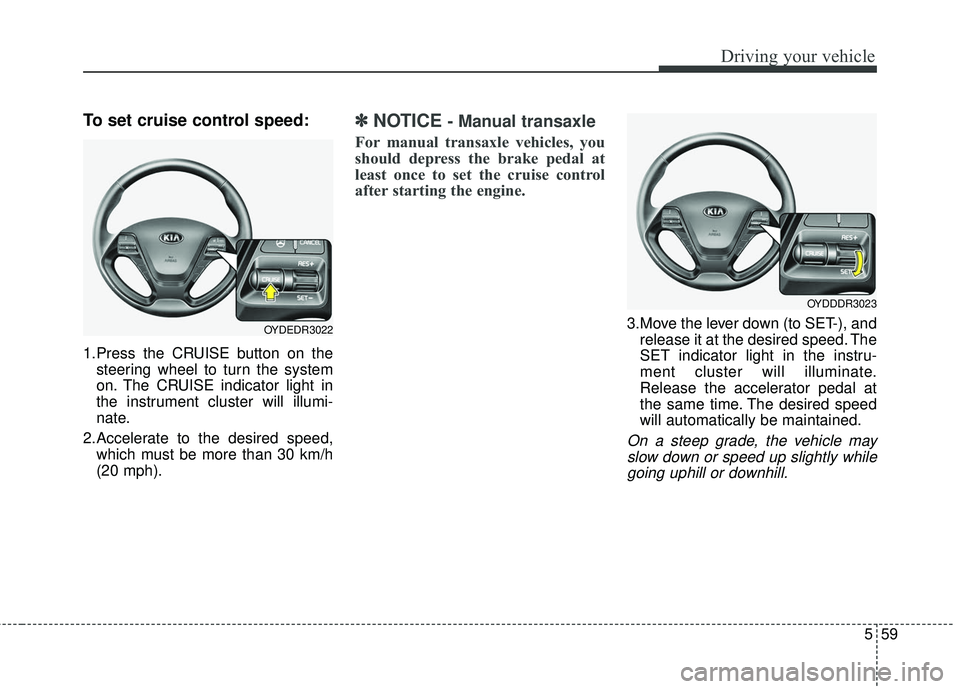
To set cruise control speed:
1.Press the CRUISE button on thesteering wheel to turn the system
on. The CRUISE indicator light in
the instrument cluster will illumi-
nate.
2.Accelerate to the desired speed, which must be more than 30 km/h
(20 mph).
✽ ✽ NOTICE- Manual transaxle
For manual transaxle vehicles, you
should depress the brake pedal at
least once to set the cruise control
after starting the engine.
3.Move the lever down (to SET-), and
release it at the desired speed. The
SET indicator light in the instru-
ment cluster will illuminate.
Release the accelerator pedal at
the same time. The desired speed
will automatically be maintained.
On a steep grade, the vehicle mayslow down or speed up slightly whilegoing uphill or downhill.
OYDEDR3022
OYDDDR3023
Page 401 of 584
Driving your vehicle
60
5
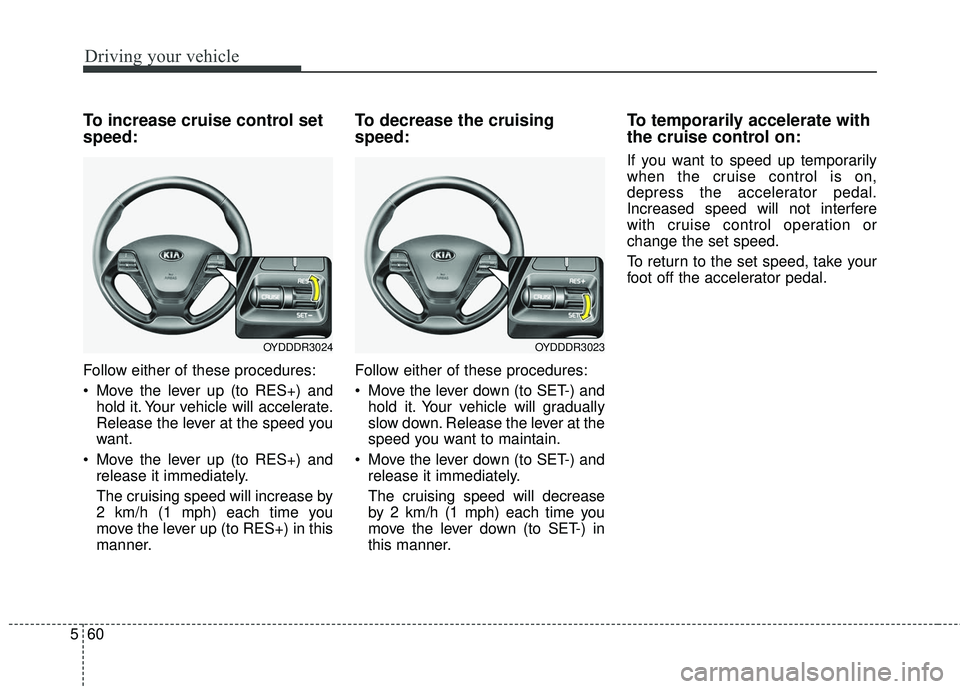
To increase cruise control set
speed:
Follow either of these procedures:
Move the lever up (to RES+) and
hold it. Your vehicle will accelerate.
Release the lever at the speed you
want.
Move the lever up (to RES+) and release it immediately.
The cruising speed will increase by
2 km/h (1 mph) each time you
move the lever up (to RES+) in this
manner.
To decrease the cruising
speed:
Follow either of these procedures:
Move the lever down (to SET-) andhold it. Your vehicle will gradually
slow down. Release the lever at the
speed you want to maintain.
Move the lever down (to SET-) and release it immediately.
The cruising speed will decrease
by 2 km/h (1 mph) each time you
move the lever down (to SET-) in
this manner.
To temporarily accelerate with
the cruise control on:
If you want to speed up temporarily
when the cruise control is on,
depress the accelerator pedal.
Increased speed will not interfere
with cruise control operation or
change the set speed.
To return to the set speed, take your
foot off the accelerator pedal.
OYDDDR3023OYDDDR3024
Page 402 of 584
561
Driving your vehicle
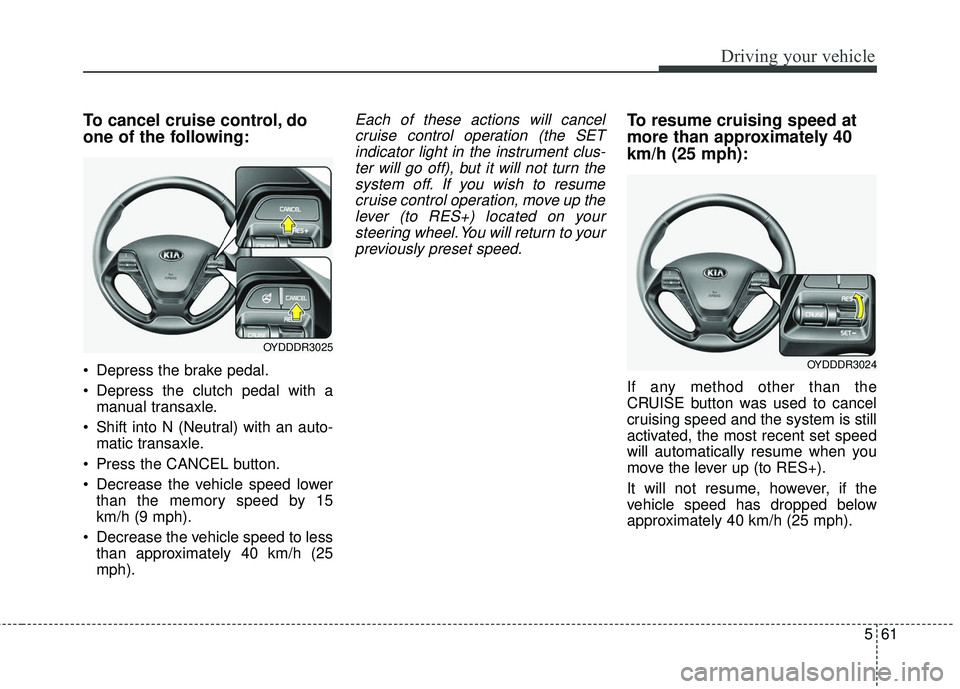
To cancel cruise control, do
one of the following:
Depress the brake pedal.
Depress the clutch pedal with amanual transaxle.
Shift into N (Neutral) with an auto- matic transaxle.
Press the CANCEL button.
Decrease the vehicle speed lower than the memory speed by 15
km/h (9 mph).
Decrease the vehicle speed to less than approximately 40 km/h (25
mph).
Each of these actions will cancelcruise control operation (the SETindicator light in the instrument clus-ter will go off), but it will not turn thesystem off. If you wish to resumecruise control operation, move up thelever (to RES+) located on yoursteering wheel. You will return to yourpreviously preset speed.To resume cruising speed at
more than approximately 40
km/h (25 mph):
If any method other than the
CRUISE button was used to cancel
cruising speed and the system is still
activated, the most recent set speed
will automatically resume when you
move the lever up (to RES+).
It will not resume, however, if the
vehicle speed has dropped below
approximately 40 km/h (25 mph).
OYDDDR3025
OYDDDR3024
Page 403 of 584
Driving your vehicle
62
5
✽ ✽
NOTICE
Always check the road conditions
when you move the lever up (to
RES+) to resume the speed.
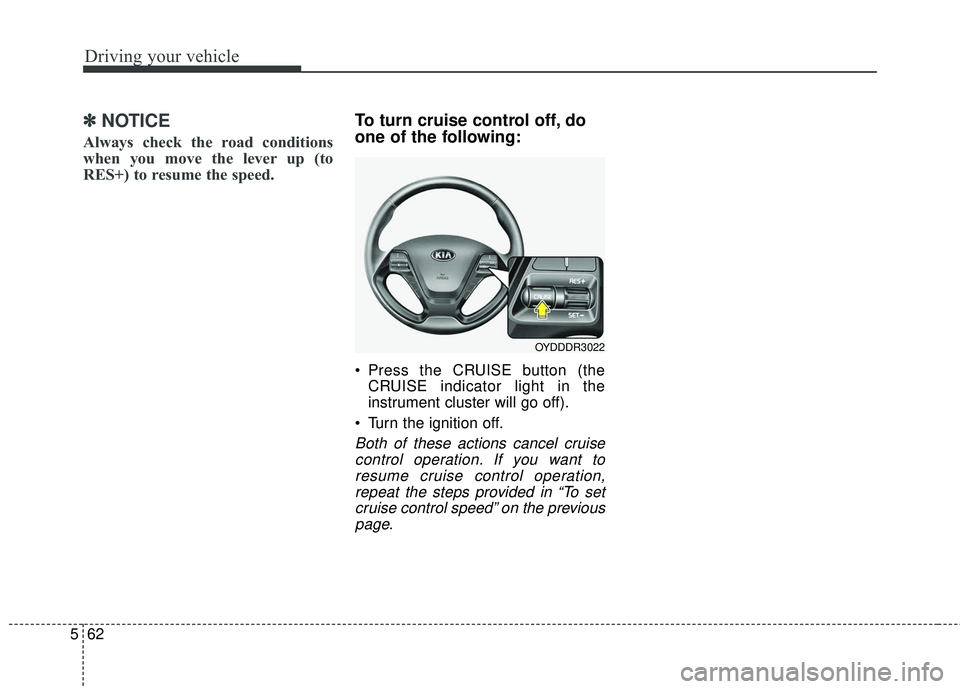
To turn cruise control off, do
one of the following:
Press the CRUISE button (the
CRUISE indicator light in the
instrument cluster will go off).
Turn the ignition off.
Both of these actions cancel cruise control operation. If you want toresume cruise control operation,repeat the steps provided in “To setcruise control speed” on the previouspage.
OYDDDR3022
Page 404 of 584
563
Driving your vehicle
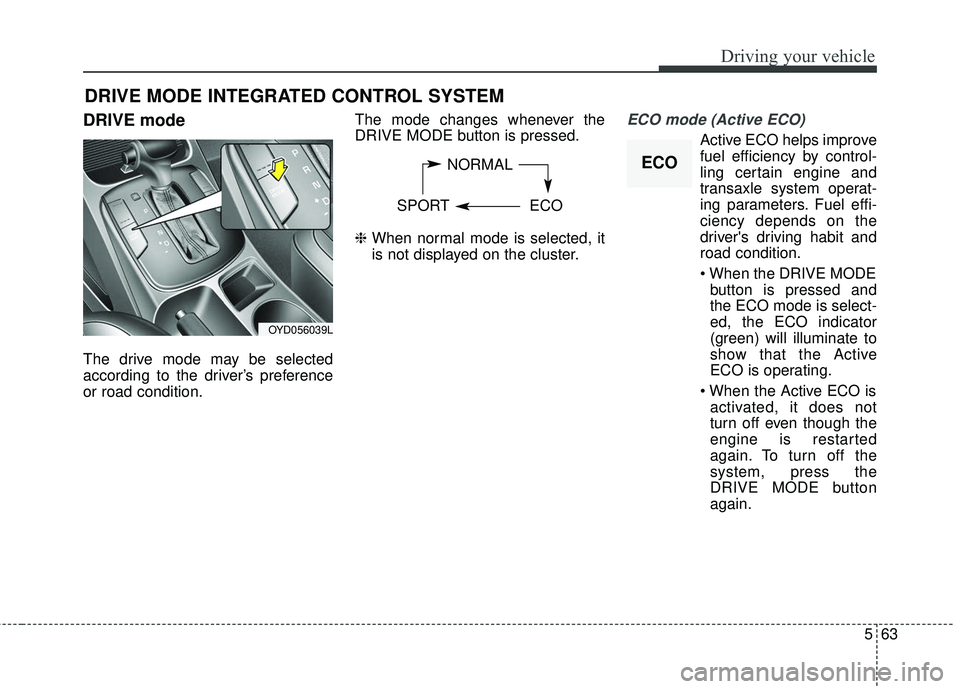
DRIVE mode
The drive mode may be selected
according to the driver’s preference
or road condition.The mode changes whenever the
DRIVE MODE button is pressed.
❈
When normal mode is selected, it
is not displayed on the cluster.
ECO mode (Active ECO)
Active ECO helps improve
fuel efficiency by control-
ling certain engine and
transaxle system operat-
ing parameters. Fuel effi-
ciency depends on the
driver's driving habit and
road condition.
button is pressed and
the ECO mode is select-
ed, the ECO indicator
(green) will illuminate to
show that the Active
ECO is operating.
activated, it does not
turn off even though the
engine is restarted
again. To turn off the
system, press the
DRIVE MODE button
again.
DRIVE MODE INTEGRATED CONTROL SYSTEM
NORMAL
SPORT ECO
OYD056039L
ECO
Page 405 of 584
Driving your vehicle
64
5
When Active ECO is activated:
The acceleration may slightly be
reduced even though you depress
the accelerator fully.
The air conditioner performance may be limited
The shift pattern of the automatic transaxle may change.
The engine noise may get louder.
The above situations are normal
conditions when the Active Eco
System is activated to improve fuel
efficiency. Limitation of Active ECO opera-
tion:
If the following conditions occur while
Active ECO is operating, the system
operation is limited even though
there is no change in the ECO indi-
cator.
When the coolant temperature is
low:
The system will be limited until
engine performance becomes nor-
mal.
When driving up a hill: The system will be limited to gain
power when driving uphill because
the engine torque is restricted.
When using manual mode: The system will be limited accord-
ing to the shift location.
When the accelerator pedal is deeply depressed for a few sec-
onds:
The system will be limited, judging
that the driver wants to speed up.SPORT mode
SPORT mode focuses on
dynamic driving by auto-
matically adjusting the
steering wheel, engine
and transaxle system.
button is pressed and
the SPORT mode is
selected, the SPORT
indicator (yellow) will illu-
minate.
is activated, and the
engine start/stop button
is turned off and on it will
change to NORMAL
mode. To turn on the
SPORT mode press
DRIVE MODE button
again.
SPORT
Page 408 of 584
567
Driving your vehicle
The system detects lane markersand controls the steering wheel by
a camera, therefore, if the lane
markers are hard to detect, the
system may not work properly.
Please refer to "Driver's Attention".
Do not remove any LKAS parts or apply impact.
Do not place objects on the dash- board that reflects light such as
mirrors, white paper, etc. The sys-
tem may malfunction if the sunlight
is reflected.
Loud audio sounds may interfere with the passenger from hearing
warning chimes.
Always have your hands on the steering wheel while the LKAS sys-
tem is activated. If you continue to
drive with your hands off the steering
wheel after the "Hand on" warning,
the system will not control steering
automatically. When system does
not control steering automatically, if
you hold steering wheel, system will
control steering automatically
If you drive very fast, the vehicle may stray out of the lane. Always be
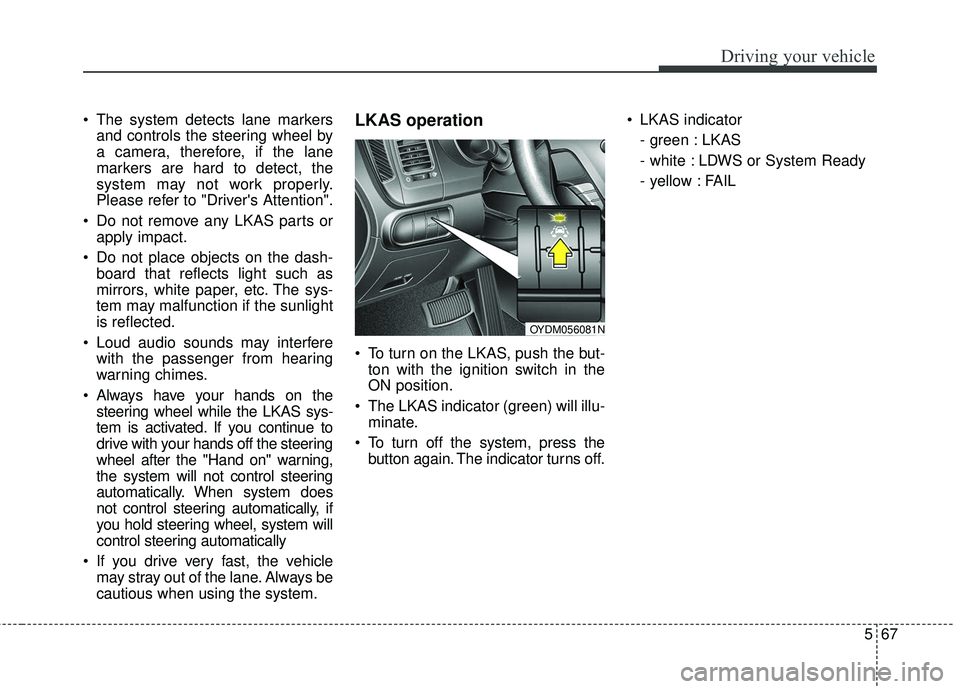
cautious when using the system.LKAS operation
To turn on the LKAS, push the but-ton with the ignition switch in the
ON position.
The LKAS indicator (green) will illu- minate.
To turn off the system, press the button again. The indicator turns off. LKAS indicator
- green : LKAS
- white : LDWS or System Ready
- yellow : FAIL
OYDM056081N
Page 411 of 584
Driving your vehicle
70
5
If the driver still does not have one’s
hand on the steering wheel after sev-
eral seconds, LKAS does not acti-
vate.
While LKAS deactivation, if the driv-
er have one’s hand on the steering
wheel, LKAS activate again.
✽ ✽
NOTICE
• The driver is responsible for accu-
rate steering.
• Turn off the system and drive the vehicle personally in below situa-
tions.
- In bad weather
- In bad road condition
- When the steering wheel needs tobe controlled by the driver fre-
quently.
✽ ✽ NOTICE
• Even though the steering is assist-
ed by the system, the driver may
control the steering.
• The steering wheel may feel heav- ier when the steering wheel is
assisted by the system than when it
is not.
The system will be cancelled when:
Vehicle speed is below 56 km/h (35
mph) and over 177 km/h (110 mph).
Only one lane is detected.
Always turn on the turn signal to change lanes. If you change lanes
without the turn signal on, the
steering wheel might be controlled.
The hazard warning light is on.
The width of the lane is below 2.6 m and over 4.5 m.
ESC(Electronic Stability Control) and VSM(Vehicle stability manage-
ment) are activated.
When the system is on or after changing a lane, drive in the mid-
dle of the lane. If not, the system
will not provide the steering assist
function.
The steering will not be assisted when you drive fast on a sharp
curve.
The steering will not be assisted when you change lanes fast.
The steering will not be assisted when you brake suddenly.
Page 412 of 584
571
Driving your vehicle
DRIVER'S ATTENTION
The driver must be cautious in the
below situations for the system may
not assist the driver and may not
work properly.
• The lane is not visible due to snow,rain, stain, a puddle or many other
things.
• The brightness of the outside changes suddenly such as passing
through a tunnel.
• Not turning on the headlight or the light is weak even at night or in
a tunnel.
• Difficult to distinguish the color of the lane marker from the road.
• Driving on a steep grade or a curve.
• Light reflects from the water on the road such as sunlight, streetlight or
the light of oncoming vehicles.
• The lens or windshield is stained with foreign matter.
• The sensor cannot detect the lane because of fog, heavy rain or
heavy snow.
• The surrounding of the inside rear view mirror temperature is high
due to direct light. (Continued)(Continued)
• The lane is very wide or narrow.
• The lane marker is damaged or
indistinct.
• The shadow is on the lane marker by a median strip.
• There is a mark similar to a lane marker.
• There is a boundary structure.
• The distance from vehicle ahead is very short or the vehicle ahead
drives hiding the lane marker.
• The vehicle shakes heavily.
• The lane number increases or decreases or the lane marker are
crossing complicatedly.
• Placing something on the dash- board.
• Driving with the sun in front of you.
• Driving in areas under construction.
• The lane marker is more than two.
• The lane marker in a tunnel is hard to distinguish due to dust or grease.
• The lane marker is hard to distin- guish after raining at night.
• The lane marker is hard to distin- guish due to dust. (Continued)(Continued)
• MDPS (motor driven power steer-
ing) is not operational.
• Some objects are attached in steer- ing wheel.
• The windshield is fogged by humid air in the vehicle.
• The distance from the vehicle ahead is very short or the vehicle
ahead drives covering the lane line.
• The lane line is merged or divided.
• Driving through a toll plaza or toll gate.
• Driving on uneven surface
• An object on roadside which may resemble road markers.
Page 413 of 584
Driving your vehicle
72
5
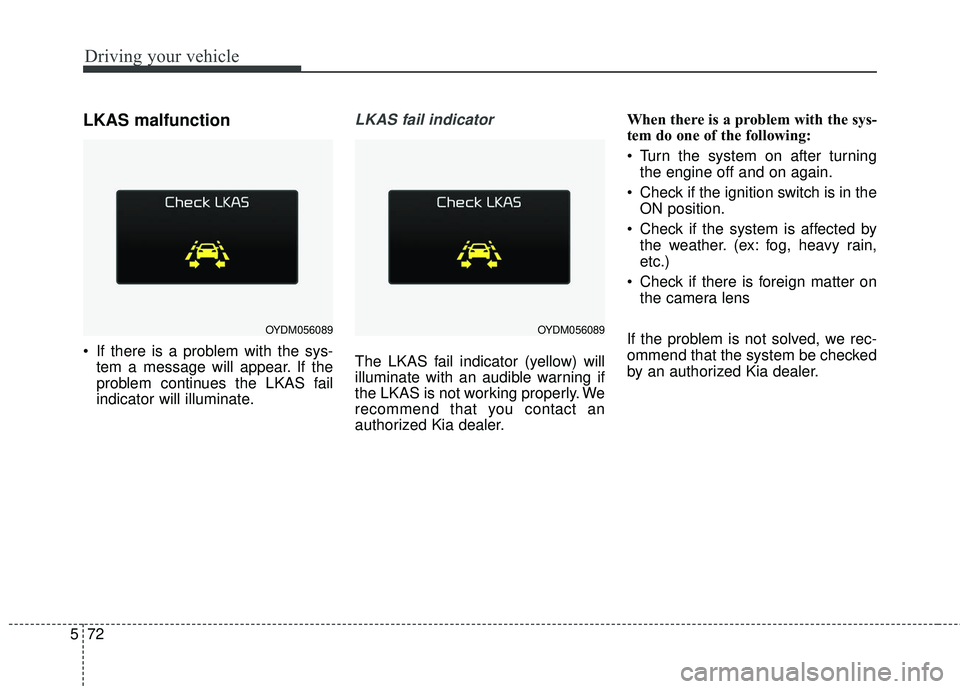
LKAS malfunction
If there is a problem with the sys-
tem a message will appear. If the
problem continues the LKAS fail
indicator will illuminate.
LKAS fail indicator
The LKAS fail indicator (yellow) will
illuminate with an audible warning if
the LKAS is not working properly. We
recommend that you contact an
authorized Kia dealer. When there is a problem with the sys-
tem do one of the following:
Turn the system on after turning
the engine off and on again.
Check if the ignition switch is in the ON position.
Check if the system is affected by the weather. (ex: fog, heavy rain,
etc.)
Check if there is foreign matter on the camera lens
If the problem is not solved, we rec-
ommend that the system be checked
by an authorized Kia dealer.
OYDM056089OYDM056089