driver door KIA FORTE 2018 User Guide
[x] Cancel search | Manufacturer: KIA, Model Year: 2018, Model line: FORTE, Model: KIA FORTE 2018Pages: 584, PDF Size: 15.14 MB
Page 96 of 584
421
Features of your vehicle
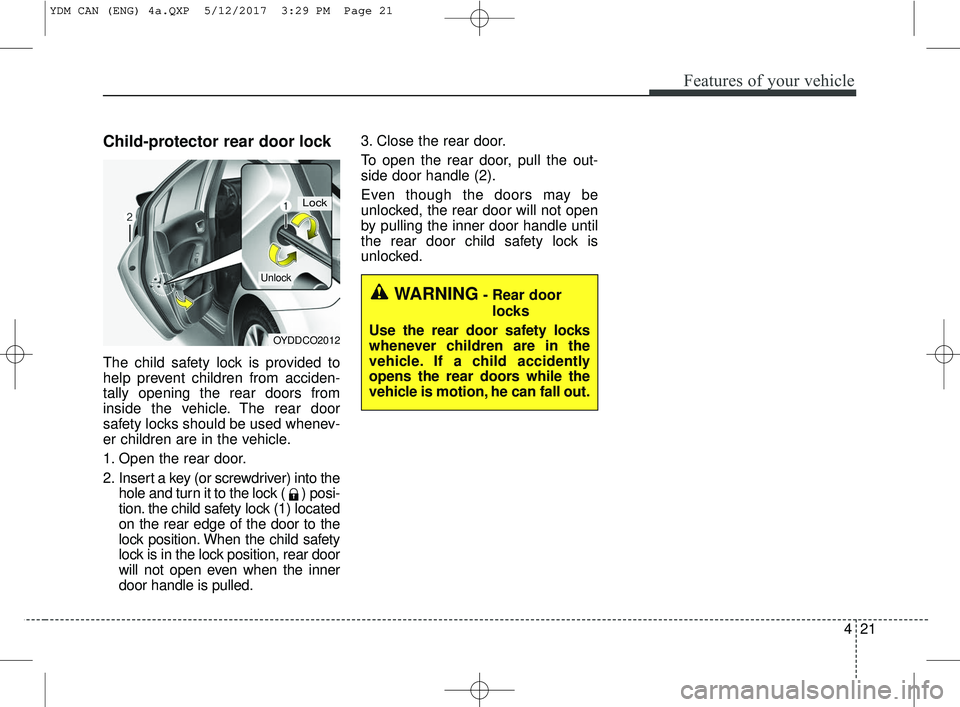
Child-protector rear door lock
The child safety lock is provided to
help prevent children from acciden-
tally opening the rear doors from
inside the vehicle. The rear door
safety locks should be used whenev-
er children are in the vehicle.
1. Open the rear door.
2. Insert a key (or screwdriver) into thehole and turn it to the lock ( ) posi-
tion. the child safety lock (1) located
on the rear edge of the door to the
lock position. When the child safety
lock is in the lock position, rear door
will not open even when the inner
door handle is pulled. 3. Close the rear door.
To open the rear door, pull the out-
side door handle (2).
Even though the doors may be
unlocked, the rear door will not open
by pulling the inner door handle until
the rear door child safety lock is
unlocked.
OYDDCO2012
Lock
Unlock
WARNING- Rear door
locks
Use the rear door safety locks
whenever children are in the
vehicle. If a child accidently
opens the rear doors while the
vehicle is motion, he can fall out.
YDM CAN (ENG) 4a.QXP 5/12/2017 3:29 PM Page 21
Page 106 of 584
431
Features of your vehicle
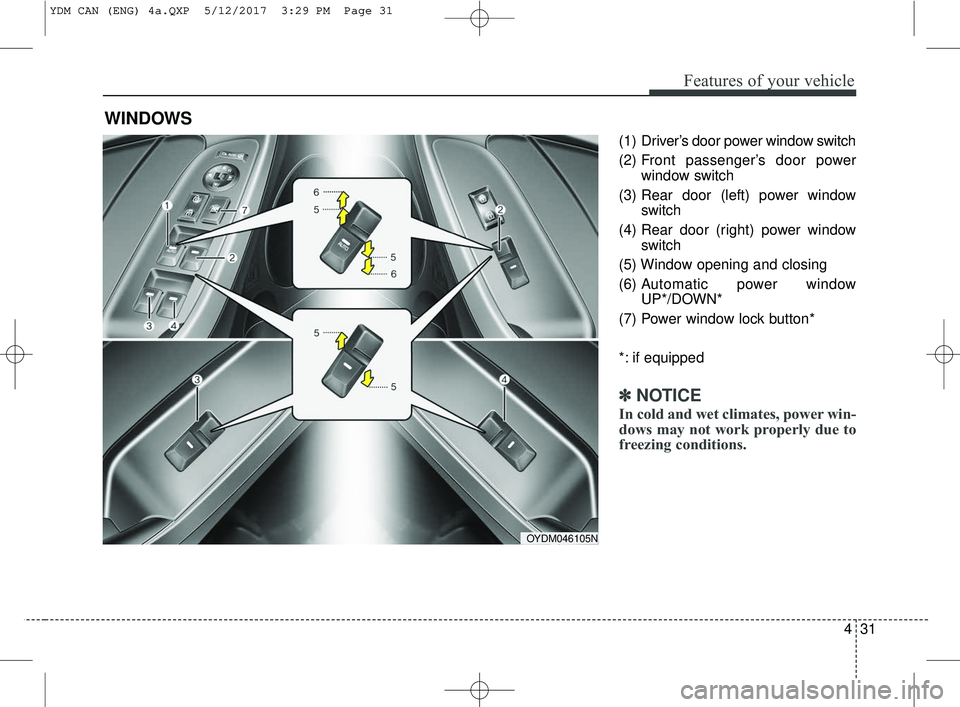
(1) Driver’s door power window switch
(2) Front passenger’s door powerwindow switch
(3) Rear door (left) power window switch
(4) Rear door (right) power window switch
(5) Window opening and closing
(6) Automatic power window UP*/DOWN*
(7) Power window lock button*
*: if equipped
✽ ✽ NOTICE
In cold and wet climates, power win-
dows may not work properly due to
freezing conditions.
WINDOWS
OYDM046105N
YDM CAN (ENG) 4a.QXP 5/12/2017 3:29 PM Page 31
Page 107 of 584
Features of your vehicle
32
4
Power windows (if equipped)
The ignition switch must be in the ON
position for power windows to oper-
ate. Each door has a power window
switch that controls the door’s win-
dow. The driver has a power window
lock switch which can block the oper-
ation of passenger windows.
The power windows can be operated
for approximately 30 seconds after the
ignition key is removed or turned to the
ACC or LOCK position. However, if the
front doors are opened, the power
windows cannot be operated even
within the 30 second period.
If the window cannot be close
because it is blocked by objects,
remove the objects and close the
window.
✽ ✽
NOTICE
While driving with the rear windows
down or with the sunroof (if
equipped) in an open (or partially
open) position, your vehicle may
demonstrate a wind buffeting or
pulsation noise. This noise is a nor-
mal occurrence and can be reduced
or eliminated by taking the follow-
ing actions. If the noise occurs with
one or both of the rear windows
down, partially lower both front
windows approximately 2.5 cm (1
inch). If you experience the noise
with the sunroof open, slightly
reduce the size of the sunroof open-
ing.
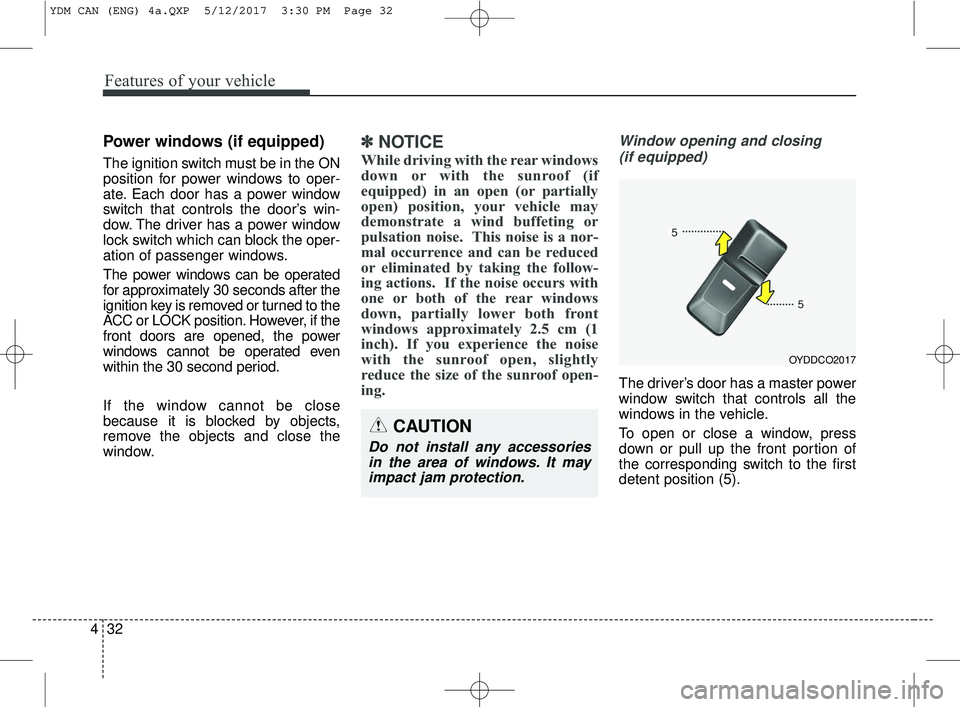
Window opening and closing
(if equipped)
The driver’s door has a master power
window switch that controls all the
windows in the vehicle.
To open or close a window, press
down or pull up the front portion of
the corresponding switch to the first
detent position (5).
OYDDCO2017
CAUTION
Do not install any accessoriesin the area of windows. It mayimpact jam protection.
YDM CAN (ENG) 4a.QXP 5/12/2017 3:30 PM Page 32
Page 110 of 584
435
Features of your vehicle
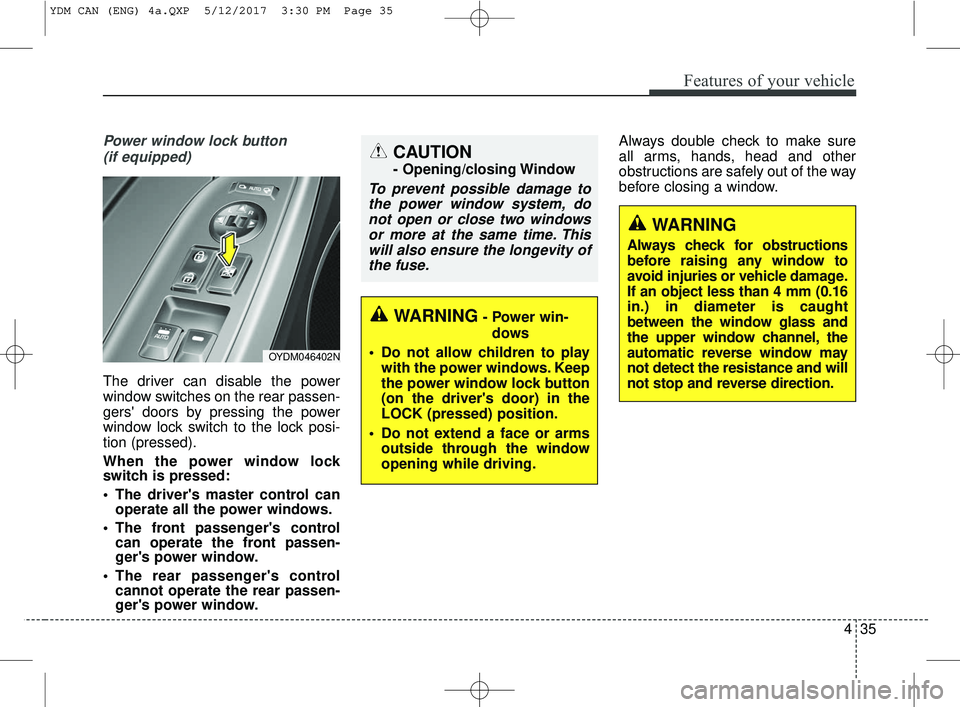
Power window lock button (if equipped)
The driver can disable the power
window switches on the rear passen-
gers' doors by pressing the power
window lock switch to the lock posi-
tion (pressed).
When the power window lock
switch is pressed:
The driver's master control can operate all the power windows.
The front passenger's control can operate the front passen-
ger's power window.
The rear passenger's control cannot operate the rear passen-
ger's power window. Always double check to make sure
all arms, hands, head and other
obstructions are safely out of the way
before closing a window.
WARNING
Always check for obstructions
before raising any window to
avoid injuries or vehicle damage.
If an object less than 4 mm (0.16
in.) in diameter is caught
between the window glass and
the upper window channel, the
automatic reverse window may
not detect the resistance and will
not stop and reverse direction.
OYDM046402N
CAUTION
- Opening/closing Window
To prevent possible damage to
the power window system, donot open or close two windowsor more at the same time. Thiswill also ensure the longevity ofthe fuse.
WARNING- Power win-
dows
Do not allow children to play with the power windows. Keep
the power window lock button
(on the driver's door) in the
LOCK (pressed) position.
Do not extend a face or arms outside through the window
opening while driving.
YDM CAN (ENG) 4a.QXP 5/12/2017 3:30 PM Page 35
Page 117 of 584
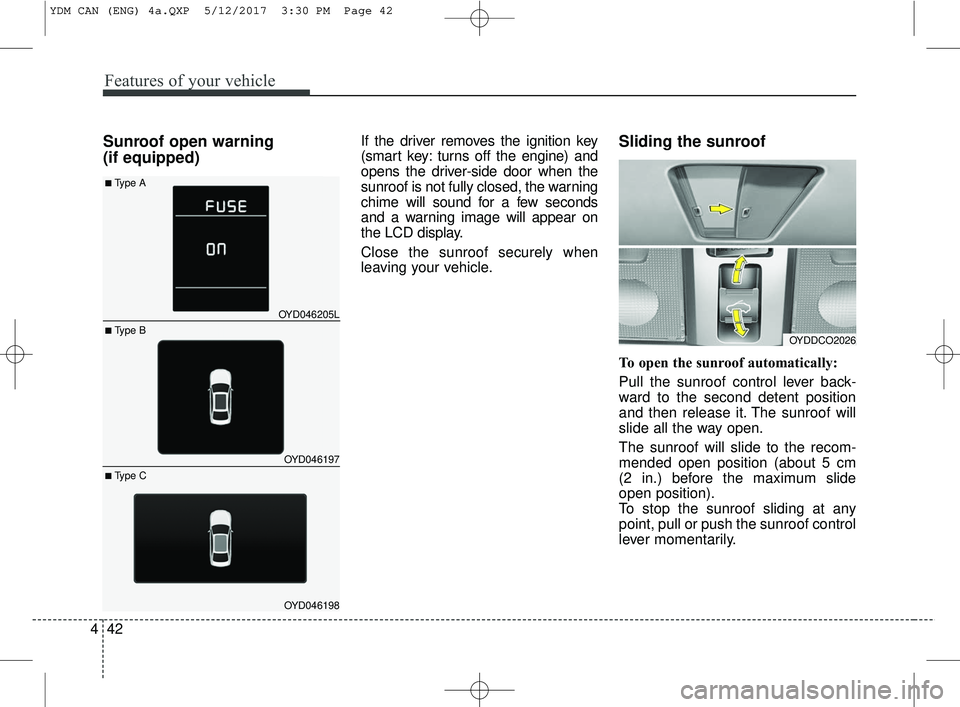
Sunroof open warning
(if equipped)If the driver removes the ignition key
(smart key: turns off the engine) and
opens the driver-side door when the
sunroof is not fully closed, the warning
chime will sound for a few seconds
and a warning image will appear on
the LCD display.
Close the sunroof securely when
leaving your vehicle.Sliding the sunroof
To open the sunroof automatically:
Pull the sunroof control lever back-
ward to the second detent position
and then release it. The sunroof will
slide all the way open.
The sunroof will slide to the recom-
mended open position (about 5 cm
(2 in.) before the maximum slide
open position).
To stop the sunroof sliding at any
point, pull or push the sunroof control
lever momentarily.
OYDDCO2026
Features of your vehicle
42
4
OYD046205L
OYD046197
OYD046198
■ Type B
■Type A
■ Type C
YDM CAN (ENG) 4a.QXP 5/12/2017 3:30 PM Page 42
Page 124 of 584
449
Features of your vehicle
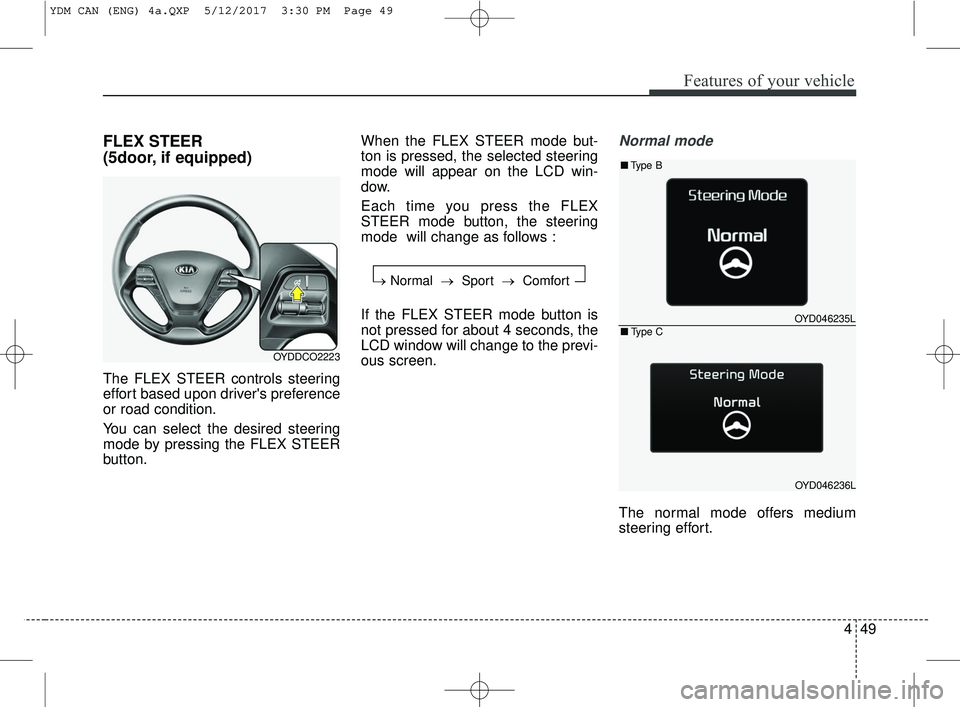
FLEX STEER
(5door, if equipped)
The FLEX STEER controls steering
effort based upon driver's preference
or road condition.
You can select the desired steering
mode by pressing the FLEX STEER
button.When the FLEX STEER mode but-
ton is pressed, the selected steering
mode will appear on the LCD win-
dow.
Each time you press the FLEX
STEER mode button, the steering
mode will change as follows :
If the FLEX STEER mode button is
not pressed for about 4 seconds, the
LCD window will change to the previ-
ous screen.
Normal mode
The normal mode offers medium
steering effort.
OYDDCO2223
→
Normal → Sport →Comfort
OYD046235L
OYD046236L
■Type B
■Type C
YDM CAN (ENG) 4a.QXP 5/12/2017 3:30 PM Page 49
Page 147 of 584
Features of your vehicle
72
4
Door
Automatically Lock
- Disable : The auto door lock opera-
tion will be deactivated.
- Enable on Speed : All doors will be automatically locked when the
vehicle speed exceeds 15 km/h
(9.3 mph).
- Enable on Shift : All doors will be automatically locked if the auto-
matic transaxle shift lever is shifted
from the P (Park) position to the R
(Reverse), N (Neutral), or D (Drive)
position. Automatically Unlock
- Disable : The auto door unlock
operation will be canceled.
- Vehicle Off : All doors will be auto- matically unlocked when the igni-
tion key is removed from the igni-
tion switch or the Engine Star/Stop
button is set to the OFF position.
- On Shift to P : All doors will be automatically unlocked if the auto-
matic transaxle shift lever is shifted
to the P (Park) position.
Two Press Unlock
- Off: The two press unlock function will
be deactivated. Therefore, all doors
will unlock if the door is unlocked.
- On: The driver’s door will unlock if the
door is unlocked. When the door is
unlocked again within 4 seconds,
all doors will unlock. Horn Feedback (if equipped)
- Off:
The Horn feedback operation will
be deactivated.
- On: After locking the door by pressing
the lock button on the transmitter, if
you press the lock button again
within 4 seconds, the warning
sound will operate once to indicate
that all doors are locked.
Smart Trunk (if equipped)
To activate or deactivate the Smart
Trunk system.
For more details, refer to "Smart
Trunk" in this chapter.
YDM CAN (ENG) 4a.QXP 5/12/2017 3:32 PM Page 72
Page 169 of 584
Features of your vehicle
94
4
Battery saver function
The purpose of this feature is to
prevent the battery from being dis-
charged. The system automatically
turns off the parking lights when
the driver removes the ignition key
and opens the driver-side door.
With this feature, the parking lights will turn off automatically if the driv-
er parks on the side of the road at
night.
If necessary, to keep the lights on
when the ignition key is removed,
perform the following:
1) Open the driver-side door.
2) Turn the parking lights OFF and ON again using the light switch
on the steering column.
Headlight escort function
(if equipped)
The headlights (and/or taillights) will
remain on for approximately 20 min-
utes after the ignition key is removed
or turned to the ACC or LOCK posi-
tion. However, if the driver’s door is
opened and closed, the headlights
are turned off after 30 seconds.
The headlights can be turned off by
pressing the lock button on the trans-
mitter (or smart key) twice or turning
off the light switch from the headlight
or Auto light position.
If the driver gets out of the vehicle
through other doors (except driver's
door), the battery saver function
does not operate and the headlight
escort function does not turn off
automatically. Therefore, It causes
the battery to be discharged. In this
case, make sure to turn off the lamp
before getting out of the vehicle.
If the headlights are not working
properly have your vehicle inspected
by an authorized Kia dealer.
Don't attempt to inspect or replace
the wiring yourself to prevent mal-
function.
Daytime running light
Daytime Running Lights (DRL) can
make it easier for others to see the
front of your vehicle during the day.
DRL can be helpful in many different
driving conditions, and it is especially
helpful after dawn and before sunset.
The DRL system turns OFF when:
1. The position lights or headlightsare ON.
2. The parking brake is applied.
3. Engine stops.
LIGHTING
YDM CAN (ENG) 4a.QXP 5/12/2017 3:32 PM Page 94
Page 345 of 584
Driving your vehicle
45
Before entering vehicle
• Be sure that all windows, outsidemirror(s), and outside lights are
clean.
Check the condition of the tires.
Check under the vehicle for any sign of leaks.
Be sure there are no obstacles behind you if you intend to back up.
Necessary inspections
Fluid levels, such as engine oil,
engine coolant, brake fluid, and
washer fluid should be checked on a
regular basis, with the exact interval
depending on the fluid. Further
details are provided in Chapter 7,
“Maintenance”.
Before starting
Close and lock all doors.
Position the seat so that all con-trols are easily reached.
Buckle your seat belt.
Adjust the inside and outside rearview mirrors.
Be sure that all lights work.
Check all gauges.
Check the operation of warning lights when the ignition switch is
turned to the ON position.
Release the parking brake and make sure the brake warning light
goes off.
For safe operation, be sure you are
familiar with your vehicle and its
equipment.
BEFORE DRIVING
WARNING- Distracted driving
Focus on the road while driving.
The driver's primary responsi-
bility is in the safe and legal
operation of the vehicle. Use of
any hand held devices, other
equipment or vehicle systems
that distract the driver should
not be used during vehicle
operation.
Page 347 of 584
Driving your vehicle
65
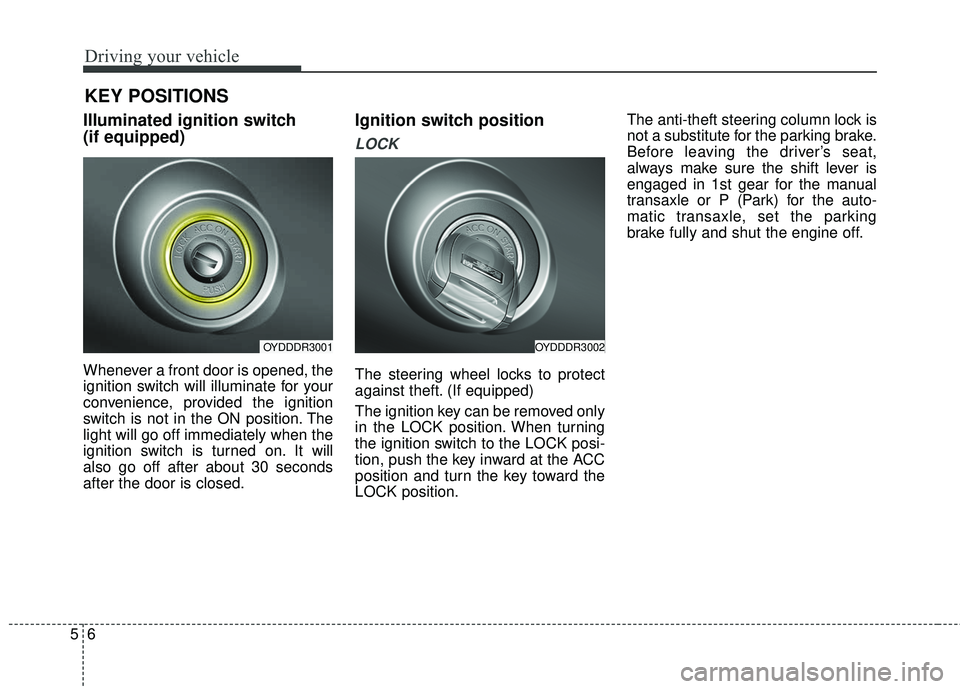
Illuminated ignition switch
(if equipped)
Whenever a front door is opened, the
ignition switch will illuminate for your
convenience, provided the ignition
switch is not in the ON position. The
light will go off immediately when the
ignition switch is turned on. It will
also go off after about 30 seconds
after the door is closed.
Ignition switch position
LOCK
The steering wheel locks to protect
against theft. (If equipped)
The ignition key can be removed only
in the LOCK position. When turning
the ignition switch to the LOCK posi-
tion, push the key inward at the ACC
position and turn the key toward the
LOCK position.The anti-theft steering column lock is
not a substitute for the parking brake.
Before leaving the driver’s seat,
always make sure the shift lever is
engaged in 1st gear for the manual
transaxle or P (Park) for the auto-
matic transaxle, set the parking
brake fully and shut the engine off.
KEY POSITIONS
OYDDDR3001OYDDDR3002