start stop button KIA FORTE 2018 Owner's Manual
[x] Cancel search | Manufacturer: KIA, Model Year: 2018, Model line: FORTE, Model: KIA FORTE 2018Pages: 584, PDF Size: 15.14 MB
Page 317 of 584
4 242
Features of your vehicle
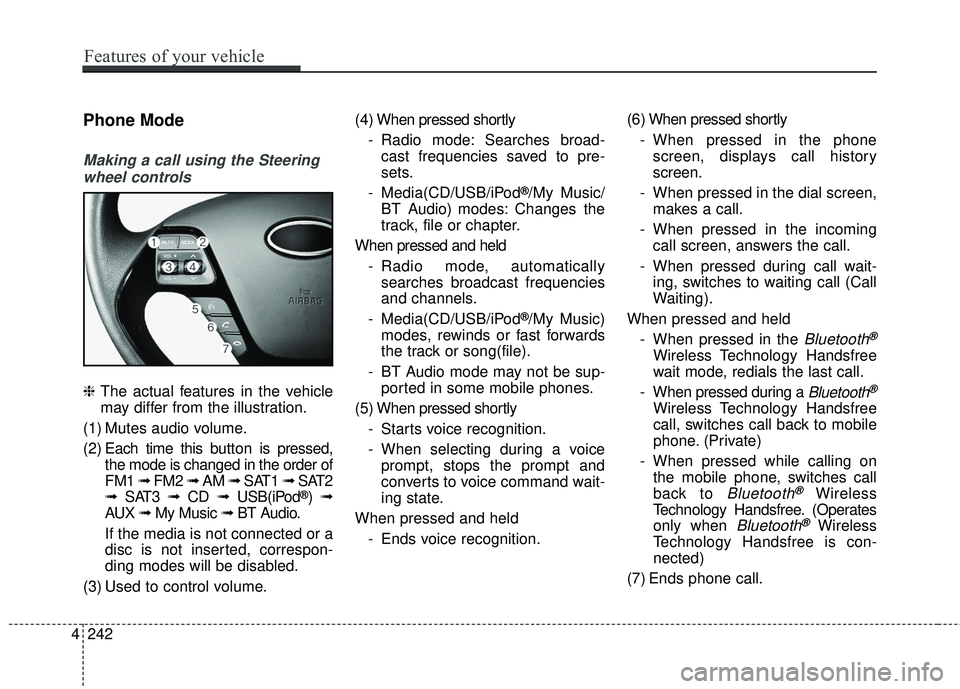
Phone Mode
Making a call using the Steeringwheel controls
❈ The actual features in the vehicle
may differ from the illustration.
(1) Mutes audio volume.
(2) Each time this button is pressed,
the mode is changed in the order of
FM1 ➟ FM2 ➟ AM ➟ SAT1 ➟ SAT2
➟ SAT3 ➟ CD ➟ USB(iPod
®)➟
AUX ➟ My Music ➟ BT Audio.
If the media is not connected or a
disc is not inserted, correspon-
ding modes will be disabled.
(3) Used to control volume. (4) When pressed shortly
- Radio mode: Searches broad-cast frequencies saved to pre-
sets.
- Media(CD/USB/iPod
®/My Music/
BT Audio) modes: Changes the
track, file or chapter.
When pressed and held - Radio mode, automaticallysearches broadcast frequencies
and channels.
- Media(CD/USB/iPod
®/My Music)
modes, rewinds or fast forwards
the track or song(file).
- BT Audio mode may not be sup- ported in some mobile phones.
(5) When pressed shortly - Starts voice recognition.
- When selecting during a voiceprompt, stops the prompt and
converts to voice command wait-
ing state.
When pressed and held - Ends voice recognition. (6) When pressed shortly
- When pressed in the phonescreen, displays call history
screen.
- When pressed in the dial screen, makes a call.
- When pressed in the incoming call screen, answers the call.
- When pressed during call wait- ing, switches to waiting call (Call
Waiting).
When pressed and held - When pressed in the
Bluetooth®
Wireless Technology Handsfree
wait mode, redials the last call.
- When pressed during a
Bluetooth®
Wireless Technology Handsfree
call, switches call back to mobile
phone. (Private)
- When pressed while calling on the mobile phone, switches call
back to
Bluetooth®Wireless
Technology Handsfree. (Operates
only when
Bluetooth®Wireless
Technology Handsfree is con-
nected)
(7) Ends phone call.
Page 342 of 584
Driving your vehicle
Before driving . . . . . . . . . . . . . . . . . . . . . . . . . . . . . . 5-4
• Before entering vehicle . . . . . . . . . . . . . . . . . . . . . . . . . 5-4
• Necessary inspections . . . . . . . . . . . . . . . . . . . . . . . . . . 5-4
• Before starting . . . . . . . . . . . . . . . . . . . . . . . . . . . . . . . . 5-4
key positions . . . . . . . . . . . . . . . . . . . . . . . . . . . . . . . 5-6
• Illuminated ignition switch . . . . . . . . . . . . . . . . . . . . . . 5-6
• Ignition switch position . . . . . . . . . . . . . . . . . . . . . . . . . 5-6
Engine start/stop button . . . . . . . . . . . . . . . . . . . . . 5-8
• Illuminated ENGINE START/STOP button . . . . . . . 5-8
• ENGINE START/STOP button position . . . . . . . . . . . 5-8
Starting the engine . . . . . . . . . . . . . . . . . . . . . . . . . 5-11
• Starting the engine with an ignition key . . . . . . . . . . 5-11
• Starting the engine with a smart key. . . . . . . . . . . . . 5-12
Manual Transaxle. . . . . . . . . . . . . . . . . . . . . . . . . . 5-14
• Manual transaxle operation . . . . . . . . . . . . . . . . . . . . 5-14
• Good driving practices . . . . . . . . . . . . . . . . . . . . . . . . 5-17
Automatic transaxle . . . . . . . . . . . . . . . . . . . . . . . . 5-18
• Automatic transaxle operation. . . . . . . . . . . . . . . . . . 5-18
• Good driving practices . . . . . . . . . . . . . . . . . . . . . . . . 5-23
Dual Clutch Transmission (DCT) . . . . . . . . . . . . . 5-24
• Dual clutch transmission operation . . . . . . . . . . . . . 5-24
• Paddle shifter . . . . . . . . . . . . . . . . . . . . . . . . . . . . . . . . 5-30
• Good driving practices . . . . . . . . . . . . . . . . . . . . . . . . 5-32
Brake system . . . . . . . . . . . . . . . . . . . . . . . . . . . . . . 5-34
• Power brakes . . . . . . . . . . . . . . . . . . . . . . . . . . . . . . . . 5-34
• Parking brake . . . . . . . . . . . . . . . . . . . . . . . . . . . . . . . 5-35
• Anti-lock brake system (ABS) . . . . . . . . . . . . . . . . . . 5-37
• Electronic stability control (ESC) . . . . . . . . . . . . . . . 5-39
• Hill-start assist control (HAC) . . . . . . . . . . . . . . . . . . 5-43
• Vehicle stability management (VSM) . . . . . . . . . . . . 5-43
• Good braking practices. . . . . . . . . . . . . . . . . . . . . . . . 5-45
Autonomous emergency braking (AEB)/Forward collision warning (FCW) . . . . . . . . . . . 5-47
• System setting and activation . . . . . . . . . . . . . . . . . . . 5-47
• AEB warning message and system control . . . . . . . . 5-49
• Brake operation . . . . . . . . . . . . . . . . . . . . . . . . . . . . . . 5-50
• Sensor to detect the distance from the vehicle in
front (front radar) . . . . . . . . . . . . . . . . . . . . . . . . . . . 5-51
• System malfunction . . . . . . . . . . . . . . . . . . . . . . . . . . . 5-52
• Limitation of the system . . . . . . . . . . . . . . . . . . . . . . . 5-53
• Recognizing pedestrians . . . . . . . . . . . . . . . . . . . . . . . 5-56
Cruise Control system . . . . . . . . . . . . . . . . . . . . . . 5-58
• Cruise control switch . . . . . . . . . . . . . . . . . . . . . . . . . 5-58
• To set cruise control speed: . . . . . . . . . . . . . . . . . . . . 5-59
• To increase cruise control set speed: . . . . . . . . . . . . . 5-60
• To decrease the cruising speed: . . . . . . . . . . . . . . . . . 5-60
• To temporarily accelerate with the cruise control on . . 5-60
• To cancel cruise control . . . . . . . . . . . . . . . . . . . . . . . 5-61
5
Page 349 of 584
Driving your vehicle
85
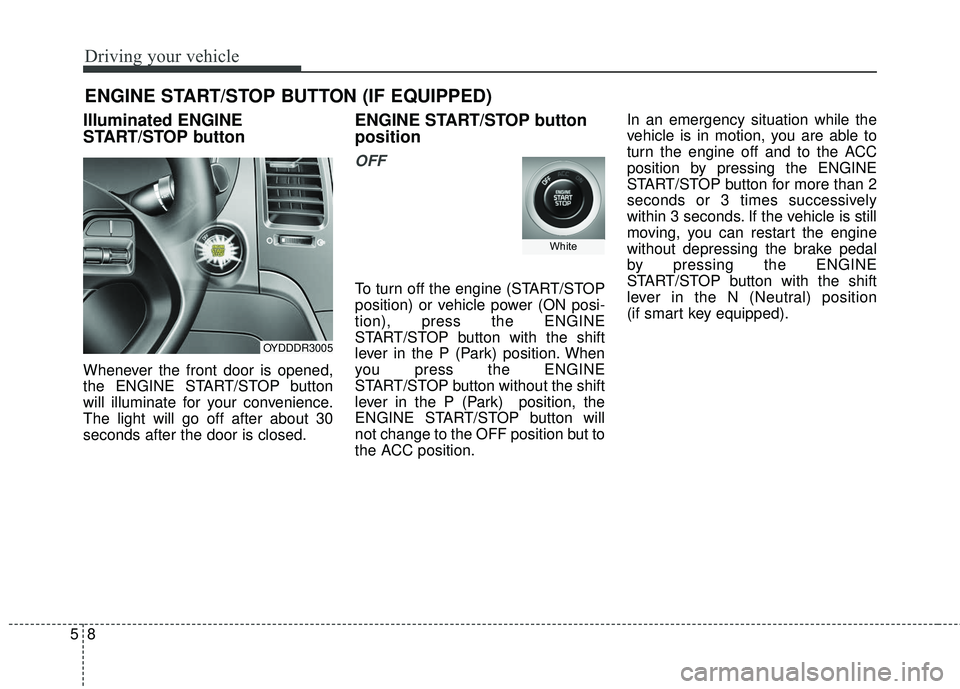
Illuminated ENGINE
START/STOP button
Whenever the front door is opened,
the ENGINE START/STOP button
will illuminate for your convenience.
The light will go off after about 30
seconds after the door is closed.
ENGINE START/STOP button
position
OFF
To turn off the engine (START/STOP
position) or vehicle power (ON posi-
tion), press the ENGINE
START/STOP button with the shift
lever in the P (Park) position. When
you press the ENGINE
START/STOP button without the shift
lever in the P (Park) position, the
ENGINE START/STOP button will
not change to the OFF position but to
the ACC position.In an emergency situation while the
vehicle is in motion, you are able to
turn the engine off and to the ACC
position by pressing the ENGINE
START/STOP button for more than 2
seconds or 3 times successively
within 3 seconds. If the vehicle is still
moving, you can restart the engine
without depressing the brake pedal
by pressing the ENGINE
START/STOP button with the shift
lever in the N (Neutral) position
(if smart key equipped).
ENGINE START/STOP BUTTON (IF EQUIPPED)
OYDDDR3005
White
Page 350 of 584
59
Driving your vehicle
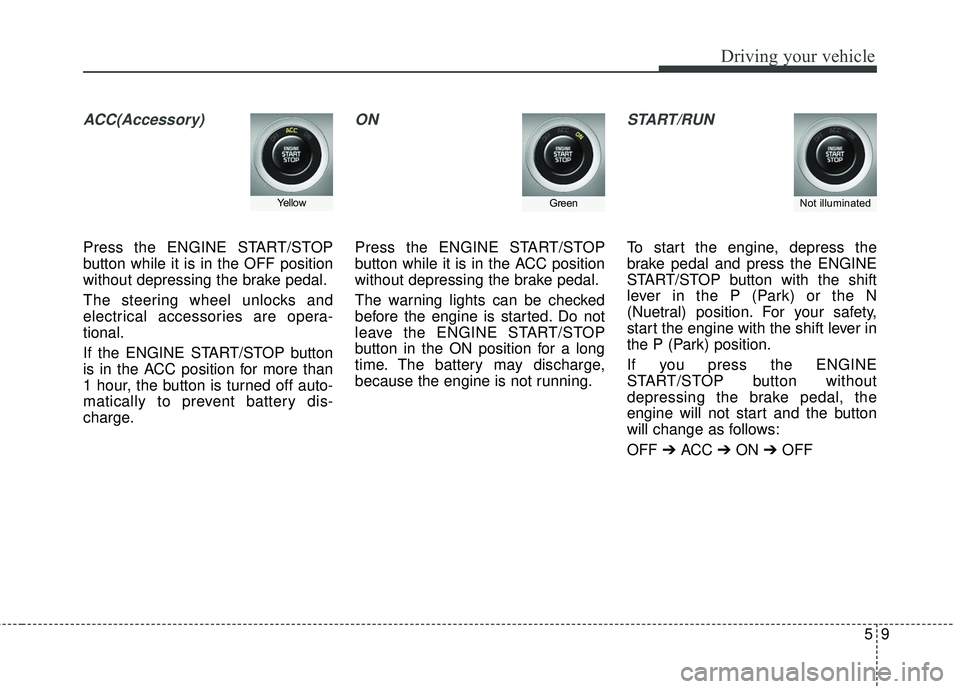
ACC(Accessory)
Press the ENGINE START/STOP
button while it is in the OFF position
without depressing the brake pedal.
The steering wheel unlocks and
electrical accessories are opera-
tional.
If the ENGINE START/STOP button
is in the ACC position for more than
1 hour, the button is turned off auto-
matically to prevent battery dis-
charge.
ON
Press the ENGINE START/STOP
button while it is in the ACC position
without depressing the brake pedal.
The warning lights can be checked
before the engine is started. Do not
leave the ENGINE START/STOP
button in the ON position for a long
time. The battery may discharge,
because the engine is not running.
START/RUN
To start the engine, depress the
brake pedal and press the ENGINE
START/STOP button with the shift
lever in the P (Park) or the N
(Nuetral) position. For your safety,
start the engine with the shift lever in
the P (Park) position.
If you press the ENGINE
START/STOP button without
depressing the brake pedal, the
engine will not start and the button
will change as follows:
OFF ➔ ACC ➔ON ➔OFF
Not illuminated YellowGreen
Page 351 of 584
Driving your vehicle
10
5
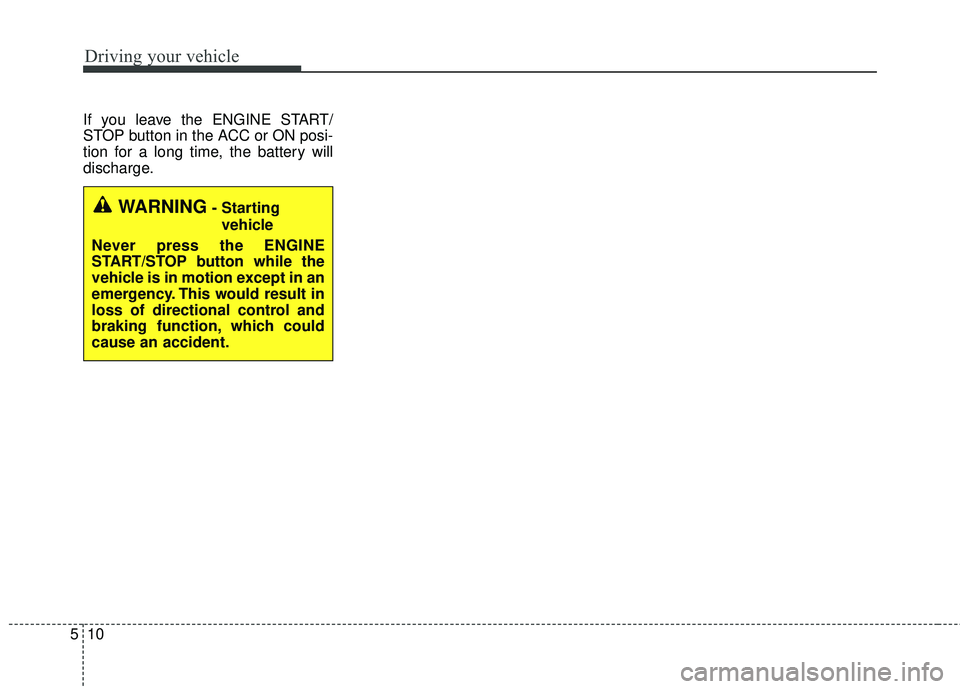
If you leave the ENGINE START/
STOP button in the ACC or ON posi-
tion for a long time, the battery will
discharge.
WARNING- Starting
vehicle
Never press the ENGINE
START/STOP button while the
vehicle is in motion except in an
emergency. This would result in
loss of directional control and
braking function, which could
cause an accident.
Page 353 of 584
Driving your vehicle
12
5
Starting the engine with a
smart key (if equipped)
1.Carry the smart key or leave it
inside the vehicle.
2.Make sure the parking brake is firmly applied
3.Place the transaxle shift lever in P (Park).
4.Press the ENGINE START/STOP button while depressing the brake
pedal.
5.In extremely cold weather (below 0°F / -18°C) or after the vehicle has
not been operated for several days,
let the engine warm up without
depressing the accelerator. Whether the engine is cold or warm,
it should be started without depress-
ing the accelerator.
Even if the smart key is in the vehi-
cle, but is far away from you, the
engine may not start.
When the ENGINE START/STOP button is in the ACC position or
above, if any door is opened, the
system checks for the smart key. If
the smart key is not in the vehi-
cle,the “ ” or “ ” indicator will
blink or the warning "Key not in
vehicle" will illuminate on the LCD
display. And if all doors are closed,
the chime will sound for 5 seconds.
The indicator or warning will turn
off while the vehicle is moving.
Always have the smart key with
you.
The engine will start only when the
smart key is in the vehicle.
KEY
OUT
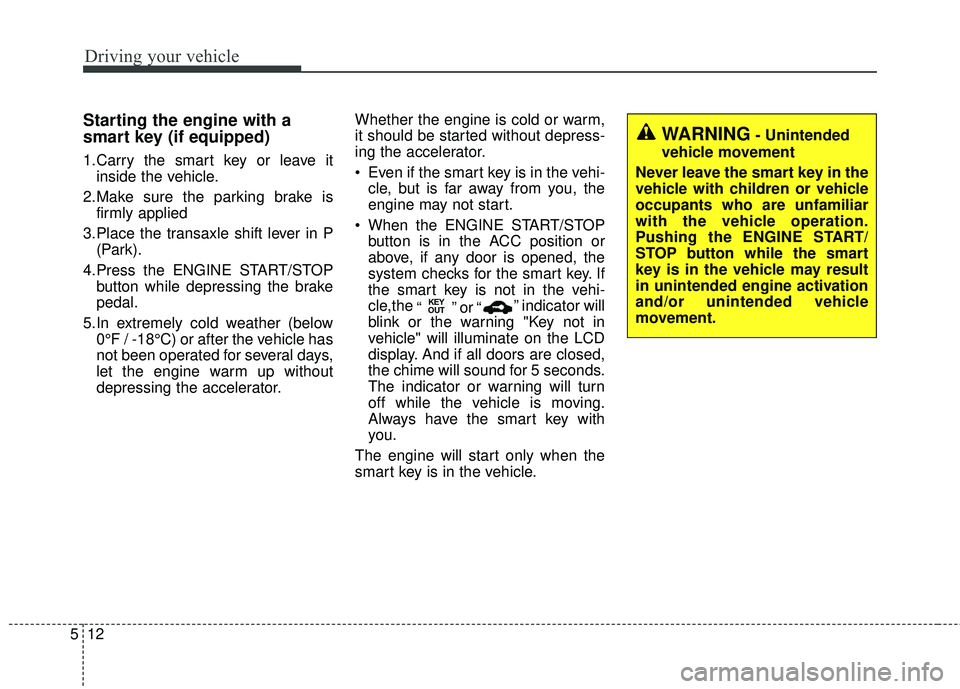
WARNING- Unintended
vehicle movement
Never leave the smart key in the
vehicle with children or vehicle
occupants who are unfamiliar
with the vehicle operation.
Pushing the ENGINE START/
STOP button while the smart
key is in the vehicle may result
in unintended engine activation
and/or unintended vehicle
movement.
Page 354 of 584
513
Driving your vehicle
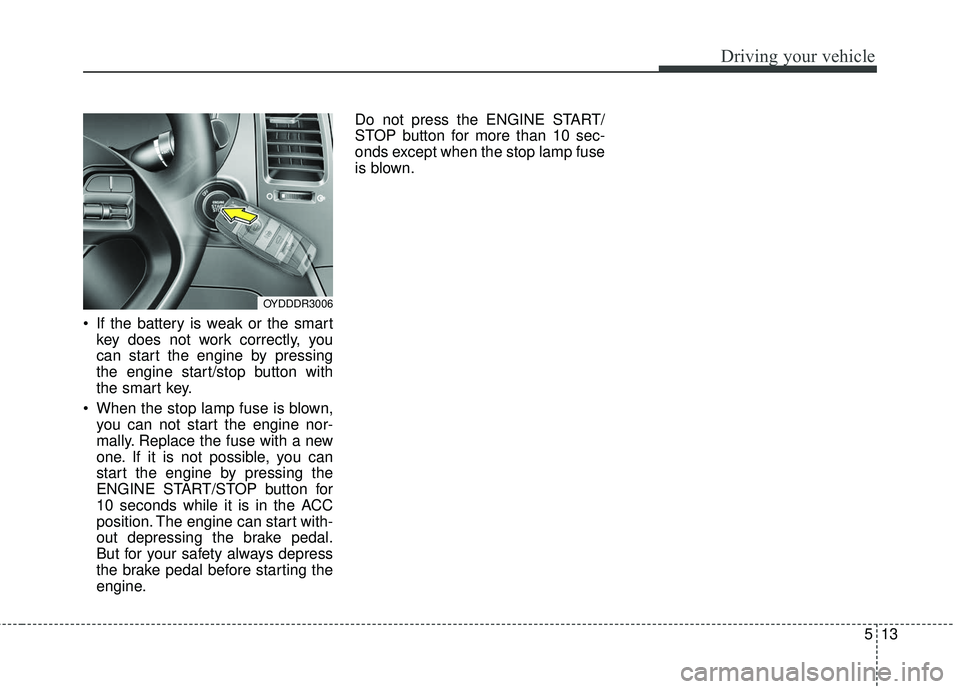
If the battery is weak or the smartkey does not work correctly, you
can start the engine by pressing
the engine start/stop button with
the smart key.
When the stop lamp fuse is blown, you can not start the engine nor-
mally. Replace the fuse with a new
one. If it is not possible, you can
start the engine by pressing the
ENGINE START/STOP button for
10 seconds while it is in the ACC
position. The engine can start with-
out depressing the brake pedal.
But for your safety always depress
the brake pedal before starting the
engine. Do not press the ENGINE START/
STOP button for more than 10 sec-
onds except when the stop lamp fuse
is blown.
OYDDDR3006
Page 355 of 584
Driving your vehicle
14
5
Manual transaxle operation
The manual transaxle has 6 forward
gears.
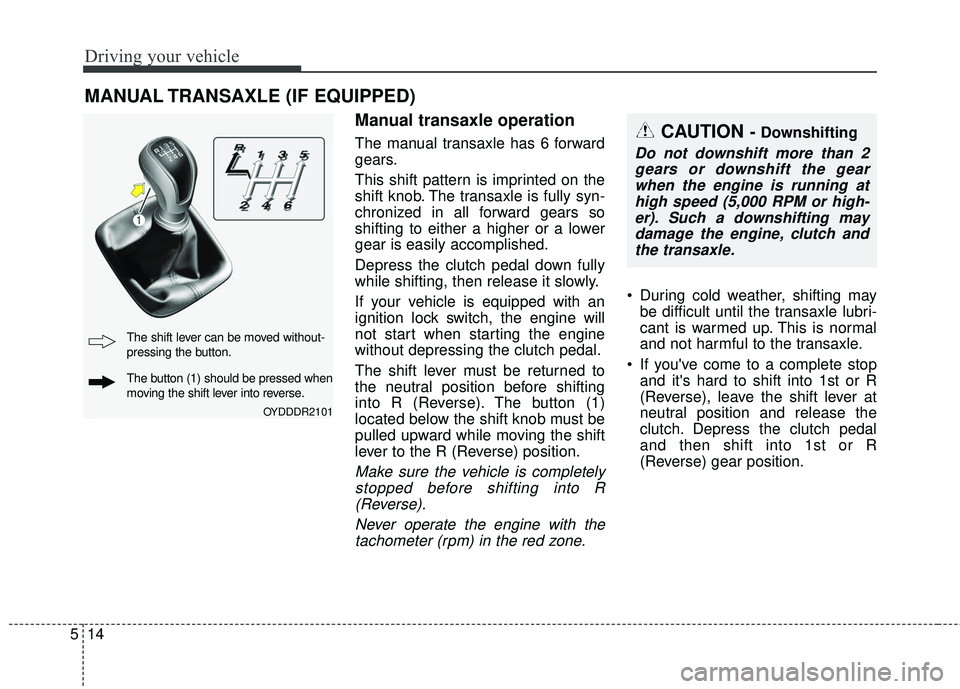
This shift pattern is imprinted on the
shift knob. The transaxle is fully syn-
chronized in all forward gears so
shifting to either a higher or a lower
gear is easily accomplished.
Depress the clutch pedal down fully
while shifting, then release it slowly.
If your vehicle is equipped with an
ignition lock switch, the engine will
not start when starting the engine
without depressing the clutch pedal.
The shift lever must be returned to
the neutral position before shifting
into R (Reverse). The button (1)
located below the shift knob must be
pulled upward while moving the shift
lever to the R (Reverse) position.
Make sure the vehicle is completely
stopped before shifting into R(Reverse).
Never operate the engine with thetachometer (rpm) in the red zone.
During cold weather, shifting may be difficult until the transaxle lubri-
cant is warmed up. This is normal
and not harmful to the transaxle.
If you've come to a complete stop and it's hard to shift into 1st or R
(Reverse), leave the shift lever at
neutral position and release the
clutch. Depress the clutch pedal
and then shift into 1st or R
(Reverse) gear position.
MANUAL TRANSAXLE (IF EQUIPPED)
CAUTION - Downshifting
Do not downshift more than 2gears or downshift the gearwhen the engine is running athigh speed (5,000 RPM or high-er). Such a downshifting maydamage the engine, clutch andthe transaxle.
OYDDDR2101
The shift lever can be moved without-
pressing the button.
The button (1) should be pressed when
moving the shift lever into reverse.
Page 382 of 584
541
Driving your vehicle
ESC operation off
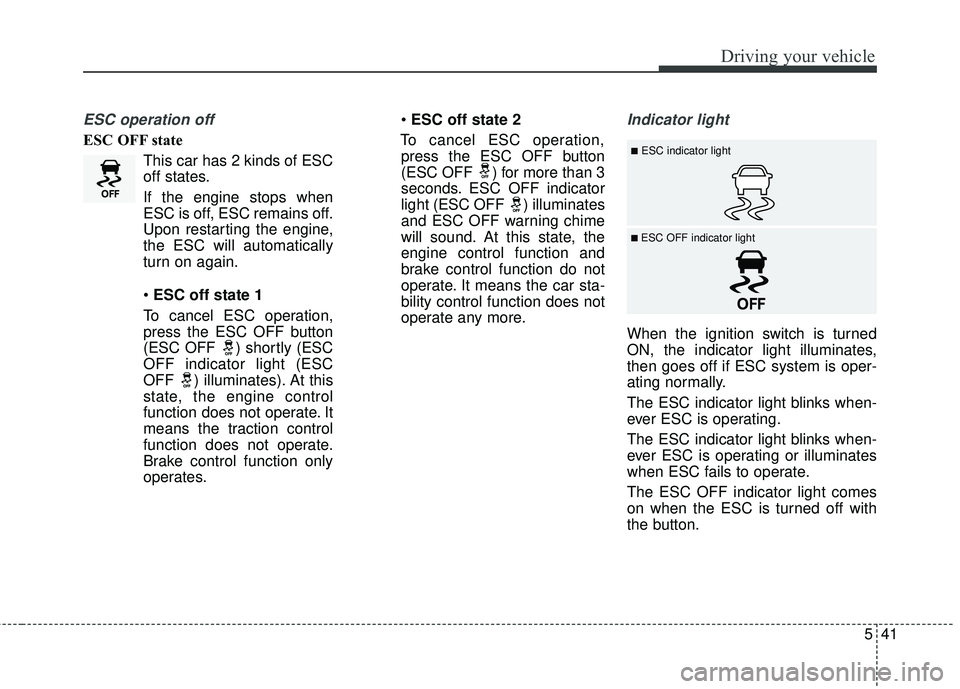
ESC OFF stateThis car has 2 kinds of ESC
off states.
If the engine stops when
ESC is off, ESC remains off.
Upon restarting the engine,
the ESC will automatically
turn on again.
ESC off state 1
To cancel ESC operation, press the ESC OFF button
(ESC OFF ) shortly (ESC
OFF indicator light (ESC
OFF ) illuminates). At this
state, the engine control
function does not operate. It
means the traction control
function does not operate.
Brake control function only
operates.
ESC off state 2
To cancel ESC operation, press the ESC OFF button
(ESC OFF ) for more than 3
seconds. ESC OFF indicator
light (ESC OFF ) illuminates
and ESC OFF warning chime
will sound. At this state, the
engine control function and
brake control function do not
operate. It means the car sta-
bility control function does not
operate any more.
Indicator light
When the ignition switch is turned
ON, the indicator light illuminates,
then goes off if ESC system is oper-
ating normally.
The ESC indicator light blinks when-
ever ESC is operating.
The ESC indicator light blinks when-
ever ESC is operating or illuminates
when ESC fails to operate.
The ESC OFF indicator light comes
on when the ESC is turned off with
the button.
■ESC indicator light
■ ESC OFF indicator light
Page 405 of 584
Driving your vehicle
64
5
When Active ECO is activated:
The acceleration may slightly be
reduced even though you depress
the accelerator fully.
The air conditioner performance may be limited
The shift pattern of the automatic transaxle may change.
The engine noise may get louder.
The above situations are normal
conditions when the Active Eco
System is activated to improve fuel
efficiency. Limitation of Active ECO opera-
tion:
If the following conditions occur while
Active ECO is operating, the system
operation is limited even though
there is no change in the ECO indi-
cator.
When the coolant temperature is
low:
The system will be limited until
engine performance becomes nor-
mal.
When driving up a hill: The system will be limited to gain
power when driving uphill because
the engine torque is restricted.
When using manual mode: The system will be limited accord-
ing to the shift location.
When the accelerator pedal is deeply depressed for a few sec-
onds:
The system will be limited, judging
that the driver wants to speed up.SPORT mode
SPORT mode focuses on
dynamic driving by auto-
matically adjusting the
steering wheel, engine
and transaxle system.
button is pressed and
the SPORT mode is
selected, the SPORT
indicator (yellow) will illu-
minate.
is activated, and the
engine start/stop button
is turned off and on it will
change to NORMAL
mode. To turn on the
SPORT mode press
DRIVE MODE button
again.
SPORT