sunroof KIA FORTE 2018 Owners Manual
[x] Cancel search | Manufacturer: KIA, Model Year: 2018, Model line: FORTE, Model: KIA FORTE 2018Pages: 584, PDF Size: 15.14 MB
Page 76 of 584

Features of your vehicle
Keys . . . . . . . . . . . . . . . . . . . . . . . . . . . . . . . . . . . . \
. . 4-4
• Record your key number . . . . . . . . . . . . . . . . . . . . . . . 4-4
• Key operations . . . . . . . . . . . . . . . . . . . . . . . . . . . . . . . . 4-4
Smart key . . . . . . . . . . . . . . . . . . . . . . . . . . . . . . . . . 4-6
• Smart key functions . . . . . . . . . . . . . . . . . . . . . . . . . . . 4-6
• Smart key precautions . . . . . . . . . . . . . . . . . . . . . . . . . 4-7
Remote keyless entry . . . . . . . . . . . . . . . . . . . . . . . . 4-9
• Remote keyless entry system operations . . . . . . . . . . . 4-9
• Transmitter precautions . . . . . . . . . . . . . . . . . . . . . . . 4-10
• Battery replacement . . . . . . . . . . . . . . . . . . . . . . . . . . 4-11
• Immobilizer system . . . . . . . . . . . . . . . . . . . . . . . . . . . 4-12
Theft-alarm system . . . . . . . . . . . . . . . . . . . . . . . . 4-15
• Armed stage . . . . . . . . . . . . . . . . . . . . . . . . . . . . . . . . . 4-15
• Theft-alarm stage . . . . . . . . . . . . . . . . . . . . . . . . . . . . 4-16
• Disarmed stage. . . . . . . . . . . . . . . . . . . . . . . . . . . . . . . 4-16
Door locks . . . . . . . . . . . . . . . . . . . . . . . . . . . . . . . . 4-17
• Operating door locks from outside the vehicle . . . . 4-17
• Operating door locks from inside the vehicle . . . . . . 4-18
• Impact sensing door unlock system . . . . . . . . . . . . . . 4-20
• Auto door lock/unlock feature . . . . . . . . . . . . . . . . . . 4-20
• Speed sensing door lock system . . . . . . . . . . . . . . . . . 4-20
• Child-protector rear door lock. . . . . . . . . . . . . . . . . . 4-21
Trunk (4 door) . . . . . . . . . . . . . . . . . . . . . . . . . . . . 4-22
• Opening the trunk . . . . . . . . . . . . . . . . . . . . . . . . . . . . 4-22
• Closing the trunk . . . . . . . . . . . . . . . . . . . . . . . . . . . . . 4-23
• Emergency trunk safety release . . . . . . . . . . . . . . . . . 4-23
Smart trunk . . . . . . . . . . . . . . . . . . . . . . . . . . . . . . 4-24
Tailgate (5 Door) . . . . . . . . . . . . . . . . . . . . . . . . . . . 4-28
• Opening the tailgate . . . . . . . . . . . . . . . . . . . . . . . . . . 4-28
• Closing the tailgate . . . . . . . . . . . . . . . . . . . . . . . . . . . 4-28
• Emergency tailgate safety release . . . . . . . . . . . . . . . 4-29
Windows . . . . . . . . . . . . . . . . . . . . . . . . . . . . . . . . . 4-31
• Power windows . . . . . . . . . . . . . . . . . . . . . . . . . . . . . . 4-32
Hood. . . . . . . . . . . . . . . . . . . . . . . . . . . . . . . . . . . . \
. 4-36
• Opening the hood . . . . . . . . . . . . . . . . . . . . . . . . . . . . 4-36
• Closing the hood . . . . . . . . . . . . . . . . . . . . . . . . . . . . . 4-36
Fuel filler lid . . . . . . . . . . . . . . . . . . . . . . . . . . . . . . 4-38
• Opening the fuel filler lid . . . . . . . . . . . . . . . . . . . . . . 4-38
• Closing the fuel filler lid . . . . . . . . . . . . . . . . . . . . . . . 4-38
Sunroof . . . . . . . . . . . . . . . . . . . . . . . . . . . . . . . . . . 4-41\
• Sunroof open warning. . . . . . . . . . . . . . . . . . . . . . . . . 4-42
• Sliding the sunroof . . . . . . . . . . . . . . . . . . . . . . . . . . . 4-42
• Tilting the sunroof . . . . . . . . . . . . . . . . . . . . . . . . . . . . 4-44
• Sunshade . . . . . . . . . . . . . . . . . . . . . . . . . . . . . . . . . . . 4-\
45
• Resetting the sunroof . . . . . . . . . . . . . . . . . . . . . . . . . 4-45
4
YDM CAN (ENG) 4a.QXP 5/12/2017 3:42 PM Page 1
Page 107 of 584
Features of your vehicle
32
4
Power windows (if equipped)
The ignition switch must be in the ON
position for power windows to oper-
ate. Each door has a power window
switch that controls the door’s win-
dow. The driver has a power window
lock switch which can block the oper-
ation of passenger windows.
The power windows can be operated
for approximately 30 seconds after the
ignition key is removed or turned to the
ACC or LOCK position. However, if the
front doors are opened, the power
windows cannot be operated even
within the 30 second period.
If the window cannot be close
because it is blocked by objects,
remove the objects and close the
window.
✽ ✽
NOTICE
While driving with the rear windows
down or with the sunroof (if
equipped) in an open (or partially
open) position, your vehicle may
demonstrate a wind buffeting or
pulsation noise. This noise is a nor-
mal occurrence and can be reduced
or eliminated by taking the follow-
ing actions. If the noise occurs with
one or both of the rear windows
down, partially lower both front
windows approximately 2.5 cm (1
inch). If you experience the noise
with the sunroof open, slightly
reduce the size of the sunroof open-
ing.
Window opening and closing
(if equipped)
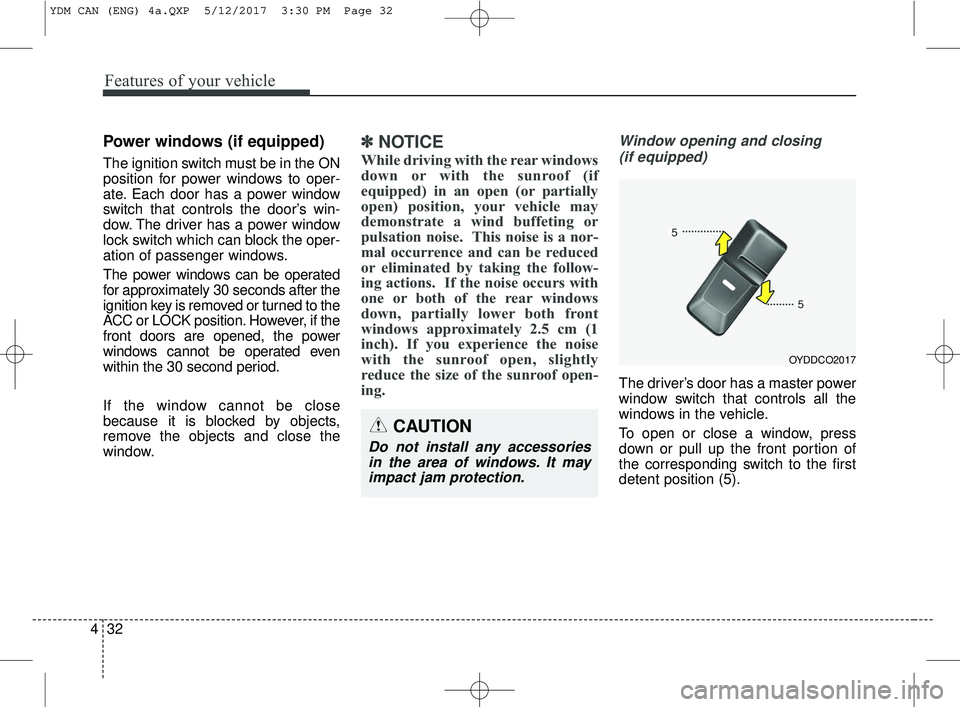
The driver’s door has a master power
window switch that controls all the
windows in the vehicle.
To open or close a window, press
down or pull up the front portion of
the corresponding switch to the first
detent position (5).
OYDDCO2017
CAUTION
Do not install any accessoriesin the area of windows. It mayimpact jam protection.
YDM CAN (ENG) 4a.QXP 5/12/2017 3:30 PM Page 32
Page 116 of 584
441
Features of your vehicle
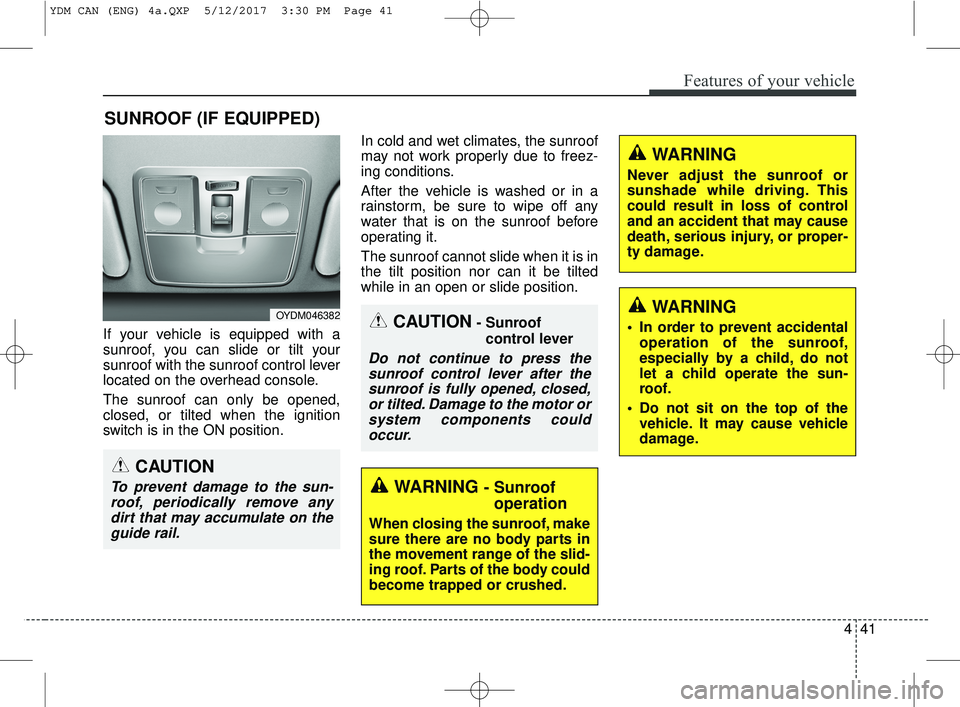
If your vehicle is equipped with a
sunroof, you can slide or tilt your
sunroof with the sunroof control lever
located on the overhead console.
The sunroof can only be opened,
closed, or tilted when the ignition
switch is in the ON position.In cold and wet climates, the sunroof
may not work properly due to freez-
ing conditions.
After the vehicle is washed or in a
rainstorm, be sure to wipe off any
water that is on the sunroof before
operating it.
The sunroof cannot slide when it is in
the tilt position nor can it be tilted
while in an open or slide position.
SUNROOF (IF EQUIPPED)
CAUTION- Sunroof
control lever
Do not continue to press thesunroof control lever after thesunroof is fully opened, closed,or tilted. Damage to the motor orsystem components couldoccur.
OYDM046382
WARNING - Sunroof operation
When closing the sunroof, make
sure there are no body parts in
the movement range of the slid-
ing roof. Parts of the body could
become trapped or crushed.
CAUTION
To prevent damage to the sun-
roof, periodically remove anydirt that may accumulate on theguide rail.
WARNING
Never adjust the sunroof or
sunshade while driving. This
could result in loss of control
and an accident that may cause
death, serious injury, or proper-
ty damage.
WARNING
In order to prevent accidental operation of the sunroof,
especially by a child, do not
let a child operate the sun-
roof.
Do not sit on the top of the vehicle. It may cause vehicle
damage.
YDM CAN (ENG) 4a.QXP 5/12/2017 3:30 PM Page 41
Page 117 of 584
Sunroof open warning
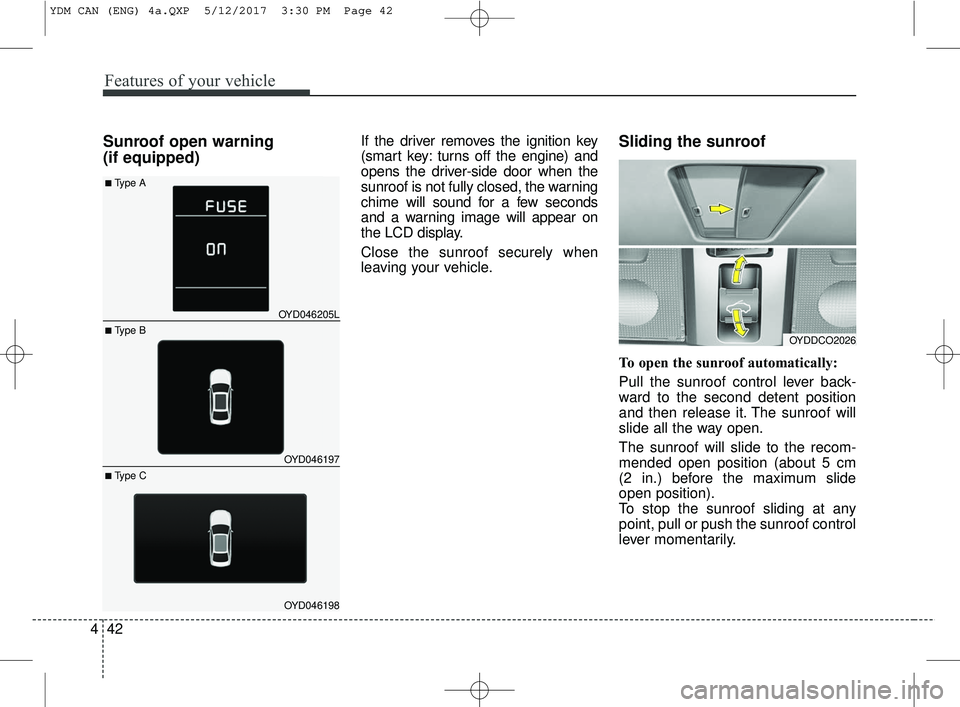
(if equipped)If the driver removes the ignition key
(smart key: turns off the engine) and
opens the driver-side door when the
sunroof is not fully closed, the warning
chime will sound for a few seconds
and a warning image will appear on
the LCD display.
Close the sunroof securely when
leaving your vehicle.Sliding the sunroof
To open the sunroof automatically:
Pull the sunroof control lever back-
ward to the second detent position
and then release it. The sunroof will
slide all the way open.
The sunroof will slide to the recom-
mended open position (about 5 cm
(2 in.) before the maximum slide
open position).
To stop the sunroof sliding at any
point, pull or push the sunroof control
lever momentarily.
OYDDCO2026
Features of your vehicle
42
4
OYD046205L
OYD046197
OYD046198
■ Type B
■Type A
■ Type C
YDM CAN (ENG) 4a.QXP 5/12/2017 3:30 PM Page 42
Page 118 of 584
443
Features of your vehicle
To open the sunroof to the maximum
slide open position, press the switch
towards the rear of the vehicle once
again and hold it until the sunroof
slide all the way open.
To reduce wind noise while driving,
we recommend you to drive at the
recommended position (about 5 cm
(2 in.) before the maximum slide
open position).To close the sunroof automatically:
Push the sunroof control lever for-
ward to the second detent position
and then release it. The sunroof will
automatically close all the way.
To stop the sunroof sliding at any
point, pull or push the sunroof control
lever momentarily.
While driving with the sunroof in an
open (or partially open position),
your vehicle may demonstrate a wind
buffeting or pulsation noise. This
noise is a normal occurrence and
can be reduced or eliminated by tak-
ing the following actions. If you expe-
rience the noise with the sunroof
open, slightly reduce the size of the
sunroof opening.Automatic reversal
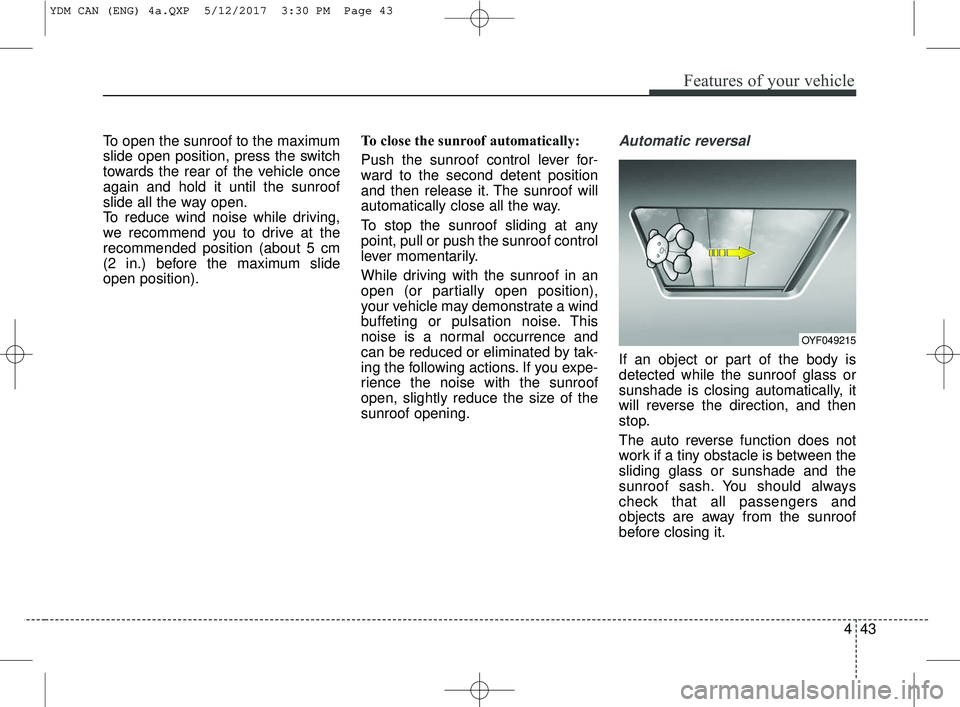
If an object or part of the body is
detected while the sunroof glass or
sunshade is closing automatically, it
will reverse the direction, and then
stop.
The auto reverse function does not
work if a tiny obstacle is between the
sliding glass or sunshade and the
sunroof sash. You should always
check that all passengers and
objects are away from the sunroof
before closing it.
OYF049215
YDM CAN (ENG) 4a.QXP 5/12/2017 3:30 PM Page 43
Page 119 of 584
Features of your vehicle
44
4
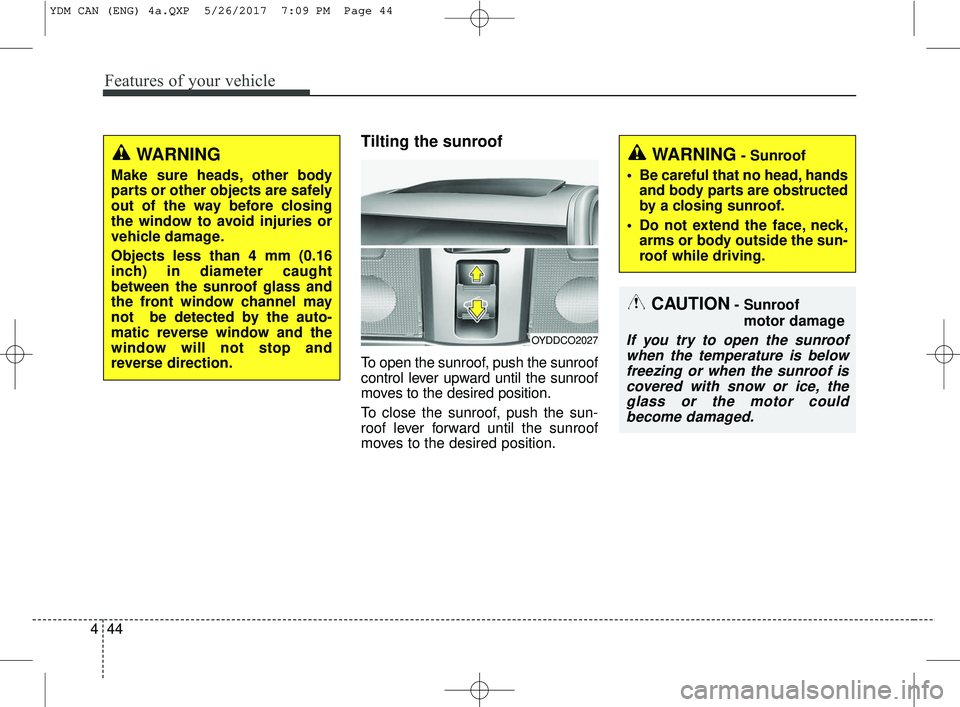
Tilting the sunroof
To open the sunroof, push the sunroof
control lever upward until the sunroof
moves to the desired position.
To close the sunroof, push the sun-
roof lever forward until the sunroof
moves to the desired position.
OYDDCO2027
CAUTION- Sunroof
motor damage
If you try to open the sunroofwhen the temperature is belowfreezing or when the sunroof iscovered with snow or ice, theglass or the motor couldbecome damaged.
WARNING- Sunroof
• Be careful that no head, hands and body parts are obstructed
by a closing sunroof.
Do not extend the face, neck, arms or body outside the sun-
roof while driving.WARNING
Make sure heads, other body
parts or other objects are safely
out of the way before closing
the window to avoid injuries or
vehicle damage.
Objects less than 4 mm (0.16
inch) in diameter caught
between the sunroof glass and
the front window channel may
not be detected by the auto-
matic reverse window and the
window will not stop and
reverse direction.
YDM CAN (ENG) 4a.QXP 5/26/2017 7:09 PM Page 44
Page 120 of 584
445
Features of your vehicle
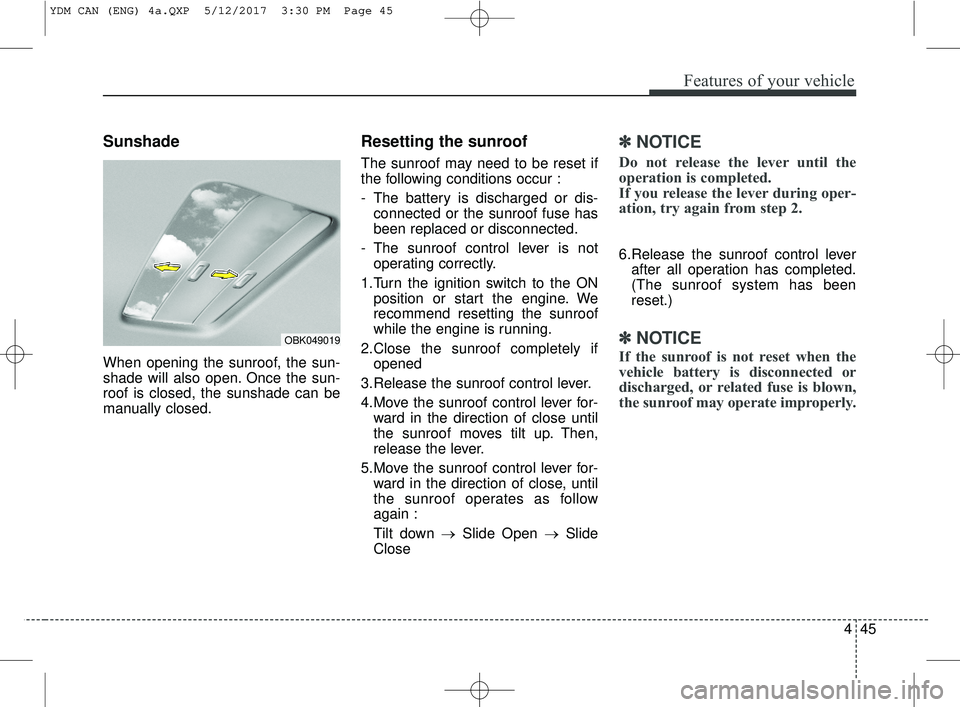
Sunshade
When opening the sunroof, the sun-
shade will also open. Once the sun-
roof is closed, the sunshade can be
manually closed.
Resetting the sunroof
The sunroof may need to be reset if
the following conditions occur :
- The battery is discharged or dis-connected or the sunroof fuse has
been replaced or disconnected.
- The sunroof control lever is not operating correctly.
1.Turn the ignition switch to the ON position or start the engine. We
recommend resetting the sunroof
while the engine is running.
2.Close the sunroof completely if opened
3.Release the sunroof control lever.
4.Move the sunroof control lever for- ward in the direction of close until
the sunroof moves tilt up. Then,
release the lever.
5.Move the sunroof control lever for- ward in the direction of close, until
the sunroof operates as follow
again :
Tilt down → Slide Open → Slide
Close
✽ ✽ NOTICE
Do not release the lever until the
operation is completed.
If you release the lever during oper-
ation, try again from step 2.
6.Release the sunroof control lever
after all operation has completed.
(The sunroof system has been
reset.)
✽ ✽ NOTICE
If the sunroof is not reset when the
vehicle battery is disconnected or
discharged, or related fuse is blown,
the sunroof may operate improperly.
OBK049019
YDM CAN (ENG) 4a.QXP 5/12/2017 3:30 PM Page 45
Page 150 of 584
475
Features of your vehicle
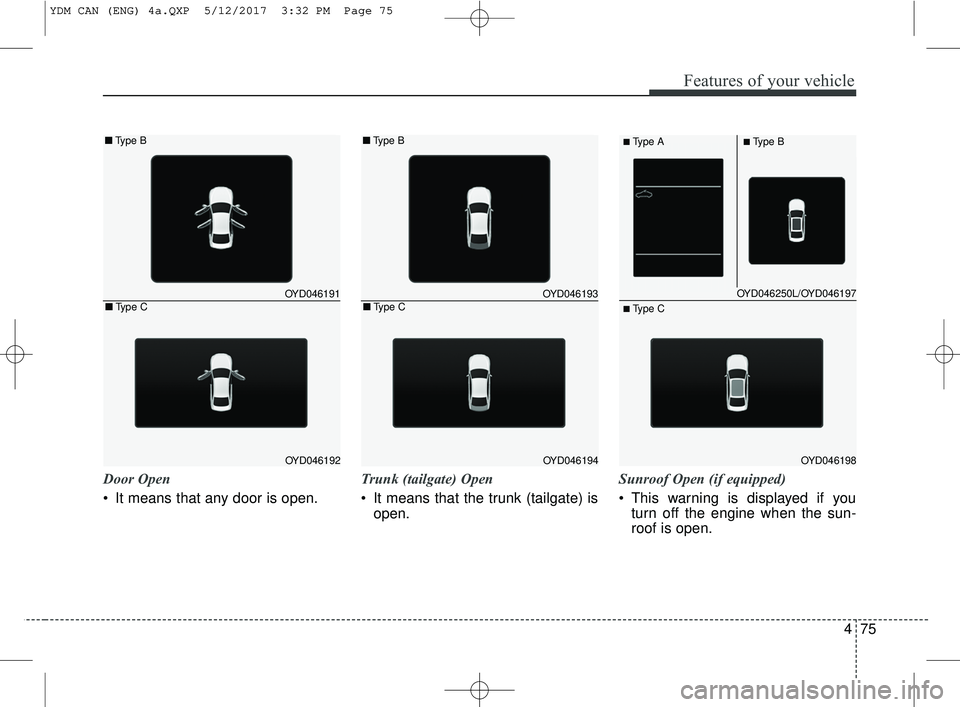
Door Open
It means that any door is open.Trunk (tailgate) Open
It means that the trunk (tailgate) is
open. Sunroof Open (if equipped)
This warning is displayed if you
turn off the engine when the sun-
roof is open.
OYD046250L/OYD046197
OYD046198
■Type A■Type B
■ Type C
OYD046191
OYD046192
■ Type B
■Type COYD046193
OYD046194
■Type B
■Type C
YDM CAN (ENG) 4a.QXP 5/12/2017 3:32 PM Page 75
Page 236 of 584
Voice Recognition
feature, only commands listed with-
in the user's manual are supported.
of the voice recognition system,
pressing any key other than the key terminate voice recognition
mode.
For superior voice recognition per- formance, position the microphone
used for voice recognition above
the head of the driver’s seat and
maintain a proper position when
saying commands.
voice recognition may not function
properly due to external sound.
- When the windows and sunroof are open
- When the wind of the cooling / heating device is strong
- When entering and passing through tunnels
(Continued)(Continued)
- When driving on rugged and uneven roads
- During severe rain (heavy rains, windstorms)
can be used only when a
Bluetooth®Wireless Technology
device is connected.
name, the corresponding contact
must be downloaded and stored
within the audio system.
downloading the
Bluetooth®
Wireless Technology phone book, it
takes some times to convert the
phone book data into voice infor-
mation. During this time, voice
recognition may not properly oper-
ate.
naturally and clearly as if in a nor-
mal conversation.
161
4
Features of your vehicle
Page 250 of 584
175
4
Features of your vehicle
✽ ✽
NOTICE - Using Voice
Recognition
• When using the voice recognition
feature, only commands listed
within the user's manual are sup-
ported.
• Be aware that during the opera- tion of the voice recognition sys-
tem, pressing any button other
than the button terminates the
voice recognition mode.
• For optimal voice recognition per- formance, position your head
below the microphone above the
driver’s seat and maintain proper
position when speaking voice com-
mands.
• Within the following situations, voice recognition may not function
properly due to external sound.
- When the windows and sunroofare open
- When the blower AC/heater is set to high
- When entering and passing through tunnels
- When driving on rugged and uneven roads
- During severe rain (heavy rains, windstorms) (Continued)(Continued)
• Phone related voice commands can
be used only when a Bluetooth®
Wireless Technology device is con-
nected.
• When making calls by stating a name, the corresponding contact
must be downloaded and stored
within the audio system.
• After downloading the Bluetooth
®
Wireless Technology phone book,
it takes some times to convert the
phone book data into voice infor-
mation. During this time, voice
recognition may not properly
operate.
• Pronounce the voice commands naturally and clearly as if in a nor-
mal conversation.