eco KIA FORTE 2018 Workshop Manual
[x] Cancel search | Manufacturer: KIA, Model Year: 2018, Model line: FORTE, Model: KIA FORTE 2018Pages: 584, PDF Size: 15.14 MB
Page 118 of 584
443
Features of your vehicle
To open the sunroof to the maximum
slide open position, press the switch
towards the rear of the vehicle once
again and hold it until the sunroof
slide all the way open.
To reduce wind noise while driving,
we recommend you to drive at the
recommended position (about 5 cm
(2 in.) before the maximum slide
open position).To close the sunroof automatically:
Push the sunroof control lever for-
ward to the second detent position
and then release it. The sunroof will
automatically close all the way.
To stop the sunroof sliding at any
point, pull or push the sunroof control
lever momentarily.
While driving with the sunroof in an
open (or partially open position),
your vehicle may demonstrate a wind
buffeting or pulsation noise. This
noise is a normal occurrence and
can be reduced or eliminated by tak-
ing the following actions. If you expe-
rience the noise with the sunroof
open, slightly reduce the size of the
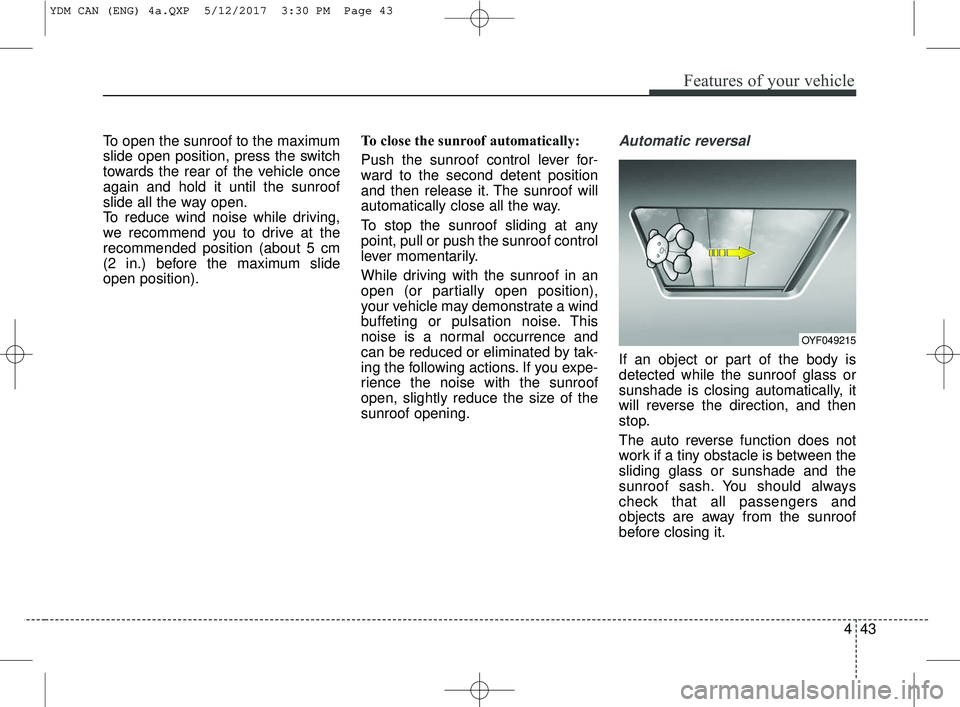
sunroof opening.Automatic reversal
If an object or part of the body is
detected while the sunroof glass or
sunshade is closing automatically, it
will reverse the direction, and then
stop.
The auto reverse function does not
work if a tiny obstacle is between the
sliding glass or sunshade and the
sunroof sash. You should always
check that all passengers and
objects are away from the sunroof
before closing it.
OYF049215
YDM CAN (ENG) 4a.QXP 5/12/2017 3:30 PM Page 43
Page 119 of 584
Features of your vehicle
44
4
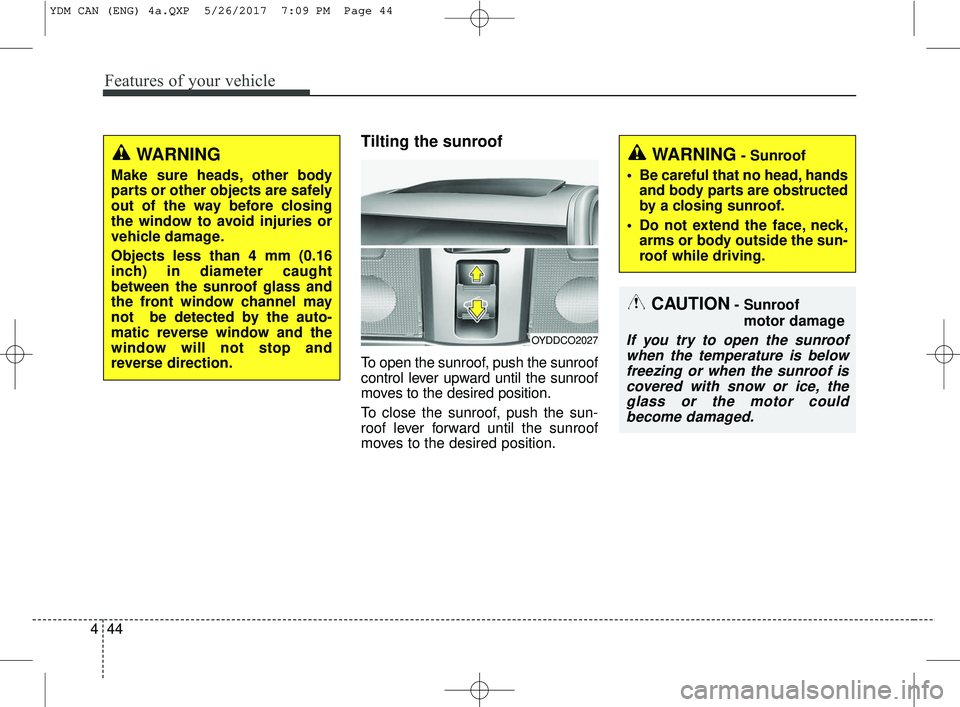
Tilting the sunroof
To open the sunroof, push the sunroof
control lever upward until the sunroof
moves to the desired position.
To close the sunroof, push the sun-
roof lever forward until the sunroof
moves to the desired position.
OYDDCO2027
CAUTION- Sunroof
motor damage
If you try to open the sunroofwhen the temperature is belowfreezing or when the sunroof iscovered with snow or ice, theglass or the motor couldbecome damaged.
WARNING- Sunroof
• Be careful that no head, hands and body parts are obstructed
by a closing sunroof.
Do not extend the face, neck, arms or body outside the sun-
roof while driving.WARNING
Make sure heads, other body
parts or other objects are safely
out of the way before closing
the window to avoid injuries or
vehicle damage.
Objects less than 4 mm (0.16
inch) in diameter caught
between the sunroof glass and
the front window channel may
not be detected by the auto-
matic reverse window and the
window will not stop and
reverse direction.
YDM CAN (ENG) 4a.QXP 5/26/2017 7:09 PM Page 44
Page 120 of 584
445
Features of your vehicle
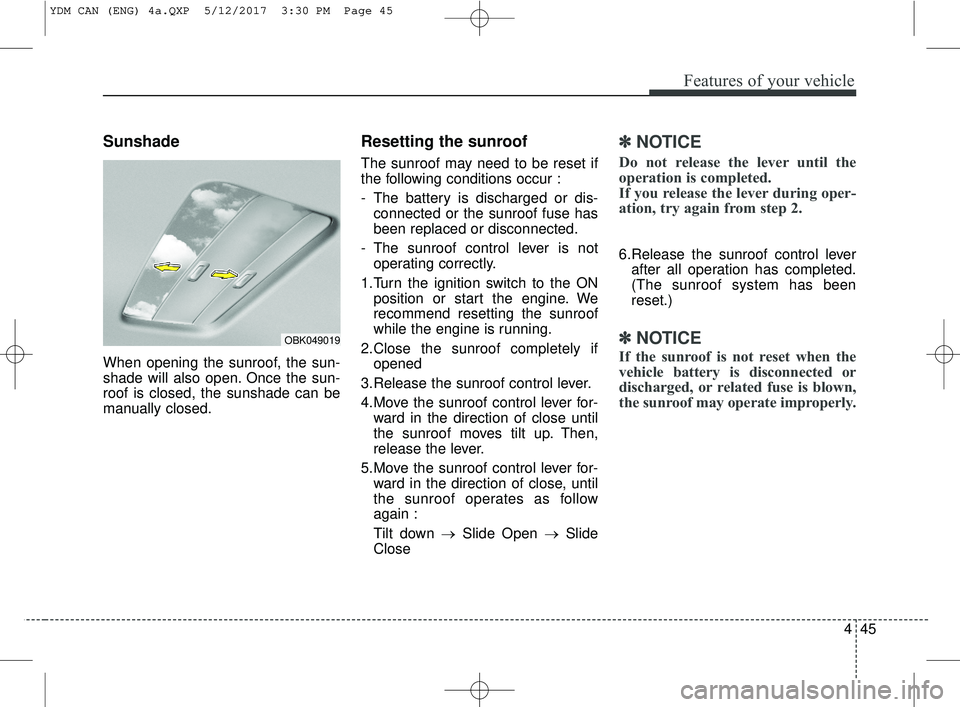
Sunshade
When opening the sunroof, the sun-
shade will also open. Once the sun-
roof is closed, the sunshade can be
manually closed.
Resetting the sunroof
The sunroof may need to be reset if
the following conditions occur :
- The battery is discharged or dis-connected or the sunroof fuse has
been replaced or disconnected.
- The sunroof control lever is not operating correctly.
1.Turn the ignition switch to the ON position or start the engine. We
recommend resetting the sunroof
while the engine is running.
2.Close the sunroof completely if opened
3.Release the sunroof control lever.
4.Move the sunroof control lever for- ward in the direction of close until
the sunroof moves tilt up. Then,
release the lever.
5.Move the sunroof control lever for- ward in the direction of close, until
the sunroof operates as follow
again :
Tilt down → Slide Open → Slide
Close
✽ ✽ NOTICE
Do not release the lever until the
operation is completed.
If you release the lever during oper-
ation, try again from step 2.
6.Release the sunroof control lever
after all operation has completed.
(The sunroof system has been
reset.)
✽ ✽ NOTICE
If the sunroof is not reset when the
vehicle battery is disconnected or
discharged, or related fuse is blown,
the sunroof may operate improperly.
OBK049019
YDM CAN (ENG) 4a.QXP 5/12/2017 3:30 PM Page 45
Page 121 of 584
Features of your vehicle
46
4
Electric power steering (EPS)
Power steering uses the motor to
assist you in steering the vehicle. If
the engine is off or if the power steer-
ing system becomes inoperative, the
vehicle may still be steered, but it will
require increased steering effort.
The electric power steering is con-
trolled by the power steering control
unit which senses the steering wheel
torque and vehicle speed to com-
mand the motor.
The steering wheel becomes heavier
as the vehicle’s speed increases and
becomes lighter as the vehicle’s
speed decreases for better control of
the steering wheel.
Should you notice any change in the
effort required to steer during normal
vehicle operation, have the power
steering checked by an authorized
Kia dealer.
✽ ✽
NOTICE
The following symptoms may occur
during normal vehicle operation:
• The steering effort is increased
immediately after turning the igni-
tion switch on. This happens as the
system performs the EPS system
diagnostics. When the diagnostics
are completed, the steering wheel
will return to its normal condition
• A click noise may be heard from the EPS relay after the ignition
switch is turned to the ON or
LOCK position.
• Motor noise may be heard when the vehicle is at a stop or at a low
driving speed.
• The steering effort increases if the steering wheel is rotated continu-
ously when the vehicle is not in
motion. However, after a few min-
utes, it will return to its normal
condition.
• When you operate the steering wheel in low temperature, noise
may occur. If the temperature
rises, the noise will likely disap-
pear. This is a normal condition. (Continued)(Continued)
• When the charging system warn-
ing light comes on or the battery
voltage is low (when the alternator
or battery does not operate nor-
mally), the steering wheel may get
heavy and become difficult to con-
trol operate abnormally.
If the Electric Power Steering System
does not operate normally, the warn-
ing light will illuminate on the instru-
ment cluster. The steering wheel may
require increased steering effort.
Take your vehicle to an authorized
Kia dealer and have the vehicle
checked as soon as possible.
STEERING WHEEL
YDM CAN (ENG) 4a.QXP 5/12/2017 3:30 PM Page 46
Page 123 of 584
Features of your vehicle
48
4
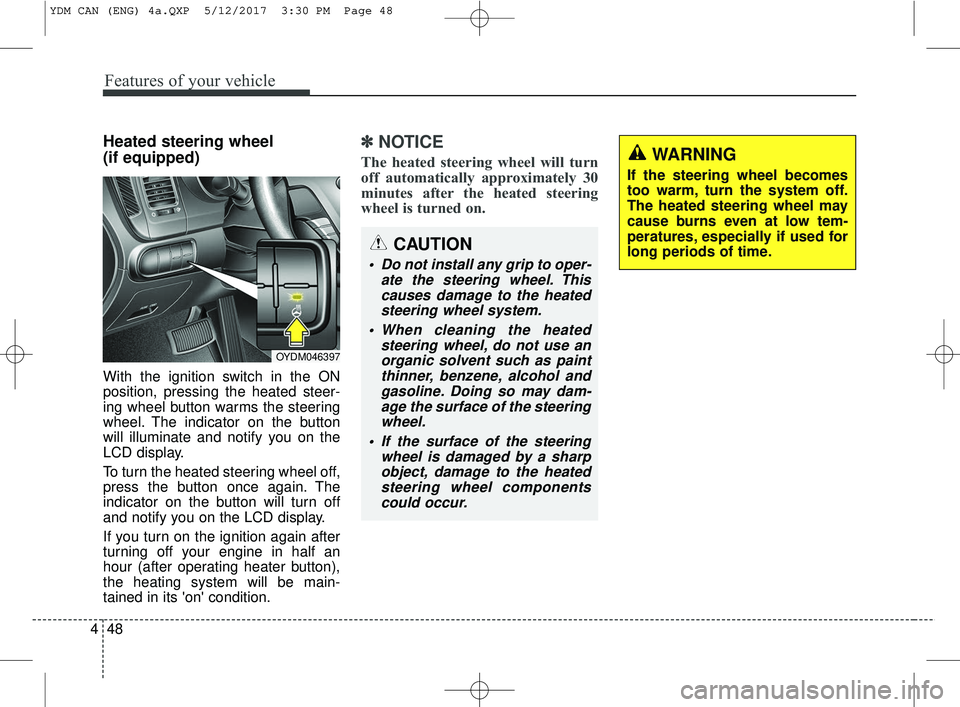
Heated steering wheel
(if equipped)
With the ignition switch in the ON
position, pressing the heated steer-
ing wheel button warms the steering
wheel. The indicator on the button
will illuminate and notify you on the
LCD display.
To turn the heated steering wheel off,
press the button once again. The
indicator on the button will turn off
and notify you on the LCD display.
If you turn on the ignition again after
turning off your engine in half an
hour (after operating heater button),
the heating system will be main-
tained in its 'on' condition.
✽ ✽
NOTICE
The heated steering wheel will turn
off automatically approximately 30
minutes after the heated steering
wheel is turned on.
CAUTION
Do not install any grip to oper-
ate the steering wheel. Thiscauses damage to the heatedsteering wheel system.
When cleaning the heated steering wheel, do not use anorganic solvent such as paintthinner, benzene, alcohol andgasoline. Doing so may dam-age the surface of the steeringwheel.
If the surface of the steering wheel is damaged by a sharpobject, damage to the heatedsteering wheel componentscould occur.
OYDM046397
WARNING
If the steering wheel becomes
too warm, turn the system off.
The heated steering wheel may
cause burns even at low tem-
peratures, especially if used for
long periods of time.
YDM CAN (ENG) 4a.QXP 5/12/2017 3:30 PM Page 48
Page 124 of 584
449
Features of your vehicle
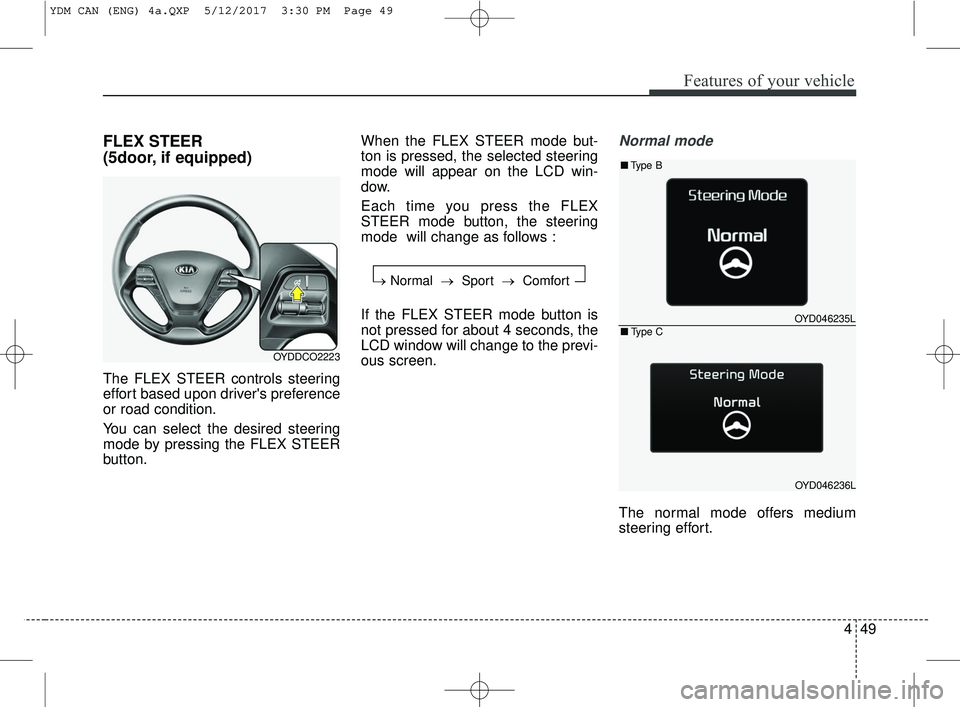
FLEX STEER
(5door, if equipped)
The FLEX STEER controls steering
effort based upon driver's preference
or road condition.
You can select the desired steering
mode by pressing the FLEX STEER
button.When the FLEX STEER mode but-
ton is pressed, the selected steering
mode will appear on the LCD win-
dow.
Each time you press the FLEX
STEER mode button, the steering
mode will change as follows :
If the FLEX STEER mode button is
not pressed for about 4 seconds, the
LCD window will change to the previ-
ous screen.
Normal mode
The normal mode offers medium
steering effort.
OYDDCO2223
→
Normal → Sport →Comfort
OYD046235L
OYD046236L
■Type B
■Type C
YDM CAN (ENG) 4a.QXP 5/12/2017 3:30 PM Page 49
Page 125 of 584
Features of your vehicle
50
4
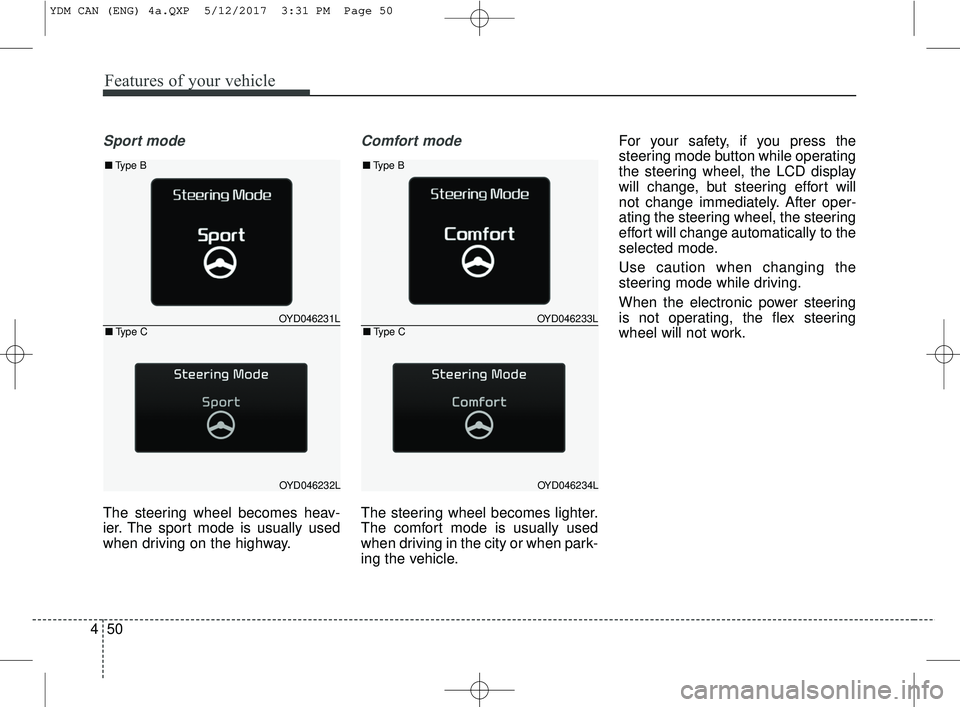
Sport mode
The steering wheel becomes heav-
ier. The sport mode is usually used
when driving on the highway.
Comfort mode
The steering wheel becomes lighter.
The comfort mode is usually used
when driving in the city or when park-
ing the vehicle. For your safety, if you press the
steering mode button while operating
the steering wheel, the LCD display
will change, but steering effort will
not change immediately. After oper-
ating the steering wheel, the steering
effort will change automatically to the
selected mode.
Use caution when changing the
steering mode while driving.
When the electronic power steering
is not operating, the flex steering
wheel will not work.
OYD046231L
OYD046232L
■
Type B
■Type COYD046233L
OYD046234L
■Type B
■Type C
YDM CAN (ENG) 4a.QXP 5/12/2017 3:31 PM Page 50
Page 137 of 584
Features of your vehicle
62
4
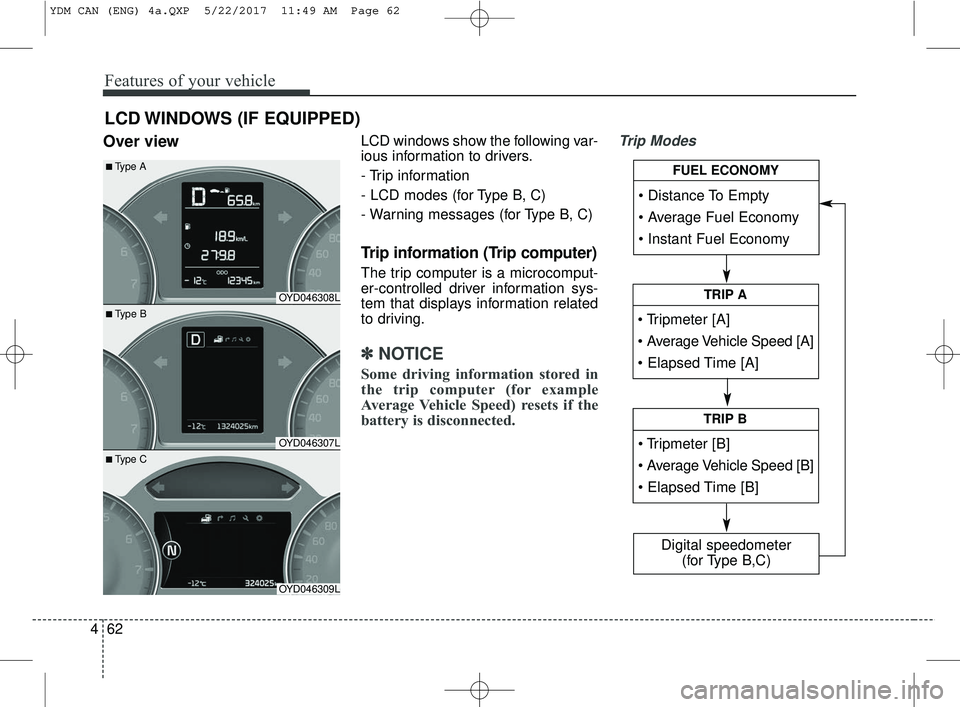
Over viewLCD windows show the following var-
ious information to drivers.
- Trip information
- LCD modes (for Type B, C)
- Warning messages (for Type B, C)
Trip information (Trip computer)
The trip computer is a microcomput-
er-controlled driver information sys-
tem that displays information related
to driving.
✽ ✽
NOTICE
Some driving information stored in
the trip computer (for example
Average Vehicle Speed) resets if the
battery is disconnected.
Trip Modes
LCD WINDOWS (IF EQUIPPED)
• Tripmeter [A]
TRIP A
TRIP B
FUEL ECONOMY
Digital speedometer
(for Type B,C)
OYD046308L
OYD046307L
OYD046309L
■ Type B
■Type A
■ Type C
YDM CAN (ENG) 4a.QXP 5/22/2017 11:49 AM Page 62
Page 138 of 584
463
Features of your vehicle
Type A
To change the trip mode, press the
“TRIP” button.
Type B
To change the trip mode, press the
MOVE button ▼.Fuel Economy
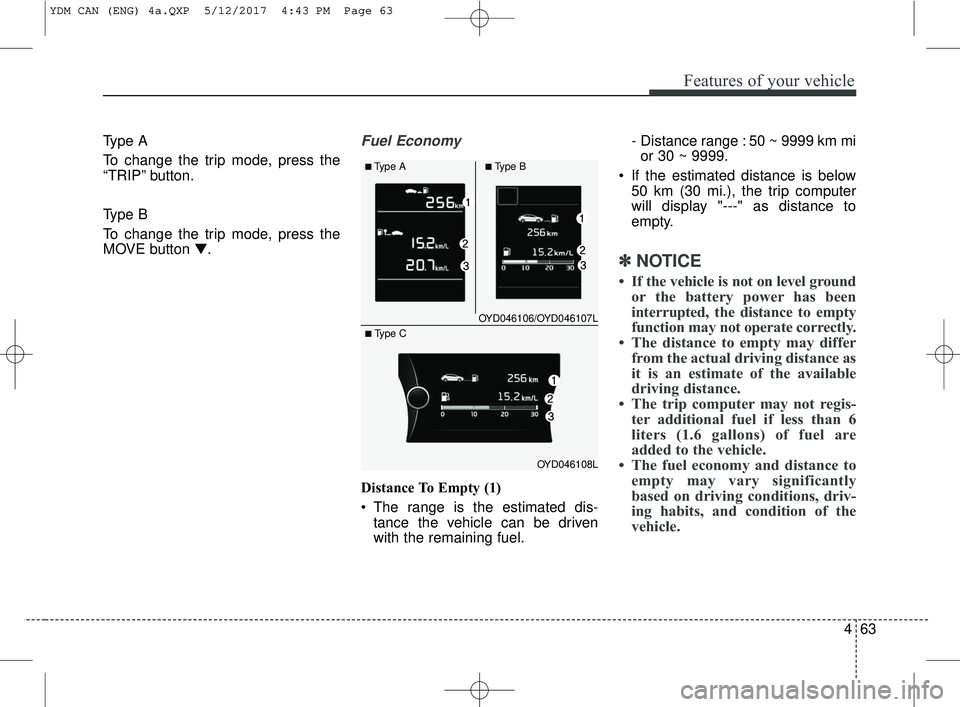
Distance To Empty (1)
The range is the estimated dis-tance the vehicle can be driven
with the remaining fuel. - Distance range : 50 ~ 9999 km mi
or 30 ~ 9999.
If the estimated distance is below 50 km (30 mi.), the trip computer
will display "---" as distance to
empty.
✽ ✽ NOTICE
• If the vehicle is not on level ground
or the battery power has been
interrupted, the distance to empty
function may not operate correctly.
• The distance to empty may differ from the actual driving distance as
it is an estimate of the available
driving distance.
• The trip computer may not regis- ter additional fuel if less than 6
liters (1.6 gallons) of fuel are
added to the vehicle.
• The fuel economy and distance to empty may vary significantly
based on driving conditions, driv-
ing habits, and condition of the
vehicle.
OYD046106/OYD046107L
OYD046108L
■Type A■Type B
■ Type C
YDM CAN (ENG) 4a.QXP 5/12/2017 4:43 PM Page 63
Page 139 of 584
Features of your vehicle
64
4
Average Fuel Economy (2)
The average fuel economy is cal-
culated by the total driving dis-
tance and fuel consumption since
the last average fuel economy
reset.
- Fuel economy range: 0.0 ~ 99.9L/100km or MPG
The average fuel economy can be reset both manually and automati-
cally.
Manual reset
To clear the average fuel economy
manually, press the RESET button
(Type A : RESET, Type B, C : ) on
the steering wheel for more than 1
second when the average fuel econo-
my is displayed. Automatic reset
To make the average fuel economy
be reset automatically whenever refu-
eling, select the “Auto Reset” mode in
User Setting menu of the LCD win-
dow (Refer to “LCD window”).
Under “Auto Reset” mode, the aver-
age fuel economy will be cleared to
zero (---) when the vehicle speed
exceeds 1.6 km/h (1MPH) after refu-
eling more than 6 liters (1.6 gallons).
✽ ✽
NOTICE
The average fuel economy is not dis-
played for more accurate calculation
if the vehicle does not drive more
than 10 seconds or 50 meters (0.03
miles) since the ignition switch or
Engine Start/Stop button is turned
to ON.
Instant Fuel Economy (3)
This mode displays the instant fuel
economy during the last few sec-
onds when the vehicle speed is
more than 10km/h (6.2 MPH).
- Fuel economy range: 0.0 ~ 99.9L/100km or 0.0 ~ 99.9 MPG
(Type A), 0.0 ~ 30.0 L/100km or
0.0 ~ 50.0 MPG (Type B, C)
YDM CAN (ENG) 4a.QXP 5/12/2017 4:43 PM Page 64