change wheel KIA FORTE 2019 User Guide
[x] Cancel search | Manufacturer: KIA, Model Year: 2019, Model line: FORTE, Model: KIA FORTE 2019Pages: 550, PDF Size: 11.66 MB
Page 275 of 550
529
Driving your vehicle
Always use the parking brake. Donot depend on placing the trans-
mission in P (Park) to keep the
vehicle from moving.
Optimum vehicle performance and economy is obtained by smoothly
depressing and releasing the
accelerator pedal.
WARNING
Always buckle-up! In a colli-sion, an unbelted occupant is
significantly more likely to be
seriously injured or killed than
a properly belted occupant.
Avoid high speeds when cor- nering or turning.
Do not make quick steering wheel movements, such as
sharp lane changes or fast,
sharp turns.
The risk of a rollover is greatly increased if you lose control of
your vehicle at highway speeds.
Losing control often occurs if two or more wheels drop off the
roadway and the driver over-
steers to reenter the roadway.
In the event your vehicle leaves the roadway, do not
steer sharply. Instead, slow
down before pulling back into
the travel lanes.
Never exceed posted speed limits.
WARNING
If your vehicle becomes stuck in
snow, mud, sand, etc., then you
may attempt to rock the vehicle
free by moving it forward and
backward. Do not attempt this
procedure if people or objects
are anywhere near the vehicle.
During the rocking operation the
vehicle may suddenly move for-
ward or backward as it becomes
unstuck, causing injury or dam-
age to nearby people or objects.
WARNING
Exercise extreme caution when
driving on a slippery surface.
Be especially careful when
braking, accelerating or shifting
gears. On a slippery surface, an
abrupt change in vehicle speed
can cause the drive wheels to
lose traction and the vehicle to
go out of control.
BDm CAN (ENG) 5.QXP 7/4/2018 10:13 AM Page 29
Page 288 of 550
Driving your vehicle
42
5
✽ ✽
NOTICE
• When operating the vehicle on a
dynamometer, ensure that the
ESC is turned off (ESC OFF light
illuminated). If the ESC is left on,
it may prevent the vehicle speed
from increasing, and result in false
diagnosis.
• Turning the ESC off does not affect ABS or brake system opera-
tion.
Vehicle stability management
(VSM)
This system provides further
enhancements to vehicle stability
and steering responses when a vehi-
cle is driving on a slippery road or a
vehicle detects changes in coeffi-
cient of friction between right wheels
and left wheels when braking.
VSM operation
When the VSM is in operation, ESC
indicator light ( ) blinks.
When the vehicle stability manage-
ment is operating properly, you can
feel a slight pulsation in the vehicle
and/or abnormal steering responses
(EPS- Electronic Power Steering).
This is only the effect of brake and
EPS control and indicates nothing
unusual.
The VSM does not operate when:
Driving on a sloping road such as a
gradient or incline
Driving in reverse
ESC OFF indicator light ( ) remains on the instrument cluster
EPS indicator light remains on the instrument cluster
WARNING- Tire/
Wheel size
When replacing tires and wheels,
make sure they are the same size
as the original tires and wheels
installed. Driving with varying
tire or wheel sizes may diminish
any supplemental safety benefits
of the VSM system.
BDm CAN (ENG) 5.QXP 7/4/2018 10:13 AM Page 42
Page 317 of 550
571
Driving your vehicle
- There is a group of pedestrians.
- If a sudden change in the sensorrecognition takes place while pass-
ing through a speed bump,
- When the vehicle is severely shak- en,
- When driving around circular inter- section after the vehicle in front,
- If the front of the camera lens is contaminated by front glass tinting,
film, water repellent coating, dam-
age on glass, or foreign matter
(sticker, insect, etc.)
- The radar or camera or camera lens is damaged.
- If the headlights of a vehicle are not used at night or in a tunnel sec-
tion, or the light is too weak
- If street light or the light of a vehi- cle coming from a opposite direc-
tion is reflected or when sunlight is
reflected by the water on the road
surface - When the back light is projected in
the direction of the vehicle's motion
(including the headlights of vehi-
cles)
- Road sign, shadow on the road, tunnel entrance, toll gate, partial
pavement
- If the windshield has moisture on its surface or if windshield freezes,
- Driving in the fog.
- When objects are out of the sens- ing range of the sensor or radar.
WARNING
Do not use the FCA systemwhen towing a vehicle. Cancel
the FCA in the User Settings
on the LCD display before
towing. Brake application by
the FCA system while towing
may adversely affect your
safety.
Use extreme caution when the vehicle in front of you has
cargo that extends rearward
from the cab, or when the
vehicle in front of you has
higher ground clearance.
The FCA system is designed to detect and monitor the
vehicle ahead or detect a
pedestrian in the roadway
through radar signals and
camera recognition. It is not
designed to detect bicycles,
motorcycles, or smaller
wheeled objects such as lug-
gage bags, shopping carts, or
strollers.
(Continued)
BDm CAN (ENG) 5.QXP 7/4/2018 10:15 AM Page 71
Page 345 of 550
599
Driving your vehicle
SMART mode selects the
proper driving mode
among ECO, NORMAL
and SPORT by judging
the driver's driving habits
(i.e. mild or dynamic)
from the brake pedal
depression or the steer-
ing wheel operation.
Press the DRIVE MODE button to activate SMART mode. When
SMART mode is activated, the
indicator illuminates on the instru-
ment cluster.
The indicator illuminates in blue, when the driver's driving is catego-
rized to be mild. It illuminates in
white, when the driver's driving is
categorized to be normal. It illumi-
nates in red, when the driver's driv-
ing is categorized to be dynamic
during abrupt braking or sharp
curves. The vehicle starts in NORMAL
mode, if the engine was turned
OFF in SMART mode.
SMART mode automatically con- trols the vehicle driving, such as
gear shifting patterns, engine
torque, riding quality in accordance
with the driver's driving habits.✽ ✽ NOTICE
• When you mildly drive the vehicle
in SMART mode, the driving
mode changes to ECO mode to
improve fuel efficiency. However,
the actual fuel efficiency may dif-
fer in accordance with your driv-
ing situations (i.e. upward/down-
ward slope, vehicle
deceleration/acceleration).
• When you dynamically drive the vehicle in SMART mode by
abruptly decelerating or sharply
turning, the driving mode changes
to SPORT mode. However, it may
adversely affect fuel economy.SMART
BDm CAN (ENG) 5.QXP 7/4/2018 10:17 AM Page 99
Page 346 of 550
Driving your vehicle
100
5
Various driving situations, which you
may encounter in SMART mode
The driving mode automatically
changes to ECO mode after a cer-
tain period of time, when you gen-
tly depress the accelerator pedal
(Your driving is categorized to be
mild.).
The driving mode automatically changes from SMART ECO mode
to SMART NORMAL mode after a
certain period of time, when you
sharply or repetitively depress the
accelerator pedal.
The driving mode automatically changes to SMART NORMAL
mode with the same driving pat-
terns, when the vehicle starts to
drive on an upward slope of a cer-
tain angle. The driving mode auto-
matically returns to SMART ECO
mode, when the vehicle enters a
leveled road. The driving mode automatically
changes to SMART SPORT, when
you abruptly accelerate the vehicle
or repetitively operate the steering
wheel (Your driving is categorized
to be sporty.). In this mode, your
vehicle drives in a lower gear for
abrupt accelerating/decelerating
and increases the engine brake
performance.
You may still sense the engine brake performance, even when you
release the accelerator pedal in
SMART SPORT mode. It is
because your vehicle remains in a
lower gear over a certain period of
time.
The driving mode automatically changes to SMART SPORT mode
only in dynamic driving situations.
In most of the normal driving situa-
tions, the driving mode sets to be
either in SMART ECO mode or in
SMART NORMAL mode. Limitation of SMART mode
The SMART mode may be limited in
following situations. (The OFF indica-
tor illuminates in those situations.)
The driver manually moves the
shift lever : It deactivates SMART
mode.
The cruise control is activated : The cruise system may deactivate
the SMART mode. (SMART mode
is not automatically deactivated
just by activing the cruise system.)
The transmission oil temperature is either extremely low or extremely
high : The SMART mode can be
active in most of the normal driving
situations. However, an extremely
high/ low transmission oil tempera-
ture may temporarily deactivate the
SMART mode, because the trans-
mission condition is out of normal
operation condition.
BDm CAN (ENG) 5.QXP 7/4/2018 10:17 AM Page 100
Page 347 of 550
5101
Driving your vehicle
SPORT mode
SPORT mode focuses on
dynamic driving by auto-
matically adjusting the
steering wheel, engine
and transmission system.
button is pressed and
the SPORT mode is
selected, the SPORT
indicator (red) will illumi-
nate.
is activated, and the
engine start/stop button
is turned off and on it will
change to NORMAL
mode. To turn on the
SPORT mode press
DRIVE MODE button
again.
ed:
- While holding vehicle speed, it maintains the
gear and RPM for some
time even though the
accelerator pedal is not
depressed.
- Up-shifting is delayed.
✽ ✽
NOTICE
In Sport drive mode, the fuel effi-
ciency may decrease.
SPORT
BDm CAN (ENG) 5.QXP 7/4/2018 10:17 AM Page 101
Page 360 of 550
Driving your vehicle
114
5
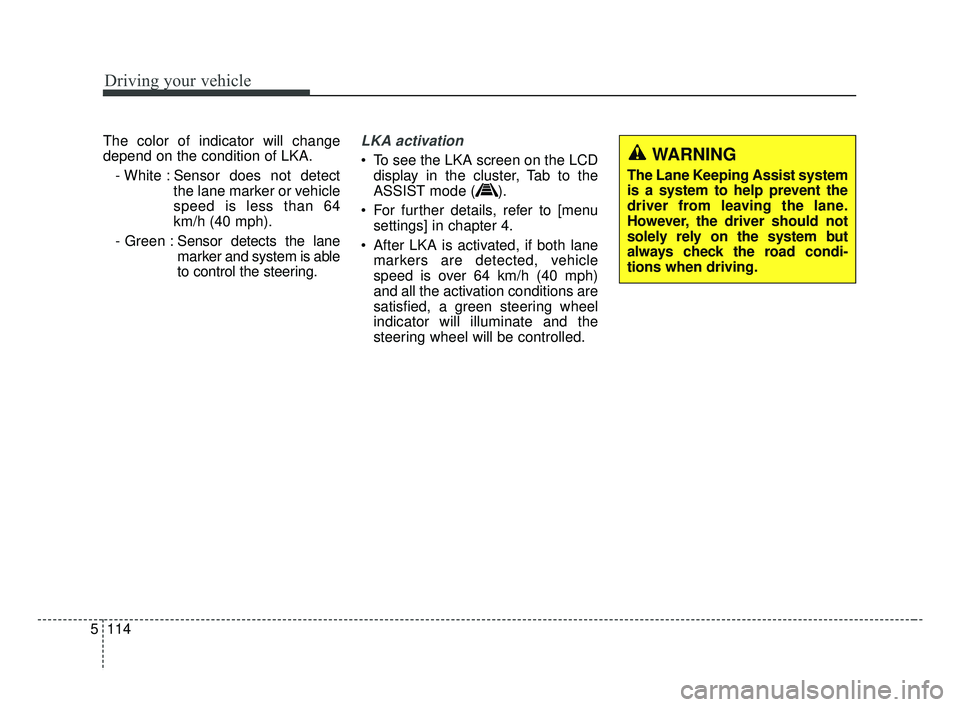
The color of indicator will change
depend on the condition of LKA.
- White : Sensor does not detect the lane marker or vehicle
speed is less than 64
km/h (40 mph).
- Green : Sensor detects the lane
marker and system is able
to control the steering.LKA activation
To see the LKA screen on the LCD
display in the cluster, Tab to the
ASSIST mode ( ).
For further details, refer to [menu settings] in chapter 4.
After LKA is activated, if both lane markers are detected, vehicle
speed is over 64 km/h (40 mph)
and all the activation conditions are
satisfied, a green steering wheel
indicator will illuminate and the
steering wheel will be controlled.WARNING
The Lane Keeping Assist system
is a system to help prevent the
driver from leaving the lane.
However, the driver should not
solely rely on the system but
always check the road condi-
tions when driving.
BDm CAN (ENG) 5.QXP 7/4/2018 10:17 AM Page 114
Page 361 of 550
5115
Driving your vehicle
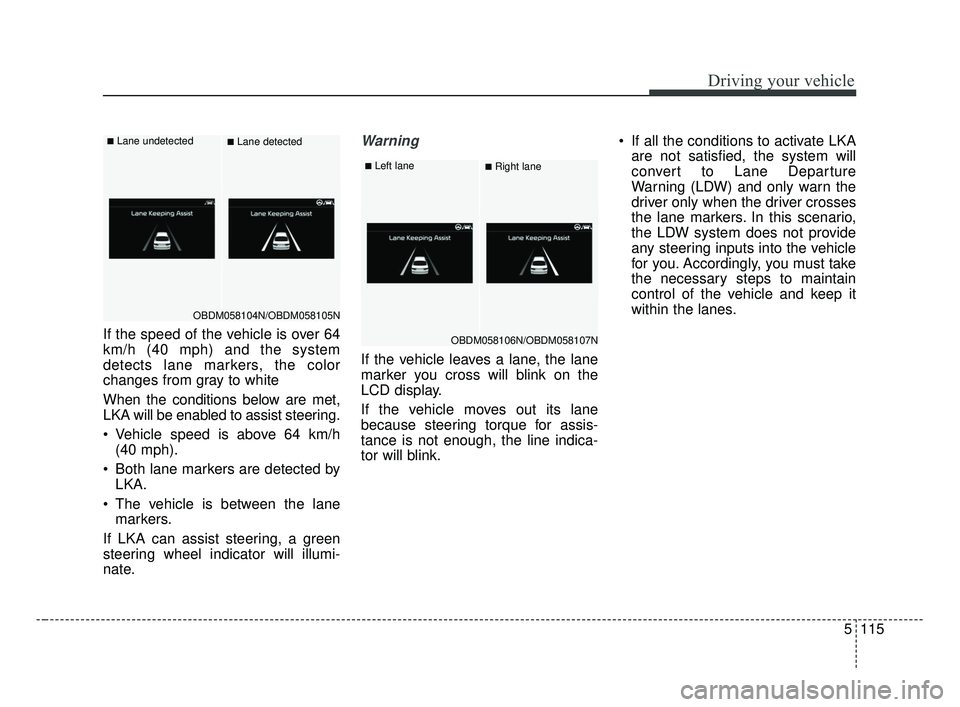
If the speed of the vehicle is over 64
km/h (40 mph) and the system
detects lane markers, the color
changes from gray to white
When the conditions below are met,
LKA will be enabled to assist steering.
Vehicle speed is above 64 km/h(40 mph).
Both lane markers are detected by LKA.
The vehicle is between the lane markers.
If LKA can assist steering, a green
steering wheel indicator will illumi-
nate.
Warning
If the vehicle leaves a lane, the lane
marker you cross will blink on the
LCD display.
If the vehicle moves out its lane
because steering torque for assis-
tance is not enough, the line indica-
tor will blink. If all the conditions to activate LKA
are not satisfied, the system will
convert to Lane Departure
Warning (LDW) and only warn the
driver only when the driver crosses
the lane markers. In this scenario,
the LDW system does not provide
any steering inputs into the vehicle
for you. Accordingly, you must take
the necessary steps to maintain
control of the vehicle and keep it
within the lanes.
OBDM058104N/OBDM058105N
■Lane undetected■Lane detected
OBDM058106N/OBDM058107N
■Left lane■Right lane
BDm CAN (ENG) 5.QXP 7/4/2018 10:17 AM Page 115
Page 363 of 550
5117
Driving your vehicle
✽ ✽NOTICE
• Even though the steering is assist-
ed by the system, the driver may
control the steering.
• The steering wheel may feel heav- ier when the steering wheel is
assisted by the system than when it
is not.
The system will be cancelled when:
You change lanes with the turn sig-
nal.
- Using the turn signal to changelanes.
- If you change lanes without the turn signal on, the steering wheel
might be controlled.
LKA can transit to steering assist mode when the car is near to mid-
dle of the lane after system on or
the lane was changed. LKA can
not assist steering if the vehicle fol-
lows lane marker too close contin-
uously before transition to steering
assist mode.
The control of ESC (Electronic Stability Control) or VSM (Vehicle
Stability Management) is activated.
The steering will not be assisted when you drive fast on a sharp
curve. The steering will not be assisted
when vehicle speed is below 64
km/h (40 mph). and over 177 km/h
(110 mph). Always obey all traffic
laws and drive safely.
The steering will not be assisted when you change lanes quickly.
The steering will not be assisted when you brake suddenly.
The steering will not be assisted when the lane is very wide or nar-
row.
The steering will not be assisted when only one side lane marker is
detected.
There are more than two lane markers such as a construction
area.
Radius of a curve is too small.
When you turn steering wheel sud- denly, the LKA will be disabled
temporarily.
Driving on a steep slope or hill.
BDm CAN (ENG) 5.QXP 7/4/2018 10:17 AM Page 117
Page 366 of 550
Driving your vehicle
120
5
When there is a problem with the sys-
tem do one of the following:
Turn the system on after turning
the engine off and on again.
Check if the ignition switch is in the ON position.
Check if the system is affected by the weather. (ex: fog, heavy rain,
etc.)
Check if there is foreign matter on the camera lens
If the problem is not solved, take your
vehicle to an authorized Kia dealer
and have the system checked.LKA function change
The driver can change LKA to Lane
Departure Warning (LDW) system or
change the LKA mode between
Standard LKA and Active LKA from
the User Settings Mode on the LCD
display. The driver can choose them by plac-
ing the ignition switch to the ON posi-
tion and by selecting ‘User Settings’,
‘Driver Assistance’, and ‘Lane
Safety’.
The system is automatically set to
Standard LKA when your vehicle is
first delivered from the factory.
Lane Departure Warning
LDW alerts the driver with a visual
and acoustic warning when the sys-
tem detects the vehicle leaving the
lane. In this mode, the system will not
provide steering inputs. When the
vehicle’s front wheel contacts the
inside edge of lane line, LKA issues
the lane departure warning.
Standard LKA
The Standard LKA mode guides the
driver to keep the vehicle within the
lanes. It provides inputs to the steer-
ing, when the vehicle is about to
deviate from the lanes.
Active LKA
The active LKA mode provides more
frequent steering wheel control in
comparison with the Standard LKA
mode. Active LKA can reduce the dri-
ver’s fatigue to assist the steering for
maintaining the vehicle in the middle
of the lane.
BDm CAN (ENG) 5.QXP 7/4/2018 10:18 AM Page 120