steering wheel KIA FORTE 2019 Owner's Guide
[x] Cancel search | Manufacturer: KIA, Model Year: 2019, Model line: FORTE, Model: KIA FORTE 2019Pages: 550, PDF Size: 11.66 MB
Page 275 of 550
529
Driving your vehicle
Always use the parking brake. Donot depend on placing the trans-
mission in P (Park) to keep the
vehicle from moving.
Optimum vehicle performance and economy is obtained by smoothly
depressing and releasing the
accelerator pedal.
WARNING
Always buckle-up! In a colli-sion, an unbelted occupant is
significantly more likely to be
seriously injured or killed than
a properly belted occupant.
Avoid high speeds when cor- nering or turning.
Do not make quick steering wheel movements, such as
sharp lane changes or fast,
sharp turns.
The risk of a rollover is greatly increased if you lose control of
your vehicle at highway speeds.
Losing control often occurs if two or more wheels drop off the
roadway and the driver over-
steers to reenter the roadway.
In the event your vehicle leaves the roadway, do not
steer sharply. Instead, slow
down before pulling back into
the travel lanes.
Never exceed posted speed limits.
WARNING
If your vehicle becomes stuck in
snow, mud, sand, etc., then you
may attempt to rock the vehicle
free by moving it forward and
backward. Do not attempt this
procedure if people or objects
are anywhere near the vehicle.
During the rocking operation the
vehicle may suddenly move for-
ward or backward as it becomes
unstuck, causing injury or dam-
age to nearby people or objects.
WARNING
Exercise extreme caution when
driving on a slippery surface.
Be especially careful when
braking, accelerating or shifting
gears. On a slippery surface, an
abrupt change in vehicle speed
can cause the drive wheels to
lose traction and the vehicle to
go out of control.
BDm CAN (ENG) 5.QXP 7/4/2018 10:13 AM Page 29
Page 283 of 550
537
Driving your vehicle
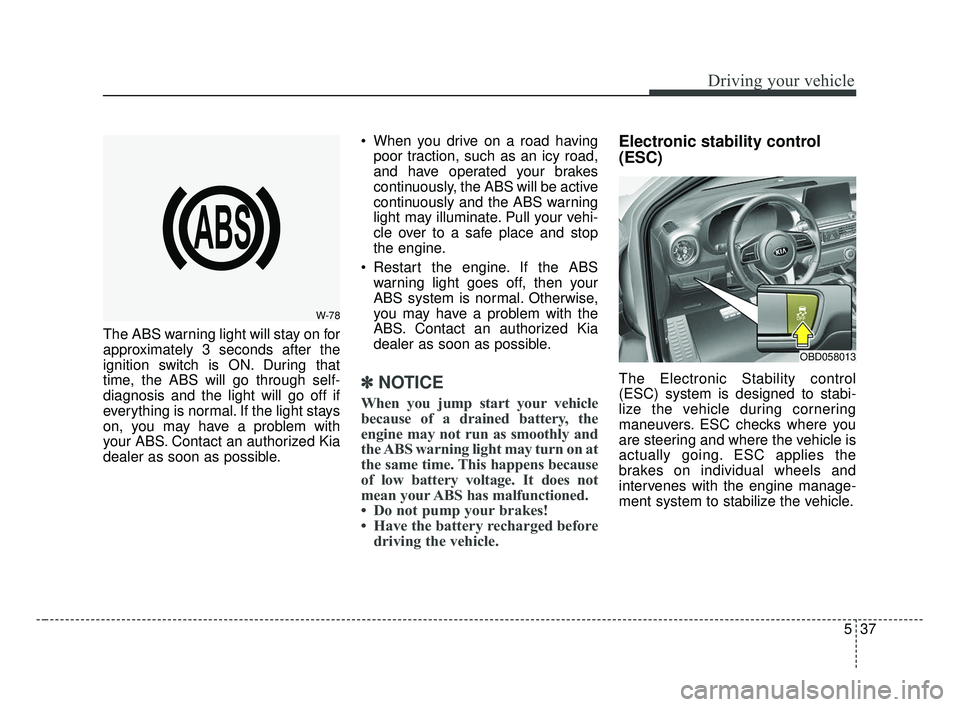
The ABS warning light will stay on for
approximately 3 seconds after the
ignition switch is ON. During that
time, the ABS will go through self-
diagnosis and the light will go off if
everything is normal. If the light stays
on, you may have a problem with
your ABS. Contact an authorized Kia
dealer as soon as possible. When you drive on a road having
poor traction, such as an icy road,
and have operated your brakes
continuously, the ABS will be active
continuously and the ABS warning
light may illuminate. Pull your vehi-
cle over to a safe place and stop
the engine.
Restart the engine. If the ABS warning light goes off, then your
ABS system is normal. Otherwise,
you may have a problem with the
ABS. Contact an authorized Kia
dealer as soon as possible.
✽ ✽ NOTICE
When you jump start your vehicle
because of a drained battery, the
engine may not run as smoothly and
the ABS warning light may turn on at
the same time. This happens because
of low battery voltage. It does not
mean your ABS has malfunctioned.
• Do not pump your brakes!
• Have the battery recharged before
driving the vehicle.
Electronic stability control
(ESC)
The Electronic Stability control
(ESC) system is designed to stabi-
lize the vehicle during cornering
maneuvers. ESC checks where you
are steering and where the vehicle is
actually going. ESC applies the
brakes on individual wheels and
intervenes with the engine manage-
ment system to stabilize the vehicle.
W-78
OBD058013
BDm CAN (ENG) 5.QXP 7/4/2018 10:13 AM Page 37
Page 284 of 550
Driving your vehicle
38
5
Electronic stability control (ESC) will
not prevent accidents. Excessive
speed in turns, abrupt maneuvers and
hydroplaning on wet surfaces can still
result in serious accidents. Only a
safe and attentive driver can prevent
accidents by avoiding maneuvers that
cause the vehicle to lose traction.
Even with ESC installed, always fol-
low all the normal precautions for driv-
ing - including driving at safe speeds
for the conditions. The Electronic Stability Control (ESC)
system is an electronic system
designed to help the driver maintain
vehicle control under adverse condi-
tions. It is not a substitute for safe driv-
ing practices. Factors including speed,
road conditions and driver steering
input can all affect whether ESC will be
effective in preventing a loss of control.
It is still your responsibility to drive and
corner at reasonable speeds and to
leave a sufficient margin of safety.
When you apply your brakes under
conditions which may lock the wheels,
you may hear a “tik-tik’’ sound from the
brakes, or feel a corresponding sensa-
tion in the brake pedal. This is normal
and it means your ESC is active.
✽ ✽
NOTICE
A click sound may be heard in the
engine compartment when the vehi-
cle begins to move after the engine is
started. These conditions are normal
and indicate that the Electronic
Stability Control System is function-
ing properly.
ESC operation
ESC ON condition
When the ignition is turnedON, ESC and ESC OFF
indicator lights illuminate for
approximately 3 seconds,
then ESC is turned on.
ton for at least half a sec-
ond after turning the igni-
tion ON to turn ESC off.
(ESC OFF indicator will
illuminate). To turn the
ESC on, press the ESC
OFF button (ESC OFF
indicator light will go off).
you may hear a slight tick-
ing sound. This is the ESC
performing an automatic
system self-check and does
not indicate a problem.
WARNING
For maximum protection, always
wear your seat belt. No system,
no matter how advanced, can
compensate for all driver error
and/or driving conditions.
Always drive responsibly.
-
BDm CAN (ENG) 5.QXP 7/4/2018 10:13 AM Page 38
Page 288 of 550
Driving your vehicle
42
5
✽ ✽
NOTICE
• When operating the vehicle on a
dynamometer, ensure that the
ESC is turned off (ESC OFF light
illuminated). If the ESC is left on,
it may prevent the vehicle speed
from increasing, and result in false
diagnosis.
• Turning the ESC off does not affect ABS or brake system opera-
tion.
Vehicle stability management
(VSM)
This system provides further
enhancements to vehicle stability
and steering responses when a vehi-
cle is driving on a slippery road or a
vehicle detects changes in coeffi-
cient of friction between right wheels
and left wheels when braking.
VSM operation
When the VSM is in operation, ESC
indicator light ( ) blinks.
When the vehicle stability manage-
ment is operating properly, you can
feel a slight pulsation in the vehicle
and/or abnormal steering responses
(EPS- Electronic Power Steering).
This is only the effect of brake and
EPS control and indicates nothing
unusual.
The VSM does not operate when:
Driving on a sloping road such as a
gradient or incline
Driving in reverse
ESC OFF indicator light ( ) remains on the instrument cluster
EPS indicator light remains on the instrument cluster
WARNING- Tire/
Wheel size
When replacing tires and wheels,
make sure they are the same size
as the original tires and wheels
installed. Driving with varying
tire or wheel sizes may diminish
any supplemental safety benefits
of the VSM system.
BDm CAN (ENG) 5.QXP 7/4/2018 10:13 AM Page 42
Page 289 of 550
543
Driving your vehicle
VSM operation off
If you press the ESC OFF button to
turn off the ESC, the VSM will also
cancel and the ESC OFF indicator
light ( ) illuminates.
To turn on the VSM, press the button
again. The ESC OFF indicator light
goes out.
Malfunction indicator
The VSM can be deactivated even if
you don’t cancel the VSM operation
by pressing the ESC OFF button. It
indicates that a malfunction has
been detected somewhere in the
Electric Power Steering system or
VSM system. If the ESC indicator
light ( ) or EPS warning light
remains on, take your vehicle to an
authorized Kia dealer and have the
system checked.
✽ ✽NOTICE
• The VSM is designed to function
above approximately 22 km/h (13
mph) on curves.
• The VSM is designed to function above approximately 10 km/h (6
mph) when a vehicle is braking on
a split-mu surface. A split-mu sur-
face is made of two surfaces which
have different friction forces.
The Vehicle Stability Management
system is not a substitute for safe
driving practices but a supplemen-
tary function only. It is the respon-
sibility of the driver to always check
the speed and the distance to the
vehicle ahead. Always hold the
steering wheel firmly while driving.
Your vehicle is designed to activate according to the driver’s intention,
even with installed VSM. Always fol-
low all the normal precautions for
driving at safe speeds for the condi-
tions – including driving in inclement
weather and on a slippery road.
WARNING
- Vehicle stability management
Drive carefully even though your
vehicle has Vehicle stability man-
agement. It can only assist you in
maintaining control under cer-
tain circumstances.
WARNING
For maximum protection, always
wear your seat belt. No system,
no matter how advanced, can
compensate for all driver error
and/or driving conditions.
Always drive responsibly.
BDm CAN (ENG) 5.QXP 7/4/2018 10:13 AM Page 43
Page 294 of 550
Driving your vehicle
48
5
Prerequisite for activation
The FCA gets ready to be activated,
when the FCA is selected on the
LCD display, and when the following
prerequisites are satisfied.
- The ESC is ON.
- The driving speed is over 10 km/h
(6 mph ). (However, FCA is activat-
ed within certain driving speed.)
- When recognizing a vehicle in front. (However, FCA deactivate
according to conditions in front and
vehicle systems, but it notices only
certain warnings.)
- The FCA automatically deactivates upon canceling the ESC. When the
ESC is cancelled, the FCA cannot
be activated on the LCD display. In
this situation, the FCA warning
light will illuminate.
FCA warning message and
system control
The FCA system produces warning
messages, warning alarms, and
emergency braking based on the risk
of a frontal collision, such as when a
vehicle ahead suddenly brakes.
The driver can select the initial warn-
ing activation time in the User Settings
in the LCD display. The options for the
initial Forward Collision-Avoidance
Assist include Early, Normal or Late
initial warning time.
WARNING
The FCA automatically acti-vates upon placing the igni-
tion switch to the ON position.
The driver can deactivate the
FCA by canceling the system
setting on the LCD display.
The FCA automatically deacti- vates upon canceling the
ESC. When the ESC is can-
celled, the FCA cannot be
activated on the LCD display.
The FCA warning light will
illuminate, but it does not indi-
cate a malfunction of the sys-
tem.
Set or cancel FCA with con- trolling switches on steering
wheel after stopping the vehi-
cle in the safe place for your
safety.
BDm CAN (ENG) 5.QXP 7/4/2018 10:13 AM Page 48
Page 295 of 550
549
Driving your vehicle
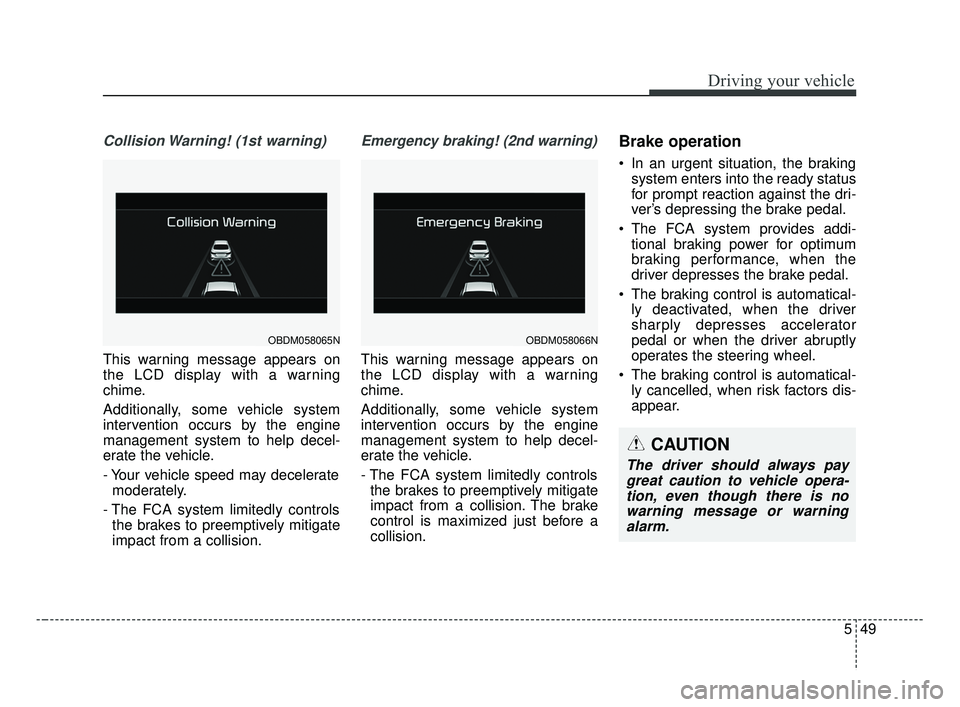
Collision Warning! (1st warning)
This warning message appears on
the LCD display with a warning
chime.
Additionally, some vehicle system
intervention occurs by the engine
management system to help decel-
erate the vehicle.
- Your vehicle speed may deceleratemoderately.
- The FCA system limitedly controls the brakes to preemptively mitigate
impact from a collision.
Emergency braking! (2nd warning)
This warning message appears on
the LCD display with a warning
chime.
Additionally, some vehicle system
intervention occurs by the engine
management system to help decel-
erate the vehicle.
- The FCA system limitedly controlsthe brakes to preemptively mitigate
impact from a collision. The brake
control is maximized just before a
collision.
Brake operation
In an urgent situation, the braking system enters into the ready status
for prompt reaction against the dri-
ver’s depressing the brake pedal.
The FCA system provides addi- tional braking power for optimum
braking performance, when the
driver depresses the brake pedal.
The braking control is automatical- ly deactivated, when the driver
sharply depresses accelerator
pedal or when the driver abruptly
operates the steering wheel.
The braking control is automatical- ly cancelled, when risk factors dis-
appear.
OBDM058065NOBDM058066N
CAUTION
The driver should always paygreat caution to vehicle opera-tion, even though there is nowarning message or warningalarm.
BDm CAN (ENG) 5.QXP 7/4/2018 10:14 AM Page 49
Page 307 of 550
561
Driving your vehicle
Prerequisite for activation
The FCA gets ready to be activated,
when the FCA is selected on the
LCD display, and when the following
prerequisites are satisfied.
- The ESC is ON.
- The driving speed is over 10 km/h(6 mph). (However, FCA is activat-
ed within certain driving speed.)
- When recognizing a vehicle or the pedestrian in front. (However, FCA
deactivate according to conditions
in front and vehicle systems, but it
notices only certain warnings.)
- The FCA automatically deactivates upon canceling the ESC. When the
ESC is cancelled, the FCA cannot
be activated on the LCD display. In
this situation, the FCA warning
light will illuminate.
FCA warning message and
system control
The FCA system produces warning
messages, warning alarms, and
emergency braking based on the risk
of a frontal collision, such as when a
vehicle ahead suddenly brakes.
The driver can select the initial warn-
ing activation time in the User
Settings in the LCD display. The
options for the initial Forward
Collision-Avoidance Assist include
Early, Normal or Late initial warning
time.
WARNING
The FCA automatically acti-vates upon placing the igni-
tion switch to the ON position.
The driver can deactivate the
FCA by canceling the system
setting on the LCD display.
The FCA automatically deacti- vates upon canceling the
ESC. When the ESC is can-
celled, the FCA cannot be
activated on the LCD display.
The FCA warning light will
illuminate, but it does not indi-
cate a malfunction of the sys-
tem.
Set or cancel FCA with con- trolling switches on steering
wheel after stopping the vehi-
cle in the safe place for your
safety.
BDm CAN (ENG) 5.QXP 7/4/2018 10:14 AM Page 61
Page 308 of 550
Driving your vehicle
62
5
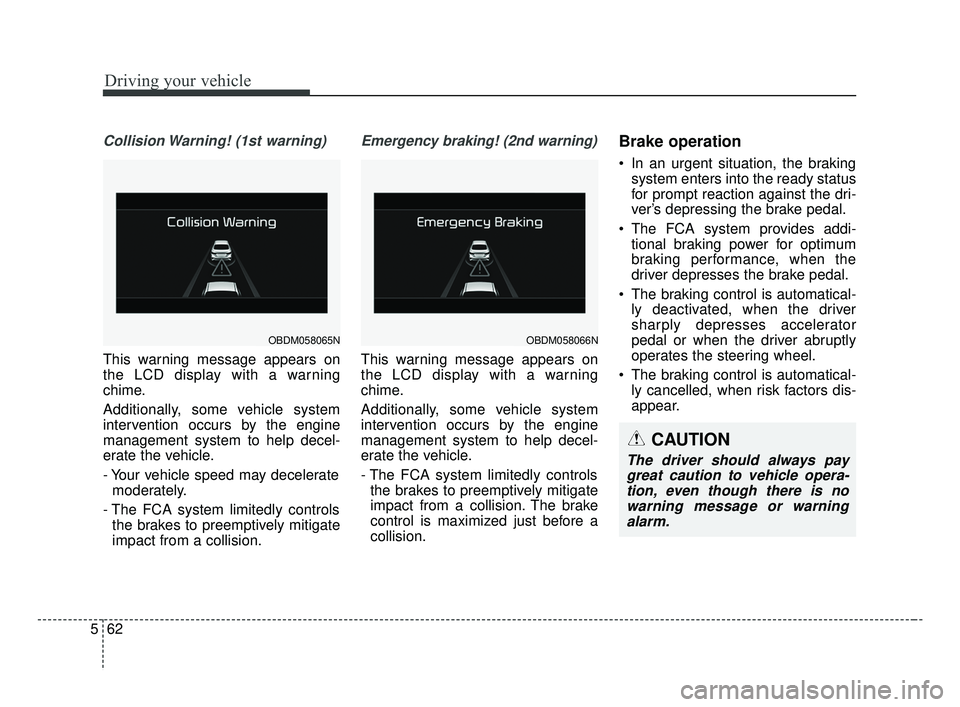
Collision Warning! (1st warning)
This warning message appears on
the LCD display with a warning
chime.
Additionally, some vehicle system
intervention occurs by the engine
management system to help decel-
erate the vehicle.
- Your vehicle speed may decelerate
moderately.
- The FCA system limitedly controls the brakes to preemptively mitigate
impact from a collision.
Emergency braking! (2nd warning)
This warning message appears on
the LCD display with a warning
chime.
Additionally, some vehicle system
intervention occurs by the engine
management system to help decel-
erate the vehicle.
- The FCA system limitedly controlsthe brakes to preemptively mitigate
impact from a collision. The brake
control is maximized just before a
collision.
Brake operation
In an urgent situation, the braking system enters into the ready status
for prompt reaction against the dri-
ver’s depressing the brake pedal.
The FCA system provides addi- tional braking power for optimum
braking performance, when the
driver depresses the brake pedal.
The braking control is automatical- ly deactivated, when the driver
sharply depresses accelerator
pedal or when the driver abruptly
operates the steering wheel.
The braking control is automatical- ly cancelled, when risk factors dis-
appear.
OBDM058065NOBDM058066N
CAUTION
The driver should always paygreat caution to vehicle opera-tion, even though there is nowarning message or warningalarm.
BDm CAN (ENG) 5.QXP 7/4/2018 10:14 AM Page 62
Page 320 of 550
Driving your vehicle
74
5
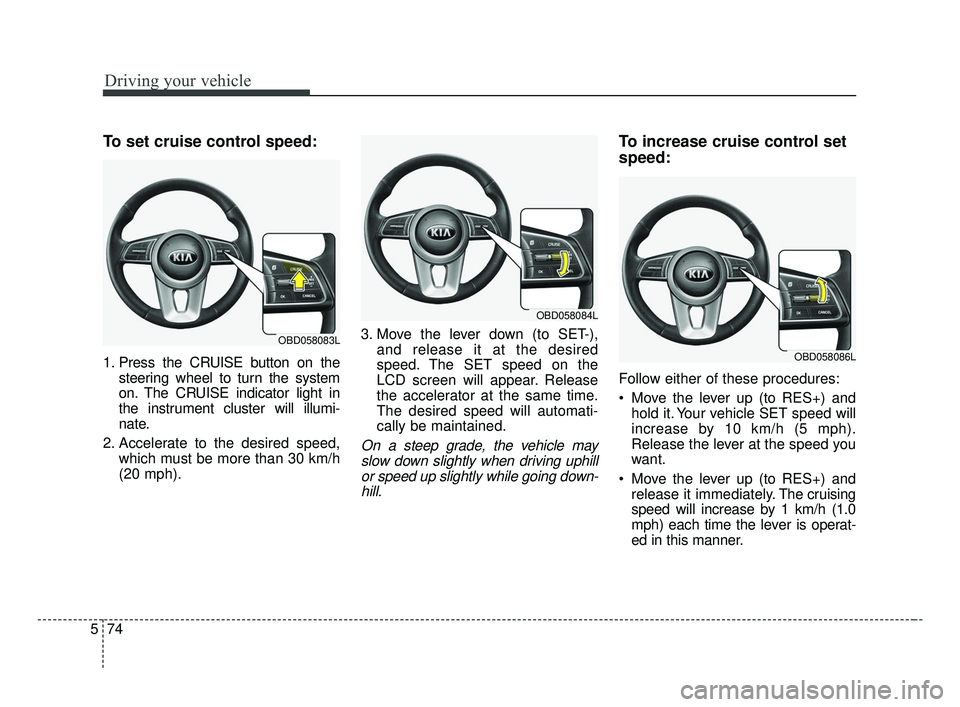
To set cruise control speed:
1. Press the CRUISE button on the
steering wheel to turn the system
on. The CRUISE indicator light in
the instrument cluster will illumi-
nate.
2. Accelerate to the desired speed, which must be more than 30 km/h
(20 mph). 3. Move the lever down (to SET-),
and release it at the desired
speed. The SET speed on the
LCD screen will appear. Release
the accelerator at the same time.
The desired speed will automati-
cally be maintained.
On a steep grade, the vehicle mayslow down slightly when driving uphillor speed up slightly while going down-hill.
To increase cruise control set
speed:
Follow either of these procedures:
Move the lever up (to RES+) and hold it. Your vehicle SET speed will
increase by 10 km/h (5 mph).
Release the lever at the speed you
want.
Move the lever up (to RES+) and release it immediately. The cruising
speed will increase by 1 km/h (1.0
mph) each time the lever is operat-
ed in this manner.
OBD058083L
OBD058084L
OBD058086L
BDm CAN (ENG) 5.QXP 7/4/2018 10:15 AM Page 74