cruise control KIA FORTE 2020 Owner's Manual
[x] Cancel search | Manufacturer: KIA, Model Year: 2020, Model line: FORTE, Model: KIA FORTE 2020Pages: 568, PDF Size: 8.58 MB
Page 350 of 568
Driving your vehicle
104
5
1. Turn the smart cruise control sys-
tem on (the cruise indicator light
will be on but the system will not
be activated).
2. Push the distance to distance switch for more than 2 seconds.
3. Choose between "Smart Cruise Control" and "Cruise Control".
When the system is canceled using
the CRUISE button or the CRUISE
button is used after the engine is
turned on, the Smart Cruise Control
mode will turn on.Limitations of the system
The smart cruise control system may
have limits to its ability to detect dis-
tance to the vehicle ahead due to
road and traffic conditions.
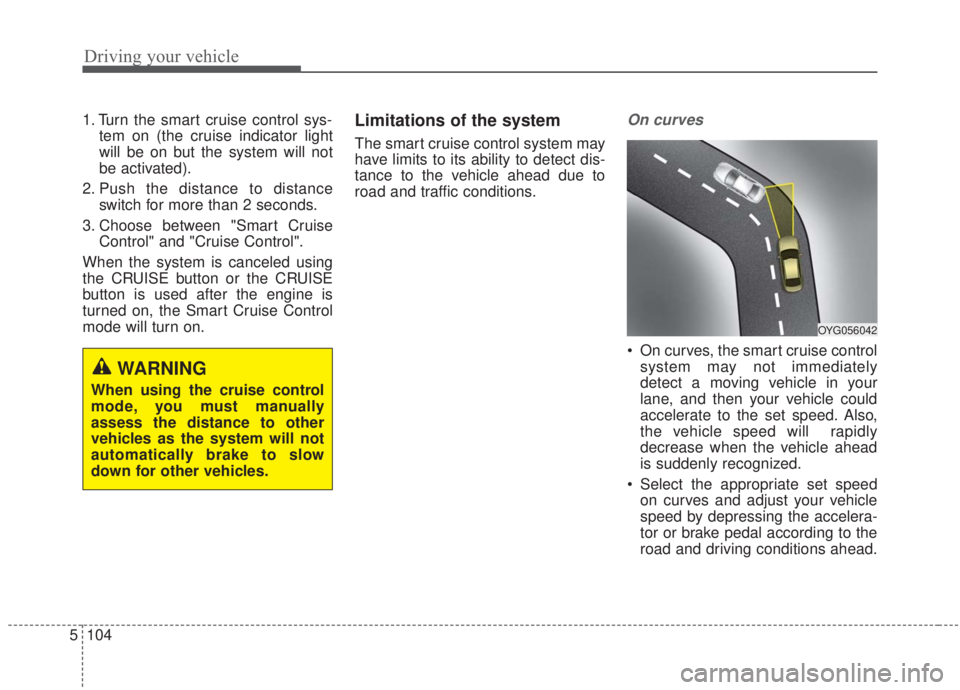
On curves
On curves, the smart cruise control system may not immediately
detect a moving vehicle in your
lane, and then your vehicle could
accelerate to the set speed. Also,
the vehicle speed will rapidly
decrease when the vehicle ahead
is suddenly recognized.
Select the appropriate set speed on curves and adjust your vehicle
speed by depressing the accelera-
tor or brake pedal according to the
road and driving conditions ahead.
WARNING
When using the cruise control
mode, you must manually
assess the distance to other
vehicles as the system will not
automatically brake to slow
down for other vehicles.
OYG056042
Page 351 of 568

5105
Driving your vehicle
Your vehicle speed can be reduceddue to a vehicle in the adjacent
lane. Adjust your vehicle speed by
depressing the brake pedal accord-
ing to the road and driving condi-
tions ahead. Apply the accelerator
pedal and select the appropriate set
speed. Check to be sure that the
road conditions permit safe opera-
tion of the smart cruise control.
On inclines
During uphill or downhill driving,the smart cruise control system
may not immediately detect a mov-
ing vehicle in your lane, and may
cause your vehicle to accelerate to
the set speed. Also, the vehicle
speed may rapidly decrease when
the vehicle ahead is suddenly rec-
ognized.
Select the appropriate set speed on inclines and adjust your vehicle
speed by depressing the accelera-
tor or brake pedal according to the
road and driving conditions ahead.
Lane changing
A vehicle which moves into yourlane from an adjacent lane cannot
be recognized by the sensor until it
is in the sensor's detection range.
The sensor may not immediately detect when a vehicle cuts in sud-
denly. Always pay attention to the
traffic, road and driving conditions.
If a vehicle which moves into your lane is slower than your vehicle,
your speed may decrease to main-
tain the distance to the vehicle
ahead.
OYG056043
OBD058016OYG056045
Page 354 of 568
Driving your vehicle
108
5
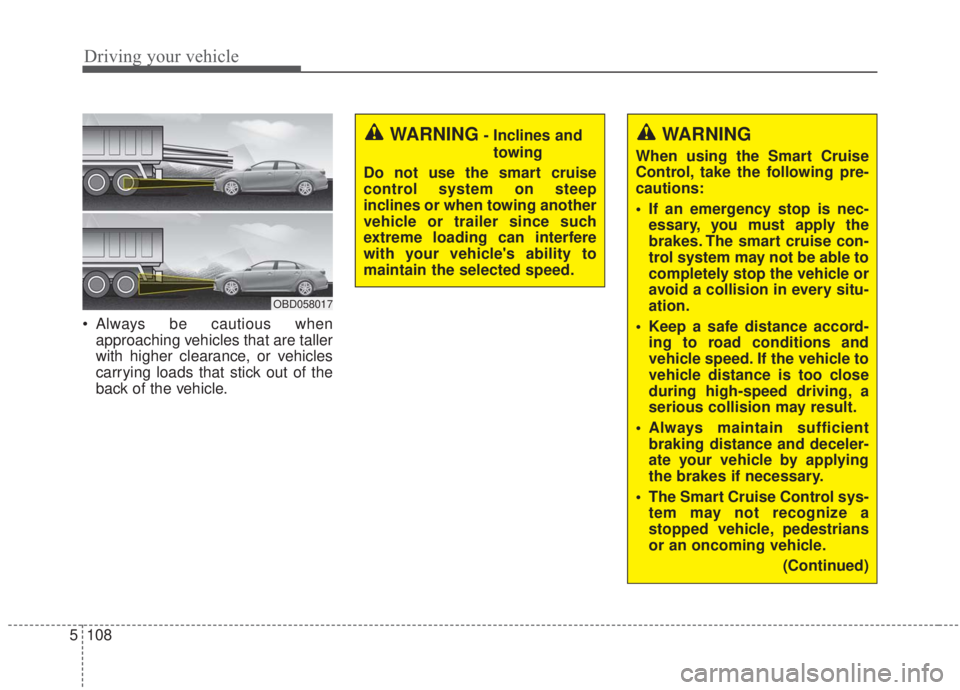
Always be cautious when
approaching vehicles that are taller
with higher clearance, or vehicles
carrying loads that stick out of the
back of the vehicle.
OBD058017
WARNING
When using the Smart Cruise
Control, take the following pre-
cautions:
If an emergency stop is nec-essary, you must apply the
brakes. The smart cruise con-
trol system may not be able to
completely stop the vehicle or
avoid a collision in every situ-
ation.
Keep a safe distance accord- ing to road conditions and
vehicle speed. If the vehicle to
vehicle distance is too close
during high-speed driving, a
serious collision may result.
Always maintain sufficient braking distance and deceler-
ate your vehicle by applying
the brakes if necessary.
The Smart Cruise Control sys- tem may not recognize a
stopped vehicle, pedestrians
or an oncoming vehicle.
(Continued)
WARNING- Inclines andtowing
Do not use the smart cruise
control system on steep
inclines or when towing another
vehicle or trailer since such
extreme loading can interfere
with your vehicle's ability to
maintain the selected speed.
Page 355 of 568
5109
Driving your vehicle
✽ ✽
NOTICE
The Smart Cruise Control System
may not operate properly due to:
• Electrical interference.
• Modifying the suspension.
• Differences of tire abrasion or tire
pressure.
• Installing different type of tires.(Continued)
The Smart Cruise Control sys-
tem may not recognize com-
plex driving situations, so
always pay attention to driv-
ing conditions and control
your vehicle speed.
For safe operation, carefully read and follow the instruc-
tions in this manual before
use.
CAUTION
The smart cruise control systemmay not operate temporarilydue to electrical interference.
(Continued)
Always look ahead cautiously
in order to react to unexpect-
ed and sudden situations.
Vehicles moving in front of you making frequent lane
changes may cause a delay in
the system's reaction or may
cause the system to react to a
vehicle actually in an adjacent
lane.
Always drive cautiously in
order to react to unexpected
and sudden situations.
Always be aware of the select- ed speed and vehicle to vehi-
cle distance. The driver
should not solely rely on the
system but always pay atten-
tion to driving conditions and
control vehicle speed.
(Continued)
Page 359 of 568
5113
Driving your vehicle
Various driving situations which you
may encounter in SMART mode
The driving mode automaticallychanges to ECO mode after a cer-
tain period of time when you gently
depress the accelerator pedal
(Your driving is categorized to be
mild).
The driving mode automatically changes from SMART ECO mode
to SMART NORMAL mode after a
certain period of time when you
sharply or repetitively depress the
accelerator pedal.
The driving mode automatically changes to SMART NORMAL
mode with the same driving pat-
terns when the vehicle starts to
drive on an upward slope of a cer-
tain angle. The driving mode auto-
matically returns to SMART ECO
mode when the vehicle enters a
leveled road. The driving mode automatically
changes to SMART SPORT when
you abruptly accelerate the vehicle
or repetitively operate the steering
wheel (Your driving is categorized
to be sporty). In this mode, your
vehicle drives in a lower gear for
faster accelerating/decelerating
and increased engine brake per-
formance.
You may still sense the engine brake performance, even when you
release the accelerator pedal in
SMART SPORT mode. It is
because your vehicle remains in a
lower gear over a certain period of
time.
The driving mode automatically changes to SMART SPORT mode
only in dynamic driving situations.
In most normal driving situations
the driving mode sets to either
SMART ECO mode or SMART
NORMAL mode. Limitation of SMART mode
The SMART mode may be limited in
following situations. (The OFF indica-
tor illuminates in those situations.)
The driver manually moves the
shift lever : It deactivates SMART
mode.
The cruise control is activated : The cruise system may deactivate
the SMART mode. (SMART mode
is not automatically deactivated
just by activing the cruise system.)
The transmission oil temperature is either extremely low or extremely
high : The SMART mode can be
active in most of the normal driving
situations. However an extremely
high/ low transmission oil tempera-
ture may temporarily deactivate the
SMART mode, because the trans-
mission condition is out of normal
operation condition.
Page 384 of 568
Driving your vehicle
138
5
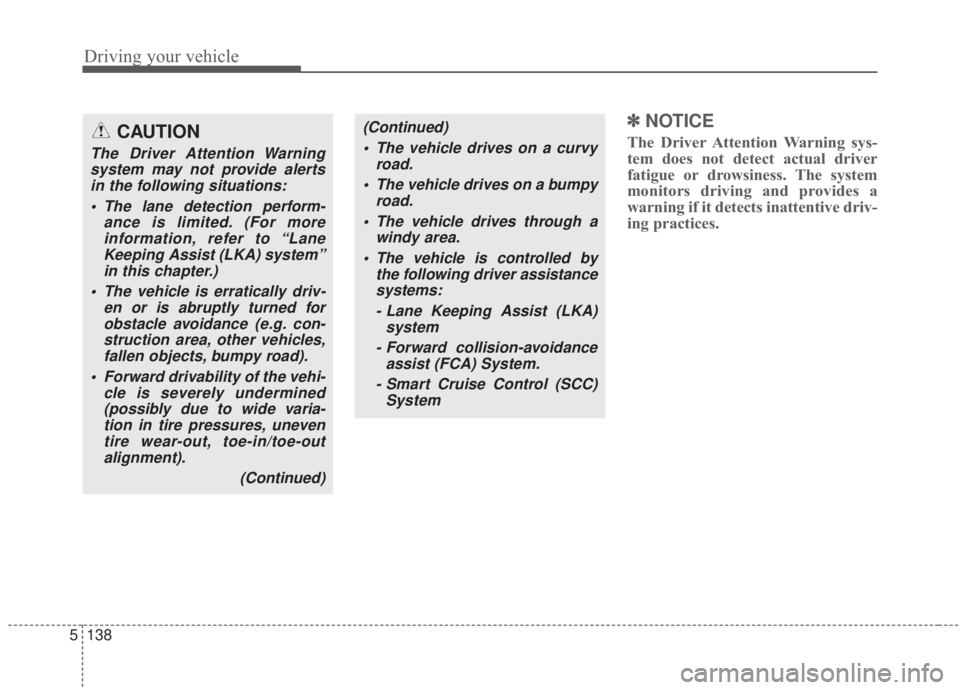
✽ ✽
NOTICE
The Driver Attention Warning sys-
tem does not detect actual driver
fatigue or drowsiness. The system
monitors driving and provides a
warning if it detects inattentive driv-
ing practices. CAUTION
The Driver Attention Warning
system may not provide alertsin the following situations:
The lane detection perform- ance is limited. (For moreinformation, refer to “LaneKeeping Assist (LKA) system”in this chapter.)
The vehicle is erratically driv- en or is abruptly turned forobstacle avoidance (e.g. con-struction area, other vehicles,fallen objects, bumpy road).
Forward drivability of the vehi- cle is severely undermined(possibly due to wide varia-tion in tire pressures, uneventire wear-out, toe-in/toe-outalignment).
(Continued)
(Continued) The vehicle drives on a curvy road.
The vehicle drives on a bumpy road.
The vehicle drives through a windy area.
The vehicle is controlled by the following driver assistancesystems:
- Lane Keeping Assist (LKA) system
- Forward collision-avoidance assist (FCA) System.
- Smart Cruise Control (SCC) System
Page 560 of 568
I3
Index
Brake/clutch fluid ..........................................................7-32Checking the brake/clutch fluid level ........................7-32
Bulb wattage ....................................................................8-4
Checking fluid levels ....................................................7-25
Child Restraint System (CRS) ......................................3-32 Children Always in the Rear ......................................3-32
Installing a Child Restraint System (CRS) ................3-36
Selecting a Child Restraint System (CRS) ................3-33
Climate control air filter ................................................7-37 Filter inspection ..........................................................7-37
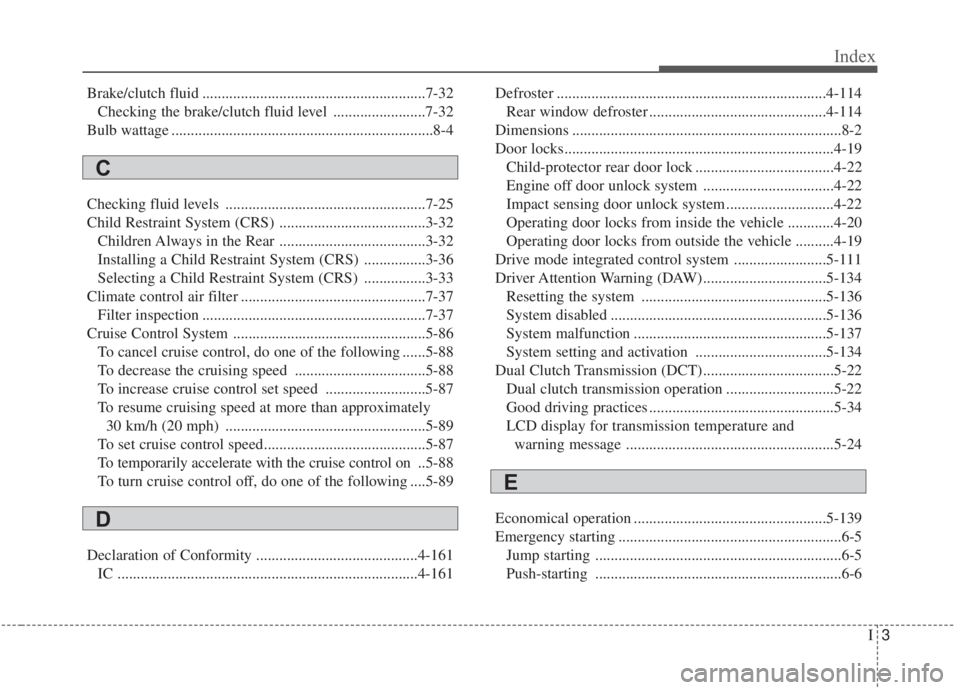
Cruise Control System ..................................................5-86 To cancel cruise control, do one of the following ......5-88
To decrease the cruising speed ..................................5-88
To increase cruise control set speed ..........................5-87
To resume cruising speed at more than approximately 30 km/h (20 mph) ....................................................5-89
To set cruise control speed..........................................5-87
To temporarily accelerate with the cruise control on ..5-88
To turn cruise control off, do one of the following ....5-89
Declaration of Conformity ..........................................4-161 IC ........................................................................\
......4-161 Defroster ......................................................................4-\
114
Rear window defroster ..............................................4-114
Dimensions ......................................................................8-\
2
Door locks......................................................................4-\
19 Child-protector rear door lock ....................................4-22
Engine off door unlock system ..................................4-22
Impact sensing door unlock system ............................4-22
Operating door locks from inside the vehicle ............4-20
Operating door locks from outside the vehicle ..........4-19
Drive mode integrated control system ........................5-111
Driver Attention Warning (DAW)................................5-134 Resetting the system ................................................5-136
System disabled ........................................................5-136
System malfunction ..................................................5-137
System setting and activation ..................................5-134
Dual Clutch Transmission (DCT)..................................5-22 Dual clutch transmission operation ............................5-22
Good driving practices ................................................5-34
LCD display for transmission temperature and warning message ......................................................5-24
Economical operation ..................................................5-139
Emergency starting ..........................................................6-5 Jump starting ................................................................6-5
Push-starting ................................................................6-6
C
D
E
Page 565 of 568
Index
8I
Owner maintenance ........................................................7-8Owner maintenance schedule ......................................7-8
Parking brake ................................................................7-34 Checking the parking brake ........................................7-34
Rear view monitor ........................................................4-99
Recommended lubricants and capacities ........................8-8 Recommended SAE viscosity number ......................8-10
Remote keyless entry ....................................................4-10 Battery replacement ....................................................4-12
Immobilizer system ....................................................4-13
Remote keyless entry system operations ....................4-10
Transmitter precautions ..............................................4-11
Reverse Parking Distance Warning ..............................4-96 Non-operational conditions of reverse parking distance warning ....................................................................4-97\
Operation of the reverse parking distance warning ....4-96
Reverse parking distance warning precautions ..........4-98
Self-diagnosis..............................................................4-98
Road warning ..................................................................6-2 Hazard warning flasher ................................................6-2 Scheduled maintenance service ....................................7-10
Seat ........................................................................\
..........3-4
Driver’s seat ..................................................................3-4
Front passenger’s seat ..................................................3-4
Front seat adjustment - power ......................................3-8
Front seat adjustment -manual ......................................3-7
Headrest (For front seat) ............................................3-10
Rear seat ........................................................................\
3-4
Rear seat adjustment ..................................................3-13
Seatback pocket ..........................................................3-13
Seat belts ........................................................................\
3-18 Care of seat belts ........................................................3-30
Pre-tensioner seat belt ................................................3-25
Seat belt precautions ..................................................3-28
Seat belt restraint system ............................................3-18
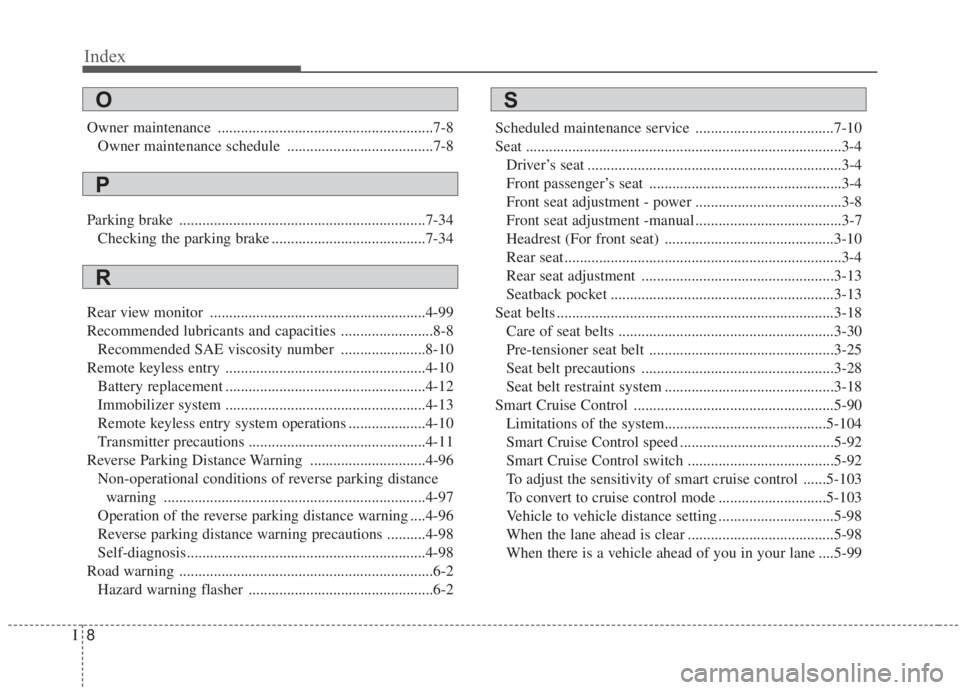
Smart Cruise Control ....................................................5-90 Limitations of the system..........................................5-104\
Smart Cruise Control speed ........................................5-92
Smart Cruise Control switch ......................................5-92
To adjust the sensitivity of smart cruise control ......5-103
To convert to cruise control mode ............................5-103
Vehicle to vehicle distance setting ..............................5-98
When the lane ahead is clear ......................................5-98
When there is a vehicle ahead of you in your lane ....5-99
R
SO
P