brake KIA FORTE 2020 Manual Online
[x] Cancel search | Manufacturer: KIA, Model Year: 2020, Model line: FORTE, Model: KIA FORTE 2020Pages: 568, PDF Size: 8.58 MB
Page 341 of 568

595
Driving your vehicle
To temporarily accelerate with thecruise control on:
If you want to speed up temporarily
when the cruise control is on,
depress the accelerator pedal.
Increased speed will not interfere
with cruise control operation or
change the set speed.
To return to the set speed, take your
foot off the accelerator.
If you move the lever down (to SET-)
at increased speed, the cruising
speed will be set again.
✽ ✽ NOTICE
Be careful when accelerating tem-
porarily, because the speed is not con-
trolled automatically at this time even
if there is a vehicle in front of you.
Smart cruise control will be tem-
porarily canceled when:
Cancelled manually
The smart cruise control is temporar-
ily canceled when the brake pedal is
depressed or the CANCEL button is
pressed. Depress the brake pedal
and press the CANCEL button at the
same time when the vehicle is at a
standstill. The speed and vehicle to
vehicle distance indicator on the
cluster will disappear and the
CRUISE indicator will be illuminated
continuously. Cancelled automatically
The driver's door is opened.
The shift lever is shifted to N
(Neutral), R (Reverse) or P (Paking).
The EPB (electronic parking brake) is applied.
The vehicle speed is over 180 km/h (110 mph)
The ESC, ABS or TCS is operating.
The ESC is turned off.
The sensor or the cover is dirty or blocked with foreign matter.
When the vehicle is stopped for over 5 minutes.
The driver starts driving by pushing the toggle switch up (RES+)/down
(SET-) or depressing the accelera-
tor pedal, after stopping the vehicle
with a vehicle stopped far away in
front.
Engine rpm is in the red zone.
The accelerator pedal is continu- ously depressed for a long time.
The engine speed is in a danger- ous range.
OBD058099R
Page 342 of 568
Driving your vehicle
96
5
The SCC system has malfunc-
tioned.
When the braking control is operat- ed for Forward Collision-Avoidance
Assist(FCA).
The vehicle is stopped for more than 5 minutes.
The driver starts driving by pushing the toggle switch up (RES+)/down
(SET-) or depressing the accelera-
tor pedal, after the vehicle is
stopped by the Smart Cruise
Control system with no other vehi-
cle ahead.
The vehicle stops and goes repeat- edly for a long period of time.
When the parking brake is locked.
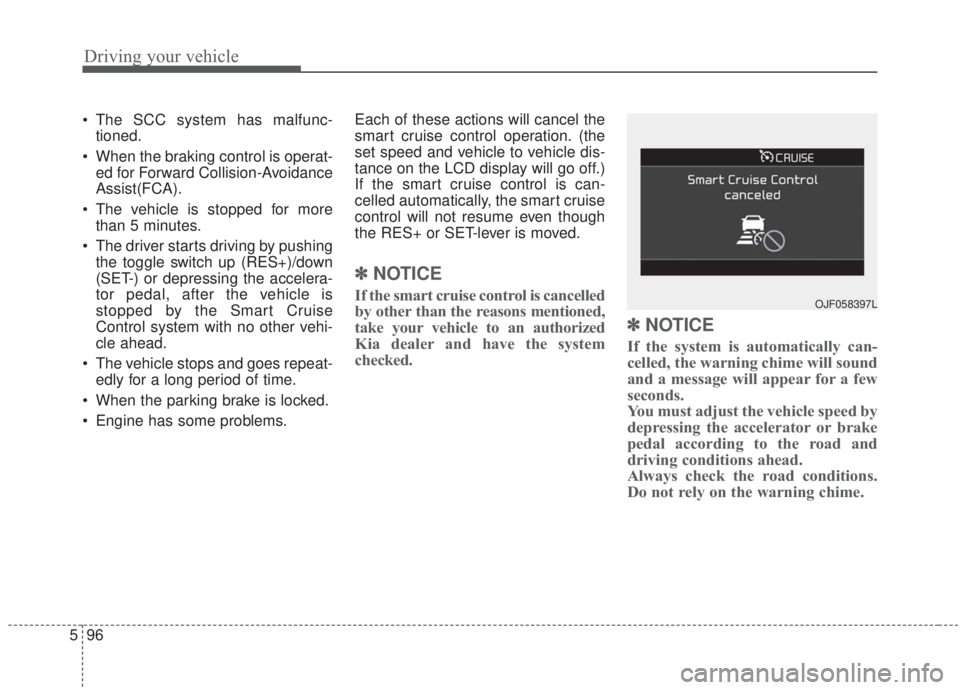
Engine has some problems. Each of these actions will cancel the
smart cruise control operation. (the
set speed and vehicle to vehicle dis-
tance on the LCD display will go off.)
If the smart cruise control is can-
celled automatically, the smart cruise
control will not resume even though
the RES+ or SET-lever is moved.
✽ ✽
NOTICE
If the smart cruise control is cancelled
by other than the reasons mentioned,
take your vehicle to an authorized
Kia dealer and have the system
checked.
✽ ✽NOTICE
If the system is automatically can-
celled, the warning chime will sound
and a message will appear for a few
seconds.
You must adjust the vehicle speed by
depressing the accelerator or brake
pedal according to the road and
driving conditions ahead.
Always check the road conditions.
Do not rely on the warning chime.
OJF058397L
Page 344 of 568
Driving your vehicle
98
5
Vehicle to vehicle distance
setting
To set vehicle to vehicle distance:
This function allows you to program
the vehicle to maintain a relative dis-
tance to the vehicle ahead without
depressing the accelerator pedal or
brake pedal.
The vehicle to vehicle distance will
automatically activate when the
smart cruise control system is on.
Select the appropriate distance
according to road conditions and
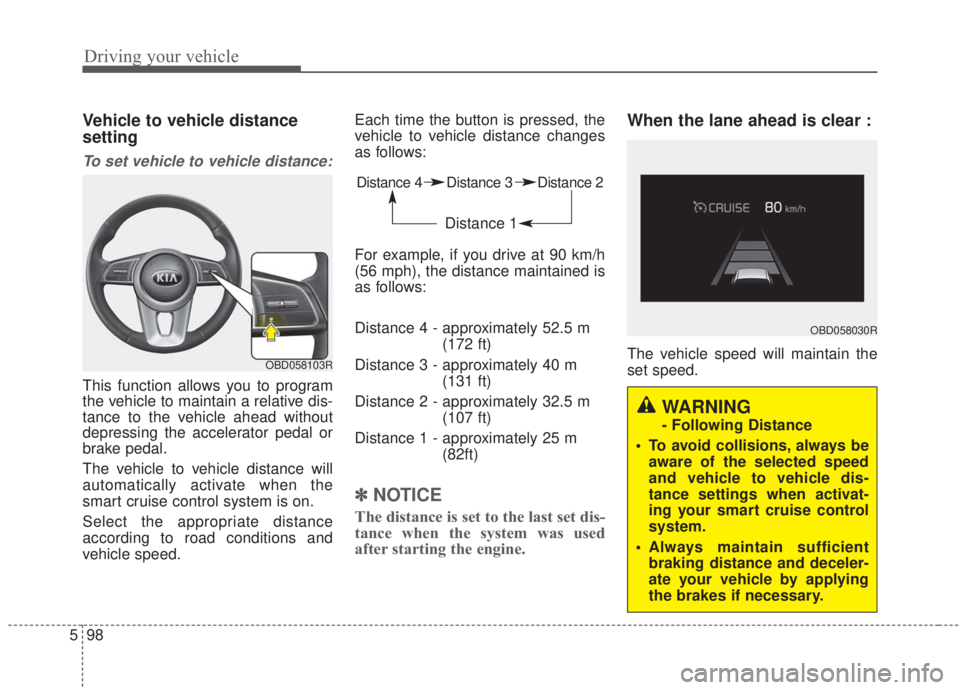
vehicle speed. Each time the button is pressed, the
vehicle to vehicle distance changes
as follows:
For example, if you drive at 90 km/h
(56 mph), the distance maintained is
as follows:
Distance 4 - approximately 52.5 m
(172 ft)
Distance 3 - approximately 40 m (131 ft)
Distance 2 - approximately 32.5 m (107 ft)
Distance 1 - approximately 25 m (82ft)
✽ ✽NOTICE
The distance is set to the last set dis-
tance when the system was used
after starting the engine.
When the lane ahead is clear :
The vehicle speed will maintain the
set speed.OBD058103R
Distance 4 Distance 3 Distance 2
Distance 1
OBD058030R
WARNING
- Following Distance
To avoid collisions, always be aware of the selected speed
and vehicle to vehicle dis-
tance settings when activat-
ing your smart cruise control
system.
Always maintain sufficient braking distance and deceler-
ate your vehicle by applying
the brakes if necessary.
Page 346 of 568

Driving your vehicle
100
5
If the vehicle ahead (vehicle speed:
less than 30 km/h (20 mph) disap-
pears to the next lane, the warning
chime will sound and a message will
appear. Adjust your vehicle speed for
vehicles or objects that can sudden-
ly appear in front of you by depress-
ing the brake pedal according to the
road and driving conditions ahead.
Radar to detect distance to the
vehicle ahead
The sensor detects the distance to
the vehicle ahead.
If the sensor is covered with dirt or
other foreign matter, the vehicle to
vehicle distance control may not
operate correctly.
Always keep the area in front of the
sensor clean.
CAUTION
The warning chime sounds and LCD display blinks if it ishard to maintain the selecteddistance to the vehicle ahead.
If the warning chime sounds, actively adjust the vehiclespeed by depressing thebrake pedal according to theroad condition ahead anddriving conditions.
Even if the warning chime is not activated, always payattention to the driving condi-tions to prevent dangeroussituations from occurring.
Be alert to road conditions as the radio and outside soundsor conditions could interrupt awarning sound.
OJF058401L
OBD058014
Page 350 of 568
Driving your vehicle
104
5
1. Turn the smart cruise control sys-
tem on (the cruise indicator light
will be on but the system will not
be activated).
2. Push the distance to distance switch for more than 2 seconds.
3. Choose between "Smart Cruise Control" and "Cruise Control".
When the system is canceled using
the CRUISE button or the CRUISE
button is used after the engine is
turned on, the Smart Cruise Control
mode will turn on.Limitations of the system
The smart cruise control system may
have limits to its ability to detect dis-
tance to the vehicle ahead due to
road and traffic conditions.
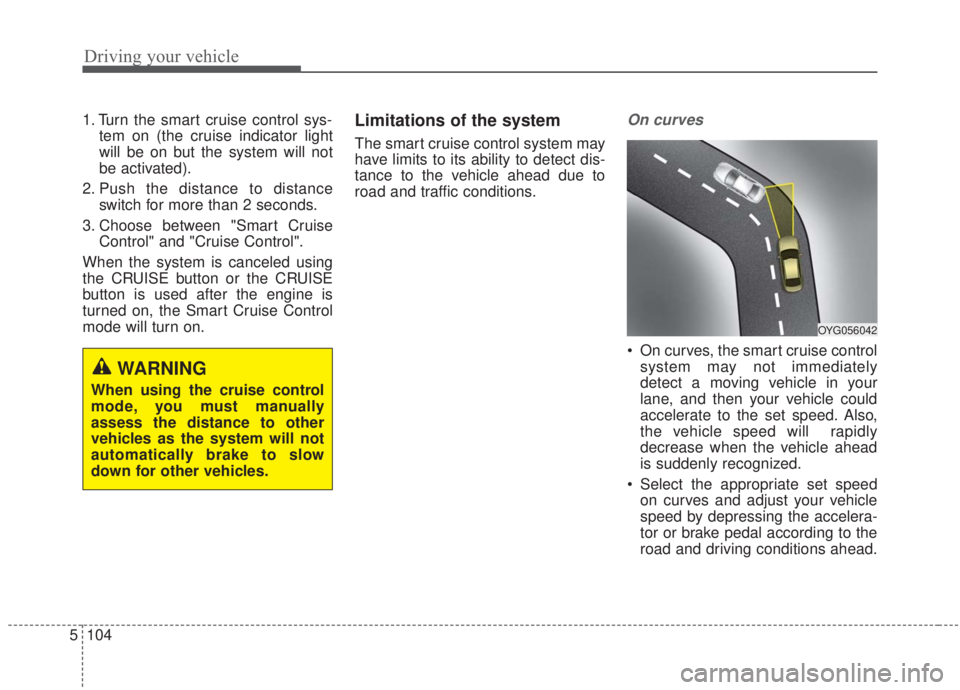
On curves
On curves, the smart cruise control system may not immediately
detect a moving vehicle in your
lane, and then your vehicle could
accelerate to the set speed. Also,
the vehicle speed will rapidly
decrease when the vehicle ahead
is suddenly recognized.
Select the appropriate set speed on curves and adjust your vehicle
speed by depressing the accelera-
tor or brake pedal according to the
road and driving conditions ahead.
WARNING
When using the cruise control
mode, you must manually
assess the distance to other
vehicles as the system will not
automatically brake to slow
down for other vehicles.
OYG056042
Page 351 of 568

5105
Driving your vehicle
Your vehicle speed can be reduceddue to a vehicle in the adjacent
lane. Adjust your vehicle speed by
depressing the brake pedal accord-
ing to the road and driving condi-
tions ahead. Apply the accelerator
pedal and select the appropriate set
speed. Check to be sure that the
road conditions permit safe opera-
tion of the smart cruise control.
On inclines
During uphill or downhill driving,the smart cruise control system
may not immediately detect a mov-
ing vehicle in your lane, and may
cause your vehicle to accelerate to
the set speed. Also, the vehicle
speed may rapidly decrease when
the vehicle ahead is suddenly rec-
ognized.
Select the appropriate set speed on inclines and adjust your vehicle
speed by depressing the accelera-
tor or brake pedal according to the
road and driving conditions ahead.
Lane changing
A vehicle which moves into yourlane from an adjacent lane cannot
be recognized by the sensor until it
is in the sensor's detection range.
The sensor may not immediately detect when a vehicle cuts in sud-
denly. Always pay attention to the
traffic, road and driving conditions.
If a vehicle which moves into your lane is slower than your vehicle,
your speed may decrease to main-
tain the distance to the vehicle
ahead.
OYG056043
OBD058016OYG056045
Page 353 of 568

5107
Driving your vehicle
A vehicle ahead may not be recog-
nized correctly by the sensor when
any of the following occurs:
- When the vehicle is pointingupwards due to overloading in the
trunk(tailgate)
- While making turns
- When driving to one side of the lane
- When driving on narrow lanes or on curves
Adjust your vehicle speed by
depressing the brake pedal accord-
ing to the road and driving conditions
ahead. When vehicles are at a standstill
and the vehicle in front of you
changes to the next lane, be care-
ful when your vehicle starts to
move because it may not immedi-
ately recognize the stopped vehicle
in front of you.
In this situation you must maintain a
safe braking distance, and if neces-
sary, depress the brake pedal to
reduce your driving speed in order to
maintain a safe distance. Always look out for pedestrians
when your vehicle is maintaining a
distance with the vehicle ahead.
OYG056048OYG056049
Page 354 of 568
Driving your vehicle
108
5
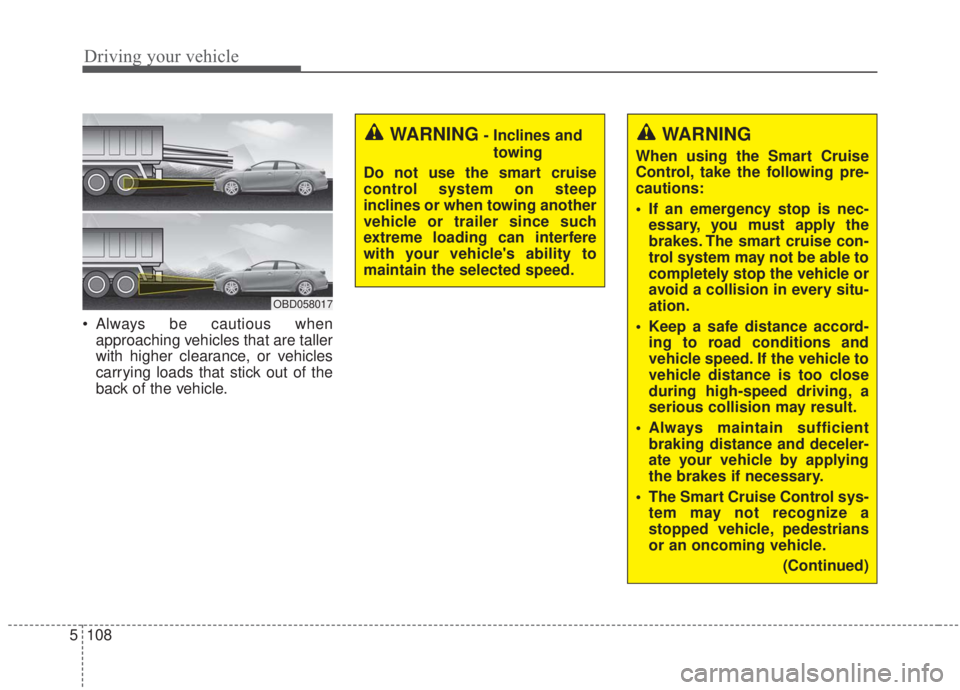
Always be cautious when
approaching vehicles that are taller
with higher clearance, or vehicles
carrying loads that stick out of the
back of the vehicle.
OBD058017
WARNING
When using the Smart Cruise
Control, take the following pre-
cautions:
If an emergency stop is nec-essary, you must apply the
brakes. The smart cruise con-
trol system may not be able to
completely stop the vehicle or
avoid a collision in every situ-
ation.
Keep a safe distance accord- ing to road conditions and
vehicle speed. If the vehicle to
vehicle distance is too close
during high-speed driving, a
serious collision may result.
Always maintain sufficient braking distance and deceler-
ate your vehicle by applying
the brakes if necessary.
The Smart Cruise Control sys- tem may not recognize a
stopped vehicle, pedestrians
or an oncoming vehicle.
(Continued)
WARNING- Inclines andtowing
Do not use the smart cruise
control system on steep
inclines or when towing another
vehicle or trailer since such
extreme loading can interfere
with your vehicle's ability to
maintain the selected speed.
Page 358 of 568
Driving your vehicle
112
5
SMART mode selects the
proper driving mode
among ECO, NORMAL
and SPORT by judging
the driver's driving habits
(i.e. mild or dynamic)
from the brake pedal
depression or the steer-
ing wheel operation.
Press the DRIVE MODE button to activate SMART mode. When
SMART mode is activated, the
indicator illuminates on the instru-
ment cluster.
The indicator illuminates in blue when the driver's driving is catego-
rized to be mild. It illuminates in
white when the driver's driving is
categorized to be normal. It illumi-
nates in red when the driver's driv-
ing is categorized to be dynamic
during abrupt braking or sharp
curves. The vehicle starts in NORMAL
mode if the engine was turned
OFF in SMART mode.
SMART mode automatically con- trols driving characteristics, such
as gear shifting patterns, engine
torque, and ride quality in accor-
dance with the driver's driving
habits.✽ ✽ NOTICE
• When you drive the vehicle mildly
drive the vehicle in SMART mode,
the driving mode changes to ECO
mode to improve fuel efficiency.
However, the actual fuel efficiency
may differ in accordance with
your driving situation (i.e.
upward/downward slope, vehicle
deceleration/acceleration).
• When you drive the vehicle dynamically drive the vehicle in
SMART mode by abruptly decel-
erating or sharply turning, the
driving mode changes to SPORT
mode. However, it may adversely
affect fuel economy.SMART
Page 359 of 568
5113
Driving your vehicle
Various driving situations which you
may encounter in SMART mode
The driving mode automaticallychanges to ECO mode after a cer-
tain period of time when you gently
depress the accelerator pedal
(Your driving is categorized to be
mild).
The driving mode automatically changes from SMART ECO mode
to SMART NORMAL mode after a
certain period of time when you
sharply or repetitively depress the
accelerator pedal.
The driving mode automatically changes to SMART NORMAL
mode with the same driving pat-
terns when the vehicle starts to
drive on an upward slope of a cer-
tain angle. The driving mode auto-
matically returns to SMART ECO
mode when the vehicle enters a
leveled road. The driving mode automatically
changes to SMART SPORT when
you abruptly accelerate the vehicle
or repetitively operate the steering
wheel (Your driving is categorized
to be sporty). In this mode, your
vehicle drives in a lower gear for
faster accelerating/decelerating
and increased engine brake per-
formance.
You may still sense the engine brake performance, even when you
release the accelerator pedal in
SMART SPORT mode. It is
because your vehicle remains in a
lower gear over a certain period of
time.
The driving mode automatically changes to SMART SPORT mode
only in dynamic driving situations.
In most normal driving situations
the driving mode sets to either
SMART ECO mode or SMART
NORMAL mode. Limitation of SMART mode
The SMART mode may be limited in
following situations. (The OFF indica-
tor illuminates in those situations.)
The driver manually moves the
shift lever : It deactivates SMART
mode.
The cruise control is activated : The cruise system may deactivate
the SMART mode. (SMART mode
is not automatically deactivated
just by activing the cruise system.)
The transmission oil temperature is either extremely low or extremely
high : The SMART mode can be
active in most of the normal driving
situations. However an extremely
high/ low transmission oil tempera-
ture may temporarily deactivate the
SMART mode, because the trans-
mission condition is out of normal
operation condition.