brake KIA FORTE 2020 Manual PDF
[x] Cancel search | Manufacturer: KIA, Model Year: 2020, Model line: FORTE, Model: KIA FORTE 2020Pages: 568, PDF Size: 8.58 MB
Page 321 of 568
575
Driving your vehicle
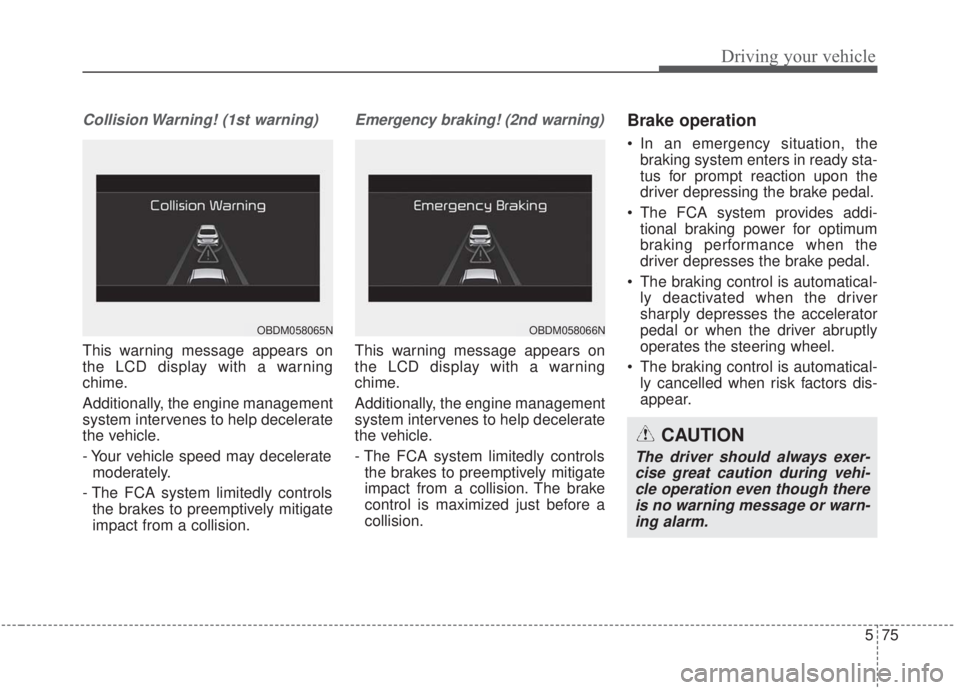
Collision Warning! (1st warning)
This warning message appears on
the LCD display with a warning
chime.
Additionally, the engine management
system intervenes to help decelerate
the vehicle.
- Your vehicle speed may deceleratemoderately.
- The FCA system limitedly controls the brakes to preemptively mitigate
impact from a collision.
Emergency braking! (2nd warning)
This warning message appears on
the LCD display with a warning
chime.
Additionally, the engine management
system intervenes to help decelerate
the vehicle.
- The FCA system limitedly controlsthe brakes to preemptively mitigate
impact from a collision. The brake
control is maximized just before a
collision.
Brake operation
In an emergency situation, the braking system enters in ready sta-
tus for prompt reaction upon the
driver depressing the brake pedal.
The FCA system provides addi- tional braking power for optimum
braking performance when the
driver depresses the brake pedal.
The braking control is automatical- ly deactivated when the driver
sharply depresses the accelerator
pedal or when the driver abruptly
operates the steering wheel.
The braking control is automatical- ly cancelled when risk factors dis-
appear.
OBDM058065NOBDM058066N
CAUTION
The driver should always exer-cise great caution during vehi-cle operation even though thereis no warning message or warn-ing alarm.
Page 325 of 568
579
Driving your vehicle
The FCA system will get deactivat-ed for the sake of driver's safety
when the ESC warning light comes
on. The FCA warning message will
appear at the same time, too. But
that doesn't necessarily mean a
malfunction of the FCA system.
Both the FCA warning light and
warning message will disappear
once the ESC warning light issue is
resolved.(Continued)
The FCA system only recog-nizes vehicles and pedestri-
ans in front of it while driving
forward. It does not identify
any animals or vehicles in the
opposite direction.
The FCA does not recognize cross-traffic or parked vehi-
cles presenting a side profile.
If the vehicle in front stops suddenly, you may have less
to apply the brakes system.
Therefore, always keep a safe
distance between your vehicle
and the vehicle in front of you.
The FCA system may activate during braking and the vehicle
may stop suddenly. If this
occurs, any load in the vehicle
may endanger passengers.
Therefore, always be mindful
of the load volume in the vehi-
cle.
(Continued)WARNING
The FCA is only a supplemen-tal system for the driver’s con-
venience. It is the driver's
responsibility to control the
vehicle. Do not solely depend
on the FCA system. Rather,
maintain a safe braking dis-
tance, and, if necessary,
depress the brake pedal to
lower the driving speed.
The FCA may unnecessarily produce the warning message
and the warning alarms. Also,
due to sensing limitations the
FCA may not produce alarms
in certain situations. Read the
section “Limitation of the sys-
tem” for more information.
When there is a malfunction with the FCA, the FCA braking
control does not operate upon
detecting a collision risk, even
with other braking systems
operating normally.
(Continued)
Page 326 of 568

Driving your vehicle
80
5
Limitation of the system
The FCA system is designed to mon-
itor the vehicle ahead through radar
signals and camera recognition to
warn the driver that a collision is
imminent, and if necessary, apply
emergency braking. In certain situa-
tions, the radar sensor or the camera
may not be able to detect the vehicle
ahead. In these cases, the FCA sys-
tem may not operate. The driver must
pay careful attention in the following
situations where the FCA operation
may be limited:(Continued)
The FCA system may not acti-
vate if the driver applies the
brake pedal to avoid the risk
of a collision.
The FCA system does not operate when the vehicle is in
reverse. In these cases, you
must maintain a safe braking
distance, and if necessary,
depress the brake pedal to
reduce the driving speed in
order to maintain a safe dis
tance.
The regular braking function will operate normally even if
there is a problem with the
FCA brake control system or
other functions. In this case,
the braking control will not
operate in the risk of a colli-
sion.
(Continued)(Continued)
The FCA system may not acti-vate in certain situations and
according to driving condi-
tion, traffic on the road,
weather, road conditions, etc.
The FCA system may not acti- vate in response to all types
of vehicles.
Page 327 of 568

581
Driving your vehicle
Recognizing vehicles
- The radar or the camera is con-taminated with foreign substances.
- It heavily rains or snows.
- There is electromagnetic interfer- ence
- Something in the path of travel deflects the radar waves
- The vehicle in front has a narrow body. (i.e. motorcycles and bicy-
cles)
- The driver’s view is not clear due to backlight, reflected light, or dark-
ness.
- The camera cannot contain the full image of the vehicle in front.
- The vehicle in front is a special vehicle, such as a heavily-loaded
truck or a trailer.
- The outside brightness is greatly changed, such as entering/exiting
a tunnel.
- The vehicle driving is unstable.
- The radar/camera sensor recogni- tion is limited. - The driver's field of view is not well
illuminated (either too dark, too
much reflection, or too much back-
light that obscures the field of view)
- There is severe irregular reflection from the radar sensor
- The vehicle in front is driving errat- ically
- The vehicle is driven near areas containing metal substances such
as a construction zone, railroad,
etc.
- Backlight is reflected in the direc- tion of the vehicle (including front
light from the vehicle ahead)
- Moisture on the windshield is not completely removed or is frozen.
- The weather is misty.
- The vehicle in front does not turn ON the rear lights, does not have
rear lights, has asymmetric rear
lights, or has rear lights out of
angle. - Driving on a curve
The FCA performance may be limit-
ed while driving on a curve. The FCA
may not recognize the vehicle in front
even if in the same lane. It may pro-
duce the warning message and the
warning alarm prematurely, or it may
not produce the warning message or
the warning alarm at all. When driv-
ing on a curve, exercise caution,
maintain a safe braking distance,
and if necessary, depress the brake
pedal to reduce your driving speed in
order to maintain a safe distance.
OJF055025
Page 328 of 568
Driving your vehicle
82
5
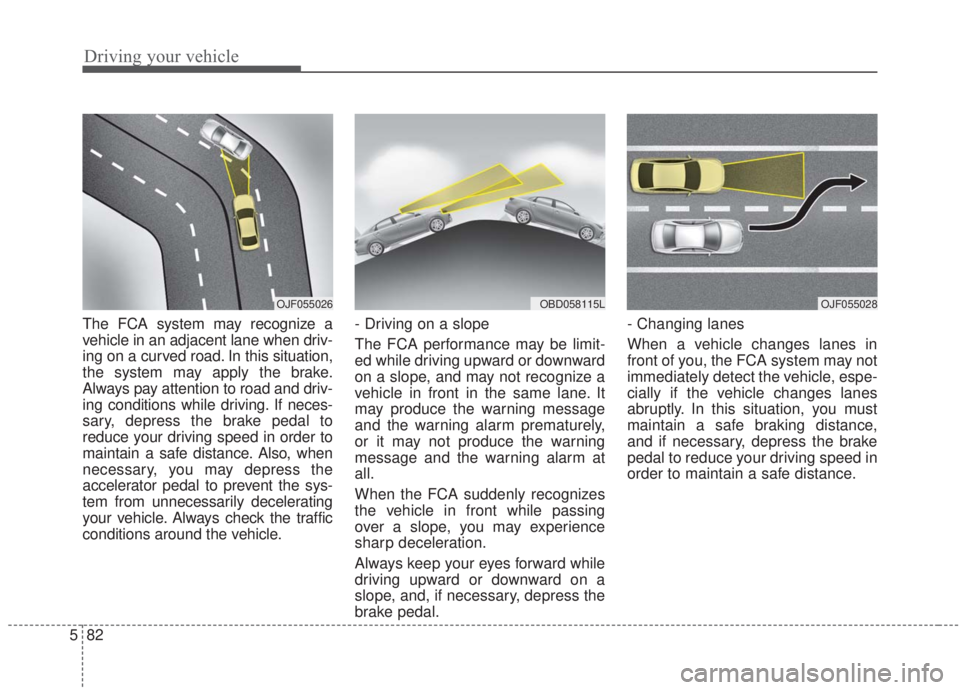
The FCA system may recognize a
vehicle in an adjacent lane when driv-
ing on a curved road. In this situation,
the system may apply the brake.
Always pay attention to road and driv-
ing conditions while driving. If neces-
sary, depress the brake pedal to
reduce your driving speed in order to
maintain a safe distance. Also, when
necessary, you may depress the
accelerator pedal to prevent the sys-
tem from unnecessarily decelerating
your vehicle. Always check the traffic
conditions around the vehicle. - Driving on a slope
The FCA performance may be limit-
ed while driving upward or downward
on a slope, and may not recognize a
vehicle in front in the same lane. It
may produce the warning message
and the warning alarm prematurely,
or it may not produce the warning
message and the warning alarm at
all.
When the FCA suddenly recognizes
the vehicle in front while passing
over a slope, you may experience
sharp deceleration.
Always keep your eyes forward while
driving upward or downward on a
slope, and, if necessary, depress the
brake pedal.- Changing lanes
When a vehicle changes lanes in
front of you, the FCA system may not
immediately detect the vehicle, espe-
cially if the vehicle changes lanes
abruptly. In this situation, you must
maintain a safe braking distance,
and if necessary, depress the brake
pedal to reduce your driving speed in
order to maintain a safe distance.
OJF055028OJF055026OBD058115L
Page 329 of 568
583
Driving your vehicle
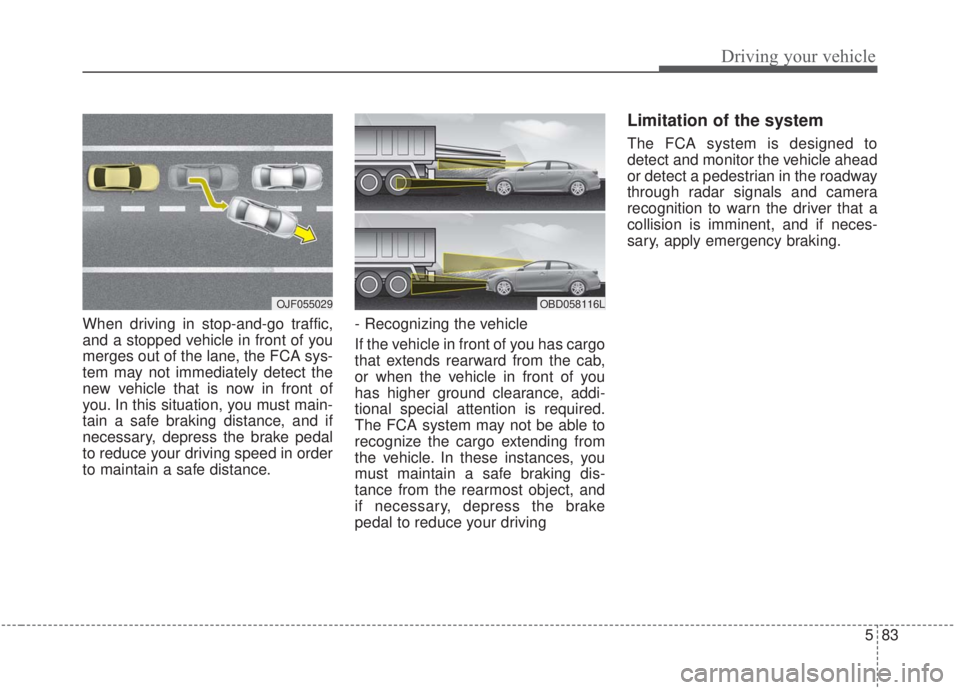
When driving in stop-and-go traffic,
and a stopped vehicle in front of you
merges out of the lane, the FCA sys-
tem may not immediately detect the
new vehicle that is now in front of
you. In this situation, you must main-
tain a safe braking distance, and if
necessary, depress the brake pedal
to reduce your driving speed in order
to maintain a safe distance.- Recognizing the vehicle
If the vehicle in front of you has cargo
that extends rearward from the cab,
or when the vehicle in front of you
has higher ground clearance, addi-
tional special attention is required.
The FCA system may not be able to
recognize the cargo extending from
the vehicle. In these instances, you
must maintain a safe braking dis-
tance from the rearmost object, and
if necessary, depress the brake
pedal to reduce your driving
Limitation of the system
The FCA system is designed to
detect and monitor the vehicle ahead
or detect a pedestrian in the roadway
through radar signals and camera
recognition to warn the driver that a
collision is imminent, and if neces-
sary, apply emergency braking.
OJF055029OBD058116L
Page 331 of 568
585
Driving your vehicle
✽ ✽NOTICE
• When replacing or reinstalling the
windscreen, front bumper or
radar/camera after removal, have
the vehicle inspected by an
authorized Kia dealer.
• In some instances, the FCA system may be canceled when subjected
to electromagnetic interference.
(Continued)
The FCA system may not
operate in certain situations.
Therefore, never test the oper-
ation of the FCA system using
a person or object, as doing
so may cause severe injury or
even death.WARNING
Do not use the FCA systemwhen towing a vehicle. Cancel
the FCA in the User Settings
on the LCD display before
towing. Brake application by
the FCA system while towing
may adversely affect your
safety.
Use extreme caution when the vehicle in front of you has
cargo that extends rearward
from the cab, or when the
vehicle in front of you has
higher ground clearance.
The FCA system is designed to detect and monitor the
vehicle ahead or detect a
pedestrian in the roadway
through radar signals and
camera recognition. It is not
designed to detect bicycles,
motorcycles, or smaller
wheeled objects such as lug-
gage bags, shopping carts, or
strollers.
(Continued)
Page 332 of 568
Driving your vehicle
86
5
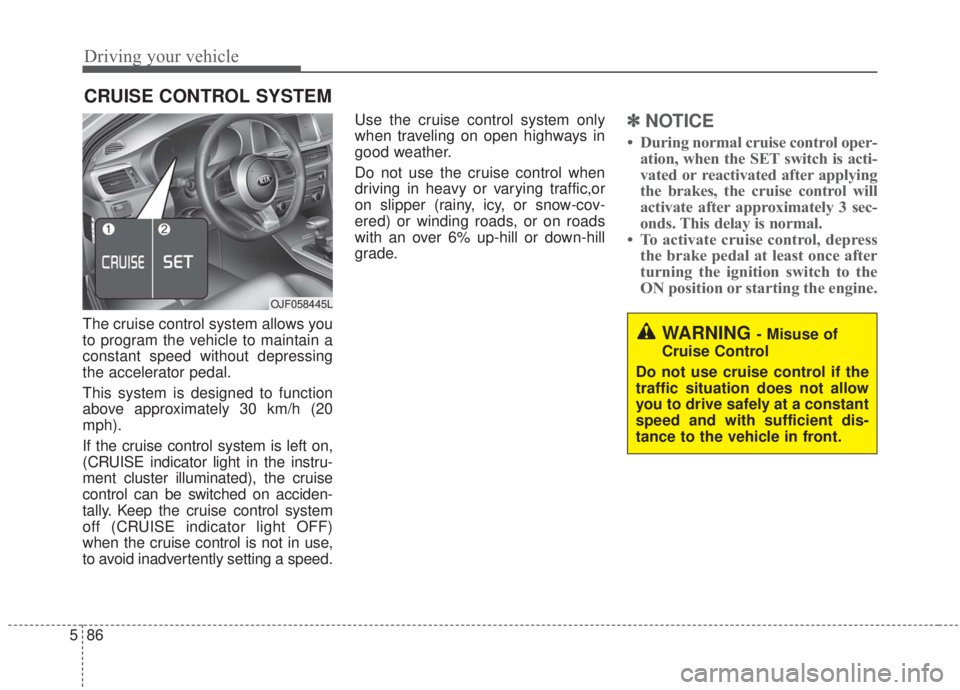
The cruise control system allows you
to program the vehicle to maintain a
constant speed without depressing
the accelerator pedal.
This system is designed to function
above approximately 30 km/h (20
mph).
If the cruise control system is left on,
(CRUISE indicator light in the instru-
ment cluster illuminated), the cruise
control can be switched on acciden-
tally. Keep the cruise control system
off (CRUISE indicator light OFF)
when the cruise control is not in use,
to avoid inadvertently setting a speed. Use the cruise control system only
when traveling on open highways in
good weather.
Do not use the cruise control when
driving in heavy or varying traffic,or
on slipper (rainy, icy, or snow-cov-
ered) or winding roads, or on roads
with an over 6% up-hill or down-hill
grade.
✽ ✽
NOTICE
• During normal cruise control oper-
ation, when the SET switch is acti-
vated or reactivated after applying
the brakes, the cruise control will
activate after approximately 3 sec-
onds. This delay is normal.
• To activate cruise control, depress the brake pedal at least once after
turning the ignition switch to the
ON position or starting the engine.
CRUISE CONTROL SYSTEM
WARNING - Misuse of
Cruise Control
Do not use cruise control if the
traffic situation does not allow
you to drive safely at a constant
speed and with sufficient dis-
tance to the vehicle in front.
OJF058445L
Page 334 of 568
Driving your vehicle
88
5
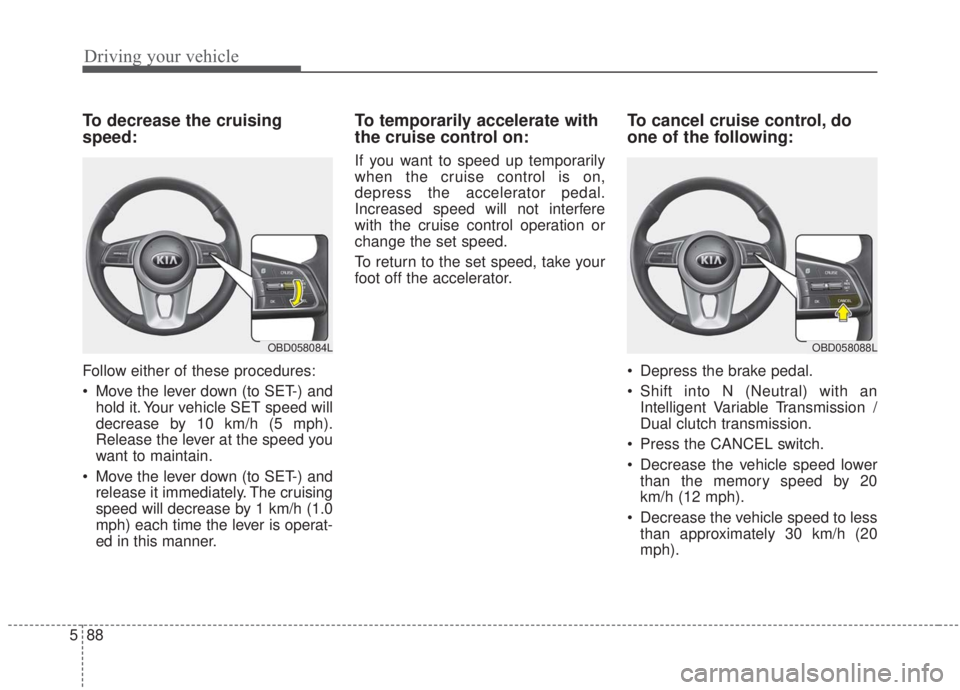
To decrease the cruising
speed:
Follow either of these procedures:
Move the lever down (to SET-) and
hold it. Your vehicle SET speed will
decrease by 10 km/h (5 mph).
Release the lever at the speed you
want to maintain.
Move the lever down (to SET-) and release it immediately. The cruising
speed will decrease by 1 km/h (1.0
mph) each time the lever is operat-
ed in this manner.
To temporarily accelerate with
the cruise control on:
If you want to speed up temporarily
when the cruise control is on,
depress the accelerator pedal.
Increased speed will not interfere
with the cruise control operation or
change the set speed.
To return to the set speed, take your
foot off the accelerator.
To cancel cruise control, do
one of the following:
Depress the brake pedal.
Shift into N (Neutral) with an Intelligent Variable Transmission /
Dual clutch transmission.
Press the CANCEL switch.
Decrease the vehicle speed lower than the memory speed by 20
km/h (12 mph).
Decrease the vehicle speed to less than approximately 30 km/h (20
mph).
OBD058088LOBD058084L
Page 336 of 568
Driving your vehicle
90
5
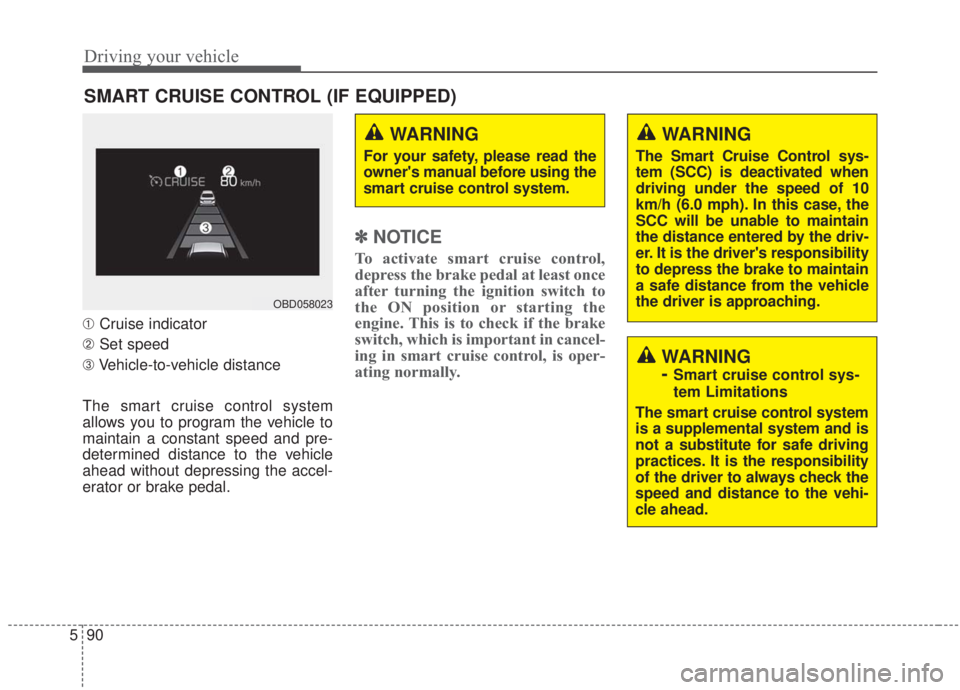
➀ Cruise indicator
➁ Set speed
\b Vehicle-to-vehicle distance
The smart cruise control system
allows you to program the vehicle to
maintain a constant speed and pre-
determined distance to the vehicle
ahead without depressing the accel-
erator or brake pedal.
✽ ✽ NOTICE
To activate smart cruise control,
depress the brake pedal at least once
after turning the ignition switch to
the ON position or starting the
engine. This is to check if the brake
switch, which is important in cancel-
ing in smart cruise control, is oper-
ating normally.
SMART CRUISE CONTROL (IF EQUIPPED)
WARNING
For your safety, please read the
owner's manual before using the
smart cruise control system.
WARNING
The Smart Cruise Control sys-
tem (SCC) is deactivated when
driving under the speed of 10
km/h (6.0 mph). In this case, the
SCC will be unable to maintain
the distance entered by the driv-
er. It is the driver's responsibility
to depress the brake to maintain
a safe distance from the vehicle
the driver is approaching.
WARNING
-
Smart cruise control sys-
tem Limitations
The smart cruise control system
is a supplemental system and is
not a substitute for safe driving
practices. It is the responsibility
of the driver to always check the
speed and distance to the vehi-
cle ahead.
OBD058023