ECO KIA FORTE 2021 Navigation System Quick Reference Guide
[x] Cancel search | Manufacturer: KIA, Model Year: 2021, Model line: FORTE, Model: KIA FORTE 2021Pages: 300, PDF Size: 10.06 MB
Page 204 of 300
9-24
Energy Consumption Reset (if equipped)
You can set to automatically initialize the average fuel economy.
\225After Ignition: The average fuel economy is automatically initialize whenever you drive
the vehicle.
\225After Refueling
: The average fuel economy is automatically initialize whenever you refuel
the vehicle.
\225 Off: The average fuel economy initialize is unavailable.
Content Selection (if equipped)
You can set the content to display on the instrument cluster.
\225Wiper/Lights Display: When the wiper or light lever operates, the operation mode
appears.
\225Traffic Signs: Displays the road information such as speed bumps and speed limits.
\225Blind-Spot View: Displays the blind spot view on the instrument cluster when the turn
signal lamp is operating.
\225Icy Road Warning: When the outside temperature drops below 4 °C (39 °F), the
possibility of road icing appears.
Cluster Voice Guidance Volume (if equipped)
You can adjust the voice guidance volume of the cluster.
Welcome Sound (if equipped)
You can set to generate the notification sound when turning on or off the instrument cluster.
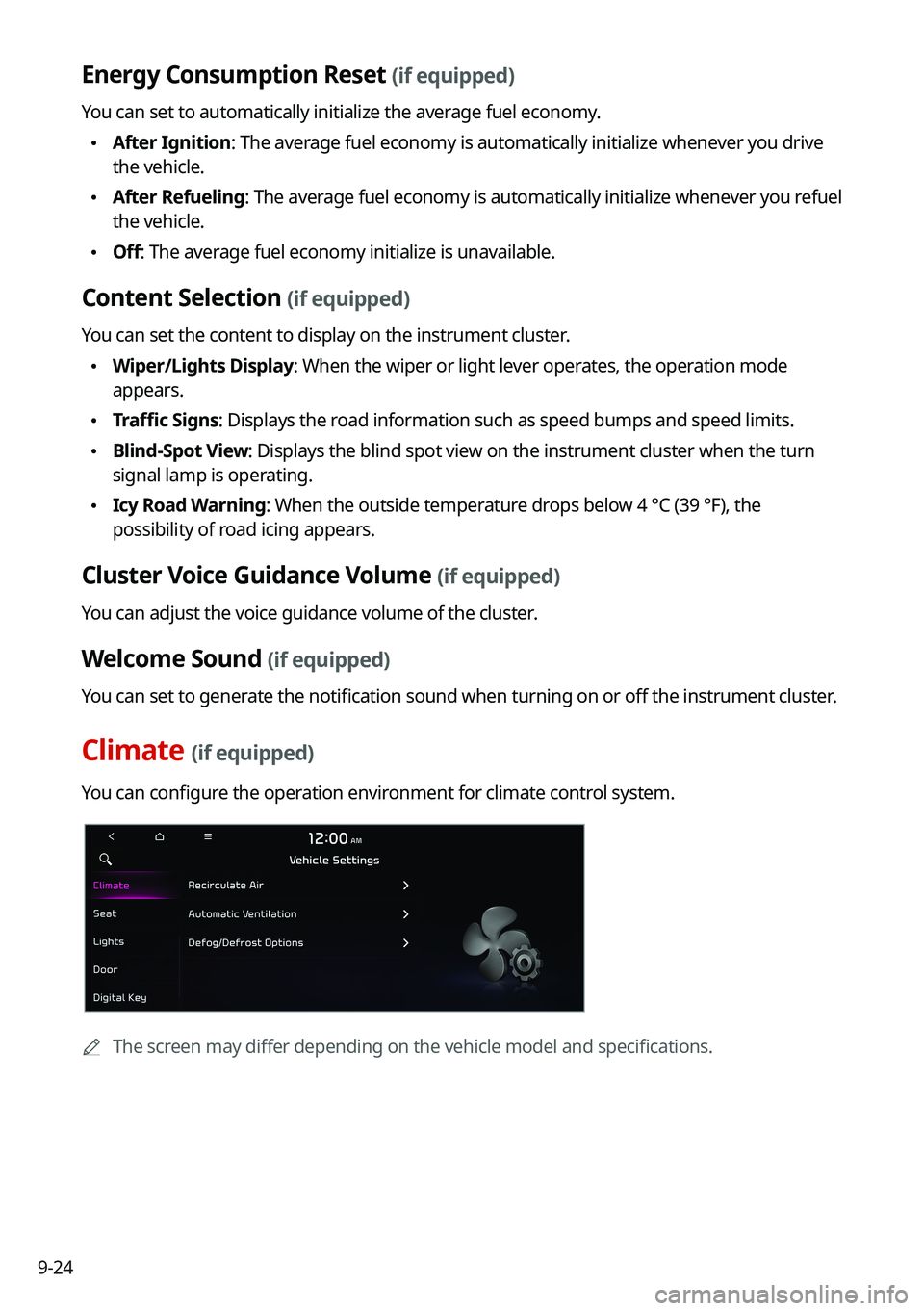
Climate (if equipped)
You can configure the operation environment for climate control system.
0000
A
The screen may differ depending on the vehicle model and specifications.
Page 206 of 300

9-26
Seat Position Change Alert (if equipped)
You can set the system to display a notification message along with the seat image on the
screen when a seat position is changed.
Smart Posture Care (if equipped)
You can see the recommended driving posture according to your physical data, and the
clinical inspection result for your waist.
Heated/Ventilated Features (if equipped)
You can set to make the driving environment pleasant by controlling the steering wheel
warmer and driver's seat warmer/ventilation.
\225Auto. Controls That Use Climate Control Settings: Automatically controls the heating
wire or ventilation for the driver's seat and steering wheel, in sync with the climate control
function.
000DSteering Wheel Warmer: Steering Wheel Warmer adjusts automatically based on
Climate settings.
000DSeat Warmer/Ventilation: Seat Warmer/Ventilation adjusts automatically based on
Climate settings.
Seating Easy Access (if equipped)
For convenience upon getting on and off, you can adjust the position of the driver's seat or
steering wheel to secure space inside the vehicle.
\225
Seat Slide Easy Access: Can set the distance to automatically move the driver's seat
when getting on or off.
Rear Seat Heating Control (if equipped)
You can set to enable the warmer for the rear-left and rear-right seats.
Lights (if equipped)
You can configure the settings for vehicle lights.
0000
A
The screen may differ depending on the vehicle model and specifications.
Page 207 of 300

9-27
Ambient Light (if equipped)
You can set the brightness and color of the ambient light.
One Touch Turn Signal (if equipped)
You can set the number of turn signal lamp flashes when the lamp lever is operated.
Headlight Delay (if equipped)
You can set to turn off the taillights and headlights in 15 seconds after turning off the vehicle
to ensure visibility.
High Beam Assist (if equipped)
You can set to automatically control the high beam when an oncoming vehicle is approaching
to decrease the high beam glare.
Door (if equipped)
You can configure the operation environment for the trunk (liftgate) and doors.
0000
A
The screen may differ depending on the vehicle model and specifications.
Auto Lock (if equipped)
You can set the time to automatically lock all doors.
Auto Unlock (if equipped)
You can set the time to automatically unlock all doors.
Walk-away Lock (if equipped)
You can set to automatically lock all doors when you move away from the vehicle with the
smart key.
0000
A
When all doors are closed, this feature works normally.
Page 224 of 300

9-44
Mute Navigation Guidance
Press the Mute button on the steering wheel when the navigation guidance is being output
to set to mute the guidance volume for 10 seconds.
System Volumes
You can adjust the volume for each system function including phone projection.
Subsystem Volumes
You can adjust the volume for each system function and initialize all volume settings.0000
A
To initialize all system sound settings, press Reset.
Connected Device Volumes
You can adjust the volume of the phone projection and initialize all volume settings.
\225Android Auto: Vary the volume of your Android smartphone, connected to the system,
depending on the function.
\225Apple CarPlay: Vary the volume of your iPhone, connected to the system, depending on
the function.
0000
A
To initialize all system sound settings of the phone projection, press Reset.
Speed Dependent Volume Control (if equipped)
Automatically adjusts Audio volume according to vehicle speed.
Start-up Volume Limit
You can set to automatically decrease the audio volume to an adequate level when turning
on the vehicle.
Dynamic Speed Compensation (if equipped)
Provides a stable listening environment by adjusting the audio volume depending on the
vehicle speed.
Page 228 of 300

9-48
Parking Safety Priority
When warning sound is generated while parking, the audio volume decreases to make the
sound audible.
Navigation Guidance During Calls
Even during a call, the navigation sound is heard.
Navigation Guidance
You can set to enable the navigation sound to be heard first when using both the navigation
system and Radio/Media system.
Mute Navigation Guidance
Press the Mute button on the steering wheel when the navigation guidance is being output
to set to mute the guidance volume for 10 seconds.
System Volumes
You can adjust the volume for each system function including phone projection.
Subsystem Volumes
You can adjust the volume for each system function and initialize all volume settings.0000
A
To initialize all system sound settings, press Reset.
Connected Device Volumes
You can adjust the volume of the phone projection and initialize all volume settings.
\225Android Auto: Vary the volume of your Android smartphone, connected to the system,
depending on the function.
\225Apple CarPlay: Vary the volume of your iPhone, connected to the system, depending on
the function.
0000
A
To initialize all system sound settings of the phone projection, press Reset.
Page 230 of 300
9-50
Turning on/off the screen touch sound
To turn on or off the touch sound on the screen, press Beep at the top of
the screen.
Configuring the voice recognition settings
(Type1)
You can change the settings for voice recognition.
1 On the All Menus screen, press Setup >
Voice Recognition.
The voice recognition settings screen appears.
2 Configure the settings required:
0000
A
Press Menu >
Search for Settings or press and enter a keyword to search for a
setting item. You can also search for a setting item by voice.
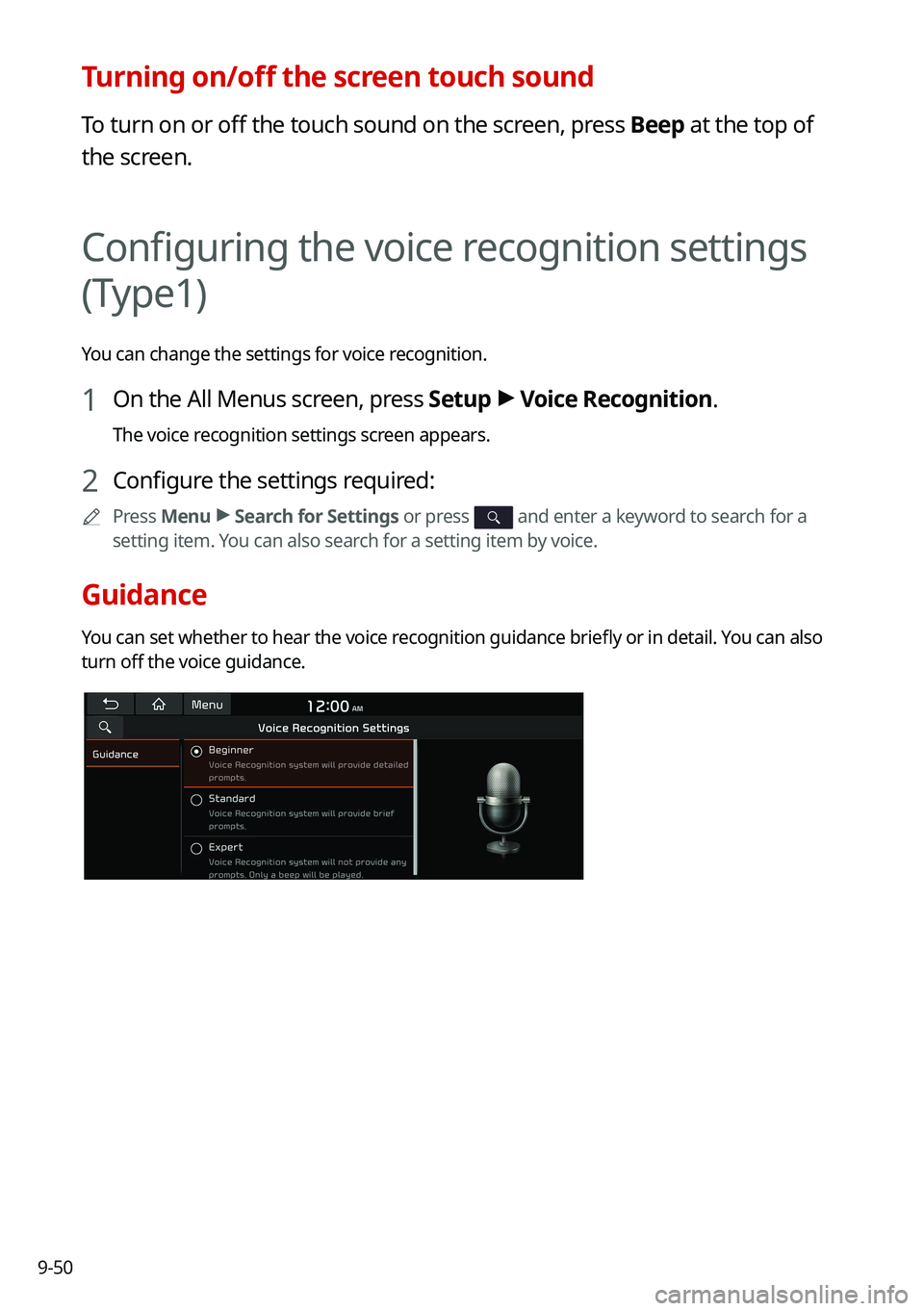
Guidance
You can set whether to hear the voice recognition guidance briefly or in detail. You can also
turn off the voice guidance.
Page 231 of 300
9-51
Configuring the voice recognition settings
(Type2)
You can change the settings for voice recognition.
1 On the All Menus screen, press Setup >
Voice Recognition.
The voice recognition settings screen appears.
2 Configure the settings required:
0000
A
Press >
Search for Settings or press and enter a keyword to search for a
setting item. You can also search for a setting item by voice.
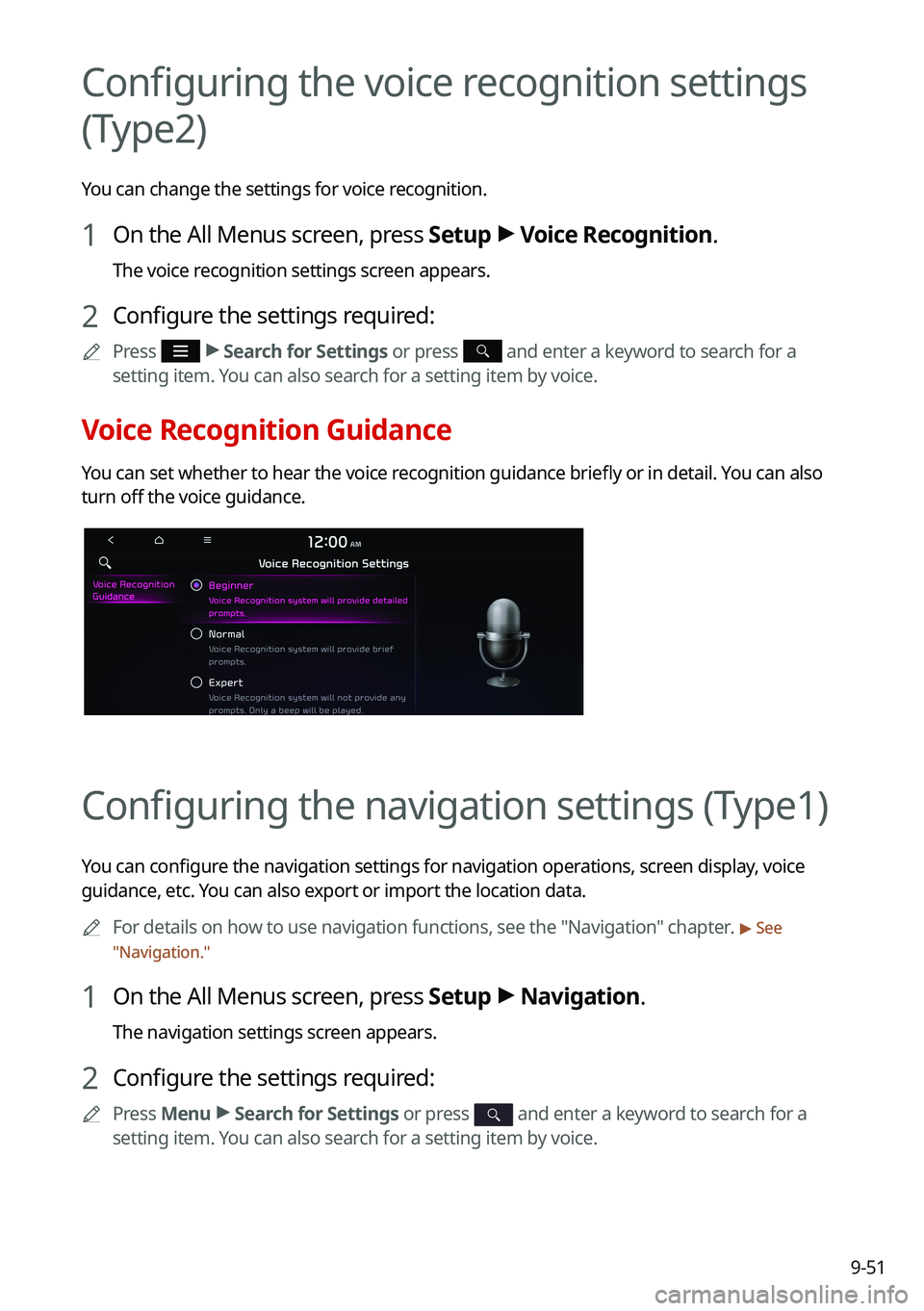
Voice Recognition Guidance
You can set whether to hear the voice recognition guidance briefly or in detail. You can also
turn off the voice guidance.
Configuring the navigation settings (Type1)
You can configure the navigation settings for navigation operations, screen display, voice
guidance, etc. You can also export or import the location data.
0000
A
For details on how to use navigation functions, see the "Navigation" chapter.
> See
" Navigation."
1 On the All Menus screen, press Setup >
Navigation.
The navigation settings screen appears.
2 Configure the settings required:
0000
A
Press Menu >
Search for Settings or press and enter a keyword to search for a
setting item. You can also search for a setting item by voice.
Page 232 of 300
9-52
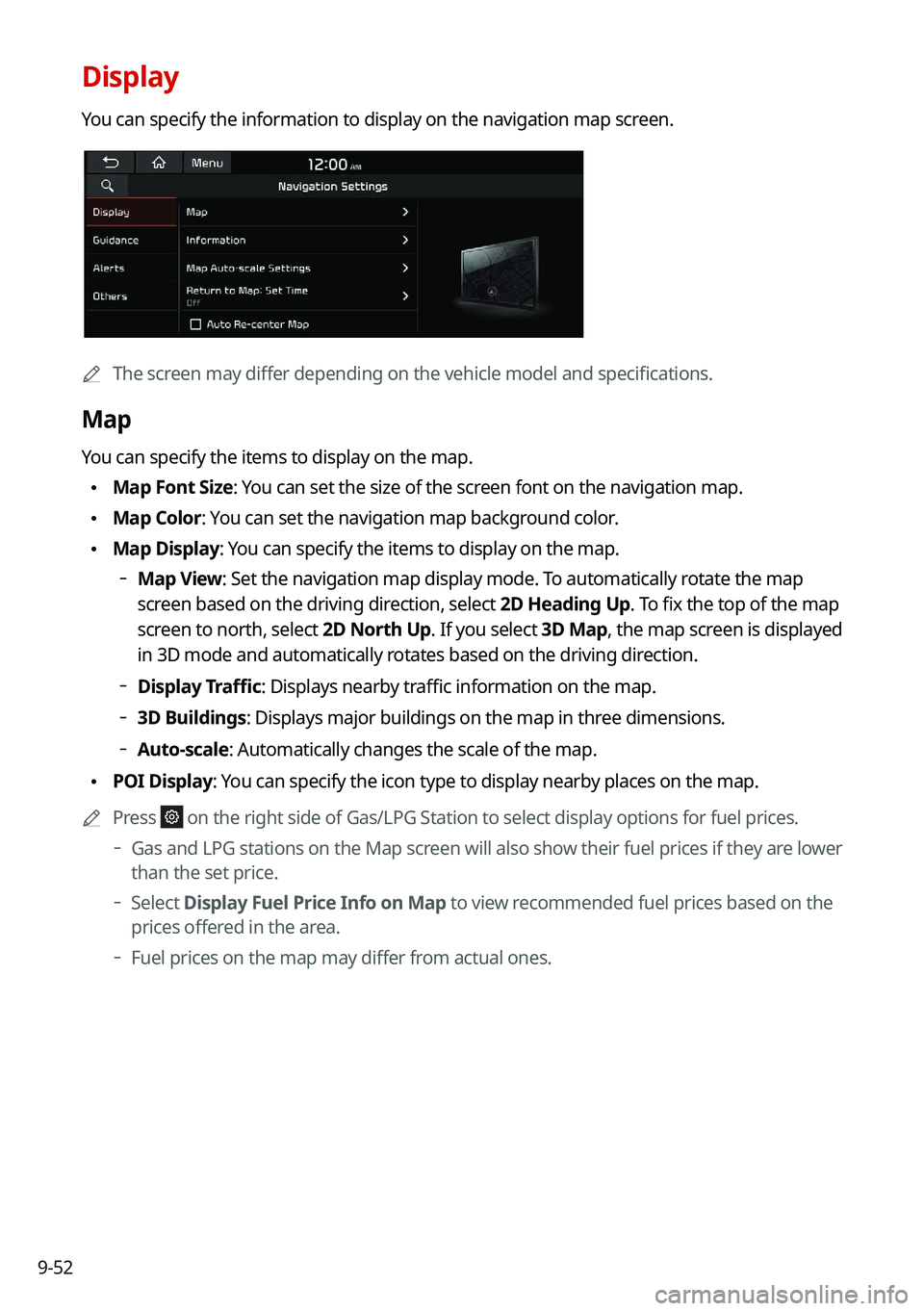
Display
You can specify the information to display on the navigation map screen.
0000AThe screen may differ depending on the vehicle model and specifications.
Map
You can specify the items to display on the map.
\225Map Font Size: You can set the size of the screen font on the navigation map.
\225Map Color: You can set the navigation map background color.
\225Map Display: You can specify the items to display on the map.
000DMap View: Set the navigation map display mode. To automatically rotate the map
screen based on the driving direction, select 2D Heading Up. To fix the top of the map
screen to north, select
2D North Up. If you select 3D Map, the map screen is displayed
in 3D mode and automatically rotates based on the driving direction.
000D Display Traffic: Displays nearby traffic information on the map.
000D3D Buildings: Displays major buildings on the map in three dimensions.
000DAuto-scale: Automatically changes the scale of the map.
\225
POI Display: You can specify the icon type to display nearby places on the map.
0000
A
Press
on the right side of Gas/LPG Station to select display options for fuel prices.
000DGas and LPG stations on the Map screen will also show their fuel prices if they are lower
than the set price.
000DSelect Display Fuel Price Info on Map to view recommended fuel prices based on the
prices offered in the area.
000DFuel prices on the map may differ from actual ones.
Page 233 of 300

9-53
Information
You can specify the information to display on the navigation map screen while driving.
\225Route Guide Line: Used to display the route guide line in different colors depending on
the traffic conditions. To display the route color with a fixed one, uncheck
Show Traffic
Colors on Route and select a color.
\225 Vehicle Symbol: You can specify the icon type to display your current location on the
map.
\225Units: You can set the distance unit of the navigation map to Kilometers (km) or Miles
(mi) (if equipped).
\225Show Vehicle Speed: Displays the vehicle speed on the map.
\225Detailed Guidance View: You can set to display detailed information on the Map screen,
such as moving directions and lane change.
\225Speed Limits: Sets whether or not to display the speed limits on the screen.
Map Auto-scale Settings
You can set the scales for each vehicle speed zone.
0000
A
For example, when you select "700 ft" for the 21–40 mi/h zone and "0.25 mi" for the 41–60
mi/h zone, the unit interval for the map scale on the navigation screen becomes 700 ft
when the vehicle speed is 40 mi/h and 0.25 mi when the vehicle speed is 41 mi/h.
Return to Map: Set Time
You can set the system to automatically display the map screen after a specified period of
time when switched to the Radio/Media mode screen while using the navigation.
0000
A
This function works while driving once a destination has been set.
0000
A
This feature is not available on the phone projection screen.
Auto Re-center Map
You can set the system to automatically display the current position when the specified
period of time elapses after changing to another position on the map.
Page 236 of 300
9-56
Previous Destinations Settings
You can set to automatically save the previous destination and display the previous
destinations when the navigation system starts.
\225Save Previous Destinations: The previous destination is automatically saved.
\225Show Previous Destinations after Navigation Start-up: When the navigation system
starts, the list of recent destinations appear on a pop-up window.
Fuel Price Information (if equipped)
When displaying gas stations or LPG charging stations on the map, the fuel prices below a
specific range can be displayed.
0000
A
Select Display Fuel Price Info on Map to view recommended fuel prices based on the
prices offered in the area.
0000
A
Fuel prices on the map may differ from actual ones.
User Data
You can import location data from a USB device to the system, or export the data on the
system to a USB device.
0000
A
When importing or exporting the location data, you can uses only the USB device
formatted in exFAT, FAT16/32, or NTFS.
\225Import Address Book from USB Device: You can import the location data on a USB
device to the system.
0000
A
The previous location data on the system is to be deleted.
0000
A
While importing from a navigation system that uses a different coordinate system,
the locations may appear differently.
\225Export Address Book to USB Device: You can export the location data on the system to
a USB device.
0000
A
The location data on the USB device is deleted.