Camera KIA FORTE 5 2016 Owners Manual
[x] Cancel search | Manufacturer: KIA, Model Year: 2016, Model line: FORTE 5, Model: KIA FORTE 5 2016Pages: 501, PDF Size: 14.8 MB
Page 73 of 501
Instrument cluster . . . . . . . . . . . . . . . . . . . . . . . . . 4-55
. . . . . . . . . . . . . . . . . . . . 4-56
. . . . . . . . . . . . . . . . . . . . . . . . . 4-57
. . . . . . . . . . . . . . . . . . . . . . . . . . . . . . . . . . . . \
. 4-57
. . . . . . . . . . . . . . . . . . . . . . 4-60
LCD display . . . . . . . . . . . . . . . . . . . . . . . . . . . . . . 4-61
. . . . . . . . . . . . . . . . . . . . . . . . . . . . . . . . . 4-61
. . . . . . . . . . . . . . . . . . . . . . . . . . . . . . . . 4-62
. . . . . . . . . . . . . . . . . . . . . . . . . . . 4-63
. . . . . . . . . . . . . . . . . . . . . . . . . . . . . . . . . . . 4-\
66
. . . . . . . . . . . . . . . . . . . . . . . . . . . . 4-67
Trip computer . . . . . . . . . . . . . . . . . . . . . . . . . . . . . 4-74
. . . . . . . . . . . . . . . . . . . . . . . . . . . . . . . 4-75
. . . . . . . . . . . . . . . . . . . . . . . . . . . . . . . . . . . . \
4-76
Warning and indicator lights . . . . . . . . . . . . . . . . 4-78
. . . . . . . . . . . . . . . . . . . . . . . . . . . . . . . 4-78
. . . . . . . . . . . . . . . . . . . . . . . . . . . . . . 4-85
Parking assist system . . . . . . . . . . . . . . . . . . . . . . . 4-89
. . . . . . . . . . . . . . . . . . . . . . . . . . . . . . . . . . . 4-\
89
. . . . . . . . . . . . . . . . . . . . 4-92
. . . . . . . . . . . . . . . . . . . . . . . . . . . . . . . . 4-94
Rearview camera . . . . . . . . . . . . . . . . . . . . . . . . . . 4-95
Lighting . . . . . . . . . . . . . . . . . . . . . . . . . . . . . . . . . . 4-96\
. . . . . . . . . . . . . . . . . . . . . . . . . 4-97
. . . . . . . . . . . . . . . . . . . . . . . . . . . . . . 4-97
. . . . . . . . . . . . . . . . . . . . . . . . 4-99
. . . . . . . . . . . 4-100
. . . . . . . . . . . . . . . . . . . . . . . . . . . . . . 4-101
Wipers and washers . . . . . . . . . . . . . . . . . . . . . . . 4-101
. . . . . . . . . . . . . . . . . . . . . . . . . . . 4-102
Interior light . . . . . . . . . . . . . . . . . . . . . . . . . . . . . 4-104
. . . . . . . . . . . . . . . . . . 4-104
. . . . . . . . . . . . . . . . . . . . . . . . . . . . . . . . . . 4-10\
4
. . . . . . . . . . . . . . . . . . . . . . . . . . . . . . . . . 4-105
. . . . . . . . . . . . . . . . . . . . . . . . . . . 4-106
. . . . . . . . . . . . . . . . . . . . . . . . . . . . . 4-106
. . . . . . . . . . . . . . . . . . . . . . . . . . 4-107
Welcome system . . . . . . . . . . . . . . . . . . . . . . . . . . 4-108
. . . . . . . . . . . . . . . . . . . . . . . . . . 4-108
. . . . . . . . . . . . . . . . . 4-108
Defroster . . . . . . . . . . . . . . . . . . . . . . . . . . . . . . . . 4-109
. . . . . . . . . . . . . . . . . . . . . . . 4-109
4
Page 166 of 501
495
Features of your vehicle
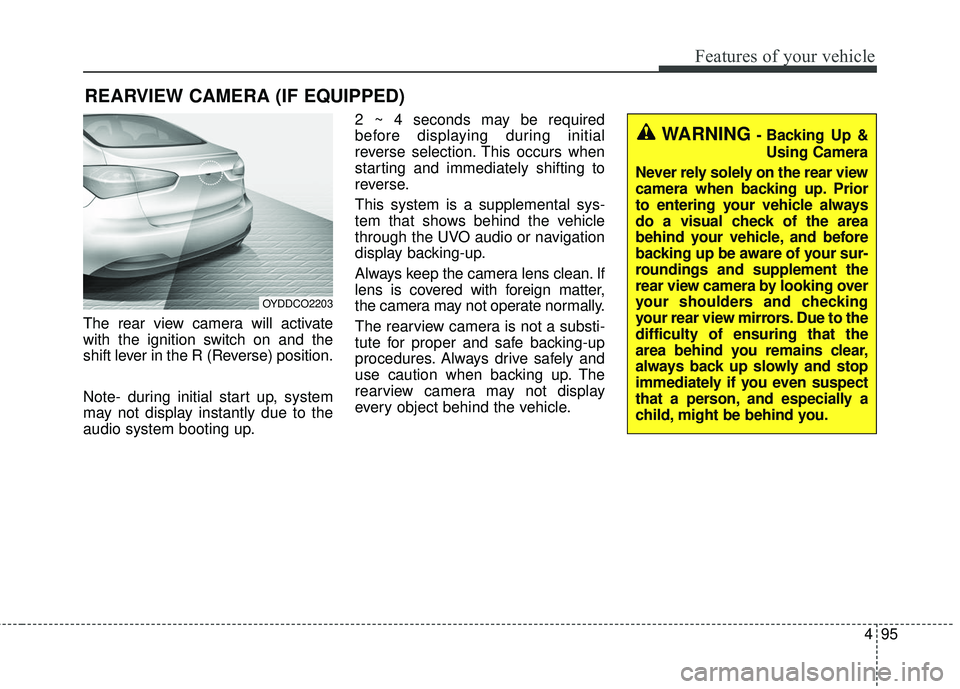
The rear view camera will activate
with the ignition switch on and the
shift lever in the R (Reverse) position.
Note- during initial start up, system
may not display instantly due to the
audio system booting up.2 ~ 4 seconds may be required
before displaying during initial
reverse selection. This occurs when
starting and immediately shifting to
reverse.
This system is a supplemental sys-
tem that shows behind the vehicle
through the UVO audio or navigation
display backing-up.
Always keep the camera lens clean. If
lens is covered with foreign matter,
the camera may not operate normally.
The rearview camera is not a substi-
tute for proper and safe backing-up
procedures. Always drive safely and
use caution when backing up. The
rearview camera may not display
every object behind the vehicle.
REARVIEW CAMERA (IF EQUIPPED)
OYDDCO2203
WARNING - Backing Up &
Using Camera
Never rely solely on the rear view
camera when backing up. Prior
to entering your vehicle always
do a visual check of the area
behind your vehicle, and before
backing up be aware of your sur-
roundings and supplement the
rear view camera by looking over
your shoulders and checking
your rear view mirrors. Due to the
difficulty of ensuring that the
area behind you remains clear,
always back up slowly and stop
immediately if you even suspect
that a person, and especially a
child, might be behind you.
Page 228 of 501
4157
Features of your vehicle
(Continued)
Some USB flash memory read-ers (such as CF, SD, micro SD,
etc.) or external-HDD type
devices can be unrecognizable.
Music files protected by DRM (DIGITAL RIGHTS MANAGE-
MENT) are not recognizable.
The data in the USB memory may be lost while using this
audio. Always back up important
data on a personal storage
device.
Please avoid using USB memory prod-
ucts which can be
used as key chains or
cellular phone acces-
sories as they could cause dam-
age to the USB jack. Please
make certain only to use plug
type connector products.(Continued)
If you use devices such as a USBhub purchased separately, the
vehicle’s audio system may not
recognize the USB device. In that
case, connect the USB device
directly to the multimedia terminal
of the vehicle.
If the USB device is divided by log- ical drives, only the music files on
the highest-priority drive are rec-
ognized by car audio.
Devices such as MP3 Player/ Cellular phone/Digital camera can
be unrecognizable by standard
USB I/F can be unrecognizable.
Charging through the USB may not be supported in some mobile
devices.
USB HDD or USB types liable to connection failures due to vehicle
vibrations are not supported.
(i-stick type)
Some non-standard USB devices (METAL COVER TYPE USB) can
be unrecognizable.
(Continued)USING THE iPod®DEVICE
Some iPod®models may not
support communication protocol
and files may not properly play.
Supported iPod
®models:
- iPhone
®3GS/4
-iPod
®touch 1st~4th generation
-iPod
®nano 1st~6th generation
- iPod
®classic
The order of search or playback of songs in the iPod
®can be dif-
ferent from the order searched in
the audio system.
If the iPod
®is disabled due to its
own malfunction, reset the
iPod
®. (Reset: Refer to iPod®
manual)
An iPod
®may not operate nor-
mally on low battery.
(Continued)
Page 475 of 501
Maintenance
72
7
High-pressure washing
When using high-pressure wash-
ers, make sure to maintain suffi-
cient distance from the vehicle.
Insufficient clearance or excessive
pressure can lead to component
damage or water penetration.
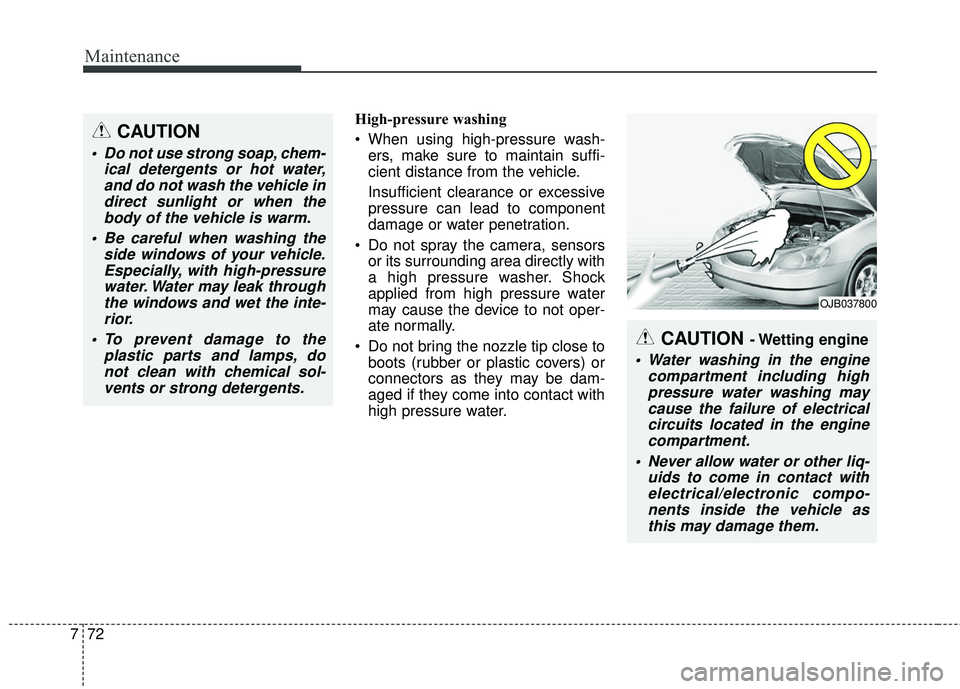
Do not spray the camera, sensors or its surrounding area directly with
a high pressure washer. Shock
applied from high pressure water
may cause the device to not oper-
ate normally.
Do not bring the nozzle tip close to boots (rubber or plastic covers) or
connectors as they may be dam-
aged if they come into contact with
high pressure water.
CAUTION - Wetting engine
Water washing in the engine compartment including highpressure water washing maycause the failure of electricalcircuits located in the enginecompartment.
Never allow water or other liq- uids to come in contact withelectrical/electronic compo-nents inside the vehicle asthis may damage them.
OJB037800
CAUTION
Do not use strong soap, chem- ical detergents or hot water,and do not wash the vehicle indirect sunlight or when thebody of the vehicle is warm.
Be careful when washing the side windows of your vehicle.Especially, with high-pressurewater. Water may leak throughthe windows and wet the inte-rior.
To prevent damage to the plastic parts and lamps, donot clean with chemical sol-vents or strong detergents.
Page 499 of 501
Index
6I
Parking brake . . . . . . . . . . . . . . . . . . . . . . . . . . . . . . . . 7-35Checking the parking brake . . . . . . . . . . . . . . . . . . 7-35
Rearview camera. . . . . . . . . . . . . . . . . . . . . . . . . . . . . . 4-95
Recommended lubricants and capacities . . . . . . . . . . . . 8-6 Recommended sae viscosity number . . . . . . . . . . . . . 8-8
Remote keyless entry . . . . . . . . . . . . . . . . . . . . . . . . . . . 4-9 Battery replacement . . . . . . . . . . . . . . . . . . . . . . . . . 4-11
Immobilizer system . . . . . . . . . . . . . . . . . . . . . . . . . 4-12
Remote keyless entry system operations . . . . . . . . . . 4-9
Transmitter precautions . . . . . . . . . . . . . . . . . . . . . . 4-10
Road warning . . . . . . . . . . . . . . . . . . . . . . . . . . . . . . . . . 6-2 Hazard warning flasher . . . . . . . . . . . . . . . . . . . . . . . 6-2
Scheduled maintenance service . . . . . . . . . . . . . . . . . . . 7-8 Maintenance under severe usage conditions . . . . . . 7-23
Normal maintenance schedule . . . . . . . . . . . . . . . . . 7-10
Seat . . . . . . . . . . . . . . . . . . . . . . . . . . . . . . . . . . . . \
. . . . . 3-2 Driver position memory system . . . . . . . . . . . . . . . . . 3-8
Folding the rear seat . . . . . . . . . . . . . . . . . . . . . . . . . 3-14
Front seat adjustment - Manual . . . . . . . . . . . . . . . . . 3-4
Front seat adjustment - Power . . . . . . . . . . . . . . . . . . 3-6
Headrest (Front seat) . . . . . . . . . . . . . . . . . . . . . . . . . 3-9
Headrest (Rear seat) . . . . . . . . . . . . . . . . . . . . . . . . . 3-13 Rear seat adjustment . . . . . . . . . . . . . . . . . . . . . . . . 3-13
Seatback pocket . . . . . . . . . . . . . . . . . . . . . . . . . . . . 3-12
Seat belt . . . . . . . . . . . . . . . . . . . . . . . . . . . . . . . . . . . . \
3-17 Care of seat belts . . . . . . . . . . . . . . . . . . . . . . . . . . . 3-26
Pre-tensioner seat belt . . . . . . . . . . . . . . . . . . . . . . . 3-22
Seat belt (3-point system) . . . . . . . . . . . . . . . . . . . . 3-18
Seat belt precautions . . . . . . . . . . . . . . . . . . . . . . . . 3-24
Seat belt warning . . . . . . . . . . . . . . . . . . . . . . . . . . . 3-18
Smart key . . . . . . . . . . . . . . . . . . . . . . . . . . . . . . . . . . . . \
4-6 Precautions . . . . . . . . . . . . . . . . . . . . . . . . . . . . . . . . . 4-7
Smart key function . . . . . . . . . . . . . . . . . . . . . . . . . . . 4-6
Special driving conditions . . . . . . . . . . . . . . . . . . . . . . 5-43 Driving at night . . . . . . . . . . . . . . . . . . . . . . . . . . . . 5-44
Driving in flooded areas. . . . . . . . . . . . . . . . . . . . . . 5-45
Driving in the rain . . . . . . . . . . . . . . . . . . . . . . . . . . 5-45
Driving off-road . . . . . . . . . . . . . . . . . . . . . . . . . . . . 5-46
Hazardous driving conditions . . . . . . . . . . . . . . . . . 5-43
Highway driving . . . . . . . . . . . . . . . . . . . . . . . . . . . . 5-46
Rocking the vehicle . . . . . . . . . . . . . . . . . . . . . . . . . 5-43
Smooth cornering . . . . . . . . . . . . . . . . . . . . . . . . . . . 5-44
Starting the engine . . . . . . . . . . . . . . . . . . . . . . . . . . . . 5-10
Steering wheel . . . . . . . . . . . . . . . . . . . . . . . . . . . . . . . 4-41 Electronic power steering. . . . . . . . . . . . . . . . . . . . . 4-41
Flex steer . . . . . . . . . . . . . . . . . . . . . . . . . . . . . . . . . 4-44
Heated steering wheel . . . . . . . . . . . . . . . . . . . . . . . 4-43
Horn . . . . . . . . . . . . . . . . . . . . . . . . . . . . . . . . . . . . \
. 4-42
Tilt & telescopic steering . . . . . . . . . . . . . . . . . . . . . 4-42
Storage compartment . . . . . . . . . . . . . . . . . . . . . . . . . 4-135
R
S