light KIA FORTE 5 2017 Owner's Manual
[x] Cancel search | Manufacturer: KIA, Model Year: 2017, Model line: FORTE 5, Model: KIA FORTE 5 2017Pages: 595, PDF Size: 11.53 MB
Page 82 of 595
Features of your vehicle
10 4
Trunk/liftgate open (3)
(if equipped)
The trunk/liftgate is opened if the but-
ton is pressed for more than 1 sec-
ond.
Once the trunk/liftgate is opened and
then closed, the trunk/liftgate will lock
automatically.
Alarm (4)
The horn sounds and the hazard
warning lights blink for about 30 sec-
onds if this button is pressed for
more than 0.5 seconds. To stop the
horn and lights, press any button on
the transmitter.
Transmitter precautions
The transmitter (or smart key) will not
work if any of following occurs:
• The ignition key is in the ignition
switch.
• You exceed the operating distance
limit (about 30 m [90 feet]).
• The battery in the transmitter (or
smart key) is weak.
• Other vehicles or objects may be
blocking the signal.
• The weather is extremely cold.
• The transmitter (or smart key) is
close to a radio transmitter such as
a radio station or an airport which
can interfere with normal operation
of the transmitter.
When the transmitter (or smart key)
does not work properly, open and
close the door with the ignition key. If
you have a problem with the trans-
mitter (or smart key), contact an
authorized Kia dealer.• If the transmitter is in close proxim-
ity to your cell phone or smart
phone, the signal from the trans-
mitter could be blocked by normal
operation of your cell phone or
smart phone. This is especially
important when the phone is active
such as making call, receiving
calls, text messaging, and/or send-
ing/receiving emails. Avoid placing
the transmitter and your cell phone
or smart phone in the same pants
or jacket pocket and maintain ade-
quate distance between the two
devices.
Page 84 of 595
Features of your vehicle
12 4
• The transmitter or smart key is
designed to give you years of trou-
ble-free use, however it can mal-
function if exposed to moisture or
static electricity. If you are unsure
how to use or replace the battery,
contact an authorized Kia dealer.
• Using the wrong battery can cause
the transmitter or smart key to mal-
function. Be sure to use the correct
battery.
• An inappropriately dis-
posed battery can be
harmful to the environment
and human health. Dispose
the battery according to
your local law(s) or regula-
tion.Immobilizer system
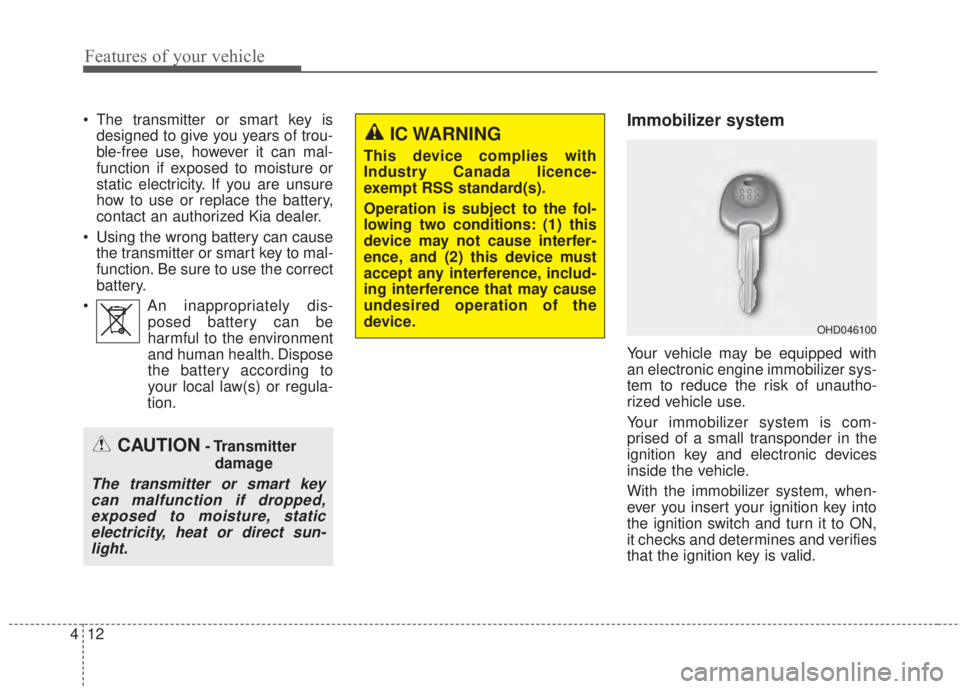
Your vehicle may be equipped with
an electronic engine immobilizer sys-
tem to reduce the risk of unautho-
rized vehicle use.
Your immobilizer system is com-
prised of a small transponder in the
ignition key and electronic devices
inside the vehicle.
With the immobilizer system, when-
ever you insert your ignition key into
the ignition switch and turn it to ON,
it checks and determines and verifies
that the ignition key is valid.
OHD046100
CAUTION- Transmitter
damage
The transmitter or smart key
can malfunction if dropped,
exposed to moisture, static
electricity, heat or direct sun-
light.
IC WARNING
This device complies with
Industry Canada licence-
exempt RSS standard(s).
Operation is subject to the fol-
lowing two conditions: (1) this
device may not cause interfer-
ence, and (2) this device must
accept any interference, includ-
ing interference that may cause
undesired operation of the
device.
Page 87 of 595
415
Features of your vehicle
This system is designed to provide
protection from unauthorized entry
into the vehicle. This system is oper-
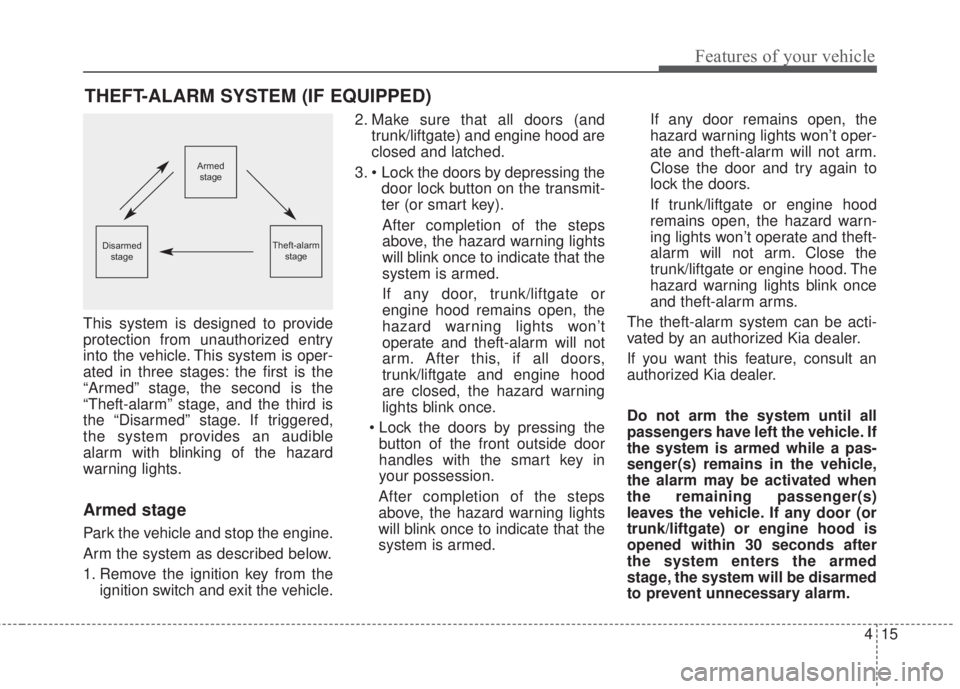
ated in three stages: the first is the
“Armed” stage, the second is the
“Theft-alarm” stage, and the third is
the “Disarmed” stage. If triggered,
the system provides an audible
alarm with blinking of the hazard
warning lights.
Armed stage
Park the vehicle and stop the engine.
Arm the system as described below.
1. Remove the ignition key from the
ignition switch and exit the vehicle.2. Make sure that all doors (and
trunk/liftgate) and engine hood are
closed and latched.
3. • Lock the doors by depressing the
door lock button on the transmit-
ter (or smart key).
After completion of the steps
above, the hazard warning lights
will blink once to indicate that the
system is armed.
If any door, trunk/liftgate or
engine hood remains open, the
hazard warning lights won’t
operate and theft-alarm will not
arm. After this, if all doors,
trunk/liftgate and engine hood
are closed, the hazard warning
lights blink once.
• Lock the doors by pressing the
button of the front outside door
handles with the smart key in
your possession.
After completion of the steps
above, the hazard warning lights
will blink once to indicate that the
system is armed.If any door remains open, the
hazard warning lights won’t oper-
ate and theft-alarm will not arm.
Close the door and try again to
lock the doors.
If trunk/liftgate or engine hood
remains open, the hazard warn-
ing lights won’t operate and theft-
alarm will not arm. Close the
trunk/liftgate or engine hood. The
hazard warning lights blink once
and theft-alarm arms.
The theft-alarm system can be acti-
vated by an authorized Kia dealer.
If you want this feature, consult an
authorized Kia dealer.
Do not arm the system until all
passengers have left the vehicle. If
the system is armed while a pas-
senger(s) remains in the vehicle,
the alarm may be activated when
the remaining passenger(s)
leaves the vehicle. If any door (or
trunk/liftgate) or engine hood is
opened within 30 seconds after
the system enters the armed
stage, the system will be disarmed
to prevent unnecessary alarm.
THEFT-ALARM SYSTEM (IF EQUIPPED)
Armed
stage
Theft-alarm
stageDisarmed
stage
Page 88 of 595
Features of your vehicle
16 4
Theft-alarm stage
The alarm will be activated if any of
the following occurs while the system
is armed.
• A front or rear door is opened without
using the mechanical key or trans-
mitter (or smart key).
• The trunk/liftgate is opened without
using the mechanical key or trans-
mitter (or smart key).
• The engine hood is opened.
The horn will sound and the hazard
warning lights will blink continuously
for approximately 27 seconds
(2times). To turn off the system,
unlock the doors with the transmitter
(or smart key).
Disarmed stage
The system will be disarmed when:
Transmitter
- The door unlock button is pressed.
- The engine is started. (within 3
seconds)
- The ignition switch is in the “ON”
position for 30 seconds or more.
Smart key
- The door unlock button is pressed.
- The button of the front outside door
is pressed while carrying the smart
key.
- The engine is started. (within 3
seconds)
After the doors are unlocked, the
hazard warning lights will blink twice
to indicate that the system is dis-
armed.
After pressing the unlock button, if
any door (or trunk/liftgate) is not
opened within 30 seconds, the sys-
tem will be rearmed.• Avoid trying to start the engine
while the alarm is activated. The
vehicle starting motor is disabled
during the theft-alarm stage.
If the system is not disarmed with
the transmitter, insert the key into
the ignition switch, turn the ignition
switch to the ON position and wait
for 30 seconds. Then the system
will be disarmed.
• If you lose your keys, consult your
authorized Kia dealer.
• If the system is not disarmed with
the transmitter, insert the key into
the ignition switch and start the
engine. Then the system will be
disarmed.
• If you lose your keys, consult your
authorized Kia dealer.
Page 95 of 595
423
Features of your vehicle
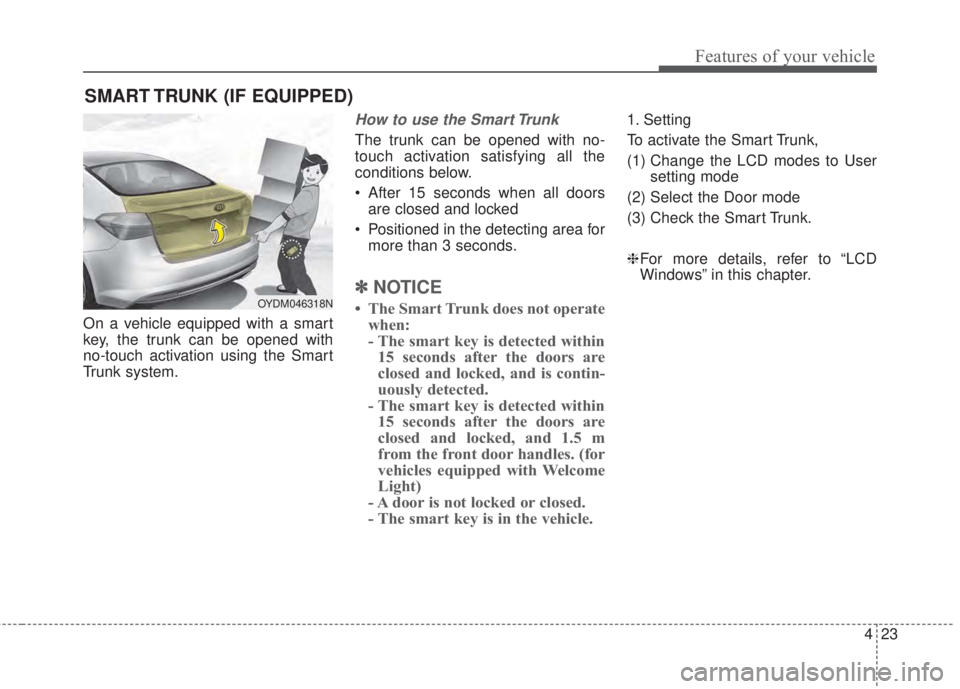
On a vehicle equipped with a smart
key, the trunk can be opened with
no-touch activation using the Smart
Trunk system.
How to use the Smart Trunk
The trunk can be opened with no-
touch activation satisfying all the
conditions below.
• After 15 seconds when all doors
are closed and locked
• Positioned in the detecting area for
more than 3 seconds.
✽NOTICE
• The Smart Trunk does not operate
when:
- The smart key is detected within
15 seconds after the doors are
closed and locked, and is contin-
uously detected.
- The smart key is detected within
15 seconds after the doors are
closed and locked, and 1.5 m
from the front door handles. (for
vehicles equipped with Welcome
Light)
- A door is not locked or closed.
- The smart key is in the vehicle.
1. Setting
To activate the Smart Trunk,
(1) Change the LCD modes to User
setting mode
(2) Select the Door mode
(3) Check the Smart Trunk.
❈For more details, refer to “LCD
Windows” in this chapter.
SMART TRUNK (IF EQUIPPED)
OYDM046318N
Page 96 of 595
Features of your vehicle
24 4
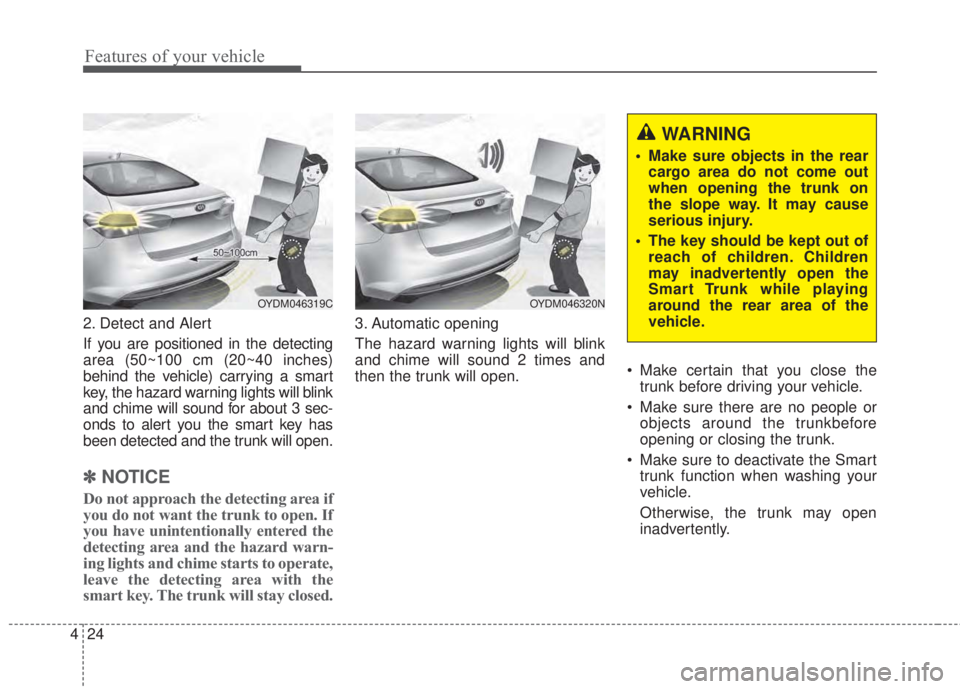
2. Detect and Alert
If you are positioned in the detecting
area (50~100 cm (20~40 inches)
behind the vehicle) carrying a smart
key, the hazard warning lights will blink
and chime will sound for about 3 sec-
onds to alert you the smart key has
been detected and the trunk will open.
✽NOTICE
Do not approach the detecting area if
you do not want the trunk to open. If
you have unintentionally entered the
detecting area and the hazard warn-
ing lights and chime starts to operate,
leave the detecting area with the
smart key. The trunk will stay closed.
3. Automatic opening
The hazard warning lights will blink
and chime will sound 2 times and
then the trunk will open.• Make certain that you close the
trunk before driving your vehicle.
• Make sure there are no people or
objects around the trunkbefore
opening or closing the trunk.
• Make sure to deactivate the Smart
trunk function when washing your
vehicle.
Otherwise, the trunk may open
inadvertently.
OYDM046319COYDM046320N
WARNING
• Make sure objects in the rear
cargo area do not come out
when opening the trunk on
the slope way. It may cause
serious injury.
• The key should be kept out of
reach of children. Children
may inadvertently open the
Smart Trunk while playing
around the rear area of the
vehicle.
Page 103 of 595
431
Features of your vehicle
Power windows (if equipped)
The ignition switch must be in the ON
position for power windows to oper-
ate. Each door has a power window
switch that controls the door’s win-
dow. The driver has a power window
lock switch which can block the oper-
ation of passenger windows.
The power windows can be operated
for approximately 30 seconds after
the ignition key is removed or turned
to the ACC or LOCK position.
However, if the front doors are
opened, the power windows cannot
be operated even within the 30 sec-
ond period.
✽NOTICE
While driving with the rear windows
down or with the sunroof (if
equipped) in an open (or partially
open) position, your vehicle may
demonstrate a wind buffeting or pul-
sation noise. This noise is a normal
occurrence and can be reduced or
eliminated by taking the following
actions. If the noise occurs with one
or both of the rear windows down,
partially lower both front windows
approximately 2.5 cm (1 inch). If you
experience the noise with the sunroof
open, slightly reduce the size of the
sunroof opening.
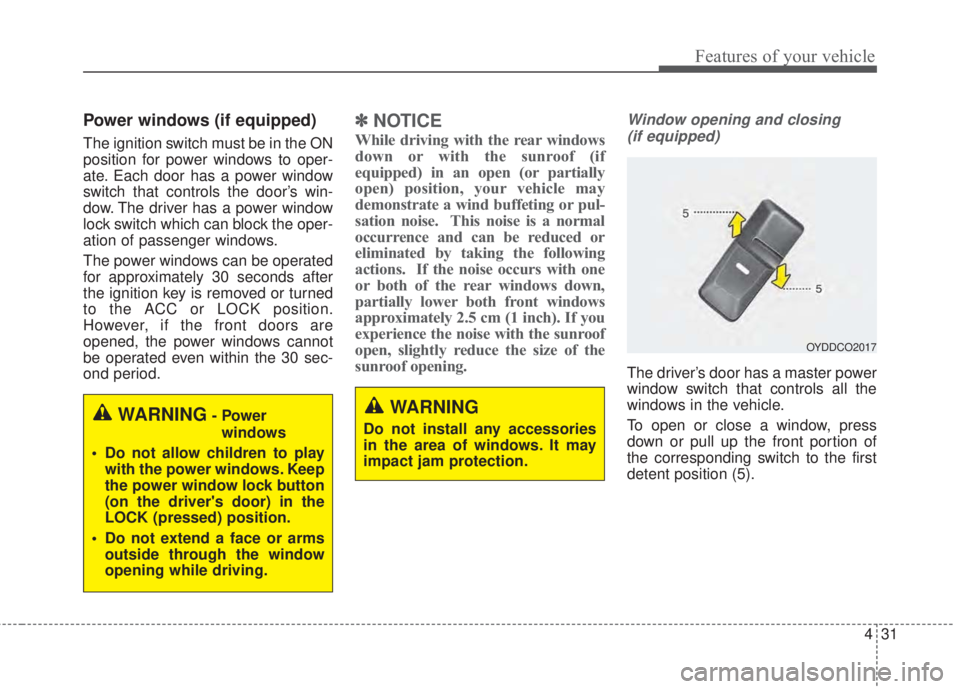
Window opening and closing
(if equipped)
The driver’s door has a master power
window switch that controls all the
windows in the vehicle.
To open or close a window, press
down or pull up the front portion of
the corresponding switch to the first
detent position (5).
OYDDCO2017
WARNING
Do not install any accessories
in the area of windows. It may
impact jam protection.WARNING- Power
windows
• Do not allow children to play
with the power windows. Keep
the power window lock button
(on the driver's door) in the
LOCK (pressed) position.
• Do not extend a face or arms
outside through the window
opening while driving.
Page 107 of 595
435
Features of your vehicle
Short drop (for 2Door)
When you open the front door(s), if
the front window(s) fully closed, the
front windows will drop down about
10 mm (0.4 in.) automatically. And
then if you close the door(s), the win-
dow(s) will automatically fully closed.
This function prevents damage to the
windows. This is not a malfunction.
This is a normal condition.
If the windows does not drop down
automatically because ice has
formed around it, tap lightly the win-
dows to break the ice. Do not pry on
the windows. If necessary, move the
vehicle to a warm place and allow
the ice to melt.
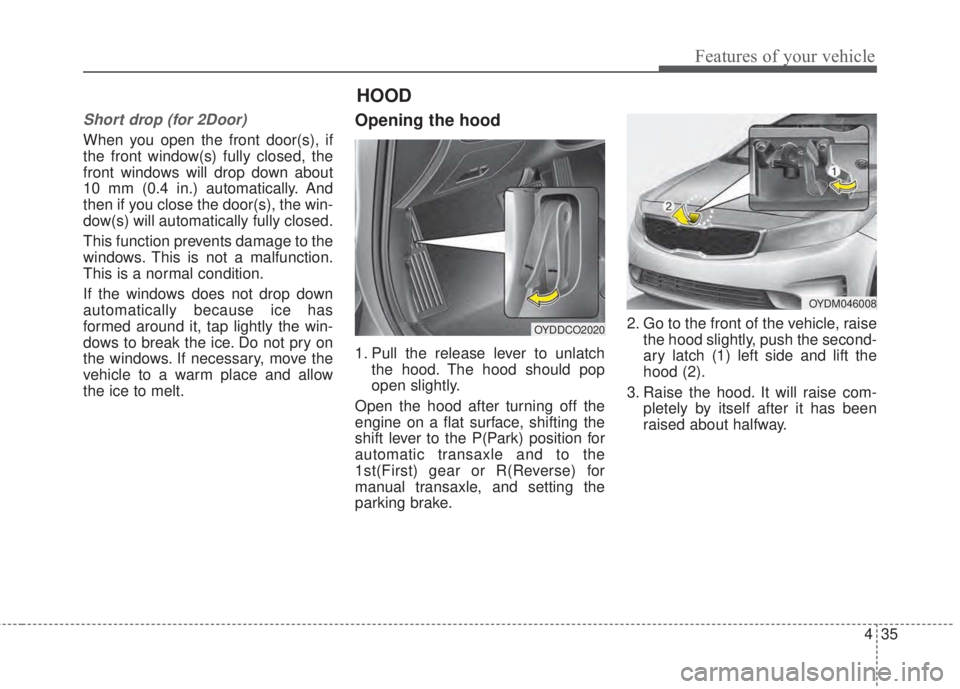
Opening the hood
1. Pull the release lever to unlatch
the hood. The hood should pop
open slightly.
Open the hood after turning off the
engine on a flat surface, shifting the
shift lever to the P(Park) position for
automatic transaxle and to the
1st(First) gear or R(Reverse) for
manual transaxle, and setting the
parking brake.2. Go to the front of the vehicle, raise
the hood slightly, push the second-
ary latch (1) left side and lift the
hood (2).
3. Raise the hood. It will raise com-
pletely by itself after it has been
raised about halfway.
OYDDCO2020
OYDM046008
HOOD
Page 108 of 595
Features of your vehicle
36 4
Hood open warning
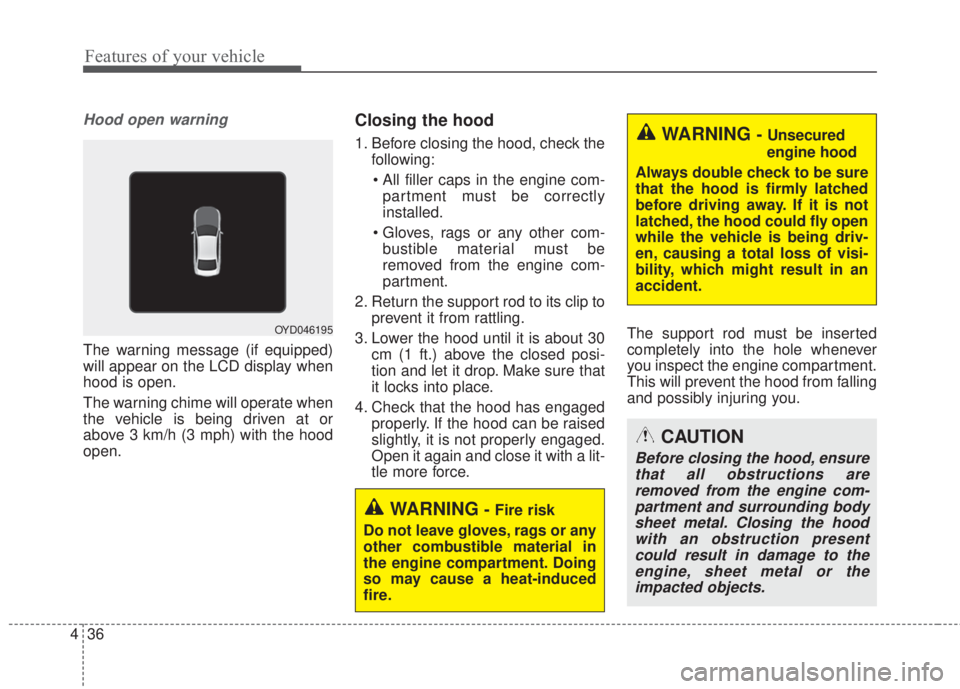
The warning message (if equipped)
will appear on the LCD display when
hood is open.
The warning chime will operate when
the vehicle is being driven at or
above 3 km/h (3 mph) with the hood
open.
Closing the hood
1. Before closing the hood, check the
following:
• All filler caps in the engine com-
partment must be correctly
installed.
• Gloves, rags or any other com-
bustible material must be
removed from the engine com-
partment.
2. Return the support rod to its clip to
prevent it from rattling.
3. Lower the hood until it is about 30
cm (1 ft.) above the closed posi-
tion and let it drop. Make sure that
it locks into place.
4. Check that the hood has engaged
properly. If the hood can be raised
slightly, it is not properly engaged.
Open it again and close it with a lit-
tle more force.The support rod must be inserted
completely into the hole whenever
you inspect the engine compartment.
This will prevent the hood from falling
and possibly injuring you.WARNING -Unsecured
engine hood
Always double check to be sure
that the hood is firmly latched
before driving away. If it is not
latched, the hood could fly open
while the vehicle is being driv-
en, causing a total loss of visi-
bility, which might result in an
accident.
CAUTION
Before closing the hood, ensure
that all obstructions are
removed from the engine com-
partment and surrounding body
sheet metal. Closing the hood
with an obstruction present
could result in damage to the
engine, sheet metal or the
impacted objects.
WARNING-Fire risk
Do not leave gloves, rags or any
other combustible material in
the engine compartment. Doing
so may cause a heat-induced
fire.
OYD046195
Page 109 of 595
437
Features of your vehicle
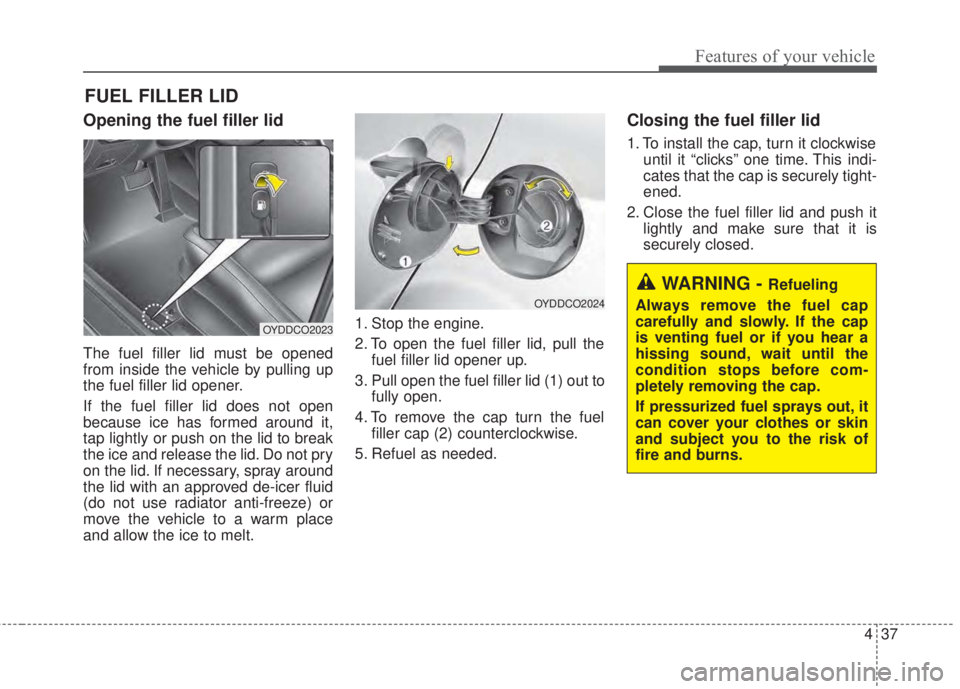
Opening the fuel filler lid
The fuel filler lid must be opened
from inside the vehicle by pulling up
the fuel filler lid opener.
If the fuel filler lid does not open
because ice has formed around it,
tap lightly or push on the lid to break
the ice and release the lid. Do not pry
on the lid. If necessary, spray around
the lid with an approved de-icer fluid
(do not use radiator anti-freeze) or
move the vehicle to a warm place
and allow the ice to melt.1. Stop the engine.
2. To open the fuel filler lid, pull the
fuel filler lid opener up.
3. Pull open the fuel filler lid (1) out to
fully open.
4. To remove the cap turn the fuel
filler cap (2) counterclockwise.
5. Refuel as needed.
Closing the fuel filler lid
1. To install the cap, turn it clockwise
until it “clicks” one time. This indi-
cates that the cap is securely tight-
ened.
2. Close the fuel filler lid and push it
lightly and make sure that it is
securely closed.
FUEL FILLER LID
WARNING - Refueling
Always remove the fuel cap
carefully and slowly. If the cap
is venting fuel or if you hear a
hissing sound, wait until the
condition stops before com-
pletely removing the cap.
If pressurized fuel sprays out, it
can cover your clothes or skin
and subject you to the risk of
fire and burns.
OYDDCO2023
OYDDCO2024