display KIA K900 2015 1.G Service Manual
[x] Cancel search | Manufacturer: KIA, Model Year: 2015, Model line: K900, Model: KIA K900 2015 1.GPages: 522, PDF Size: 7.92 MB
Page 226 of 522
Features of your vehicle
4
4-147
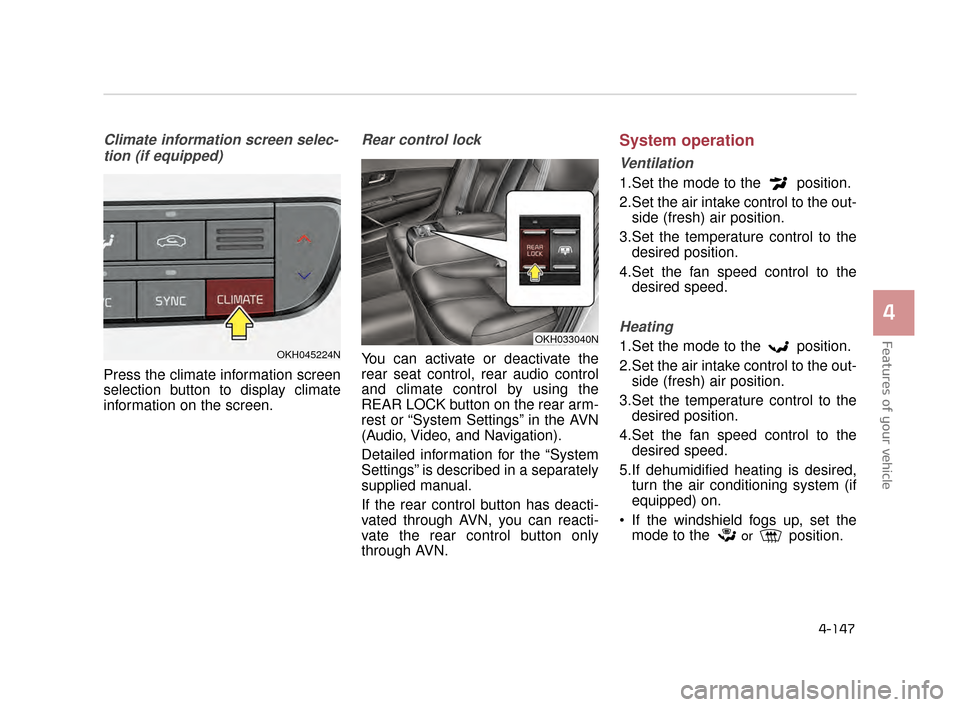
Climate information screen selec-tion (if equipped)
Press the climate information screen
selection button to display climate
information on the screen.
Rear control lock
You can activate or deactivate the
rear seat control, rear audio control
and climate control by using the
REAR LOCK button on the rear arm-
rest or “System Settings” in the AVN
(Audio, Video, and Navigation).
Detailed information for the “System
Settings” is described in a separately
supplied manual.
If the rear control button has deacti-
vated through AVN, you can reacti-
vate the rear control button only
through AVN.
System operation
Ventilation
1.Set the mode to the position.
2.Set the air intake control to the out- side (fresh) air position.
3.Set the temperature control to the desired position.
4.Set the fan speed control to the desired speed.
Heating
1.Set the mode to the position.
2.Set the air intake control to the out-side (fresh) air position.
3.Set the temperature control to the desired position.
4.Set the fan speed control to the desired speed.
5.If dehumidified heating is desired, turn the air conditioning system (if
equipped) on.
If the windshield fogs up, set the mode to the
orposition.
OKH033040N
OKH045224N
KH CAN (ENG) 4:2015 3/26/2015 10:46 AM Page 147
Page 235 of 522
Features of your vehicle
4-156
Cluster ionizer
When the Engine Start/Stop button
is in the ON position, the clean air
function turns on automatically.
Also, the clean air function turns off
automatically, when the Engine
Start/Stop button is in the OFF posi-
tion.
Smart ventilation
When driving and the heater and air
conditioning system is off, the smart
ventilation system maintains pleas-
ant indoor aerial environment by
controlling the temperature, humidity
and CO2 of interior.
“SMART VENTILATION ON” mes-
sage is displayed on the AVN climate
monitor for 5 seconds when the
smart ventilation system operates.
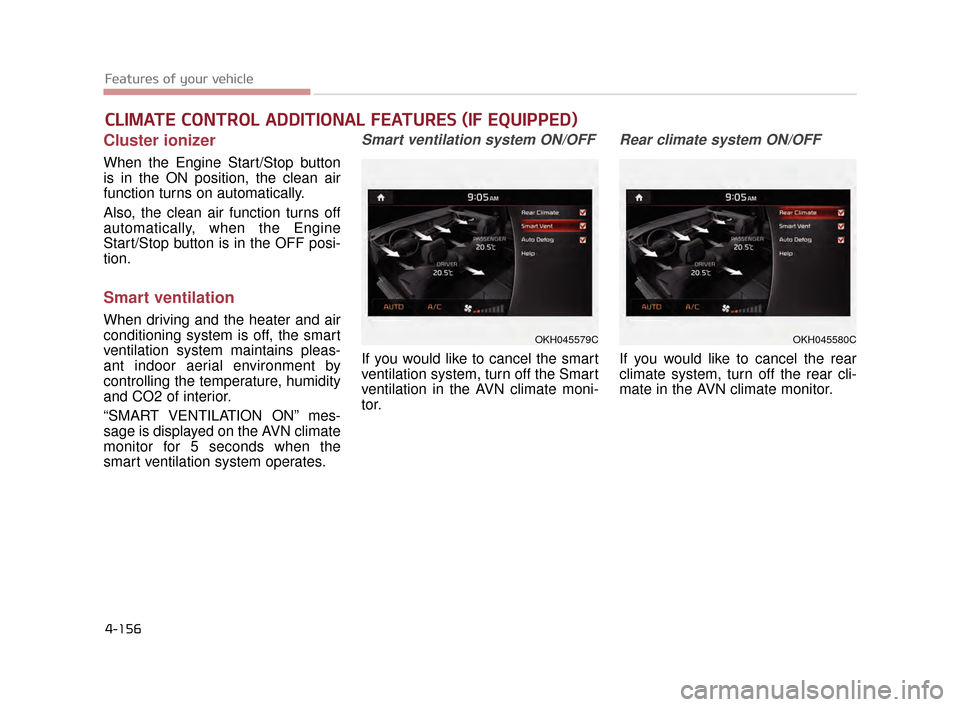
Smart ventilation system ON/OFF
If you would like to cancel the smart
ventilation system, turn off the Smart
ventilation in the AVN climate moni-
tor.
Rear climate system ON/OFF
If you would like to cancel the rear
climate system, turn off the rear cli-
mate in the AVN climate monitor.
CLIMATE CONTROL ADDITIONAL FEATURES (IF EQUIPPED)
OKH045579COKH045580C
KH CAN (ENG) 4:2015 3/26/2015 10:46 AM Page 156
Page 264 of 522
Driving your vehicle
5
5-9
Starting the engine with a
smart key
1.Carry the smart key or leave itinside the vehicle.
2.Make sure the parking brake is firmly applied
3.Place the transaxle shift lever in P (Park).
4.Press the ENGINE START/STOP button while depressing the brake
pedal.
It should be started without depress-
ing the accelerator.
5.Do not wait for the engine to warm up while the vehicle remains sta-
tionary.
Start driving at moderate engine
speeds. (Steep accelerating and
decelerating should be avoided.) Even if the smart key is in the vehi-
cle, but is far away from you, the
engine may not start.
When the ENGINE START/STOP button is in the ACC position or
above, if any door is opened, the
system checks for the smart key. If
the smart key is not in the vehi-
cle,the “ ” indicator will blink or
the warning "Key not in vehicle" will
illuminate on the LCD display. And
if all doors are closed, the chime
will sound for 5 seconds. The indi-
cator or warning will turn off while
the vehicle is moving. Always have
the smart key with you.
The engine will start only when the
smart key is in the vehicle.
STARTING THE ENGINE
Proper footwear
Always wear appropriate shoes
when operating your vehicle.
Unsuitable shoes (high heels, ski
boots, sandals, etc.) may inter-
fere with your ability to use the
brake and accelerator pedals.
WARNING
KH CAN (ENG) 5:2015 3/25/2015 10:50 AM Page 9
Page 267 of 522
5-12
Driving your vehicle
For smooth operation, depress thebrake pedal when shifting from N(Neutral) to a forward or reversegear.
When stopped on an incline, do not
hold the vehicle with engine power.
Use the service brake or the parking
brake.
Transmission ranges
The indicator in the instrument clus-
ter displays the shift lever position
when the Engine Start/Stop Button is
in the ON position.
P (Park)
Always come to a complete stop
before shifting into P (Park). This
position locks the transmission and
prevents the drive wheels from rotat-
ing.
Shifting into P (Park) while the vehi-
cle is in motion will cause the drive
wheels to lock which will cause you
to lose control of the vehicle.
Transmission
To avoid damage to your trans-
mission, do not accelerate the
engine in R (Reverse) or any for-
ward gear position with the
brakes on. The transmission
may be damaged if you shift
into P (Park) while the vehicle is
in motion.
CAUTION
Leaving the vehicle
Before leaving the driver’s seat,
always make sure the shift lever
is in the P (Park) position; then
set the parking brake fully and
shut the engine off. Do not use
the P position in place of the
parking brake. Always make
sure the shift lever is latched in
the P position and set the park-
ing brake fully. Unexpected and
sudden vehicle movement can
occur if these precautions are
not followed.
WARNING
KH CAN (ENG) 5:2015 3/25/2015 10:50 AM Page 12
Page 272 of 522
Driving your vehicle
5
5-17
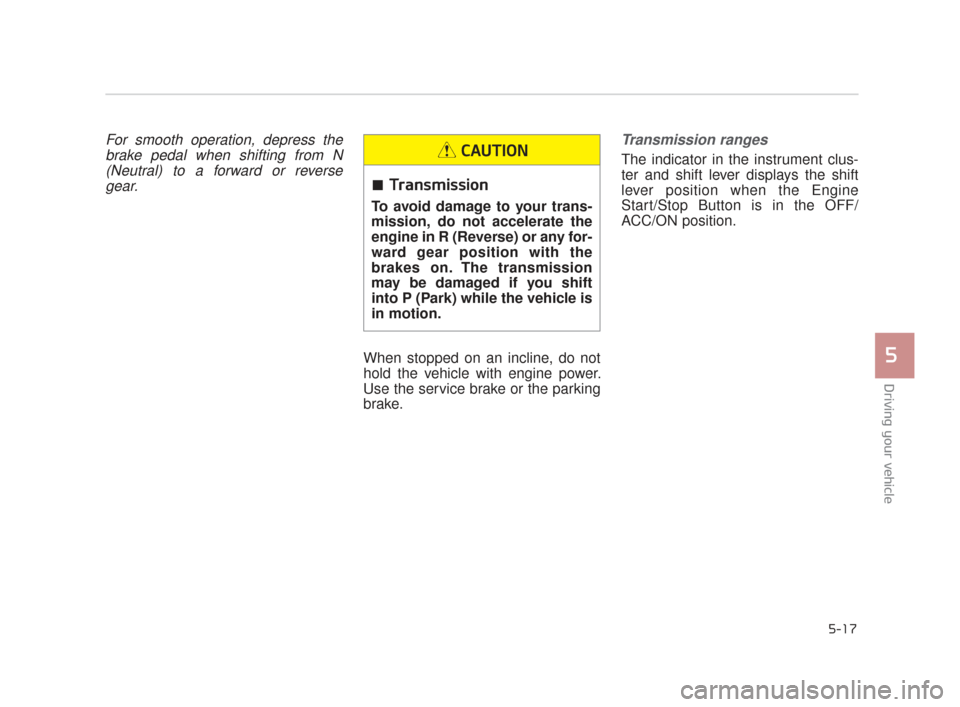
For smooth operation, depress thebrake pedal when shifting from N(Neutral) to a forward or reversegear.
When stopped on an incline, do not
hold the vehicle with engine power.
Use the service brake or the parking
brake.
Transmission ranges
The indicator in the instrument clus-
ter and shift lever displays the shift
lever position when the Engine
Start/Stop Button is in the OFF/
ACC/ON position.
Transmission
To avoid damage to your trans-
mission, do not accelerate the
engine in R (Reverse) or any for-
ward gear position with the
brakes on. The transmission
may be damaged if you shift
into P (Park) while the vehicle is
in motion.
CAUTION
KH CAN (ENG) 5:2015 3/25/2015 10:50 AM Page 17
Page 295 of 522
5-40
Driving your vehicle
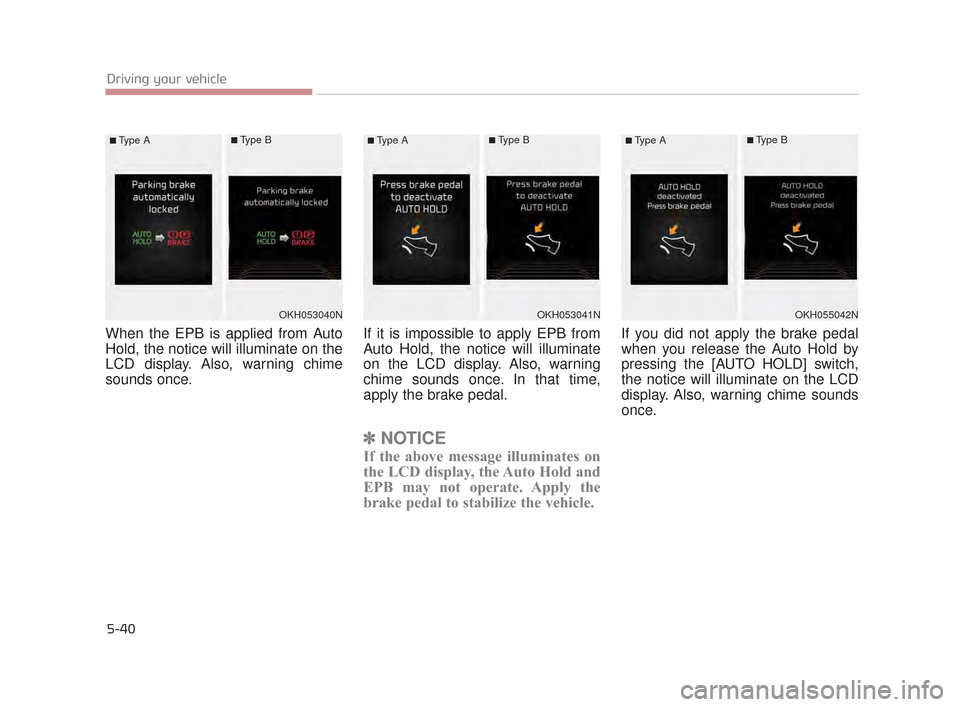
When the EPB is applied from Auto
Hold, the notice will illuminate on the
LCD display. Also, warning chime
sounds once.If it is impossible to apply EPB from
Auto Hold, the notice will illuminate
on the LCD display. Also, warning
chime sounds once. In that time,
apply the brake pedal.
✽
NOTICE
If the above message illuminates on
the LCD display, the Auto Hold and
EPB may not operate. Apply the
brake pedal to stabilize the vehicle.
If you did not apply the brake pedal
when you release the Auto Hold by
pressing the [AUTO HOLD] switch,
the notice will illuminate on the LCD
display. Also, warning chime sounds
once.
OKH053040N
■Type A■Type B
OKH053041N
■Type A■Type B
OKH055042N
■Type A■Type B
KH CAN (ENG) 5:2015 3/25/2015 10:51 AM Page 40
Page 306 of 522
Driving your vehicle
5
5-51
✽NOTICE
• If the AEB is canceled from the
User Settings Mode or there is a
problem with the AEB system, the
Automatic Emergency Mode will
not work.
• If the ESC is off or there is a prob- lem with the ESC system, the
Automatic Emergency Mode will
not work.
• The ESC must be on for the Automatic Emergency Mode to
control ESC in collision situations.
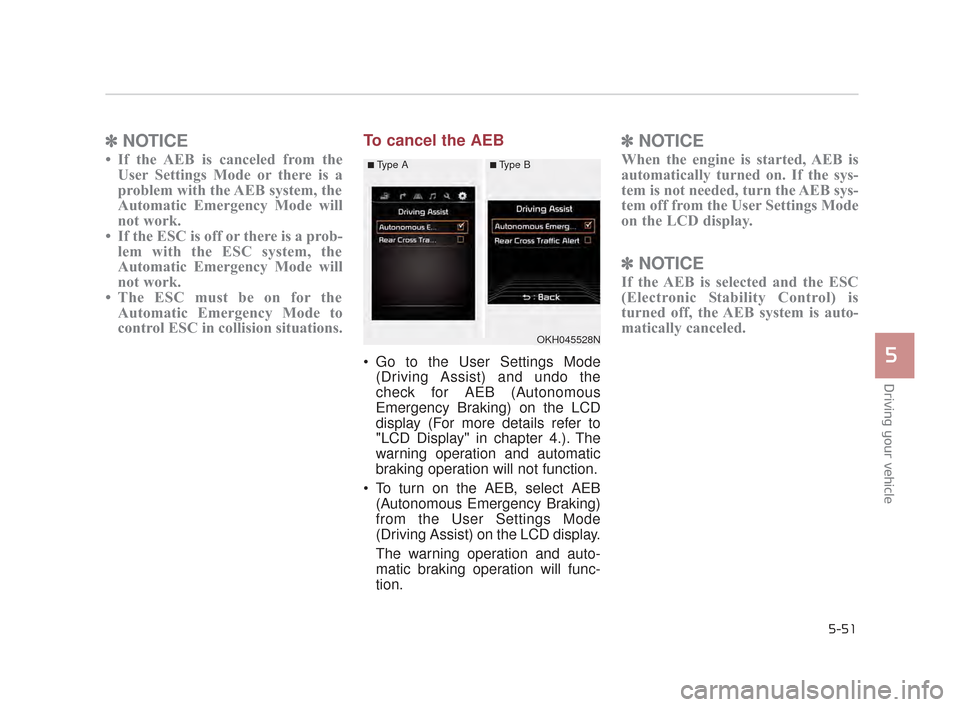
To cancel the AEB
Go to the User Settings Mode
(Driving Assist) and undo the
check for AEB (Autonomous
Emergency Braking) on the LCD
display (For more details refer to
"LCD Display" in chapter 4.). The
warning operation and automatic
braking operation will not function.
To turn on the AEB, select AEB (Autonomous Emergency Braking)
from the User Settings Mode
(Driving Assist) on the LCD display.
The warning operation and auto-
matic braking operation will func-
tion.
✽ NOTICE
When the engine is started, AEB is
automatically turned on. If the sys-
tem is not needed, turn the AEB sys-
tem off from the User Settings Mode
on the LCD display.
✽NOTICE
If the AEB is selected and the ESC
(Electronic Stability Control) is
turned off, the AEB system is auto-
matically canceled.
OKH045528N
■Type A■Type B
KH CAN (ENG) 5:2015 3/25/2015 10:52 AM Page 51
Page 313 of 522
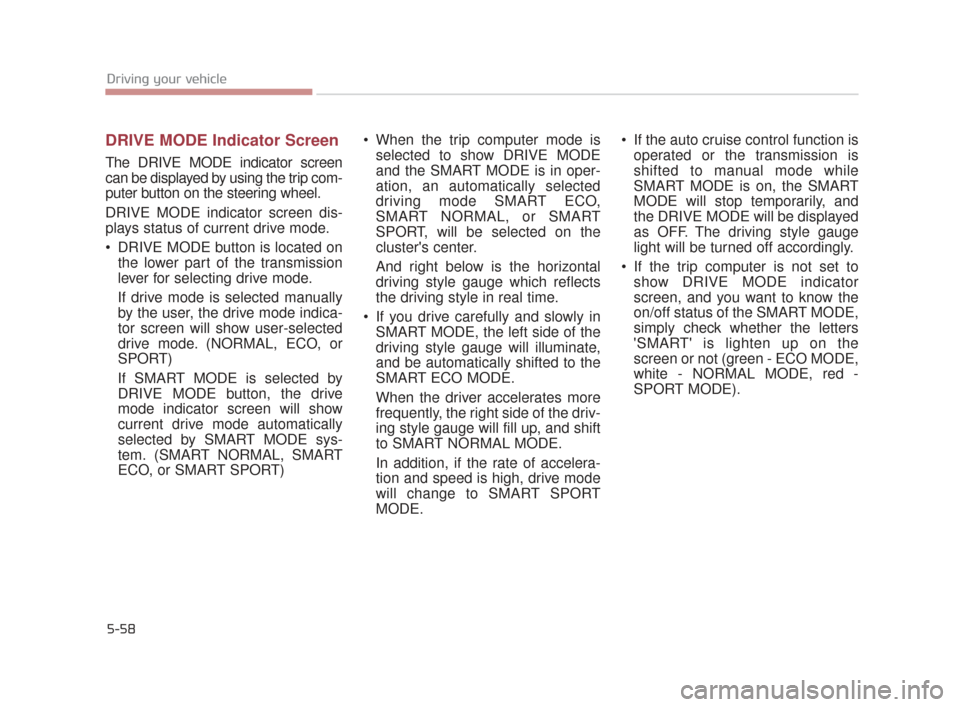
DRIVE MODE Indicator Screen
The DRIVE MODE indicator screen
can be displayed by using the trip com-
puter button on the steering wheel.
DRIVE MODE indicator screen dis-
plays status of current drive mode.
DRIVE MODE button is located onthe lower part of the transmission
lever for selecting drive mode.
If drive mode is selected manually
by the user, the drive mode indica-
tor screen will show user-selected
drive mode. (NORMAL, ECO, or
SPORT)
If SMART MODE is selected by
DRIVE MODE button, the drive
mode indicator screen will show
current drive mode automatically
selected by SMART MODE sys-
tem. (SMART NORMAL, SMART
ECO, or SMART SPORT) When the trip computer mode is
selected to show DRIVE MODE
and the SMART MODE is in oper-
ation, an automatically selected
driving mode SMART ECO,
SMART NORMAL, or SMART
SPORT, will be selected on the
cluster's center.
And right below is the horizontal
driving style gauge which reflects
the driving style in real time.
If you drive carefully and slowly in SMART MODE, the left side of the
driving style gauge will illuminate,
and be automatically shifted to the
SMART ECO MODE.
When the driver accelerates more
frequently, the right side of the driv-
ing style gauge will fill up, and shift
to SMART NORMAL MODE.
In addition, if the rate of accelera-
tion and speed is high, drive mode
will change to SMART SPORT
MODE. If the auto cruise control function is
operated or the transmission is
shifted to manual mode while
SMART MODE is on, the SMART
MODE will stop temporarily, and
the DRIVE MODE will be displayed
as OFF. The driving style gauge
light will be turned off accordingly.
If the trip computer is not set to show DRIVE MODE indicator
screen, and you want to know the
on/off status of the SMART MODE,
simply check whether the letters
'SMART' is lighten up on the
screen or not (green - ECO MODE,
white - NORMAL MODE, red -
SPORT MODE).
5-58
Driving your vehicle
KH CAN (ENG) 5:2015 3/25/2015 10:52 AM Page 58
Page 325 of 522
5-70
Driving your vehicle
Cancelled automatically
The driver's door is opened.
The shift lever is shifted to N(Neutral), R (Reverse) or D (Drive).
The EPB (electronic parking brake) is applied.
The vehicle speed is over 190 km/h (120 mph)
The vehicle stops on a steep incline.
The ESC, TCS or ABS is operat- ing.
The ESC is turned off.
The sensor or the cover is dirty or blocked with foreign matter.
When the vehicle is stopped for over 5 minutes.
The vehicle stops and go repeat- edly for a long period of time.
The driver starts driving by pushing the lever up (RES +) or down (SET
-), approximately 3 seconds after
the vehicle is stopped by the Smart
Cruise Control System with no
other vehicle ahead. The driver starts driving by
depressing the accelerator pedal
or move up the lever (to RES+) or
down(to SET-) if a vehicle stops far
away ahead of the your vehicle.
The accelerator pedal is continu- ously depressed for more than 1
minute.
Each of these actions will cancel
the ASCC operation.(the set speed
and vehicle to vehicle distance on
the LCD display will go off.)
In a condition where the ASCC is
cancelled automatically, the ASCC
will not resume even though the
RES+ or SET- lever is moved. Also,
the EPB (electronic parking brake)
will be applied when the vehicle is
stopped.
✽ NOTICE
If the ASCC is cancelled by other
than the reasons mentioned, have the
system checked by an authorized Kia
Premium dealer.
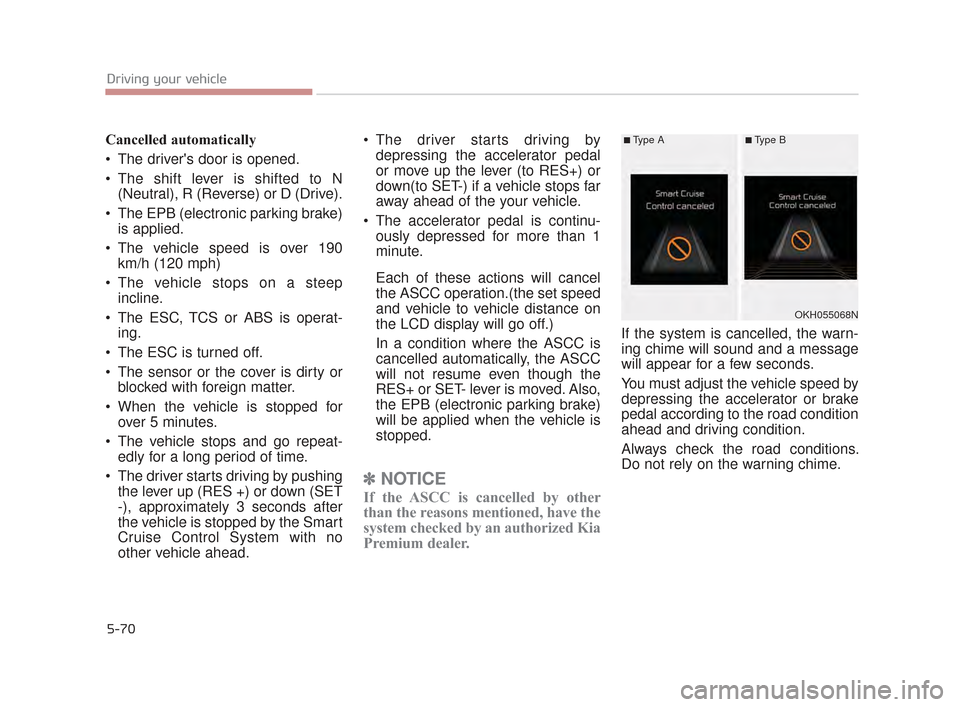
If the system is cancelled, the warn-
ing chime will sound and a message
will appear for a few seconds.
You must adjust the vehicle speed by
depressing the accelerator or brake
pedal according to the road condition
ahead and driving condition.
Always check the road conditions.
Do not rely on the warning chime.
OKH055068N
■Type A■Type B
KH CAN (ENG) 5:2015 3/25/2015 10:52 AM Page 70
Page 328 of 522
Driving your vehicle
5
5-73
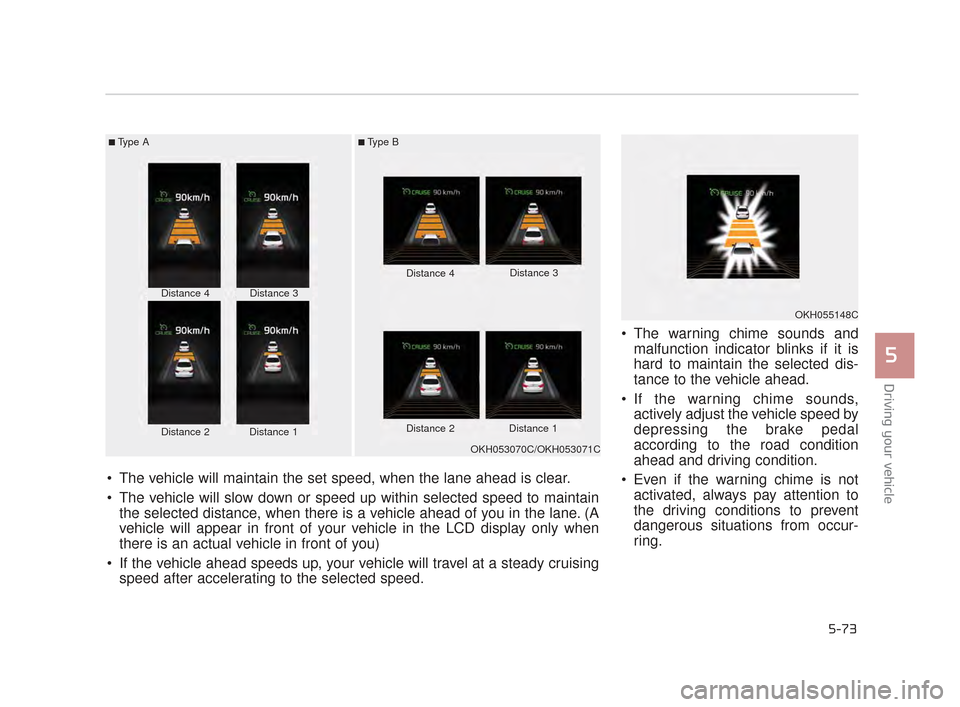
The warning chime sounds andmalfunction indicator blinks if it is
hard to maintain the selected dis-
tance to the vehicle ahead.
If the warning chime sounds, actively adjust the vehicle speed by
depressing the brake pedal
according to the road condition
ahead and driving condition.
Even if the warning chime is not activated, always pay attention to
the driving conditions to prevent
dangerous situations from occur-
ring.
■Type A■Type B
Distance 4
Distance 2Distance 1
Distance 3 Distance 4
Distance 3
Distance 2 Distance 1
The vehicle will maintain the set speed, when the lane ahead is clear.
The vehicle will slow down or speed up within selected speed to maintain the selected distance, when there is a vehicle ahead of you in the lane. (A
vehicle will appear in front of your vehicle in the LCD display only when
there is an actual vehicle in front of you)
If the vehicle ahead speeds up, your vehicle will travel at a steady cruising speed after accelerating to the selected speed.
OKH053070C/OKH053071C
OKH055148C
KH CAN (ENG) 5:2015 3/25/2015 10:53 AM Page 73