light KIA K900 2015 1.G Repair Manual
[x] Cancel search | Manufacturer: KIA, Model Year: 2015, Model line: K900, Model: KIA K900 2015 1.GPages: 522, PDF Size: 7.92 MB
Page 184 of 522
ECO Indicator Light
This indicator light illuminates :
When the Active ECO system isactivated by pressing the DRIVE
mode button.
The ECO indicator (green) will illu- minate to show that the Active
ECO is operating.
❈ For more detailed information,
refer to “Drive Mode Integrated
Control System" in chapter 5.
Immobilizer Indicator
Light (With Smart Key)
This indicator light illuminates for up
to 30 seconds:
When the vehicle detects the smart key in the vehicle properly
while the Engine Start/Stop Button
is ACC or ON.
- At this time, you can start theengine.
- The indicator light goes off after starting the engine.
This indicator light blinks for a few
seconds:
When the smart key is not in the vehicle.
- At this time, you can not start theengine.
Features of your vehicle
4
4-105
Distracted driving
Driving while distracted can
result in a loss of vehicle con-
trol that may lead to an acci-
dent, severe personal injury,
and death. The driver’s primary
responsibility is in the safe and
legal operation of a vehicle, and
use of any handheld devices,
other equipment, or vehicle sys-
tems which take the driver’s
eyes, attention and focus away
from the safe operation of a
vehicle or which are not permis-
sible by law should never be
used during operation of the
vehicle.
WARNING
KH CAN (ENG) 4:2015 3/26/2015 10:42 AM Page 105
Page 185 of 522
This indicator light illuminates for 2
seconds and goes off:
When the vehicle can not detectthe smart key which is in the vehi-
cle while the Engine Start/Stop
Button is ON.
In this case, have your vehicle
inspected by an authorized Kia
Premium dealer.
This indicator light blinks:
When the battery of the smart key is weak.
- At this time, you can not start theengine. However, you can start the
engine if you press the Engine
Start/Stop Button with the smart
key. (For more details, refer to
“Starting the Engine” in chapter 5).
When there is a malfunction with the immobilizer system.
In this case, have your vehicle
inspected by an authorized Kia
Premium dealer.Turn Signal Indicator
Light
This indicator light blinks:
When you turn the turn signal light on.
If any of the following occurs, there
may be a malfunction with the turn
signal system. In this case, have your
vehicle inspected by an authorized
Kia Premium dealer. - The indicator light does not blinkbut illuminates.
- The indicator light blinks more rapidly.
- The indicator light does not illu- minate at all.
High Beam Indicator
Light
This indicator light illuminates:
When the headlights are on and in the high beam position.
When the turn signal lever is pulled into the Flash-to-Pass position.
Features of your vehicle
4-106
KH CAN (ENG) 4:2015 3/26/2015 10:42 AM Page 106
Page 186 of 522
Features of your vehicle
4
4-107
Light ON Indicator Light
This indicator light illuminates:
When the tail lights or headlightsare on.
Front Fog Indicator
Light
This indicator light illuminates:
When the front fog lights are on.
Cruise IndicatorLight
This indicator light illuminates:
When the cruise control system is enabled.
❈ For more details, refer to “Cruise
Control System” in chapter 5.
Cruise SET Indicator
Light
This indicator light illuminates:
When the cruise control speed is set.
❈ For more details, refer to “Cruise
Control System” in chapter 5.
KH CAN (ENG) 4:2015 3/26/2015 10:42 AM Page 107
Page 187 of 522
Features of your vehicle
4-108
Description
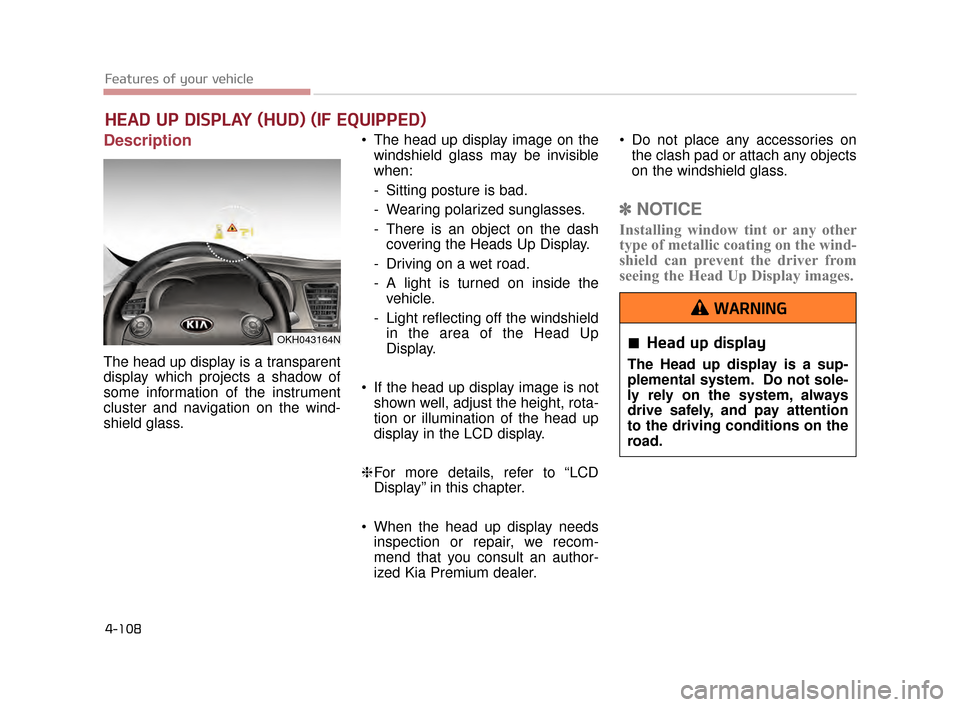
The head up display is a transparent
display which projects a shadow of
some information of the instrument
cluster and navigation on the wind-
shield glass. The head up display image on the
windshield glass may be invisible
when:
- Sitting posture is bad.
- Wearing polarized sunglasses.
- There is an object on the dashcovering the Heads Up Display.
- Driving on a wet road.
- A light is turned on inside the vehicle.
- Light reflecting off the windshield in the area of the Head Up
Display.
If the head up display image is not shown well, adjust the height, rota-
tion or illumination of the head up
display in the LCD display.
❈ For more details, refer to “LCD
Display” in this chapter.
When the head up display needs inspection or repair, we recom-
mend that you consult an author-
ized Kia Premium dealer. Do not place any accessories on
the clash pad or attach any objects
on the windshield glass.
✽ NOTICE
Installing window tint or any other
type of metallic coating on the wind-
shield can prevent the driver from
seeing the Head Up Display images.
HEAD UP DISPLAY (HUD) (IF EQUIPPED)
OKH043164NHead up display
The Head up display is a sup-
plemental system. Do not sole-
ly rely on the system, always
drive safely, and pay attention
to the driving conditions on the
road.
WARNING
KH CAN (ENG) 4:2015 3/26/2015 10:42 AM Page 108
Page 188 of 522
Features of your vehicle
4
4-109
✽NOTICE
Prior to replacing the wind shield in
a vehicle equipped with the Head up
display, ensure the glass used is
designed to properly display the
Head up display images to ensure
proper operation of the system.
Head Up Display ON/OFF
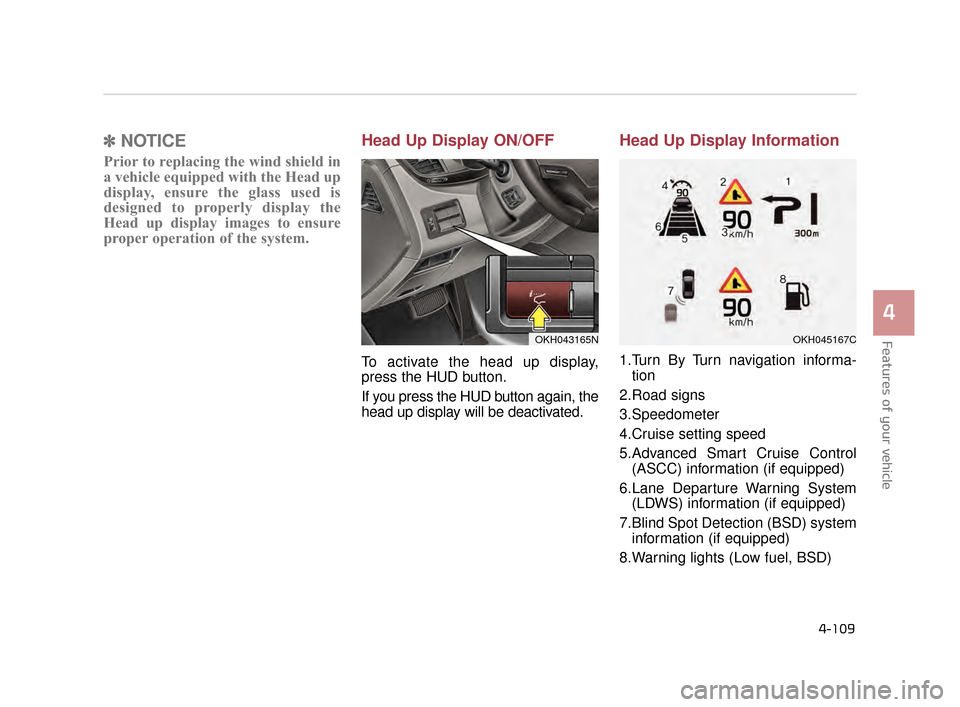
To activate the head up display,
press the HUD button.
If you press the HUD button again, the
head up display will be deactivated.
Head Up Display Information
1.Turn By Turn navigation informa-
tion
2.Road signs
3.Speedometer
4.Cruise setting speed
5.Advanced Smart Cruise Control (ASCC) information (if equipped)
6.Lane Departure Warning System (LDWS) information (if equipped)
7.Blind Spot Detection (BSD) system information (if equipped)
8.Warning lights (Low fuel, BSD)
OKH043165NOKH045167C
KH CAN (ENG) 4:2015 3/26/2015 10:42 AM Page 109
Page 195 of 522
Features of your vehicle
4-116
The Rear-Camera Display is not a
substitute for proper and safe back-
ing-up procedures. The Rear-Camera
Display may not display every object
behind the vehicle. Always drive safe-
ly and use caution when backing up.
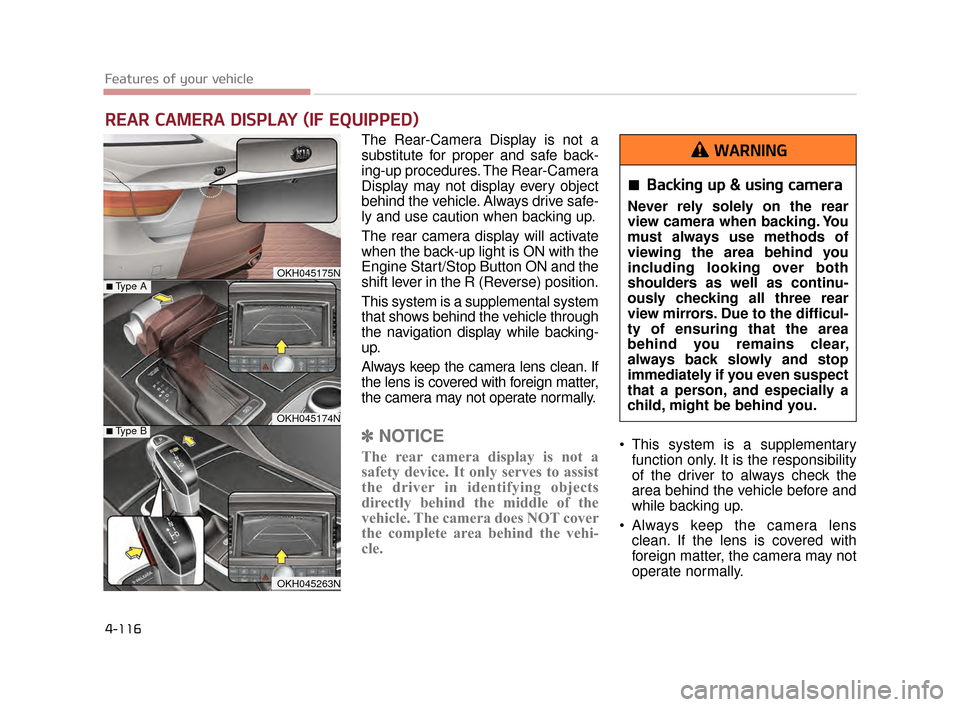
The rear camera display will activate
when the back-up light is ON with the
Engine Start/Stop Button ON and the
shift lever in the R (Reverse) position.
This system is a supplemental system
that shows behind the vehicle through
the navigation display while backing-
up.
Always keep the camera lens clean. If
the lens is covered with foreign matter,
the camera may not operate normally.
✽NOTICE
The rear camera display is not a
safety device. It only serves to assist
the driver in identifying objects
directly behind the middle of the
vehicle. The camera does NOT cover
the complete area behind the vehi-
cle. This system is a supplementary
function only. It is the responsibility
of the driver to always check the
area behind the vehicle before and
while backing up.
Always keep the camera lens clean. If the lens is covered with
foreign matter, the camera may not
operate normally.
REAR CAMERA DISPLAY (IF EQUIPPED)
OKH045175N
OKH045174N
■Type A
■Type B
OKH045263N
Backing up & using camera
Never rely solely on the rear
view camera when backing. You
must always use methods of
viewing the area behind you
including looking over both
shoulders as well as continu-
ously checking all three rear
view mirrors. Due to the difficul-
ty of ensuring that the area
behind you remains clear,
always back slowly and stop
immediately if you even suspect
that a person, and especially a
child, might be behind you.
WARNING
KH CAN (ENG) 4:2015 3/26/2015 10:43 AM Page 116
Page 196 of 522
Features of your vehicle
4
4-117
The Parking Guide System is not a
substitute for proper and safe park-
ing procedures. The Parking Guide
System may not detect every object
surrounding the vehicle. Always drive
safely and use caution when parking.
The Parking Guide System (PGS)
will activate when the back-up light is
ON with the Engine Start/Stop
Button ON and the shift lever in the R
(Reverse) position.
✽NOTICE
The park guide system is not a safe-
ty device. It only serves to assist the
driver in in parking the vehicle. It is
the responsibility of the driver to
always check the area around the
vehicle when parking the vehicle.
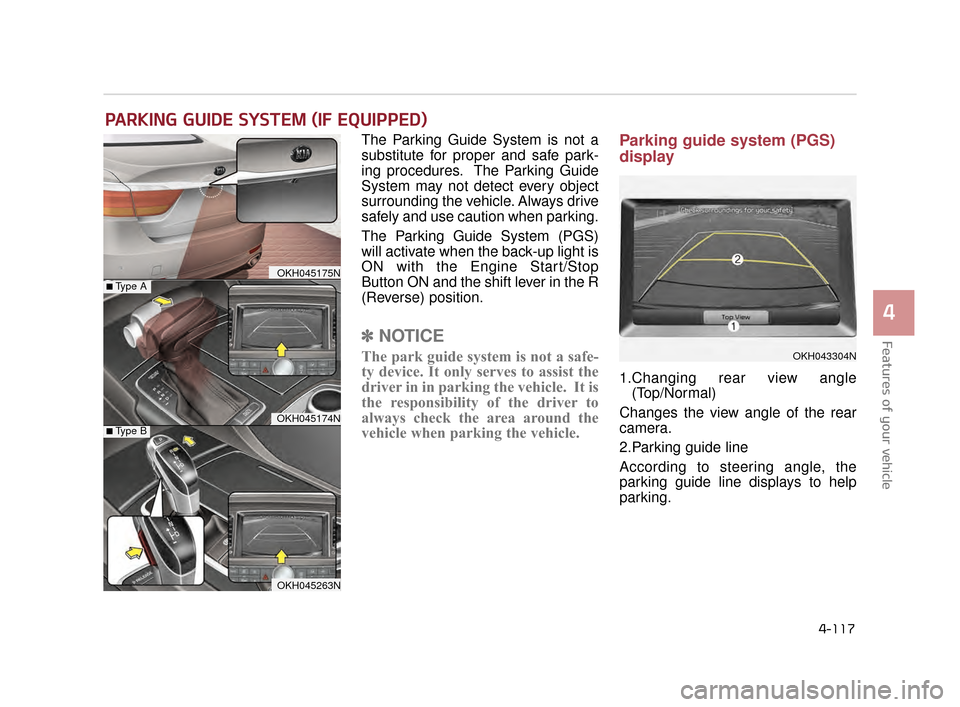
Parking guide system (PGS)
display
1.Changing rear view angle
(Top/Normal)
Changes the view angle of the rear
camera.
2.Parking guide line
According to steering angle, the
parking guide line displays to help
parking.
PARKING GUIDE SYSTEM (IF EQUIPPED)
OKH043304N
OKH045175N
OKH045174N
■Type A
■Type B
OKH045263N
KH CAN (ENG) 4:2015 3/26/2015 10:43 AM Page 117
Page 200 of 522
Features of your vehicle
4
4-121
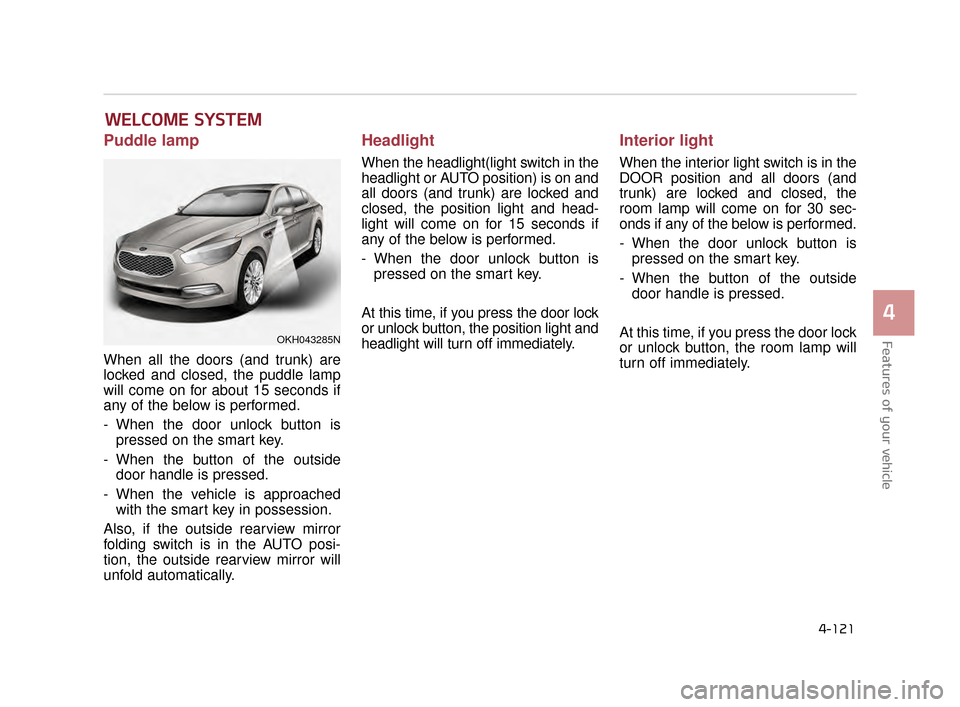
Puddle lamp
When all the doors (and trunk) are
locked and closed, the puddle lamp
will come on for about 15 seconds if
any of the below is performed.
- When the door unlock button ispressed on the smart key.
- When the button of the outside door handle is pressed.
- When the vehicle is approached with the smart key in possession.
Also, if the outside rearview mirror
folding switch is in the AUTO posi-
tion, the outside rearview mirror will
unfold automatically.
Headlight
When the headlight(light switch in the
headlight or AUTO position) is on and
all doors (and trunk) are locked and
closed, the position light and head-
light will come on for 15 seconds if
any of the below is performed.
- When the door unlock button is pressed on the smart key.
At this time, if you press the door lock
or unlock button, the position light and
headlight will turn off immediately.
Interior light
When the interior light switch is in the
DOOR position and all doors (and
trunk) are locked and closed, the
room lamp will come on for 30 sec-
onds if any of the below is performed.
- When the door unlock button is pressed on the smart key.
- When the button of the outside door handle is pressed.
At this time, if you press the door lock
or unlock button, the room lamp will
turn off immediately.
WELCOME SYSTEM
OKH043285N
KH CAN (ENG) 4:2015 3/26/2015 10:43 AM Page 121
Page 201 of 522
Features of your vehicle
4-122
LIGHTING
Battery saver function
The purpose of this feature is toprevent the battery from being dis-
charged. The system automatically
turns off the parking lights when
the driver turns off the engine and
opens the driver-side door.
With this feature, the parking lights will be turned off automatically if
the driver parks on the side of the
road at night.
If necessary, to keep the lights on
when the engine is turned OFF,
perform the following:
1) Open the driver-side door.
2) Turn the parking lights OFF and ON again using the light switch
on the steering column.
Headlight escort function
If you turn the Engine Start/Stop
Button to the ACC or OFF position
with the headlights ON, the head-
lights (and/or tail lights) remain on for
about 5 minutes. However, if the dri-
ver’s door is opened and closed, the
headlights are turned off after 15
seconds.
The headlights can be turned off by
pressing the lock button on the smart
key twice or turning the light switch to
the OFF or Auto position.
However, if you turn the light switch
to the Auto position when it is dark
outside, the headlights will not be
turned off. If the driver gets out of the vehicle
through other doors (except driver's
door), the battery saver function
does not operate and the headlight
escort function does not turn off
automatically. Therefore, It causes
the battery to be discharged. In this
case, make sure to turn off the lamp
before getting out of the vehicle.
KH CAN (ENG) 4:2015 3/26/2015 10:43 AM Page 122
Page 202 of 522
Features of your vehicle
4
4-123
Daytime running light
Daytime Running Lights (DRL) can
make it easier for others to see the
front of your vehicle during the day.
DRL can be helpful in many different
driving conditions, and it is especial-
ly helpful after dawn and before sun-
set.
The DRL system turns OFF when:
1. The headlights(Front position lamp,Low beam, High beam) are ON.
2. The parking brake is applied.
3. Engine stops.
4. The front fog light is ON.
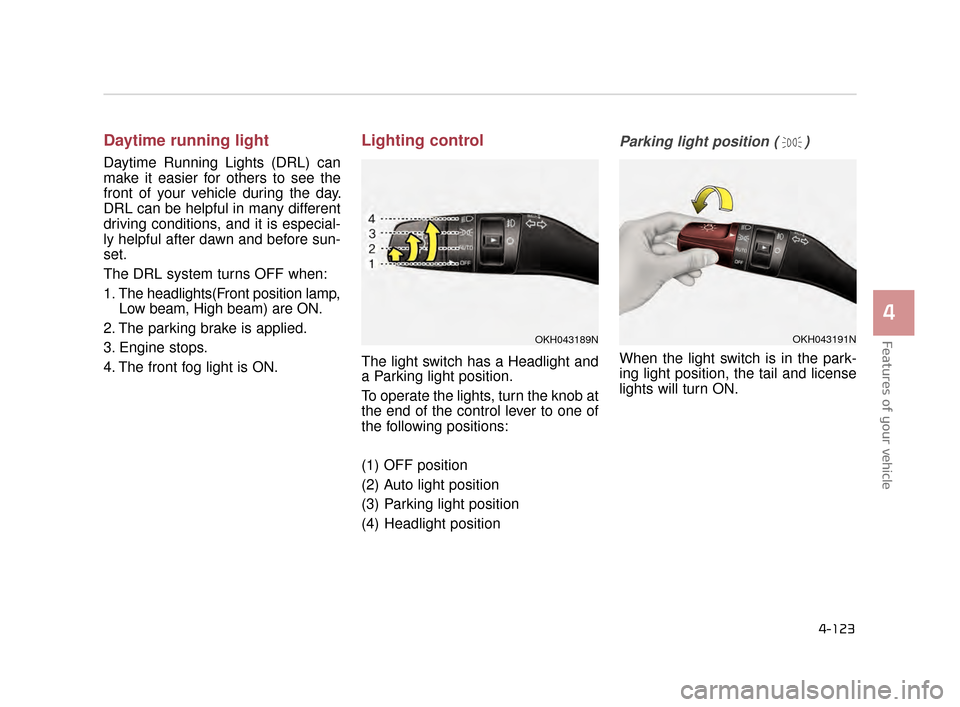
Lighting control
The light switch has a Headlight and
a Parking light position.
To operate the lights, turn the knob at
the end of the control lever to one of
the following positions:
(1) OFF position
(2) Auto light position
(3) Parking light position
(4) Headlight position
Parking light position ( )
When the light switch is in the park-
ing light position, the tail and license
lights will turn ON.
OKH043191NOKH043189N
KH CAN (ENG) 4:2015 3/26/2015 10:43 AM Page 123