stop start KIA K900 2017 Owners Manual
[x] Cancel search | Manufacturer: KIA, Model Year: 2017, Model line: K900, Model: KIA K900 2017Pages: 542, PDF Size: 14.89 MB
Page 310 of 542
Driving your vehicle
5
5-47
Hill-start assist control (HAC)
Hill start Assist Control is a comfort
function. The main intent is to pre-
vent the vehicle from rolling back-
wards while driving uphill on an
inclined surface. HAC holds the brak-
ing pressure builtup by driver during
stopping procedure for 2 seconds
after releasing brake pedal.
During the pressure-hold period, the
driver has enough time to press the
accelerator pedal to drive off.
The braking pressure is reduced as
soon as the system detects the dri-
ver’s intention to drive off. The HAC does not operate when
the transaxle shift lever is in the P
(Park) or N (Neutral) position.
The HAC activates even though the ESC is off but it does not acti-
vate when the ESC has malfunc-
tioned.
Good braking practices
Check to be sure the parking brakeis not engaged and that the park-
ing brake indicator light is out
before driving away.
Driving through water may get the brakes wet. They can also get wet
when the vehicle is washed. Wet
brakes can be dangerous! Your
vehicle will not stop as quickly if the
brakes are wet. Wet brakes may
cause the vehicle to pull to one
side.
To dry the brakes, apply the brakes
lightly until the braking action
returns to normal, taking care to
keep the vehicle under control at
all times. If the braking action does
not return to normal, stop as soon
as it is safe to do so and call an
authorized K900 Kia dealer for
assistance.
Don't coast down hills with the vehicle out of gear. This is extreme-
ly hazardous. Keep the vehicle in
gear at all times, use the brakes to
slow down, then shift to a lower
gear so that engine braking will
help you maintain a safe speed.
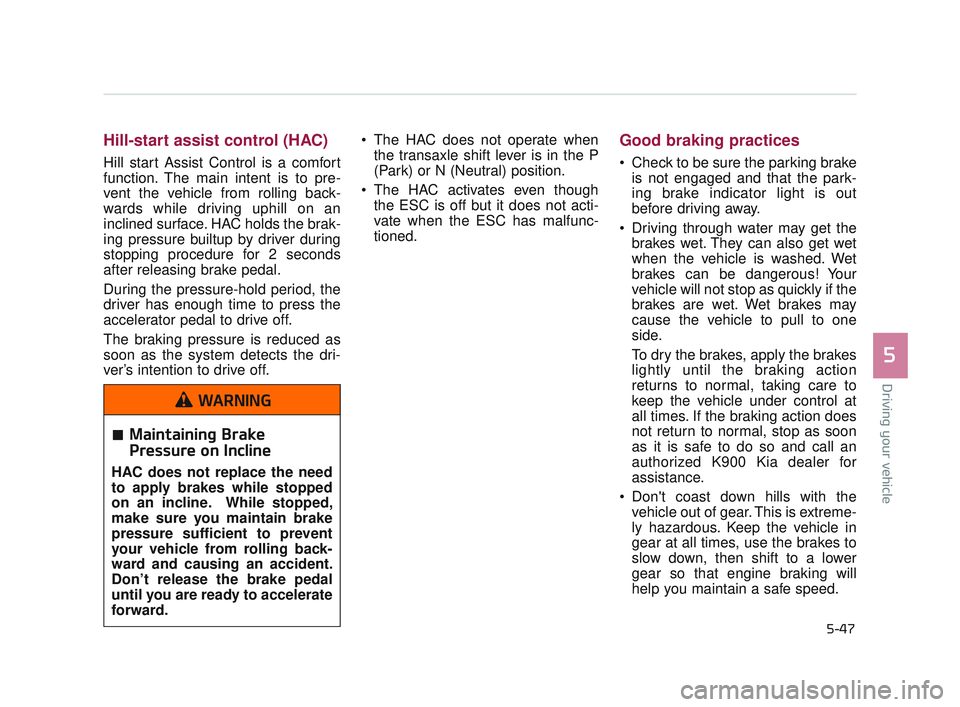
Maintaining Brake
Pressure on Incline
HAC does not replace the need
to apply brakes while stopped
on an incline. While stopped,
make sure you maintain brake
pressure sufficient to prevent
your vehicle from rolling back-
ward and causing an accident.
Don’t release the brake pedal
until you are ready to accelerate
forward.
WARNING
KH USA 5:2016 12/1/2016 10:55 PM Page 47
Page 318 of 542
Driving your vehicle
5
5-55
ECO (ACTIVE ECO) MODE
ACTIVE ECO systemenhances fuel efficiency
through eco control of
the engine and trans-
mission. The actual fuel
efficiency will depend on
personal driving style
and habits.
By pressing the DRIVE MODE button and
selecting ECO MODE,
green ECO indicator
light will illuminate.
ECO MODE Driving:
The vehicle engine and transmission
will operate in fuel economy oriented
mode.
ACTIVE ECO MODE system will
restrain fuel economy worsening
driving habits, such as sudden starts
and accelerations, compared to the
NORMAL MODE.
Conditions that limit Active
ECO MODE:
Below are a list of conditions in which
when in ACTIVE ECO MODE, the
indicator light will not change, but the
internal system may operate differ-
ently.
When engine coolant temperatureis low:
When temperature of the transaxle
oil is below the normal range, the
ACTIVE ECO MODE may become
temporarily unavailable until the
transaxle oil heats up after vehicle
ignition.
When in an uphill gradient: Since the ACTIVE ECO MODE
partially limits the engine torque,
ACTIVE ECO MODE may become
temporarily unavailable when more
torque is essential for going uphill.
When using the manual transmis- sion operation mode:
If transmission operation is
changed from automatic to manual,
vehicle will reflect it and automati-
cally stop the ACTIVE ECO MODE.
KH USA 5:2016 12/1/2016 10:55 PM Page 55
Page 319 of 542
5-56
Driving your vehicle
SPORT MODE
When the DRIVE MODEbutton is pressed and
the SPORT MODE is
selected, the SPORT
indicator (red) will illumi-
nate on the dashboard.
When the SPORT MODE is activated, and the
Engine Start/Stop button
is turned off and on again,
drive mode will reset to
NORMAL MODE.
To turn on SPORT MODE, press DRIVE
MODE button again.
If the system is activated: - After increasing speedand turning your foot off
the accelerator pedal, it
maintains the current
gear and RPM for
some time even though
the accelerator pedal is
not depressed.
- Up-shift during accel- eration is delayed.
✽ NOTICE
In SPORT DRIVE MODE, the fuel
efficiency may decrease.
SNOW MODE (if equipped)
SNOW MODE helps the
driver drive more effec-
tively on slippery road
surfaces in snowy or
muddy conditions.
If the SNOW MODE but- ton is pressed, the
SNOW MODE will oper-
ate regardless of
whichever drive mode
(NORMAL/ ECO /
SPORT / SMART) the
vehicle is in.
If the SNOW MODE but- ton is pressed once
more, the DRIVE MODE
(NORMAL / ECO /
SPORT / SMART) will
return to the previously
selected mode.
KH USA 5:2016 12/1/2016 10:55 PM Page 56
Page 320 of 542
Driving your vehicle
5
5-57
SMART MODE
SMART MODE is an intelligentdriving mode which automatically
selects the most appropriate drive
mode (Economic ↔ Aggressive)
by measuring usage of steering
wheel, and accelerator pedal.
When DRIVE MODE button is pressed and the SMART MODE is
selected, SMART indicator will illu-
minate on the dashboard.
The color of the SMART MODE indicator light will depend on the
driving style. If the driving style is
economic, average, and speedy,
the indicator light will be green,
white, and red in respective order.
When the SMART MODE is acti- vated, and the Engine Start/Stop
button is turned off and on again,
your car will still maintain the
SMART MODE.
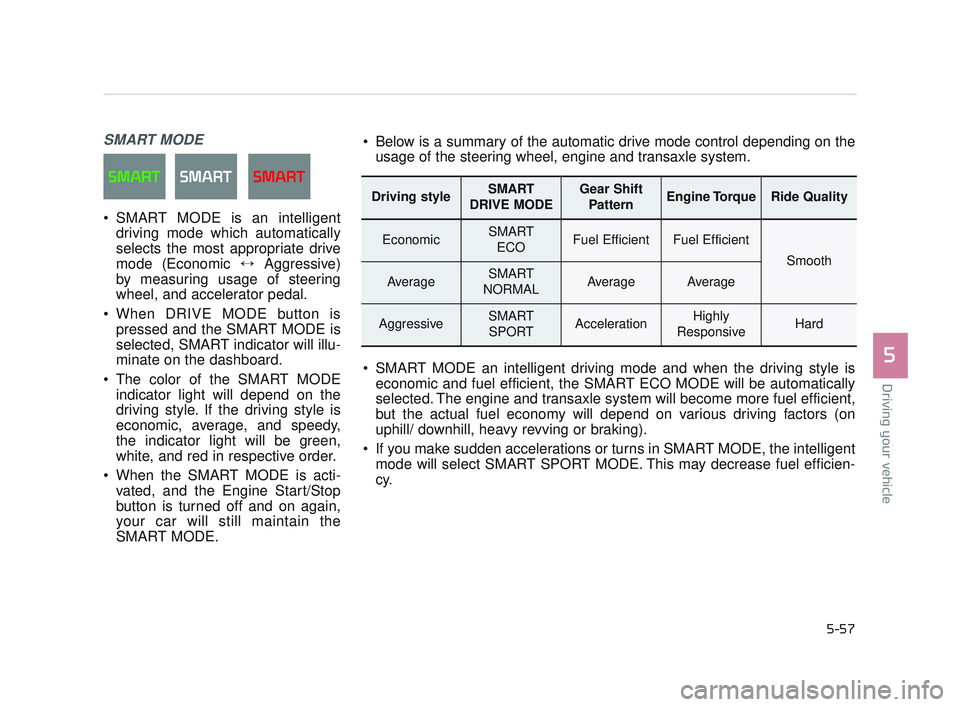
Driving styleSMART
DRIVE MODEGear Shift PatternEngine TorqueRide Quality
EconomicSMART ECOFuel EfficientFuel Efficient
Smooth
AverageSMART
NORMALAverageAverage
AggressiveSMART SPORTAccelerationHighly
ResponsiveHard
Below is a summary of the automatic drive mode control depending on the usage of the steering wheel, engine and transaxle system.
SMART MODE an intelligent driving mode and when the driving style is economic and fuel efficient, the SMART ECO MODE will be automatically
selected. The engine and transaxle system will become more fuel efficient,
but the actual fuel economy will depend on various driving factors (on
uphill/ downhill, heavy revving or braking).
If you make sudden accelerations or turns in SMART MODE, the intelligent mode will select SMART SPORT MODE. This may decrease fuel efficien-
cy.
KH USA 5:2016 12/1/2016 10:55 PM Page 57
Page 323 of 542
5-60
Driving your vehicle
Attributes of SMART MODE.
If the accelerator pedal is pressedgently, your vehicle will recognize it
as a economic driving style. After
some time, the system will automat-
ically shift to SMART ECO MODE.
If you press the accelerator pedal frequently and heavily in SMART
ECO MODE, the system will auto-
matically shift to SMART NORMAL
MODE.
Even when driving style has not changed from SMART ECO
MODE, if your vehicle is driven
uphill considerably, the system will
detect the gradient. Then, the
SMART system will automatically
change the setting to the SMART
NORMAL MODE temporarily.
Once your vehicle is out of the hilly
ground, your vehicle will automati-
cally return to the SMART ECO
MODE. The SMART system will recognize
sudden and repetitive acceleration
or steering as aggressive driving,
and automatically switches into the
SMART SPORT MODE.
Your vehicle will run at a lower gear
in SMART SPORT MODE com-
pared to those in SMART NOR-
MAL MODE.
The vehicle's start and stop
response rate will become faster.
To enter into SMART SPORT
MODE, accelerator pedal may be
pressed deeper than pedal detent
point.
When the SMART SPORT MODE is activated, and you take your feet
off the accelerator pedal, the vehi-
cle will remain in low gear and you
may sense engine brake. This is
due to necessary preparatory time
for the next acceleration and is
only normal.
The SMART SPORT MODE is acti- vated only when very aggressive
and high speed is detected.
Therefore, in average driving
styles, the SMART system will
select either SMART ECO or
SMART NORMAL MODE. The artificial intelligence algorithm
will instantly calculate each driver's
style of driving. So if the driver is
changed to a different person, the
algorithm will measure accordingly.
KH USA 5:2016 12/1/2016 10:55 PM Page 60
Page 325 of 542
5-62
Driving your vehicle
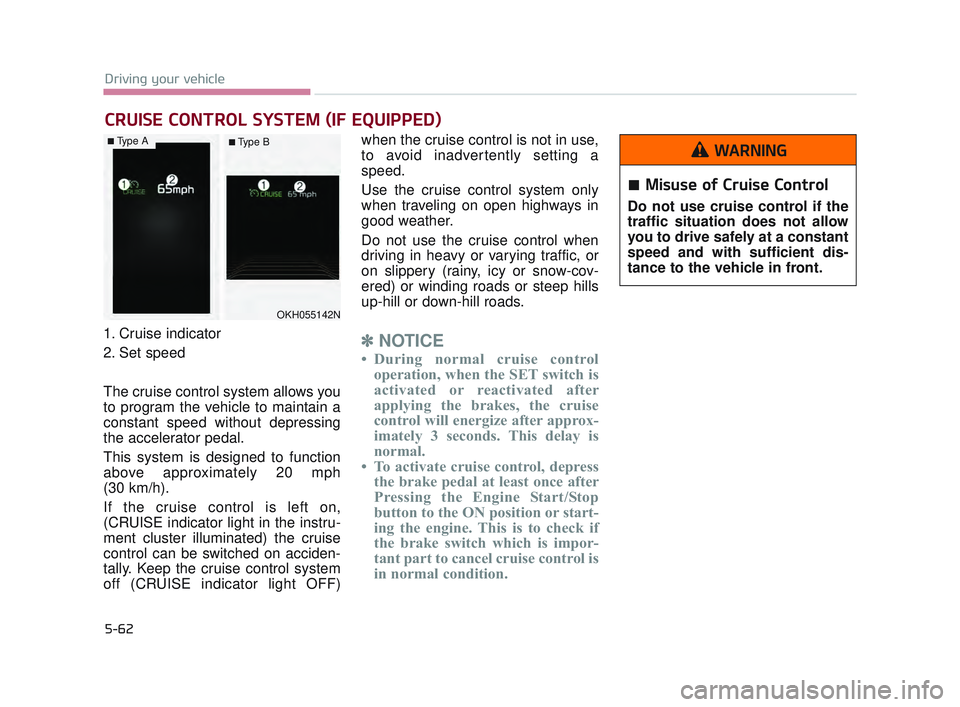
1. Cruise indicator
2. Set speed
The cruise control system allows you
to program the vehicle to maintain a
constant speed without depressing
the accelerator pedal.
This system is designed to function
above approximately 20 mph
(30 km/h).
If the cruise control is left on,
(CRUISE indicator light in the instru-
ment cluster illuminated) the cruise
control can be switched on acciden-
tally. Keep the cruise control system
off (CRUISE indicator light OFF)when the cruise control is not in use,
to avoid inadvertently setting a
speed.
Use the cruise control system only
when traveling on open highways in
good weather.
Do not use the cruise control when
driving in heavy or varying traffic, or
on slippery (rainy, icy or snow-cov-
ered) or winding roads or steep hills
up-hill or down-hill roads.✽
NOTICE
• During normal cruise control
operation, when the SET switch is
activated or reactivated after
applying the brakes, the cruise
control will energize after approx-
imately 3 seconds. This delay is
normal.
• To activate cruise control, depress the brake pedal at least once after
Pressing the Engine Start/Stop
button to the ON position or start-
ing the engine. This is to check if
the brake switch which is impor-
tant part to cancel cruise control is
in normal condition.
CRUISE CONTROL SYSTEM (IF EQUIPPED)
OKH055142N
Misuse of Cruise Control
Do not use cruise control if the
traffic situation does not allow
you to drive safely at a constant
speed and with sufficient dis-
tance to the vehicle in front.
WARNING■Type A■ Type B
KH USA 5:2016 12/1/2016 10:55 PM Page 62
Page 329 of 542
5-66
Driving your vehicle
✽NOTICE
Always check the road conditions
when you move the lever up (to
RES+) to resume the speed.
To turn cruise control off, do
one of the following:
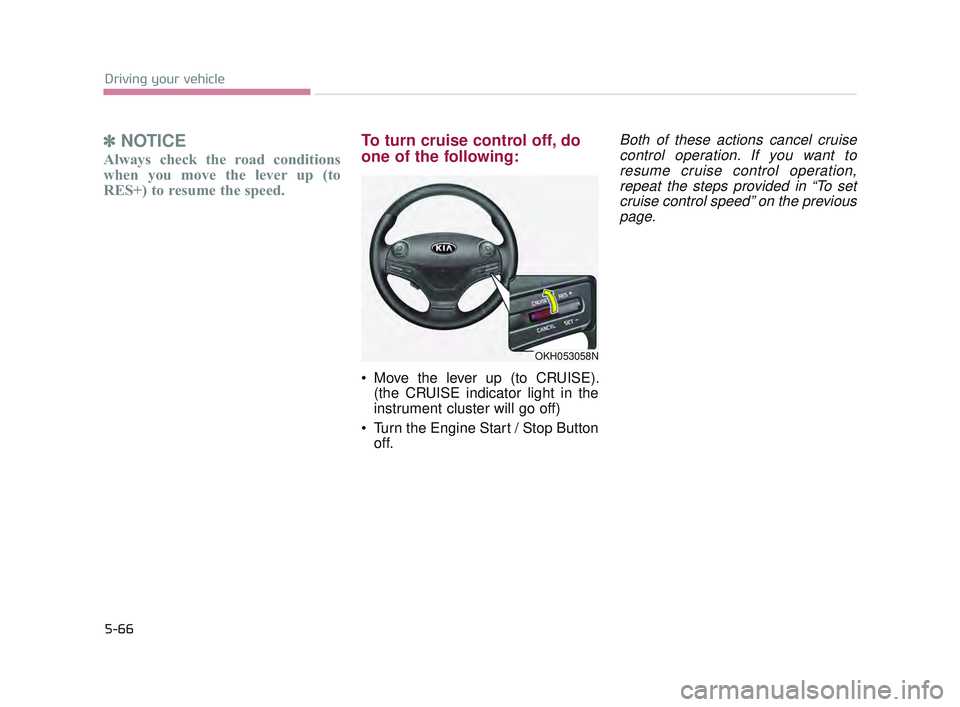
Move the lever up (to CRUISE).
(the CRUISE indicator light in the
instrument cluster will go off)
Turn the Engine Start / Stop Button off.
Both of these actions cancel cruisecontrol operation. If you want toresume cruise control operation,repeat the steps provided in “To setcruise control speed” on the previouspage.
OKH053058N
KH USA 5:2016 12/1/2016 10:55 PM Page 66
Page 333 of 542
5-70
Driving your vehicle
Cancelled automatically
The driver's door is opened.
The shift lever is shifted to N(Neutral), R (Reverse) or D (Drive).
The EPB (electronic parking brake) is applied.
The vehicle speed is over 120 mph (190 km/h)
The vehicle stops on a steep incline.
The ESC, TCS or ABS is operat- ing.
The ESC is turned off.
The sensor or the cover is dirty or blocked with foreign matter.
When the vehicle is stopped for over 5 minutes.
The vehicle stops and go repeat- edly for a long period of time.
The driver starts driving by pushing the lever up (RES +) or down (SET
-), approximately 3 seconds after
the vehicle is stopped by the Smart
Cruise Control System with no
other vehicle ahead. The driver starts driving by
depressing the accelerator pedal
or move up the lever (to RES+) or
down(to SET-) if a vehicle stops far
away ahead of the your vehicle.
The accelerator pedal is continu- ously depressed for more than 1
minute.
Each of these actions will cancel
the ASCC operation. (the set
speed and vehicle to vehicle dis-
tance on the LCD display will go
off.)
In a condition where the ASCC is
cancelled automatically, the ASCC
will not resume even though the
RES+ or SET- lever is moved. Also,
the EPB (electronic parking brake)
will be applied when the vehicle is
stopped.
✽ NOTICE
If the ASCC is cancelled by other
than the reasons mentioned, have the
system checked by an authorized
K900 Kia dealer.
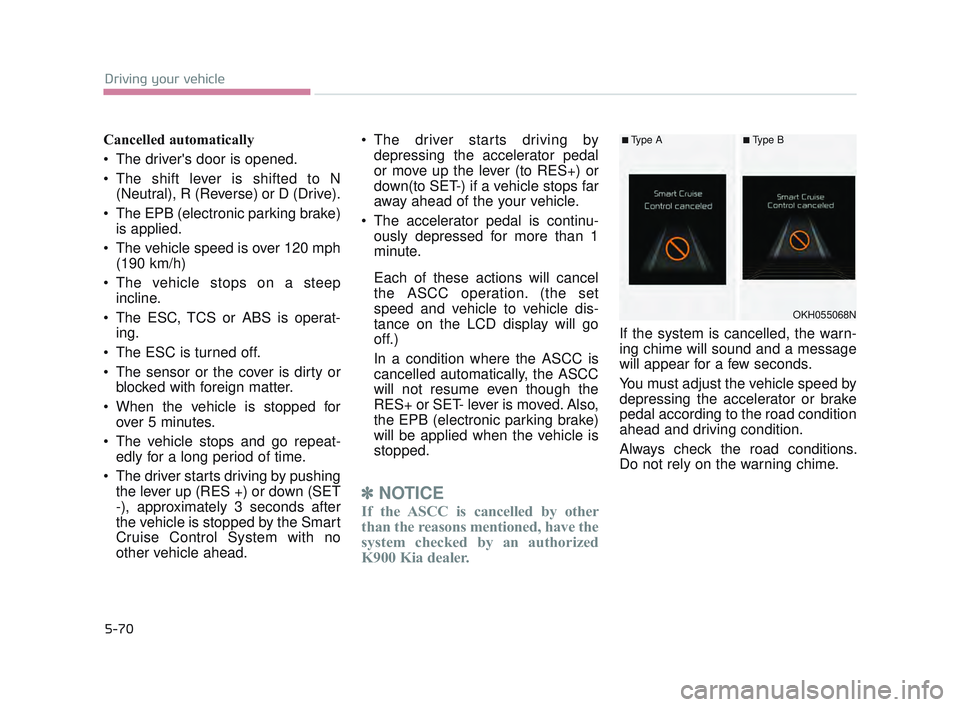
If the system is cancelled, the warn-
ing chime will sound and a message
will appear for a few seconds.
You must adjust the vehicle speed by
depressing the accelerator or brake
pedal according to the road condition
ahead and driving condition.
Always check the road conditions.
Do not rely on the warning chime.
OKH055068N
■Type A■Type B
KH USA 5:2016 12/1/2016 10:56 PM Page 70
Page 337 of 542
5-74
Driving your vehicle
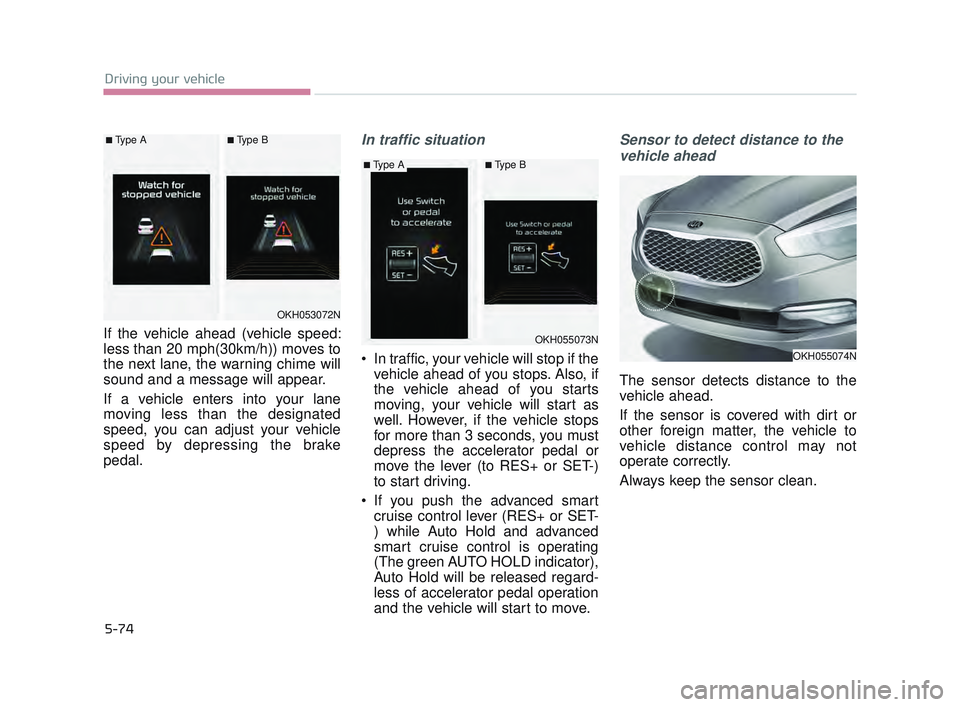
If the vehicle ahead (vehicle speed:
less than 20 mph(30km/h)) moves to
the next lane, the warning chime will
sound and a message will appear.
If a vehicle enters into your lane
moving less than the designated
speed, you can adjust your vehicle
speed by depressing the brake
pedal.
In traffic situation
In traffic, your vehicle will stop if thevehicle ahead of you stops. Also, if
the vehicle ahead of you starts
moving, your vehicle will start as
well. However, if the vehicle stops
for more than 3 seconds, you must
depress the accelerator pedal or
move the lever (to RES+ or SET-)
to start driving.
If you push the advanced smart cruise control lever (RES+ or SET-
) while Auto Hold and advanced
smart cruise control is operating
(The green AUTO HOLD indicator),
Auto Hold will be released regard-
less of accelerator pedal operation
and the vehicle will start to move.
Sensor to detect distance to the
vehicle ahead
The sensor detects distance to the
vehicle ahead.
If the sensor is covered with dirt or
other foreign matter, the vehicle to
vehicle distance control may not
operate correctly.
Always keep the sensor clean.
OKH053072N
OKH055073N
OKH055074N
■Type A■Type B
■Type A■Type B
KH USA 5:2016 12/1/2016 10:56 PM Page 74
Page 342 of 542
Driving your vehicle
5
5-79
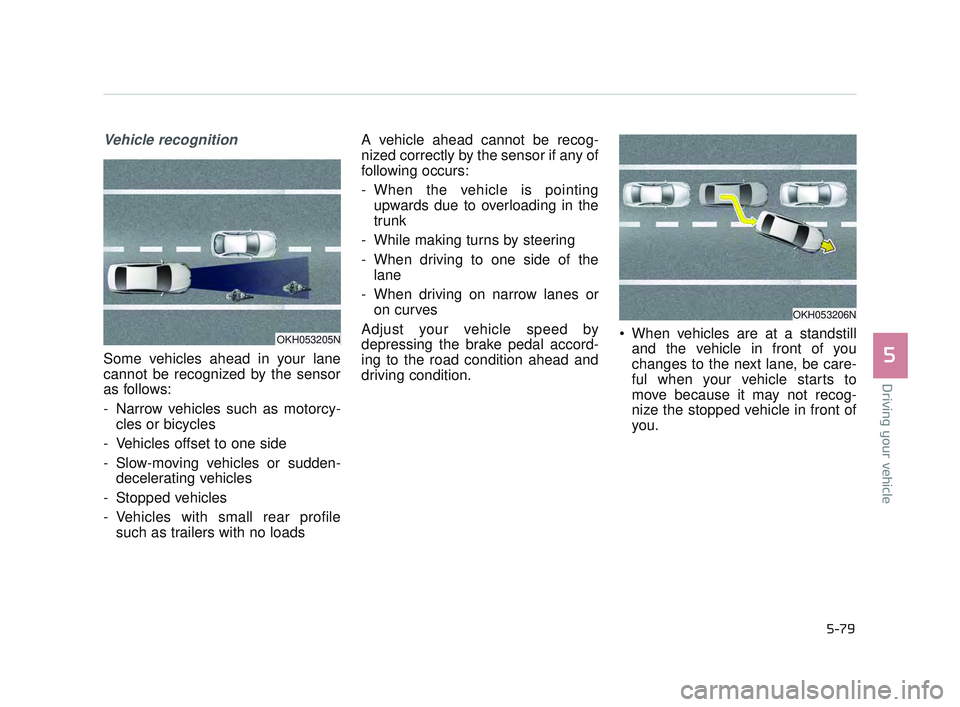
Vehicle recognition
Some vehicles ahead in your lane
cannot be recognized by the sensor
as follows:
- Narrow vehicles such as motorcy-cles or bicycles
- Vehicles offset to one side
- Slow-moving vehicles or sudden- decelerating vehicles
- Stopped vehicles
- Vehicles with small rear profile such as trailers with no loads A vehicle ahead cannot be recog-
nized correctly by the sensor if any of
following occurs:
- When the vehicle is pointing
upwards due to overloading in the
trunk
- While making turns by steering
- When driving to one side of the lane
- When driving on narrow lanes or on curves
Adjust your vehicle speed by
depressing the brake pedal accord-
ing to the road condition ahead and
driving condition. When vehicles are at a standstill
and the vehicle in front of you
changes to the next lane, be care-
ful when your vehicle starts to
move because it may not recog-
nize the stopped vehicle in front of
you.
OKH053205N
OKH053206N
KH USA 5:2016 12/1/2016 10:56 PM Page 79