ECO mode KIA K900 2017 User Guide
[x] Cancel search | Manufacturer: KIA, Model Year: 2017, Model line: K900, Model: KIA K900 2017Pages: 542, PDF Size: 14.89 MB
Page 156 of 542
Features of your vehicle
4-76
Information Mode
This mode shows the service interval
(mileage and days) and pressure of
each tire.
To change the information mode,
Press the
,(MOVE) button.
❈ For the setting of the service inter-
val, refer to "User Settings Mode"
of the LCD display.
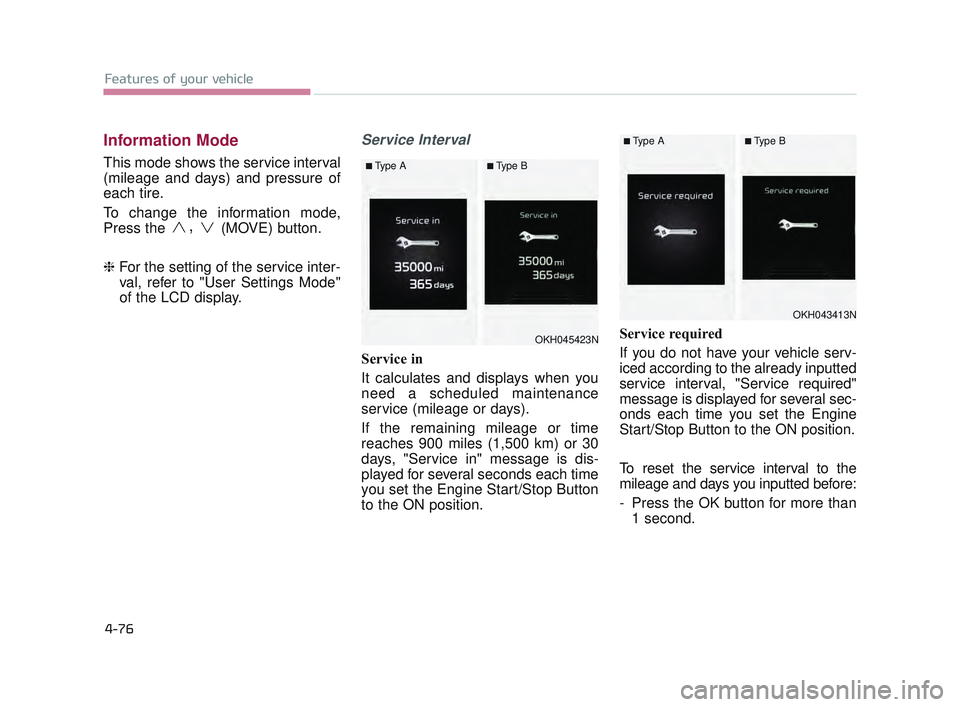
Service Interval
Service in
It calculates and displays when you
need a scheduled maintenance
service (mileage or days).
If the remaining mileage or time
reaches 900 miles (1,500 km) or 30
days, "Service in" message is dis-
played for several seconds each time
you set the Engine Start/Stop Button
to the ON position. Service required
If you do not have your vehicle serv-
iced according to the already inputted
service interval, "Service required"
message is displayed for several sec-
onds each time you set the Engine
Start/Stop Button to the ON position.
To reset the service interval to the
mileage and days you inputted before:
- Press the OK button for more than
1 second.
OKH045423N
■Type A■Type B
OKH043413N
■Type A■Type B
KH USA 4:2015 12/2/2016 10:25 AM Page 76
Page 164 of 542
Features of your vehicle
4-84
Other FeaturesService Interval
ItemsExplanation
Fuel Economy Auto Reset
The average fuel economy will not reset automatically whenever refueling.
The average fuel economy will reset automatically when refueling.
❈ For more details, refer to "Trip Computer" in this chapter.
Wiper/Lights Display
Tire Pressure UnitChoose the tire pressure unit. (psi, kPa, Bar)
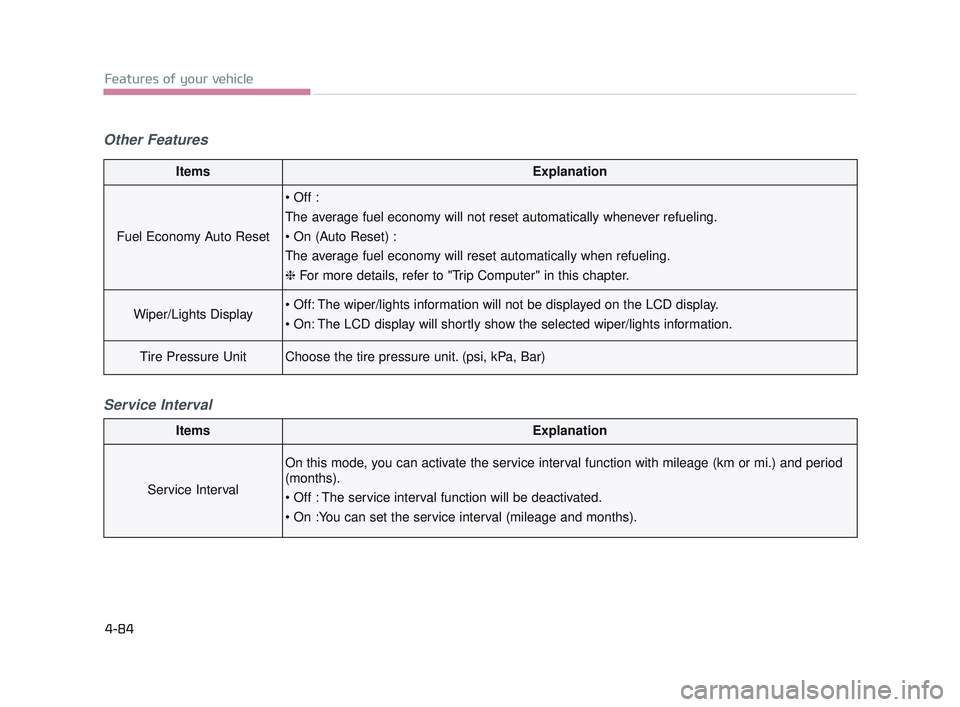
ItemsExplanation
Service Interval
On this mode, you can activate the service interval function with mileage (km or mi.) and period
(months).
KH USA 4:2015 12/2/2016 10:26 AM Page 84
Page 176 of 542
Features of your vehicle
4-96
Overview
Description
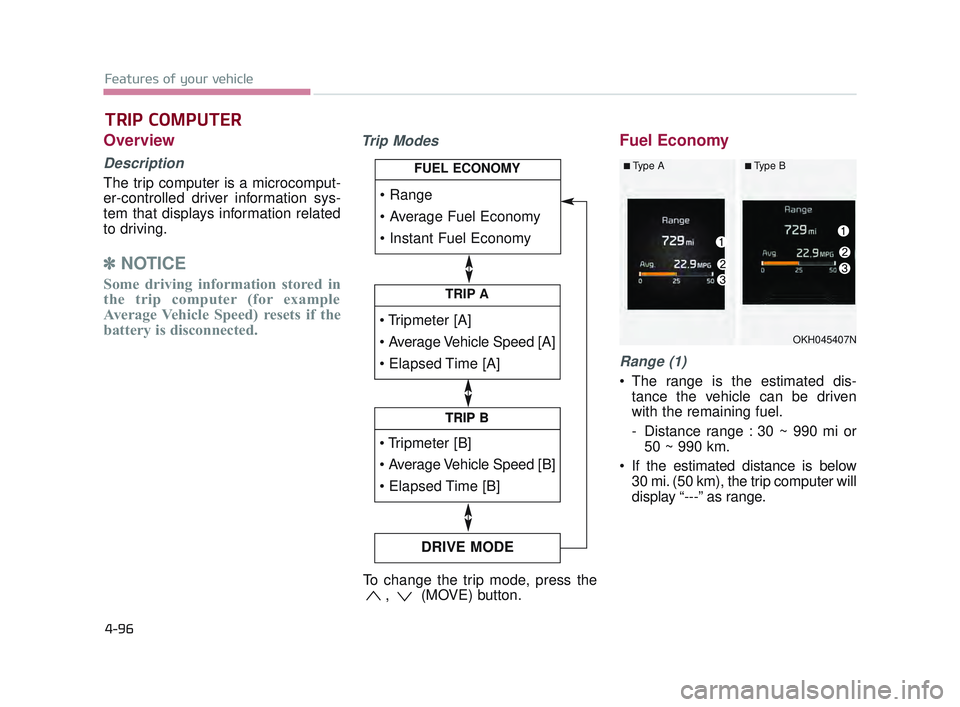
The trip computer is a microcomput-
er-controlled driver information sys-
tem that displays information related
to driving.
✽NOTICE
Some driving information stored in
the trip computer (for example
Average Vehicle Speed) resets if the
battery is disconnected.
Trip ModesFuel Economy
Range (1)
The range is the estimated dis-
tance the vehicle can be driven
with the remaining fuel.
- Distance range : 30 ~ 990 mi or50 ~ 990 km.
If the estimated distance is below 30 mi. (50 km), the trip computer will
display “---” as range.
TRIP COMPUTER
TRIP A
TRIP B
DRIVE MODE
TRIP B
FUEL ECONOMY
To change the trip mode, press the , (MOVE) button.
OKH045407N
■Type A■Type B
KH USA 4:2015 12/2/2016 10:26 AM Page 96
Page 177 of 542
Features of your vehicle
4
4-97
✽NOTICE
• If the vehicle is not on level ground
or the battery power has been
interrupted, the range function
may not operate correctly.
• The range may differ from the actual driving distance as it is an
estimate of the available driving
distance.
• The trip computer may not register additional fuel if less than 1.6 gal-
lons (6 liters) of fuel are added to
the vehicle.
• The fuel economy and range may vary significantly based on driving
conditions, driving habits, and con-
dition of the vehicle.
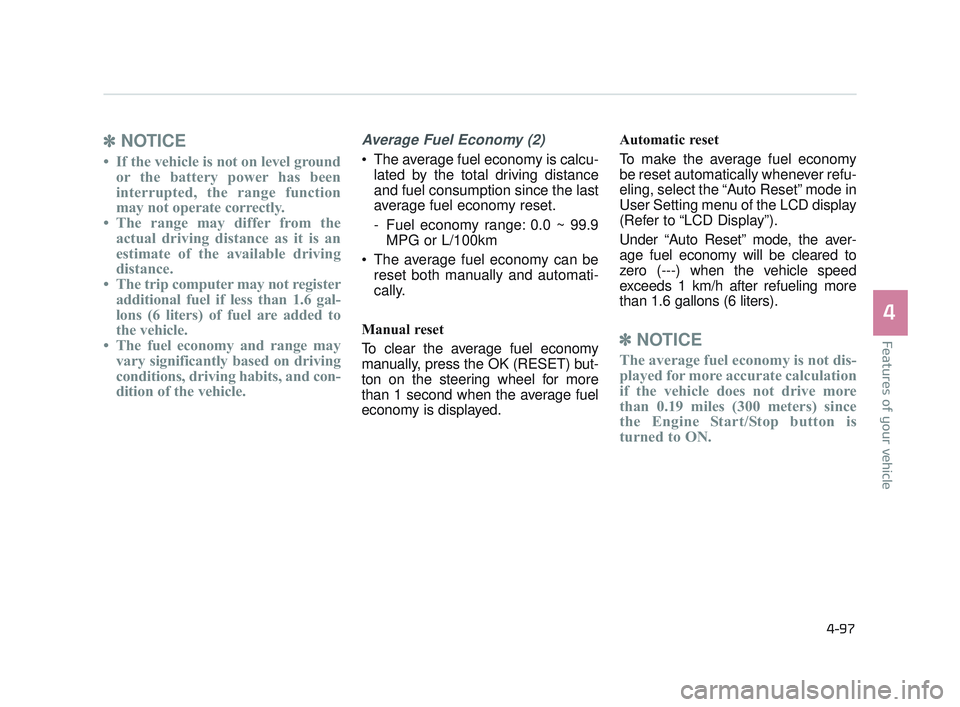
Average Fuel Economy (2)
The average fuel economy is calcu-
lated by the total driving distance
and fuel consumption since the last
average fuel economy reset.
- Fuel economy range: 0.0 ~ 99.9MPG or L/100km
The average fuel economy can be reset both manually and automati-
cally.
Manual reset
To clear the average fuel economy
manually, press the OK (RESET) but-
ton on the steering wheel for more
than 1 second when the average fuel
economy is displayed. Automatic reset
To make the average fuel economy
be reset automatically whenever refu-
eling, select the “Auto Reset” mode in
User Setting menu of the LCD display
(Refer to “LCD Display”).
Under “Auto Reset” mode, the aver-
age fuel economy will be cleared to
zero (---) when the vehicle speed
exceeds 1 km/h after refueling more
than 1.6 gallons (6 liters).
✽
NOTICE
The average fuel economy is not dis-
played for more accurate calculation
if the vehicle does not drive more
than 0.19 miles (300 meters) since
the Engine Start/Stop button is
turned to ON.
KH USA 4:2015 12/2/2016 10:26 AM Page 97
Page 178 of 542
Features of your vehicle
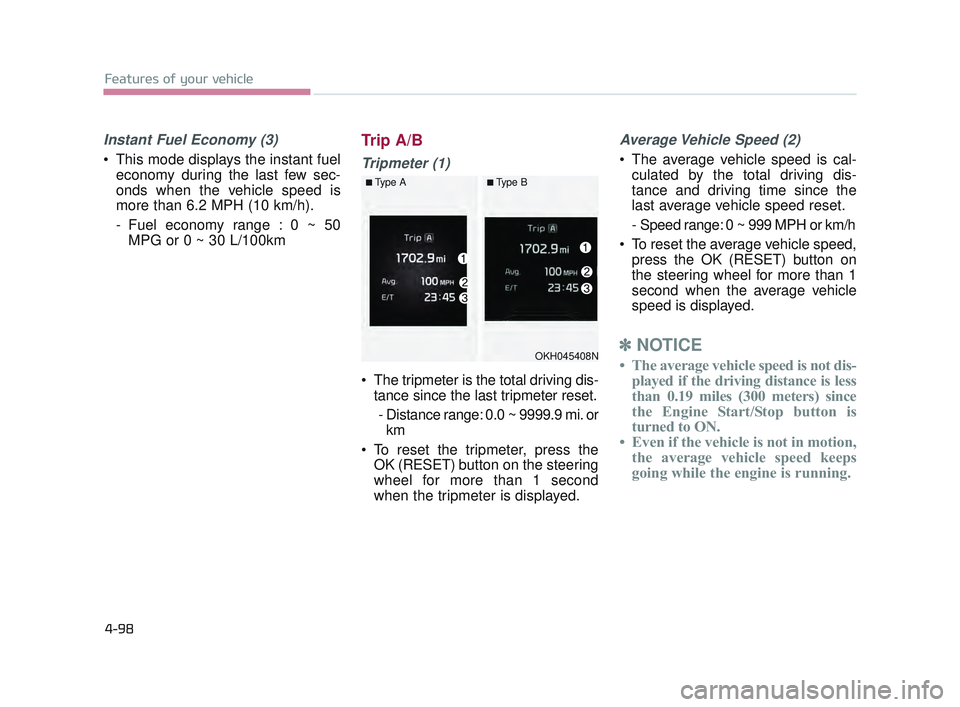
4-98
Instant Fuel Economy (3)
This mode displays the instant fueleconomy during the last few sec-
onds when the vehicle speed is
more than 6.2 MPH (10 km/h).
- Fuel economy range : 0 ~ 50MPG or 0 ~ 30 L/100km
Trip A/B
Tripmeter (1)
The tripmeter is the total driving dis-tance since the last tripmeter reset.
- Distance range: 0.0 ~ 9999.9 mi. or km
To reset the tripmeter, press the OK (RESET) button on the steering
wheel for more than 1 second
when the tripmeter is displayed.
Average Vehicle Speed (2)
The average vehicle speed is cal-culated by the total driving dis-
tance and driving time since the
last average vehicle speed reset.
- Speed range: 0 ~ 999 MPH or km/h
To reset the average vehicle speed, press the OK (RESET) button on
the steering wheel for more than 1
second when the average vehicle
speed is displayed.
✽ NOTICE
• The average vehicle speed is not dis-
played if the driving distance is less
than 0.19 miles (300 meters) since
the Engine Start/Stop button is
turned to ON.
• Even if the vehicle is not in motion, the average vehicle speed keeps
going while the engine is running.OKH045408N
■Type A■Type B
KH USA 4:2015 12/2/2016 10:27 AM Page 98
Page 179 of 542
Features of your vehicle
4
4-99
Elapsed Time (3)
The elapsed time is the total driv-ing time since the last elapsed time
reset.
- Time range (hh:mm): 00:00 ~ 99:59
To reset the elapsed time, press the OK (RESET) button on the steering
wheel for more than 1 second when
the elapsed time is displayed.
✽ NOTICE
Even if the vehicle is not in motion,
the elapsed time keeps going while
the engine is running.
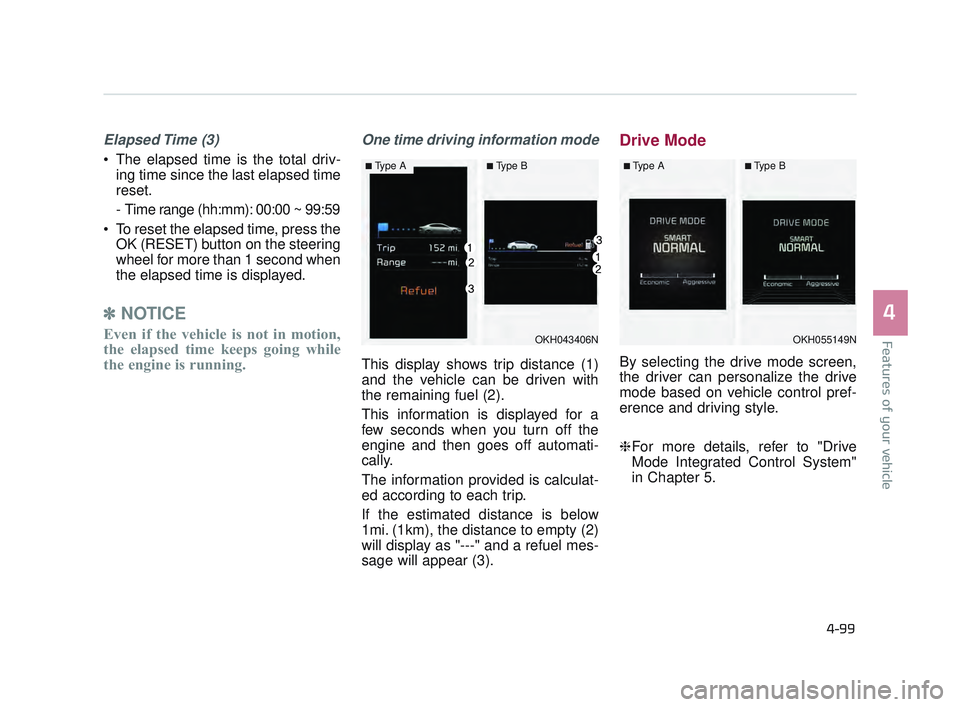
One time driving information mode
This display shows trip distance (1)
and the vehicle can be driven with
the remaining fuel (2).
This information is displayed for a
few seconds when you turn off the
engine and then goes off automati-
cally.
The information provided is calculat-
ed according to each trip.
If the estimated distance is below
1mi. (1km), the distance to empty (2)
will display as "---" and a refuel mes-
sage will appear (3).
Drive Mode
By selecting the drive mode screen,
the driver can personalize the drive
mode based on vehicle control pref-
erence and driving style.
❈For more details, refer to "Drive
Mode Integrated Control System"
in Chapter 5.
OKH043406N
■Type A■Type B
OKH055149N
■Type A■Type B
KH USA 4:2015 12/2/2016 10:27 AM Page 99
Page 191 of 542
Features of your vehicle
4
4-111
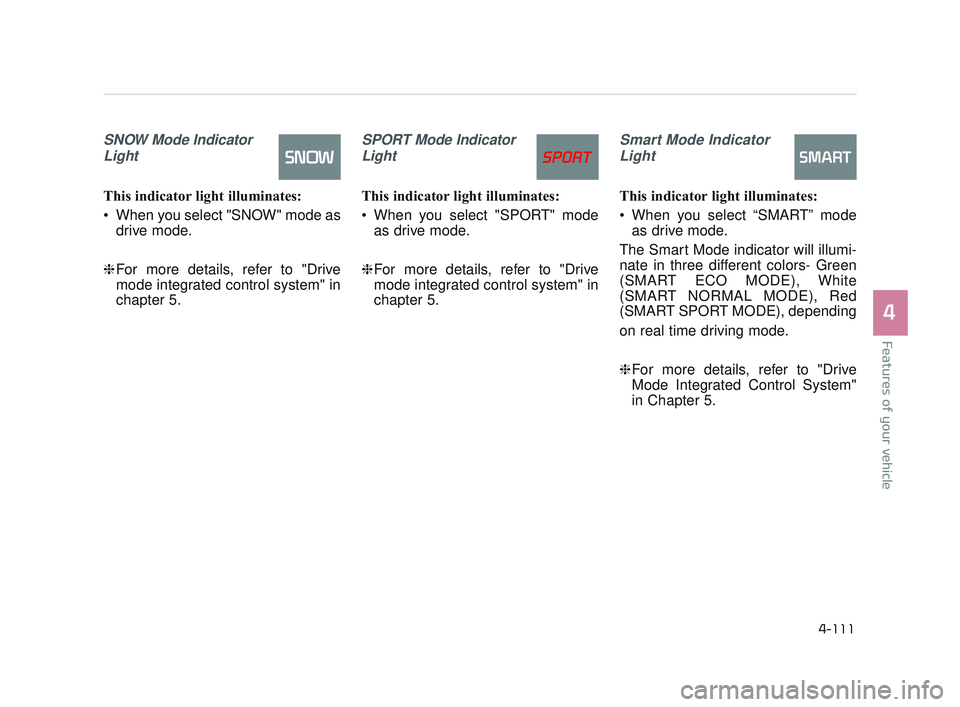
SNOW Mode IndicatorLight
This indicator light illuminates:
When you select "SNOW" mode as drive mode.
❈ For more details, refer to "Drive
mode integrated control system" in
chapter 5.
SPORT Mode Indicator
Light
This indicator light illuminates:
When you select "SPORT" mode as drive mode.
❈ For more details, refer to "Drive
mode integrated control system" in
chapter 5.
Smart Mode Indicator
Light
This indicator light illuminates:
When you select “SMART” mode as drive mode.
The Smart Mode indicator will illumi-
nate in three different colors- Green
(SMART ECO MODE), White
(SMART NORMAL MODE), Red
(SMART SPORT MODE), depending
on real time driving mode.
❈ For more details, refer to "Drive
Mode Integrated Control System"
in Chapter 5.
KH USA 4:2015 12/2/2016 10:27 AM Page 111
Page 192 of 542
Features of your vehicle
4-112
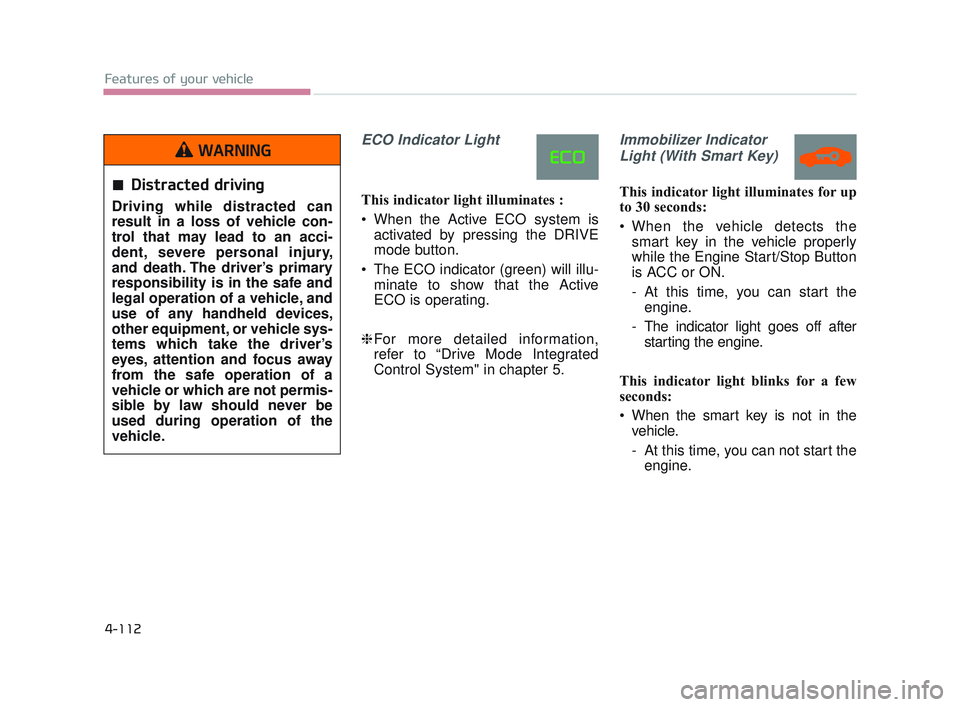
ECO Indicator Light
This indicator light illuminates :
When the Active ECO system isactivated by pressing the DRIVE
mode button.
The ECO indicator (green) will illu- minate to show that the Active
ECO is operating.
❈ For more detailed information,
refer to “Drive Mode Integrated
Control System" in chapter 5.
Immobilizer Indicator
Light (With Smart Key)
This indicator light illuminates for up
to 30 seconds:
When the vehicle detects the smart key in the vehicle properly
while the Engine Start/Stop Button
is ACC or ON.
- At this time, you can start theengine.
- The indicator light goes off after starting the engine.
This indicator light blinks for a few
seconds:
When the smart key is not in the vehicle.
- At this time, you can not start theengine.Distracted driving
Driving while distracted can
result in a loss of vehicle con-
trol that may lead to an acci-
dent, severe personal injury,
and death. The driver’s primary
responsibility is in the safe and
legal operation of a vehicle, and
use of any handheld devices,
other equipment, or vehicle sys-
tems which take the driver’s
eyes, attention and focus away
from the safe operation of a
vehicle or which are not permis-
sible by law should never be
used during operation of the
vehicle.
WARNING
KH USA 4:2015 12/2/2016 10:27 AM Page 112
Page 220 of 542
Features of your vehicle
4-140
Press the button toturn the rear lamp
on. To turn the
lamp off, press the
button again.
Press the button to operate the door
mode. The indicator on the button will
illuminate and lamps will turn on or off
as follows: - The front and rear lamp comeson when a door is opened. If the
door is closed, the lamps will go
out in 30 seconds.
- The front and rear lamp comes on for approximately 30 seconds
when doors are unlocked with
the smart key as long as the
doors are not opened.
- The front and rear lamp will stay on for approximately 20 minutes
if a door is opened with the
engine start/stop button in the
ACC or OFF position.
- The front and rear lamp will stay on continuously if the door is
opened with the engine
start/stop button in the ON posi-
tion. - The front and rear lamp will go
out immediately if the engine
start/stop button is changed to
the ON position or all doors are
locked.
To turn off the door mode, press the
button again. The indicator on the
button will turn off.
Press the button to operate the pri-
vacy mode. The indicator on the but-
ton will illuminate and lamps will turn
on or off as follows:
- If you open any door, the lamp for the open door will illuminate.
To turn off the privacy mode, press
the button again. The indicator on the
button will turn off.Rear lamp switch
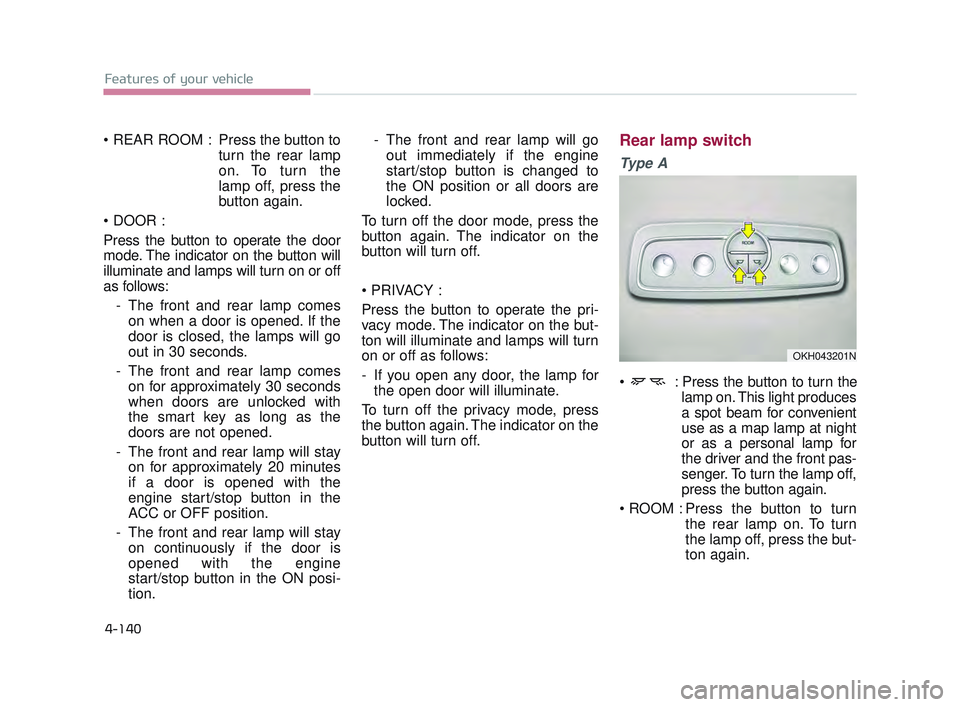
Ty p e A
: Press the button to turn the lamp on. This light produces
a spot beam for convenient
use as a map lamp at night
or as a personal lamp for
the driver and the front pas-
senger. To turn the lamp off,
press the button again.
Press the button to turn the rear lamp on. To turn
the lamp off, press the but-
ton again.
OKH043201N
KH USA 4:2015 12/2/2016 10:28 AM Page 140
Page 231 of 542
Features of your vehicle
4
4-151
Temperature conversion
You can switch the temperature mode
from Centigrade and Fahrenheit as fol-
lows:
While pressing the OFF button,
press the AUTO button for 3 seconds
or more.
The display will change from
Centigrade to Fahrenheit, or from
Fahrenheit to Centigrade.
If the battery has been discharged or
disconnected, the temperature mode
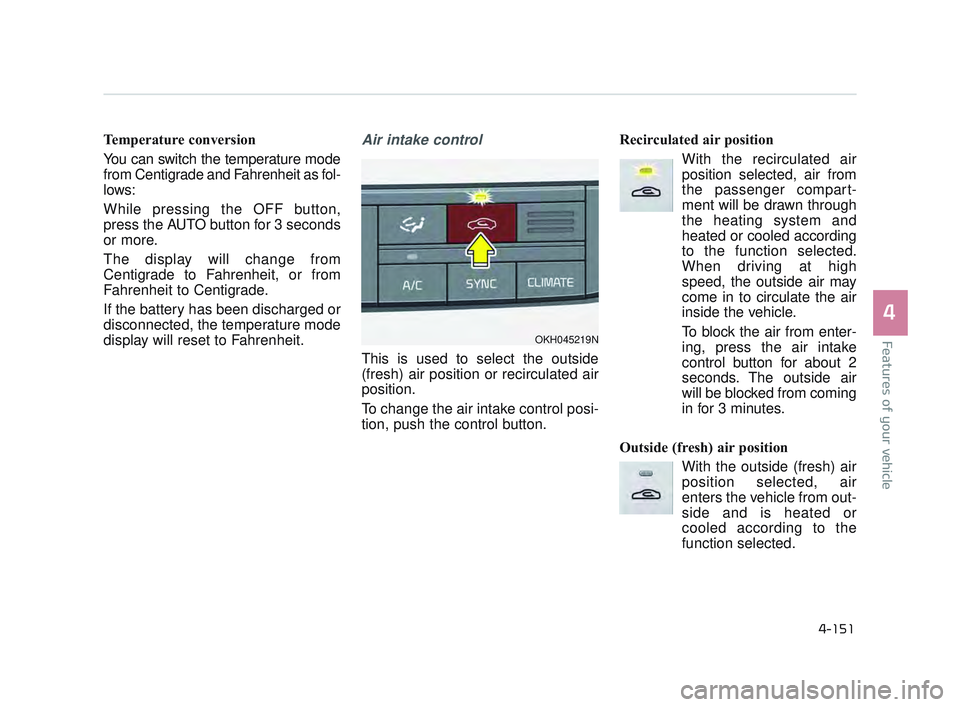
display will reset to Fahrenheit.Air intake control
This is used to select the outside
(fresh) air position or recirculated air
position.
To change the air intake control posi-
tion, push the control button. Recirculated air position
With the recirculated airposition selected, air from
the passenger compart-
ment will be drawn through
the heating system and
heated or cooled according
to the function selected.
When driving at high
speed, the outside air may
come in to circulate the air
inside the vehicle.
To block the air from enter-
ing, press the air intake
control button for about 2
seconds. The outside air
will be blocked from coming
in for 3 minutes.
Outside (fresh) air position With the outside (fresh) airposition selected, air
enters the vehicle from out-
side and is heated or
cooled according to the
function selected.
OKH045219N
KH USA 4:2015 12/2/2016 10:29 AM Page 151