brake KIA K900 2017 Owner's Manual
[x] Cancel search | Manufacturer: KIA, Model Year: 2017, Model line: K900, Model: KIA K900 2017Pages: 542, PDF Size: 14.89 MB
Page 210 of 542
Features of your vehicle
4-130
Daytime running light
Daytime Running Lights (DRL) can
make it easier for others to see the
front of your vehicle during the day.
DRL can be helpful in many different
driving conditions, and it is especially
helpful after dawn and before sunset.
The DRL system turns OFF when:
1. The headlights(Front position lamp,Low beam, High beam) are ON.
2. The parking brake is applied.
3. Engine stops.
4. The front fog light is ON.
5. The light switch is in the DRL off position. (USA only)
Lighting control
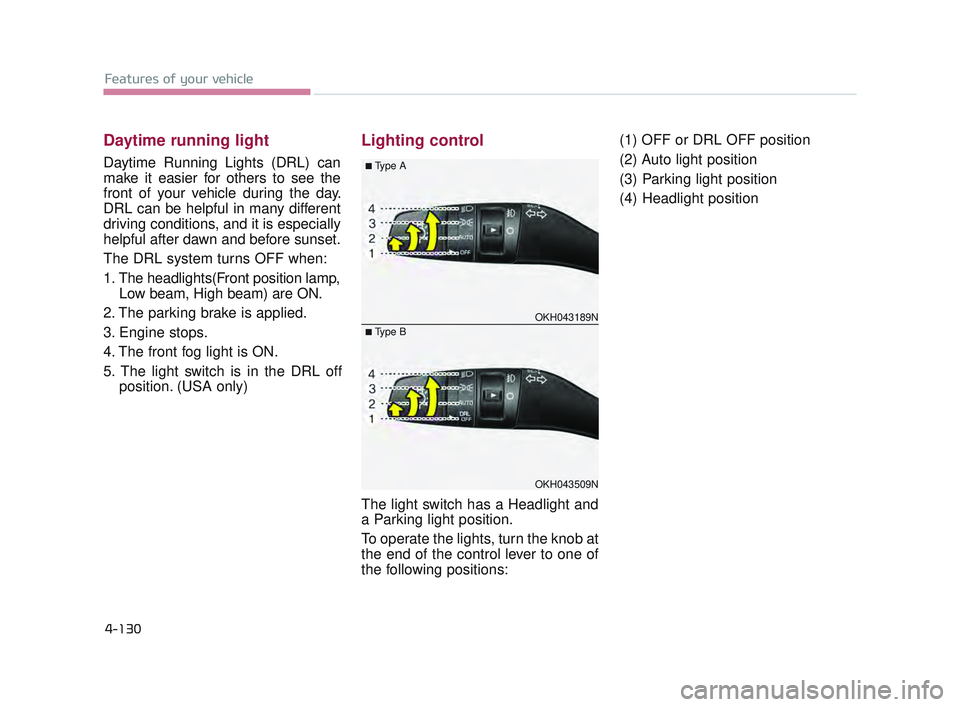
The light switch has a Headlight and
a Parking light position.
To operate the lights, turn the knob at
the end of the control lever to one of
the following positions: (1) OFF or DRL OFF position
(2) Auto light position
(3) Parking light position
(4) Headlight position
OKH043189N
OKH043509N
■Type A
■Type B
KH USA 4:2015 12/2/2016 10:28 AM Page 130
Page 264 of 542
Driving your vehicle
5
Driving your vehicle
5
Driving your vehicle
Before driving......................................................5-4
..........................................5-4
........................................................5-4
Engine START/STOP button...............................5-6
..............5-6
...................5-6
Starting the engine .............................................5-9
......................5-9
Automatic transmission (shift by cable) ............5-11
.........................5-11
..........................................5-15
Automatic transmission (shift by wire) ..............5-16
.........................5-16
..........................................5-26
Brake system ....................................................5-27
......................................................5-27
.................................5-31
...............................5-41
................................5-47
.........................................5-47
Autonomus Emergency Braking (AEB).............5-49
.........................................................5-49
....................................................5-51 .....................................5-52
Drive mode integrated control system ..............5-54
.................................5-54
..............................................5-55
...............5-55
............................5-58
Cruise control system .......................................5-62
.............................................5-63
...................................5-63
....................5-64
............................5-64
the cruise control on ...........................................5-64
..5-65
approximately 20 mph (30 km/h) ........................5-65
..5-66
Advanced Smart Cruise Control System ..........5-67
...........................................5-68
...........5-72
.........................5-76
......................................5-76
Lane Departure Warning System (LDWS)........5-82
.................................................5-84
.......................5-84
5
KH USA 5:2016 12/1/2016 10:53 PM Page 1
Page 267 of 542
5-4
Driving your vehicle
Before entering vehicle
Be sure that all windows, outsidemirror(s), and outside lights are
clean.
Check the condition of the tires.
Check under the vehicle for any sign of leaks.
Be sure there are no obstacles behind you if you intend to back up.
Necessary inspections
Fluid levels, such as engine oil,
engine coolant, brake fluid, and
washer fluid should be checked on a
regular basis, with the exact interval
depending on the fluid. Further
details are provided in Section 7,
“Maintenance”.
Before starting
Close and lock all doors.
Position the seat so that all con-trols are easily reached.
Buckle your seat belt.
Adjust the inside and outside rearview mirrors.
Be sure that all lights work.
Check all gauges.
Check the operation of warning lights when the Engine Start/Stop
button is turned to the ON position.
Release the parking brake and make sure the brake warning light
goes off.
For safe operation, be sure you are
familiar with your vehicle and its
equipment.
BEFORE DRIVING
Distracted driving
Focus on the road while driving.
The driver's primary responsi-
bility is in the safe and legal
operation of the vehicle. Use of
any hand held devices, other
equipment or vehicle systems
that distract the driver should
not be used during vehicle
operation.
WARNING
Check surrounding
Always check the surrounding
areas near your vehicle for peo-
ple, especially children, before
putting a vehicle into D (Drive)
or R (Reverse).
WARNING
KH USA 5:2016 12/1/2016 10:54 PM Page 4
Page 269 of 542
5-6
Driving your vehicle
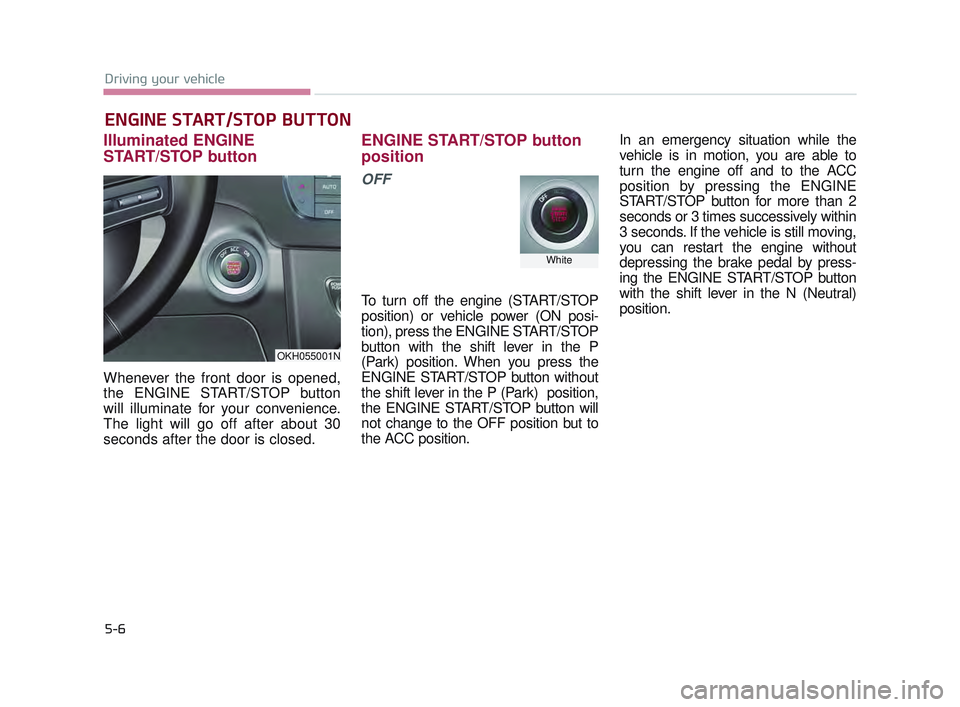
Illuminated ENGINE
START/STOP button
Whenever the front door is opened,
the ENGINE START/STOP button
will illuminate for your convenience.
The light will go off after about 30
seconds after the door is closed.
ENGINE START/STOP button
position
OFF
To turn off the engine (START/STOP
position) or vehicle power (ON posi-
tion), press the ENGINE START/STOP
button with the shift lever in the P
(Park) position. When you press the
ENGINE START/STOP button without
the shift lever in the P (Park) position,
the ENGINE START/STOP button will
not change to the OFF position but to
the ACC position.In an emergency situation while the
vehicle is in motion, you are able to
turn the engine off and to the ACC
position by pressing the ENGINE
START/STOP button for more than 2
seconds or 3 times successively within
3 seconds. If the vehicle is still moving,
you can restart the engine without
depressing the brake pedal by press-
ing the ENGINE START/STOP button
with the shift lever in the N (Neutral)
position.
ENGINE START/STOP BUTTON
OKH055001N
White
KH USA 5:2016 12/1/2016 10:54 PM Page 6
Page 270 of 542
Driving your vehicle
5
5-7
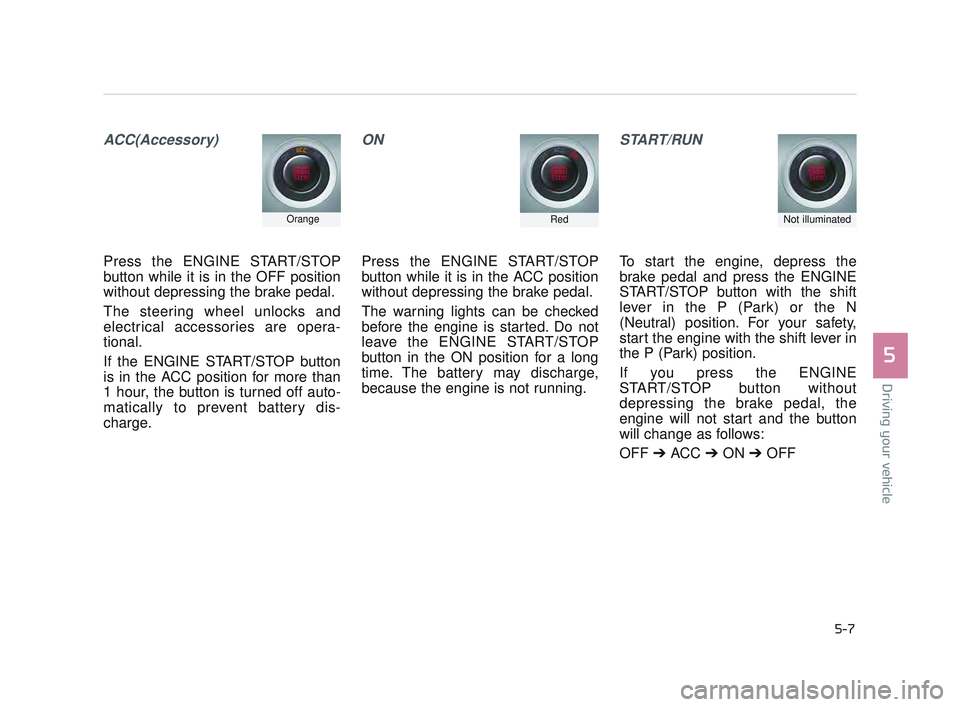
ACC(Accessory)
Press the ENGINE START/STOP
button while it is in the OFF position
without depressing the brake pedal.
The steering wheel unlocks and
electrical accessories are opera-
tional.
If the ENGINE START/STOP button
is in the ACC position for more than
1 hour, the button is turned off auto-
matically to prevent battery dis-
charge.
ON
Press the ENGINE START/STOP
button while it is in the ACC position
without depressing the brake pedal.
The warning lights can be checked
before the engine is started. Do not
leave the ENGINE START/STOP
button in the ON position for a long
time. The battery may discharge,
because the engine is not running.
START/RUN
To start the engine, depress the
brake pedal and press the ENGINE
START/STOP button with the shift
lever in the P (Park) or the N
(Neutral) position. For your safety,
start the engine with the shift lever in
the P (Park) position.
If you press the ENGINE
START/STOP button without
depressing the brake pedal, the
engine will not start and the button
will change as follows:
OFF ➔ ACC ➔ON ➔OFF
OrangeRedNot illuminated
KH USA 5:2016 12/1/2016 10:54 PM Page 7
Page 272 of 542
Driving your vehicle
5
5-9
Starting the engine with a
smart key
1.Carry the smart key or leave itinside the vehicle.
2.Make sure the parking brake is firmly applied
3.Place the transaxle shift lever in P (Park).
4.Press the ENGINE START/STOP button while depressing the brake
pedal.
5.Do not wait for the engine to warm up while the vehicle remains sta-
tionary. Start driving at moderate
engine speeds.(Steep accelerating
and decelerating should be avoid-
ed). Whether the engine is cold or warm,
it should be started without depress-
ing the accelerator.
Even if the smart key is in the vehi-
cle, but is far away from you, the
engine may not start.
When the ENGINE START/STOP button is in the ACC position or
above, if any door is opened, the
system checks for the smart key. If
the smart key is not in the vehi-
cle,the “ ” indicator will blink or
the warning "Key not in vehicle" will
illuminate on the LCD display. And
if all doors are closed, the chime
will sound for 5 seconds. The indi-
cator or warning will turn off while
the vehicle is moving. Always have
the smart key with you.
The engine will start only when the
smart key is in the vehicle.
STARTING THE ENGINE
Proper footwear
Always wear appropriate shoes
when operating your vehicle.
Unsuitable shoes (high heels, ski
boots, sandals, etc.) may inter-
fere with your ability to use the
brake and accelerator pedals.
WARNING
KH USA 5:2016 12/1/2016 10:54 PM Page 9
Page 273 of 542
5-10
Driving your vehicle
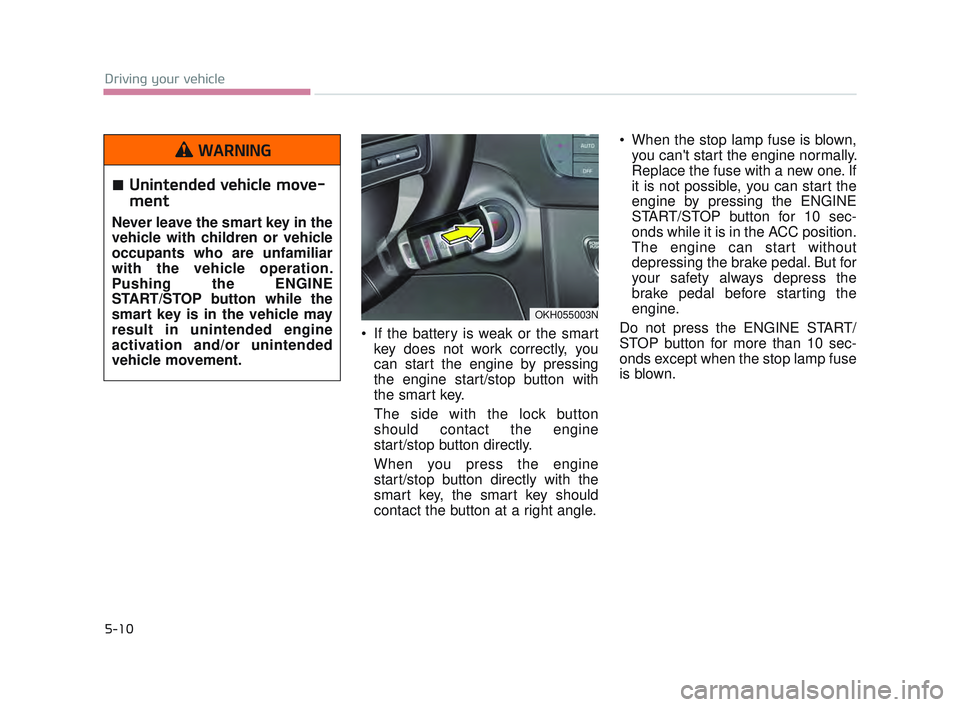
If the battery is weak or the smartkey does not work correctly, you
can start the engine by pressing
the engine start/stop button with
the smart key.
The side with the lock button
should contact the engine
start/stop button directly.
When you press the engine
start/stop button directly with the
smart key, the smart key should
contact the button at a right angle. When the stop lamp fuse is blown,
you can't start the engine normally.
Replace the fuse with a new one. If
it is not possible, you can start the
engine by pressing the ENGINE
START/STOP button for 10 sec-
onds while it is in the ACC position.
The engine can start without
depressing the brake pedal. But for
your safety always depress the
brake pedal before starting the
engine.
Do not press the ENGINE START/
STOP button for more than 10 sec-
onds except when the stop lamp fuse
is blown.
OKH055003N
Unintended vehicle move-
ment
Never leave the smart key in the
vehicle with children or vehicle
occupants who are unfamiliar
with the vehicle operation.
Pushing the ENGINE
START/STOP button while the
smart key is in the vehicle may
result in unintended engine
activation and/or unintended
vehicle movement.
WARNING
KH USA 5:2016 12/1/2016 10:54 PM Page 10
Page 274 of 542
Driving your vehicle
5
5-11
Automatic transmission opera-
tion
The automatic transmission has 8
forward speeds and one reverse
speed. The individual speeds are
selected automatically, depending on
the position of the shift lever.
✽NOTICE
The first few shifts on a new vehicle
or if the battery has been discon-
nected, may be somewhat abrupt.
This is a normal condition, and the
shifting sequence will adjust after
shifts are cycled a few times by the
TCM (Transaxle Control Module) or
PCM (Powertrain Control Module).
For smooth operation, depress the
brake pedal when shifting from N(Neutral) to a forward or reversegear.
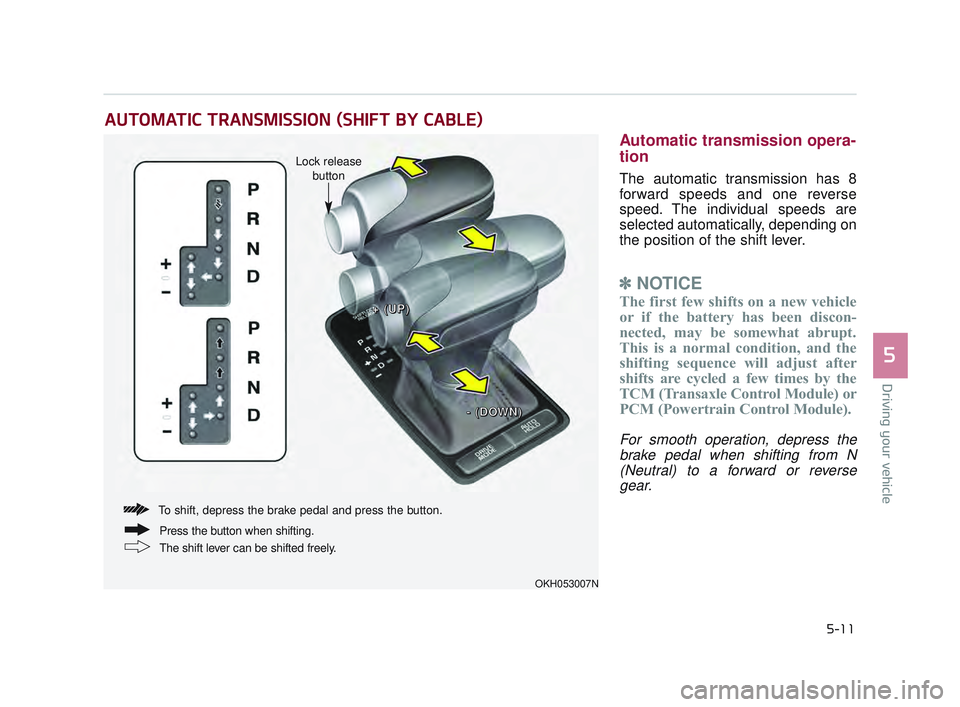
AUTOMATIC TRANSMISSION (SHIFT BY CABLE)
OKH053007N
+
+
(
(
U
U
P
P
)
)
-
-
(
(
D
D
O
O
W
W
N
N
)
)
Lock release
button
To shift, depress the brake pedal and press the button.
The shift lever can be shifted freely. Press the button when shifting.
KH USA 5:2016 12/1/2016 10:54 PM Page 11
Page 275 of 542
5-12
Driving your vehicle
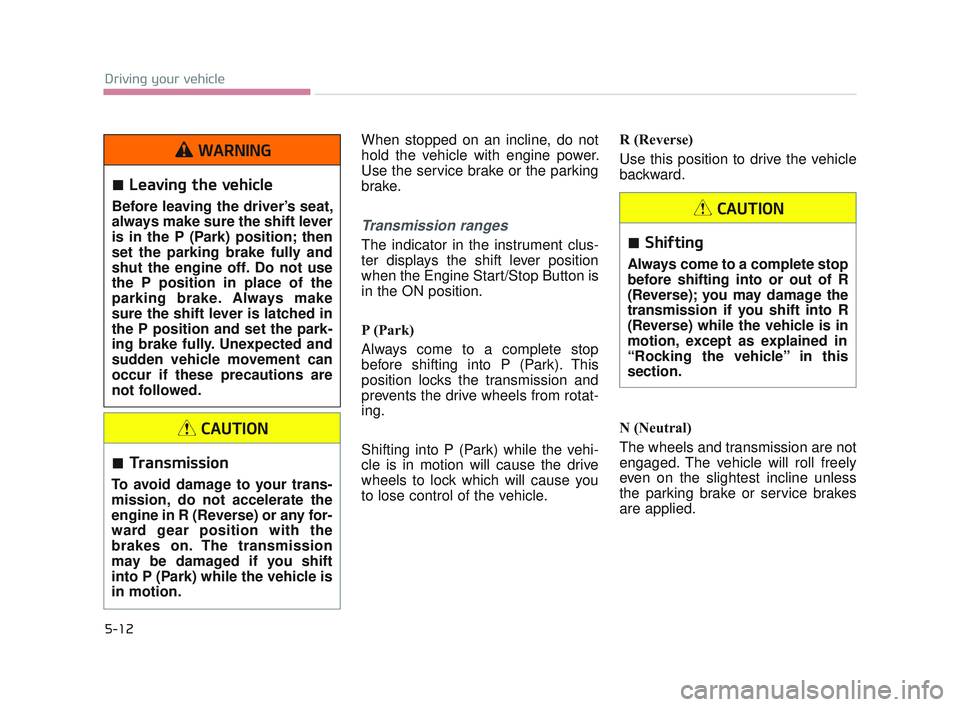
When stopped on an incline, do not
hold the vehicle with engine power.
Use the service brake or the parking
brake.
Transmission ranges
The indicator in the instrument clus-
ter displays the shift lever position
when the Engine Start/Stop Button is
in the ON position.
P (Park)
Always come to a complete stop
before shifting into P (Park). This
position locks the transmission and
prevents the drive wheels from rotat-
ing.
Shifting into P (Park) while the vehi-
cle is in motion will cause the drive
wheels to lock which will cause you
to lose control of the vehicle.R (Reverse)
Use this position to drive the vehicle
backward.
N (Neutral)
The wheels and transmission are not
engaged. The vehicle will roll freely
even on the slightest incline unless
the parking brake or service brakes
are applied.
Transmission
To avoid damage to your trans-
mission, do not accelerate the
engine in R (Reverse) or any for-
ward gear position with the
brakes on. The transmission
may be damaged if you shift
into P (Park) while the vehicle is
in motion.
CAUTION
Shifting
Always come to a complete stop
before shifting into or out of R
(Reverse); you may damage the
transmission if you shift into R
(Reverse) while the vehicle is in
motion, except as explained in
“Rocking the vehicle” in this
section.
CAUTION
Leaving the vehicle
Before leaving the driver’s seat,
always make sure the shift lever
is in the P (Park) position; then
set the parking brake fully and
shut the engine off. Do not use
the P position in place of the
parking brake. Always make
sure the shift lever is latched in
the P position and set the park-
ing brake fully. Unexpected and
sudden vehicle movement can
occur if these precautions are
not followed.
WARNING
KH USA 5:2016 12/1/2016 10:54 PM Page 12
Page 276 of 542
Driving your vehicle
5
5-13
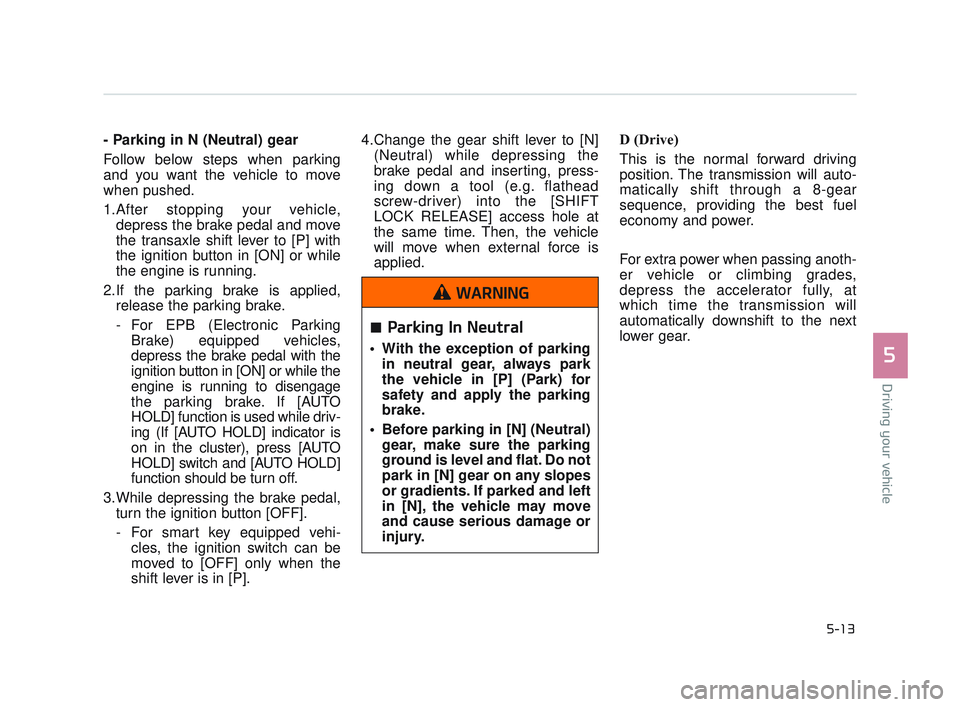
- Parking in N (Neutral) gear
Follow below steps when parking
and you want the vehicle to move
when pushed.
1.After stopping your vehicle,depress the brake pedal and move
the transaxle shift lever to [P] with
the ignition button in [ON] or while
the engine is running.
2.If the parking brake is applied, release the parking brake.
- For EPB (Electronic Parking Brake) equipped vehicles,
depress the brake pedal with the
ignition button in [ON] or while the
engine is running to disengage
the parking brake. If [AUTO
HOLD] function is used while driv-
ing (If [AUTO HOLD] indicator is
on in the cluster), press [AUTO
HOLD] switch and [AUTO HOLD]
function should be turn off.
3.While depressing the brake pedal, turn the ignition button [OFF].
- For smart key equipped vehi- cles, the ignition switch can be
moved to [OFF] only when the
shift lever is in [P]. 4.Change the gear shift lever to [N]
(Neutral) while depressing the
brake pedal and inserting, press-
ing down a tool (e.g. flathead
screw-driver) into the [SHIFT
LOCK RELEASE] access hole at
the same time. Then, the vehicle
will move when external force is
applied. D (Drive)
This is the normal forward driving
position. The transmission will auto-
matically shift through a 8-gear
sequence, providing the best fuel
economy and power.
For extra power when passing anoth-
er vehicle or climbing grades,
depress the accelerator fully, at
which time the transmission will
automatically downshift to the next
lower gear.
Parking In Neutral
With the exception of parking
in neutral gear, always park
the vehicle in [P] (Park) for
safety and apply the parking
brake.
Before parking in [N] (Neutral) gear, make sure the parking
ground is level and flat. Do not
park in [N] gear on any slopes
or gradients. If parked and left
in [N], the vehicle may move
and cause serious damage or
injury.
WARNING
KH USA 5:2016 12/1/2016 10:54 PM Page 13