warning light KIA K900 2017 Workshop Manual
[x] Cancel search | Manufacturer: KIA, Model Year: 2017, Model line: K900, Model: KIA K900 2017Pages: 542, PDF Size: 14.89 MB
Page 196 of 542
Features of your vehicle
4-116
✽NOTICE
Prior to replacing the wind shield in
a vehicle equipped with the Head up
display, ensure the glass used is
designed to properly display the
Head up display images to ensure
proper operation of the system.
Head Up Display ON/OFF
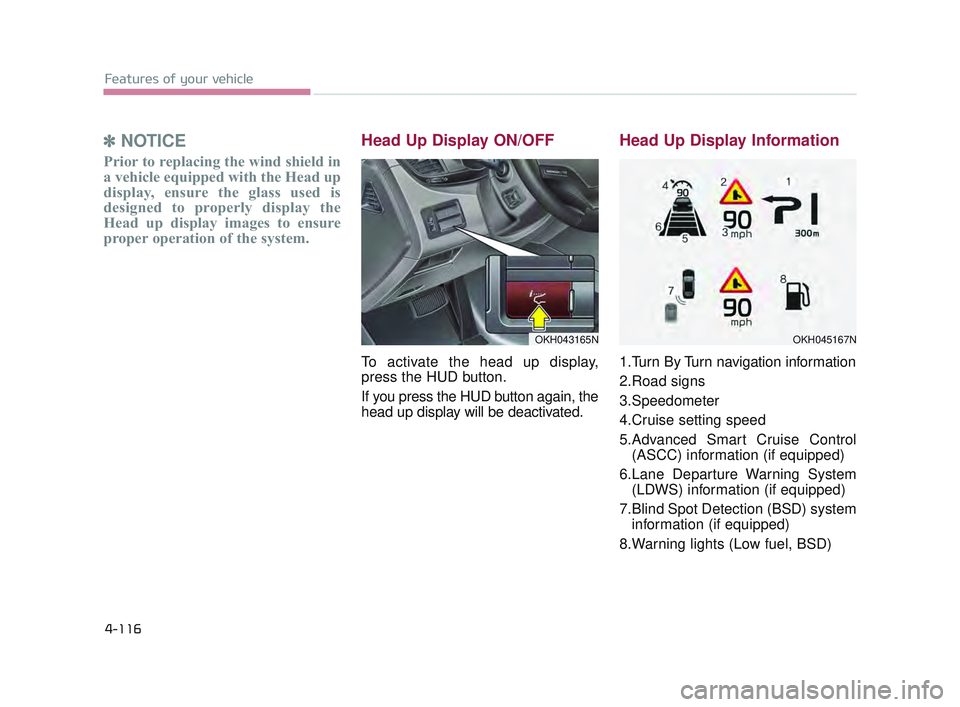
To activate the head up display,
press the HUD button.
If you press the HUD button again, the
head up display will be deactivated.
Head Up Display Information
1.Turn By Turn navigation information
2.Road signs
3.Speedometer
4.Cruise setting speed
5.Advanced Smart Cruise Control
(ASCC) information (if equipped)
6.Lane Departure Warning System (LDWS) information (if equipped)
7.Blind Spot Detection (BSD) system information (if equipped)
8.Warning lights (Low fuel, BSD)
OKH043165NOKH045167N
KH USA 4:2015 12/2/2016 10:27 AM Page 116
Page 213 of 542
Features of your vehicle
4
4-133
High beam operation
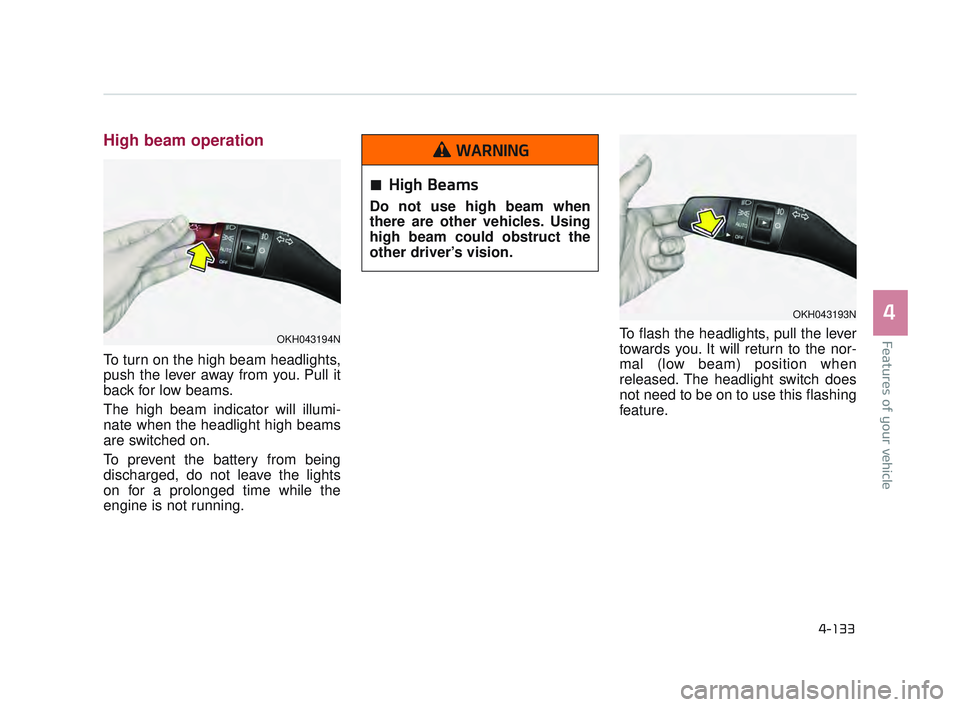
To turn on the high beam headlights,
push the lever away from you. Pull it
back for low beams.
The high beam indicator will illumi-
nate when the headlight high beams
are switched on.
To prevent the battery from being
discharged, do not leave the lights
on for a prolonged time while the
engine is not running.To flash the headlights, pull the lever
towards you. It will return to the nor-
mal (low beam) position when
released. The headlight switch does
not need to be on to use this flashing
feature.
OKH043193N
OKH043194N
High Beams
Do not use high beam when
there are other vehicles. Using
high beam could obstruct the
other driver’s vision.
WARNING
KH USA 4:2015 12/2/2016 10:28 AM Page 133
Page 219 of 542
Features of your vehicle
4
4-139
Do not use the interior lights for
extended periods when the engine is
not running.
It may cause battery discharge.Automatic turn off function
(if equipped)
The interior lights automatically turn
off approximately 20 minutes after
the engine is turned off.
If your vehicle is equipped with the
theft alarm system, the interior lights
automatically turns off several sec-
onds after the system is armed.
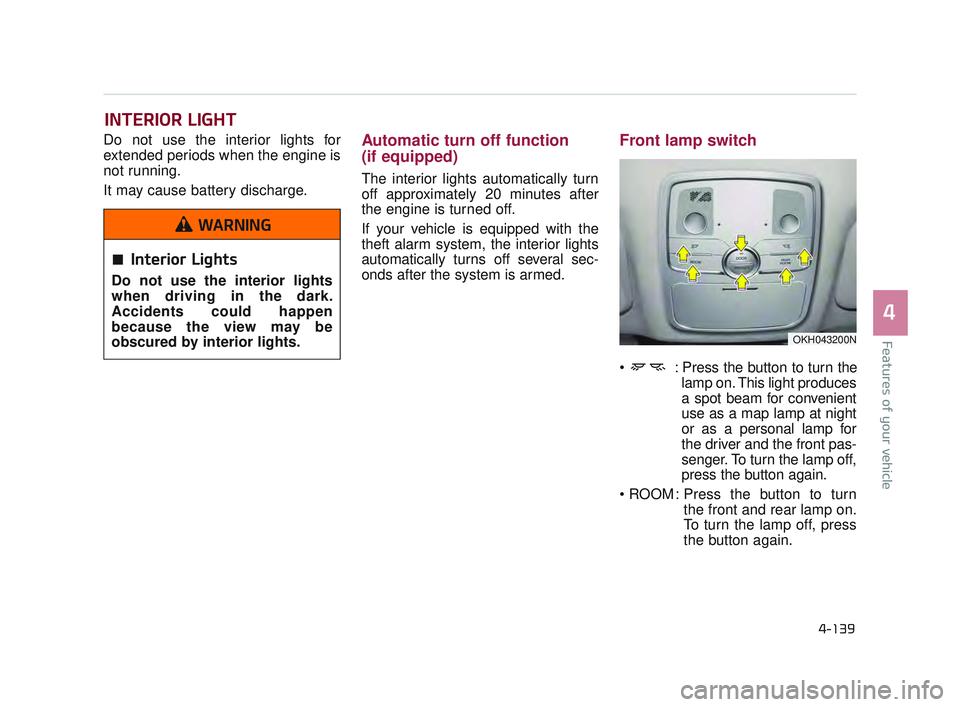
Front lamp switch
: Press the button to turn thelamp on. This light produces
a spot beam for convenient
use as a map lamp at night
or as a personal lamp for
the driver and the front pas-
senger. To turn the lamp off,
press the button again.
: Press the button to turn the front and rear lamp on.
To turn the lamp off, press
the button again.
INTERIOR LIGHT
OKH043200N
Interior Lights
Do not use the interior lights
when driving in the dark.
Accidents could happen
because the view may be
obscured by interior lights.
WARNING
KH USA 4:2015 12/2/2016 10:28 AM Page 139
Page 244 of 542
Features of your vehicle
4-164
These compartments can be used to
store small items required by the
driver or passengers.
✽NOTICE
• To avoid possible theft, do not
leave valuables in the storage com-
partments.
• Always keep the storage compart- ment covers closed while driving.
Do not attempt to place so many
items in the storage compartment
that the storage compartment
cover cannot close securely.
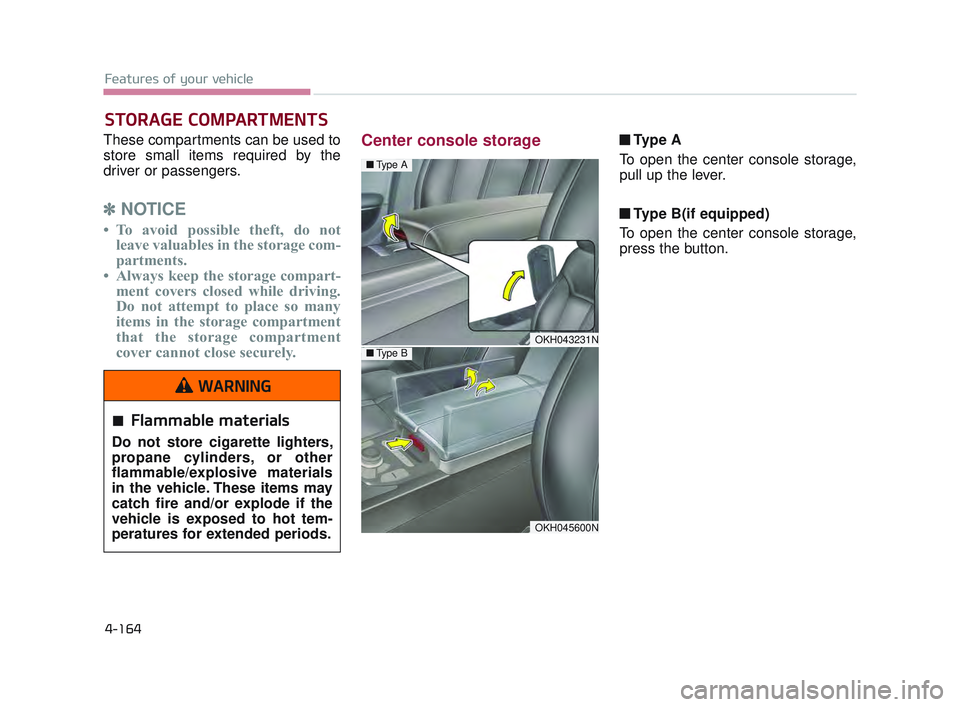
Center console storage ■ Ty p e A
To open the center console storage,
pull up the lever.
■ Type B(if equipped)
To open the center console storage,
press the button.
STORAGE COMPARTMENTS
OKH043231N
Flammable materials
Do not store cigarette lighters,
propane cylinders, or other
flammable/explosive materials
in the vehicle. These items may
catch fire and/or explode if the
vehicle is exposed to hot tem-
peratures for extended periods.
WARNING
OKH045600N
■ Type A
■Type B
KH USA 4:2015 12/2/2016 10:30 AM Page 164
Page 267 of 542
5-4
Driving your vehicle
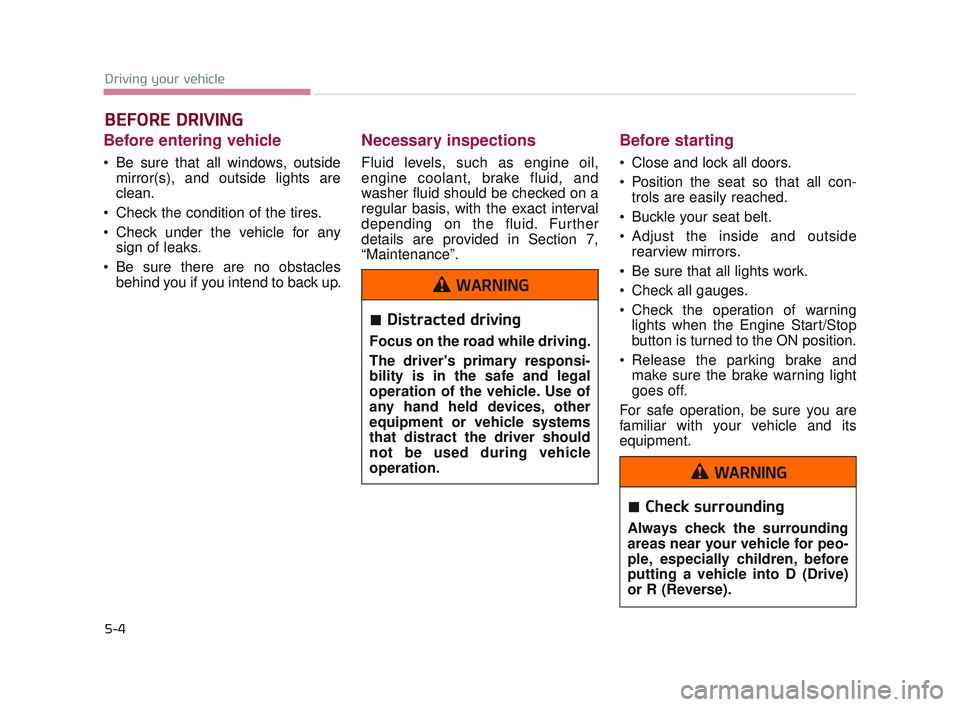
Before entering vehicle
Be sure that all windows, outsidemirror(s), and outside lights are
clean.
Check the condition of the tires.
Check under the vehicle for any sign of leaks.
Be sure there are no obstacles behind you if you intend to back up.
Necessary inspections
Fluid levels, such as engine oil,
engine coolant, brake fluid, and
washer fluid should be checked on a
regular basis, with the exact interval
depending on the fluid. Further
details are provided in Section 7,
“Maintenance”.
Before starting
Close and lock all doors.
Position the seat so that all con-trols are easily reached.
Buckle your seat belt.
Adjust the inside and outside rearview mirrors.
Be sure that all lights work.
Check all gauges.
Check the operation of warning lights when the Engine Start/Stop
button is turned to the ON position.
Release the parking brake and make sure the brake warning light
goes off.
For safe operation, be sure you are
familiar with your vehicle and its
equipment.
BEFORE DRIVING
Distracted driving
Focus on the road while driving.
The driver's primary responsi-
bility is in the safe and legal
operation of the vehicle. Use of
any hand held devices, other
equipment or vehicle systems
that distract the driver should
not be used during vehicle
operation.
WARNING
Check surrounding
Always check the surrounding
areas near your vehicle for peo-
ple, especially children, before
putting a vehicle into D (Drive)
or R (Reverse).
WARNING
KH USA 5:2016 12/1/2016 10:54 PM Page 4
Page 270 of 542
Driving your vehicle
5
5-7
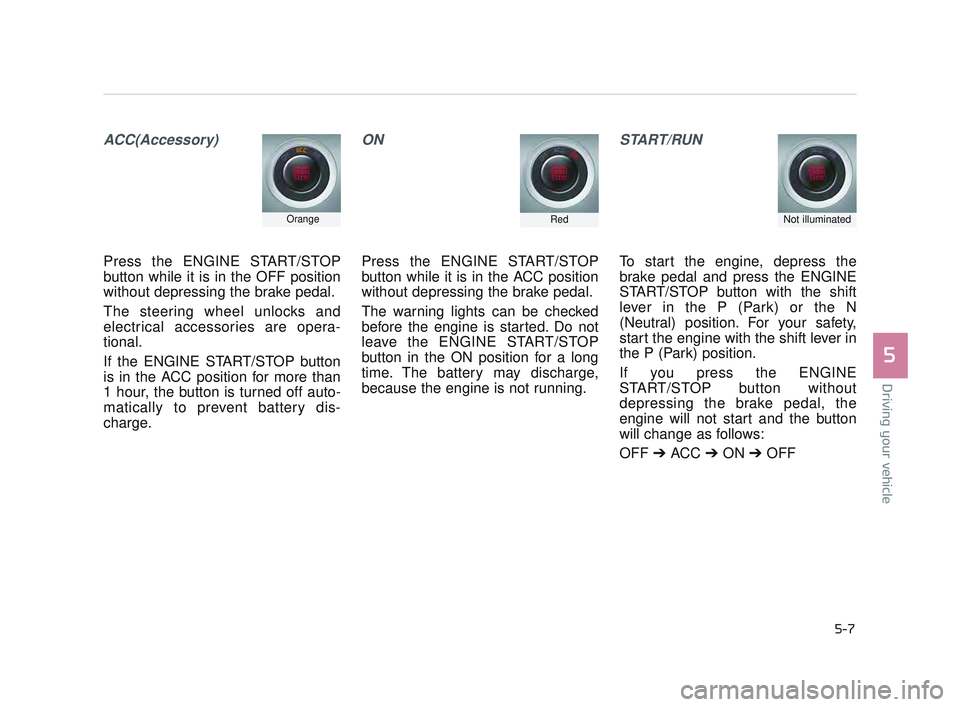
ACC(Accessory)
Press the ENGINE START/STOP
button while it is in the OFF position
without depressing the brake pedal.
The steering wheel unlocks and
electrical accessories are opera-
tional.
If the ENGINE START/STOP button
is in the ACC position for more than
1 hour, the button is turned off auto-
matically to prevent battery dis-
charge.
ON
Press the ENGINE START/STOP
button while it is in the ACC position
without depressing the brake pedal.
The warning lights can be checked
before the engine is started. Do not
leave the ENGINE START/STOP
button in the ON position for a long
time. The battery may discharge,
because the engine is not running.
START/RUN
To start the engine, depress the
brake pedal and press the ENGINE
START/STOP button with the shift
lever in the P (Park) or the N
(Neutral) position. For your safety,
start the engine with the shift lever in
the P (Park) position.
If you press the ENGINE
START/STOP button without
depressing the brake pedal, the
engine will not start and the button
will change as follows:
OFF ➔ ACC ➔ON ➔OFF
OrangeRedNot illuminated
KH USA 5:2016 12/1/2016 10:54 PM Page 7
Page 275 of 542
5-12
Driving your vehicle
When stopped on an incline, do not
hold the vehicle with engine power.
Use the service brake or the parking
brake.
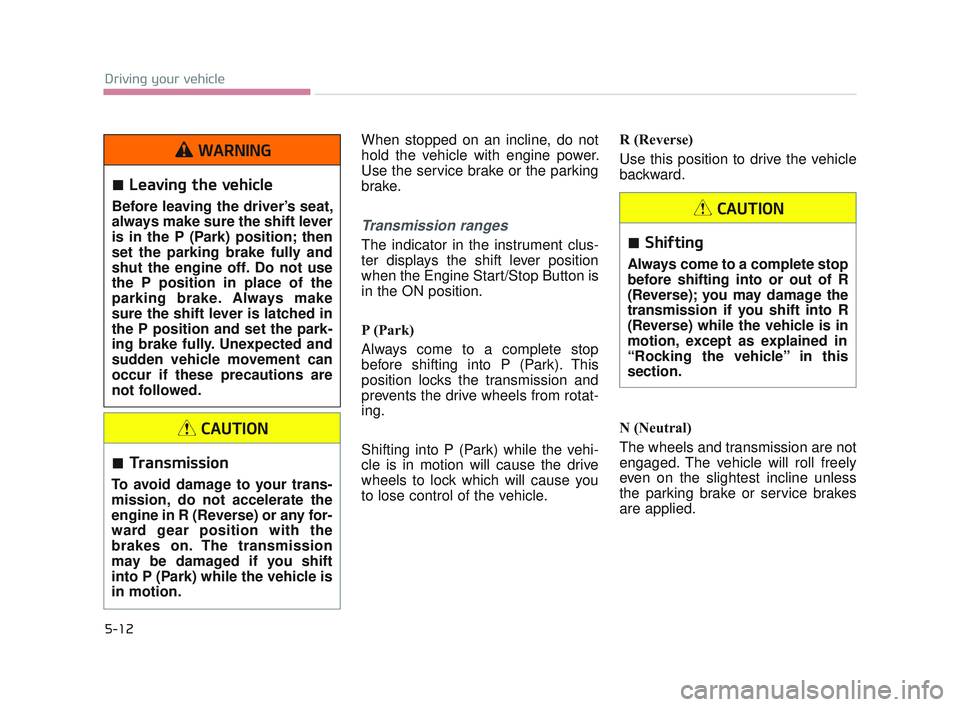
Transmission ranges
The indicator in the instrument clus-
ter displays the shift lever position
when the Engine Start/Stop Button is
in the ON position.
P (Park)
Always come to a complete stop
before shifting into P (Park). This
position locks the transmission and
prevents the drive wheels from rotat-
ing.
Shifting into P (Park) while the vehi-
cle is in motion will cause the drive
wheels to lock which will cause you
to lose control of the vehicle.R (Reverse)
Use this position to drive the vehicle
backward.
N (Neutral)
The wheels and transmission are not
engaged. The vehicle will roll freely
even on the slightest incline unless
the parking brake or service brakes
are applied.
Transmission
To avoid damage to your trans-
mission, do not accelerate the
engine in R (Reverse) or any for-
ward gear position with the
brakes on. The transmission
may be damaged if you shift
into P (Park) while the vehicle is
in motion.
CAUTION
Shifting
Always come to a complete stop
before shifting into or out of R
(Reverse); you may damage the
transmission if you shift into R
(Reverse) while the vehicle is in
motion, except as explained in
“Rocking the vehicle” in this
section.
CAUTION
Leaving the vehicle
Before leaving the driver’s seat,
always make sure the shift lever
is in the P (Park) position; then
set the parking brake fully and
shut the engine off. Do not use
the P position in place of the
parking brake. Always make
sure the shift lever is latched in
the P position and set the park-
ing brake fully. Unexpected and
sudden vehicle movement can
occur if these precautions are
not followed.
WARNING
KH USA 5:2016 12/1/2016 10:54 PM Page 12
Page 291 of 542
5-28
Driving your vehicle
Power brakes
Your vehicle has power-assisted
brakes that adjust automatically
through normal usage.
In the event that the power-assisted
brakes lose power because of a
stalled engine or some other reason,
you can still stop your vehicle by
applying greater force to the brake
pedal than you normally would. The
stopping distance, however, will be
longer.
When the engine is not running, the
reserve brake power is partially
depleted each time the brake pedal
is applied. Do not pump the brake
pedal when the power assist has
been interrupted.
Pump the brake pedal only when
necessary to maintain steering con-
trol on slippery surfaces.Wet brakes may impair the vehicle’s
ability to safely slow down; the vehi-
cle may also pull to one side when
the brakes are applied. Applying the
brakes lightly will indicate whether
they have been affected in this way.
To dry the brakes, apply them lightly
while maintaining a safe forward
speed until brake performance
returns to normal.
Always, confirm the position of the
brake and accelerator pedal before
driving. If you don’t check the posi-
tion of the accelerator and brake
pedal before driving, you may
depress the accelerator instead of
the brake pedal. It may cause a seri-
ous accident.
BRAKE SYSTEM
Brake pedal
Do not drive with your foot rest-
ing on the brake pedal. This will
create abnormally high brake
temperatures which can cause
excessive brake lining and pad
wear.
CAUTION
Steep hill braking
Avoid continuous application of
the brakes when descending a
long or steep hill by shifting to a
lower gear. Continuous brake
application will cause the
brakes to overheat and could
result in a temporary loss of
braking performance.
WARNING
KH USA 5:2016 12/1/2016 10:54 PM Page 28
Page 292 of 542
Driving your vehicle
5
5-29
In the event of brake failure
If service brakes fail to operate while
the vehicle is in motion, you can
make an emergency stop with the
parking brake. The stopping dis-
tance, however, will be much greater
than normal.
Disc brakes wear indicator
When your brake pads are worn and
new pads are required, you will hear
a high-pitched warning sound from
your front brakes or rear brakes (if
equipped). You may hear this sound
come and go or it may occur when-
ever you depress the brake pedal.
Please remember that some driving
conditions or climates may cause a
brake squeal when you first apply (or
lightly apply) the brakes. This is nor-
mal and does not indicate a problem
with your brakes.
Always replace the front or rear
brake pads as pairs.
Parking brake
Avoid applying the parking
brake to stop the vehicle while it
is moving except in an emer-
gency situation. Applying the
parking brake while the vehicle
is moving at normal speeds can
cause a sudden loss of control
of the vehicle. If you must use
the parking brake to stop the
vehicle, use great caution in
applying the brake.
WARNING
Replace brake pads
Do not continue to drive with
worn brake pads. Continuing to
drive with worn brake pads can
damage the braking system and
result in costly brake repairs.
CAUTION
Brake wear
Do not ignore high pitched wear
sounds from your brakes. If you
ignore this audible warning, you
will eventually lose braking per-
formance, which could lead to a
serious accident.
WARNING
Parking brake
Driving with the parking brake
applied will cause excessive
brake pad (or lining) and brake
rotor wear.
CAUTION
KH USA 5:2016 12/1/2016 10:54 PM Page 29
Page 293 of 542
5-30
Driving your vehicle
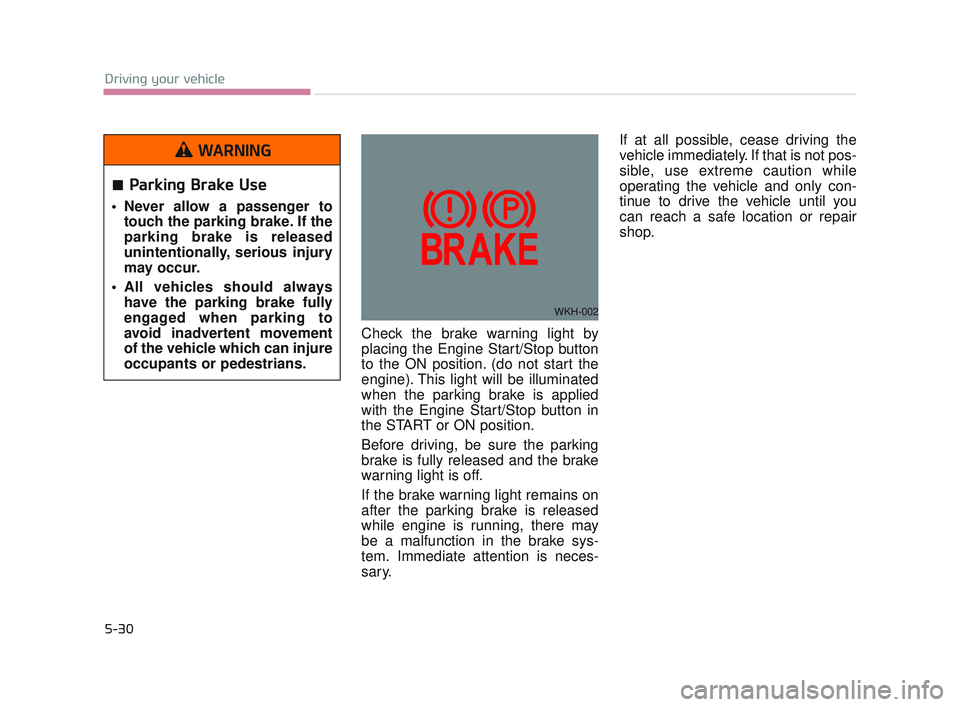
Check the brake warning light by
placing the Engine Start/Stop button
to the ON position. (do not start the
engine). This light will be illuminated
when the parking brake is applied
with the Engine Start/Stop button in
the START or ON position.
Before driving, be sure the parking
brake is fully released and the brake
warning light is off.
If the brake warning light remains on
after the parking brake is released
while engine is running, there may
be a malfunction in the brake sys-
tem. Immediate attention is neces-
sary.If at all possible, cease driving the
vehicle immediately. If that is not pos-
sible, use extreme caution while
operating the vehicle and only con-
tinue to drive the vehicle until you
can reach a safe location or repair
shop.
WKH-002
Parking Brake Use
Never allow a passenger to
touch the parking brake. If the
parking brake is released
unintentionally, serious injury
may occur.
All vehicles should always have the parking brake fully
engaged when parking to
avoid inadvertent movement
of the vehicle which can injure
occupants or pedestrians.
WARNING
KH USA 5:2016 12/1/2016 10:54 PM Page 30