ECO mode KIA K900 2019 User Guide
[x] Cancel search | Manufacturer: KIA, Model Year: 2019, Model line: K900, Model: KIA K900 2019Pages: 580, PDF Size: 15.11 MB
Page 173 of 580
Features of your vehicle
80
4
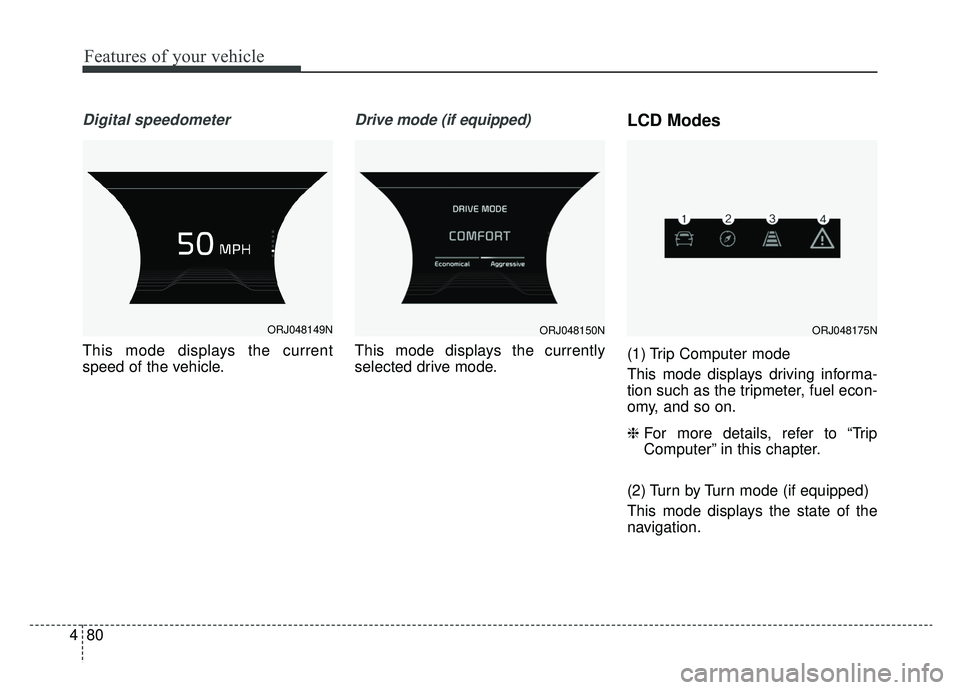
Digital speedometer
This mode displays the current
speed of the vehicle.
Drive mode (if equipped)
This mode displays the currently
selected drive mode.
LCD Modes
(1) Trip Computer mode
This mode displays driving informa-
tion such as the tripmeter, fuel econ-
omy, and so on.
❈ For more details, refer to “Trip
Computer” in this chapter.
(2) Turn by Turn mode (if equipped)
This mode displays the state of the
navigation.
ORJ048149NORJ048150NORJ048175N
Page 174 of 580
481
Features of your vehicle
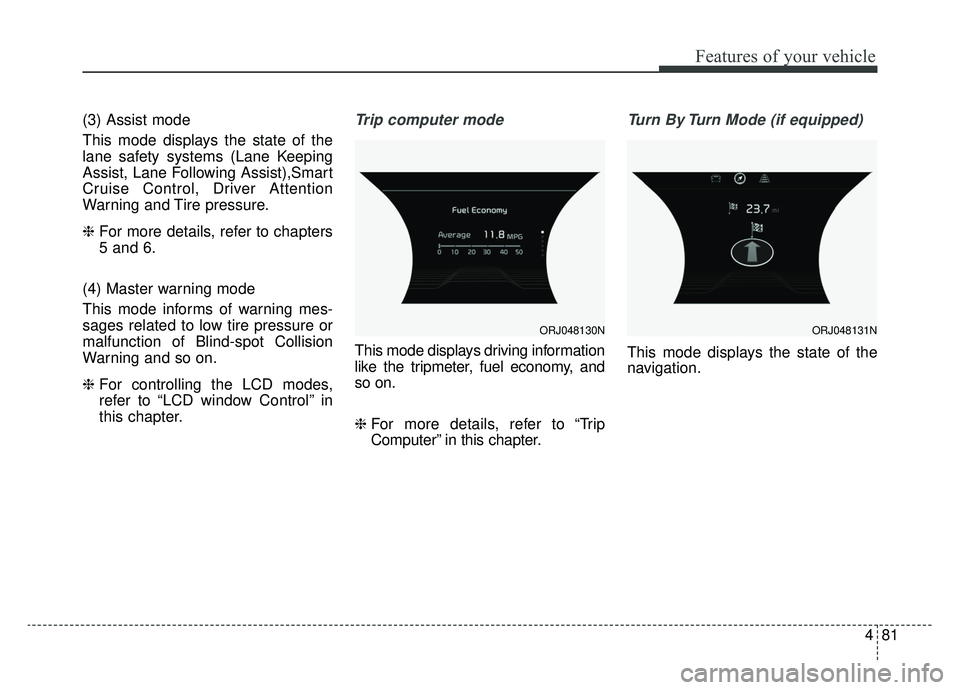
(3) Assist mode
This mode displays the state of the
lane safety systems (Lane Keeping
Assist, Lane Following Assist),Smart
Cruise Control, Driver Attention
Warning and Tire pressure.
❈For more details, refer to chapters
5 and 6.
(4) Master warning mode
This mode informs of warning mes-
sages related to low tire pressure or
malfunction of Blind-spot Collision
Warning and so on.
❈ For controlling the LCD modes,
refer to “LCD window Control” in
this chapter.Trip computer mode
This mode displays driving information
like the tripmeter, fuel economy, and
so on.
❈ For more details, refer to “Trip
Computer” in this chapter.
Turn By Turn Mode (if equipped)
This mode displays the state of the
navigation.
ORJ048130NORJ048131N
Page 175 of 580
Features of your vehicle
82
4
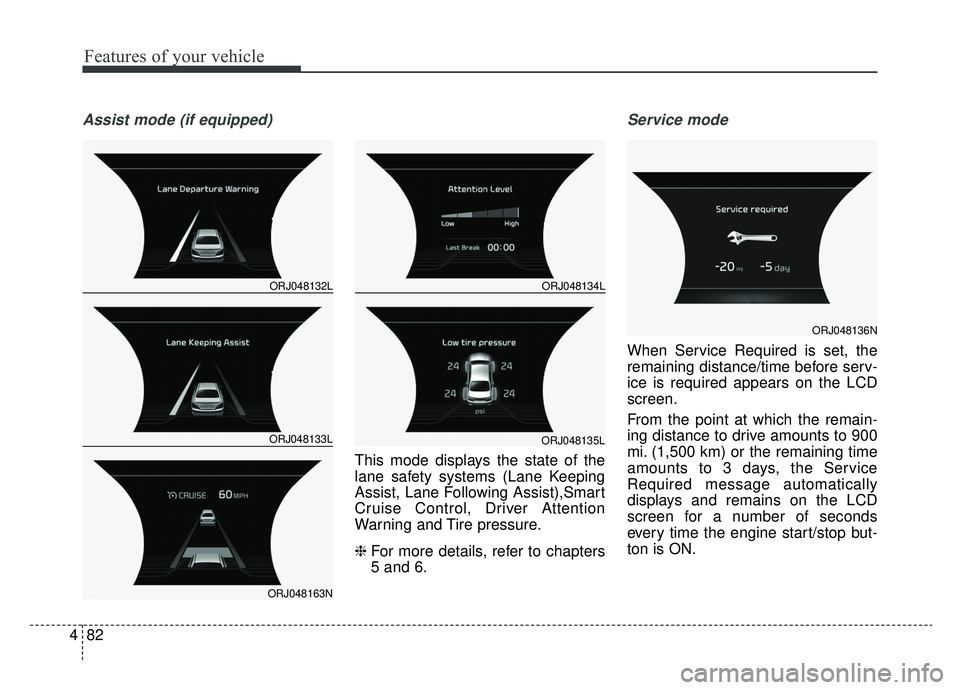
Assist mode (if equipped)
This mode displays the state of the
lane safety systems (Lane Keeping
Assist, Lane Following Assist),Smart
Cruise Control, Driver Attention
Warning and Tire pressure.
❈ For more details, refer to chapters
5 and 6.
Service mode
When Service Required is set, the
remaining distance/time before serv-
ice is required appears on the LCD
screen.
From the point at which the remain-
ing distance to drive amounts to 900
mi. (1,500 km) or the remaining time
amounts to 3 days, the Service
Required message automatically
displays and remains on the LCD
screen for a number of seconds
every time the engine start/stop but-
ton is ON.
ORJ048132L
ORJ048133L
ORJ048163N
ORJ048134L
ORJ048135L
ORJ048136N
Page 176 of 580
483
Features of your vehicle
When Service Required is set, a
Service Required Alarm message
pops up when an aggregated
amount of miles/time driven reaches
a certain point.
With Service Required mode, press
OK button for more than 1 second.
The values will return to initial setting
values.
❈Service Required Setting
If the Battery Cable is disconnected,
Fuse Switch is turned OFF, the
Service Required Setting values (an
amount of miles/time driven) may
change. In this situation, re-enter
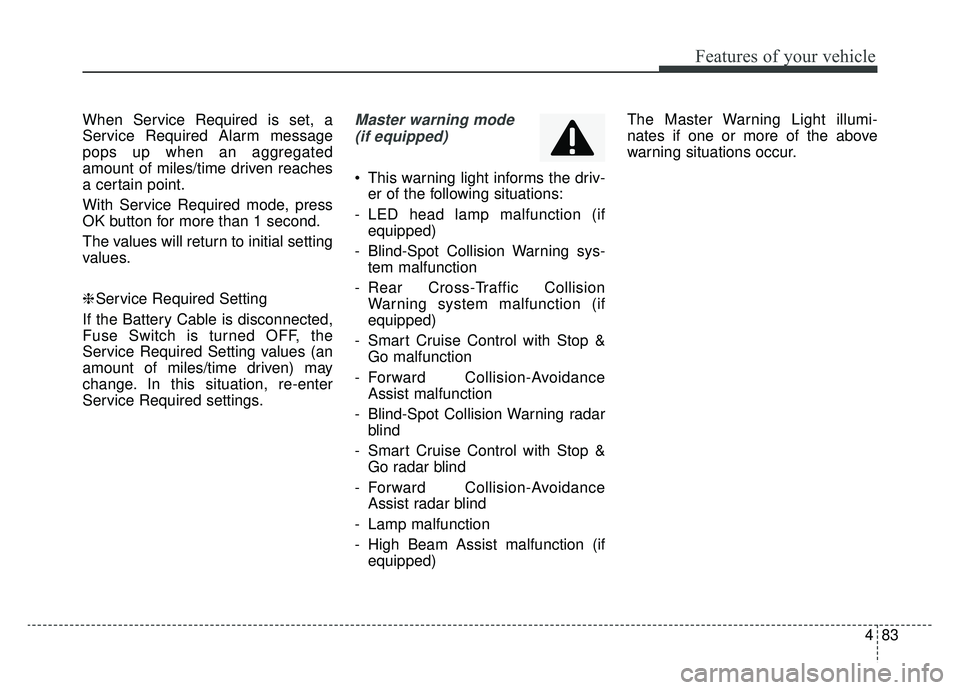
Service Required settings.Master warning mode (if equipped)
This warning light informs the driv- er of the following situations:
- LED head lamp malfunction (if equipped)
- Blind-Spot Collision Warning sys- tem malfunction
- Rear Cross-Traffic Collision Warning system malfunction (if
equipped)
- Smart Cruise Control with Stop & Go malfunction
- Forward Collision-Avoidance Assist malfunction
- Blind-Spot Collision Warning radar blind
- Smart Cruise Control with Stop & Go radar blind
- Forward Collision-Avoidance Assist radar blind
- Lamp malfunction
- High Beam Assist malfunction (if equipped) The Master Warning Light illumi-
nates if one or more of the above
warning situations occur.
Page 177 of 580
Features of your vehicle
84
4
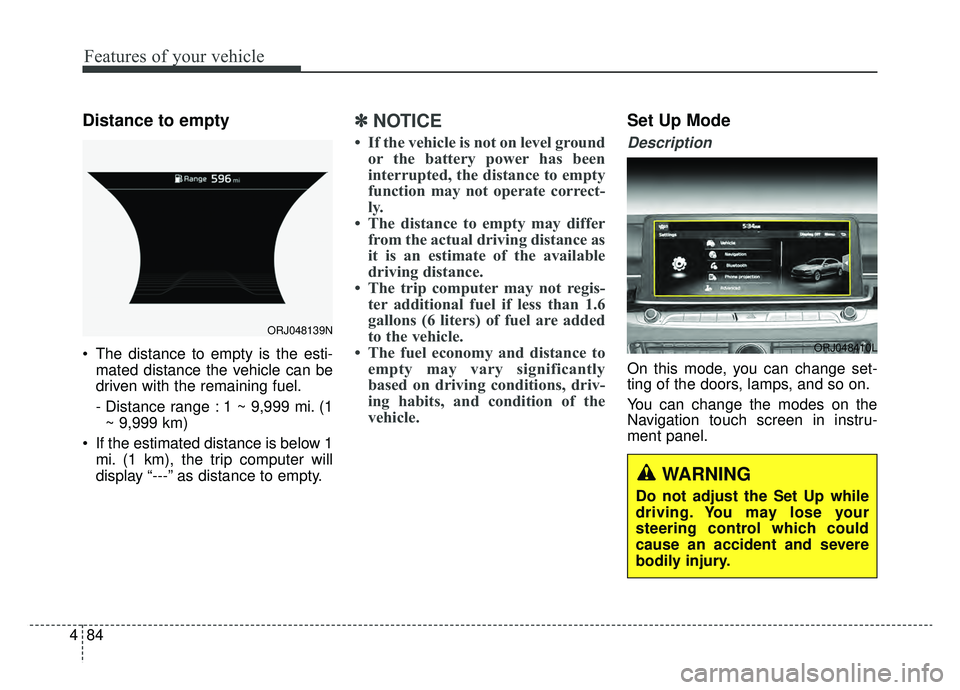
Distance to empty
The distance to empty is the esti-
mated distance the vehicle can be
driven with the remaining fuel.
- Distance range : 1 ~ 9,999 mi. (1~ 9,999 km)
If the estimated distance is below 1 mi. (1 km), the trip computer will
display “---” as distance to empty.
✽ ✽ NOTICE
• If the vehicle is not on level ground
or the battery power has been
interrupted, the distance to empty
function may not operate correct-
ly.
• The distance to empty may differ from the actual driving distance as
it is an estimate of the available
driving distance.
• The trip computer may not regis- ter additional fuel if less than 1.6
gallons (6 liters) of fuel are added
to the vehicle.
• The fuel economy and distance to empty may vary significantly
based on driving conditions, driv-
ing habits, and condition of the
vehicle.
Set Up Mode
Description
On this mode, you can change set-
ting of the doors, lamps, and so on.
You can change the modes on the
Navigation touch screen in instru-
ment panel.
ORJ048139N
ORJ048410L
WARNING
Do not adjust the Set Up while
driving. You may lose your
steering control which could
cause an accident and severe
bodily injury.
Page 193 of 580
Features of your vehicle
100
4
Indicator Lights
Electronic Stability
Control (ESC) IndicatorLight (if equipped)
This indicator light illuminates:
Once you set the Engine Start/Stop Button to the ON position.
- It illuminates for approximately 3seconds and then goes off.
When there is a malfunction with the ESC system.
In this case, have the vehicle
inspected by an authorized K900
Kia dealer.
This indicator light blinks:
While the ESC is operating.
❈ For more details, refer to
“Electronic Stability Control (ESC)”
in chapter 5.
Electronic Stability
Control (ESC) OFFIndicator Light (if equipped)
This indicator light illuminates:
Once you set the Engine Start/Stop Button to the ON position.
- It illuminates for approximately 3seconds and then goes off.
When you deactivate the ESC sys- tem by pressing the ESC OFF but-
ton.
❈ For more details, refer to
“Electronic Stability Control (ESC)”
in chapter 5.
Auto stop indicator
(if equipped)
This indicator will illuminate when the
engine enters the Idle Stop mode of
the ISG (Idle Stop and Go) system.
When the automatic starting occurs,
the auto stop indicator on the cluster
will blink for 5 seconds.
❈ For more details, refer to the ISG
(Idle Stop and Go) system in chap-
ter 5.
✽ ✽
NOTICE
When the engine automatically starts
by the ISG system, some warning
lights (ABS, ESC, ESC OFF, EPS or
Parking brake warning light) may
turn on for a few seconds.
This happens because of the low bat-
tery voltage. It does not mean the
system is malfunctioning.
Page 220 of 580
4127
Features of your vehicle
:
The front or rear room lamps come
on when the front or rear doors are
opened if the engine is running or
not. When doors are unlocked by
the Smart Key, the front and rear
lamps come on for approximately
30 seconds as long as any door is
not opened. The front and rear room
lamps go out gradually after approx-
imately 30 seconds if the door is
closed. However, if the Engine
Start/Stop button is in the ON posi-
tion or all doors are locked, the front
and rear lamps will turn off. If a door
is opened with the Engine Start/
Stop button in the ACC position or
the OFF position, the front and rear
lamps stay on for about 20 minutes.
:
Press this button to turn the front
and rear room lamps on and off.
✽ ✽ NOTICE
The DOOR mode and ROOM mode
can not be selected at a time.
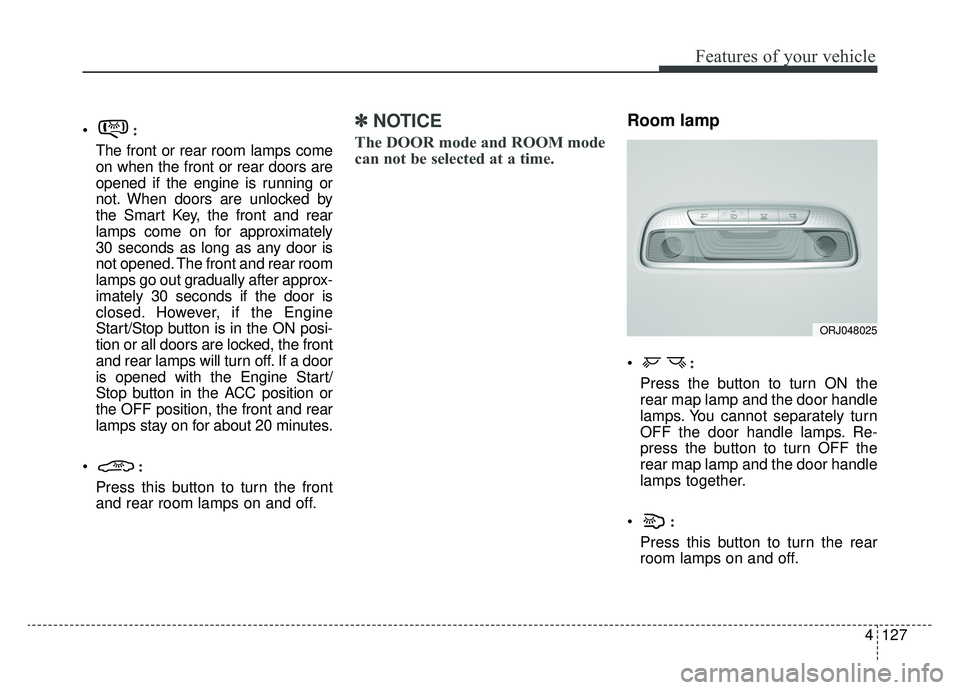
Room lamp
:
Press the button to turn ON the
rear map lamp and the door handle
lamps. You cannot separately turn
OFF the door handle lamps. Re-
press the button to turn OFF the
rear map lamp and the door handle
lamps together.
:
Press this button to turn the rear
room lamps on and off.
ORJ048025
Page 231 of 580
Features of your vehicle
138
4
The temperature will decrease to the
minimum (Lo) by pressing the tem-
perature button with the arrow point-
ed downward or turning the knob to
the extreme left.
When pressing the temperature but-
ton or turning the knob, the tempera-
ture will increase or decrease by
0.5°C/1°F. When set to the lowest
temperature setting, the air condi-
tioning will operate continuously.
Turn the rear seat temperature con-
trol knob to adjust temperature.
The front and rear seat side temper-
ature is adjusted individually. Adjusting the driver and passenger
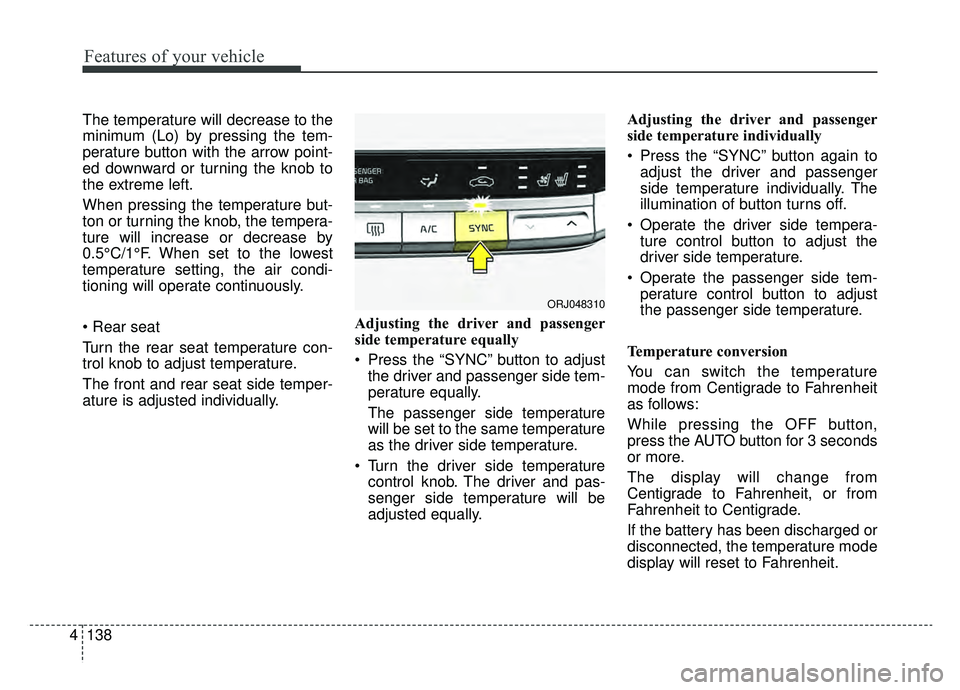
side temperature equally
Press the “SYNC” button to adjust
the driver and passenger side tem-
perature equally.
The passenger side temperature
will be set to the same temperature
as the driver side temperature.
Turn the driver side temperature control knob. The driver and pas-
senger side temperature will be
adjusted equally. Adjusting the driver and passenger
side temperature individually
Press the “SYNC” button again to
adjust the driver and passenger
side temperature individually. The
illumination of button turns off.
Operate the driver side tempera- ture control button to adjust the
driver side temperature.
Operate the passenger side tem- perature control button to adjust
the passenger side temperature.
Temperature conversion
You can switch the temperature
mode from Centigrade to Fahrenheit
as follows:
While pressing the OFF button,
press the AUTO button for 3 seconds
or more.
The display will change from
Centigrade to Fahrenheit, or from
Fahrenheit to Centigrade.
If the battery has been discharged or
disconnected, the temperature mode
display will reset to Fahrenheit.
ORJ048310
Page 234 of 580
4141
Features of your vehicle
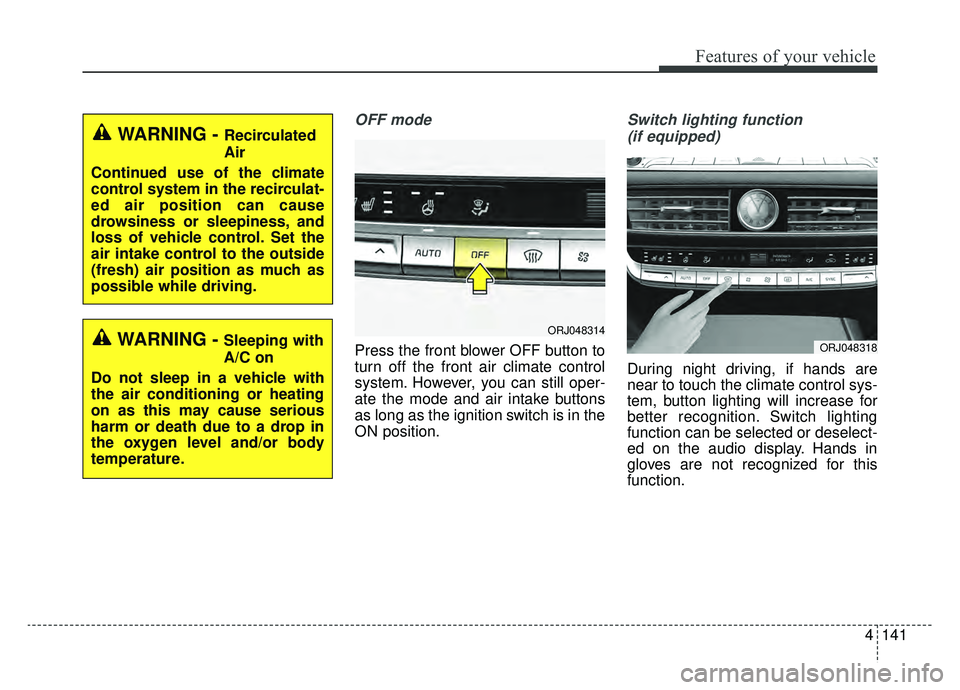
OFF mode
Press the front blower OFF button to
turn off the front air climate control
system. However, you can still oper-
ate the mode and air intake buttons
as long as the ignition switch is in the
ON position.
Switch lighting function (if equipped)
During night driving, if hands are
near to touch the climate control sys-
tem, button lighting will increase for
better recognition. Switch lighting
function can be selected or deselect-
ed on the audio display. Hands in
gloves are not recognized for this
function.
WARNING - Recirculated
Air
Continued use of the climate
control system in the recirculat-
ed air position can cause
drowsiness or sleepiness, and
loss of vehicle control. Set the
air intake control to the outside
(fresh) air position as much as
possible while driving.
WARNING - Sleeping with
A/C on
Do not sleep in a vehicle with
the air conditioning or heating
on as this may cause serious
harm or death due to a drop in
the oxygen level and/or body
temperature.ORJ048314
ORJ048318
Page 236 of 580
4143
Features of your vehicle
✽ ✽NOTICE
When opening the windows in humid
weather, air conditioning may create
water droplets inside the vehicle.
Since excessive water droplets may
cause damage to electrical equip-
ment, air conditioning should only be
used with the windows closed.
Air conditioning system operation tips
If the vehicle has been parked in
direct sunlight during hot weather,
open the windows for a short time
to let the hot air inside the vehicle
escape.
To help reduce moisture inside of the windows on rainy or humid
days, decrease the humidity inside
the vehicle by operating the air
conditioning system.
During air conditioning system operation, you may occasionally
notice a slight change in engine
speed as the air conditioning com-
pressor cycles. This is a normal
system operation characteristic.
Use the air conditioning system every month only for a few minutes
to ensure maximum system per-
formance. When using the air conditioning
system, you may notice clear water
dripping (or even puddling) on the
ground under the passenger side
of the vehicle. This is a normal sys-
tem operation characteristic.
Operating the air conditioning sys- tem in the recirculated air position
provides maximum cooling, how-
ever, continual operation in this
mode may cause the air inside the
vehicle to become stale.
During cooling operation, you may occasionally notice a misty air flow
because of rapid cooling and
humid air intake. This is a normal
system operation characteristic.CAUTION - Excessive A/C
Use
When using the air conditioningsystem, monitor the tempera-ture gauge closely while drivingup hills or in heavy traffic whenoutside temperatures are high.Air conditioning system opera-tion may cause engine over-heating. Continue to use theblower fan but turn the air con-ditioning system off if the tem-perature gauge indicates engineoverheating.