mirror KIA K900 2019 Owner's Manual
[x] Cancel search | Manufacturer: KIA, Model Year: 2019, Model line: K900, Model: KIA K900 2019Pages: 580, PDF Size: 15.11 MB
Page 222 of 580
4129
Features of your vehicle
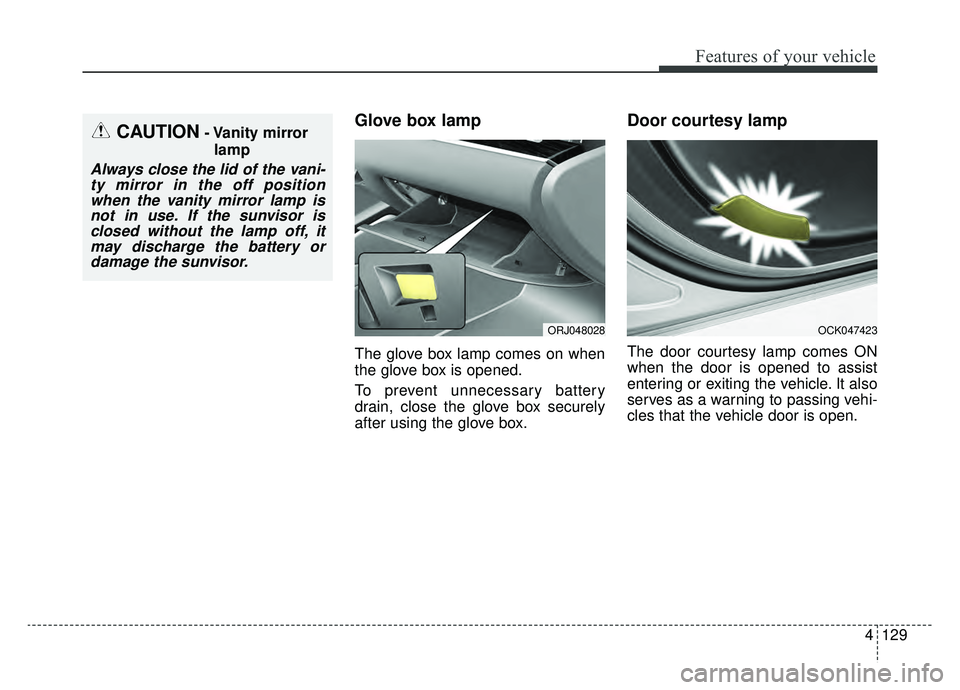
Glove box lamp
The glove box lamp comes on when
the glove box is opened.
To prevent unnecessary battery
drain, close the glove box securely
after using the glove box.
Door courtesy lamp
The door courtesy lamp comes ON
when the door is opened to assist
entering or exiting the vehicle. It also
serves as a warning to passing vehi-
cles that the vehicle door is open.
OCK047423
CAUTION- Vanity mirrorlamp
Always close the lid of the vani-ty mirror in the off positionwhen the vanity mirror lamp isnot in use. If the sunvisor isclosed without the lamp off, itmay discharge the battery ordamage the sunvisor.
ORJ048028
Page 224 of 580
4131
Features of your vehicle
If you want to defrost and defog the
front windshield, refer to “Windshield
defrosting and defogging” in this sec-
tion.
Rear window defroster
The defroster heats the window to
remove frost, fog and thin ice from
the rear window, while the engine is
running.
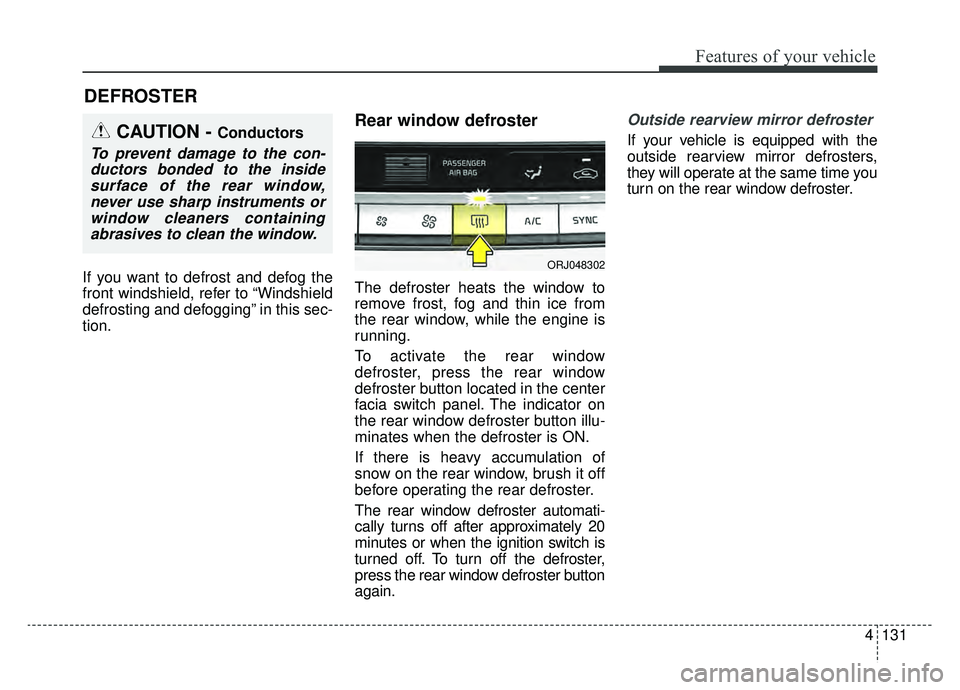
To activate the rear window
defroster, press the rear window
defroster button located in the center
facia switch panel. The indicator on
the rear window defroster button illu-
minates when the defroster is ON.
If there is heavy accumulation of
snow on the rear window, brush it off
before operating the rear defroster.
The rear window defroster automati-
cally turns off after approximately 20
minutes or when the ignition switch is
turned off. To turn off the defroster,
press the rear window defroster button
again.
Outside rearview mirror defroster
If your vehicle is equipped with the
outside rearview mirror defrosters,
they will operate at the same time you
turn on the rear window defroster.
DEFROSTER
CAUTION - Conductors
To prevent damage to the con-ductors bonded to the insidesurface of the rear window,never use sharp instruments orwindow cleaners containingabrasives to clean the window.
ORJ048302
Page 239 of 580
Features of your vehicle
146
4
For maximum defrosting, set the
temperature control to the extreme
right/hot position and the fan speed
control to the highest speed.
If warm air to the floor is desired while defrosting or defogging, set
the mode to the floor-defrost posi-
tion.
Before driving, clear all snow and ice from the windshield, rear win-
dow, outside rear view mirrors, and
all side windows.
Clear all snow and ice from the hood and air inlet in the cowl grill to
improve heater and defroster effi-
ciency and to reduce the probabili-
ty of fogging up the inside of the
windshield.Automatic climate control
system
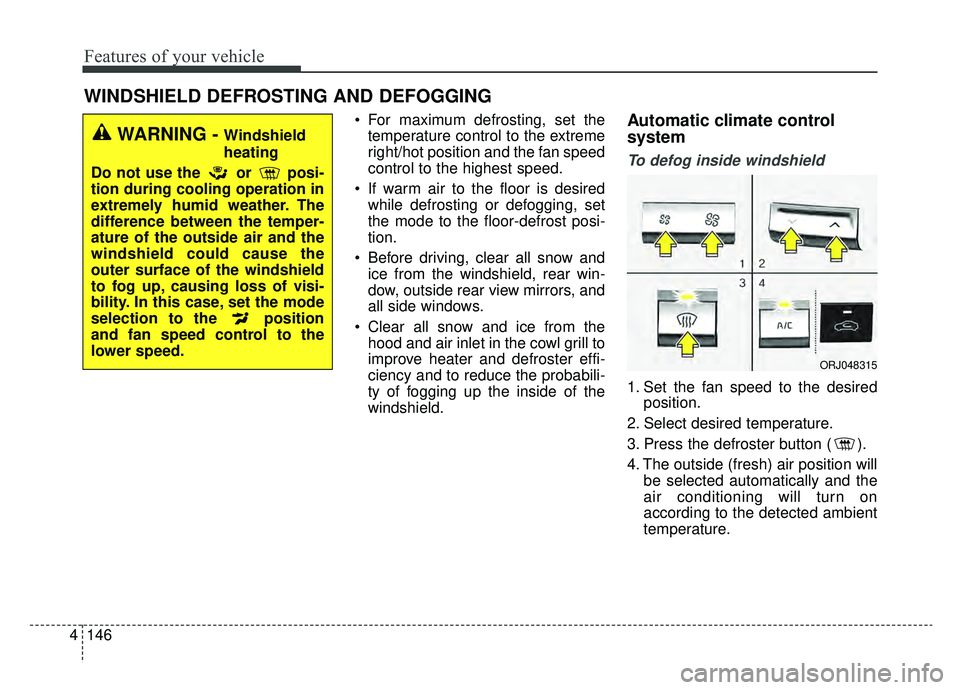
To defog inside windshield
1. Set the fan speed to the desired position.
2. Select desired temperature.
3. Press the defroster button ( ).
4. The outside (fresh) air position will be selected automatically and the
air conditioning will turn on
according to the detected ambient
temperature.
WINDSHIELD DEFROSTING AND DEFOGGING
WARNING - Windshield
heating
Do not use the or posi-
tion during cooling operation in
extremely humid weather. The
difference between the temper-
ature of the outside air and the
windshield could cause the
outer surface of the windshield
to fog up, causing loss of visi-
bility. In this case, set the mode
selection to the position
and fan speed control to the
lower speed.
ORJ048315
Page 245 of 580
Features of your vehicle
152
4
✽ ✽
NOTICE
If the temperature control knob is in
the warm or hot position, warm or
hot air will flow into the glove box.
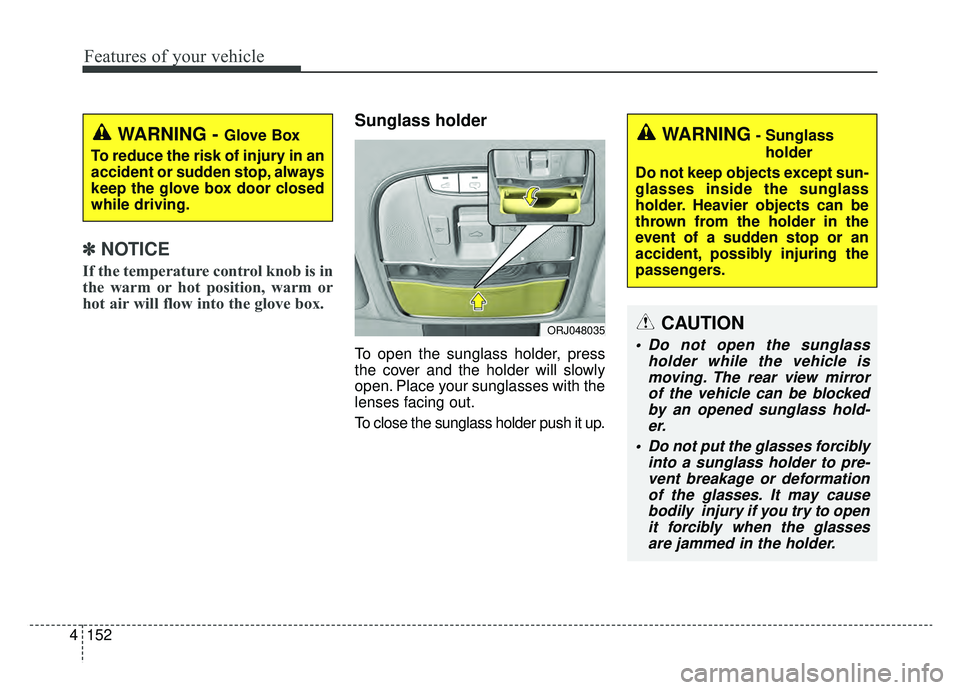
Sunglass holder
To open the sunglass holder, press
the cover and the holder will slowly
open. Place your sunglasses with the
lenses facing out.
To close the sunglass holder push it up.
WARNING - Glove Box
To reduce the risk of injury in an
accident or sudden stop, always
keep the glove box door closed
while driving.WARNING- Sunglass holder
Do not keep objects except sun-
glasses inside the sunglass
holder. Heavier objects can be
thrown from the holder in the
event of a sudden stop or an
accident, possibly injuring the
passengers.
ORJ048035CAUTION
Do not open the sunglass holder while the vehicle ismoving. The rear view mirrorof the vehicle can be blockedby an opened sunglass hold-er.
Do not put the glasses forcibly into a sunglass holder to pre-vent breakage or deformationof the glasses. It may causebodily injury if you try to openit forcibly when the glassesare jammed in the holder.
Page 249 of 580
Features of your vehicle
156
4
Sunvisor
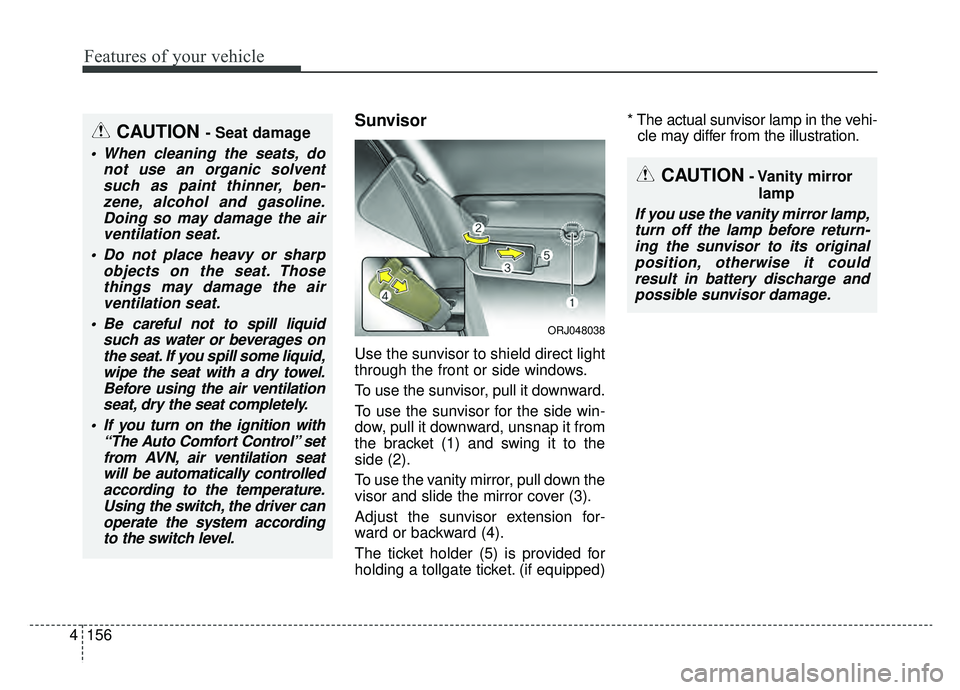
Use the sunvisor to shield direct light
through the front or side windows.
To use the sunvisor, pull it downward.
To use the sunvisor for the side win-
dow, pull it downward, unsnap it from
the bracket (1) and swing it to the
side (2).
To use the vanity mirror, pull down the
visor and slide the mirror cover (3).
Adjust the sunvisor extension for-
ward or backward (4).
The ticket holder (5) is provided for
holding a tollgate ticket. (if equipped) * The actual sunvisor lamp in the vehi-
cle may differ from the illustration.
CAUTION- Vanity mirror
lamp
If you use the vanity mirror lamp,turn off the lamp before return-ing the sunvisor to its originalposition, otherwise it couldresult in battery discharge andpossible sunvisor damage.
CAUTION - Seat damage
When cleaning the seats, do not use an organic solventsuch as paint thinner, ben-zene, alcohol and gasoline.Doing so may damage the airventilation seat.
Do not place heavy or sharp objects on the seat. Thosethings may damage the airventilation seat.
Be careful not to spill liquid such as water or beverages onthe seat. If you spill some liquid,wipe the seat with a dry towel.Before using the air ventilationseat, dry the seat completely.
If you turn on the ignition with “The Auto Comfort Control” setfrom AVN, air ventilation seatwill be automatically controlledaccording to the temperature.Using the switch, the driver canoperate the system accordingto the switch level.
ORJ048038
Page 270 of 580
55
Driving your vehicle
Before entering vehicle
• Be sure that all windows, outsidemirror(s), and outside lights are
clean.
Check the condition of the tires.
Check under the vehicle for any sign of leaks.
Be sure there are no obstacles behind you if you intend to back up.
Necessary inspections
Fluid levels, such as engine oil,
engine coolant, brake fluid, and
washer fluid should be checked on a
regular basis, at the exact interval
depending on the fluid. Further
details are provided in chapter 7,
“Maintenance”.
Before starting
Close and lock all doors.
Position the seat so that all con-trols are easily reached.
Buckle your seat belt.
Adjust the inside and outside rearview mirrors.
Be sure that all lights work.
Check all gauges.
Check the operation of warning lights when the ignition switch is
turned to the ON position.
Release the parking brake and make sure the brake warning light
goes out.
For safe operation, be sure you are
familiar with your vehicle and its
equipment.
BEFORE DRIVING
WARNING - Distracted driving
Focus on the road while driving.
The driver's primary responsi-
bility is in the safe and legal
operation of the vehicle. Use of
any handled devices, other
equipment or vehicle systems
that distract the driver should
not be used during vehicle
operation.
Page 324 of 580
559
Driving your vehicle
(Continued)
• If the front bumper becomes dam-aged in the area around the radar
sensor, the FCA system may not
operate properly. Have the system
checked by an authorized K900
Kia dealer.
• Use only genuine parts to repair or replace a damaged sensor or sen-
sor cover. Do not apply paint to
the sensor cover.
✽ ✽ NOTICE
• NEVER install any accessories or
stickers on the front windshield,
or tint the front windshield.
• NEVER place any reflective objects (i.e. white paper, mirror)
over the dashboard. Any light
reflection may cause a malfunc-
tion of the system.
• Make sure the frontal camera does not get wet.
• NEVER disassemble the camera assembly, or apply any impact on
the camera assembly.
• Playing the vehicle audio system at high volume may prevent occu-
pants from hearing the FCA warn-
ings.
✽ ✽ NOTICE
Have the system checked by an
authorized K900 Kia dealer.
• The windshield glass is replaced.
• The radar sensor or cover gets
damaged or replaced.
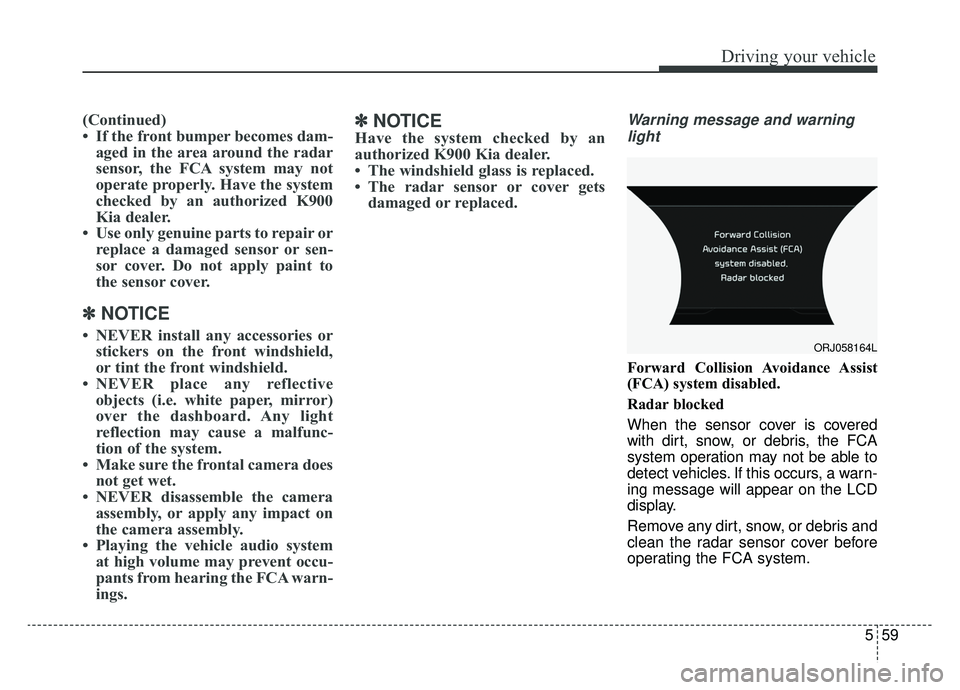
Warning message and warning
light
Forward Collision Avoidance Assist
(FCA) system disabled.
Radar blocked
When the sensor cover is covered
with dirt, snow, or debris, the FCA
system operation may not be able to
detect vehicles. If this occurs, a warn-
ing message will appear on the LCD
display.
Remove any dirt, snow, or debris and
clean the radar sensor cover before
operating the FCA system.
ORJ058164L
Page 364 of 580
599
Driving your vehicle
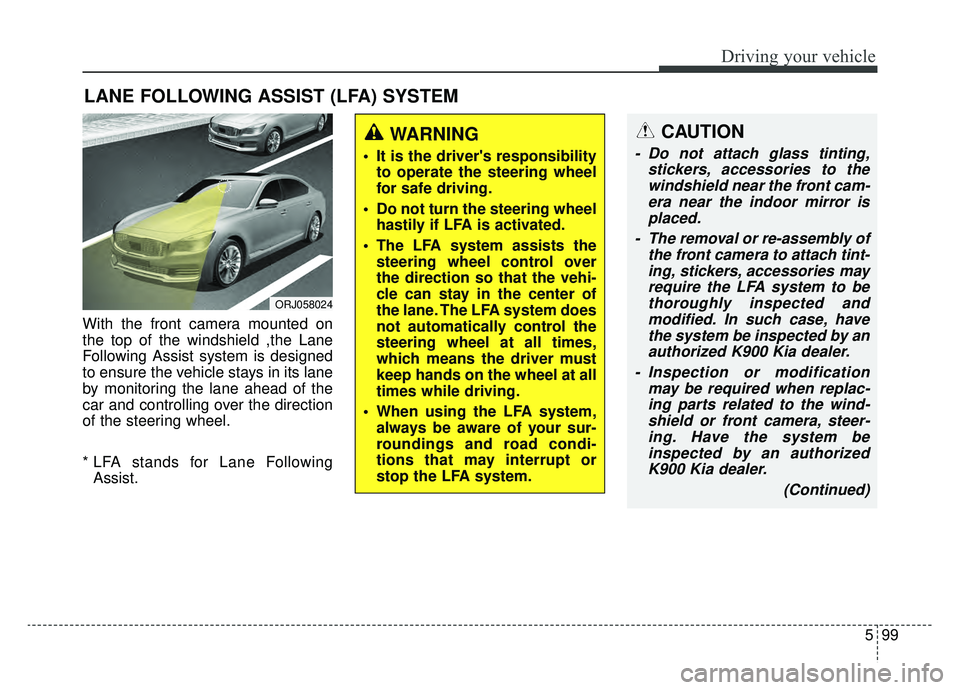
With the front camera mounted on
the top of the windshield ,the Lane
Following Assist system is designed
to ensure the vehicle stays in its lane
by monitoring the lane ahead of the
car and controlling over the direction
of the steering wheel.
* LFA stands for Lane FollowingAssist.
LANE FOLLOWING ASSIST (LFA) SYSTEM
ORJ058024
WARNING
It is the driver's responsibility to operate the steering wheel
for safe driving.
Do not turn the steering wheel hastily if LFA is activated.
The LFA system assists the steering wheel control over
the direction so that the vehi-
cle can stay in the center of
the lane. The LFA system does
not automatically control the
steering wheel at all times,
which means the driver must
keep hands on the wheel at all
times while driving.
When using the LFA system, always be aware of your sur-
roundings and road condi-
tions that may interrupt or
stop the LFA system.
CAUTION
- Do not attach glass tinting, stickers, accessories to thewindshield near the front cam-era near the indoor mirror isplaced.
- The removal or re-assembly of the front camera to attach tint-ing, stickers, accessories mayrequire the LFA system to bethoroughly inspected andmodified. In such case, havethe system be inspected by anauthorized K900 Kia dealer.
- Inspection or modification may be required when replac-ing parts related to the wind-shield or front camera, steer-ing. Have the system beinspected by an authorizedK900 Kia dealer.
(Continued)
Page 365 of 580
![KIA K900 2019 Owners Manual Driving your vehicle
100
5
LFA system operation
With the ignition [ON], select or
release the setting from "AVN →
Settings →Vehicle →Driver assis-
tance →Driving assist → LFA (Lane
Foll](/img/2/55057/w960_55057-364.png "KIA K900 2019 Owners Manual Driving your vehicle
100
5
LFA system operation
With the ignition [ON], select or
release the setting from \"AVN →
Settings →Vehicle →Driver assis-
tance →Driving assist → LFA (Lane
Foll")
Driving your vehicle
100
5
LFA system operation
With the ignition [ON], select or
release the setting from "AVN →
Settings →Vehicle →Driver assis-
tance →Driving assist → LFA (Lane
Following Assist)".
Select the LFA system in the AVN
and meet the following conditions,
the system will operate.
- When Smart Cruise Control is in operation (Vehicle deceleration and
acceleration control)
Refer to
details.
- Driving the vehicle at 95 mph (150 km/h) and under
Once the system starts working, the
indicator light ( ) comes on the
instrument panel.
The indicator light colors according
to the system status are as follows.
- White: steering assist mode deacti- vation
- Green: steering assist mode activa- tion
(Continued)
- Depending on your surround- ings and road conditions, theLFA system could fail to rec-ognize the lane and stop work-ing. In turn, extra caution isrequired while driving withthe LFA system on.
- Be sure to check the non- operating conditions and cau-tions for the driver beforeusing the LFA system.
- Do not place reflective materi- als such as white paper ormirror on the dashboard pad.Sunlight reflections can causethe LFA system to not operateproperly.
- Loud audio volumes can pre- vent the occupants from hear-ing the alarm sounds from theLFA system
(Continued)(Continued)- Keeping your hands off the wheel while driving will triggerthe hands-off warning anddeactivate the steering-assistsystem. Put your hands backon the wheel, then the steer-ing-assist system will be re-activated.
- When driving at a high speed, the steering assist force canbecome weak and the vehiclecan drive out of its lane. Extracaution is required, and com-ply with the speed limit.
- Attaching an object to the steering wheel could detersteering assistance.
- Attaching an object to the steering wheel could deter thehands-off alarming system.
Page 369 of 580
Driving your vehicle
104
5
- If the number of lanes increases
or decreases, or if the lanes inter-
sect with each other more
intensely (tollgate entry section,
road section / joining section,
etc.)
- When there are two or more lane markings such as a construction
section, a designated lane, etc.
- When the lane is crowded such as the construction section or the
lane is replaced by some struc-
tures
- If there is a road marking such as a zigzag lane, crosswalk mark, or
road surface milestone
- When a lane suddenly becomes invisible or disappears from an
intersection
• The external environment affecting the system
- If the outside brightness of the vehi- cle suddenly changes, such as
when entering or exiting the tunnel
or passing under the bridge - If the vehicle's headlights are not
used at night or in the tunnel, or the
brightness of the headlights is too
weak
- If there are boundary structures such as tollgate booths and side-
walk blocks
- If it is difficult to distinguish lanes due to the reflection on the wet road
made by sunlight, streetlight, and
oncoming traffic.
- When the backlight is strongly reflect- ed in the direction of the vehicle
- When Driving to the left or right lane by bus lane or on the bus lane
- If there is not enough distance between the front car or if the lane
is covered by the car ahead of me
- When the lane change is large, such as a steep curve or a continu-
ous curve
- When passing through speed bump, sudden up / down or left /
right slope
- If the vehicle is severely shaken
- When the temperature around the rearview mirror is very high due to
direct sunlight • If the front camera clock is of poor
quality
- If the windshield of the vehicle and the front part of the lens of
the product are covered with
dust, fingerprints, or tinting
- If the clock doesn¡¯t work proper- ly due to bad weather such as
fog, heavy rain or heavy snow.
- If moisture is not completely removed from the windscreen.
- When placing an object on the dashboard, etc.