ESP KIA K900 2019 Service Manual
[x] Cancel search | Manufacturer: KIA, Model Year: 2019, Model line: K900, Model: KIA K900 2019Pages: 580, PDF Size: 15.11 MB
Page 330 of 580
565
Driving your vehicle
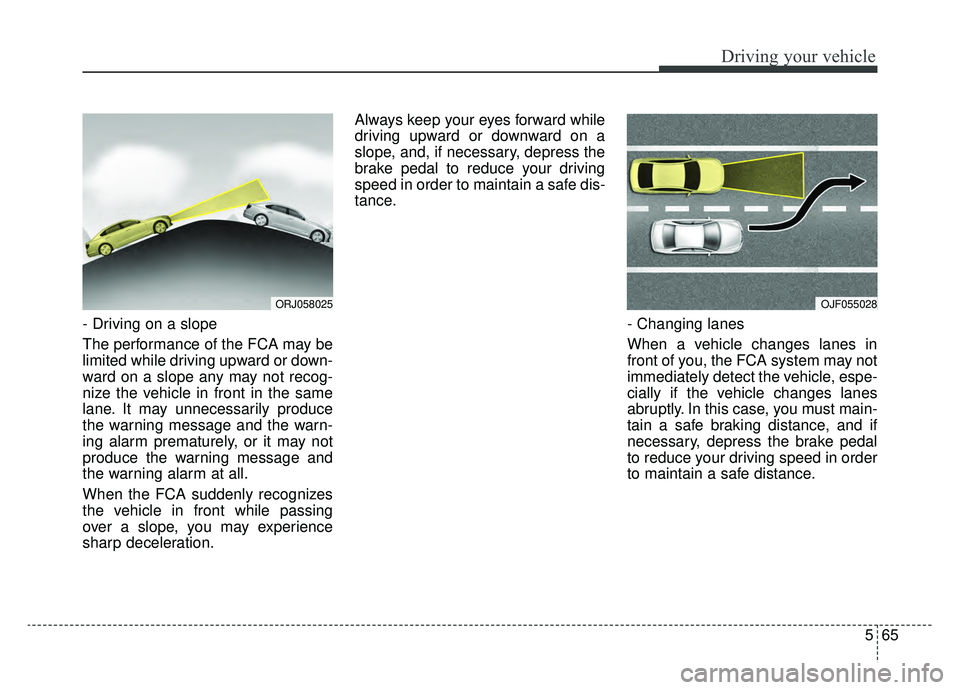
- Driving on a slope
The performance of the FCA may be
limited while driving upward or down-
ward on a slope any may not recog-
nize the vehicle in front in the same
lane. It may unnecessarily produce
the warning message and the warn-
ing alarm prematurely, or it may not
produce the warning message and
the warning alarm at all.
When the FCA suddenly recognizes
the vehicle in front while passing
over a slope, you may experience
sharp deceleration.Always keep your eyes forward while
driving upward or downward on a
slope, and, if necessary, depress the
brake pedal to reduce your driving
speed in order to maintain a safe dis-
tance.
- Changing lanes
When a vehicle changes lanes in
front of you, the FCA system may not
immediately detect the vehicle, espe-
cially if the vehicle changes lanes
abruptly. In this case, you must main-
tain a safe braking distance, and if
necessary, depress the brake pedal
to reduce your driving speed in order
to maintain a safe distance.
OJF055028ORJ058025
Page 334 of 580
569
Driving your vehicle
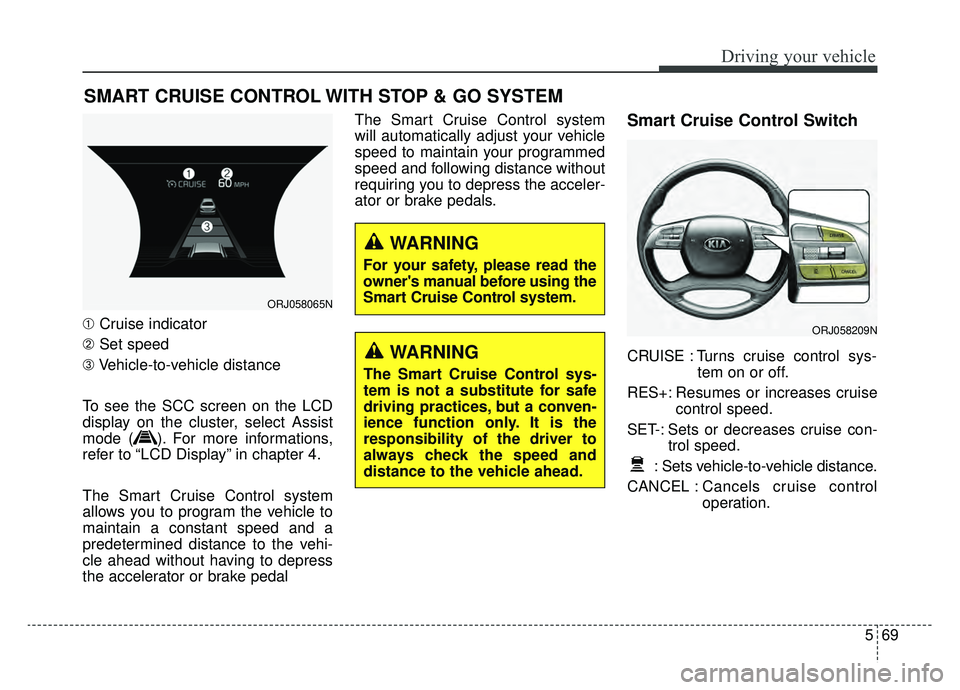
➀Cruise indicator
➁ Set speed
\b Vehicle-to-vehicle distance
To see the SCC screen on the LCD
display on the cluster, select Assist
mode ( ). For more informations,
refer to “LCD Display” in chapter 4.
The Smart Cruise Control system
allows you to program the vehicle to
maintain a constant speed and a
predetermined distance to the vehi-
cle ahead without having to depress
the accelerator or brake pedal The Smart Cruise Control system
will automatically adjust your vehicle
speed to maintain your programmed
speed and following distance without
requiring you to depress the acceler-
ator or brake pedals.
Smart Cruise Control Switch
CRUISE : Turns cruise control sys-
tem on or off.
RES+: Resumes or increases cruise control speed.
SET-: Sets or decreases cruise con- trol speed.
: Sets vehicle-to-vehicle distance.
CANCEL : Cancels cruise control
operation.
SMART CRUISE CONTROL WITH STOP & GO SYSTEM
ORJ058065N
ORJ058209N
WARNING
The Smart Cruise Control sys-
tem is not a substitute for safe
driving practices, but a conven-
ience function only. It is the
responsibility of the driver to
always check the speed and
distance to the vehicle ahead.
WARNING
For your safety, please read the
owner's manual before using the
Smart Cruise Control system.
Page 343 of 580
Driving your vehicle
78
5
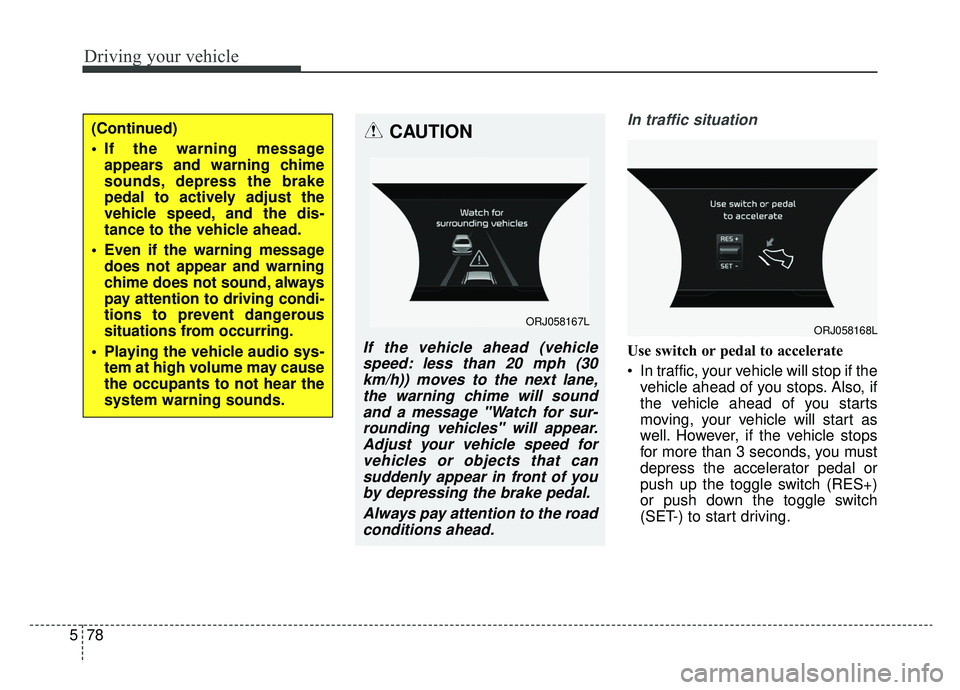
In traffic situation
Use switch or pedal to accelerate
In traffic, your vehicle will stop if the
vehicle ahead of you stops. Also, if
the vehicle ahead of you starts
moving, your vehicle will start as
well. However, if the vehicle stops
for more than 3 seconds, you must
depress the accelerator pedal or
push up the toggle switch (RES+)
or push down the toggle switch
(SET-) to start driving.
(Continued)
If the warning messageappears and warning chime
sounds, depress the brake
pedal to actively adjust the
vehicle speed, and the dis-
tance to the vehicle ahead.
Even if the warning message does not appear and warning
chime does not sound, always
pay attention to driving condi-
tions to prevent dangerous
situations from occurring.
Playing the vehicle audio sys- tem at high volume may cause
the occupants to not hear the
system warning sounds.CAUTION
If the vehicle ahead (vehiclespeed: less than 20 mph (30km/h)) moves to the next lane,the warning chime will soundand a message "Watch for sur-rounding vehicles" will appear.Adjust your vehicle speed forvehicles or objects that cansuddenly appear in front of youby depressing the brake pedal.
Always pay attention to the roadconditions ahead.
ORJ058167LORJ058168L
Page 346 of 580
581
Driving your vehicle
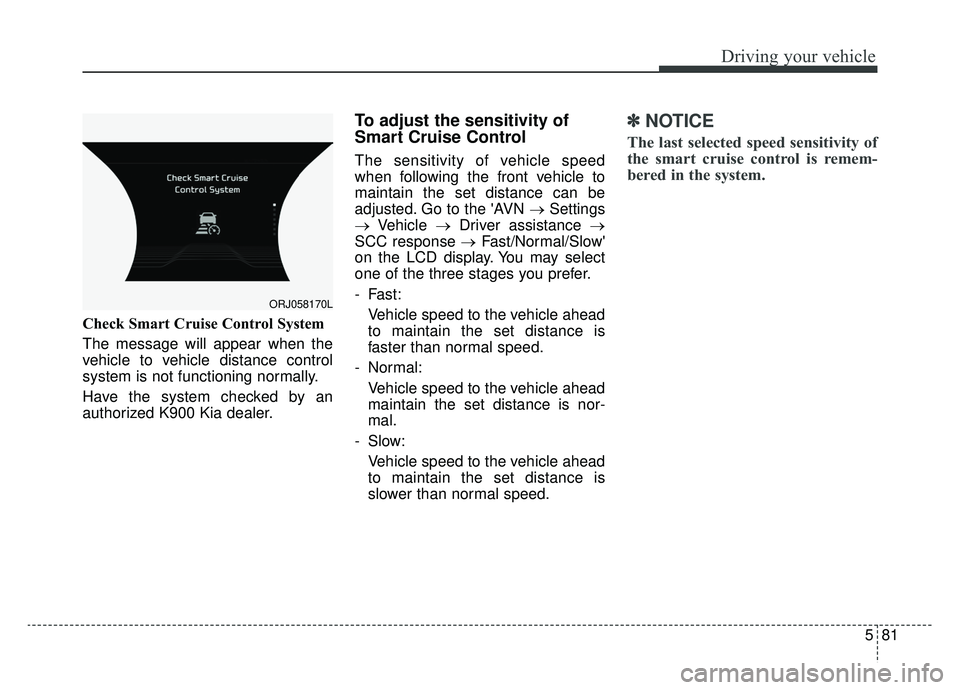
Check Smart Cruise Control System
The message will appear when the
vehicle to vehicle distance control
system is not functioning normally.
Have the system checked by an
authorized K900 Kia dealer.
To adjust the sensitivity of
Smart Cruise Control
The sensitivity of vehicle speed
when following the front vehicle to
maintain the set distance can be
adjusted. Go to the 'AVN →Settings
→ Vehicle →Driver assistance →
SCC response → Fast/Normal/Slow'
on the LCD display. You may select
one of the three stages you prefer.
- Fast:
Vehicle speed to the vehicle ahead
to maintain the set distance is
faster than normal speed.
- Normal: Vehicle speed to the vehicle ahead
maintain the set distance is nor-
mal.
- Slow: Vehicle speed to the vehicle ahead
to maintain the set distance is
slower than normal speed.
✽ ✽ NOTICE
The last selected speed sensitivity of
the smart cruise control is remem-
bered in the system.
ORJ058170L
Page 352 of 580
587
Driving your vehicle
✽ ✽NOTICE
The Smart Cruise Control system
may not operate temporarily due to:
• Electrical interference
• Modified suspension
• Differences of tire abrasion or tire
pressure
• Installation of different type of tires
This device complies with Part 15
of the FCC rules.
Operation is subject to the following
three conditions:
1. This device may not cause harm-
ful interference, and
2. This device must accept any inter- ference received, including inter-
ference that may cause undesired
operation.
3. Changes or modifications not expressly approved by the party
responsible for compliance could
void the user’s authority to operate
the device. Radio frequency radiation expo-
sure information:
This equipment complies with FCC
radiation exposure limits set forth for
an uncontrolled environment.
This equipment should be installed
and operated with minimum distance
of 8 in. (20 cm) between the radiator
(antenna) and your body.
This transmitter must not be co-locat-
ed or operating in conjunction with
any other antenna or transmitter.
Page 363 of 580
Driving your vehicle
98
5
When ECO mode is activated:
The acceleration response may be
slightly reduced if the accelerator
pedal is depressed moderately.
The air conditioner performance may be limited.
The shift pattern of the automatic transmission may change.
The engine noise may get louder.
The above situations are normal
conditions when ECO mode is acti-
vated to improve fuel efficiency. Limitation of ECO mode operation:
If the following conditions occur while
ECO mode is operating, the system
operation is limited even though
there is no change in the ECO indi-
cator.
When the coolant temperature is
low:
The system will be limited until
engine performance becomes nor-
mal.
When driving up a hill: The system will be limited to gain
power when driving uphill because
engine torque is restricted.
When driving the vehicle with the automatic transmission gear shift
lever in manual mode.
The system will be limited accord-
ing to the shift location.CUSTOM mode
In CUSTOM mode, the
driver can select sepa-
rate modes and com-
bine them on the AVN
System screen.
Engine/Transmission: ECO/COM- FORT/ SPORT/SNOW
Steering wheel: COMFORT/ SPORT
Suspension: COMFORT+/COM- FORT/SPORT
All-Wheel Drive (AWD) system: ECO/COMFORT/SPORT
For more information, refer to the
separately supplied AVN System
manual.
When CUSTOM mode is selected by pressing the DRIVE MODE but-
ton, the CUSTOM mode indicator
will illuminate.
CUSTOM
Page 364 of 580
599
Driving your vehicle
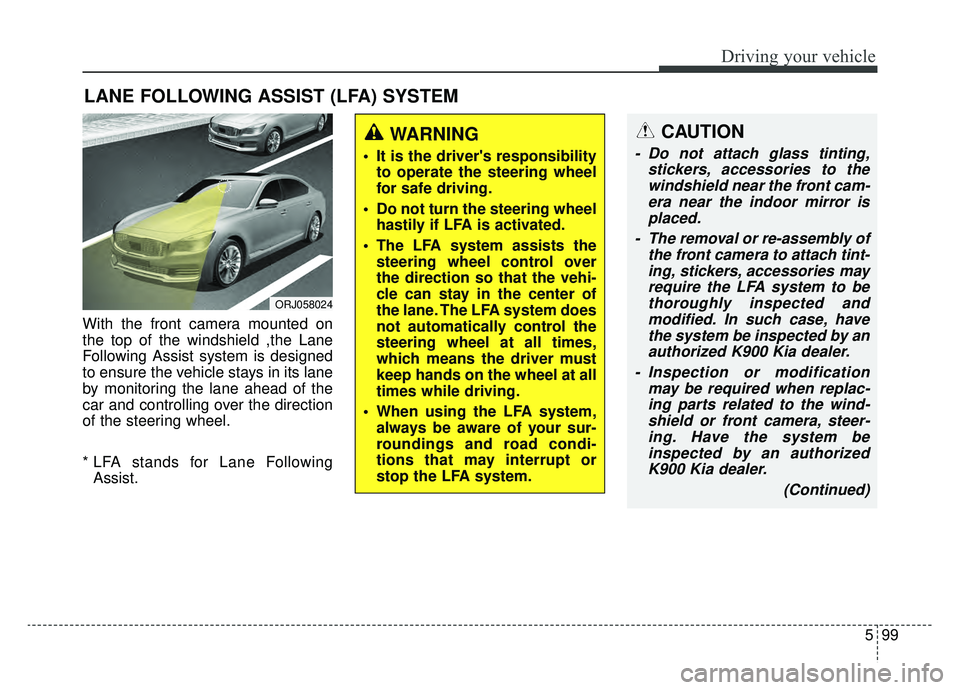
With the front camera mounted on
the top of the windshield ,the Lane
Following Assist system is designed
to ensure the vehicle stays in its lane
by monitoring the lane ahead of the
car and controlling over the direction
of the steering wheel.
* LFA stands for Lane FollowingAssist.
LANE FOLLOWING ASSIST (LFA) SYSTEM
ORJ058024
WARNING
It is the driver's responsibility to operate the steering wheel
for safe driving.
Do not turn the steering wheel hastily if LFA is activated.
The LFA system assists the steering wheel control over
the direction so that the vehi-
cle can stay in the center of
the lane. The LFA system does
not automatically control the
steering wheel at all times,
which means the driver must
keep hands on the wheel at all
times while driving.
When using the LFA system, always be aware of your sur-
roundings and road condi-
tions that may interrupt or
stop the LFA system.
CAUTION
- Do not attach glass tinting, stickers, accessories to thewindshield near the front cam-era near the indoor mirror isplaced.
- The removal or re-assembly of the front camera to attach tint-ing, stickers, accessories mayrequire the LFA system to bethoroughly inspected andmodified. In such case, havethe system be inspected by anauthorized K900 Kia dealer.
- Inspection or modification may be required when replac-ing parts related to the wind-shield or front camera, steer-ing. Have the system beinspected by an authorizedK900 Kia dealer.
(Continued)
Page 367 of 580
Driving your vehicle
102
5
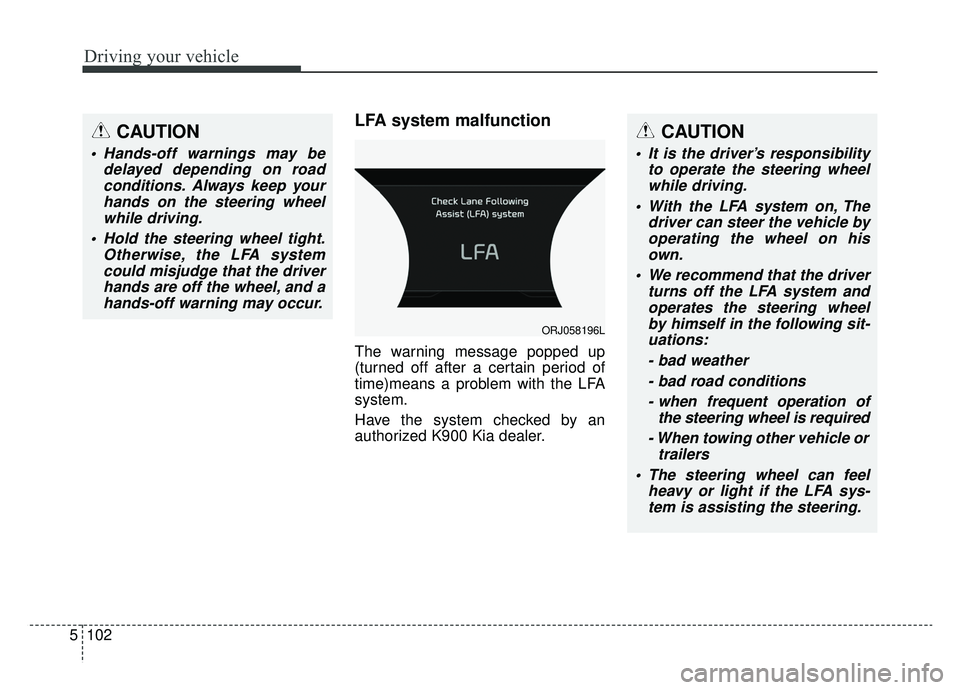
LFA system malfunction
The warning message popped up
(turned off after a certain period of
time)means a problem with the LFA
system.
Have the system checked by an
authorized K900 Kia dealer.
CAUTION
Hands-off warnings may be
delayed depending on roadconditions. Always keep yourhands on the steering wheelwhile driving.
Hold the steering wheel tight. Otherwise, the LFA systemcould misjudge that the driverhands are off the wheel, and ahands-off warning may occur.
CAUTION
It is the driver’s responsibility to operate the steering wheelwhile driving.
With the LFA system on, The driver can steer the vehicle byoperating the wheel on hisown.
We recommend that the driver turns off the LFA system andoperates the steering wheelby himself in the following sit-uations:
- bad weather- bad road conditions- when frequent operation of the steering wheel is required
- When towing other vehicle or trailers
The steering wheel can feel heavy or light if the LFA sys-tem is assisting the steering.
ORJ058196L
Page 370 of 580
5105
Driving your vehicle
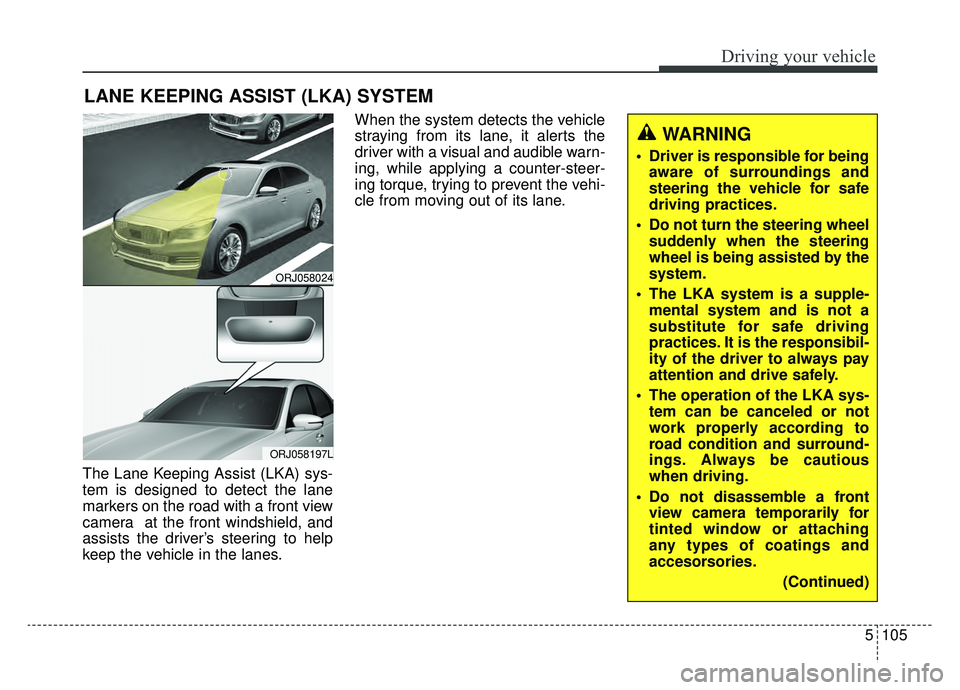
The Lane Keeping Assist (LKA) sys-
tem is designed to detect the lane
markers on the road with a front view
camera at the front windshield, and
assists the driver’s steering to help
keep the vehicle in the lanes.When the system detects the vehicle
straying from its lane, it alerts the
driver with a visual and audible warn-
ing, while applying a counter-steer-
ing torque, trying to prevent the vehi-
cle from moving out of its lane.
LANE KEEPING ASSIST (LKA) SYSTEM
ORJ058024
ORJ058197L
WARNING
Driver is responsible for being
aware of surroundings and
steering the vehicle for safe
driving practices.
Do not turn the steering wheel suddenly when the steering
wheel is being assisted by the
system.
The LKA system is a supple- mental system and is not a
substitute for safe driving
practices. It is the responsibil-
ity of the driver to always pay
attention and drive safely.
The operation of the LKA sys- tem can be canceled or not
work properly according to
road condition and surround-
ings. Always be cautious
when driving.
Do not disassemble a front view camera temporarily for
tinted window or attaching
any types of coatings and
accesorsories.
(Continued)
Page 375 of 580
Driving your vehicle
110
5
✽ ✽
NOTICE
• Even though the steering is assist-
ed by the system, the driver may
control the steering.
• The steering wheel may feel heav- ier when the steering wheel is
assisted by the system than when it
is not.
The system will be canceled when:
You change lanes with the turn sig-
nal.
- Using the turn signal to changelanes.
- If you change lanes without the turn signal on, the steering wheel
might be controlled.
LKA system can transit to steering assist mode when the car is near
to middle of the lane after system
on or the lane was changed. LKA
system can not assist steering if
the vehicle follows lane marker too
close continuously before transi-
tion to steering assist mode.
The control of ESC (Electronic Stability Control) or VSM (Vehicle
Stability Management) is activated.
The steering will not be assisted when your drive fast on a sharp
curve.
WARNING
The LKA system is a supple-mental system only. It is the
responsibility of the driver to
safely steer the vehicle and to
maintain it in its lane.
Even though the steering is assisted by the system, the
driver may control the steer-
ing wheel.
Turn off the LKA system and drive without using the sys-
tem in the following situa-
tions:
- In bad weather
- In bad road condition
- When the steering wheelneeds to be controlled by the
driver frequently.
- When towing a vehicle or trailer.
The steering wheel may feel heavier when the steering
wheel is assisted by the sys-
tem than when it is not.