warning KIA K900 2019 Manual PDF
[x] Cancel search | Manufacturer: KIA, Model Year: 2019, Model line: K900, Model: KIA K900 2019Pages: 580, PDF Size: 15.11 MB
Page 122 of 580
429
Features of your vehicle
Power trunk non-opening conditions
The power trunk will not open or
close automatically, when the vehicle
is moving more than 2 mph (3 km/h).
✽ ✽ NOTICE
• The power trunk can be operated
when the engine is not running.
However the power trunk opera-
tion consumes large amounts of
vehicle electric power. To prevent
the battery from being discharged,
do not operate it excessively e.g.:
more than approximately 10 times
repeatedly.
• To prevent the battery from being discharged, do not leave the power
trunk in the open position for a
long lime.
• Do not modify or repair any part of the power trunk by yourself. This
must be done by an authorized Kia
dealer.
• When jacking up the vehicle to change a tire or repair the vehicle,
do not operate the power trunk.
This could cause the power trunk
to operate improperly.
• In cold and wet climates, the power trunk may not work prop-
erly due to freezing conditions.
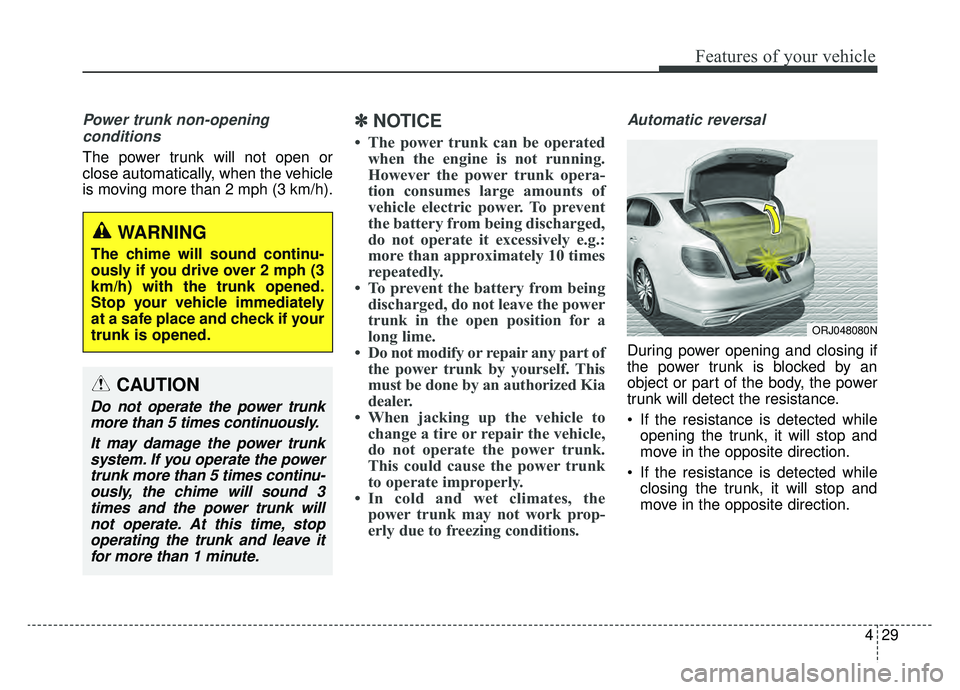
Automatic reversal
During power opening and closing if
the power trunk is blocked by an
object or part of the body, the power
trunk will detect the resistance.
If the resistance is detected while
opening the trunk, it will stop and
move in the opposite direction.
If the resistance is detected while closing the trunk, it will stop and
move in the opposite direction.
WARNING
The chime will sound continu-
ously if you drive over 2 mph (3
km/h) with the trunk opened.
Stop your vehicle immediately
at a safe place and check if your
trunk is opened.
CAUTION
Do not operate the power trunkmore than 5 times continuously.
It may damage the power trunksystem. If you operate the powertrunk more than 5 times continu-ously, the chime will sound 3times and the power trunk willnot operate. At this time, stopoperating the trunk and leave itfor more than 1 minute.
ORJ048080N
Page 123 of 580
Features of your vehicle
30
4
However, if the resistance is weak
such as from an object that is thin or
soft, or the trunk is near the latched
position, the automatic stop and rever-
sal may not detect the resistance.
If the automatic reversal feature oper-
ates continuously more than twice
during opening or closing operation,
the power trunk may stop at that posi-
tion. At this time, close the trunk man-
ually and operate the trunk automati-
cally again.How to reset the power trunk
If the battery has been discharged or
disconnected, or if the related fuse
has been replaced or disconnected,
for the power trunk to operate nor-
mally, reset the power trunk as fol-
lows:
1.Put the shift lever in P (Park).
2. While Pressing the trunk close
button, press the trunk handle
switch for more than 3 seconds.
(the chime will sound)
3. Close the trunk manually.
If the power trunk does not work
properly after the above procedure,
have the system checked by an
authorized K900 Kia dealer.
✽ ✽ NOTICE
If the power trunk does not operate
normally, check again if the trans-
mission position is in right position.
WARNING
To prevent serious injury and
damage take the following pre-
cautions when operating the
power trunk:
• Keep all faces, hands, arms,
body parts and other objects
away from the path of the
power trunk.
Do not intentionally place any body parts or objects in the
path of the power trunk to
make sure the automatic stop
and reversal operates.
Do not allow children to play with the power trunk.
Page 124 of 580
431
Features of your vehicle
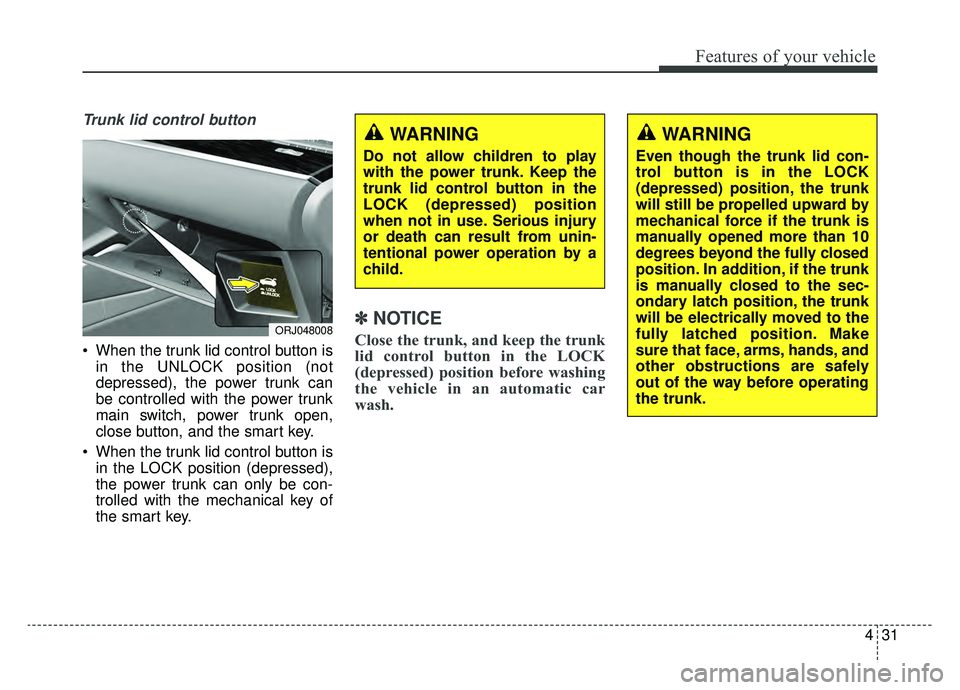
Trunk lid control button
When the trunk lid control button isin the UNLOCK position (not
depressed), the power trunk can
be controlled with the power trunk
main switch, power trunk open,
close button, and the smart key.
When the trunk lid control button is in the LOCK position (depressed),
the power trunk can only be con-
trolled with the mechanical key of
the smart key.
✽ ✽ NOTICE
Close the trunk, and keep the trunk
lid control button in the LOCK
(depressed) position before washing
the vehicle in an automatic car
wash.ORJ048008
WARNING
Do not allow children to play
with the power trunk. Keep the
trunk lid control button in the
LOCK (depressed) position
when not in use. Serious injury
or death can result from unin-
tentional power operation by a
child.
WARNING
Even though the trunk lid con-
trol button is in the LOCK
(depressed) position, the trunk
will still be propelled upward by
mechanical force if the trunk is
manually opened more than 10
degrees beyond the fully closed
position. In addition, if the trunk
is manually closed to the sec-
ondary latch position, the trunk
will be electrically moved to the
fully latched position. Make
sure that face, arms, hands, and
other obstructions are safely
out of the way before operating
the trunk.
Page 126 of 580
433
Features of your vehicle
1. Setting
To activate the Smart Trunk, go to
“Set Up” in the Navigation touch
screen in instrument panel and
select Smart Trunk.2. Detect and Alert
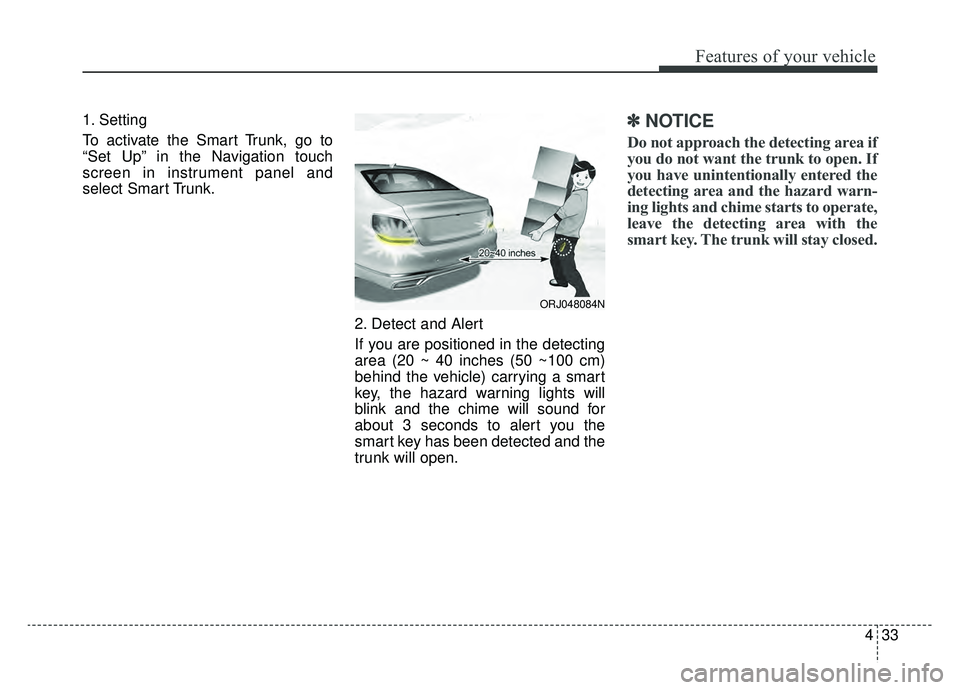
If you are positioned in the detecting
area (20 ~ 40 inches (50 ~100 cm)
behind the vehicle) carrying a smart
key, the hazard warning lights will
blink and the chime will sound for
about 3 seconds to alert you the
smart key has been detected and the
trunk will open.✽ ✽NOTICE
Do not approach the detecting area if
you do not want the trunk to open. If
you have unintentionally entered the
detecting area and the hazard warn-
ing lights and chime starts to operate,
leave the detecting area with the
smart key. The trunk will stay closed.
ORJ048084N
Page 127 of 580
Features of your vehicle
34
4
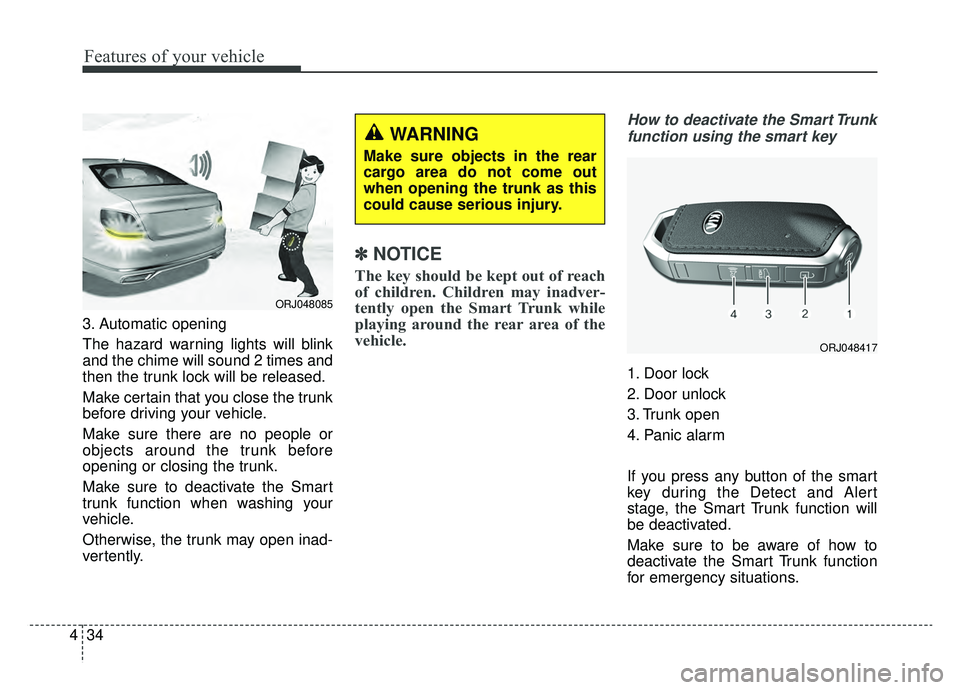
3. Automatic opening
The hazard warning lights will blink
and the chime will sound 2 times and
then the trunk lock will be released.
Make certain that you close the trunk
before driving your vehicle.
Make sure there are no people or
objects around the trunk before
opening or closing the trunk.
Make sure to deactivate the Smart
trunk function when washing your
vehicle.
Otherwise, the trunk may open inad-
vertently.
✽ ✽
NOTICE
The key should be kept out of reach
of children. Children may inadver-
tently open the Smart Trunk while
playing around the rear area of the
vehicle.
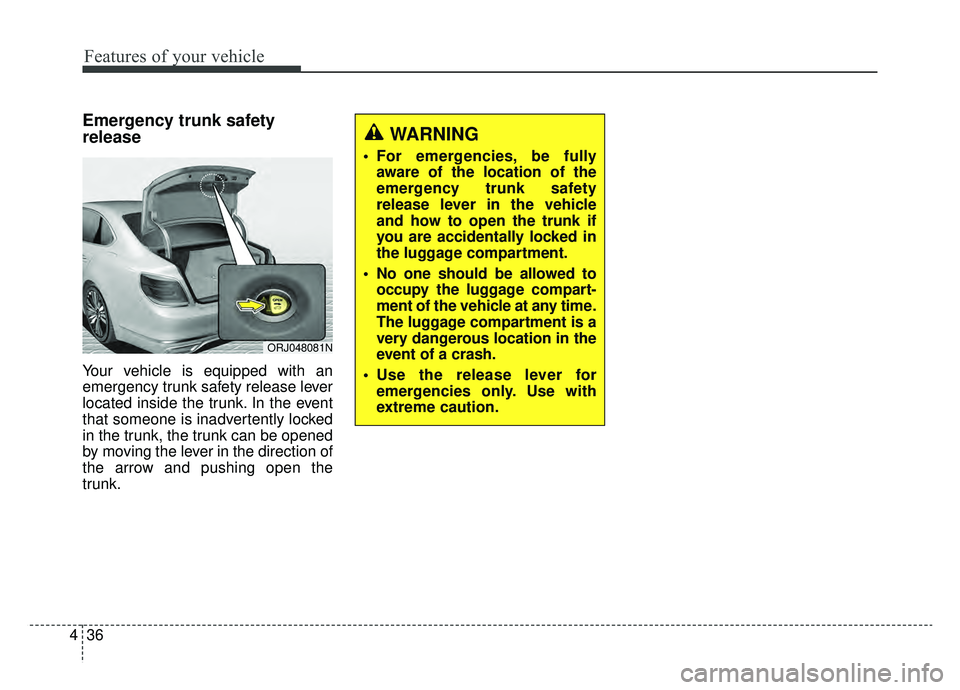
How to deactivate the Smart Trunk
function using the smart key
1. Door lock
2. Door unlock
3. Trunk open
4. Panic alarm
If you press any button of the smart
key during the Detect and Alert
stage, the Smart Trunk function will
be deactivated.
Make sure to be aware of how to
deactivate the Smart Trunk function
for emergency situations.
ORJ048417
ORJ048085
WARNING
Make sure objects in the rear
cargo area do not come out
when opening the trunk as this
could cause serious injury.
Page 129 of 580
Features of your vehicle
36
4
Emergency trunk safety
release
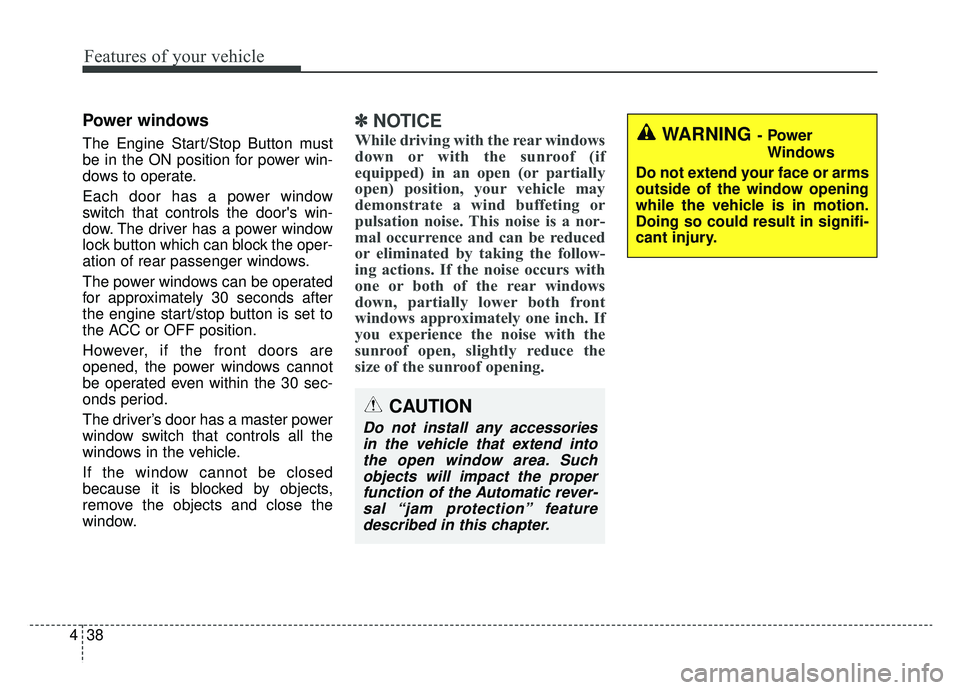
Your vehicle is equipped with an
emergency trunk safety release lever
located inside the trunk. In the event
that someone is inadvertently locked
in the trunk, the trunk can be opened
by moving the lever in the direction of
the arrow and pushing open the
trunk.
WARNING
For emergencies, be fully
aware of the location of the
emergency trunk safety
release lever in the vehicle
and how to open the trunk if
you are accidentally locked in
the luggage compartment.
No one should be allowed to occupy the luggage compart-
ment of the vehicle at any time.
The luggage compartment is a
very dangerous location in the
event of a crash.
Use the release lever for emergencies only. Use with
extreme caution.
ORJ048081N
Page 131 of 580
Features of your vehicle
38
4
Power windows
The Engine Start/Stop Button must
be in the ON position for power win-
dows to operate.
Each door has a power window
switch that controls the door's win-
dow. The driver has a power window
lock button which can block the oper-
ation of rear passenger windows.
The power windows can be operated
for approximately 30 seconds after
the engine start/stop button is set to
the ACC or OFF position.
However, if the front doors are
opened, the power windows cannot
be operated even within the 30 sec-
onds period.
The driver’s door has a master power
window switch that controls all the
windows in the vehicle.
If the window cannot be closed
because it is blocked by objects,
remove the objects and close the
window.
✽ ✽
NOTICE
While driving with the rear windows
down or with the sunroof (if
equipped) in an open (or partially
open) position, your vehicle may
demonstrate a wind buffeting or
pulsation noise. This noise is a nor-
mal occurrence and can be reduced
or eliminated by taking the follow-
ing actions. If the noise occurs with
one or both of the rear windows
down, partially lower both front
windows approximately one inch. If
you experience the noise with the
sunroof open, slightly reduce the
size of the sunroof opening.
CAUTION
Do not install any accessories
in the vehicle that extend intothe open window area. Suchobjects will impact the properfunction of the Automatic rever-sal “jam protection” featuredescribed in this chapter.
WARNING- Power
Windows
Do not extend your face or arms
outside of the window opening
while the vehicle is in motion.
Doing so could result in signifi-
cant injury.
Page 133 of 580
Features of your vehicle
40
4
If the power window switch is pulled
up continuously again within 5 sec-
onds after the window is lowered by
the automatic window reversal fea-
ture, the automatic window reversal
will not operate.
The automatic reverse feature for the
driver’s and front passenger’s win-
dow is only active when the “auto up”
feature is used by fully pulling up the
switch. The automatic reverse fea-
ture will not operate if the window is
raised using the halfway position on
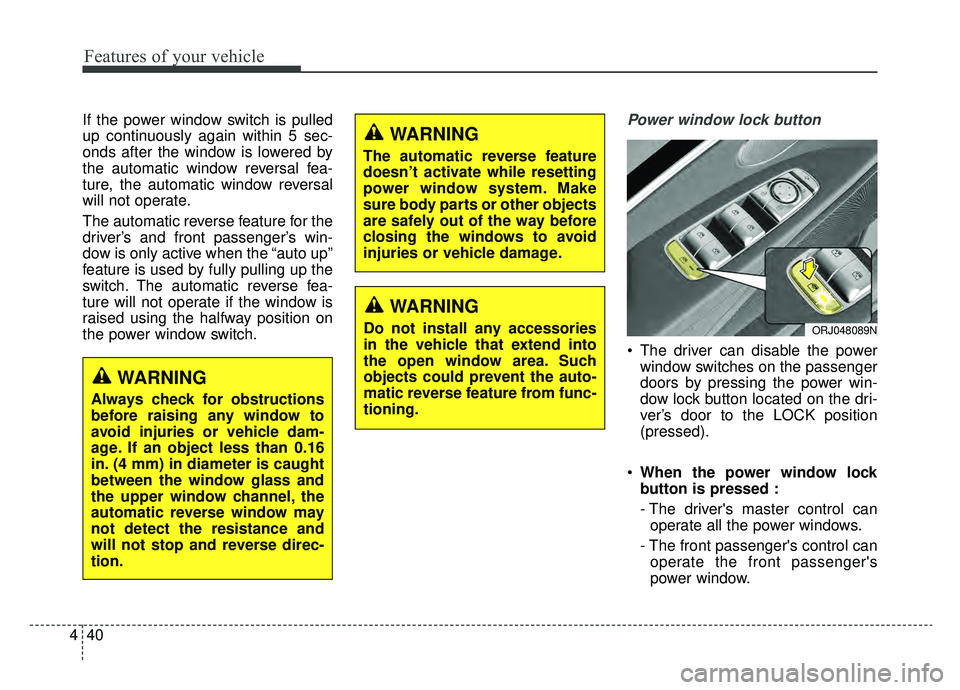
the power window switch.Power window lock button
The driver can disable the power
window switches on the passenger
doors by pressing the power win-
dow lock button located on the dri-
ver’s door to the LOCK position
(pressed).
When the power window lock
button is pressed :
- The driver's master control can
operate all the power windows.
- The front passenger's control can operate the front passenger's
power window.
ORJ048089N
WARNING
Always check for obstructions
before raising any window to
avoid injuries or vehicle dam-
age. If an object less than 0.16
in. (4 mm) in diameter is caught
between the window glass and
the upper window channel, the
automatic reverse window may
not detect the resistance and
will not stop and reverse direc-
tion.
WARNING
The automatic reverse feature
doesn’t activate while resetting
power window system. Make
sure body parts or other objects
are safely out of the way before
closing the windows to avoid
injuries or vehicle damage.
WARNING
Do not install any accessories
in the vehicle that extend into
the open window area. Such
objects could prevent the auto-
matic reverse feature from func-
tioning.
Page 134 of 580
441
Features of your vehicle
- The rear passenger's control can-not operate the rear passenger's
power window.
Always double check to make sure
all arms, hands, head and other
obstructions are safely out of the way
before closing a window.
CAUTION- Opening /clos- ing Window
To prevent possible damage tothe power window system, donot open or close two windowsor more at the same time. Thiswill also ensure the longevity ofthe fuse.
WARNING- Power win-
dows
Do not allow children to play with the power windows. Keep
the power window lock button
(on the driver's door) in the
LOCK (pressed) position.
Do not extend a face or arms outside through the window
opening while driving. Doing
so could result in significant
injury.
Page 135 of 580
Features of your vehicle
42
4
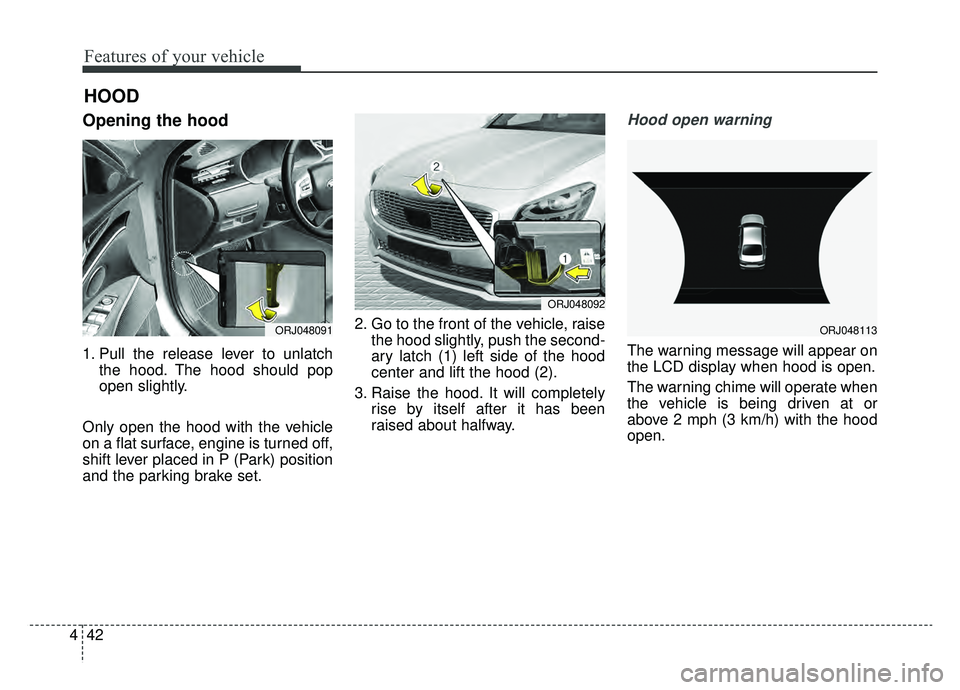
Opening the hood
1. Pull the release lever to unlatch
the hood. The hood should pop
open slightly.
Only open the hood with the vehicle
on a flat surface, engine is turned off,
shift lever placed in P (Park) position
and the parking brake set. 2. Go to the front of the vehicle, raise
the hood slightly, push the second-
ary latch (1) left side of the hood
center and lift the hood (2).
3. Raise the hood. It will completely rise by itself after it has been
raised about halfway.
Hood open warning
The warning message will appear on
the LCD display when hood is open.
The warning chime will operate when
the vehicle is being driven at or
above 2 mph (3 km/h) with the hood
open.
HOOD
ORJ048091
ORJ048092
ORJ048113