warning KIA K900 2019 Owners Manual
[x] Cancel search | Manufacturer: KIA, Model Year: 2019, Model line: K900, Model: KIA K900 2019Pages: 580, PDF Size: 15.11 MB
Page 151 of 580
Features of your vehicle
58
4
MIRRORS
Inside rearview mirror
Adjust the rearview mirror so that the
center view through the rear window
is seen. Make this adjustment before
you start driving.
Do not place objects in the rear seat
or cargo area which would interfere
with your vision through the rear win-
dow.
Electric chromic mirror (ECM)
with HomeLink®system
Your vehicle may be equipped with a
Gentex Automatic-Dimming Mirror
and an Integrated HomeLink
®
Wireless Control System.
During nighttime driving, this feature
will automatically detect and reduce
rearview mirror glare while the com-
pass indicates the direction the vehi-
cle is pointed. The HomeLink
®
Universal Transceiver allows you to
activate your garage door(s), electric
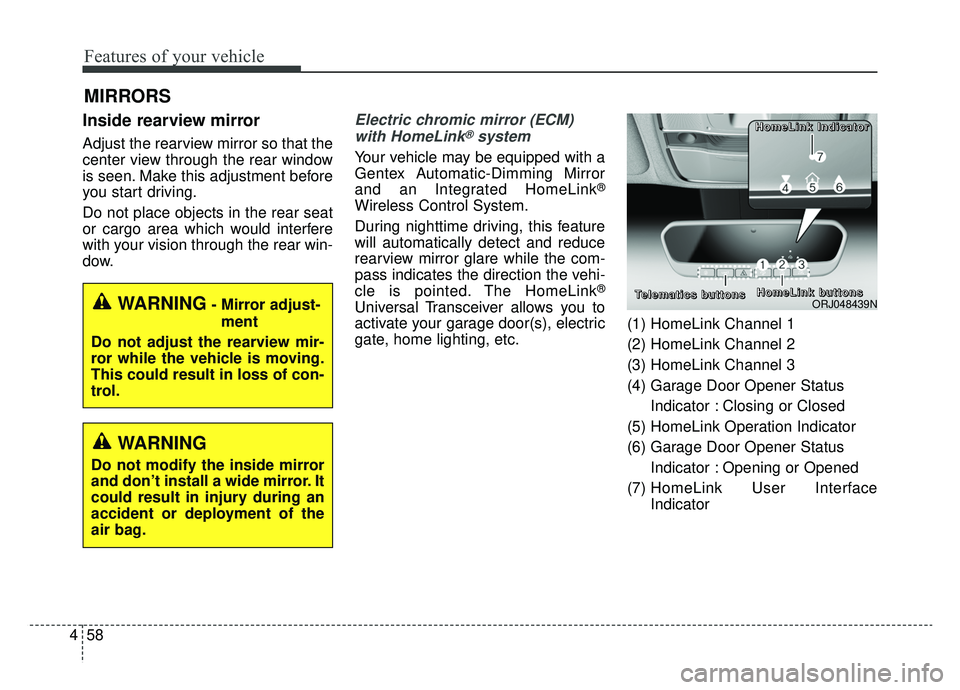
gate, home lighting, etc. (1) HomeLink Channel 1
(2) HomeLink Channel 2
(3) HomeLink Channel 3
(4) Garage Door Opener Status
Indicator : Closing or Closed
(5) HomeLink Operation Indicator
(6) Garage Door Opener Status Indicator : Opening or Opened
(7) HomeLink User Interface
IndicatorWARNING- Mirror adjust-
ment
Do not adjust the rearview mir-
ror while the vehicle is moving.
This could result in loss of con-
trol.
WARNING
Do not modify the inside mirror
and don’t install a wide mirror. It
could result in injury during an
accident or deployment of the
air bag.
ORJ048439N
H H
H H
o o
o o
m m
m m
e e
e e
L L
L L
i i
i i
n n
n n
k k
k k
b b
b b
u u
u u
t t
t t
t t
t t
o o
o o
n n
n n
s s
s s
T T
T T
e e
e e
l l
l l
e e
e e
m m
m m
a a
a a
t t
t t
i i
i i
c c
c c
s s
s s
b b
b b
u u
u u
t t
t t
t t
t t
o o
o o
n n
n n
s s
s s H H
H H
o o
o o
m m
m m
e e
e e
L L
L L
i i
i i
n n
n n
k k
k k
I I
I I
n n
n n
d d
d d
i i
i i
c c
c c
a a
a a
t t
t t
o o
o o
r r
r r
Page 159 of 580
Features of your vehicle
66
4
✽ ✽
NOTICE
Two way communication range dis-
tance between “vehicle” and
“garage door opener” is 100m.
The range may be reduced or
increased due to obstacle conditions
around the garage door opener, such
as houses or trees.
Outside rearview mirror
Be sure to adjust the mirror angles
before driving.
Your vehicle is equipped with both
left-hand and right-hand outside
rearview mirrors. The mirrors can be
adjusted remotely with the remote
switch. The mirror heads can be fold-
ed back to prevent damage during an
automatic vehicle wash or when
passing through a narrow street.
The right outside rearview mirror is
convex. Objects seen in the mirror
are closer than they appear.
Use your interior rearview mirror or
direct observation to determine the
actual distance of following vehicles
when changing lanes. If the mirror is jammed with ice, do
not adjust the mirror by force. Use an
approved spray de-icer (not radiator
antifreeze) to release the frozen
mechanism or move the vehicle to a
warm place and allow the ice to melt.
WARNING- Mirror
adjustment
Do not adjust or fold the outside
rearview mirrors while the vehi-
cle is moving. This could result
in loss of control.
CAUTION - Rearview
mirror
Do not scrape ice off the mirror face; this may damage the sur-face of the glass. If ice shouldrestrict the movement of the mir-ror, do not force the mirror foradjustment. To remove ice, use adeicer spray, a sponge or softcloth with very warm water.
Page 162 of 580
469
Features of your vehicle
INSTRUMENT CLUSTER
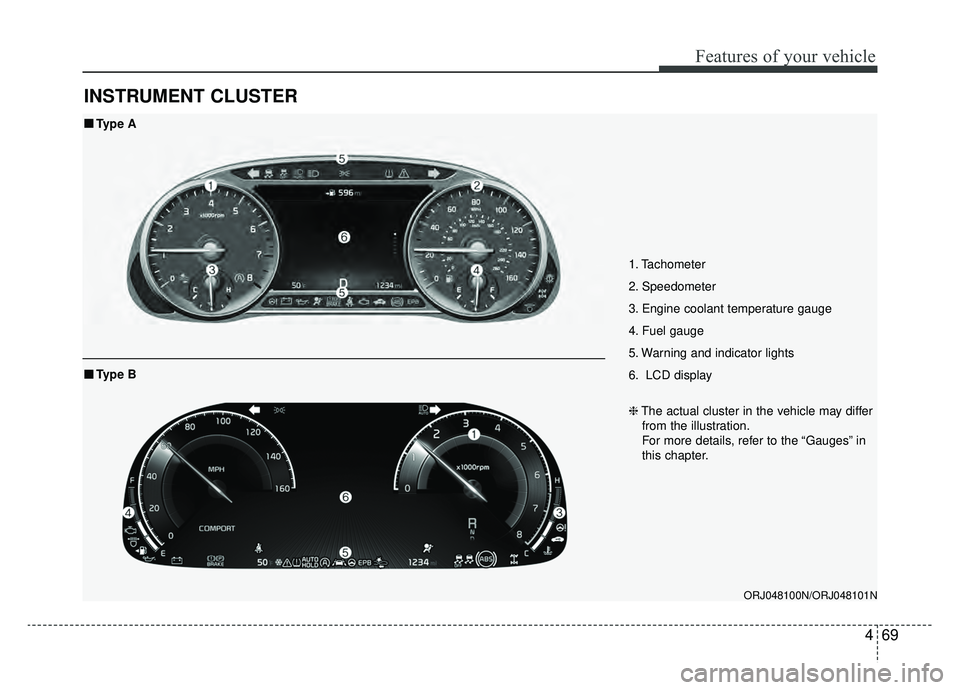
1. Tachometer
2. Speedometer
3. Engine coolant temperature gauge
4. Fuel gauge
5. Warning and indicator lights
6. LCD display
ORJ048100N/ORJ048101N
■ ■Type A
❈The actual cluster in the vehicle may differ
from the illustration.
For more details, refer to the “Gauges” in
this chapter.
■ ■ Type B
Page 165 of 580
Features of your vehicle
72
4
Engine Coolant Temperature
Gauge
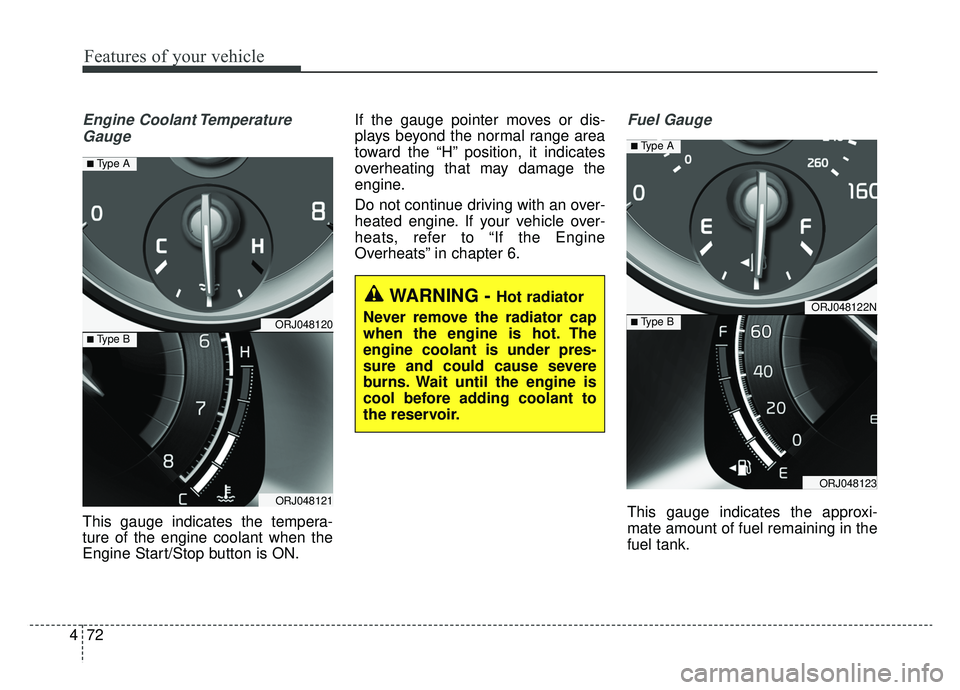
This gauge indicates the tempera-
ture of the engine coolant when the
Engine Start/Stop button is ON. If the gauge pointer moves or dis-
plays beyond the normal range area
toward the “H” position, it indicates
overheating that may damage the
engine.
Do not continue driving with an over-
heated engine. If your vehicle over-
heats, refer to “If the Engine
Overheats” in chapter 6.
Fuel Gauge
This gauge indicates the approxi-
mate amount of fuel remaining in the
fuel tank.
WARNING - Hot radiator
Never remove the radiator cap
when the engine is hot. The
engine coolant is under pres-
sure and could cause severe
burns. Wait until the engine is
cool before adding coolant to
the reservoir.
ORJ048120
ORJ048121
■ Type B
■ Type A
ORJ048122N
ORJ048123
■ Type B
■ Type A
Page 166 of 580
473
Features of your vehicle
✽ ✽NOTICE
• The fuel tank capacity is given in
chapter 8.
• The fuel gauge is supplemented by a low fuel warning light which will
illuminate when the fuel tank is
nearly empty.
• On inclines or curves, the fuel gauge pointer may fluctuate or the
low fuel warning light may come
on earlier than usual due to the
movement of fuel in the tank.
✽ ✽ NOTICE - Fuel gauge
Running out of fuel can expose vehi-
cle occupants to danger. You must
obtain additional fuel as soon as pos-
sible after the warning light comes
on or when the gauge indicator
comes close to the “E” (Empty)
level.
✽ ✽NOTICE
The fuel display may not be accu-
rate if the vehicle is on an incline.
Odometer
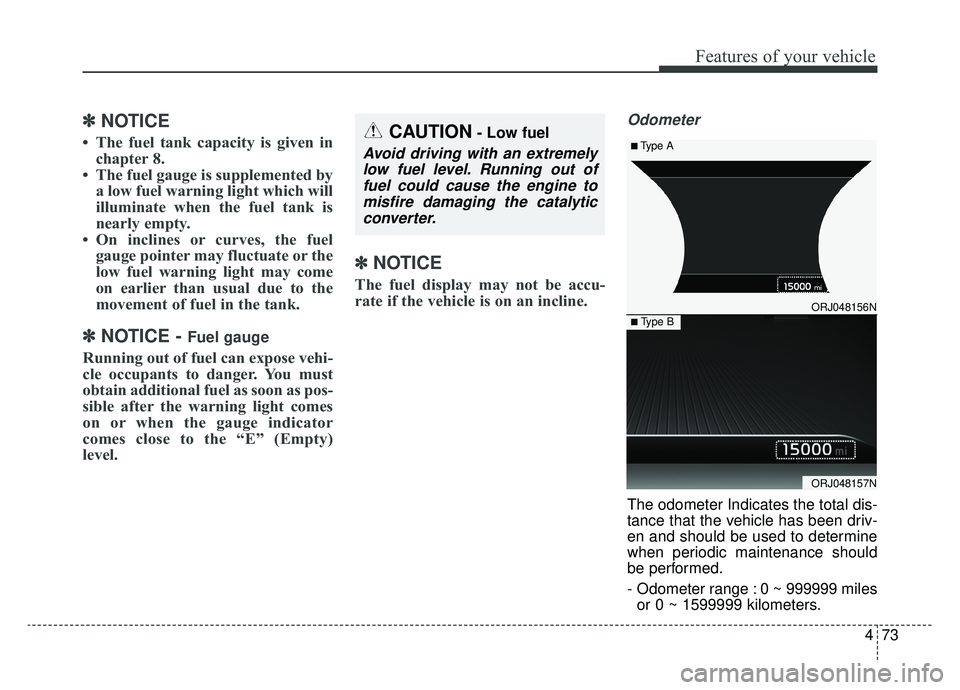
The odometer Indicates the total dis-
tance that the vehicle has been driv-
en and should be used to determine
when periodic maintenance should
be performed.
- Odometer range : 0 ~ 999999 miles
or 0 ~ 1599999 kilometers.
CAUTION- Low fuel
Avoid driving with an extremelylow fuel level. Running out offuel could cause the engine tomisfire damaging the catalyticconverter.
ORJ048156N
ORJ048157N
■ Type B
■ Type A
Page 169 of 580
Features of your vehicle
76
4
Over view
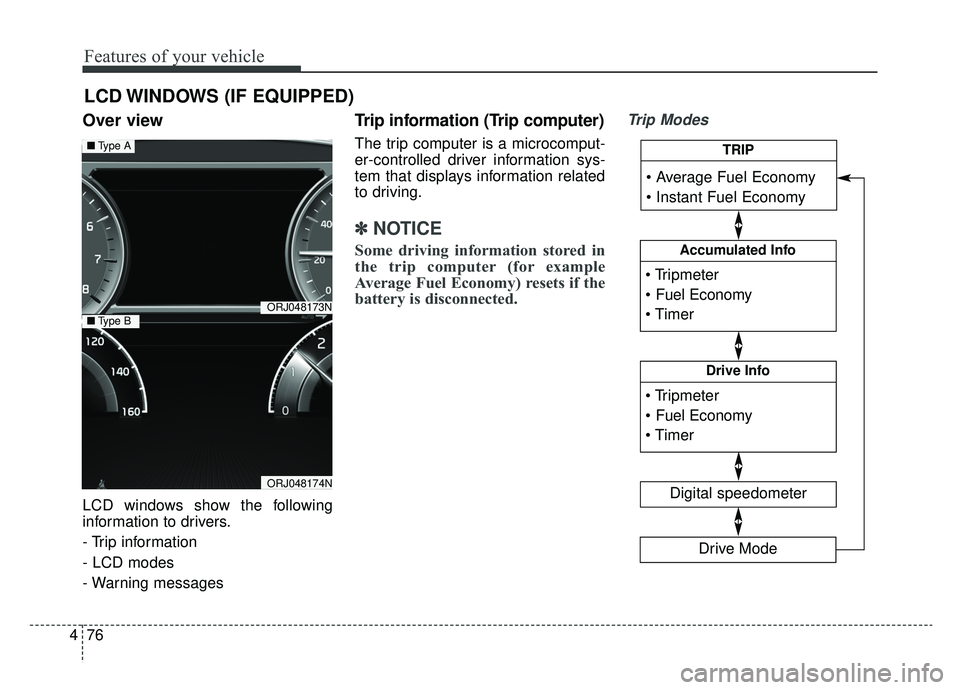
LCD windows show the following
information to drivers.
- Trip information
- LCD modes
- Warning messages
Trip information (Trip computer)
The trip computer is a microcomput-
er-controlled driver information sys-
tem that displays information related
to driving.
✽ ✽
NOTICE
Some driving information stored in
the trip computer (for example
Average Fuel Economy) resets if the
battery is disconnected.
Trip Modes
LCD WINDOWS (IF EQUIPPED)
ORJ048173N
ORJ048174N
■ Type A
■Type B
Accumulated Info
Digital speedometer
Drive Info
TRIP
Drive Mode
Page 171 of 580
Features of your vehicle
78
4
Automatic reset
To make the average fuel economy
be reset automatically whenever
refueling, select the “Fuel economy
auto reset” mode in Set Up menu of
the Navigation touch screen in
instrument panel.
OFF - You may set to default man-
ually by using the trip switch reset
button.
When driving - The vehicle will automatically set to default once 4
hours pass after the Engine
Start/Stop Button is in the ACC or
OFF position.
When refueling - After refueling more than 2 gallons (6 liters) and
driving over 1 mph (1 km/h), the
vehicle will reset to default auto-
matically.✽ ✽ NOTICE
For a more accurate calculation of
the average fuel economy, the vehi-
cle must be continuously driven
more than 10 seconds and 0.03 miles
(50 meters).
Instant Fuel Economy (2)
This mode displays the instant fuel
economy during the last few sec-
onds when the vehicle speed is
more than 6.2 mph (10 km/h).
- Fuel economy range : 0 ~ 50(MPG), 0 ~ 30 (km/L, L/100 km).
CAUTION - Low Fuel
Level
Level warning light on or withthe fuel level below “E” cancause the engine to misfire anddamage the catalytic converter(if equipped).
Page 174 of 580
481
Features of your vehicle
(3) Assist mode
This mode displays the state of the
lane safety systems (Lane Keeping
Assist, Lane Following Assist),Smart
Cruise Control, Driver Attention
Warning and Tire pressure.
❈For more details, refer to chapters
5 and 6.
(4) Master warning mode
This mode informs of warning mes-
sages related to low tire pressure or
malfunction of Blind-spot Collision
Warning and so on.
❈ For controlling the LCD modes,
refer to “LCD window Control” in
this chapter.Trip computer mode
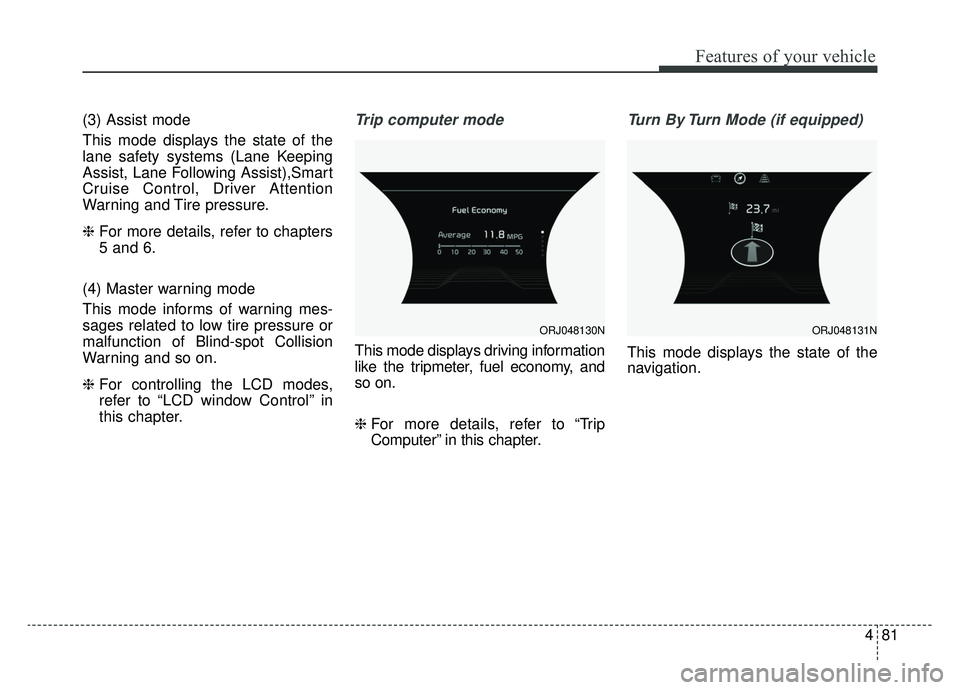
This mode displays driving information
like the tripmeter, fuel economy, and
so on.
❈ For more details, refer to “Trip
Computer” in this chapter.
Turn By Turn Mode (if equipped)
This mode displays the state of the
navigation.
ORJ048130NORJ048131N
Page 175 of 580
Features of your vehicle
82
4
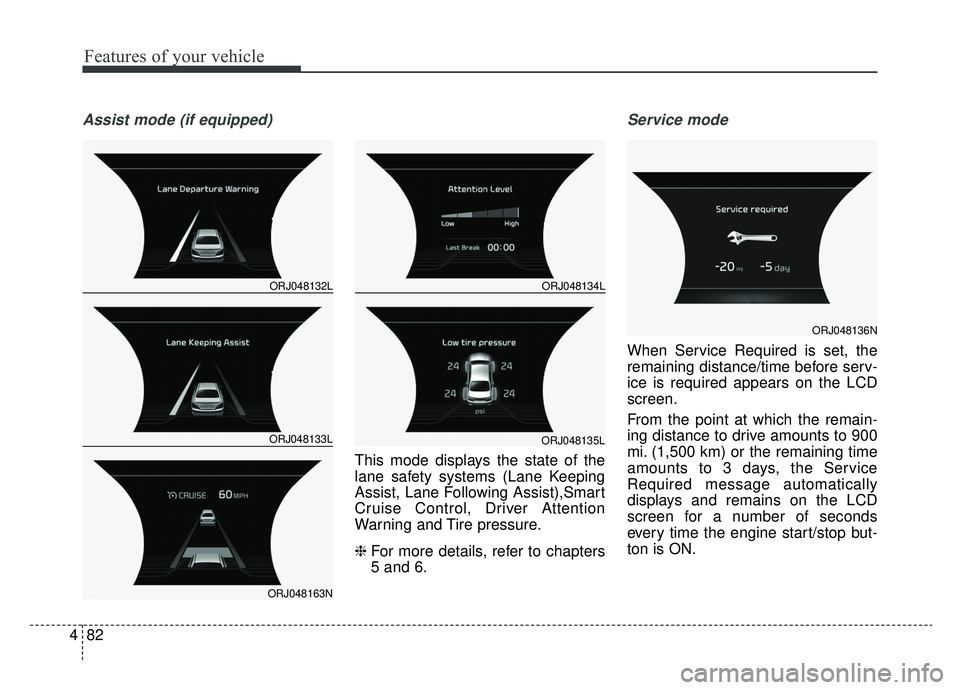
Assist mode (if equipped)
This mode displays the state of the
lane safety systems (Lane Keeping
Assist, Lane Following Assist),Smart
Cruise Control, Driver Attention
Warning and Tire pressure.
❈ For more details, refer to chapters
5 and 6.
Service mode
When Service Required is set, the
remaining distance/time before serv-
ice is required appears on the LCD
screen.
From the point at which the remain-
ing distance to drive amounts to 900
mi. (1,500 km) or the remaining time
amounts to 3 days, the Service
Required message automatically
displays and remains on the LCD
screen for a number of seconds
every time the engine start/stop but-
ton is ON.
ORJ048132L
ORJ048133L
ORJ048163N
ORJ048134L
ORJ048135L
ORJ048136N
Page 176 of 580
483
Features of your vehicle
When Service Required is set, a
Service Required Alarm message
pops up when an aggregated
amount of miles/time driven reaches
a certain point.
With Service Required mode, press
OK button for more than 1 second.
The values will return to initial setting
values.
❈Service Required Setting
If the Battery Cable is disconnected,
Fuse Switch is turned OFF, the
Service Required Setting values (an
amount of miles/time driven) may
change. In this situation, re-enter
Service Required settings.Master warning mode (if equipped)
This warning light informs the driv- er of the following situations:
- LED head lamp malfunction (if equipped)
- Blind-Spot Collision Warning sys- tem malfunction
- Rear Cross-Traffic Collision Warning system malfunction (if
equipped)
- Smart Cruise Control with Stop & Go malfunction
- Forward Collision-Avoidance Assist malfunction
- Blind-Spot Collision Warning radar blind
- Smart Cruise Control with Stop & Go radar blind
- Forward Collision-Avoidance Assist radar blind
- Lamp malfunction
- High Beam Assist malfunction (if equipped) The Master Warning Light illumi-
nates if one or more of the above
warning situations occur.