tow KIA K900 2020 Owner's Manual
[x] Cancel search | Manufacturer: KIA, Model Year: 2020, Model line: K900, Model: KIA K900 2020Pages: 593, PDF Size: 14.99 MB
Page 295 of 593
529
Driving your vehicle
Towing
AWD vehicles must be towed with a
wheel lift and dollies or flatbed equip-
ment with all the wheels off the
ground. For more information, refer
to “Towing” in chapter 6.
Vehicle inspection
When the vehicle is on a car lift, donot operate the front and rear
wheels separately. All four wheels
should be operated.
Never engage the parking brake while running the engine on a car
lift. This may damage the AWD
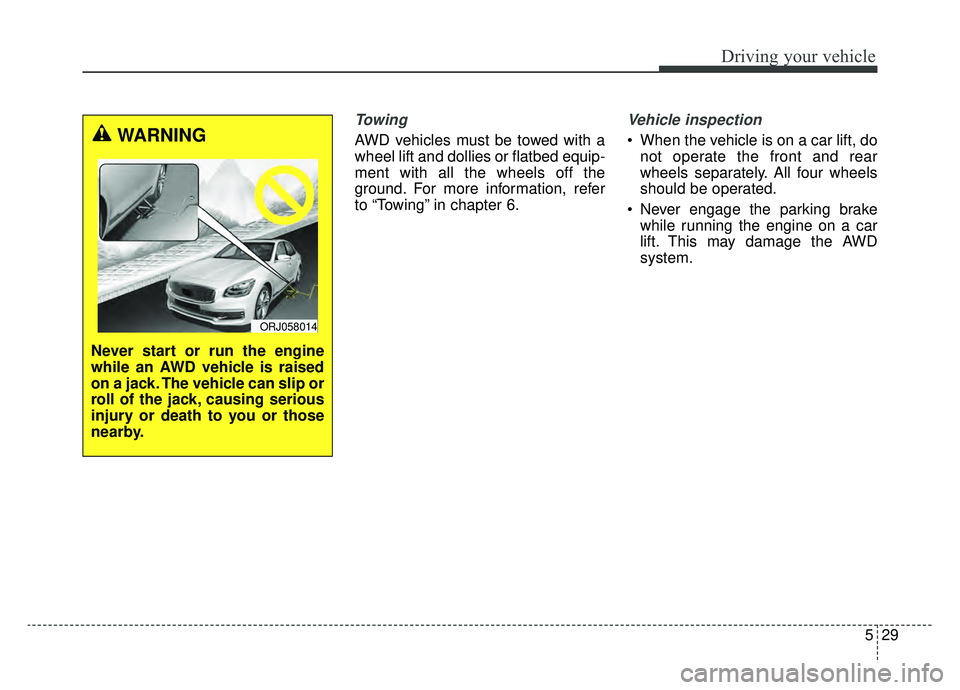
system.WARNING
Never start or run the engine
while an AWD vehicle is raised
on a jack. The vehicle can slip or
roll of the jack, causing serious
injury or death to you or those
nearby.
ORJ058014
Page 305 of 593
539
Driving your vehicle
Emergency braking
If there is a problem with the brake
pedal while driving, emergency brak-
ing is possible by pulling up and
holding the EPB switch. Braking is
possible only while you are holding
the EPB switch.
✽ ✽NOTICE
During emergency braking by the
EPB, the parking brake warning
light will illuminate to indicate that
the system is operating.
If you notice a continuous noise or
burning smell when the EPB is used
for emergency braking, have your
vehicle checked by an authorized
K900 Kia dealer.
When the EPB (electronic parking
brake) is not released
If the EPB does not release normal-
ly, take your vehicle to an authorized
K900 Kia dealer by loading the vehi-
cle on a flatbed tow truck and have
the system checked.
AUTO HOLD (if equipped)
The Auto Hold maintains the vehicle
in a standstill even though the brake
pedal is not depressed after the driv-
er brings the vehicle to a complete
stop by depressing the brake pedal.
WARNING
Do not operate the electronic
parking brake while the vehicle
is moving except in an emer-
gency situation. Applying the
electronic parking brake while
the vehicle is moving at normal
speeds can cause a sudden
loss of control of the vehicle. If
you must use the electronic
parking brake to stop the vehi-
cle, use great caution in apply-
ing the brake.
Page 327 of 593
561
Driving your vehicle
(Continued)
Even if there is any problemwith the brake control func-
tion of FCA system, the vehi-
cle's basic braking perform-
ance will operate normally.
However, the brake control
function of FCA for avoiding a
collision will not activate.
If the vehicle in front stops suddenly, you may have less
time to apply the brakes.
Therefore, always keep a safe
distance between your vehicle
and the vehicle in front of you.
FCA system may activate dur- ing braking and the vehicle
may stop suddenly shifting
loose objects toward the pas-
sengers. Always keep loose
objects secured.
FCA system may not activate if the driver applies the brake
pedal to avoid the risk of a
collision.
(Continued)(Continued)
The brake control may beinsufficient, possibly causing
a collision, if a vehicle in front
abruptly stops. Always pay
extreme caution.
Occupants may get injured, if the vehicle abruptly stops by
the activated FCA system. Pay
extreme caution.WARNING
FCA system operates only todetect vehicles, pedestrians
or cyclist in front of the vehi-
cle.
FCA system does not operate when the vehicle is in reverse.
FCA system is not designed to detect other objects on the
road such as animals.
FCA system does not detect vehicles in the opposite lane.
FCA system does not detect cross traffic vehicles that are
approaching.
FCA system cannot detect the driver approaching the side
view of a parked vehicle (for
example on a dead end
street.)
(Continued)
Page 329 of 593

563
Driving your vehicle
The vehicle in front is an oversizevehicle or trailer that is too big to
be detected by the camera recog-
nition system (for example a tractor
trailer, etc.).
The camera's field of view is not well illuminated (either too dark or
too much reflection or too much
backlight that obscures the field of
view).
The vehicle in front does not have their rear lights or their rear lights
does not turned ON or their rear
lights are located unusually.
The outside brightness changes suddenly, for example when enter-
ing or exiting a tunnel.
When light coming from a street light or an oncoming vehicle is
reflected on a wet road surface
such as a puddle in the road.
The field of view in front is obstructed by sun glare or head
light of oncoming vehicle.
The windshield glass is fogged up; a clear view of the road is obstructed.
The vehicle in front is driving erratically. The vehicle is on unpaved or
uneven rough surfaces, or road
with sudden gradient changes.
The vehicle is driven near areas containing metal substances as a
construction zone, railroad, etc.
The vehicle drives inside a build- ing, such as a basement parking
lot.
The camera does not recognize the entire vehicle in front.
The camera is damaged.
The brightness outside is too low such as when the headlamps are
not on at night or the vehicle is
going through a tunnel.
A shadow is on the road by a medi- an strip, trees, etc.
The vehicle drives through a toll- gate.
The rear part of the vehicle in front is not normally visible. (the vehicle
turns in other direction or the vehi-
cle is overturned.).
Adverse road conditions cause excessive vehicle vibrations while
driving. The sensor recognition changes
suddenly when passing over a
speed bump.
The vehicle in front is moving verti- cally to the driving direction.
The vehicle in front is stopped ver- tically.
The vehicle in front is driving towards your vehicle or reversing.
You are on a roundabout and the vehicle in front circles.
Page 333 of 593

567
Driving your vehicle
There is an item similar to a per-son's body structure
The pedestrian or cyclist is small
The pedestrian has impaired mobility
The sensor recognition is limited
The radar sensor or camera is blocked with a foreign object or
debris
Inclement weather such as heavy rain or snow obscures the field of
view of the radar sensor or camera
When light coming from a street light or an oncoming vehicle is
reflected on a wet road surface
such as a puddle in the road
The field of view in front is obstructed by sun glare
The windshield glass is fogged up; a clear view of the road is obstruct-
ed
The adverse road conditions cause excessive vehicle vibrations while
driving
When the pedestrian or cyclist suddenly interrupts in front of the
vehicle When the cyclist in front is riding
intersected with the driving direc-
tion
When there is any other electro- magnetic interference
When the construction area, rail or other metal object is near the
cyclist
If the bicycle material is not reflect- ed well on the radar
WARNING
Forward Collision-AvoidanceAssist (FCA) system system
when towing a vehicle.
Application of FCA system
while towing may adversely
affect the safety of your vehi-
cle or the towing vehicle.
Use extreme caution when the vehicle in front of you has
cargo that extends rearward
from the cab, or when the
vehicle in front of you has
higher ground clearance.
FCA system is designed to detect and monitor the vehicle
ahead or detect a pedestrian or
cyclist in the roadway through
radar signals and camera
recognition. It is not designed
to detect bicycles, motorcy-
cles, or smaller wheeled
objects such as luggage bags,
shopping carts, or strollers.
(Continued)
Page 342 of 593

Driving your vehicle
76
5
✽ ✽
NOTICE
• Even though the steering is assist-
ed by the system, the driver may
control the steering.
• The steering wheel may feel heav- ier when the steering wheel is
assisted by the system than when it
is not.
The system will be canceled when:
You change lanes with the turn sig-
nal.
- Using the turn signal to changelanes.
- If you change lanes without the turn signal on, the steering wheel
might be controlled.
LKA can transition to steering assist mode when the car is near
the middle of the lane after the sys-
tem is turned on or the lane was
changed. LKA can not assist steer-
ing if the vehicle follows lane mark-
er too close continuously before
transition to steering assist mode.
The control of ESC (Electronic Stability Control) or VSM (Vehicle
Stability Management) is activated.
The steering will not be assisted when you drive fast on a sharp
curve.
WARNING
The LKA system is a supple-mental system only. It is the
responsibility of the driver to
safely steer the vehicle and to
maintain it in its lane.
Even though the steering is assisted by the system, the
driver may control the steer-
ing wheel.
Turn off the LKA system and drive without using the sys-
tem in the following situa-
tions:
- In bad weather
- In bad road conditions
- When the steering wheelneeds to be controlled by the
driver frequently.
- When towing a vehicle or trailer.
The steering wheel may feel heavier when the steering
wheel is assisted by the sys-
tem than when it is not.
Page 404 of 593
Driving your vehicle
138
5
Driving Convenience systems can-
celed
If the driver still does not have their
hands on the steering wheel after the
message "Keep hands on steering
wheel", LFA system will be canceled.
However, if the Smart Cruise Control
is reactivated manually by the driver,
the Lane Following Assist System
will reactivate.
To activate Smart Cruise control,
refer to "Smart Cruise Control
with Stop and Go" in chapter 5.
✽ ✽
NOTICE
• Even though the steering is assist-
ed by the system, the driver may
control the steering wheel.
• The steering wheel may feel heav- ier when the steering wheel is
assisted by the system than when it
is not.
WARNING
The warning message may
appear late according to road
conditions. Therefore, always
have your hands on the steering
wheel while driving.
WARNING
LFA system is a supplemental
system only. It is the responsi-
bility of the driver to safely
steer the vehicle and to main-
tain it in its lane.
Turn off LFA system and drive without using the system in
the following situations:
- In bad weather
- In bad road conditions
- When the steering wheelneeds to be controlled by the
driver frequently.
- When towing a vehicle or trailer
Page 417 of 593

5151
Driving your vehicle
If the vehicle detected by the sensors
approaches from the rear left/right
side of your vehicle, the warning
chime will sound, the warning light
on the outside rearview mirror will
blink and a message will appear on
the LCD display. If the rear view mon-
itor system is in activation, a mes-
sage will also appear on the AVN
screen.
The warning will stop when:
- The detected vehicle moves out ofthe sensing area or
- When the vehicle is right behind your vehicle or
- When the vehicle is not approach- ing your vehicle or
- When the other vehicle slows down.
- The vehicle is not driving towards your vehicle.
- The vehicle’s approaching speed is decreased.
ORJ058098
ORJ059141N
ORJ058099
ORJ059142N
Warning message and system control
Rear Cross-Traffic Collision Warning (RCCW) system
■ Left
■ Left
■ Right
■ Right
Page 429 of 593
5163
Driving your vehicle
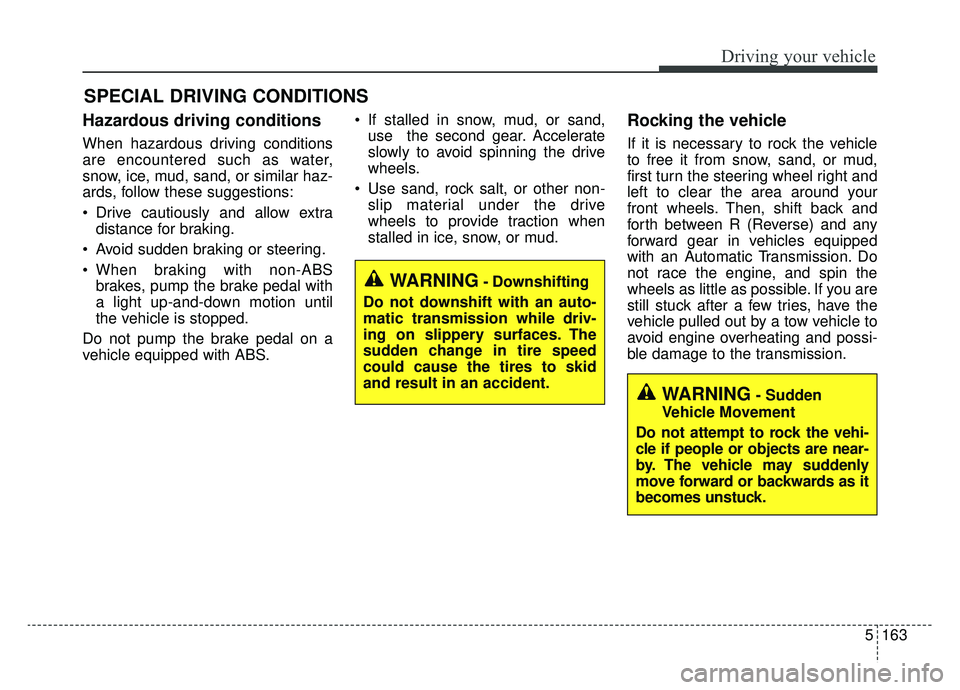
Hazardous driving conditions
When hazardous driving conditions
are encountered such as water,
snow, ice, mud, sand, or similar haz-
ards, follow these suggestions:
Drive cautiously and allow extradistance for braking.
Avoid sudden braking or steering.
When braking with non-ABS brakes, pump the brake pedal with
a light up-and-down motion until
the vehicle is stopped.
Do not pump the brake pedal on a
vehicle equipped with ABS. If stalled in snow, mud, or sand,
use the second gear. Accelerate
slowly to avoid spinning the drive
wheels.
Use sand, rock salt, or other non- slip material under the drive
wheels to provide traction when
stalled in ice, snow, or mud.
Rocking the vehicle
If it is necessary to rock the vehicle
to free it from snow, sand, or mud,
first turn the steering wheel right and
left to clear the area around your
front wheels. Then, shift back and
forth between R (Reverse) and any
forward gear in vehicles equipped
with an Automatic Transmission. Do
not race the engine, and spin the
wheels as little as possible. If you are
still stuck after a few tries, have the
vehicle pulled out by a tow vehicle to
avoid engine overheating and possi-
ble damage to the transmission.
SPECIAL DRIVING CONDITIONS
WARNING- Downshifting
Do not downshift with an auto-
matic transmission while driv-
ing on slippery surfaces. The
sudden change in tire speed
could cause the tires to skid
and result in an accident.
WARNING- Sudden
Vehicle Movement
Do not attempt to rock the vehi-
cle if people or objects are near-
by. The vehicle may suddenly
move forward or backwards as it
becomes unstuck.
Page 437 of 593
5171
Driving your vehicle
Don't let ice and snow accu-
mulate underneath
Under some conditions, snow and
ice can build up under the fenders
and interfere with the steering. When
driving in severe winter conditions
where this may happen, you should
periodically check underneath the
vehicle to be sure the movement of
the front wheels and the steering
components are not obstructed.
Carry emergency equipment
Depending on the severity of the
weather, you should carry appropri-
ate emergency equipment. Some of
the items you may want to carry
include tow straps or chains, flash-
light, emergency flares, sand, shov-
el, jumper cables, window scraper,
gloves, ground cloth, coveralls, blan-
ket, etc.We do not recommend using this
vehicle for trailer towing.
TRAILER TOWING