transmission KIA K900 2020 Owner's Manual
[x] Cancel search | Manufacturer: KIA, Model Year: 2020, Model line: K900, Model: KIA K900 2020Pages: 593, PDF Size: 14.99 MB
Page 393 of 593
5127
Driving your vehicle
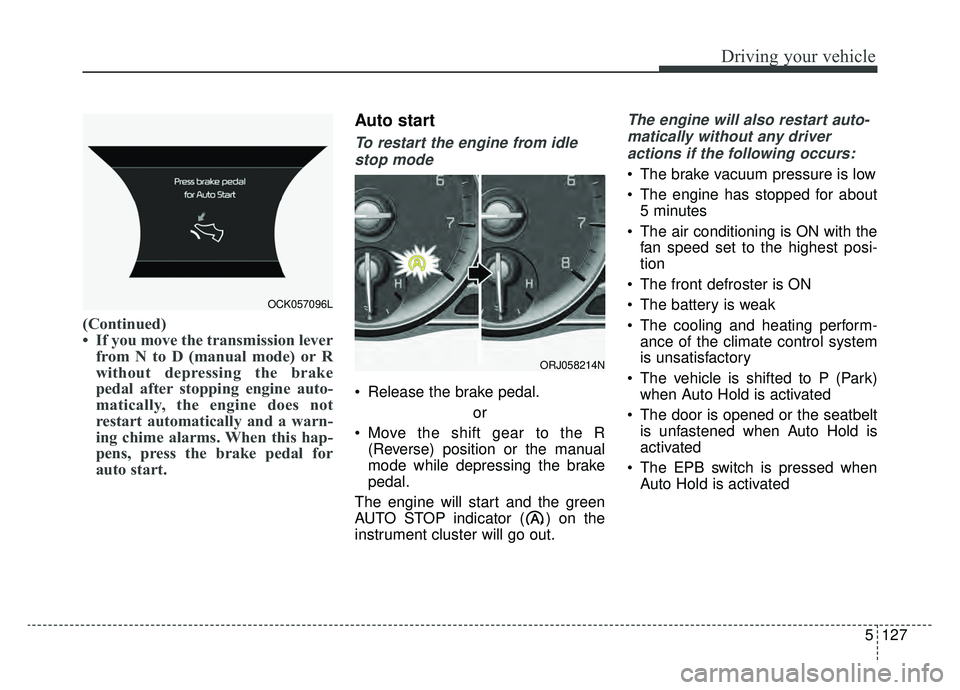
(Continued)
• If you move the transmission leverfrom N to D (manual mode) or R
without depressing the brake
pedal after stopping engine auto-
matically, the engine does not
restart automatically and a warn-
ing chime alarms. When this hap-
pens, press the brake pedal for
auto start.
Auto start
To restart the engine from idle
stop mode
Release the brake pedal.
or
Move the shift gear to the R (Reverse) position or the manual
mode while depressing the brake
pedal.
The engine will start and the green
AUTO STOP indicator ( ) on the
instrument cluster will go out.
The engine will also restart auto- matically without any driveractions if the following occurs:
The brake vacuum pressure is low
The engine has stopped for about 5 minutes
The air conditioning is ON with the fan speed set to the highest posi-
tion
The front defroster is ON
The battery is weak
The cooling and heating perform- ance of the climate control system
is unsatisfactory
The vehicle is shifted to P (Park) when Auto Hold is activated
The door is opened or the seatbelt is unfastened when Auto Hold is
activated
The EPB switch is pressed when Auto Hold is activated
OCK057096L
ORJ058214N
Page 398 of 593
Driving your vehicle
132
5
Various driving situations which you
may encounter in SMART mode
The driving mode automatically
changes to ECO mode after a cer-
tain period of time when you gently
depress the accelerator pedal
(Your driving is categorized to be
mild).
The driving mode automatically changes from SMART ECO mode
to SMART COMFORT mode after
a certain period of time when you
sharply or repetitively depress the
accelerator pedal.
The driving mode automatically changes to SMART COMFORT
mode with the same driving pat-
terns when the vehicle starts to
drive on an upward slope of a cer-
tain angle. The driving mode auto-
matically returns to SMART ECO
mode when the vehicle enters a
leveled road. The driving mode automatically
changes to SMART SPORT when
you abruptly accelerate the vehicle
or repetitively operate the steering
wheel (Your driving is categorized
to be sporty). In this mode, your
vehicle drives in a lower gear for
faster accelerating/decelerating
and increased engine brake per-
formance.
You may still sense the engine brake performance, even when you
release the accelerator pedal in
SMART SPORT mode. It is
because your vehicle remains to
be in a lower gear over a certain
period of time for next acceleration.
Thus, it is a normal driving situa-
tion, not indicating any malfunc-
tion.
The driving mode automatically changes to SMART SPORT mode
only in harsh driving situations. In
most the normal driving situations,
the driving mode sets to either
SMART ECO mode or SMART
NORMAL mode. Limitations of SMART mode
The SMART mode may be limited in
following situations. (The OFF indica-
tor illuminates these situations.)
The driver manually moves the
shift lever : It deactivates SMART
mode. The vehicle drives, as the
driver manually moves the shift
lever.
The cruise control is activated : The cruise system may deactivate
the SMART mode. When a higher
system is set by the cruise system,
it starts to control vehicle speed
and deactivates SMART mode.
(SMART mode is not deactivated
just by activing the cruise system.)
The transmission oil temperature is either extremely low or extremely
high : The SMART mode can be
active in most normal driving situa-
tions. However, an extremely high/
low transmission oil temperature
may temporarily deactivate the
SMART mode, because the trans-
mission condition is out of normal
operation condition.
Page 399 of 593
5133
Driving your vehicle
SPORT mode
SPORT mode manages
the driving dynamics by
automatically adjusting
the steering effort, and the
engine and transmission
control logic for enhanced
driver performance.
When SPORT mode is selected by pressing the DRIVE MODE button,
the SPORT indicator (orange
color) will illuminate.
Whenever the engine is restarted, the Drive Mode will revert back to
COMFORT mode. If SPORT mode
is desired, re-select SPORT mode
from the DRIVE MODE button. When SPORT mode is activated:
- The engine rpm will tend toremain raised over a certain
length of time even after releas-
ing the accelerator
- Upshifts are delayed when accel- erating
✽ ✽ NOTICE
In SPORT mode, the fuel efficiency
may decrease.
ECO mode
When the Drive Mode is
set to ECO mode, the
engine and transmission
control logic are changed
to maximize fuel efficiency.
When ECO mode is selected by pressing the DRIVE MODE button,
the ECO indicator (green color) will
illuminate.
If the vehicle is set to ECO mode, when the engine is turned OFF
and restarted the Drive Mode set-
ting will remain in ECO mode.
✽ ✽ NOTICE
Fuel efficiency depends on the dri-
ver's driving habit and road condi-
tion.
ECOSPORT
Page 400 of 593
Driving your vehicle
134
5
When ECO mode is activated:
The acceleration response may be
slightly reduced if the accelerator
pedal is depressed moderately.
The air conditioner performance may be limited.
The shift pattern of the automatic transmission may change.
The engine noise may get louder.
The above situations are normal
conditions when ECO mode is acti-
vated to improve fuel efficiency. Limitation of ECO mode operation:
If the following conditions occur while
ECO mode is operating, the system
operation is limited even though
there is no change in the ECO indi-
cator.
When the coolant temperature is
low:
The system will be limited until
engine performance becomes nor-
mal.
When driving up a hill: The system will be limited to gain
power when driving uphill because
engine torque is restricted.
When driving the vehicle with the automatic transmission gear shift
lever in manual mode.
The system will be limited accord-
ing to the shift location.CUSTOM mode
In CUSTOM mode, the
driver can select sepa-
rate modes and com-
bine them on the AVN
System screen.
Engine/Transmission: ECO/COM- FORT/ SPORT/SNOW
Steering wheel: COMFORT/ SPORT
Suspension: COMFORT+/COM- FORT/SPORT
All-Wheel Drive (AWD) system: ECO/COMFORT/SPORT
For more information, refer to the
separately supplied AVN System
manual.
When CUSTOM mode is selected by pressing the DRIVE MODE but-
ton, the CUSTOM mode indicator
will illuminate.
CUSTOM
Page 429 of 593
5163
Driving your vehicle
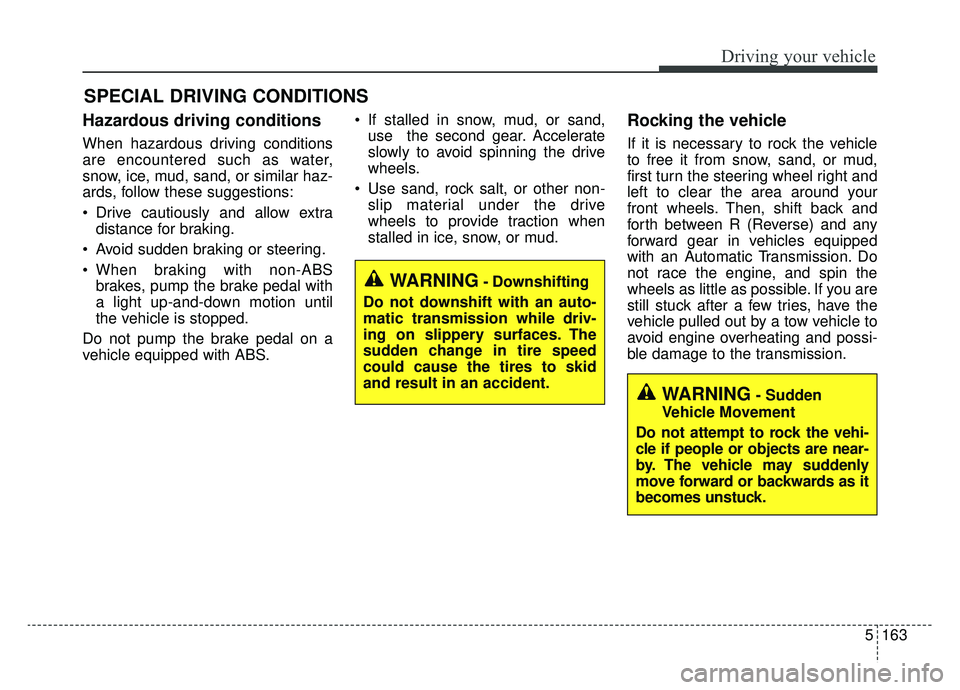
Hazardous driving conditions
When hazardous driving conditions
are encountered such as water,
snow, ice, mud, sand, or similar haz-
ards, follow these suggestions:
Drive cautiously and allow extradistance for braking.
Avoid sudden braking or steering.
When braking with non-ABS brakes, pump the brake pedal with
a light up-and-down motion until
the vehicle is stopped.
Do not pump the brake pedal on a
vehicle equipped with ABS. If stalled in snow, mud, or sand,
use the second gear. Accelerate
slowly to avoid spinning the drive
wheels.
Use sand, rock salt, or other non- slip material under the drive
wheels to provide traction when
stalled in ice, snow, or mud.
Rocking the vehicle
If it is necessary to rock the vehicle
to free it from snow, sand, or mud,
first turn the steering wheel right and
left to clear the area around your
front wheels. Then, shift back and
forth between R (Reverse) and any
forward gear in vehicles equipped
with an Automatic Transmission. Do
not race the engine, and spin the
wheels as little as possible. If you are
still stuck after a few tries, have the
vehicle pulled out by a tow vehicle to
avoid engine overheating and possi-
ble damage to the transmission.
SPECIAL DRIVING CONDITIONS
WARNING- Downshifting
Do not downshift with an auto-
matic transmission while driv-
ing on slippery surfaces. The
sudden change in tire speed
could cause the tires to skid
and result in an accident.
WARNING- Sudden
Vehicle Movement
Do not attempt to rock the vehi-
cle if people or objects are near-
by. The vehicle may suddenly
move forward or backwards as it
becomes unstuck.
Page 436 of 593
Driving your vehicle
170
5
Change to "winter weight" oil
if necessary
In some climates, it is recommended
that a lower viscosity "winter weight"
oil be used during cold weather. See
Chapter 8 for recommendations. If
you aren't sure what weight oil you
should use, consult an authorized
K900 Kia dealer.
Check spark plugs and ignition
system
Inspect your spark plugs as
described in Chapter 7 and replace
them if necessary. Also check all
ignition wiring and components to be
sure they are not cracked, worn or
damaged in any way.
To keep locks from freezing
To keep the locks from freezing,
squirt an approved de-icer fluid or
glycerine into the key opening. If a
lock is covered with ice, squirt it with
an approved de-icing fluid to remove
the ice. If the lock is frozen internally,
you may be able to thaw it out by
using a heated key. Handle the heat-
ed key with care to avoid injury.
Use approved window washer
anti-freeze in system
To keep the water in the window
washer system from freezing, add an
approved window washer anti-freeze
solution in accordance with instruc-
tions on the container. Window wash-
er anti-freeze is available from an
authorized K900 Kia dealer and most
auto parts outlets. Do not use engine
coolant or other types of anti-freeze
as these may damage the paint finish.
Don’t let your parking brake
freeze
Under some conditions, your parking
brake can freeze in the engaged
position. This is most likely to happen
when there is an accumulation of
snow or ice around or near the rear
brakes or if the brakes are wet. If
there is a risk the parking brake may
freeze, apply it only temporarily while
you put the gear shift lever in P
(Park, Automatic Transmission) and
chock the rear wheels so the vehicle
cannot roll. Then release the parking
brake.
Page 445 of 593
63
What to do in an emergency
If the engine stalls at a cross-
road or crossing
If the engine stalls at a crossroad or
crossing, set the shift lever in the N
(Neutral) position and then push the
vehicle to a safe place.
If you have a flat tire while
driving
If a tire goes flat while you are driv-
ing:
1. Take your foot off the acceleratorpedal and let the vehicle slow
down while driving straight ahead.
Do not apply the brakes immedi-
ately or attempt to pull off the road
as this may cause a loss of con-
trol. When the vehicle has slowed
to such a speed that it is safe to do
so, brake carefully and pull off the
road. Drive off the road as far as
possible and park on firm level
ground. If you are on a divided
highway, do not park in the median
area between the two traffic lanes. 2. When the vehicle is stopped, turn
on your emergency hazard flash-
ers, set the parking brake and put
the transmission in P.
3. Have all passengers get out of the vehicle. Be sure they all get out on
the side of the vehicle that is away
from traffic.
4. When changing a flat tire, follow the instruction provided later in
this section.
If the engine stalls while driv-
ing
1. Reduce your speed gradually,keeping a straight line. Move cau-
tiously off the road to a safe place.
2. Turn on your emergency flashers.
3. Try to start the engine again. If your vehicle will not start, contact
an authorized K900 Kia dealer or
seek other qualified assistance.
✽ ✽NOTICE
If there was a check engine light and
loss of power or stall, and if safe to
do so, wait at least 10 seconds to
restart the vehicle after it stalls. This
may reset the car so it will no longer
run at low power (limp home) condi-
tion.
IN CASE OF AN EMERGENCY WHILE DRIVING
Page 448 of 593
What to do in an emergency
66
Jump starting procedure
1.Make sure the booster battery is12-volt and that its negative termi-
nal is grounded.
2.If the booster battery is in another vehicle, do not allow the vehicles to
come in contact.
3.Turn off all unnecessary electrical loads.
4.Connect the jumper cables in the exact sequence shown in the illus-
tration. First connect one end of a
jumper cable to the positive termi-
nal of the discharged battery (1),
then connect the other end to the
positive terminal of the booster
battery (2).
Proceed to connect one end of the
other jumper cable to the negative
terminal of the booster battery (3),
then the other end to a solid, sta-
tionary, metallic point away from
the battery (4). Do not connect it to
or near any part that moves when
the engine is cranked. Do not allow the jumper cables to
contact anything except the correct
battery terminals or the correct
ground. Do not lean over the bat-
tery when making connections.
5.Start the engine of the vehicle with the booster battery and let it run at
2,000 rpm, then start the engine of
the vehicle with the discharged
battery.
If the cause of your battery discharg-ing is not apparent, you should haveyour vehicle checked by an author-ized K900 Kia dealer.
Push-starting
Vehicles equipped with automatic
transmission lock system cannot be
push-started.
Follow the directions in this section
for jump-starting.
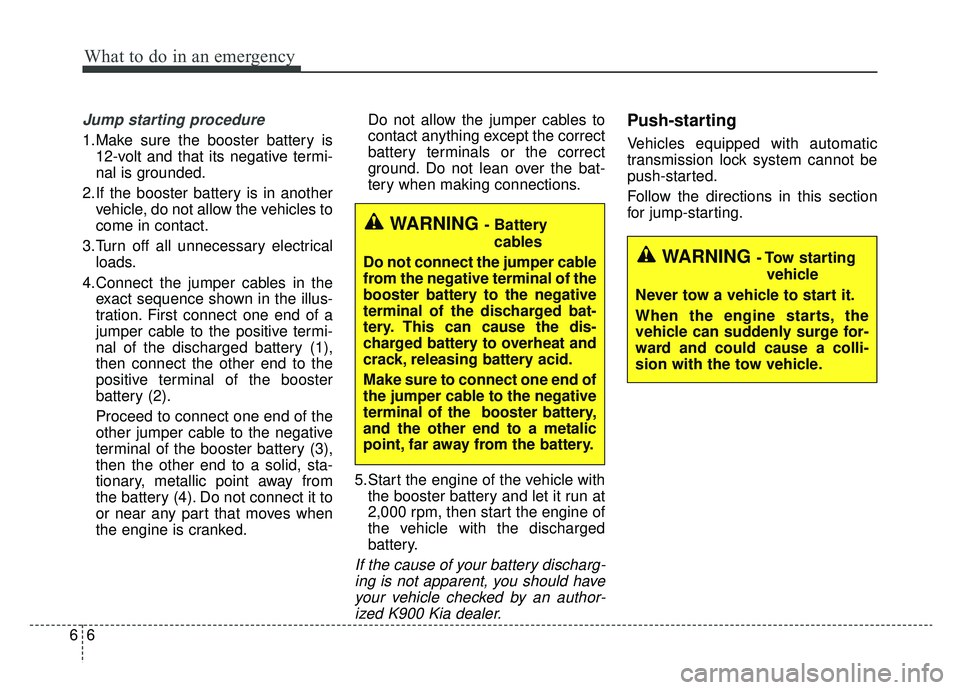
WARNING - Tow starting
vehicle
Never tow a vehicle to start it.
When the engine starts, the
vehicle can suddenly surge for-
ward and could cause a colli-
sion with the tow vehicle.
WARNING - Battery cables
Do not connect the jumper cable
from the negative terminal of the
booster battery to the negative
terminal of the discharged bat-
tery. This can cause the dis-
charged battery to overheat and
crack, releasing battery acid.
Make sure to connect one end of
the jumper cable to the negative
terminal of the booster battery,
and the other end to a metalic
point, far away from the battery.
Page 457 of 593
615
What to do in an emergency
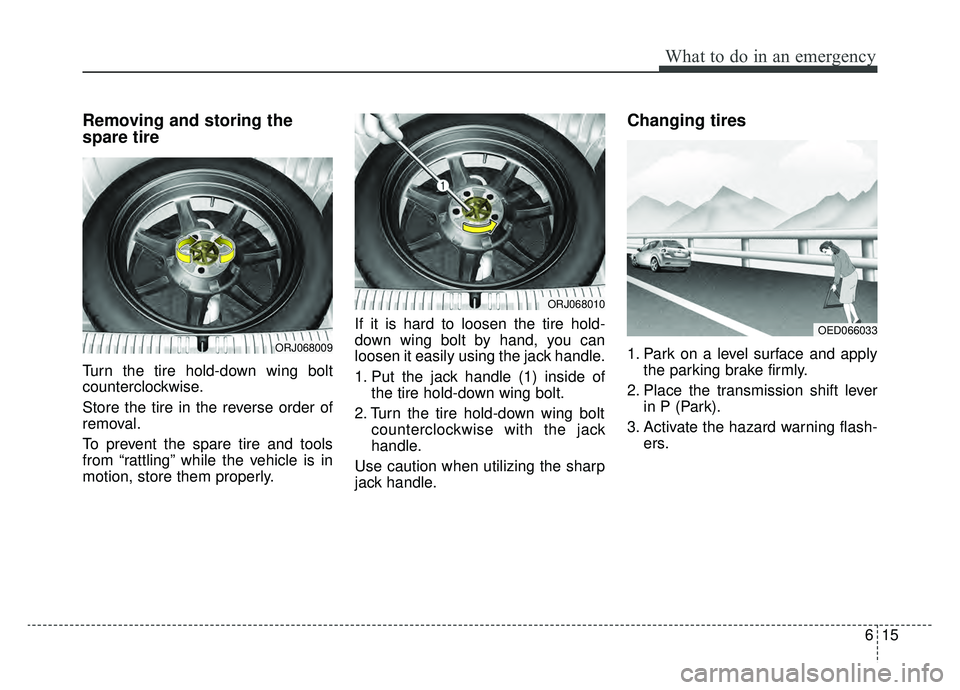
Removing and storing the
spare tire
Turn the tire hold-down wing bolt
counterclockwise.
Store the tire in the reverse order of
removal.
To prevent the spare tire and tools
from “rattling” while the vehicle is in
motion, store them properly.If it is hard to loosen the tire hold-
down wing bolt by hand, you can
loosen it easily using the jack handle.
1. Put the jack handle (1) inside of
the tire hold-down wing bolt.
2. Turn the tire hold-down wing bolt counterclockwise with the jack
handle.
Use caution when utilizing the sharp
jack handle.
Changing tires
1. Park on a level surface and apply the parking brake firmly.
2. Place the transmission shift lever in P (Park).
3. Activate the hazard warning flash- ers.ORJ068009
ORJ068010
OED066033
Page 464 of 593
What to do in an emergency
22
6
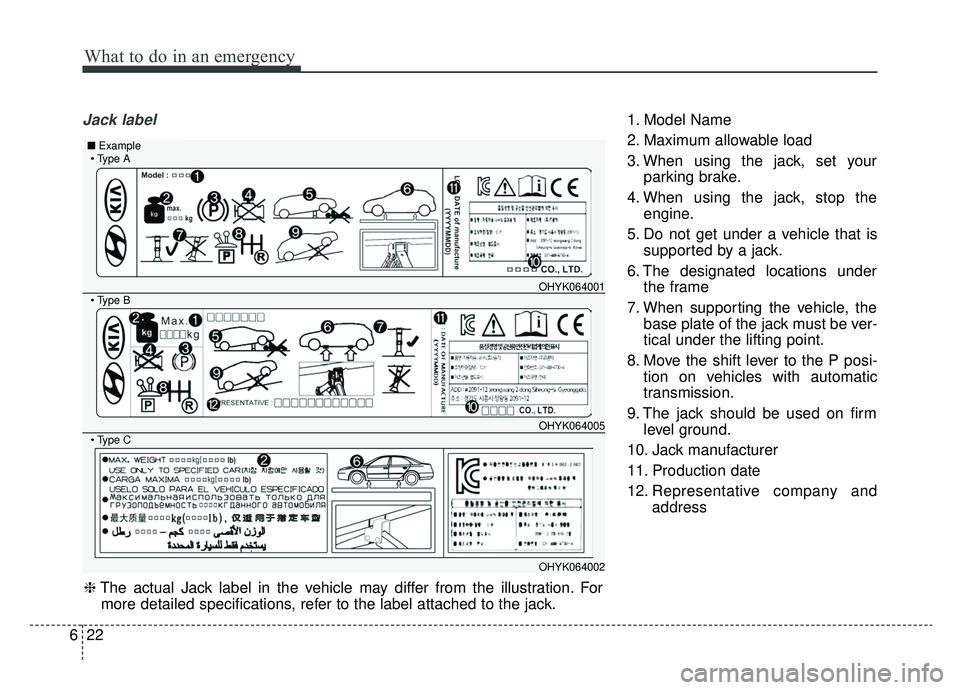
Jack label1. Model Name
2. Maximum allowable load
3. When using the jack, set your
parking brake.
4. When using the jack, stop the engine.
5. Do not get under a vehicle that is supported by a jack.
6. The designated locations under the frame
7. When supporting the vehicle, the base plate of the jack must be ver-
tical under the lifting point.
8. Move the shift lever to the P posi- tion on vehicles with automatic
transmission.
9. The jack should be used on firm level ground.
10. Jack manufacturer
11. Production date
12. Representative company and address
OHYK064001
OHYK064005
OHYK064002
■Example
❈The actual Jack label in the vehicle may differ from the illustration. For
more detailed specifications, refer to the label attached to the jack.