engine KIA MOHAVE 2014 Owners Manual
[x] Cancel search | Manufacturer: KIA, Model Year: 2014, Model line: MOHAVE, Model: KIA MOHAVE 2014Pages: 417, PDF Size: 38.72 MB
Page 271 of 417
Driving your vehicle
30
5
E070202AHM
Releasing the parking brake
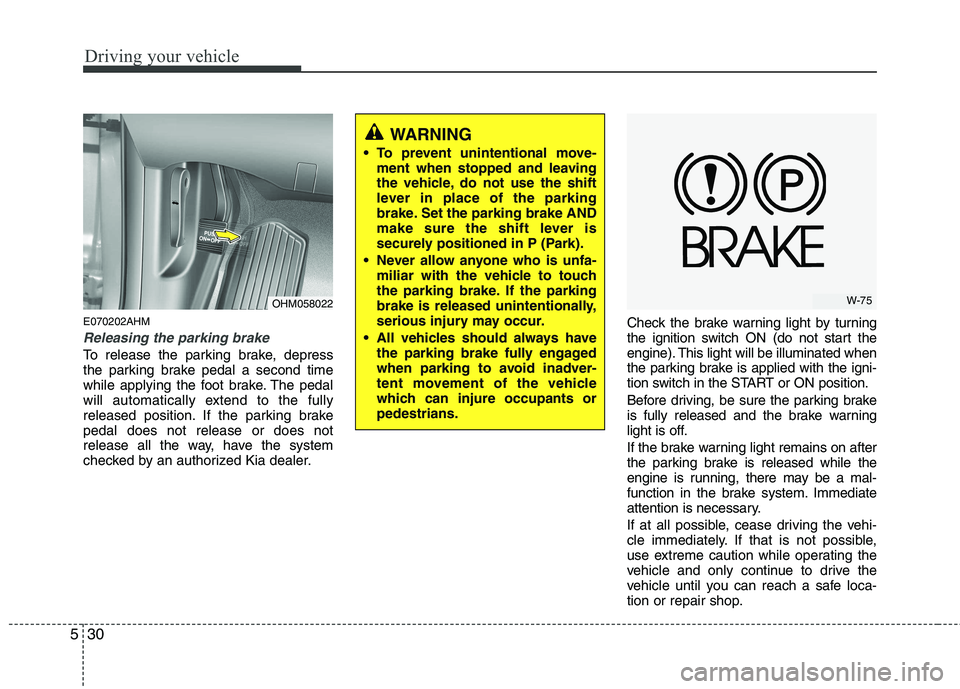
To release the parking brake, depress
the parking brake pedal a second time
while applying the foot brake. The pedal
will automatically extend to the fully
released position. If the parking brakepedal does not release or does not
release all the way, have the system
checked by an authorized Kia dealer. Check the brake warning light by turning
the ignition switch ON (do not start the
engine). This light will be illuminated when
the parking brake is applied with the igni-
tion switch in the START or ON position.
Before driving, be sure the parking brake
is fully released and the brake warning
light is off.
If the brake warning light remains on after
the parking brake is released while the
engine is running, there may be a mal-
function in the brake system. Immediate
attention is necessary.
If at all possible, cease driving the vehi-
cle immediately. If that is not possible,
use extreme caution while operating the
vehicle and only continue to drive the
vehicle until you can reach a safe loca-
tion or repair shop.
WARNING
To prevent unintentional move- ment when stopped and leaving
the vehicle, do not use the shift
lever in place of the parking
brake. Set the parking brake AND
make sure the shift lever is
securely positioned in P (Park).
Never allow anyone who is unfa- miliar with the vehicle to touch
the parking brake. If the parking
brake is released unintentionally,
serious injury may occur.
All vehicles should always have the parking brake fully engaged
when parking to avoid inadver-
tent movement of the vehicle
which can injure occupants orpedestrians.
OHM058022W-75
Page 273 of 417
Driving your vehicle
32
5
✽✽
NOTICE
A click sound may be heard in the
engine compartment when the vehicle
begins to move after the engine is start-
ed. These conditions are normal and
indicate that the anti-lock brake system
is functioning properly.
Even with the anti-lock brake system, your vehicle still requires sufficient
stopping distance. Always maintain a
safe distance from the vehicle in front
of you.
Always slow down when cornering. The anti-lock brake system cannot pre-
vent accidents resulting from exces-
sive speeds.
On loose or uneven road surfaces, operation of the anti-lock brake system
may result in a longer stopping dis-
tance than for vehicles equipped with a
conventional brake system.
✽✽ NOTICE
When you jump start your vehicle
because of a drained battery, the engine
may not run as smoothly and the ABS
warning light may turn on at the same
time. This happens because of low bat-
tery voltage. It does not mean your ABS
has malfunctioned.
Do not pump your brakes!
Have the battery recharged before driving the vehicle.
W-78
CAUTION
If the ABS warning light is on and
stays on, you may have a problemwith the ABS. In this case, howev-er, your regular brakes will work normally.
The ABS warning light will stay on for approximately 3 seconds afterthe ignition switch is ON. Duringthat time, the ABS will go throughself-diagnosis and the light will go off if everything is normal. If thelight stays on, you may have aproblem with your ABS. Contactan authorized Kia dealer as soonas possible.
CAUTION
When you drive on a road having poor traction, such as an icy road,
and have operated your brakes continuously, the ABS will beactive continuously and the ABSwarning light may illuminate. Pull
your vehicle over to a safe placeand stop the engine.
Restart the engine. If the ABS warning light goes off, then your
ABS system is normal. Otherwise, you may have a prob-lem with the ABS. Contact an authorized Kia dealer as soon as
possible.
Page 274 of 417
533
Driving your vehicle
E070500AHM-EE
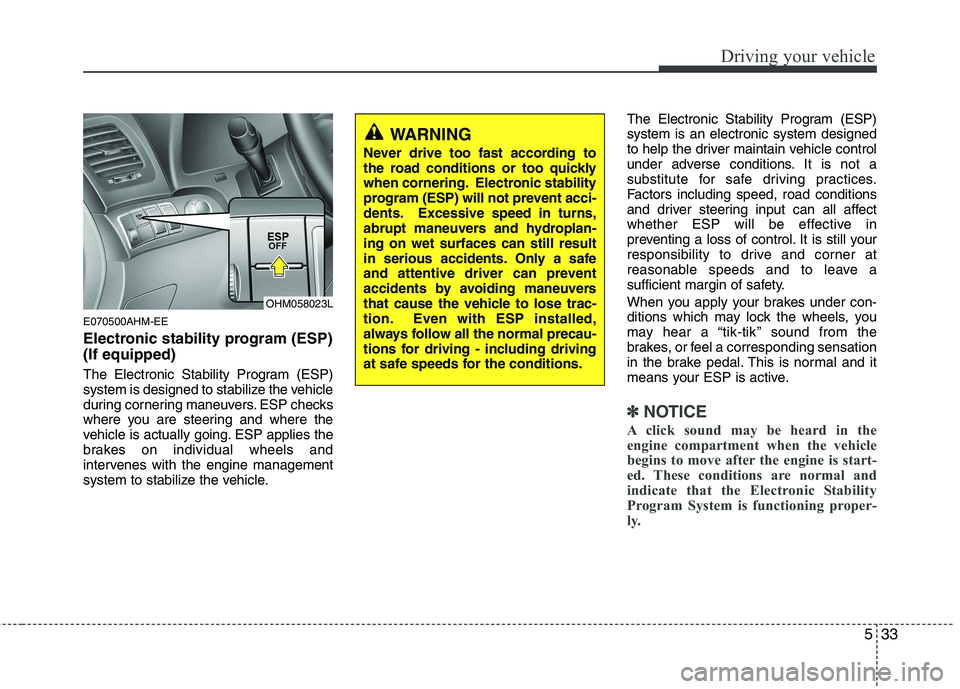
Electronic stability program (ESP) (If equipped)
The Electronic Stability Program (ESP)
system is designed to stabilize the vehicle
during cornering maneuvers. ESP checks
where you are steering and where the
vehicle is actually going. ESP applies the
brakes on individual wheels and
intervenes with the engine management
system to stabilize the vehicle.The Electronic Stability Program (ESP)system is an electronic system designed
to help the driver maintain vehicle control
under adverse conditions. It is not a
substitute for safe driving practices.
Factors including speed, road conditions
and driver steering input can all affect
whether ESP will be effective in
preventing a loss of control. It is still your
responsibility to drive and corner at
reasonable speeds and to leave a
sufficient margin of safety.
When you apply your brakes under con-
ditions which may lock the wheels, you
may hear a “tik-tik’’ sound from the
brakes, or feel a corresponding sensation
in the brake pedal. This is normal and it
means your ESP is active.
✽✽
NOTICE
A click sound may be heard in the
engine compartment when the vehicle
begins to move after the engine is start-
ed. These conditions are normal and
indicate that the Electronic Stability
Program System is functioning proper-
ly.
WARNING
Never drive too fast according to
the road conditions or too quickly
when cornering. Electronic stability
program (ESP) will not prevent acci-
dents. Excessive speed in turns,
abrupt maneuvers and hydroplan-ing on wet surfaces can still result
in serious accidents. Only a safe
and attentive driver can prevent
accidents by avoiding maneuvers
that cause the vehicle to lose trac-
tion. Even with ESP installed,
always follow all the normal precau-
tions for driving - including driving
at safe speeds for the conditions.
OHM058023L
Page 275 of 417
Driving your vehicle
34
5
E070501AUN-EE
ESP operation
ESP ON condition
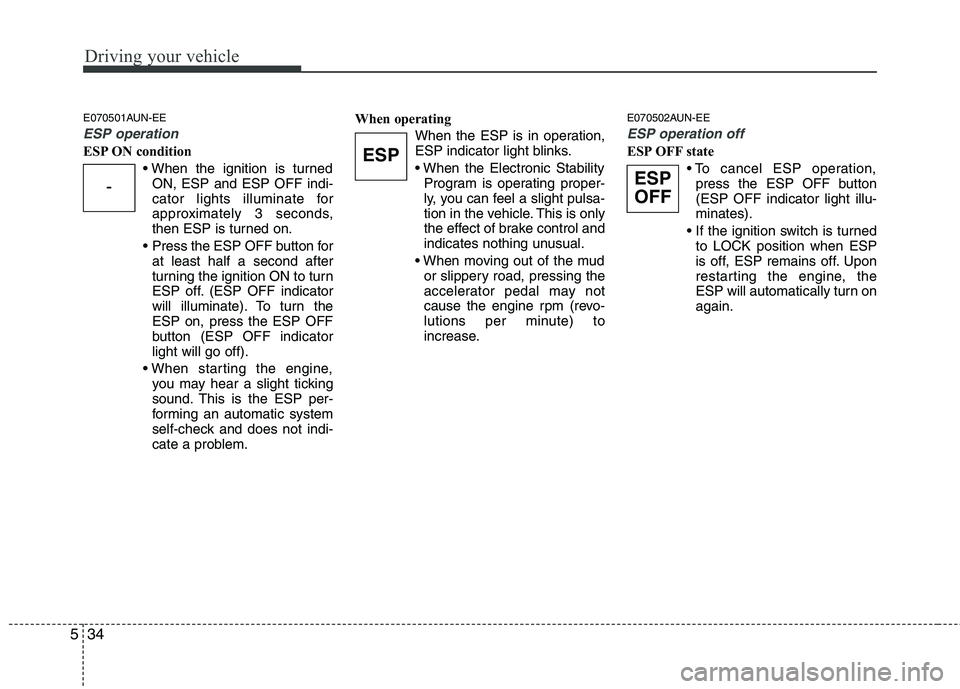
ON, ESP and ESP OFF indi-
cator lights illuminate for
approximately 3 seconds,
then ESP is turned on.
Press the ESP OFF button for at least half a second after
turning the ignition ON to turn
ESP off. (ESP OFF indicator
will illuminate). To turn theESP on, press the ESP OFF
button (ESP OFF indicatorlight will go off).
you may hear a slight ticking
sound. This is the ESP per-
forming an automatic system
self-check and does not indi-
cate a problem. When operating
When the ESP is in operation,
ESP indicator light blinks.
Program is operating proper-
ly, you can feel a slight pulsa-
tion in the vehicle. This is only
the effect of brake control and
indicates nothing unusual.
or slippery road, pressing the
accelerator pedal may not
cause the engine rpm (revo-
lutions per minute) to
increase. E070502AUN-EE
ESP operation off
ESP OFF state
press the ESP OFF button (ESP OFF indicator light illu-minates).
to LOCK position when ESP
is off, ESP remains off. Upon
restarting the engine, the
ESP will automatically turn onagain.
-
ESP
ESP
OFF
Page 280 of 417
539
Driving your vehicle
Don't coast down hills with the vehicleout of gear. This is extremely haz-
ardous. Keep the vehicle in gear at all
times, use the brakes to slow down,
then shift to a lower gear so that
engine braking will help you maintain a
safe speed.
Don't "ride" the brake pedal. Resting your foot on the brake pedal while driv-ing can be dangerous because the
brakes might overheat and lose their
effectiveness. It also increases the
wear of the brake components.
If a tire goes flat while you are driving, apply the brakes gently and keep the
vehicle pointed straight ahead while
you slow down. When you are moving
slowly enough for it to be safe to do so,
pull off the road and stop in a safe
place. If your vehicle is equipped with an
automatic transmission, don't let your
vehicle creep forward. To avoid creep-
ing forward, keep your foot firmly on
the brake pedal when the vehicle isstopped.
Be cautious when parking on a hill. Firmly engage the parking brake and
place the shift lever in P (Park). If your
vehicle is facing downhill, turn the front
wheels into the curb to help keep the
vehicle from rolling. If your vehicle is
facing uphill, turn the front wheels
away from the curb to help keep the
vehicle from rolling. If there is no curb
or if it is required by other conditions to
keep the vehicle from rolling, block the
wheels. Under some conditions your parking
brake can freeze in the engaged posi-
tion. This is most likely to happen when
there is an accumulation of snow or ice
around or near the rear brakes or if the
brakes are wet. If there is a risk that the
parking brake may freeze, apply it only
temporarily while you put the shift lever
in P (Park) and block the rear wheels so
the vehicle cannot roll. Then release
the parking brake.
Do not hold the vehicle on the upgrade with the accelerator pedal. This can
cause the transmission to overheat.
Always use the brake pedal or parking
brake.
Page 281 of 417
Driving your vehicle
40
5
E080000AHM
A locking differential, if equipped, is for
the rear wheel differential only. The fea-
tures of this locking differential are
described below:
Just as with a conventional differential,
the wheel on one side is allowed to turn
at a different speed from the wheel on
the other side when the vehicle is cor-
nering. The difference between the lock-
ing differential and a conventional differ-ential is that if the wheel on one side of
the vehicle loses traction, a greateramount of torque is applied to the rear
wheel on the other side to improve trac-tion.
✽✽
NOTICE
In a stationary position, the LD
(Locking Differential) will operate when
the difference of the revolution speed
between the rear right wheel and the
rear left wheel occurs.
The following procedures can be used to
confirm that the locking differential is
functioning properly:
1. Position the vehicle so that one wheel is on a dry paved surface and the other
on ice, snow, mud, etc. Drive the vehi-
cle, and observe the operation of the
locking differential. The vehicle should
not become stuck if the differential is
functioning properly.
2. Depress the accelerator pedal gradu- ally, and then when traction is good,
depress it forcefully. If the vehicle
accelerates well, the differential is
functioning properly.
✽✽ NOTICE
Usually a locking differential will oper-
ate and release automatically but occa-
sionally it may not release automatically.
At this time you will feel the tire is
dragged when you are driving or corner-
ing. You can release it manually by slight-
ly turning the steering wheel right and
left while the vehicle is moving slowly.
LOCKING DIFFERENTIAL (IF EQUIPPED)
CAUTION
Never start the engine with the gearshift lever placed in the for-
ward or reverse while one of the rear wheels is jacked up and theother in contact with the ground;doing so may cause the vehicle to
jump forward.
If one of the rear wheels begins to spin in mud, snow, etc., the vehi-cle can sometimes be driven out
by depressing the accelerator pedal further; however, avoid run-ning the engine continuously at high rpm because doing so could
damage the locking differential.
Page 282 of 417
541
Driving your vehicle
E180000AHM
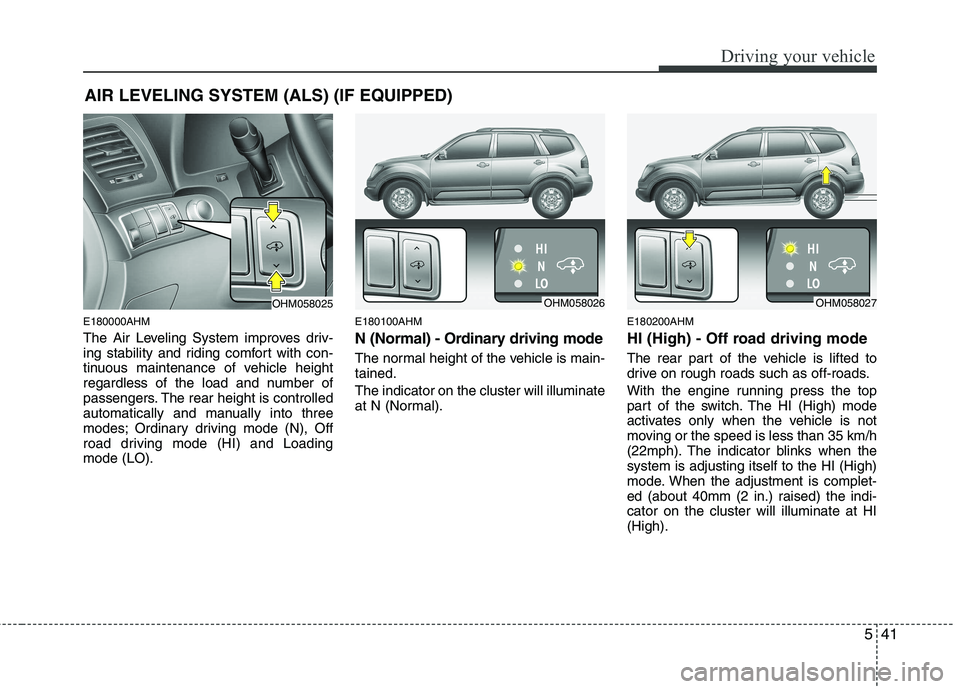
The Air Leveling System improves driv-
ing stability and riding comfort with con-
tinuous maintenance of vehicle height
regardless of the load and number of
passengers. The rear height is controlled
automatically and manually into three
modes; Ordinary driving mode (N), Off
road driving mode (HI) and Loadingmode (LO).E180100AHM
N (Normal) - Ordinary driving mode
The normal height of the vehicle is main- tained. The indicator on the cluster will illuminate
at N (Normal).
E180200AHM
HI (High) - Off road driving mode
The rear part of the vehicle is lifted to
drive on rough roads such as off-roads.
With the engine running press the top
part of the switch. The HI (High) mode
activates only when the vehicle is not
moving or the speed is less than 35 km/h
(22mph). The indicator blinks when thesystem is adjusting itself to the HI (High)
mode. When the adjustment is complet-
ed (about 40mm (2 in.) raised) the indi-cator on the cluster will illuminate at HI(High).
AIR LEVELING SYSTEM (ALS) (IF EQUIPPED)
OHM058025OHM058026OHM058027
Page 283 of 417
Driving your vehicle
42
5
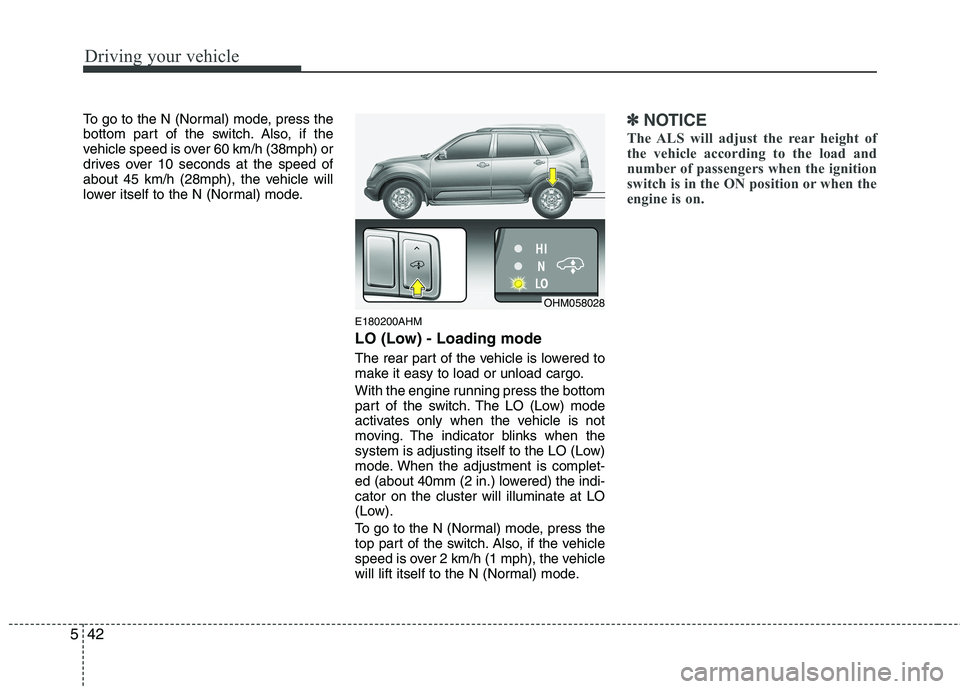
To go to the N (Normal) mode, press the
bottom part of the switch. Also, if the
vehicle speed is over 60 km/h (38mph) or
drives over 10 seconds at the speed of
about 45 km/h (28mph), the vehicle will
lower itself to the N (Normal) mode.
E180200AHM
LO (Low) - Loading mode
The rear part of the vehicle is lowered to
make it easy to load or unload cargo.
With the engine running press the bottom
part of the switch. The LO (Low) mode
activates only when the vehicle is not
moving. The indicator blinks when the
system is adjusting itself to the LO (Low)
mode. When the adjustment is complet-
ed (about 40mm (2 in.) lowered) the indi-cator on the cluster will illuminate at LO
(Low).
To go to the N (Normal) mode, press the
top part of the switch. Also, if the vehicle
speed is over 2 km/h (1 mph), the vehicle
will lift itself to the N (Normal) mode.✽✽NOTICE
The ALS will adjust the rear height of
the vehicle according to the load and
number of passengers when the ignition
switch is in the ON position or when the
engine is on.
OHM058028
Page 284 of 417
543
Driving your vehicle
CAUTION
Always check if there is anythingunder the rear part of the vehicle
before adjusting the ALS.
There may be noise heard while the ALS is adjusting the height toa mode.
Do not turn off the engine or press the switch to another modewhile the ALS is adjusting to themode selected.
Do not activate the ALS when the air filter of the compressor has
been submerged.
Inspect or replace the ALS air fil- ter and air spring according to themaintenance schedule.
Do not drive the vehicle when the air spring is damaged or airless.Have the vehicle towed with allthe wheels lifted from the ground.
(Continued)
(Continued) Have the vehicle checked by an authorized Kia dealer if all thelights of the ALS indicator is illu-minated.
All the lights of the ALS indicator can be illuminated when the vehi-cle was parked with one side ofthe vehicle lifted or when one
side of the vehicle was lifted witha jack. When this happens, takethe vehicle to a level ground, and turn off the engine. The ALS will
operate normally when the engineis turned on again.
Page 285 of 417
Driving your vehicle
44
5
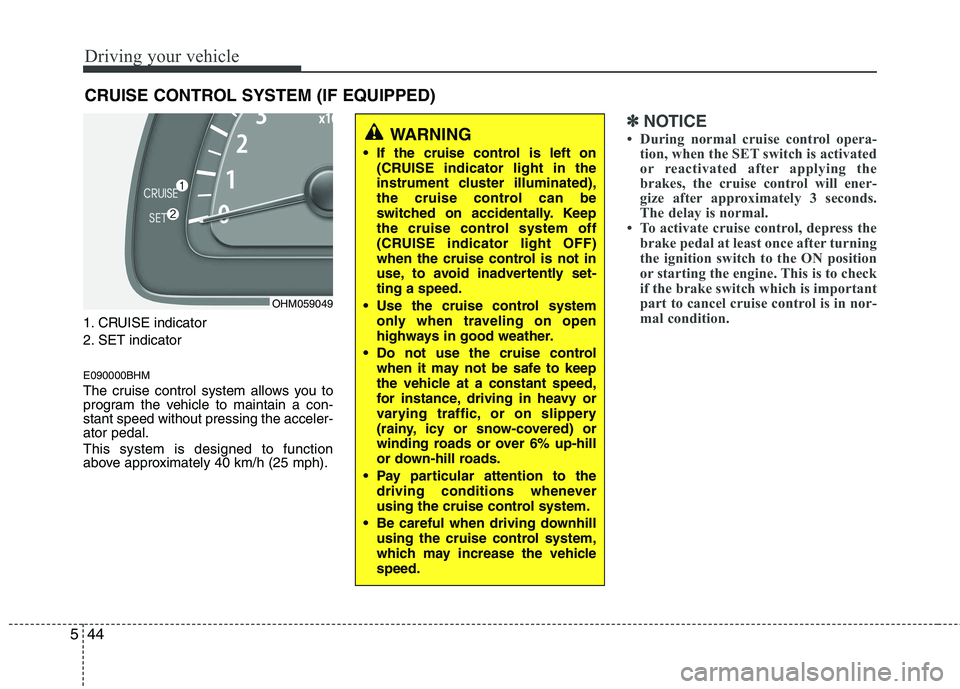
1. CRUISE indicator
2. SET indicator E090000BHM
The cruise control system allows you to
program the vehicle to maintain a con-stant speed without pressing the acceler-ator pedal. This system is designed to function
above approximately 40 km/h (25 mph).
✽✽
NOTICE
During normal cruise control opera- tion, when the SET switch is activated
or reactivated after applying the
brakes, the cruise control will ener-
gize after approximately 3 seconds.
The delay is normal.
To activate cruise control, depress the
brake pedal at least once after turning
the ignition switch to the ON position
or starting the engine. This is to check
if the brake switch which is important
part to cancel cruise control is in nor-
mal condition.
CRUISE CONTROL SYSTEM (IF EQUIPPED)
WARNING
If the cruise control is left on (CRUISE indicator light in the
instrument cluster illuminated),
the cruise control can be
switched on accidentally. Keep
the cruise control system off
(CRUISE indicator light OFF)
when the cruise control is not in
use, to avoid inadvertently set-ting a speed.
Use the cruise control system only when traveling on open
highways in good weather.
Do not use the cruise control when it may not be safe to keep
the vehicle at a constant speed,
for instance, driving in heavy or
varying traffic, or on slippery
(rainy, icy or snow-covered) or
winding roads or over 6% up-hill
or down-hill roads.
Pay particular attention to the driving conditions whenever
using the cruise control system.
Be careful when driving downhill using the cruise control system,
which may increase the vehiclespeed.
OHM059049