brake KIA MOHAVE 2014 Service Manual
[x] Cancel search | Manufacturer: KIA, Model Year: 2014, Model line: MOHAVE, Model: KIA MOHAVE 2014Pages: 417, PDF Size: 38.72 MB
Page 273 of 417
Driving your vehicle
32
5
✽✽
NOTICE
A click sound may be heard in the
engine compartment when the vehicle
begins to move after the engine is start-
ed. These conditions are normal and
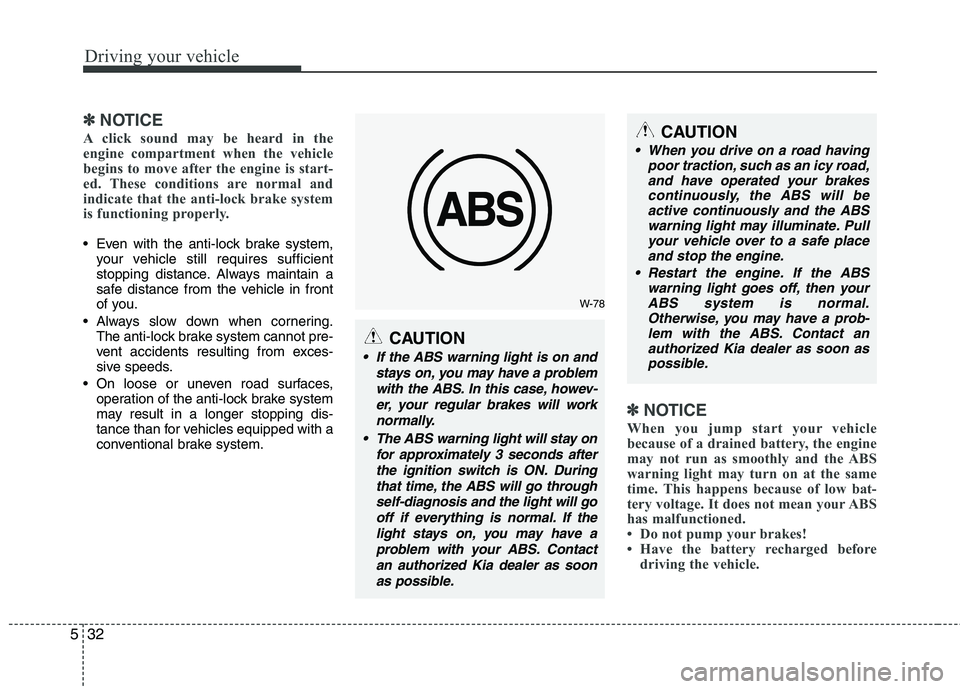
indicate that the anti-lock brake system
is functioning properly.
Even with the anti-lock brake system, your vehicle still requires sufficient
stopping distance. Always maintain a
safe distance from the vehicle in front
of you.
Always slow down when cornering. The anti-lock brake system cannot pre-
vent accidents resulting from exces-
sive speeds.
On loose or uneven road surfaces, operation of the anti-lock brake system
may result in a longer stopping dis-
tance than for vehicles equipped with a
conventional brake system.
✽✽ NOTICE
When you jump start your vehicle
because of a drained battery, the engine
may not run as smoothly and the ABS
warning light may turn on at the same
time. This happens because of low bat-
tery voltage. It does not mean your ABS
has malfunctioned.
Do not pump your brakes!
Have the battery recharged before driving the vehicle.
W-78
CAUTION
If the ABS warning light is on and
stays on, you may have a problemwith the ABS. In this case, howev-er, your regular brakes will work normally.
The ABS warning light will stay on for approximately 3 seconds afterthe ignition switch is ON. Duringthat time, the ABS will go throughself-diagnosis and the light will go off if everything is normal. If thelight stays on, you may have aproblem with your ABS. Contactan authorized Kia dealer as soonas possible.
CAUTION
When you drive on a road having poor traction, such as an icy road,
and have operated your brakes continuously, the ABS will beactive continuously and the ABSwarning light may illuminate. Pull
your vehicle over to a safe placeand stop the engine.
Restart the engine. If the ABS warning light goes off, then your
ABS system is normal. Otherwise, you may have a prob-lem with the ABS. Contact an authorized Kia dealer as soon as
possible.
Page 274 of 417
533
Driving your vehicle
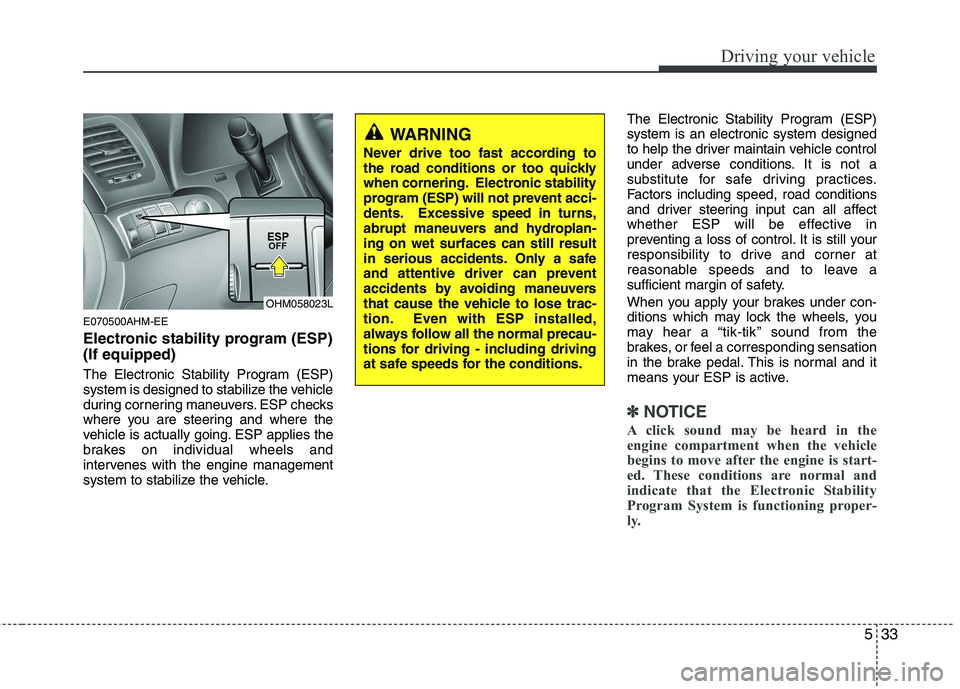
E070500AHM-EE
Electronic stability program (ESP) (If equipped)
The Electronic Stability Program (ESP)
system is designed to stabilize the vehicle
during cornering maneuvers. ESP checks
where you are steering and where the
vehicle is actually going. ESP applies the
brakes on individual wheels and
intervenes with the engine management
system to stabilize the vehicle.The Electronic Stability Program (ESP)system is an electronic system designed
to help the driver maintain vehicle control
under adverse conditions. It is not a
substitute for safe driving practices.
Factors including speed, road conditions
and driver steering input can all affect
whether ESP will be effective in
preventing a loss of control. It is still your
responsibility to drive and corner at
reasonable speeds and to leave a
sufficient margin of safety.
When you apply your brakes under con-
ditions which may lock the wheels, you
may hear a “tik-tik’’ sound from the
brakes, or feel a corresponding sensation
in the brake pedal. This is normal and it
means your ESP is active.
✽✽
NOTICE
A click sound may be heard in the
engine compartment when the vehicle
begins to move after the engine is start-
ed. These conditions are normal and
indicate that the Electronic Stability
Program System is functioning proper-
ly.
WARNING
Never drive too fast according to
the road conditions or too quickly
when cornering. Electronic stability
program (ESP) will not prevent acci-
dents. Excessive speed in turns,
abrupt maneuvers and hydroplan-ing on wet surfaces can still result
in serious accidents. Only a safe
and attentive driver can prevent
accidents by avoiding maneuvers
that cause the vehicle to lose trac-
tion. Even with ESP installed,
always follow all the normal precau-
tions for driving - including driving
at safe speeds for the conditions.
OHM058023L
Page 275 of 417
Driving your vehicle
34
5
E070501AUN-EE
ESP operation
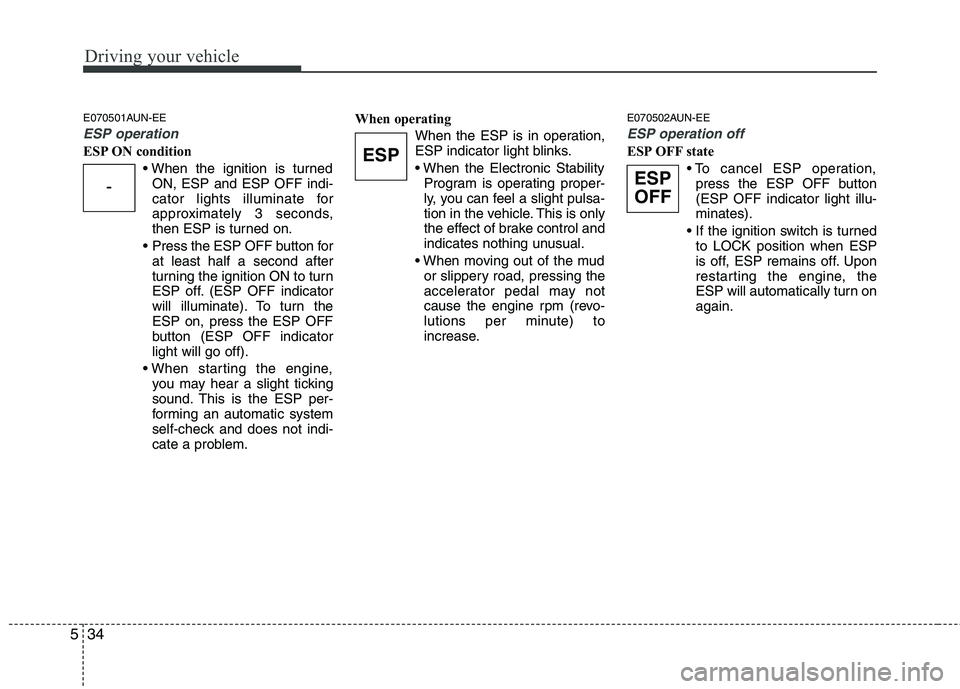
ESP ON condition
ON, ESP and ESP OFF indi-
cator lights illuminate for
approximately 3 seconds,
then ESP is turned on.
Press the ESP OFF button for at least half a second after
turning the ignition ON to turn
ESP off. (ESP OFF indicator
will illuminate). To turn theESP on, press the ESP OFF
button (ESP OFF indicatorlight will go off).
you may hear a slight ticking
sound. This is the ESP per-
forming an automatic system
self-check and does not indi-
cate a problem. When operating
When the ESP is in operation,
ESP indicator light blinks.
Program is operating proper-
ly, you can feel a slight pulsa-
tion in the vehicle. This is only
the effect of brake control and
indicates nothing unusual.
or slippery road, pressing the
accelerator pedal may not
cause the engine rpm (revo-
lutions per minute) to
increase. E070502AUN-EE
ESP operation off
ESP OFF state
press the ESP OFF button (ESP OFF indicator light illu-minates).
to LOCK position when ESP
is off, ESP remains off. Upon
restarting the engine, the
ESP will automatically turn onagain.
-
ESP
ESP
OFF
Page 277 of 417
Driving your vehicle
36
5
E070504AEN-EE
ESP OFF usage
When driving
The ESP turned on for daily driving
whenever possible.
To turn ESP off while driving, press the ESP OFF button while driving on a flat
road surface.
Never press the ESP OFF button while
ESP is operating (ESP indicator light
blinks).
If ESP is turned off while ESP is operat-
ing, the vehicle may slip out of control.
✽✽ NOTICE
When operating the vehicle on a dynamometer, ensure that the ESP is
turned off (ESP OFF light illuminat-
ed). If the ESP is left on, it may pre-
vent the vehicle speed from increas-
ing, and result in false diagnosis.
Turning the ESP off does not affect ABS or brake system operation.
E070505AHM-EE
Hill-start assist control (HAC) (if equipped)
A vehicle has the tendency to slip back
on a steep hill when it starts to go after
stopping. The Hill-start Assist Control
(HAC) prevents the vehicle from slipping
back by operating the brakes automati-
cally for about 2 seconds. The brakes are
released when the accelerator pedal is
depressed or after about 2 seconds.
✽✽ NOTICE
The HAC does not operate when the transmission shift lever is in the P
(Park) or N (Neutral) position.
The HAC activates even though the ESP is off but it does not activate
when the ESP has malfunctioned.
WARNING
Never press the ESP OFF button while ESP is operating. If the ESP is turned off while ESP is
operating, the vehicle may go out of
control.
To turn ESP off while driving, press
the ESP OFF button while driving
on a flat road surface.
WARNING
The HAC is activated only for about
2 seconds, so when the vehicle is
starting off always depress theaccelerator pedal.
Page 278 of 417
537
Driving your vehicle
E070506AHM-EE
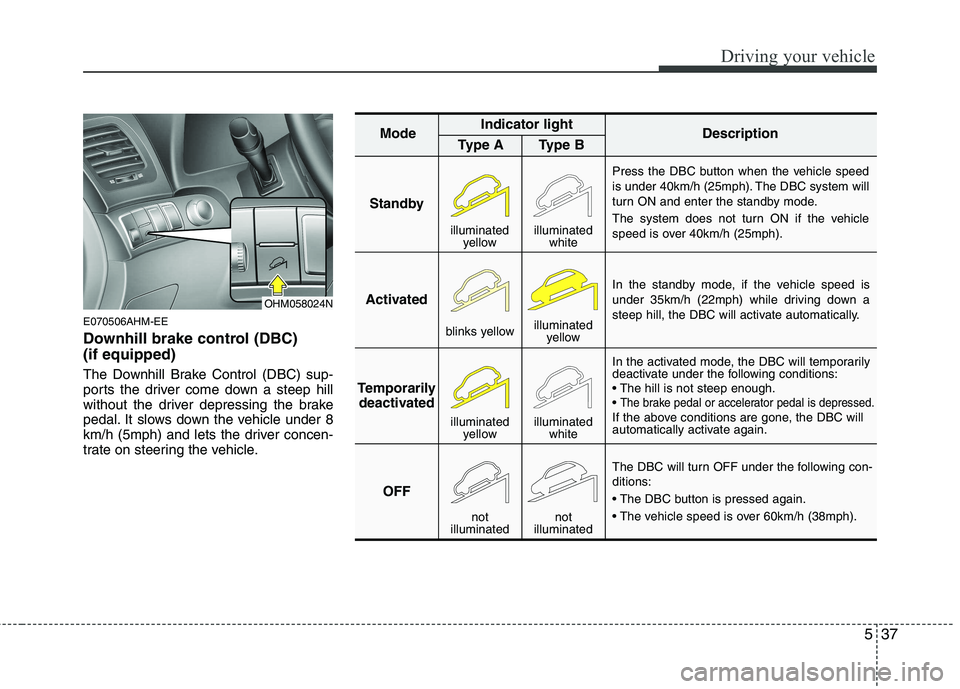
Downhill brake control (DBC) (if equipped)
The Downhill Brake Control (DBC) sup-
ports the driver come down a steep hill
without the driver depressing the brake
pedal. It slows down the vehicle under 8
km/h (5mph) and lets the driver concen-
trate on steering the vehicle.
StandbyPress the DBC button when the vehicle speed
is under 40km/h (25mph). The DBC system will
turn ON and enter the standby mode.
The system does not turn ON if the vehicle
speed is over 40km/h (25mph).
In the standby mode, if the vehicle speed is
under 35km/h (22mph) while driving down a
steep hill, the DBC will activate automatically.
In the activated mode, the DBC will temporarily
deactivate under the following conditions:
The brake pedal or accelerator pedal is depressed.If the above conditions are gone, the DBC will
automatically activate again.
The DBC will turn OFF under the following con- ditions:
Activated
Temporarily deactivated
OFF
Mode
Indicator light
Description
Type A Type B
blinks yellow illuminated
yellow
illuminated yellow illuminated
white
not
illuminated not
illuminated
illuminated yellowilluminated white
OHM058024N
Page 279 of 417
Driving your vehicle
38
5
✽✽
NOTICE
The DBC does not turn ON in the P (Park) position.
The DBC may not activate if the ESP (or BAS) is activated.
Noise or vibration may occur from the brakes when the DBC is activated.
The rear stop light comes on when the DBC is activated.
In a very steep hill even though the brake pedal or accelerator pedal is
depressed the DBC may not deacti-
vate.
Always turn OFF the DBC on normal roads. The DBC might activate from
the standby mode when abrupt corn-
ing or driving through speed bumps.E070600AHM Good braking practices Check to be sure the parking brake is
not engaged and the parking brake
indicator light is out before driving
away.
Driving through water may get the brakes wet. They can also get wet
when the vehicle is washed. Wet
brakes can be dangerous! Your vehicle
will not stop as quickly if the brakes are
wet. Wet brakes may cause the vehicle
to pull to one side.
To dry the brakes, apply the brakes
lightly until the braking action returns to
normal, taking care to keep the vehicle
under control at all times. If the braking
action does not return to normal, stop
as soon as it is safe to do so and call
an authorized Kia dealer for assis-
tance.
WARNING
If the DBC red indicator light illumi-
nates, the system has overheated
or something is wrong. The DBC
will not activate. If the DBC red indi-
cator light illuminates even thoughthe DBC system has been cooled
enough have the system checked
by an authorized Kia dealer.
WARNING
Whenever you leave or park your vehicle, always set the parking
brake as far as possible and fully
engage the vehicle's transmis-
sion into the P (Park) position. If
the parking brake is not fully
engaged, the vehicle may move
inadvertently and injure yourself
and others.
All vehicles should always have the parking brake fully engaged
when parking to avoid inadver-
tent movement of the vehicle
which can injure occupants orpedestrians.
Page 280 of 417
539
Driving your vehicle
Don't coast down hills with the vehicleout of gear. This is extremely haz-
ardous. Keep the vehicle in gear at all
times, use the brakes to slow down,
then shift to a lower gear so that
engine braking will help you maintain a
safe speed.
Don't "ride" the brake pedal. Resting your foot on the brake pedal while driv-ing can be dangerous because the
brakes might overheat and lose their
effectiveness. It also increases the
wear of the brake components.
If a tire goes flat while you are driving, apply the brakes gently and keep the
vehicle pointed straight ahead while
you slow down. When you are moving
slowly enough for it to be safe to do so,
pull off the road and stop in a safe
place. If your vehicle is equipped with an
automatic transmission, don't let your
vehicle creep forward. To avoid creep-
ing forward, keep your foot firmly on
the brake pedal when the vehicle isstopped.
Be cautious when parking on a hill. Firmly engage the parking brake and
place the shift lever in P (Park). If your
vehicle is facing downhill, turn the front
wheels into the curb to help keep the
vehicle from rolling. If your vehicle is
facing uphill, turn the front wheels
away from the curb to help keep the
vehicle from rolling. If there is no curb
or if it is required by other conditions to
keep the vehicle from rolling, block the
wheels. Under some conditions your parking
brake can freeze in the engaged posi-
tion. This is most likely to happen when
there is an accumulation of snow or ice
around or near the rear brakes or if the
brakes are wet. If there is a risk that the
parking brake may freeze, apply it only
temporarily while you put the shift lever
in P (Park) and block the rear wheels so
the vehicle cannot roll. Then release
the parking brake.
Do not hold the vehicle on the upgrade with the accelerator pedal. This can
cause the transmission to overheat.
Always use the brake pedal or parking
brake.
Page 285 of 417
Driving your vehicle
44
5
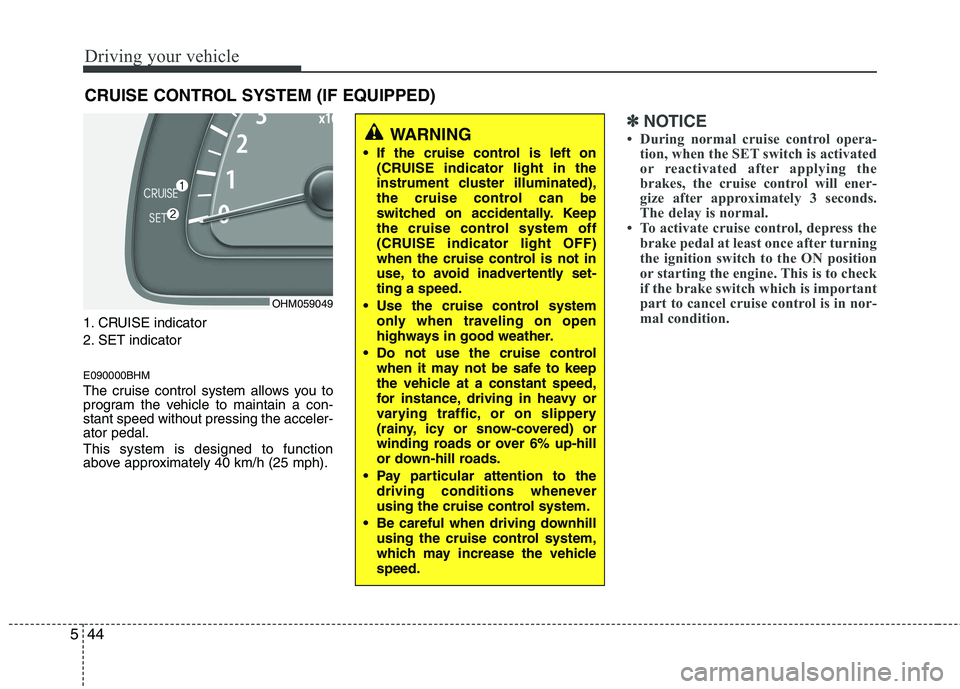
1. CRUISE indicator
2. SET indicator E090000BHM
The cruise control system allows you to
program the vehicle to maintain a con-stant speed without pressing the acceler-ator pedal. This system is designed to function
above approximately 40 km/h (25 mph).
✽✽
NOTICE
During normal cruise control opera- tion, when the SET switch is activated
or reactivated after applying the
brakes, the cruise control will ener-
gize after approximately 3 seconds.
The delay is normal.
To activate cruise control, depress the
brake pedal at least once after turning
the ignition switch to the ON position
or starting the engine. This is to check
if the brake switch which is important
part to cancel cruise control is in nor-
mal condition.
CRUISE CONTROL SYSTEM (IF EQUIPPED)
WARNING
If the cruise control is left on (CRUISE indicator light in the
instrument cluster illuminated),
the cruise control can be
switched on accidentally. Keep
the cruise control system off
(CRUISE indicator light OFF)
when the cruise control is not in
use, to avoid inadvertently set-ting a speed.
Use the cruise control system only when traveling on open
highways in good weather.
Do not use the cruise control when it may not be safe to keep
the vehicle at a constant speed,
for instance, driving in heavy or
varying traffic, or on slippery
(rainy, icy or snow-covered) or
winding roads or over 6% up-hill
or down-hill roads.
Pay particular attention to the driving conditions whenever
using the cruise control system.
Be careful when driving downhill using the cruise control system,
which may increase the vehiclespeed.
OHM059049
Page 287 of 417
Driving your vehicle
46
5
E090300BHM
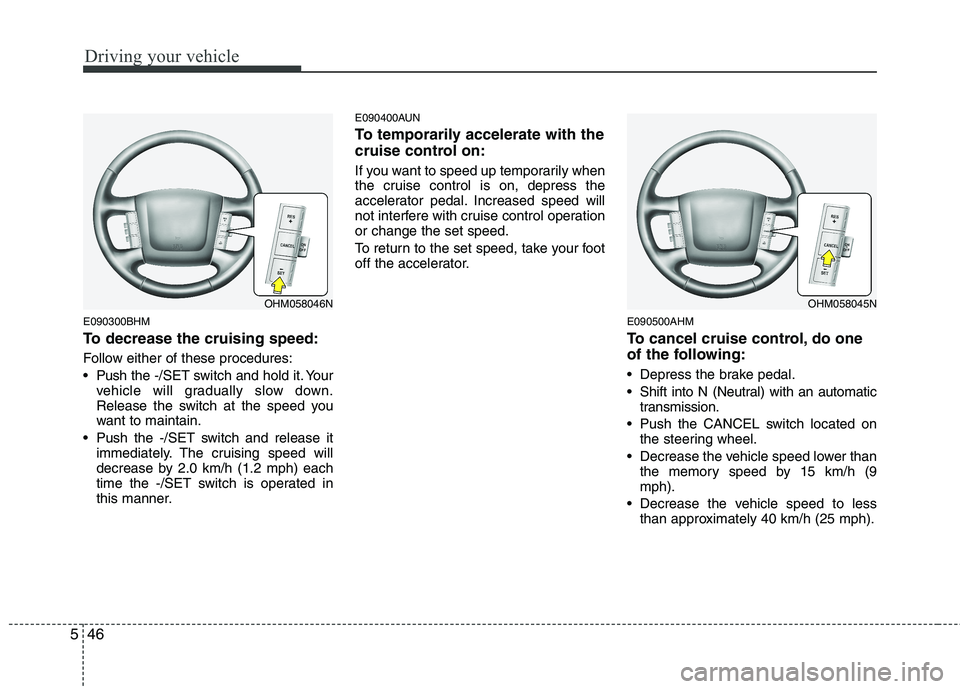
To decrease the cruising speed:
Follow either of these procedures:
Push the -/SET switch and hold it. Your
vehicle will gradually slow down.
Release the switch at the speed you
want to maintain.
Push the -/SET switch and release it immediately. The cruising speed will
decrease by 2.0 km/h (1.2 mph) each
time the -/SET switch is operated in
this manner. E090400AUN
To temporarily accelerate with the
cruise control on:
If you want to speed up temporarily when
the cruise control is on, depress the
accelerator pedal. Increased speed will
not interfere with cruise control operationor change the set speed.
To return to the set speed, take your foot
off the accelerator.
E090500AHM
To cancel cruise control, do one
of the following:
Depress the brake pedal.
Shift into N (Neutral) with an automatictransmission.
Push the CANCEL switch located on the steering wheel.
Decrease the vehicle speed lower than the memory speed by 15 km/h (9 mph).
Decrease the vehicle speed to less than approximately 40 km/h (25 mph).
OHM058046NOHM058045N
Page 289 of 417
Driving your vehicle
48
5
E100000AHM
Your vehicle's fuel economy depends
mainly on your style of driving, where you
drive and when you drive.
Each of these factors affects how many
kilometers (miles) you can get from a liter
(gallon) of fuel. To operate your vehicle
as economically as possible, use the fol-
lowing driving suggestions to help save
money in both fuel and repairs:
Drive smoothly. Accelerate at a moder-
ate rate. Don't make "jack-rabbit" starts or full-throttle shifts and maintain a
steady cruising speed. Don't race
between stoplights. Try to adjust your
speed to the traffic so you don't have to
change speeds unnecessarily. Avoid
heavy traffic whenever possible.
Always maintain a safe distance from
other vehicles so you can avoid unnec-
essary braking. This also reduces
brake wear.
Drive at a moderate speed. The faster you drive, the more fuel your vehicle
uses. Driving at a moderate speed,
especially on the highway, is one of the
most effective ways to reduce fuel con-sumption. Don't "ride" the brake pedal. This can
increase fuel consumption and also
increase wear on these components.
In addition, driving with your foot rest-
ing on the brake pedal may cause the
brakes to overheat, which reduces
their effectiveness and may lead to
more serious consequences.
Take care of your tires. Keep them inflated to the recommended pressure.
Incorrect inflation, either too much or
too little, results in unnecessary tire
wear. Check the tire pressures at leastonce a month.
Be sure that the wheels are aligned correctly. Improper alignment can
result from hitting curbs or driving too
fast over irregular surfaces. Poor align-
ment causes faster tire wear and may
also result in other problems as well as
greater fuel consumption. Keep your vehicle in good condition.
For better fuel economy and reduced
maintenance costs, maintain your vehi-cle in accordance with the mainte-
nance schedule in section 7. If you
drive your vehicle in severe conditions,more frequent maintenance is required
(see section 7 for details).
Keep your vehicle clean. For maximum service, your vehicle should be kept
clean and free of corrosive materials. It
is especially important that mud, dirt,
ice, etc. not be allowed to accumulate
on the underside of the vehicle. This
extra weight can result in increased
fuel consumption and also contributeto corrosion.
Travel lightly. Don't carry unnecessary weight in your vehicle. Weight reduces
fuel economy.
Don't let the engine idle longer than necessary. If you are waiting (and not
in traffic), turn off your engine and
restart only when you're ready to go.
ECONOMICAL OPERATION