engine KIA NIRO 2017 Repair Manual
[x] Cancel search | Manufacturer: KIA, Model Year: 2017, Model line: NIRO, Model: KIA NIRO 2017Pages: 552, PDF Size: 14.92 MB
Page 165 of 552
Features of your vehicle
62
4
Elapsed Time (3)
The elapsed time is the total driv-
ing time since the last elapsed time
reset.
- Time range (hh:mm): 00:00 ~99:59
To reset the elapsed time, press the OK button (reset) on the steer-
ing wheel for more than 1 second
when the elapsed time is dis-
played.
✽ ✽ NOTICE
Even if the vehicle is not in motion,
the elapsed time keeps going while
the engine is running.
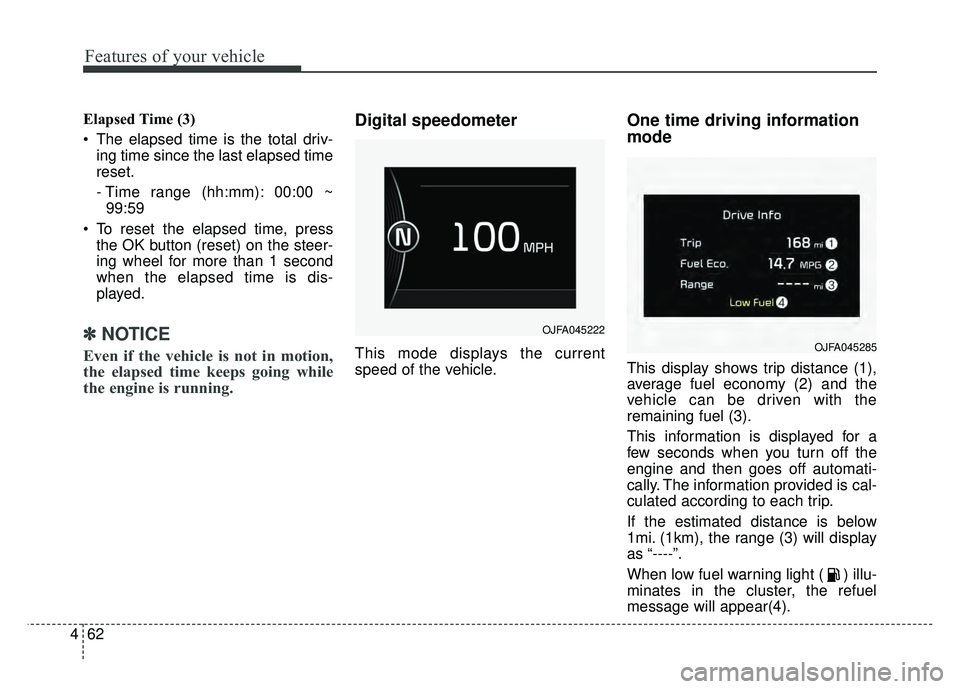
Digital speedometer
This mode displays the current
speed of the vehicle.
One time driving information
mode
This display shows trip distance (1),
average fuel economy (2) and the
vehicle can be driven with the
remaining fuel (3).
This information is displayed for a
few seconds when you turn off the
engine and then goes off automati-
cally. The information provided is cal-
culated according to each trip.
If the estimated distance is below
1mi. (1km), the range (3) will display
as “----”.
When low fuel warning light ( ) illu-
minates in the cluster, the refuel
message will appear(4).
OJFA045222
OJFA045285
Page 166 of 552
463
Features of your vehicle
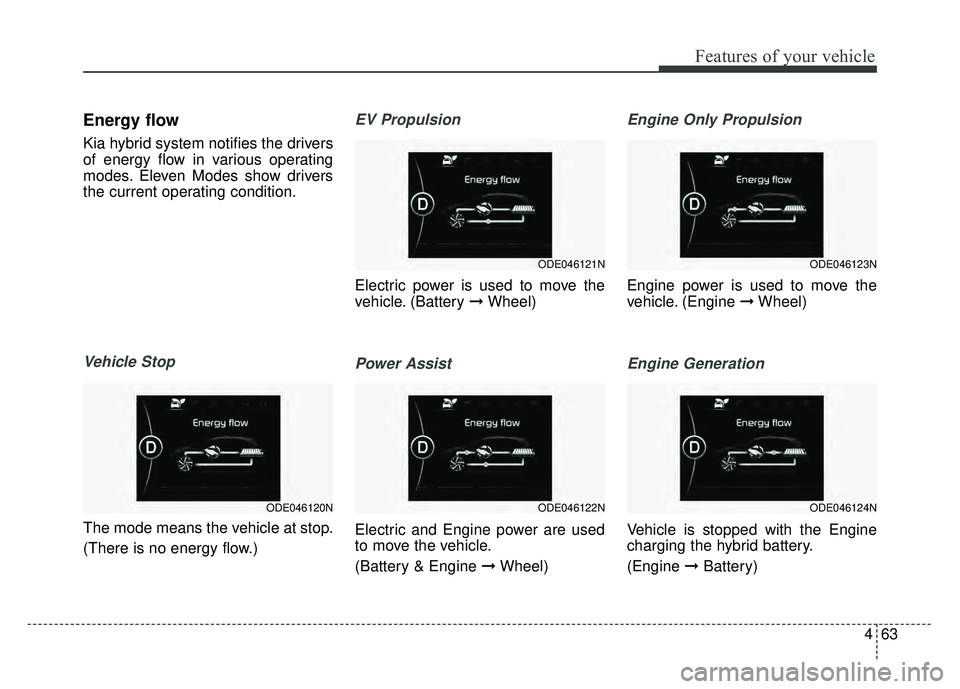
Energy flow
Kia hybrid system notifies the drivers
of energy flow in various operating
modes. Eleven Modes show drivers
the current operating condition.
Vehicle Stop
The mode means the vehicle at stop.
(There is no energy flow.)
EV Propulsion
Electric power is used to move the
vehicle. (Battery ➞Wheel)
Power Assist
Electric and Engine power are used
to move the vehicle.
(Battery & Engine ➞ Wheel)
Engine Only Propulsion
Engine power is used to move the
vehicle. (Engine ➞Wheel)
Engine Generation
Vehicle is stopped with the Engine
charging the hybrid battery.
(Engine ➞Battery)
ODE046123N
ODE046124N
ODE046121N
ODE046122NODE046120N
Page 167 of 552
Features of your vehicle
64
4
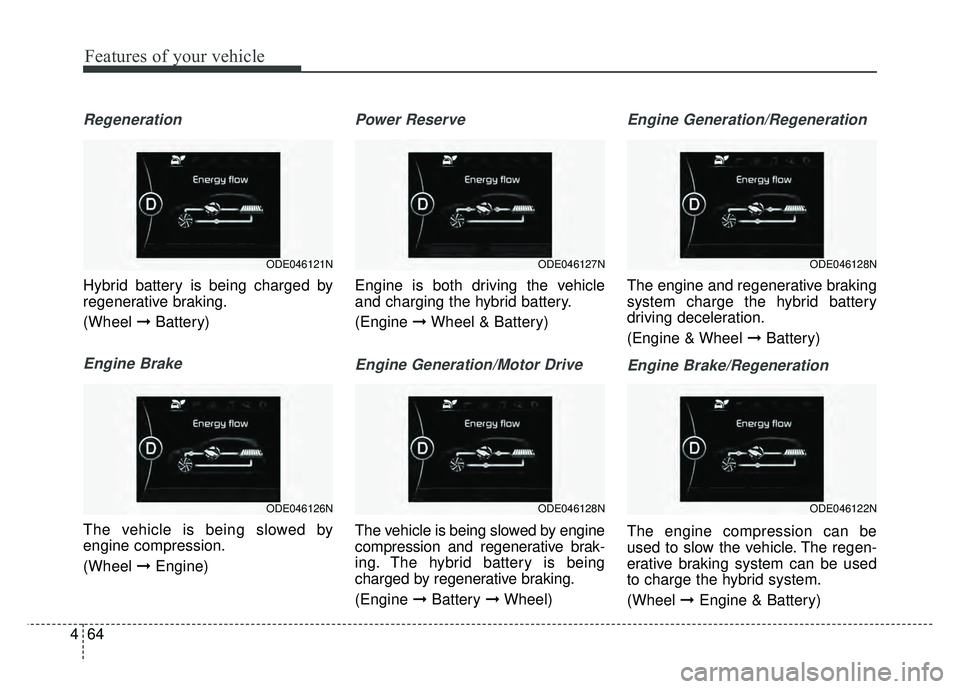
Regeneration
Hybrid battery is being charged by
regenerative braking.
(Wheel ➞Battery)
Engine Brake
The vehicle is being slowed by
engine compression.
(Wheel ➞Engine)
Power Reserve
Engine is both driving the vehicle
and charging the hybrid battery.
(Engine ➞Wheel & Battery)
Engine Generation/Motor Drive
The vehicle is being slowed by engine
compression and regenerative brak-
ing. The hybrid battery is being
charged by regenerative braking.
(Engine ➞Battery ➞Wheel)
Engine Generation/Regeneration
The engine and regenerative braking
system charge the hybrid battery
driving deceleration.
(Engine & Wheel ➞ Battery)
Engine Brake/Regeneration
The engine compression can be
used to slow the vehicle. The regen-
erative braking system can be used
to charge the hybrid system.
(Wheel ➞Engine & Battery)
ODE046128N
ODE046122N
ODE046127N
ODE046128N
ODE046121N
ODE046126N
Page 169 of 552
Features of your vehicle
66
4
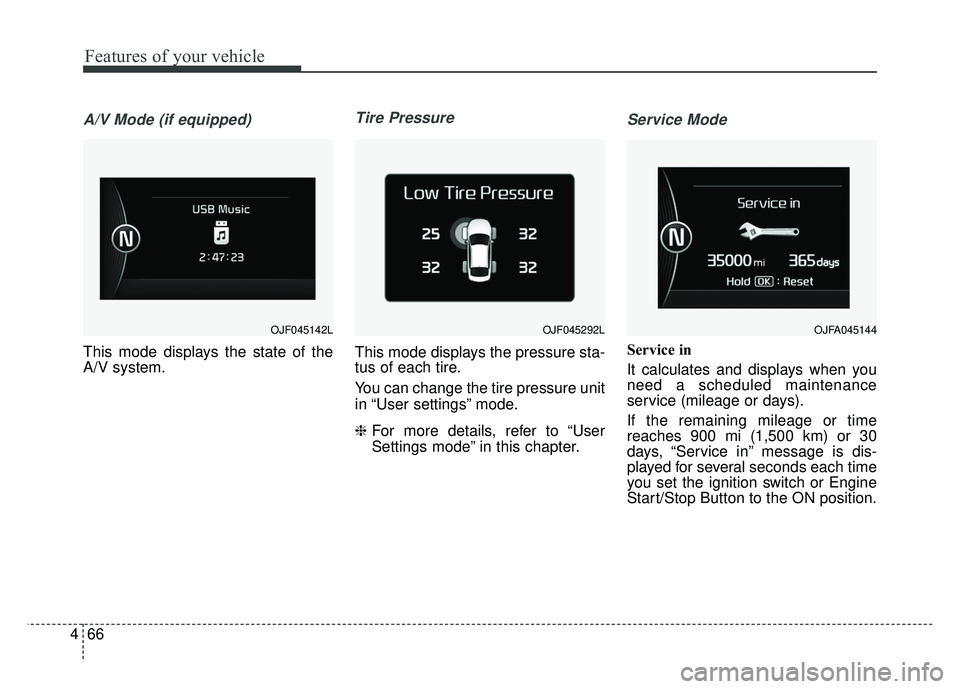
A/V Mode (if equipped)
This mode displays the state of the
A/V system.
Tire Pressure
This mode displays the pressure sta-
tus of each tire.
You can change the tire pressure unit
in “User settings” mode.
❈ For more details, refer to “User
Settings mode” in this chapter.
Service Mode
Service in
It calculates and displays when you
need a scheduled maintenance
service (mileage or days).
If the remaining mileage or time
reaches 900 mi (1,500 km) or 30
days, “Service in” message is dis-
played for several seconds each time
you set the ignition switch or Engine
Start/Stop Button to the ON position.
OJF045142LOJFA045144 OJF045292L
Page 170 of 552
467
Features of your vehicle
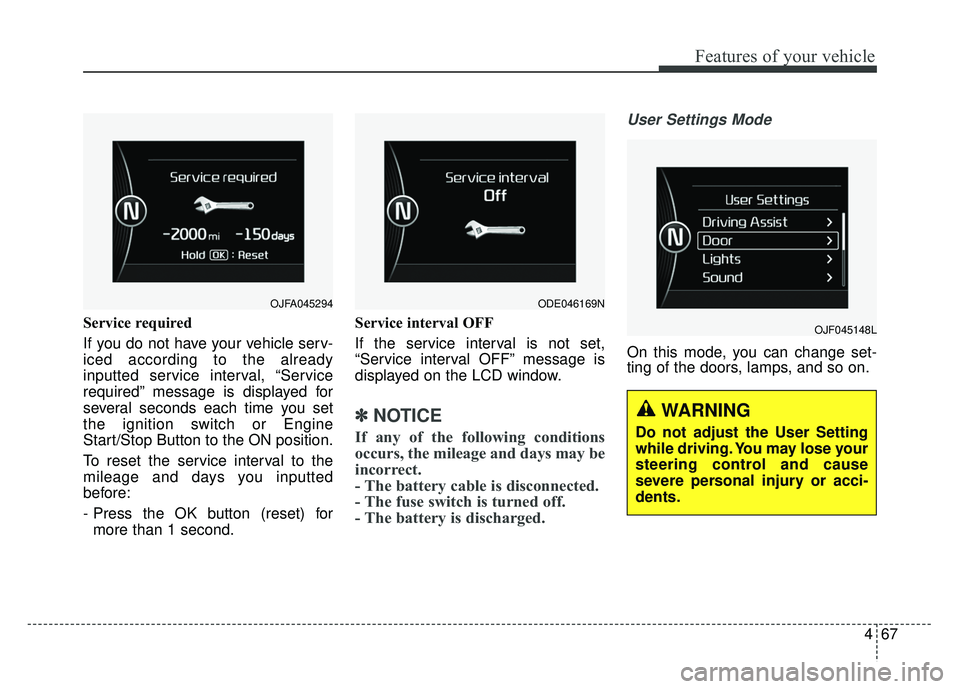
Service required
If you do not have your vehicle serv-
iced according to the already
inputted service interval, “Service
required” message is displayed for
several seconds each time you set
the ignition switch or Engine
Start/Stop Button to the ON position.
To reset the service interval to the
mileage and days you inputted
before:
- Press the OK button (reset) formore than 1 second. Service interval OFF
If the service interval is not set,
“Service interval OFF” message is
displayed on the LCD window.
✽ ✽
NOTICE
If any of the following conditions
occurs, the mileage and days may be
incorrect.
- The battery cable is disconnected.
- The fuse switch is turned off.
- The battery is discharged.
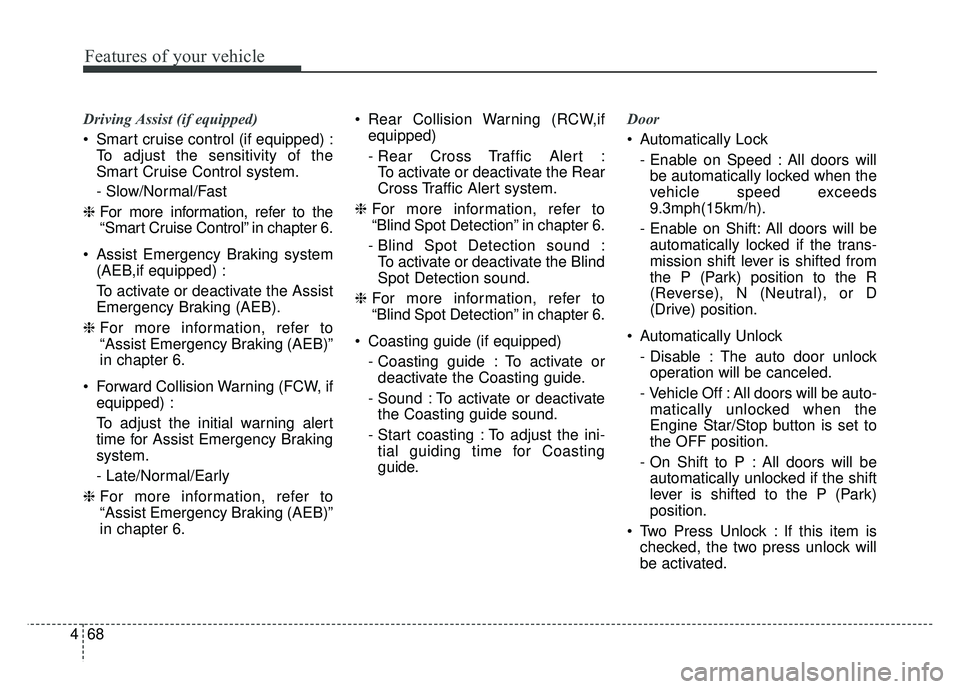
User Settings Mode
On this mode, you can change set-
ting of the doors, lamps, and so on.
OJF045148L
OJFA045294 ODE046169N
WARNING
Do not adjust the User Setting
while driving. You may lose your
steering control and cause
severe personal injury or acci-
dents.
Page 171 of 552
Features of your vehicle
68
4
Driving Assist (if equipped)
Smart cruise control (if equipped) :
To adjust the sensitivity of the
Smart Cruise Control system.
- Slow/Normal/Fast
❈ For more information, refer to the
“Smart Cruise Control” in chapter 6.
Assist Emergency Braking system (AEB,if equipped) :
To activate or deactivate the Assist
Emergency Braking (AEB).
❈ For more information, refer to
“Assist Emergency Braking (AEB)”
in chapter 6.
Forward Collision Warning (FCW, if equipped) :
To adjust the initial warning alert
time for Assist Emergency Braking
system.
- Late/Normal/Early
❈ For more information, refer to
“Assist Emergency Braking (AEB)”
in chapter 6. Rear Collision Warning (RCW,if
equipped)
- Rear Cross Traffic Alert :To activate or deactivate the Rear
Cross Traffic Alert system.
❈ For more information, refer to
“Blind Spot Detection” in chapter 6.
- Blind Spot Detection sound : To activate or deactivate the Blind
Spot Detection sound.
❈ For more information, refer to
“Blind Spot Detection” in chapter 6.
Coasting guide (if equipped) - Coasting guide : To activate ordeactivate the Coasting guide.
- Sound : To activate or deactivate the Coasting guide sound.
- Start coasting : To adjust the ini- tial guiding time for Coasting
guide. Door
Automatically Lock
- Enable on Speed : All doors willbe automatically locked when the
vehicle speed exceeds
9.3mph(15km/h).
- Enable on Shift: All doors will be automatically locked if the trans-
mission shift lever is shifted from
the P (Park) position to the R
(Reverse), N (Neutral), or D
(Drive) position.
Automatically Unlock - Disable : The auto door unlockoperation will be canceled.
- Vehicle Off : All doors will be auto- matically unlocked when the
Engine Star/Stop button is set to
the OFF position.
- On Shift to P : All doors will be automatically unlocked if the shift
lever is shifted to the P (Park)
position.
Two Press Unlock : If this item is checked, the two press unlock will
be activated.
Page 172 of 552
469
Features of your vehicle
Lights
One Touch Turn Signal- Off : The one touch turn signalfunction will be deactivated.
- 3, 5, 7 Flashes : The lane change signals will blink 3, 5, or 7 times
when the turn signal lever is
moved slightly.
❈ For more details, refer to “Light” in
this chapter.
Head Lamp Delay (if equipped) If this item checked, the head lamp
delay function will be activated.
Sound
Park Assist System Vol. (if equipped) : Adjust the Park Assist
System volume. (Level 1 ~ 3) Convenience
- Off : The seat easy access func-tion will be deactivated.
- Normal/Enhanced : When you turn off the engine, the driver’s
seat will automatically move rear
7.6 cm (Enhanced) for you to
enter or exit the vehicle more
comfortably. If you change the
Engine Start/Stop Button from
OFF position to the AC function,
the driver’s seat will return to the
original position.
❈ For more details, refer to “Driver
Position Memory System” in chap-
ter 3.
Wireless charging system (if equipped) : If this item checked,
the Wireless smart phone charging
system will be activated.
Wiper/Light Display (if equipped) : If this item checked, the Wiper/
Light Display will be activated. Service interval
On this mode, you
can activate the service interval
function with mileage (km or mi.)
and period (months).
- Off : The service interval functionwill be deactivated.
- On : You can set the service inter- val (mileage and months).
Page 173 of 552
Features of your vehicle
70
4
Other Features
Fuel Economy Auto Reset
- Off : The average fuel economy willnot reset automatically whenever
refueling.
- After Ignition : The average fuel economy will reset automatically
when driving.
- After Refueling : The average fuel economy will reset automatically
when refueling.
❈ For more details, refer to “Trip
Computer” in this chapter.
Fuel Economy Unit : Choose the fuel economy unit. (US gallon,UK
gallon)
Temperature Unit : Choose the temperature unit. (°C, °F)
Tire Pressure Unit : Choose the tire pressure unit. (psi, kPa, Bar)
Reset
You can reset the menus in the User
Settings Mode. All menus in the User
Settings Mode are initialized, except
service interval.Coasting guide (if equipped)
A chime will sound and the coasting
guide indicator will blink four times to
inform the driver when to take the
foot off from the accelerator by antic-
ipating a decelerating event* based
on the analysis of driving routes and
road conditions of the navigation. It
encourages the driver to remove foot
from the pedal and allow coasting
down the road with EV motor only.
This helps prevent unnecessary fuel
consumption and increases fuel effi-
ciency.
❈ Example of a deceleration event is
going down an extended hill, slow-
ing down approaching a toll booth,
and approaching reduced speed
zones.
Press the Engine Start/Stop button
and put the shift lever in P(Park). In
the User Settings Mode, select
Driving Assist, Coasting Guide, and
then On to turn on the system.
Cancel the selection of coasting
guide to turn off the system. For the
explanation of the system, press and
hold the [OK] button.
Page 175 of 552
Features of your vehicle
72
4
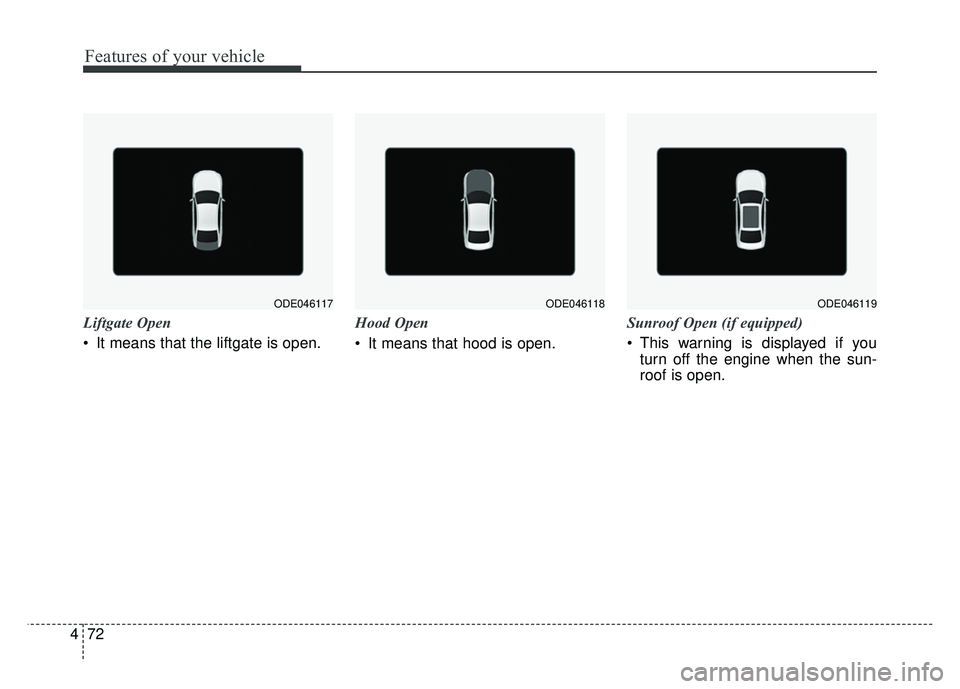
Liftgate Open
It means that the liftgate is open. Hood Open
It means that hood is open.Sunroof Open (if equipped)
This warning is displayed if you
turn off the engine when the sun-
roof is open.
ODE046117ODE046118ODE046119
Page 176 of 552
473
Features of your vehicle
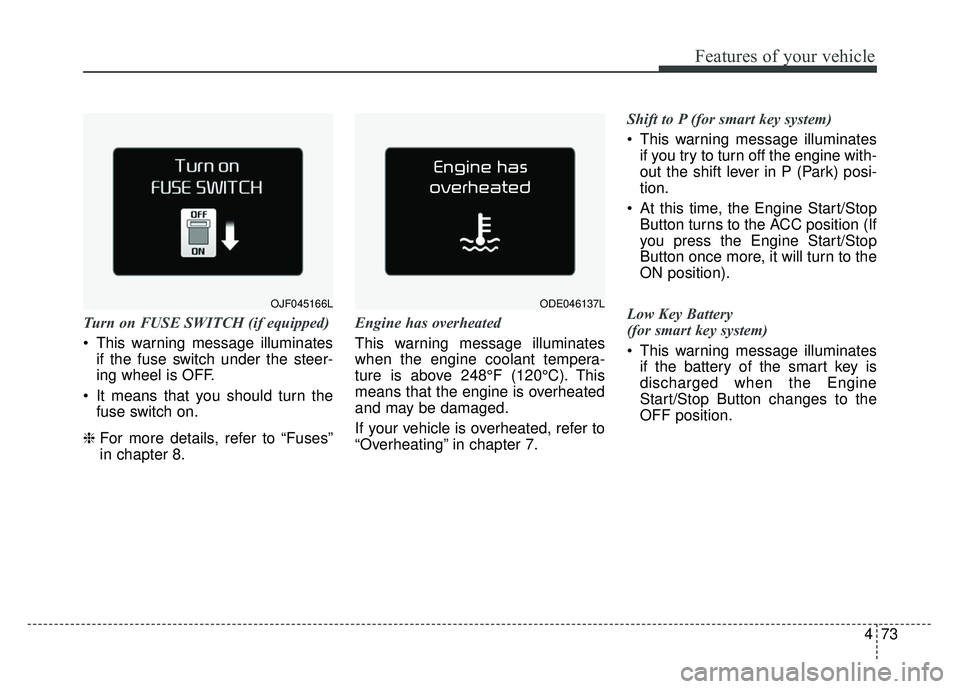
Turn on FUSE SWITCH (if equipped)
This warning message illuminatesif the fuse switch under the steer-
ing wheel is OFF.
It means that you should turn the fuse switch on.
❈ For more details, refer to “Fuses”
in chapter 8. Engine has overheated
This warning message illuminates
when the engine coolant tempera-
ture is above 248°F (120°C). This
means that the engine is overheated
and may be damaged.
If your vehicle is overheated, refer to
“Overheating” in chapter 7. Shift to P (for smart key system)
This warning message illuminates
if you try to turn off the engine with-
out the shift lever in P (Park) posi-
tion.
At this time, the Engine Start/Stop Button turns to the ACC position (If
you press the Engine Start/Stop
Button once more, it will turn to the
ON position).
Low Key Battery
(for smart key system)
This warning message illuminates if the battery of the smart key is
discharged when the Engine
Start/Stop Button changes to the
OFF position.
ODE046137LOJF045166L