reset KIA NIRO 2017 Owners Manual
[x] Cancel search | Manufacturer: KIA, Model Year: 2017, Model line: NIRO, Model: KIA NIRO 2017Pages: 552, PDF Size: 14.92 MB
Page 34 of 552
Your vehicle at a glance
42
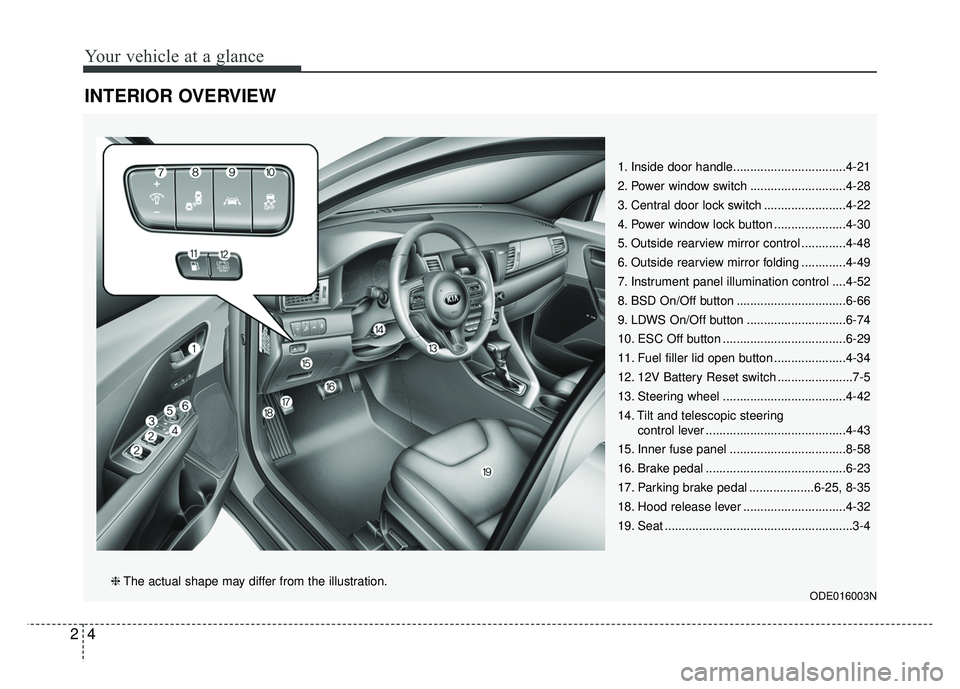
INTERIOR OVERVIEW
1. Inside door handle.................................4-21
2. Power window switch ............................4-28
3. Central door lock switch ........................4-22
4. Power window lock button .....................4-30
5. Outside rearview mirror control .............4-48
6. Outside rearview mirror folding .............4-49
7. Instrument panel illumination control ....4-52
8. BSD On/Off button ................................6-66
9. LDWS On/Off button .............................6-74
10. ESC Off button ....................................6-29
11. Fuel filler lid open button .....................4-34
12. 12V Battery Reset switch ......................7-5
13. Steering wheel ....................................4-42
14. Tilt and telescopic steeringcontrol lever .........................................4-43
15. Inner fuse panel ..................................8-58
16. Brake pedal .........................................6-23
17. Parking brake pedal ...................6-25, 8-35
18. Hood release lever ..............................4-32
19. Seat .......................................................3-4
ODE016003N❈ The actual shape may differ from the illustration.
Page 132 of 552
429
Features of your vehicle
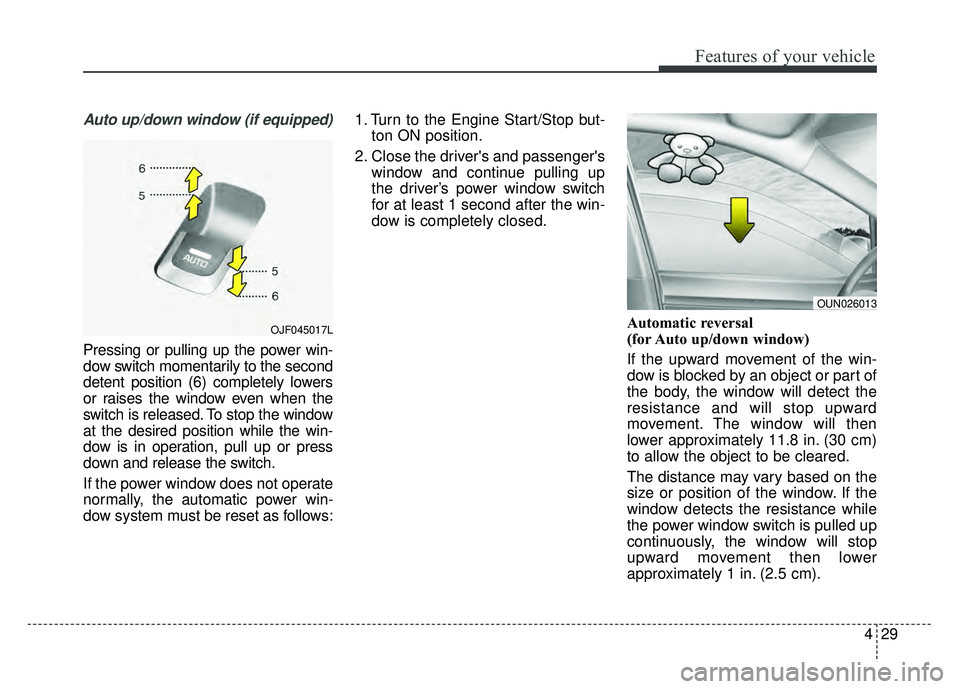
Auto up/down window (if equipped)
Pressing or pulling up the power win-
dow switch momentarily to the second
detent position (6) completely lowers
or raises the window even when the
switch is released. To stop the window
at the desired position while the win-
dow is in operation, pull up or press
down and release the switch.
If the power window does not operate
normally, the automatic power win-
dow system must be reset as follows:1. Turn to the Engine Start/Stop but-
ton ON position.
2. Close the driver's and passenger's window and continue pulling up
the driver’s power window switch
for at least 1 second after the win-
dow is completely closed.
Automatic reversal
(for Auto up/down window)
If the upward movement of the win-
dow is blocked by an object or part of
the body, the window will detect the
resistance and will stop upward
movement. The window will then
lower approximately 11.8 in. (30 cm)
to allow the object to be cleared.
The distance may vary based on the
size or position of the window. If the
window detects the resistance while
the power window switch is pulled up
continuously, the window will stop
upward movement then lower
approximately 1 in. (2.5 cm).
OUN026013
OJF045017L
Page 133 of 552
Features of your vehicle
30
4
If the power window switch is pulled
up continuously again within 5 sec-
onds after the window is lowered by
the automatic window reversal fea-
ture, the automatic window reversal
will not operate.
The automatic reverse feature for the
driver’s window is only active when
the “auto up” feature is used by fully
pulling up the switch. The automatic
reverse feature will not operate if the
window is raised using the halfway
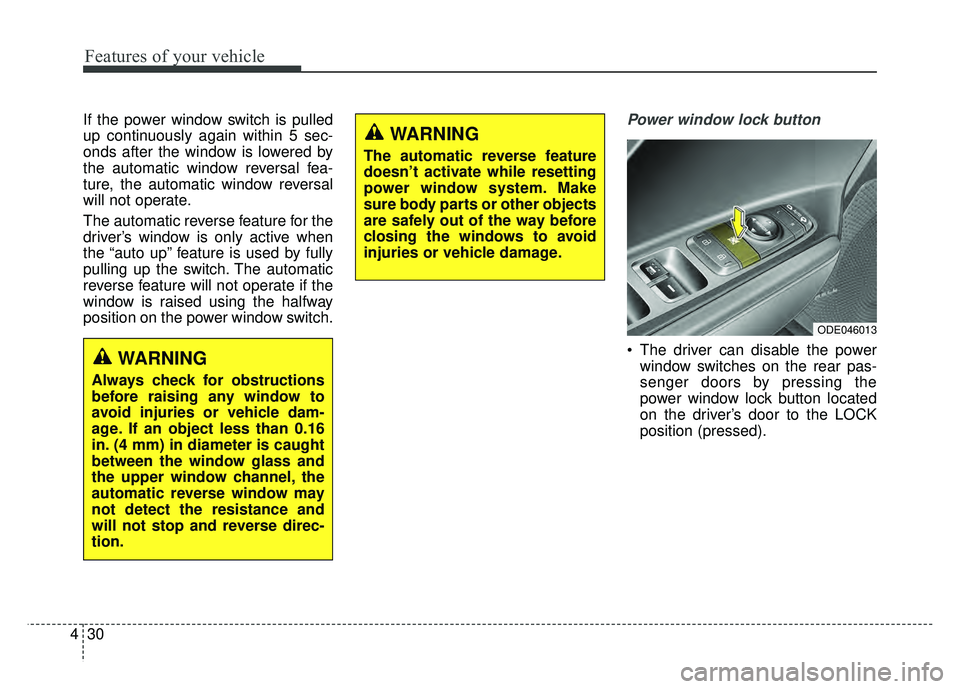
position on the power window switch.Power window lock button
The driver can disable the power
window switches on the rear pas-
senger doors by pressing the
power window lock button located
on the driver’s door to the LOCK
position (pressed).
ODE046013
WARNING
Always check for obstructions
before raising any window to
avoid injuries or vehicle dam-
age. If an object less than 0.16
in. (4 mm) in diameter is caught
between the window glass and
the upper window channel, the
automatic reverse window may
not detect the resistance and
will not stop and reverse direc-
tion.
WARNING
The automatic reverse feature
doesn’t activate while resetting
power window system. Make
sure body parts or other objects
are safely out of the way before
closing the windows to avoid
injuries or vehicle damage.
Page 143 of 552
Features of your vehicle
40
4
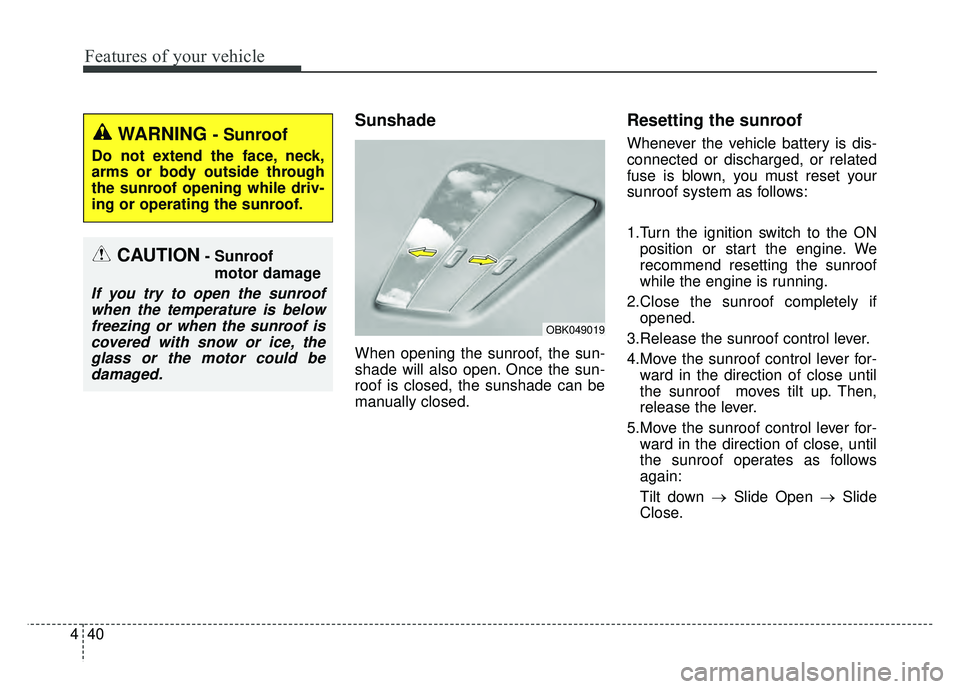
Sunshade
When opening the sunroof, the sun-
shade will also open. Once the sun-
roof is closed, the sunshade can be
manually closed.
Resetting the sunroof
Whenever the vehicle battery is dis-
connected or discharged, or related
fuse is blown, you must reset your
sunroof system as follows:
1.Turn the ignition switch to the ON
position or start the engine. We
recommend resetting the sunroof
while the engine is running.
2.Close the sunroof completely if opened.
3.Release the sunroof control lever.
4.Move the sunroof control lever for- ward in the direction of close until
the sunroof moves tilt up. Then,
release the lever.
5.Move the sunroof control lever for- ward in the direction of close, until
the sunroof operates as follows
again:
Tilt down → Slide Open → Slide
Close.
OBK049019
CAUTION- Sunroof
motor damage
If you try to open the sunroofwhen the temperature is belowfreezing or when the sunroof iscovered with snow or ice, theglass or the motor could bedamaged.
WARNING - Sunroof
Do not extend the face, neck,
arms or body outside through
the sunroof opening while driv-
ing or operating the sunroof.
Page 144 of 552
441
Features of your vehicle
✽
✽NOTICE
Do not release the lever until the
operation is completed.
If you release the lever during oper-
ation, try again from step 2.
6. Release the sunroof control lever
after all operation has completed.
(The sunroof system has been
reset.)
❈ For more detailed information,
contact an authorized Kia dealer.
✽ ✽
NOTICE
If the sunroof is not reset when the
vehicle battery is disconnected or
discharged, or related fuse is blown,
the sunroof may operate improperly.
CAUTION
If the sunroof is not reset when
the vehicle battery is discon-nected or discharged, or relatedfuse is blown, the sunroof mayoperate improperly.
Page 156 of 552
453
Features of your vehicle
(1) : MODE button for change theLCD MODES
(2) / : MO VE scroll switch for
select the items
(3) OK : SET/RESET button for set the items or reset the items
❈ For the LCD modes, refer to “LCD
Display” in this chapter.Gauges
Speedometer
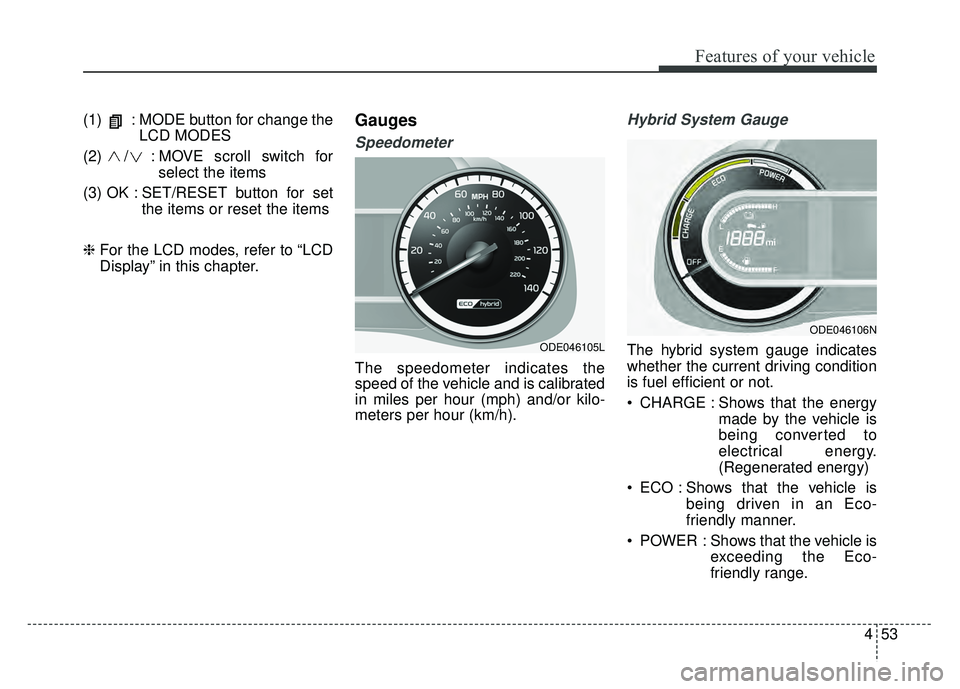
The speedometer indicates the
speed of the vehicle and is calibrated
in miles per hour (mph) and/or kilo-
meters per hour (km/h).
Hybrid System Gauge
The hybrid system gauge indicates
whether the current driving condition
is fuel efficient or not.
CHARGE : Shows that the energy
made by the vehicle is
being converted to
electrical energy.
(Regenerated energy)
ECO : Shows that the vehicle is being driven in an Eco-
friendly manner.
POWER : Shows that the vehicle is exceeding the Eco-
friendly range.ODE046105L
ODE046106N
Page 162 of 552
459
Features of your vehicle
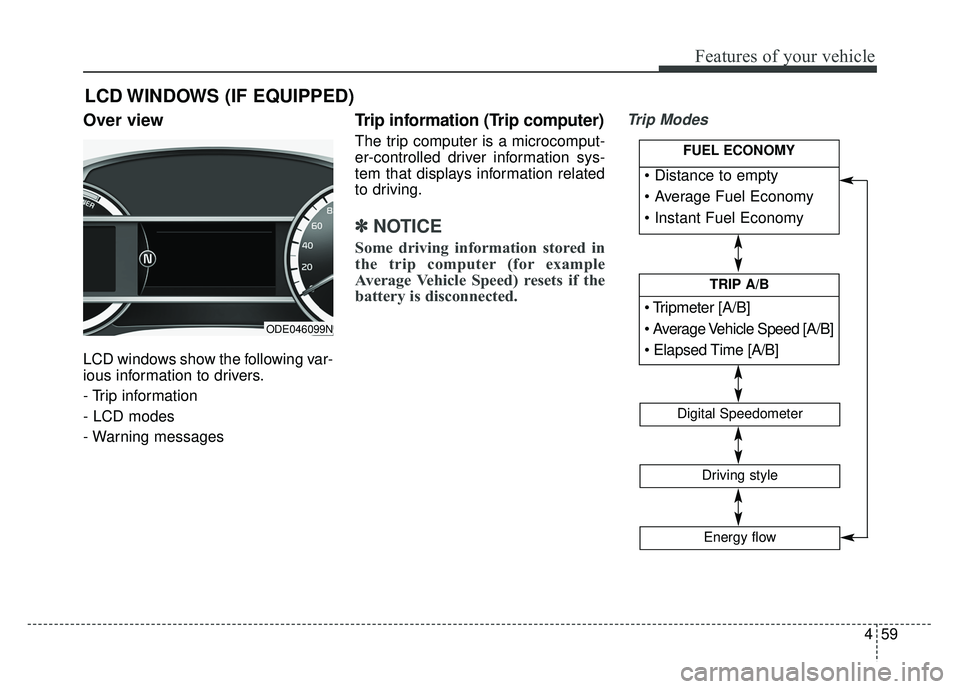
Over view
LCD windows show the following var-
ious information to drivers.
- Trip information
- LCD modes
- Warning messages
Trip information (Trip computer)
The trip computer is a microcomput-
er-controlled driver information sys-
tem that displays information related
to driving.
✽ ✽NOTICE
Some driving information stored in
the trip computer (for example
Average Vehicle Speed) resets if the
battery is disconnected.
Trip Modes
LCD WINDOWS (IF EQUIPPED)
[A/B]
TRIP A/B
Digital Speedometer
Driving style
Energy flow
FUEL ECONOMY
ODE046099N
Page 163 of 552
Features of your vehicle
60
4
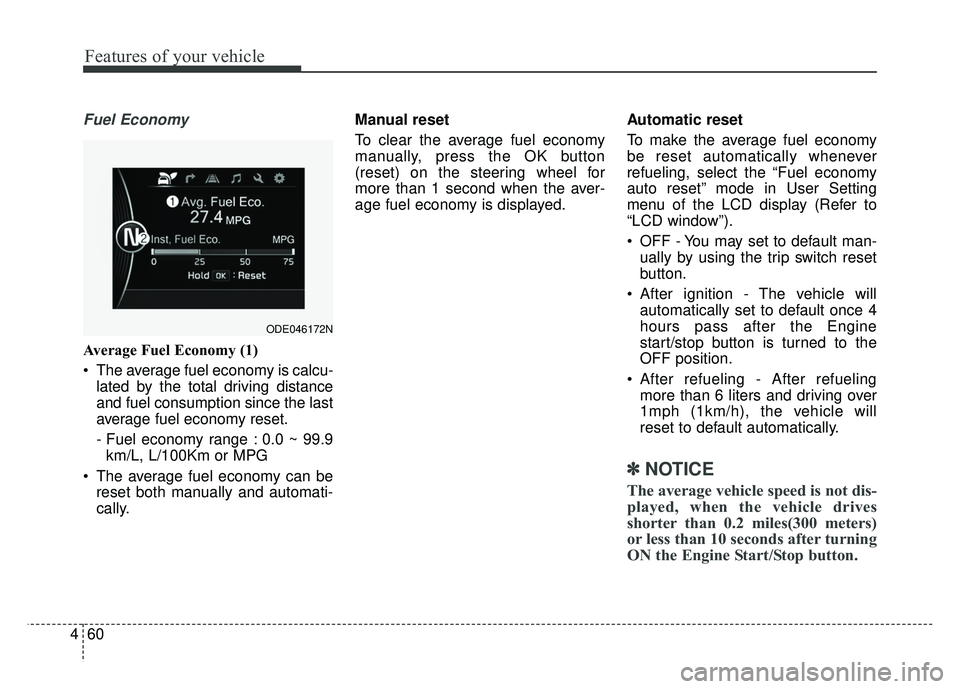
Fuel Economy
Average Fuel Economy (1)
The average fuel economy is calcu-
lated by the total driving distance
and fuel consumption since the last
average fuel economy reset.
- Fuel economy range : 0.0 ~ 99.9km/L, L/100Km or MPG
The average fuel economy can be reset both manually and automati-
cally. Manual reset
To clear the average fuel economy
manually, press the OK button
(reset) on the steering wheel for
more than 1 second when the aver-
age fuel economy is displayed.
Automatic reset
To make the average fuel economy
be reset automatically whenever
refueling, select the “Fuel economy
auto reset” mode in User Setting
menu of the LCD display (Refer to
“LCD window”).
OFF - You may set to default man-
ually by using the trip switch reset
button.
After ignition - The vehicle will automatically set to default once 4
hours pass after the Engine
start/stop button is turned to the
OFF position.
After refueling - After refueling more than 6 liters and driving over
1mph (1km/h), the vehicle will
reset to default automatically.
✽ ✽ NOTICE
The average vehicle speed is not dis-
played, when the vehicle drives
shorter than 0.2 miles(300 meters)
or less than 10 seconds after turning
ON the Engine Start/Stop button.
ODE046172N
Page 164 of 552
461
Features of your vehicle
Instant Fuel Economy (2)
This mode displays the instant fueleconomy during the last few sec-
onds when the vehicle speed is
more than 6 mph (10 km/h).
- Fuel economy range : 0.0 ~ 50.0MPG or 0.0 ~ 30 L/100kmTrip A/B
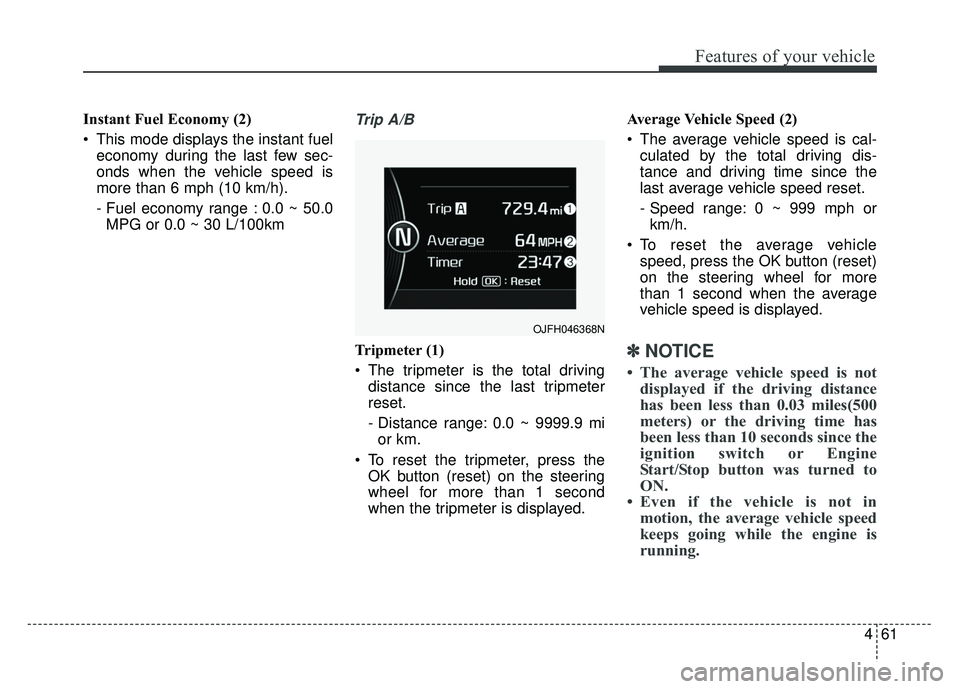
Tripmeter (1)
The tripmeter is the total driving distance since the last tripmeter
reset.
- Distance range: 0.0 ~ 9999.9 mior km.
To reset the tripmeter, press the OK button (reset) on the steering
wheel for more than 1 second
when the tripmeter is displayed. Average Vehicle Speed (2)
The average vehicle speed is cal-
culated by the total driving dis-
tance and driving time since the
last average vehicle speed reset.
- Speed range: 0 ~ 999 mph orkm/h.
To reset the average vehicle speed, press the OK button (reset)
on the steering wheel for more
than 1 second when the average
vehicle speed is displayed.✽ ✽ NOTICE
• The average vehicle speed is not
displayed if the driving distance
has been less than 0.03 miles(500
meters) or the driving time has
been less than 10 seconds since the
ignition switch or Engine
Start/Stop button was turned to
ON.
• Even if the vehicle is not in motion, the average vehicle speed
keeps going while the engine is
running.
OJFH046368N
Page 165 of 552
Features of your vehicle
62
4
Elapsed Time (3)
The elapsed time is the total driv-
ing time since the last elapsed time
reset.
- Time range (hh:mm): 00:00 ~99:59
To reset the elapsed time, press the OK button (reset) on the steer-
ing wheel for more than 1 second
when the elapsed time is dis-
played.
✽ ✽ NOTICE
Even if the vehicle is not in motion,
the elapsed time keeps going while
the engine is running.
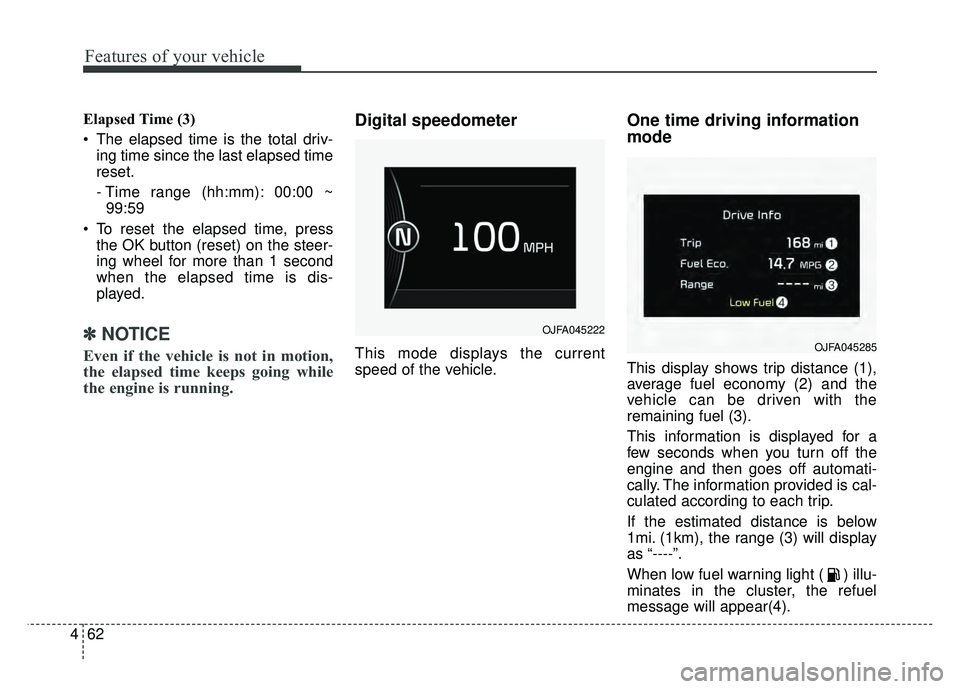
Digital speedometer
This mode displays the current
speed of the vehicle.
One time driving information
mode
This display shows trip distance (1),
average fuel economy (2) and the
vehicle can be driven with the
remaining fuel (3).
This information is displayed for a
few seconds when you turn off the
engine and then goes off automati-
cally. The information provided is cal-
culated according to each trip.
If the estimated distance is below
1mi. (1km), the range (3) will display
as “----”.
When low fuel warning light ( ) illu-
minates in the cluster, the refuel
message will appear(4).
OJFA045222
OJFA045285