ECO mode KIA NIRO 2018 User Guide
[x] Cancel search | Manufacturer: KIA, Model Year: 2018, Model line: NIRO, Model: KIA NIRO 2018Pages: 616, PDF Size: 18.3 MB
Page 124 of 616

Safety features of your vehicle
58
3
Your vehicle is equipped with an
Advanced Supplemental Restraint
(Air Bag) System and lap/shoulder
belts at both the driver and passen-
ger seating position.
The indication of the system's pres-
ence are the letters "AIR BAG" locat-
ed on the air bag pad cover on the
steering wheel and the passenger's
side front panel pad above the glove
box. The SRS consists of air bags
installed under the pad covers in the
center of the steering wheel and the
passenger's side front panel above
the glove box.
The purpose of the SRS is to provide
the vehicle's driver and/or the front
passenger with additional protection
than that offered by the seat belt sys-
tem alone in case of a frontal impact
of sufficient severity. The SRS uses
sensors to gather information about
the driver's and front passenger's
seat belt usage and impact severity.
The seat belt buckle sensor deter-
mines if the front passenger's seat
belt is fastened.
These sensors provide the ability to
control the SRS deployment based on
whether or not the seat belts are fas-
tened, and how severe the impact is.
The advanced SRS offers the ability
to control the air bag inflation with
two levels. A first stage level is pro-
vided for moderate-severity impacts.
A second stage level is provided for
more severe impacts.
The passenger’s front air bag is
designed to help reduce the injury of
children sitting close to the instru-
ment panel in low speed collisions.
However, children are safer if they
are restrained in the rear seat.
According to the impact severity and
seat belt usage, the SRSCM (SRS
Control Module) controls the air bag
inflation. Failure to properly wear
seat belts can increase the risk or
severity of injury in an accident.
ODE036038
■
Passenger’s front air bag
Page 197 of 616
Features of your vehicle
64
4
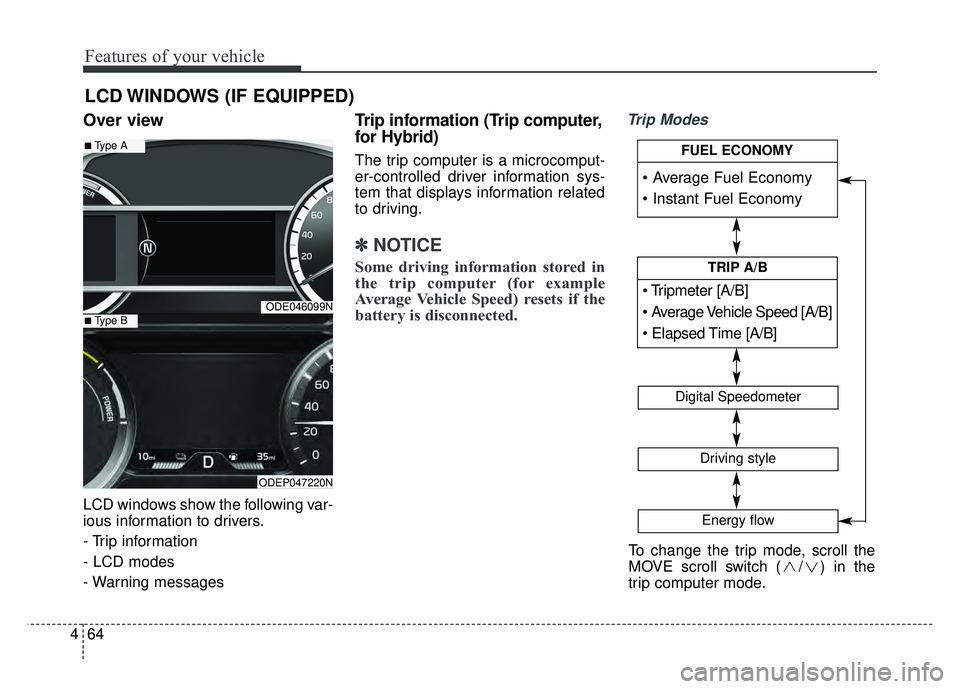
Over view
LCD windows show the following var-
ious information to drivers.
- Trip information
- LCD modes
- Warning messages
Trip information (Trip computer,
for Hybrid)
The trip computer is a microcomput-
er-controlled driver information sys-
tem that displays information related
to driving.
✽ ✽
NOTICE
Some driving information stored in
the trip computer (for example
Average Vehicle Speed) resets if the
battery is disconnected.
Trip Modes
LCD WINDOWS (IF EQUIPPED)
ODE046099N
ODEP047220N
■Type A
■Type B
To change the trip mode, scroll the
MOVE scroll switch ( / ) in the
trip computer mode.
[A/B]
TRIP A/B
Digital Speedometer
Driving style
Energy flow
FUEL ECONOMY
Page 198 of 616
465
Features of your vehicle
Fuel Economy
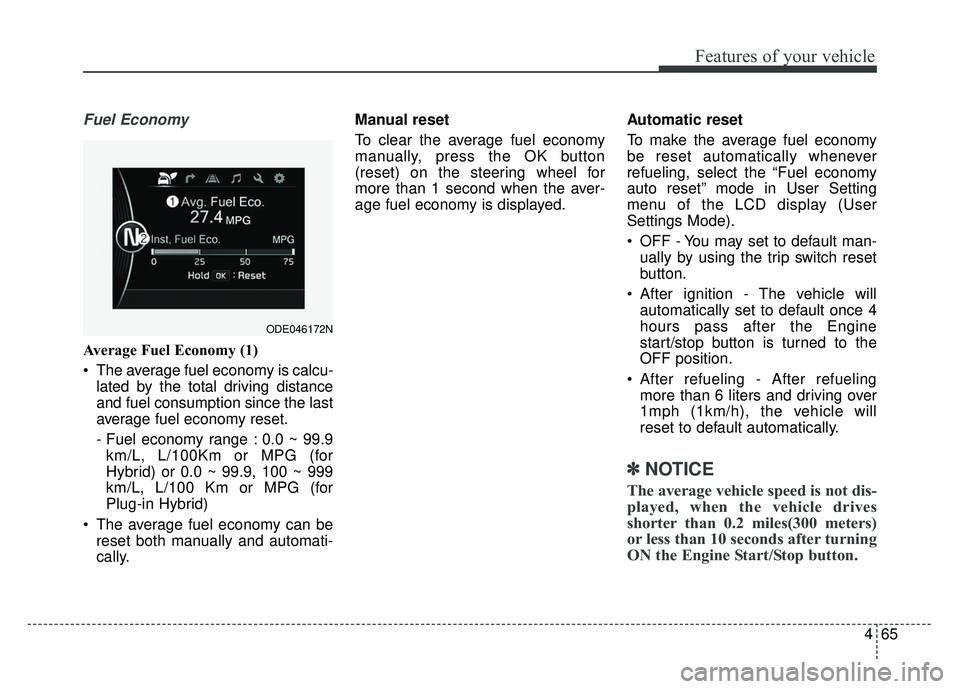
Average Fuel Economy (1)
The average fuel economy is calcu-lated by the total driving distance
and fuel consumption since the last
average fuel economy reset.
- Fuel economy range : 0.0 ~ 99.9km/L, L/100Km or MPG (for
Hybrid) or 0.0 ~ 99.9, 100 ~ 999
km/L, L/100 Km or MPG (for
Plug-in Hybrid)
The average fuel economy can be reset both manually and automati-
cally. Manual reset
To clear the average fuel economy
manually, press the OK button
(reset) on the steering wheel for
more than 1 second when the aver-
age fuel economy is displayed.
Automatic reset
To make the average fuel economy
be reset automatically whenever
refueling, select the “Fuel economy
auto reset” mode in User Setting
menu of the LCD display (User
Settings Mode).
OFF - You may set to default man-
ually by using the trip switch reset
button.
After ignition - The vehicle will automatically set to default once 4
hours pass after the Engine
start/stop button is turned to the
OFF position.
After refueling - After refueling more than 6 liters and driving over
1mph (1km/h), the vehicle will
reset to default automatically.
✽ ✽ NOTICE
The average vehicle speed is not dis-
played, when the vehicle drives
shorter than 0.2 miles(300 meters)
or less than 10 seconds after turning
ON the Engine Start/Stop button.
ODE046172N
Page 199 of 616
Features of your vehicle
66
4
Instant Fuel Economy (2)
This mode displays the instant fuel
economy during the last few sec-
onds when the vehicle speed is
more than 6 mph (10 km/h).
- Fuel economy range : 0.0 ~ 50.0MPG or 0.0 ~ 30 L/100kmTrip A/B
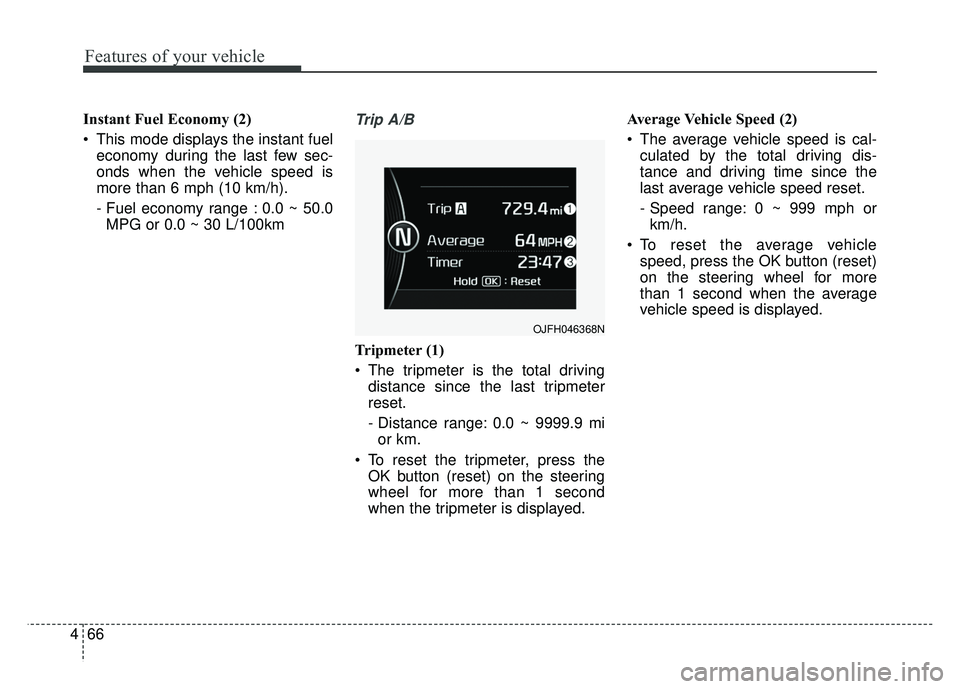
Tripmeter (1)
The tripmeter is the total driving distance since the last tripmeter
reset.
- Distance range: 0.0 ~ 9999.9 mior km.
To reset the tripmeter, press the OK button (reset) on the steering
wheel for more than 1 second
when the tripmeter is displayed. Average Vehicle Speed (2)
The average vehicle speed is cal-
culated by the total driving dis-
tance and driving time since the
last average vehicle speed reset.
- Speed range: 0 ~ 999 mph orkm/h.
To reset the average vehicle speed, press the OK button (reset)
on the steering wheel for more
than 1 second when the average
vehicle speed is displayed.
OJFH046368N
Page 200 of 616
467
Features of your vehicle
✽
✽NOTICE
• The average vehicle speed is not
displayed if the driving distance
has been less than 0.03 miles(500
meters) or the driving time has
been less than 10 seconds since the
ignition switch or Engine
Start/Stop button was turned to
ON.
• Even if the vehicle is not in motion, the average vehicle speed
keeps going while the engine is
running.
Elapsed Time (3)
The elapsed time is the total driv-
ing time since the last elapsed time
reset.
- Time range (hh:mm): 00:00 ~99:59
To reset the elapsed time, press the OK button (reset) on the steer-
ing wheel for more than 1 second
when the elapsed time is dis-
played.
✽ ✽ NOTICE
Even if the vehicle is not in motion,
the elapsed time keeps going while
the engine is running.
Digital speedometer
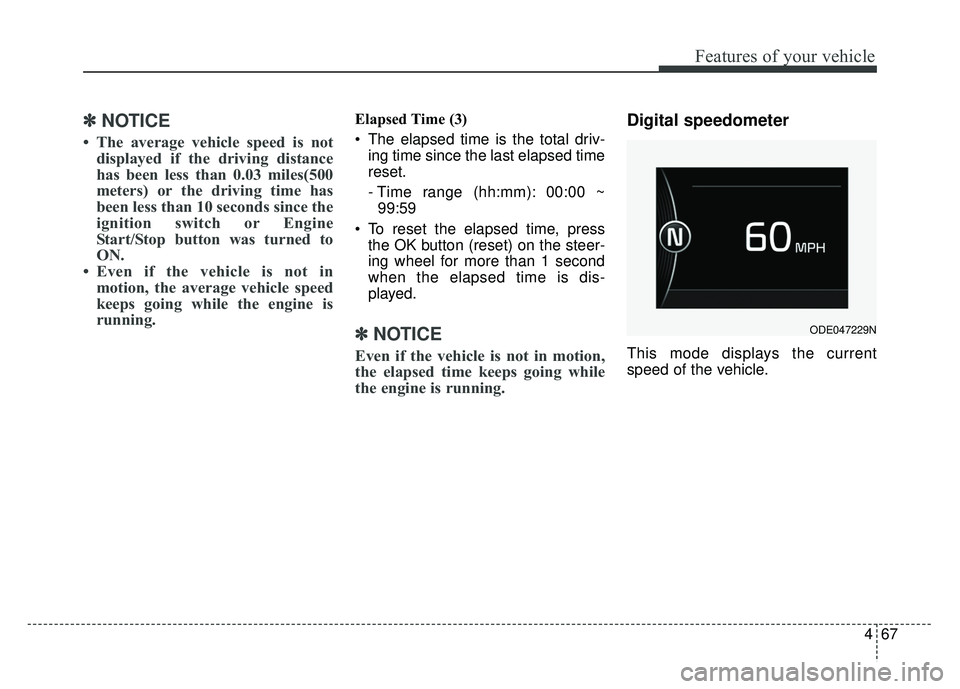
This mode displays the current
speed of the vehicle.
ODE047229N
Page 201 of 616
Features of your vehicle
68
4
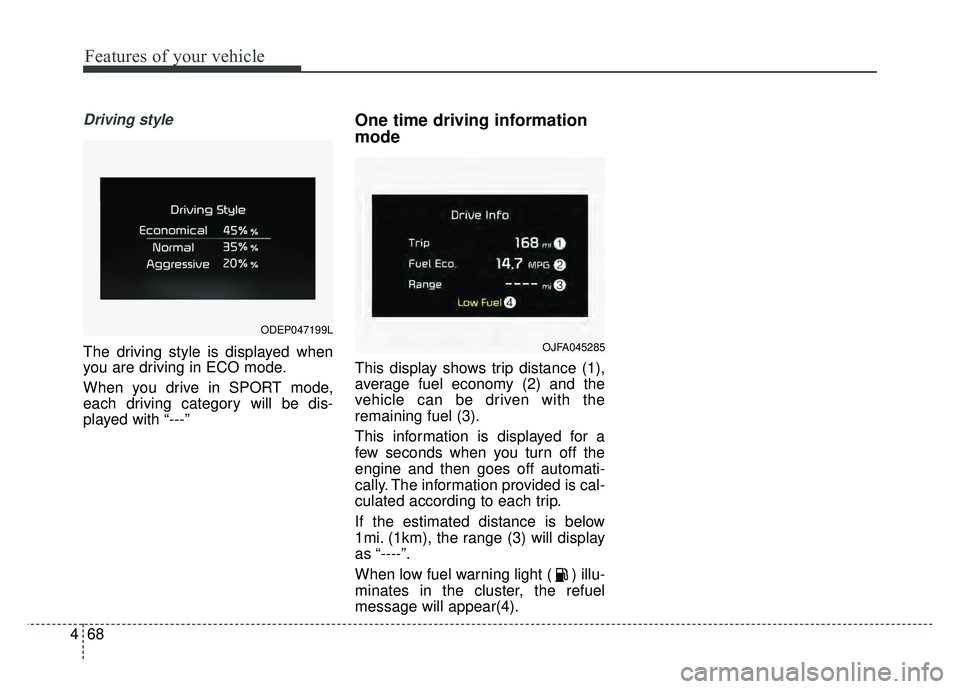
Driving style
The driving style is displayed when
you are driving in ECO mode.
When you drive in SPORT mode,
each driving category will be dis-
played with “---”
One time driving information
mode
This display shows trip distance (1),
average fuel economy (2) and the
vehicle can be driven with the
remaining fuel (3).
This information is displayed for a
few seconds when you turn off the
engine and then goes off automati-
cally. The information provided is cal-
culated according to each trip.
If the estimated distance is below
1mi. (1km), the range (3) will display
as “----”.
When low fuel warning light ( ) illu-
minates in the cluster, the refuel
message will appear(4).
OJFA045285
ODEP047199L
Page 204 of 616
471
Features of your vehicle
Trip information (Trip computer,
for Plug-in Hybrid)
The trip computer is a microcomput-
er-controlled driver information sys-
tem that displays information related
to driving.
✽ ✽NOTICE
Some driving information stored in
the trip computer (for example
Average Vehicle Speed) resets if the
battery is disconnected.
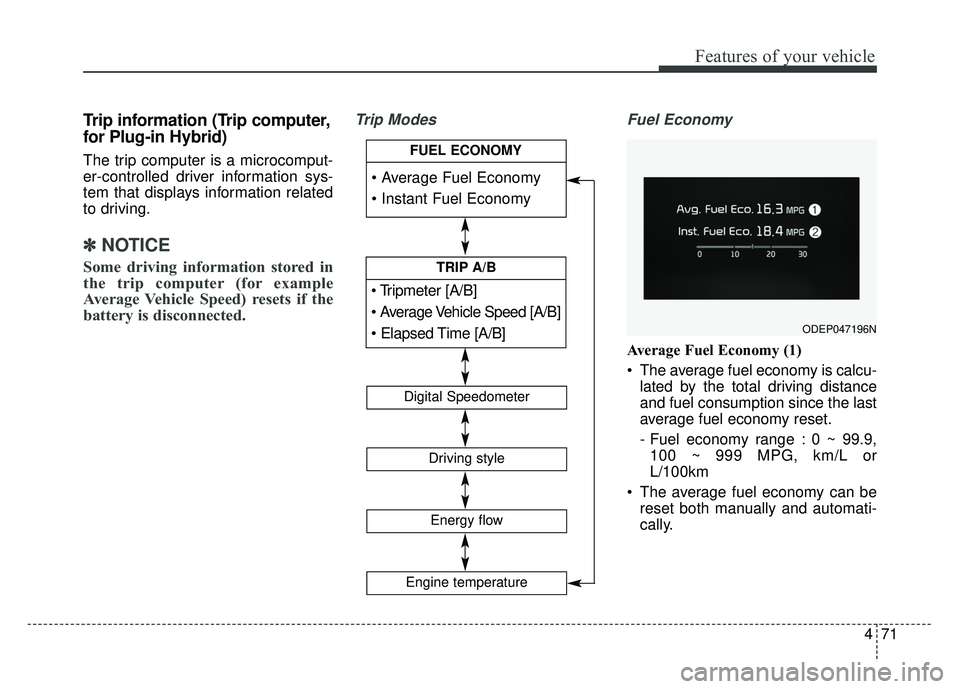
Trip Modes Fuel Economy
Average Fuel Economy (1)
The average fuel economy is calcu-
lated by the total driving distance
and fuel consumption since the last
average fuel economy reset.
- Fuel economy range : 0 ~ 99.9,100 ~ 999 MPG, km/L or
L/100km
The average fuel economy can be reset both manually and automati-
cally.
ODEP047196N
[A/B]
TRIP A/B
Digital Speedometer
Driving style
Energy flow
FUEL ECONOMY
Engine temperature
Page 205 of 616
Features of your vehicle
72
4
Manual reset
To clear the average fuel economy
manually, press the OK button
(reset) on the steering wheel for
more than 1 second when the aver-
age fuel economy is displayed. Automatic reset
To make the average fuel economy
be reset automatically whenever
refueling, select the “Fuel economy
auto reset” mode in User Setting
menu of the LCD display (Refer to
“LCD window”).
OFF - You may set to default man-
ually by using the trip switch reset
button.
After ignition - The vehicle will automatically set to default once 4
hours pass after the Engine
start/stop button is turned to the
OFF position.
After refueling - After refueling more than 1.5 gallons (6 liters) and
driving over 1 mph (1 km/h), the
vehicle will reset to default auto-
matically.
✽ ✽ NOTICE
The average vehicle speed is not dis-
played, when the vehicle drives
shorter than 0.19 miles (300 meters)
or less than 10 seconds after turning
ON the Engine Start/Stop button.
Instant Fuel Economy (2)
This mode displays the instant fuel
economy during the last few sec-
onds when the vehicle speed is
more than 6.2 MPH (10 km/h).
- Fuel economy range : 0.0 ~ 50.0MPG or 0.0 ~ 30L/100km
Page 206 of 616
473
Features of your vehicle
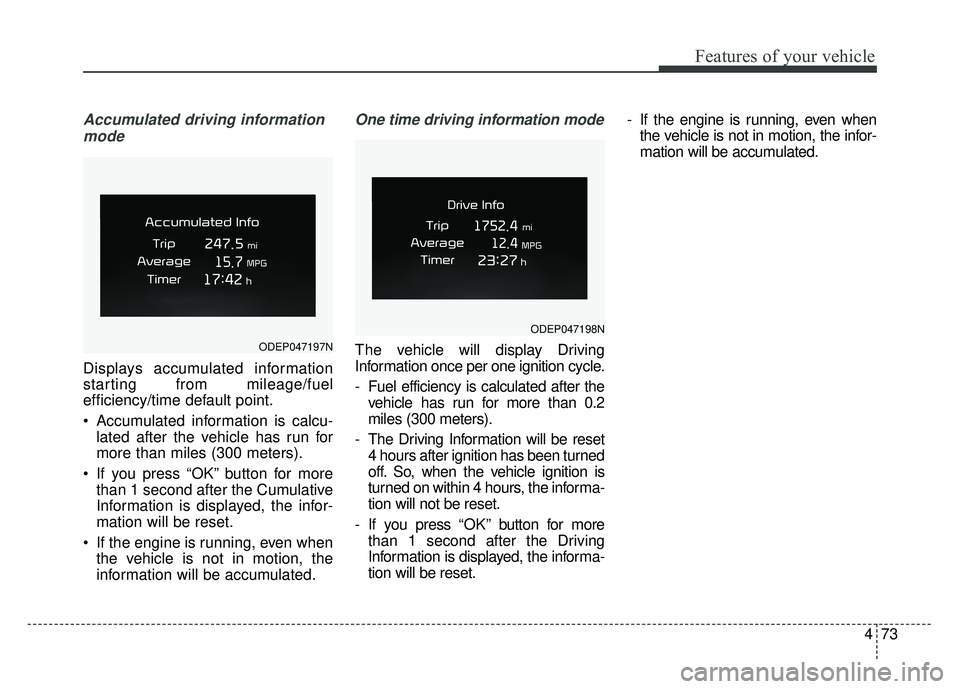
Accumulated driving informationmode
Displays accumulated information
starting from mileage/fuel
efficiency/time default point.
Accumulated information is calcu- lated after the vehicle has run for
more than miles (300 meters).
If you press “OK” button for more than 1 second after the Cumulative
Information is displayed, the infor-
mation will be reset.
If the engine is running, even when the vehicle is not in motion, the
information will be accumulated.
One time driving information mode
The vehicle will display Driving
Information once per one ignition cycle.
- Fuel efficiency is calculated after thevehicle has run for more than 0.2
miles (300 meters).
- The Driving Information will be reset 4 hours after ignition has been turned
off. So, when the vehicle ignition is
turned on within 4 hours, the informa-
tion will not be reset.
- If you press “OK” button for more
than 1 second after the Driving
Information is displayed, the informa-
tion will be reset. - If the engine is running, even when
the vehicle is not in motion, the infor-
mation will be accumulated.ODEP047197N
ODEP047198N
Page 207 of 616
Features of your vehicle
74
4
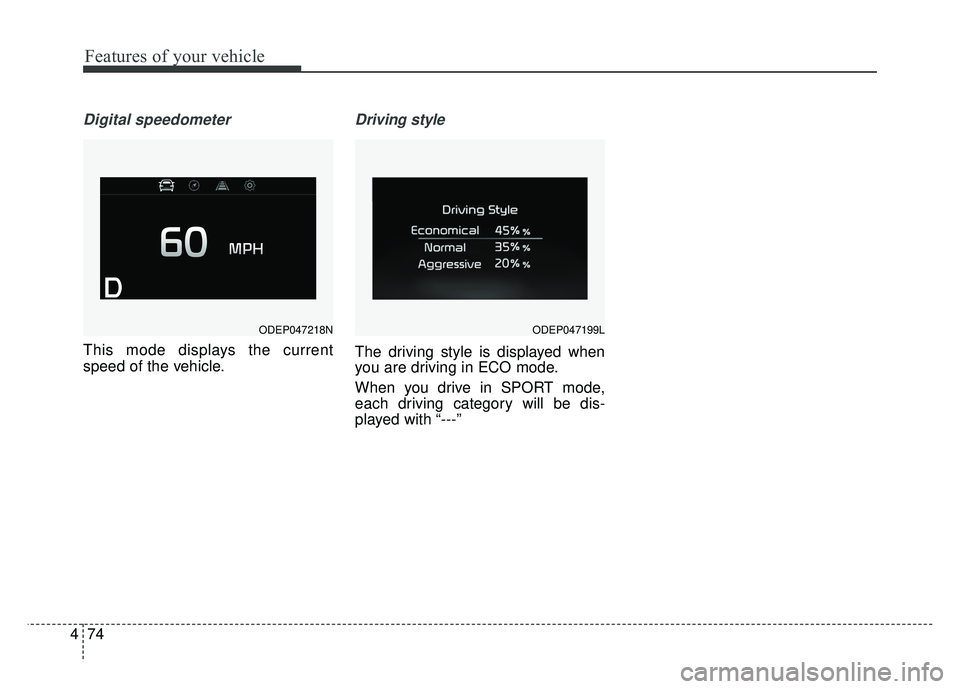
Digital speedometer
This mode displays the current
speed of the vehicle.
Driving style
The driving style is displayed when
you are driving in ECO mode.
When you drive in SPORT mode,
each driving category will be dis-
played with “---”
ODEP047199LODEP047218N