warning KIA NIRO 2019 Owners Manual
[x] Cancel search | Manufacturer: KIA, Model Year: 2019, Model line: NIRO, Model: KIA NIRO 2019Pages: 611, PDF Size: 15.28 MB
Page 374 of 611
Driving your vehicle
38
6
Prerequisite for activation
The AEB will activate activated when
the AEB is selected on the LCD dis-
play, and when the following prereq-
uisites are satisfied:
- The ESC (Electronic Stability
Control) is activated.
- The driving speed is over 6 mph (10 km/h). (The AEB only works
within a certain range of vehicle
speeds)
- When the AEB recognizes a vehi- cle or the pedestrian in front. (The
AEB may not recognize every
obstacle or provide warnings and
braking in every situation, so do
not rely on the AEB to stop the
vehicle in instances where the driv-
er sees an obstacle and has the
ability to apply the brakes) The AEB automatically activates
when you turn the vehicle on.
The driver can deactivate the AEB
by canceling the in the system set-
ting on the LCD display.
The AEB automatically deactivates when canceling the ESC. When the
ESC is canceled, the AEB cannot
be activated on the LCD display.WARNING
To avoid driver distractions, do
not attempt to set or cancel the
AEB while operating the vehicle.
Page 375 of 611
639
Driving your vehicle
AEB warning message and
system control
The AEB produces warning mes-
sages, warning alarms, and emer-
gency braking based on the level of
risk of a frontal collision, such as
when a vehicle ahead suddenly
brakes, when there is no following dis-
tance from the vehicle in front, or
when it detects a collision with a
pedestrian is imminent.
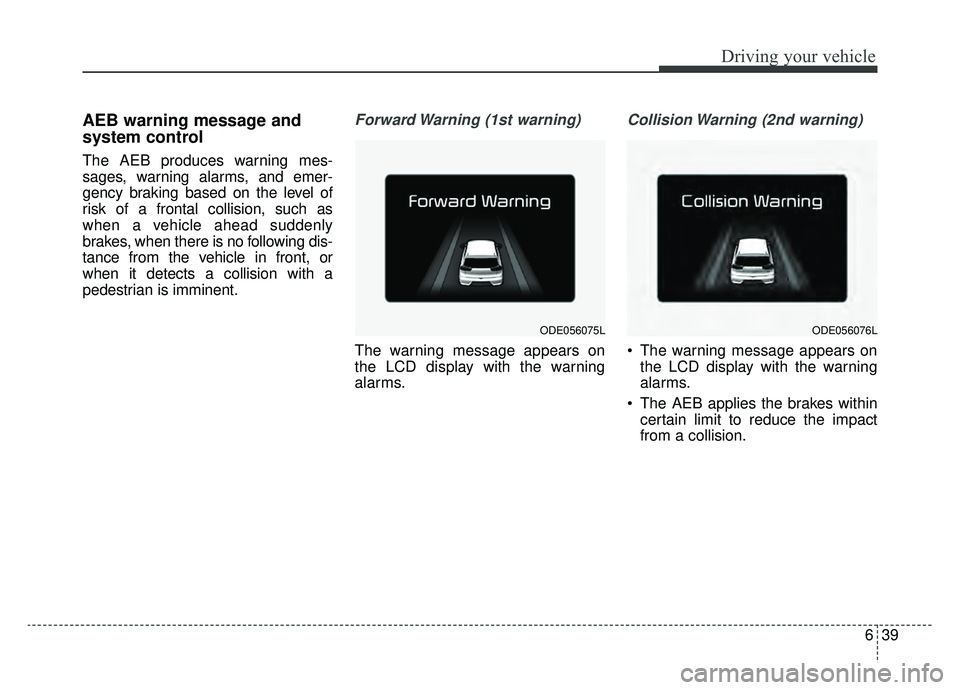
Forward Warning (1st warning)
The warning message appears on
the LCD display with the warning
alarms.
Collision Warning (2nd warning)
The warning message appears onthe LCD display with the warning
alarms.
The AEB applies the brakes within certain limit to reduce the impact
from a collision.
ODE056075LODE056076L
Page 376 of 611
Driving your vehicle
40
6
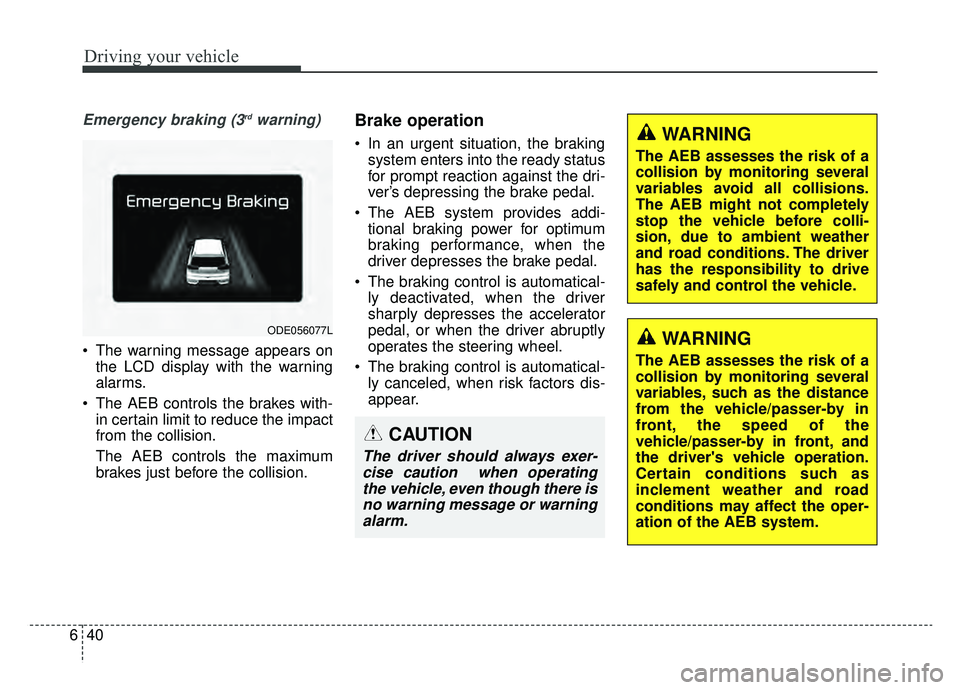
Emergency braking (3rdwarning)
• The warning message appears on
the LCD display with the warning
alarms.
The AEB controls the brakes with- in certain limit to reduce the impact
from the collision.
The AEB controls the maximum
brakes just before the collision.
Brake operation
In an urgent situation, the brakingsystem enters into the ready status
for prompt reaction against the dri-
ver’s depressing the brake pedal.
The AEB system provides addi- tional braking power for optimum
braking performance, when the
driver depresses the brake pedal.
The braking control is automatical- ly deactivated, when the driver
sharply depresses the accelerator
pedal, or when the driver abruptly
operates the steering wheel.
The braking control is automatical- ly canceled, when risk factors dis-
appear.
ODE056077L
WARNING
The AEB assesses the risk of a
collision by monitoring several
variables avoid all collisions.
The AEB might not completely
stop the vehicle before colli-
sion, due to ambient weather
and road conditions. The driver
has the responsibility to drive
safely and control the vehicle.
CAUTION
The driver should always exer-cise caution when operatingthe vehicle, even though there isno warning message or warningalarm.
WARNING
The AEB assesses the risk of a
collision by monitoring several
variables, such as the distance
from the vehicle/passer-by in
front, the speed of the
vehicle/passer-by in front, and
the driver's vehicle operation.
Certain conditions such as
inclement weather and road
conditions may affect the oper-
ation of the AEB system.
Page 377 of 611
641
Driving your vehicle
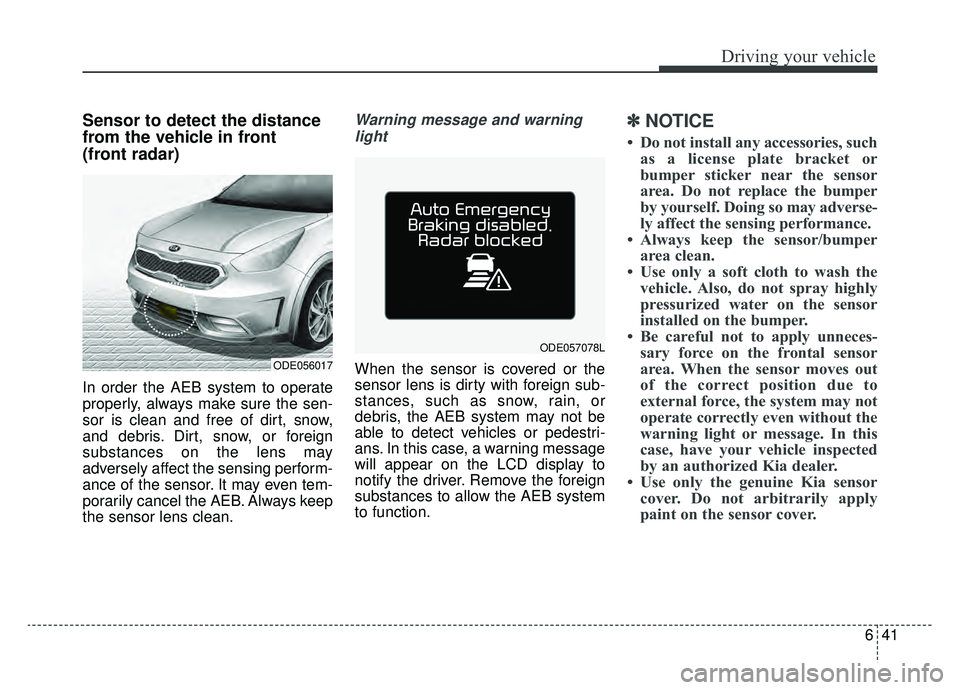
Sensor to detect the distance
from the vehicle in front
(front radar)
In order the AEB system to operate
properly, always make sure the sen-
sor is clean and free of dirt, snow,
and debris. Dirt, snow, or foreign
substances on the lens may
adversely affect the sensing perform-
ance of the sensor. It may even tem-
porarily cancel the AEB. Always keep
the sensor lens clean.
Warning message and warninglight
When the sensor is covered or the
sensor lens is dirty with foreign sub-
stances, such as snow, rain, or
debris, the AEB system may not be
able to detect vehicles or pedestri-
ans. In this case, a warning message
will appear on the LCD display to
notify the driver. Remove the foreign
substances to allow the AEB system
to function.
✽ ✽ NOTICE
• Do not install any accessories, such
as a license plate bracket or
bumper sticker near the sensor
area. Do not replace the bumper
by yourself. Doing so may adverse-
ly affect the sensing performance.
• Always keep the sensor/bumper area clean.
• Use only a soft cloth to wash the vehicle. Also, do not spray highly
pressurized water on the sensor
installed on the bumper.
• Be careful not to apply unneces- sary force on the frontal sensor
area. When the sensor moves out
of the correct position due to
external force, the system may not
operate correctly even without the
warning light or message. In this
case, have your vehicle inspected
by an authorized Kia dealer.
• Use only the genuine Kia sensor cover. Do not arbitrarily apply
paint on the sensor cover.
ODE056017
ODE057078L
Page 378 of 611
Driving your vehicle
42
6
System malfunction
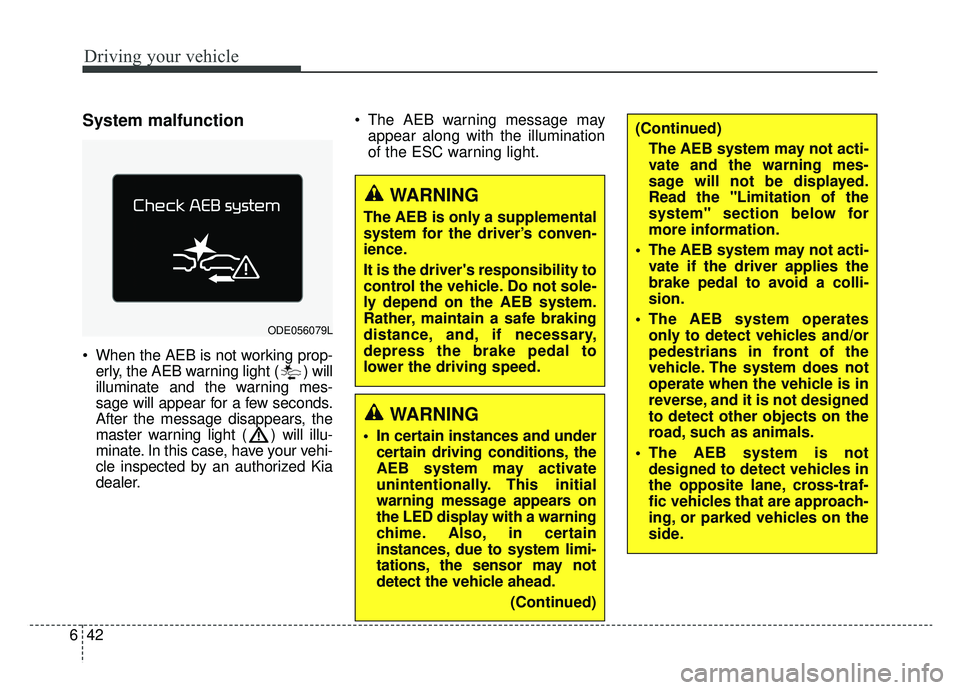
When the AEB is not working prop-
erly, the AEB warning light ( ) will
illuminate and the warning mes-
sage will appear for a few seconds.
After the message disappears, the
master warning light ( ) will illu-
minate. In this case, have your vehi-
cle inspected by an authorized Kia
dealer. The AEB warning message may
appear along with the illumination
of the ESC warning light.
ODE056079L
WARNING
The AEB is only a supplemental
system for the driver’s conven-
ience.
It is the driver's responsibility to
control the vehicle. Do not sole-
ly depend on the AEB system.
Rather, maintain a safe braking
distance, and, if necessary,
depress the brake pedal to
lower the driving speed.
WARNING
In certain instances and undercertain driving conditions, the
AEB system may activate
unintentionally. This initial
warning message appears on
the LED display with a warning
chime. Also, in certain
instances, due to system limi-
tations, the sensor may not
detect the vehicle ahead.
(Continued)
(Continued)The AEB system may not acti-
vate and the warning mes-
sage will not be displayed.
Read the "Limitation of the
system" section below for
more information.
The AEB system may not acti- vate if the driver applies the
brake pedal to avoid a colli-
sion.
The AEB system operates only to detect vehicles and/or
pedestrians in front of the
vehicle. The system does not
operate when the vehicle is in
reverse, and it is not designed
to detect other objects on the
road, such as animals.
The AEB system is not designed to detect vehicles in
the opposite lane, cross-traf-
fic vehicles that are approach-
ing, or parked vehicles on the
side.
Page 380 of 611
Driving your vehicle
44
6
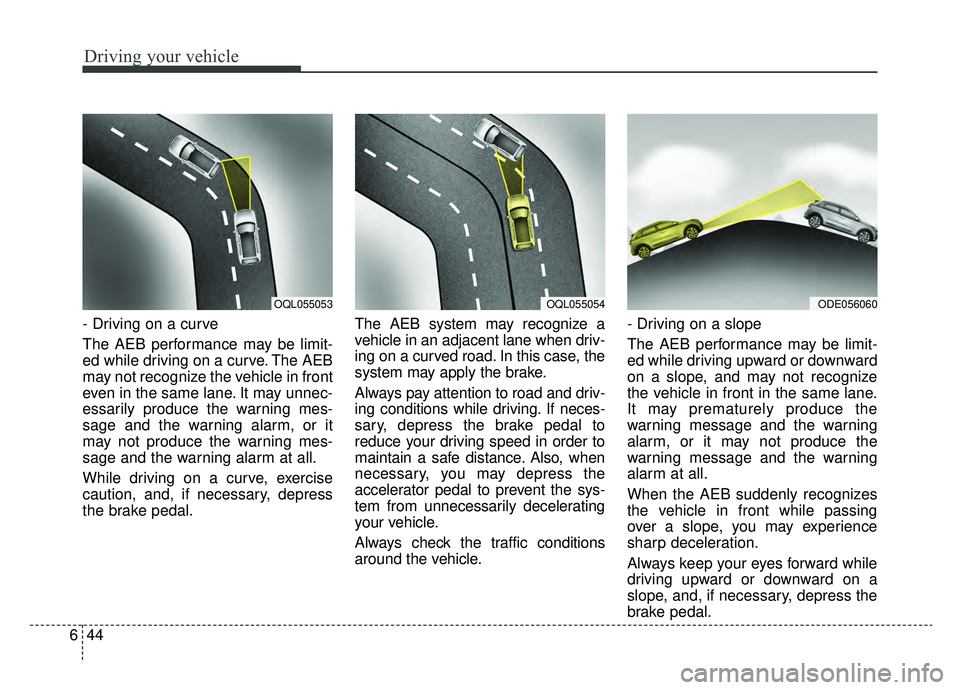
- Driving on a curve
The AEB performance may be limit-
ed while driving on a curve. The AEB
may not recognize the vehicle in front
even in the same lane. It may unnec-
essarily produce the warning mes-
sage and the warning alarm, or it
may not produce the warning mes-
sage and the warning alarm at all.
While driving on a curve, exercise
caution, and, if necessary, depress
the brake pedal. The AEB system may recognize a
vehicle in an adjacent lane when driv-
ing on a curved road. In this case, the
system may apply the brake.
Always pay attention to road and driv-
ing conditions while driving. If neces-
sary, depress the brake pedal to
reduce your driving speed in order to
maintain a safe distance. Also, when
necessary, you may depress the
accelerator pedal to prevent the sys-
tem from unnecessarily decelerating
your vehicle.
Always check the traffic conditions
around the vehicle.- Driving on a slope
The AEB performance may be limit-
ed while driving upward or downward
on a slope, and may not recognize
the vehicle in front in the same lane.
It may prematurely produce the
warning message and the warning
alarm, or it may not produce the
warning message and the warning
alarm at all.
When the AEB suddenly recognizes
the vehicle in front while passing
over a slope, you may experience
sharp deceleration.
Always keep your eyes forward while
driving upward or downward on a
slope, and, if necessary, depress the
brake pedal.
OQL055054ODE056060OQL055053
Page 382 of 611
Driving your vehicle
46
6
Detecting pedestrians
The sensor may be limited when:
- The pedestrian is not fully captured
by the camera sensor, or the
pedestrian does not walk in the
upright position.
- The pedestrian moves very fast.
- The pedestrian abruptly appears in front.
- The pedestrian wears clothes sim- ilar in color to the background.
- Conditions outside are too bright or too dark.
- The vehicle drives at night or in the darkness.
- There is an item similar in shape a person’s body structure.
- The pedestrian is small.
- The pedestrian has impaired mobility.
- The pedestrian blends in with their surroundings.
- Sensor recognition is limited by rain, snow, fog, etc.
- There is a group of pedestrians.
✽ ✽ NOTICE
In some instances, the AEB system
may be canceled when subjected to
electromagnetic interference.
WARNING - Testing the
AEB
The AEB does not operate in
certain situations. Thus, never
test-operate the AEB against a
person or an object. It may
cause a severe injury or even
death.
WARNING - AEB and
Towing
Do not use the AEB system
when towing a vehicle.
Application of the AEB system
while towing may adversely
affect the safety of your vehicle
or the towing vehicle.
WARNING
Use extreme caution when the vehicle in front of you has
cargo that extends rearward
from the cab, or when the
vehicle in front of you has
higher ground clearance.
The AEB system is designed to detect and monitor the
vehicle ahead through sen-
sors. It is not designed to
detect bicycles, motorcycles,
or smaller wheeled objects,
such as luggage bags, shop-
ping carts, or strollers.
Page 384 of 611
Driving your vehicle
48
6
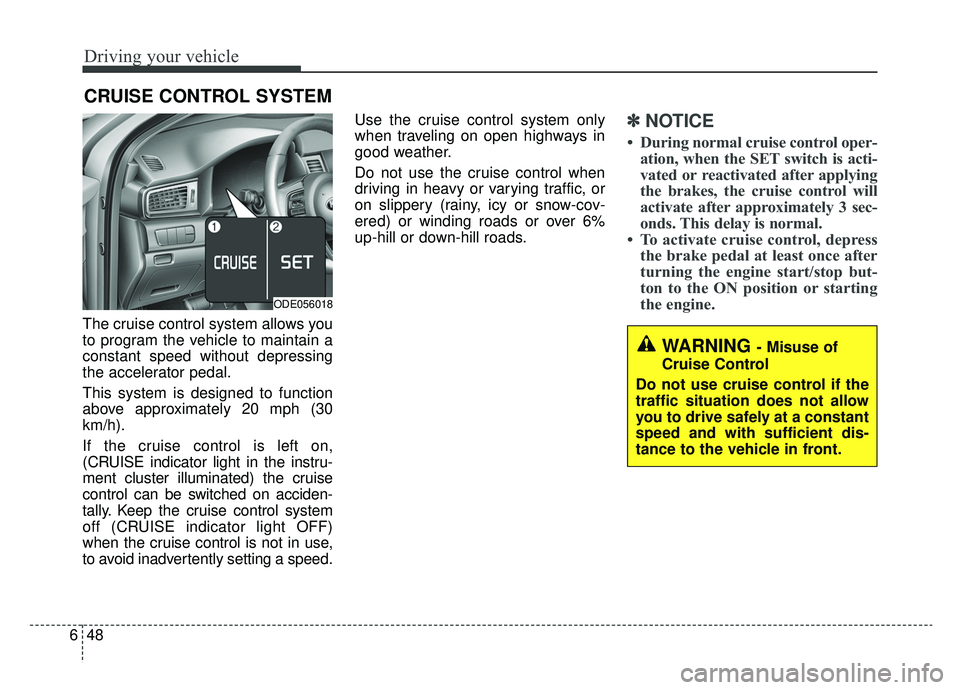
The cruise control system allows you
to program the vehicle to maintain a
constant speed without depressing
the accelerator pedal.
This system is designed to function
above approximately 20 mph (30
km/h).
If the cruise control is left on,
(CRUISE indicator light in the instru-
ment cluster illuminated) the cruise
control can be switched on acciden-
tally. Keep the cruise control system
off (CRUISE indicator light OFF)
when the cruise control is not in use,
to avoid inadvertently setting a speed. Use the cruise control system only
when traveling on open highways in
good weather.
Do not use the cruise control when
driving in heavy or varying traffic, or
on slippery (rainy, icy or snow-cov-
ered) or winding roads or over 6%
up-hill or down-hill roads.
✽ ✽
NOTICE
• During normal cruise control oper-
ation, when the SET switch is acti-
vated or reactivated after applying
the brakes, the cruise control will
activate after approximately 3 sec-
onds. This delay is normal.
• To activate cruise control, depress the brake pedal at least once after
turning the engine start/stop but-
ton to the ON position or starting
the engine.
CRUISE CONTROL SYSTEM
WARNING - Misuse of
Cruise Control
Do not use cruise control if the
traffic situation does not allow
you to drive safely at a constant
speed and with sufficient dis-
tance to the vehicle in front.
ODE056018
Page 388 of 611
Driving your vehicle
52
6
SMART CRUISE CONTROL SYSTEM (SCC) (IF EQUIPPED)
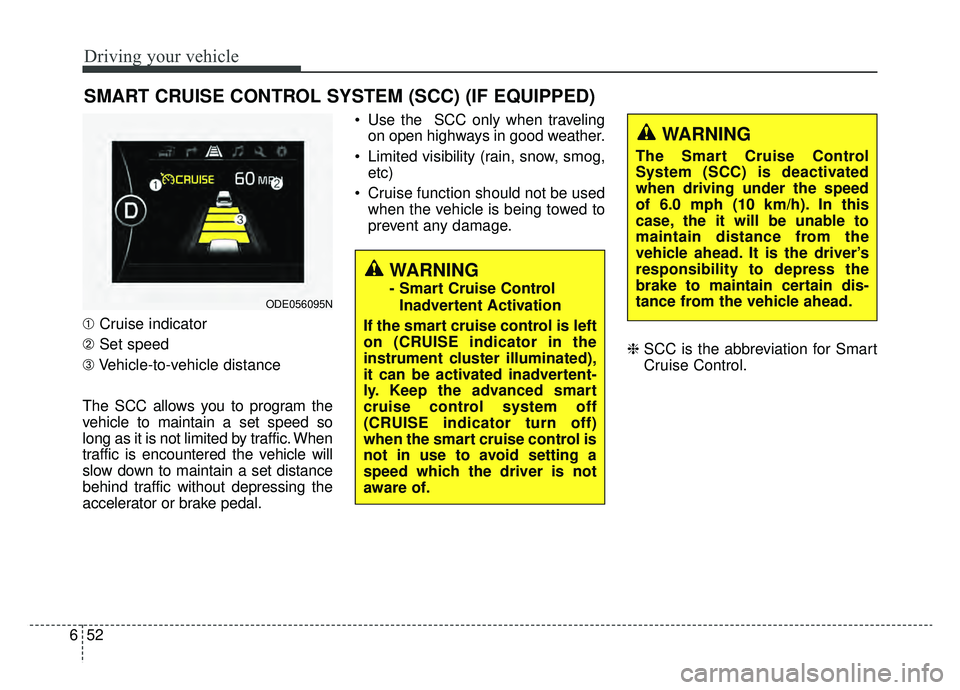
➀ Cruise indicator
➁ Set speed
\b Vehicle-to-vehicle distance
The SCC allows you to program the
vehicle to maintain a set speed so
long as it is not limited by traffic. When
traffic is encountered the vehicle will
slow down to maintain a set distance
behind traffic without depressing the
accelerator or brake pedal. Use the SCC only when traveling
on open highways in good weather.
Limited visibility (rain, snow, smog, etc)
Cruise function should not be used when the vehicle is being towed to
prevent any damage.
❈SCC is the abbreviation for Smart
Cruise Control.
WARNING
- Smart Cruise Control
Inadvertent Activation
If the smart cruise control is left
on (CRUISE indicator in the
instrument cluster illuminated),
it can be activated inadvertent-
ly. Keep the advanced smart
cruise control system off
(CRUISE indicator turn off)
when the smart cruise control is
not in use to avoid setting a
speed which the driver is not
aware of.ODE056095N
WARNING
The Smart Cruise Control
System (SCC) is deactivated
when driving under the speed
of 6.0 mph (10 km/h). In this
case, the it will be unable to
maintain distance from the
vehicle ahead. It is the driver’s
responsibility to depress the
brake to maintain certain dis-
tance from the vehicle ahead.
Page 389 of 611
653
Driving your vehicle
Speed setting (SCC)
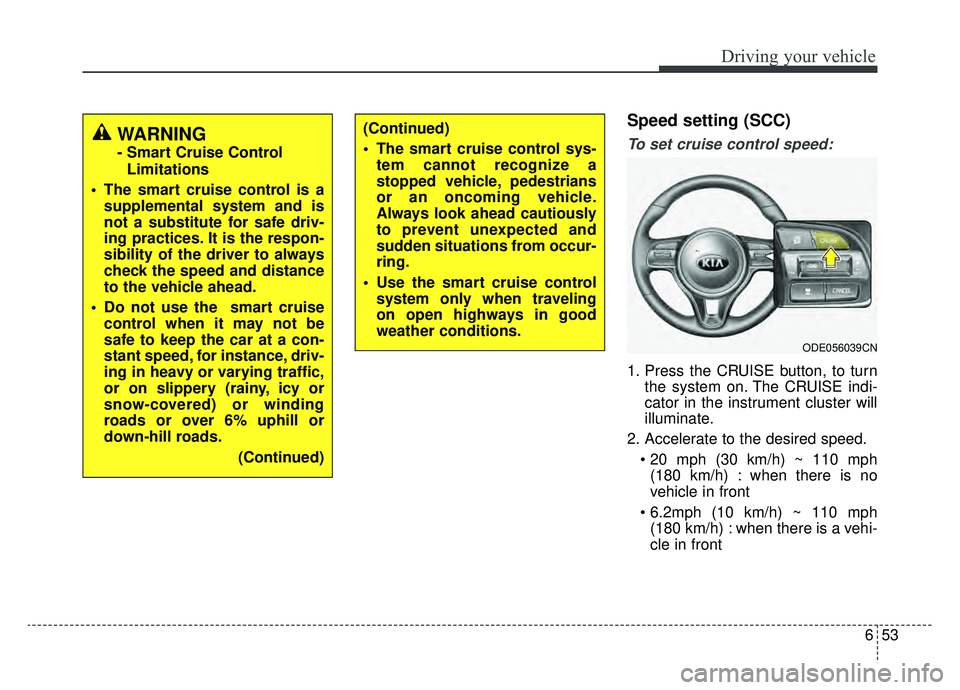
To set cruise control speed:
1. Press the CRUISE button, to turnthe system on. The CRUISE indi-
cator in the instrument cluster will
illuminate.
2. Accelerate to the desired speed. (180 km/h) : when there is no
vehicle in front
(180 km/h) : when there is a vehi-
cle in front
(Continued)
The smart cruise control sys- tem cannot recognize a
stopped vehicle, pedestrians
or an oncoming vehicle.
Always look ahead cautiously
to prevent unexpected and
sudden situations from occur-
ring.
Use the smart cruise control system only when traveling
on open highways in good
weather conditions.
ODE056039CN
WARNING
- Smart Cruise Control
Limitations
The smart cruise control is a supplemental system and is
not a substitute for safe driv-
ing practices. It is the respon-
sibility of the driver to always
check the speed and distance
to the vehicle ahead.
Do not use the smart cruise control when it may not be
safe to keep the car at a con-
stant speed, for instance, driv-
ing in heavy or varying traffic,
or on slippery (rainy, icy or
snow-covered) or winding
roads or over 6% uphill or
down-hill roads.
(Continued)