ESP KIA NIRO 2020 Workshop Manual
[x] Cancel search | Manufacturer: KIA, Model Year: 2020, Model line: NIRO, Model: KIA NIRO 2020Pages: 687, PDF Size: 11.43 MB
Page 435 of 687
5125
Driving your vehicle
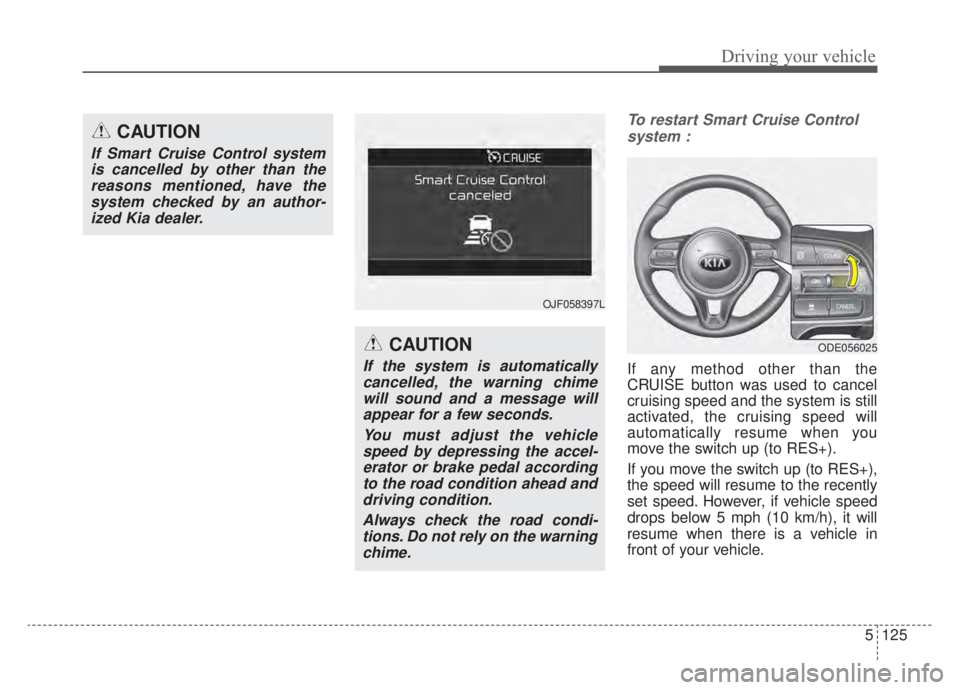
To restart Smart Cruise Controlsystem :
If any method other than the
CRUISE button was used to cancel
cruising speed and the system is still
activated, the cruising speed will
automatically resume when you
move the switch up (to RES+).
If you move the switch up (to RES+),
the speed will resume to the recently
set speed. However, if vehicle speed
drops below 5 mph (10 km/h), it will
resume when there is a vehicle in
front of your vehicle.
CAUTION
If Smart Cruise Control systemis cancelled by other than thereasons mentioned, have thesystem checked by an author-ized Kia dealer.
CAUTION
If the system is automaticallycancelled, the warning chimewill sound and a message willappear for a few seconds.
You must adjust the vehiclespeed by depressing the accel-erator or brake pedal accordingto the road condition ahead anddriving condition.
Always check the road condi-tions. Do not rely on the warningchime.
OJF058397L
ODE056025
Page 437 of 687
5127
Driving your vehicle
(Continued)- Highway interchange andtollgate
- Road surrounded by multi- ple steel constructions (sub-
way construction, steel tun-
nel, etc)
- Parking lot
- Lanes beside guard rail on a road
- Slippery road with rain, ice, or snow covered
- Abrupt curved road
- Steep hills
- Windy roads
- Off roads
- Rods under construction
- Rumble strip
- When driving near crash bar-
riers (Continued)(Continued)- When the vehicle sensingability decreases due to
vehicle modification that
causes a difference in the
level of the vehicle's front
and rear
- When driving with limited view (possibly due to bad
weather, such as fog, snow,
rain or sandstorm)
Pay particular attention to the driving conditions whenever
using the smart cruise control
system.
Smart Cruise Control system is not a substitute for safe
driving. It is the responsibility
of the driver to always check
the speed and distance of the
vehicle ahead.
Be careful when driving downhill using SCC system.
(Continued)(Continued)
Smart Cruise Control systemshould not be used when the
vehicle is being towed.
Always set the vehicle speed under the applicable speed
limit.
Unexpected situations may lead to accidents. Pay contin-
uous attention to road condi-
tions and your surroundings
even when the Smart Cruise
Control System is operating.
Page 442 of 687
Driving your vehicle
132
5
In traffic situation
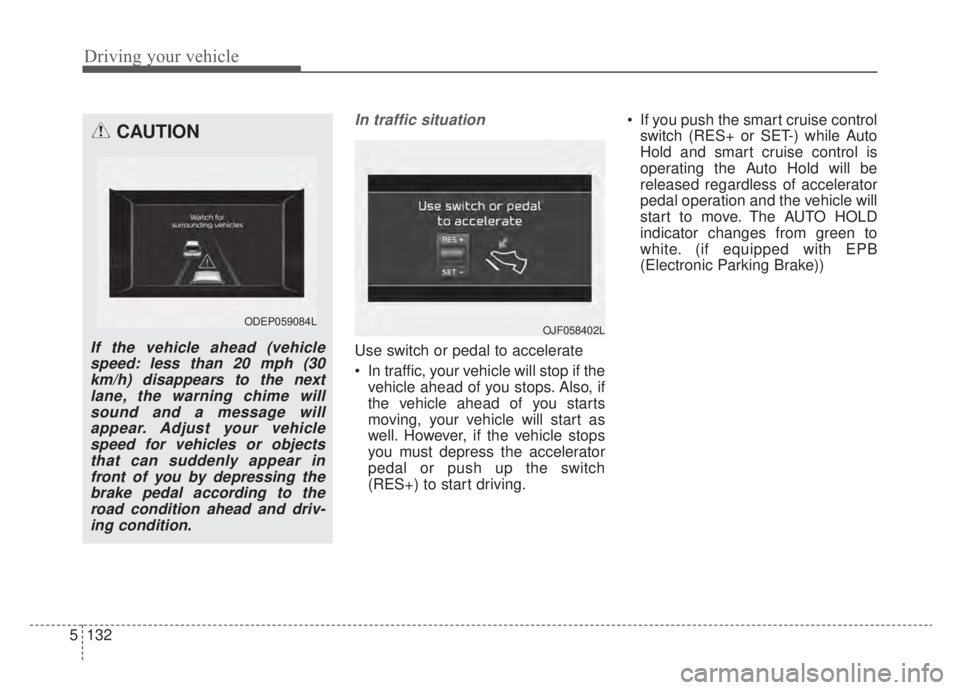
Use switch or pedal to accelerate
In traffic, your vehicle will stop if the
vehicle ahead of you stops. Also, if
the vehicle ahead of you starts
moving, your vehicle will start as
well. However, if the vehicle stops
you must depress the accelerator
pedal or push up the switch
(RES+) to start driving. If you push the smart cruise control
switch (RES+ or SET-) while Auto
Hold and smart cruise control is
operating the Auto Hold will be
released regardless of accelerator
pedal operation and the vehicle will
start to move. The AUTO HOLD
indicator changes from green to
white. (if equipped with EPB
(Electronic Parking Brake))
CAUTION
If the vehicle ahead (vehiclespeed: less than 20 mph (30km/h) disappears to the nextlane, the warning chime willsound and a message willappear. Adjust your vehiclespeed for vehicles or objectsthat can suddenly appear infront of you by depressing thebrake pedal according to theroad condition ahead and driv-ing condition.
ODEP059084L OJF058402L
Page 450 of 687
Driving your vehicle
140
5
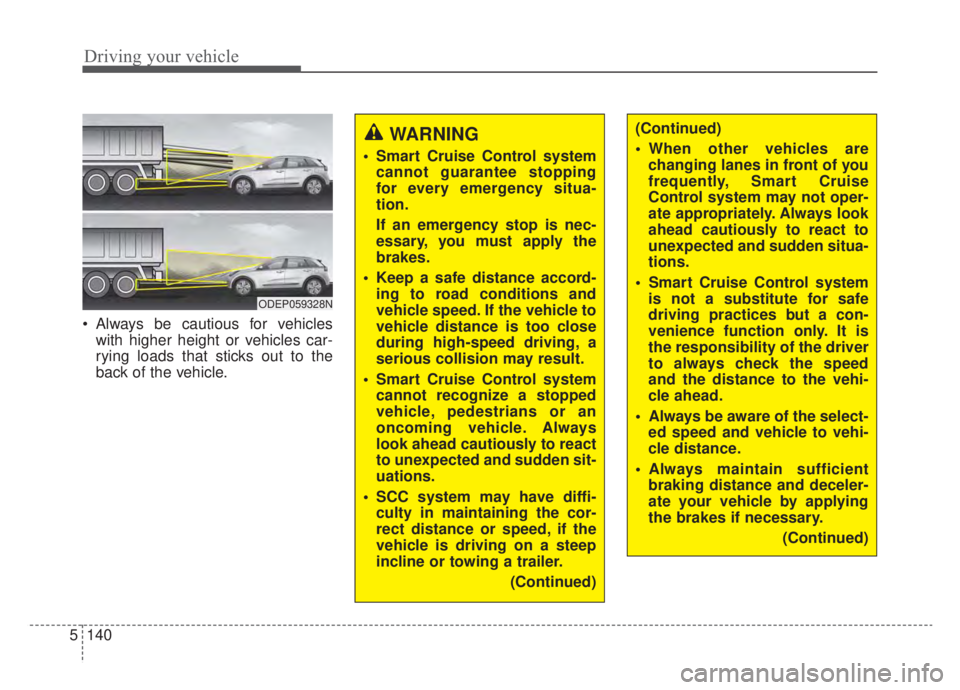
Always be cautious for vehicles
with higher height or vehicles car-
rying loads that sticks out to the
back of the vehicle.
WARNING
Smart Cruise Control systemcannot guarantee stopping
for every emergency situa-
tion.
If an emergency stop is nec-
essary, you must apply the
brakes.
Keep a safe distance accord- ing to road conditions and
vehicle speed. If the vehicle to
vehicle distance is too close
during high-speed driving, a
serious collision may result.
Smart Cruise Control system cannot recognize a stopped
vehicle, pedestrians or an
oncoming vehicle. Always
look ahead cautiously to react
to unexpected and sudden sit-
uations.
SCC system may have diffi- culty in maintaining the cor-
rect distance or speed, if the
vehicle is driving on a steep
incline or towing a trailer.
(Continued)
ODEP059328N
(Continued)
When other vehicles arechanging lanes in front of you
frequently, Smart Cruise
Control system may not oper-
ate appropriately. Always look
ahead cautiously to react to
unexpected and sudden situa-
tions.
Smart Cruise Control system is not a substitute for safe
driving practices but a con-
venience function only. It is
the responsibility of the driver
to always check the speed
and the distance to the vehi-
cle ahead.
Always be aware of the select- ed speed and vehicle to vehi-
cle distance.
Always maintain sufficient braking distance and deceler-
ate your vehicle by applying
the brakes if necessary.
(Continued)
Page 452 of 687
Driving your vehicle
142
5
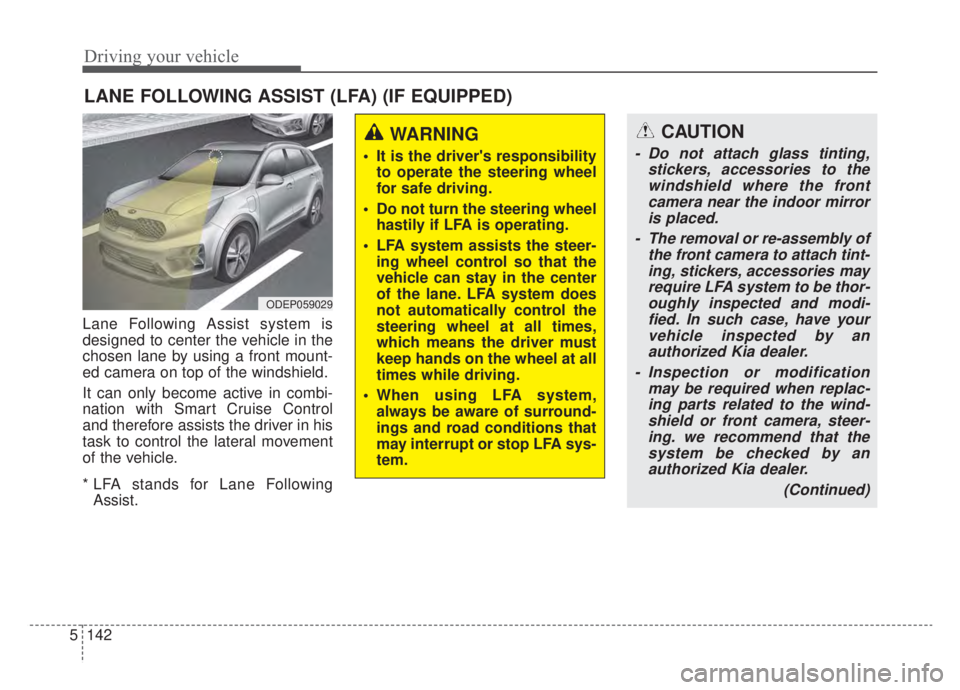
Lane Following Assist system is
designed to center the vehicle in the
chosen lane by using a front mount-
ed camera on top of the windshield.
It can only become active in combi-
nation with Smart Cruise Control
and therefore assists the driver in his
task to control the lateral movement
of the vehicle.
* LFA stands for Lane Following
Assist.
LANE FOLLOWING ASSIST (LFA) (IF EQUIPPED)
ODEP059029
WARNING
It is the driver's responsibility to operate the steering wheel
for safe driving.
Do not turn the steering wheel hastily if LFA is operating.
LFA system assists the steer- ing wheel control so that the
vehicle can stay in the center
of the lane. LFA system does
not automatically control the
steering wheel at all times,
which means the driver must
keep hands on the wheel at all
times while driving.
When using LFA system, always be aware of surround-
ings and road conditions that
may interrupt or stop LFA sys-
tem.
CAUTION
- Do not attach glass tinting, stickers, accessories to thewindshield where the frontcamera near the indoor mirroris placed.
- The removal or re-assembly of the front camera to attach tint-ing, stickers, accessories mayrequire LFA system to be thor-oughly inspected and modi-fied. In such case, have yourvehicle inspected by anauthorized Kia dealer.
- Inspection or modification may be required when replac-ing parts related to the wind-shield or front camera, steer-ing. we recommend that thesystem be checked by anauthorized Kia dealer.
(Continued)
Page 456 of 687
Driving your vehicle
146
5
LFA system malfunction
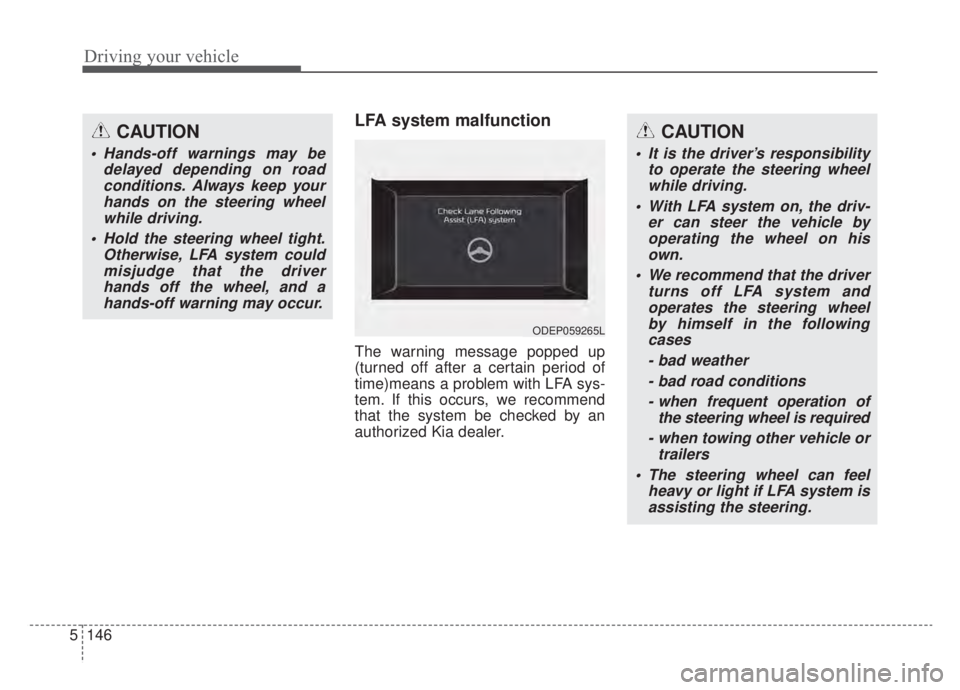
The warning message popped up
(turned off after a certain period of
time)means a problem with LFA sys-
tem. If this occurs, we recommend
that the system be checked by an
authorized Kia dealer.
CAUTION
Hands-off warnings may be
delayed depending on roadconditions. Always keep yourhands on the steering wheelwhile driving.
Hold the steering wheel tight. Otherwise, LFA system couldmisjudge that the driverhands off the wheel, and ahands-off warning may occur.
CAUTION
It is the driver’s responsibility to operate the steering wheelwhile driving.
With LFA system on, the driv- er can steer the vehicle byoperating the wheel on hisown.
We recommend that the driver turns off LFA system andoperates the steering wheelby himself in the followingcases
- bad weather- bad road conditions- when frequent operation of the steering wheel is required
- when towing other vehicle or trailers
The steering wheel can feel heavy or light if LFA system isassisting the steering.
ODEP059265L
Page 459 of 687
5149
Driving your vehicle
HDA system is designed to control
the vehicle distance and speed of the
vehicle when driving on a highway.
The system assists drivers by receiv-
ing information about the speed limit
of the highway that the vehicle is on
and automatically changing the set
speed of Smart Cruise Control sys-
tem when needed.✽ ✽NOTICE
• HDA system is available only on
controlled access road of certain
highways.❈ ❈ Controlled access road indi-
cates roads with limited
entrances and exits that allow
uninterrupted high speed traf-
fic flow. Only passenger cars
and motorcycles are allowed on
controlled access roads.
• Additional highways may be expanded by navigation updates.
HIGHWAY DRIVING ASSIST (HDA) (IF EQUIPPED)
WARNING
HDA system is not a substi-
tute for safe driving practices,
but a convenience function. It
is the responsibility of the
driver to always be aware of
the surroundings and drive
safely.
HDA system relies entirely on the road information provided
by the navigation system. It is
the responsibility of the driver
to follow traffic laws and avoid
accidents.
Turn off the Highway driving assist system when the vehi-
cle is being towed.
For your safety, please read the owner's manual before
using the system.
Available highway
(Controlled access road)
USASelect Interstate Highways
Page 466 of 687
Driving your vehicle
156
5
This device complies with Part 15
of the FCC rules.
Operation is subject to the following
three conditions:
1. This device may not cause harmful
interference, and
2. This device must accept any inter- ference received, including inter-
ference that may cause undesired
operation.
3. Changes or modifications not expressly approved by the party
responsible for compliance could
void the user's authority to operate
the device.Radio frequency radiation
exposure information:
This equipment complies with FCC
radiation exposure limits set forth for
an uncontrolled environment.
This equipment should be installed
and operated with a minimum dis-
tance of 8 in (20 cm) between the
radio (antenna) and your body.
This transmitter must not be colocat-
ed or operating in conjunction with
any other antenna or transmitter.
Page 470 of 687

Driving your vehicle
160
5
Detecting Sensor
The rear radars are located inside
the rear bumper for detecting the
side and rear areas.
Always keep the rear bumper clean
for proper operation of the system.
ODEP059158
CAUTION
The system may not work
properly when the bumper hasbeen damaged, or if the rearbumper has been replaced orrepaired.
The system may turn off due to strong electromagnetic waves.
Always keep the sensors clean. NEVER arbitrarily disassem- ble the sensor component norapply any impact on the sen-sor component.
Be careful not to apply unnec- essary force on the radar sen-sor or sensor cover. If the sen-sor is forcibly moved out ofproper alignment, the systemmay not operate correctly. Inthis case, a warning messagemay not be displayed.
(Continued)
WARNING
Drive safely even though thevehicle is equipped with Rear
Cross-Traffic Collision
Warning system. Do not sole-
ly rely on the system but
check your surrounding when
backing the vehicle up.
The driver is responsible for accurate brake control.
Always pay extreme caution while driving. Rear Cross-
Traffic Collision Warning sys-
tem may not operate properly
or unnecessarily operate
depending on traffic and driv-
ing conditions.
Page 477 of 687
5167
Driving your vehicle
Your vehicle's fuel economy depends
mainly on your style of driving, where
you drive and when you drive.
Each of these factors affects how
many miles (kilometers) you can get
from a gallon (liter) of fuel. To operate
your vehicle as economically as pos-
sible, use the following driving sug-
gestions to help save money in both
fuel and repairs:
Drive smoothly. Accelerate at amoderate rate. Don't make "jack-
rabbit" starts or full-throttle shifts
and maintain a steady cruising
speed. Don't race between stop-
lights. Try to adjust your speed to
the traffic so you don't have to
change speeds unnecessarily.
Avoid heavy traffic whenever pos- sible. Always maintain a safe dis-
tance from other vehicles so you
can avoid unnecessary braking.
This also reduces brake wear.
Drive at a moderate speed. The faster you drive, the more fuel your
vehicle uses. Driving at a moderate
speed, especially on the highway,
is one of the most effective ways to
reduce fuel consumption. Don't "ride" the brake pedal. This
can increase fuel consumption and
also increase wear on these com-
ponents. In addition, driving with
your foot resting on the brake pedal
may cause the brakes to overheat,
which reduces their effectiveness
and may lead to more serious con-
sequences.
Take care of your tires. Keep them inflated to the recommended pres-
sure. Incorrect inflation, either too
much or too little, results in unnec-
essary tire wear. Check the tire
pressures at least once a month.
Be sure that the wheels are aligned correctly. Improper align-
ment can result from hitting curbs
or driving too fast over irregular
surfaces. Poor alignment causes
faster tire wear and may also result
in other problems as well as
greater fuel consumption. Keep your vehicle in good condi-
tion. For better fuel economy and
reduced maintenance costs, main-
tain your vehicle in accordance
with the maintenance schedule in
chapter 8. If you drive your vehicle
in severe conditions, more frequent
maintenance is required (see
chapter 8 for details).
Keep your vehicle clean. For maxi- mum service, your vehicle should
be kept clean and free of corrosive
materials. It is especially important
that mud, dirt, ice, etc. not be
allowed to accumulate on the
underside of the vehicle. This extra
weight can result in increased fuel
consumption and also contribute to
corrosion.
Travel lightly. Don't carry unneces- sary weight in your vehicle. Weight
reduces fuel economy.
Don't let the engine idle longer than necessary. If you are waiting
(and not in traffic), turn off your
engine and restart only when
you're ready to go.
ECONOMICAL OPERATION