belt KIA NIRO 2020 Workshop Manual
[x] Cancel search | Manufacturer: KIA, Model Year: 2020, Model line: NIRO, Model: KIA NIRO 2020Pages: 687, PDF Size: 11.43 MB
Page 315 of 687
55
Driving your vehicle
Before entering vehicle
• Be sure that all windows, outsidemirror(s), and outside lights are
clean.
Check the condition of the tires.
Check under the vehicle for any sign of leaks.
Be sure there are no obstacles behind you if you intend to back up.
Necessary inspections
Fluid levels, such as engine oil,
engine coolant, brake fluid, and
washer fluid should be checked on a
regular basis, at the exact interval
depending on the fluid. Further
details are provided in chapter 7,
“Maintenance”.
Before starting
Close and lock all doors.
Position the seat so that all con-trols are easily reached.
Buckle your seat belt.
Adjust the inside and outside rearview mirrors.
Be sure that all lights work.
Check all gauges.
Check the operation of warning lights when the ignition switch or
ENGINE START/STOP button is in
the ON position.
Release the parking brake and make sure the brake warning light
goes out.
For safe operation, be sure you are
familiar with your vehicle and its
equipment.
BEFORE DRIVING
WARNING - Distracted driving
Focus on the road while driving.
The driver's primary responsi-
bility is in the safe and legal
operation of the vehicle. Any
handled devices, other equip-
ment or vehicle systems that
distract the driver should not be
used during vehicle operation.
Page 345 of 687
535
Driving your vehicle
To release EPB (Electronic Parking
Brake) automatically:
Shift lever in P (Park)With the engine running depress
the brake pedal and shift out of P
(Park) to R (Reverse) or D (Drive).
Shift lever in N (Neutral) With the engine running depress
the brake pedal and shift out of N
(Neutral) to R (Reverse) or D
(Drive).
Depress the accelerator pedal slowly when the following condi-
tions are satisfied:
1. Start the engine.
2. Fasten the driver's seat belt.
3. Close the driver's door, engine hood and liftgate.
4. The shift lever is in R (Rear), D (Drive) or manual mode.
Make sure the brake warning light
goes off.✽ ✽ NOTICE
• For your safety, you can engage
the EPB even though the ignition
switch or ENGINE START/STOP
button is in the OFF position, but
you cannot release it.
• For your safety, depress the brake pedal and release the parking
brake manually with the EPB
switch when you drive downhill or
when backing up the vehicle.
EPB (Electronic Parking Brake) may
be automatically applied when:
The EPB is overheated
Requested by other systems
The hybrid system is turned off
with the EPB applied
✽ ✽ NOTICE
• If Auto Hold is operating (Green
light), EPB is applied automatical-
ly when the hybrid system is
turned off.
• If Auto Hold is in ready position (White light), EPB is applied auto-
matically after 1 second from the
hybrid system off timing. In this
case, if the EPB switch is pressed
within 1 second, the EPB will not
be applied.
CAUTION
If the parking brake warning
light is still on even thoughthe EPB has been released,have the system checked byan authorized Kia dealer.
Do not drive your vehicle with the EPB applied. It may causeexcessive brake pad andbrake rotor wear.
Page 346 of 687
Driving your vehicle
36
5
System warning
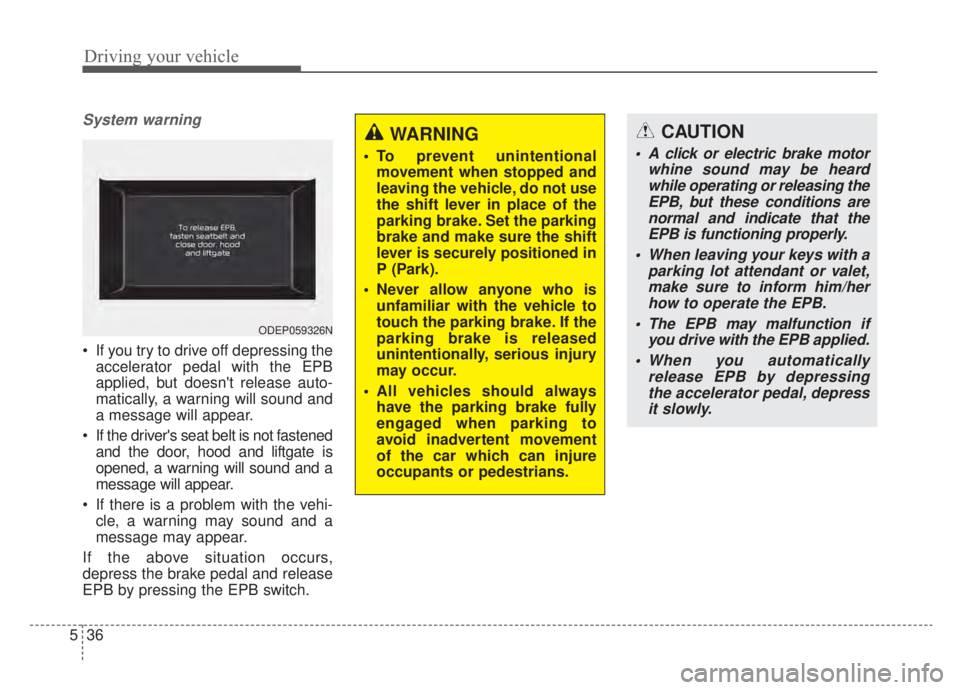
If you try to drive off depressing the
accelerator pedal with the EPB
applied, but doesn't release auto-
matically, a warning will sound and
a message will appear.
If the driver's seat belt is not fastened and the door, hood and liftgate is
opened, a warning will sound and a
message will appear.
If there is a problem with the vehi- cle, a warning may sound and a
message may appear.
If the above situation occurs,
depress the brake pedal and release
EPB by pressing the EPB switch.
ODEP059326N
WARNING
To prevent unintentional movement when stopped and
leaving the vehicle, do not use
the shift lever in place of the
parking brake. Set the parking
brake and make sure the shift
lever is securely positioned in
P (Park).
Never allow anyone who is unfamiliar with the vehicle to
touch the parking brake. If the
parking brake is released
unintentionally, serious injury
may occur.
All vehicles should always have the parking brake fully
engaged when parking to
avoid inadvertent movement
of the car which can injure
occupants or pedestrians.
CAUTION
A click or electric brake motor whine sound may be heardwhile operating or releasing theEPB, but these conditions arenormal and indicate that theEPB is functioning properly.
When leaving your keys with a parking lot attendant or valet,make sure to inform him/herhow to operate the EPB.
The EPB may malfunction if you drive with the EPB applied.
When you automatically release EPB by depressingthe accelerator pedal, depressit slowly.
Page 350 of 687
Driving your vehicle
40
5
AUTO HOLD (if equipped)
The Auto Hold maintains the vehicle
in a standstill even though the brake
pedal is not depressed after the driv-
er brings the vehicle to a complete
stop by depressing the brake pedal.
Set up
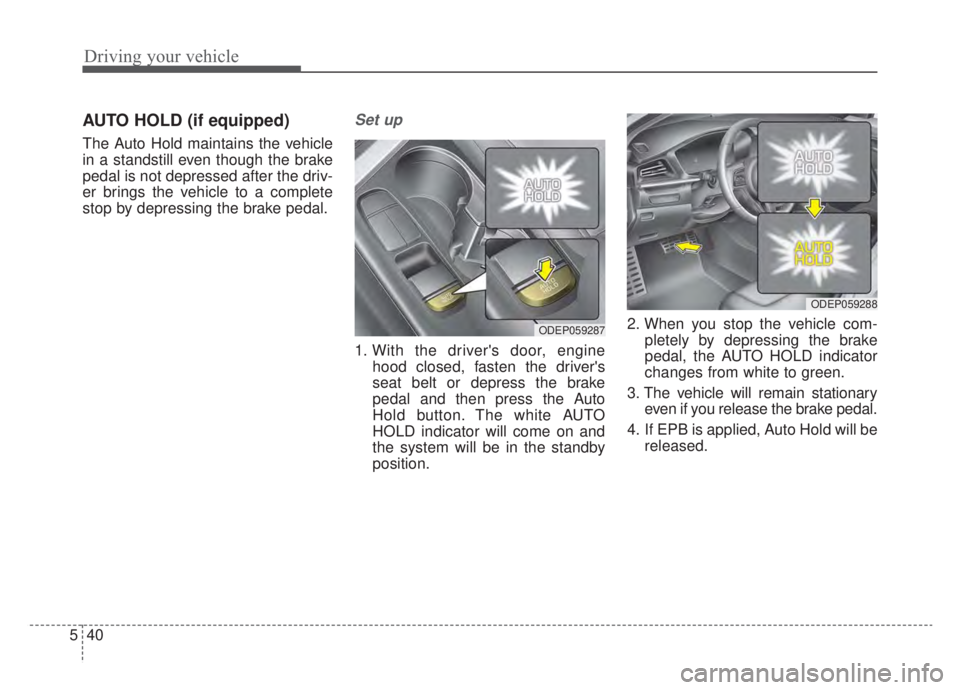
1. With the driver's door, engine
hood closed, fasten the driver's
seat belt or depress the brake
pedal and then press the Auto
Hold button. The white AUTO
HOLD indicator will come on and
the system will be in the standby
position. 2. When you stop the vehicle com-
pletely by depressing the brake
pedal, the AUTO HOLD indicator
changes from white to green.
3. The vehicle will remain stationary even if you release the brake pedal.
4. If EPB is applied, Auto Hold will be released.
ODEP059287
ODEP059288
Page 356 of 687
Driving your vehicle
46
5
✽ ✽
NOTICE
When you jump start your vehicle
because of a drained battery, the
engine may not run as smoothly and
the ABS warning light may turn on at
the same time. This happens because
of low battery voltage. It does not
mean your ABS has malfunctioned.
• Do not pump your brakes!
• Have the battery recharged before
driving the vehicle.
Electronic Stability Control
(ESC)
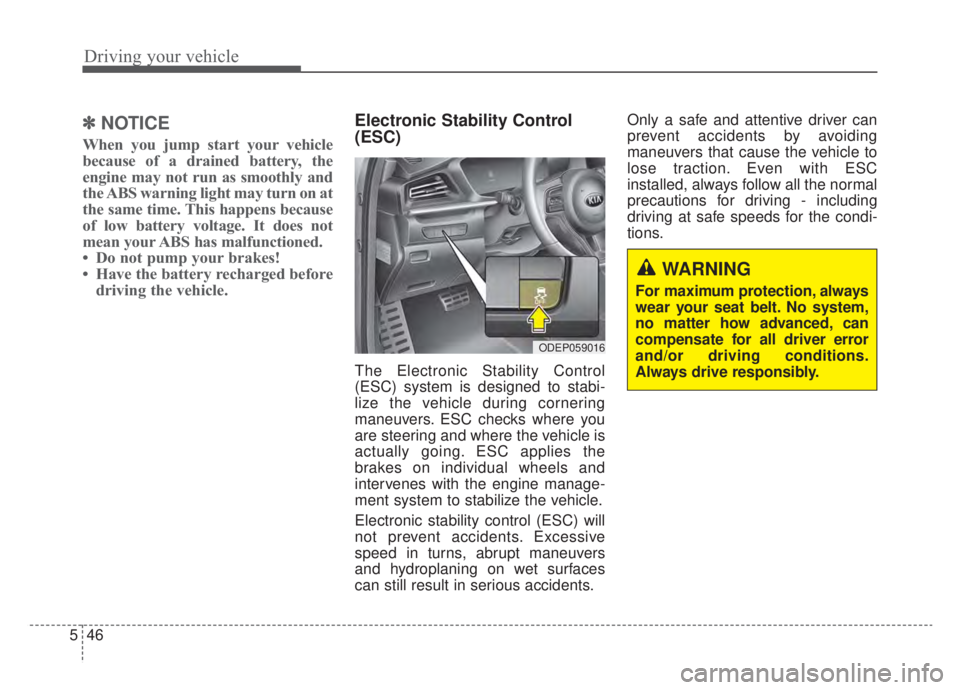
The Electronic Stability Control
(ESC) system is designed to stabi-
lize the vehicle during cornering
maneuvers. ESC checks where you
are steering and where the vehicle is
actually going. ESC applies the
brakes on individual wheels and
intervenes with the engine manage-
ment system to stabilize the vehicle.
Electronic stability control (ESC) will
not prevent accidents. Excessive
speed in turns, abrupt maneuvers
and hydroplaning on wet surfaces
can still result in serious accidents. Only a safe and attentive driver can
prevent accidents by avoiding
maneuvers that cause the vehicle to
lose traction. Even with ESC
installed, always follow all the normal
precautions for driving - including
driving at safe speeds for the condi-
tions.
ODEP059016
WARNING
For maximum protection, always
wear your seat belt. No system,
no matter how advanced, can
compensate for all driver error
and/or driving conditions.
Always drive responsibly.
Page 361 of 687
551
Driving your vehicle
Malfunction indicator
The VSM can be deactivated even if
you don’t cancel the VSM operation
by pressing the ESC OFF button. It
indicates that a malfunction has
been detected somewhere in the
Electric Power Steering system or
VSM system. If the ESC indicator
light ( ) or EPS warning light
remains on, take your vehicle to an
authorized Kia dealer and have the
system checked.
✽ ✽NOTICE
• The VSM is designed to function
above approximately 13 mph (22
km/h) on curves.
• The VSM is designed to function above approximately 6 mph (10
km/h) when a vehicle is braking on
a split-mu surface. A split-mu sur-
face is made of two surfaces which
have different friction forces.
The Vehicle Stability Management
system is not a substitute for safe
driving practices but a supplemen-
tary function only. It is the responsi-
bility of the driver to always check
the speed and the distance to the
vehicle ahead. Always hold the
steering wheel firmly while driving.
Your vehicle is designed to activate according to the driver’s intention,
even with installed VSM. Always fol-
low all the normal precautions for
driving at safe speeds for the condi-
tions – including driving in inclement
weather and on a slippery road.Hill-start Assist Control (HAC)
A vehicle has the tendency to roll
back on a steep hill when it starts to
go after stopping. The Hill-start
Assist Control (HAC) prevents the
vehicle from rolling back by applying
the brakes automatically for about 2
seconds. The brakes are released
when the accelerator pedal is
depressed or after about 2 seconds.
The HAC is activated only for about 2
seconds, so when the vehicle is
starting off always depress the accel-
erator pedal.
WARNING
For maximum protection,
always wear your seat belt. No
system, no matter how
advanced, can compensate for
all driver error and/or driving
conditions. Always drive
responsibly.
WARNING- Maintaining
Brake Pressure on Incline
HAC does not replace the need
to apply brakes while stopped on
an incline. While stopped, make
sure you maintain brake pres-
sure sufficient to prevent your
vehicle from rolling backward
and causing an accident. Don’t
release the brake pedal until you
are ready to accelerate forward.
Page 368 of 687

Driving your vehicle
58
5
Detecting sensor (front view
camera)
It is a sensor that decide the risk of a
collision by detecting the distance to
vehicles ahead or pedestrians.
In bad weather conditions such as
heavy rain, heavy snow, and fog, or
when the front camera is covered by
foreign material, dust, tec., the front
view camera will be degraded and
the system will be temporarily dis-
abled.
Always keep the front view camera
sensor clean.
WARNING
FCA system cannot avoid all
collisions. FCA system might
not completely stop the vehicle
before a collision, due to ambi-
ent, weather and road condi-
tions. The driver has the
responsibility to drive safely
and control the vehicle.
WARNING
FCA system operates in accor-
dance with certain risk factors,
such as the distance from the
vehicle/pedestrians in front, the
speed of the vehicle/pedestri-
ans in front, and the driver's
vehicle operation.
CAUTION
The driver should always pay
great caution to vehicle opera-tion, even though there is nowarning message or warningalarm.
If any other warning sound such as seat belt warningchime is already generated,Forward Collision-AvoidanceAssist system warning maynot sound.
Excessive audio volume may disturb the sound of the sys-tem warning alarm.
ODEP059029
Page 398 of 687
Driving your vehicle
88
5
(Continued)
The system detects lane
markers and controls the
steering wheel by a front view
camera, therefore, if the lane
markers are hard to detect,
the system may not work
properly. Always be cautious
when using the system.
When the lane markers are hard to detect, please refer to
“DRIVER’S ATTENTION”.
Do not remove or damage the related parts of the front view
camera system.
Do not place objects on the crash pad that reflect light
such as mirrors, white paper,
etc. it may cause malfunction
of LKA system if sunlight is
reflected.
(Continued)(Continued)
You may not hear warningsound of LKA system because
of the excessive audio sound.
If other beeps such as the seat belt warning sound are in
operation and override LKA
alarming system, LKA beeps
may not occur.
At high vehicle speeds, the steering torque needed for
assistance may not be suffi-
cient to keep your vehicle
within the lane. If so, the vehi-
cle may move out of its lane.
Always obey the speed limit
when using LKA system.
(Continued)(Continued)
If you attach objects to thesteering wheel, the system
may not assist steering.
If you attach objects to the steering wheel, hands off
alarm may not work properly.
Page 419 of 687
5109
Driving your vehicle
The driver can monitor their drivingconditions on the LCD display.
- Select ‘Driving Assist’ mode andthen “Driver Attention Warning”
(For more information, refer to
“LCD Display” in chapter 4.)
If your vehicle is equipped with
additional Infotainment System,
please scan the QR code in a sep-
arately supplied Car Infotainment
System Quick Reference Guide.
The driver's attention level is dis- played on the scale of 1 to 5. The
lower the level is, the more inatten-
tive the driver is.
The level decreases when the driv- er does not take a break for a cer-
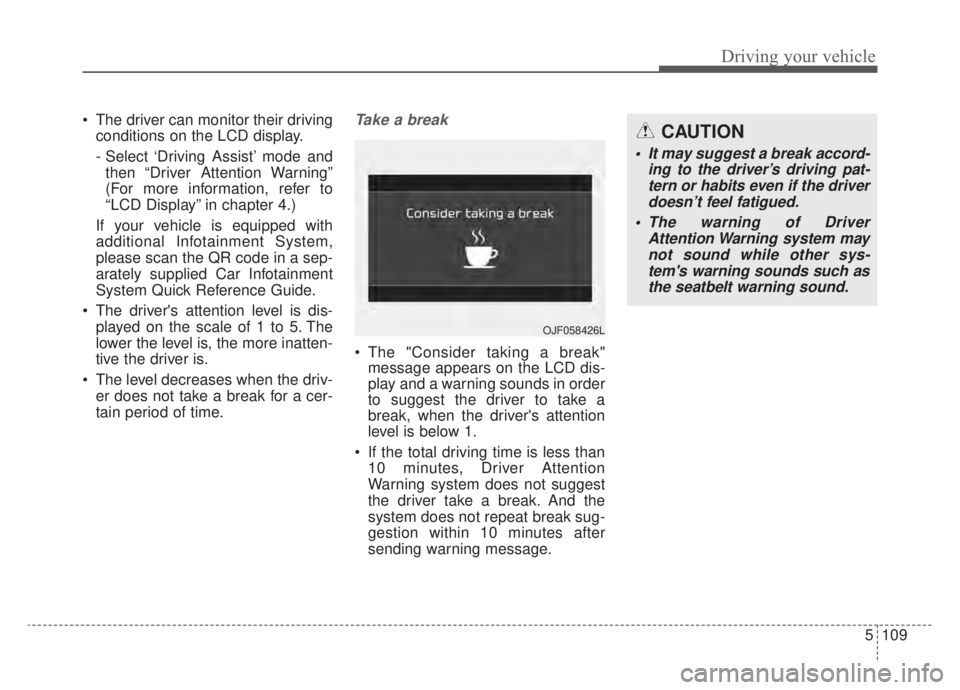
tain period of time.Take a break
The "Consider taking a break"message appears on the LCD dis-
play and a warning sounds in order
to suggest the driver to take a
break, when the driver's attention
level is below 1.
If the total driving time is less than 10 minutes, Driver Attention
Warning system does not suggest
the driver take a break. And the
system does not repeat break sug-
gestion within 10 minutes after
sending warning message.
OJF058426L
CAUTION
It may suggest a break accord- ing to the driver’s driving pat-tern or habits even if the driverdoesn’t feel fatigued.
The warning of Driver Attention Warning system maynot sound while other sys-tem's warning sounds such asthe seatbelt warning sound.
Page 420 of 687
Driving your vehicle
110
5
Resetting the function
The last break time is set to 00:00
and the driver's attention level is
set to 5 (very attentive) when the
driver resets the Inattentive driving
warning function.
Inattentive driving warning function resets in the following situations.
- The engine is turned OFF.
- The driver unfastens the seat beltand then opens the driver’s door.
- The vehicle is stopped for more than 10 minutes.
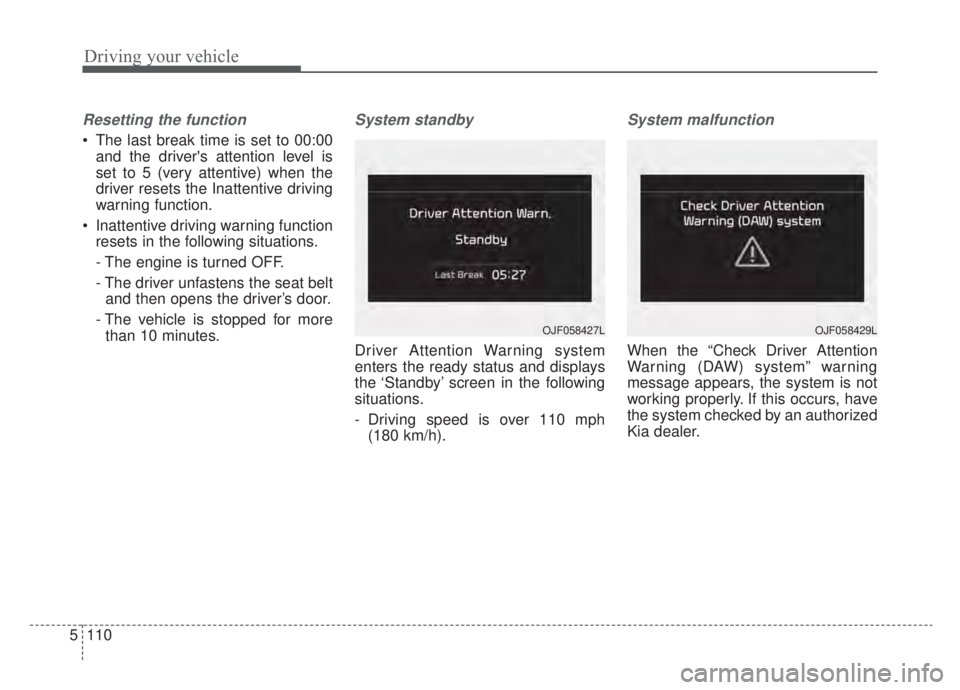
System standby
Driver Attention Warning system
enters the ready status and displays
the ‘Standby’ screen in the following
situations.
- Driving speed is over 110 mph (180 km/h).
System malfunction
When the “Check Driver Attention
Warning (DAW) system” warning
message appears, the system is not
working properly. If this occurs, have
the system checked by an authorized
Kia dealer.
OJF058429LOJF058427L