light KIA NIRO 2020 Workshop Manual
[x] Cancel search | Manufacturer: KIA, Model Year: 2020, Model line: NIRO, Model: KIA NIRO 2020Pages: 687, PDF Size: 11.43 MB
Page 196 of 687
459
Features of your vehicle
Instrument Cluster Control
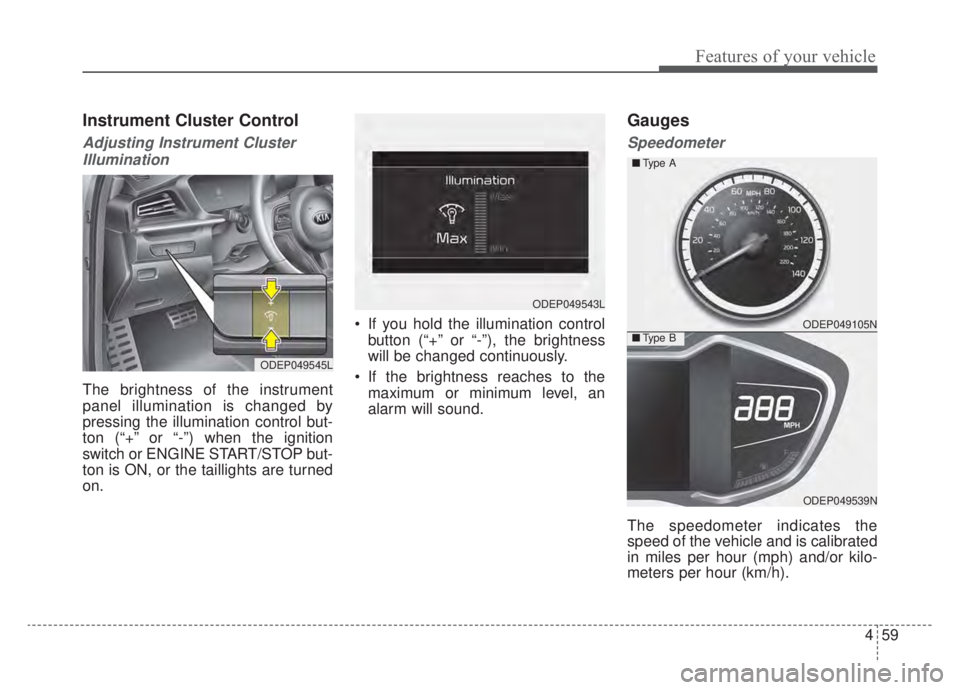
Adjusting Instrument ClusterIllumination
The brightness of the instrument
panel illumination is changed by
pressing the illumination control but-
ton (“+” or “-”) when the ignition
switch or ENGINE START/STOP but-
ton is ON, or the taillights are turned
on. If you hold the illumination control
button (“+” or “-”), the brightness
will be changed continuously.
If the brightness reaches to the maximum or minimum level, an
alarm will sound.
Gauges
Speedometer
The speedometer indicates the
speed of the vehicle and is calibrated
in miles per hour (mph) and/or kilo-
meters per hour (km/h).
ODEP049545L
ODEP049543L
ODEP049105N
ODEP049539N
■
Type A
■Type B
Page 200 of 687
463
Features of your vehicle
✽ ✽NOTICE
• The fuel tank capacity is given in
chapter 8.
• The fuel gauge is supplemented by a low fuel warning light which will
illuminate when the fuel tank is
nearly empty.
• On inclines or curves, the fuel gauge pointer may fluctuate or the
low fuel warning light may come
on earlier than usual due to the
movement of fuel in the tank.
✽ ✽ NOTICE - Fuel gauge
Running out of fuel can expose vehi-
cle occupants to danger. You must
obtain additional fuel as soon as pos-
sible after the warning light comes
on or when the gauge indicator
comes close to the “E (Empty)”
level.
✽ ✽NOTICE
Fuel display may not be accurate if
vehicle is being fueled while in an
incline.
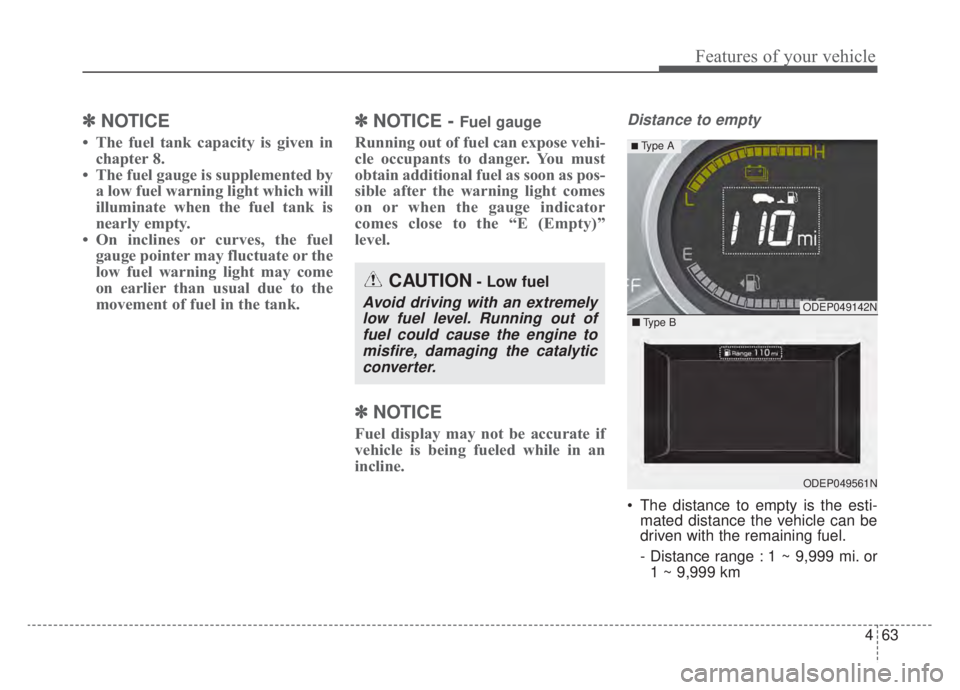
Distance to empty
The distance to empty is the esti-
mated distance the vehicle can be
driven with the remaining fuel.
- Distance range : 1 ~ 9,999 mi. or
1 ~ 9,999 km
CAUTION- Low fuel
Avoid driving with an extremelylow fuel level. Running out offuel could cause the engine tomisfire, damaging the catalyticconverter.ODEP049142N
ODEP049561N
■ Type B
■ Type A
Page 205 of 687
Features of your vehicle
68
4
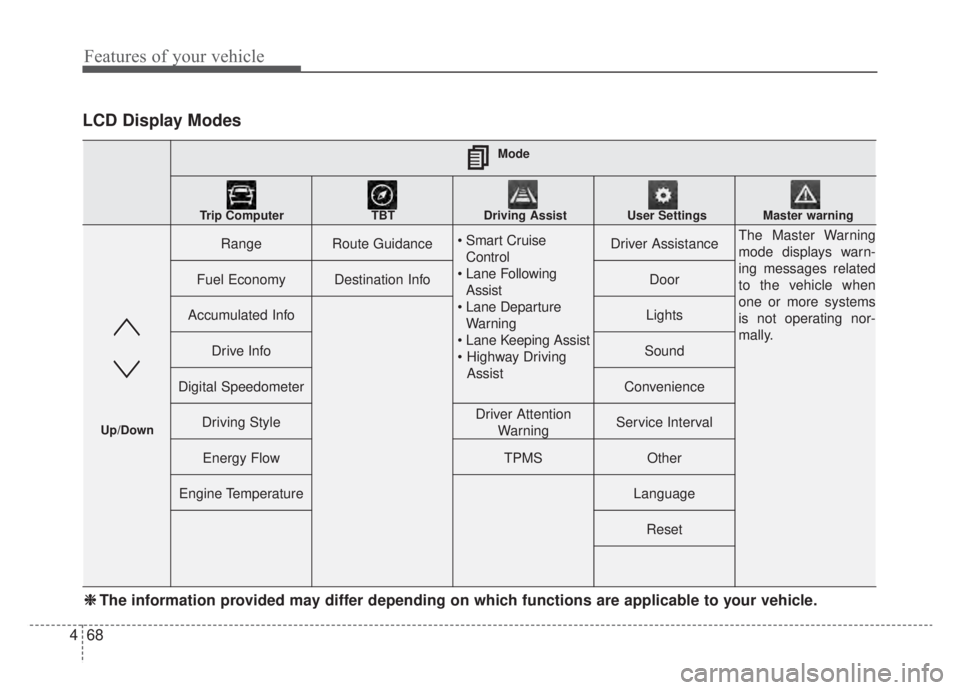
LCD Display Modes
RangeRoute Guidance
Control
Assist
Warning
AssistDriver AssistanceThe Master Warning
mode displays warn-
ing messages related
to the vehicle when
one or more systems
is not operating nor-
mally.
Fuel EconomyDestination InfoDoor
Accumulated InfoLights
Drive InfoSound
Digital SpeedometerConvenience
Driving StyleDriver Attention WarningService Interval
Energy FlowTPMSOther
Engine TemperatureLanguage
Reset
Mode
Trip Computer TBT Driving Assist User Settings Master warning
Up/Down
❈ ❈ The information provided may differ depending on which functions are applicable to your vehicle.
Page 207 of 687
Features of your vehicle
70
4
Tire Pressure
❈ For more details, refer to “Tire
Pressure Monitoring System
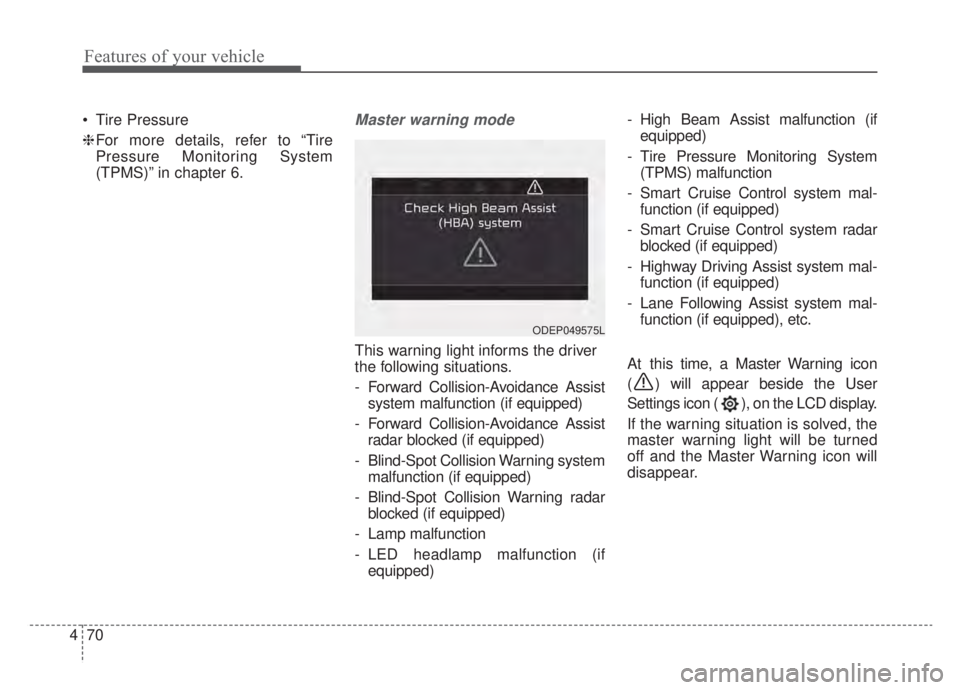
(TPMS)” in chapter 6.Master warning mode
This warning light informs the driver
the following situations.
- Forward Collision-Avoidance Assist system malfunction (if equipped)
- Forward Collision-Avoidance Assist radar blocked (if equipped)
- Blind-Spot Collision Warning system malfunction (if equipped)
- Blind-Spot Collision Warning radar blocked (if equipped)
- Lamp malfunction
- LED headlamp malfunction (if equipped) - High Beam Assist malfunction (if
equipped)
- Tire Pressure Monitoring System (TPMS) malfunction
- Smart Cruise Control system mal- function (if equipped)
- Smart Cruise Control system radar blocked (if equipped)
- Highway Driving Assist system mal- function (if equipped)
- Lane Following Assist system mal- function (if equipped), etc.
At this time, a Master Warning icon
( ) will appear beside the User
Settings icon ( ), on the LCD display.
If the warning situation is solved, the
master warning light will be turned
off and the Master Warning icon will
disappear.
ODEP049575L
Page 208 of 687
471
Features of your vehicle
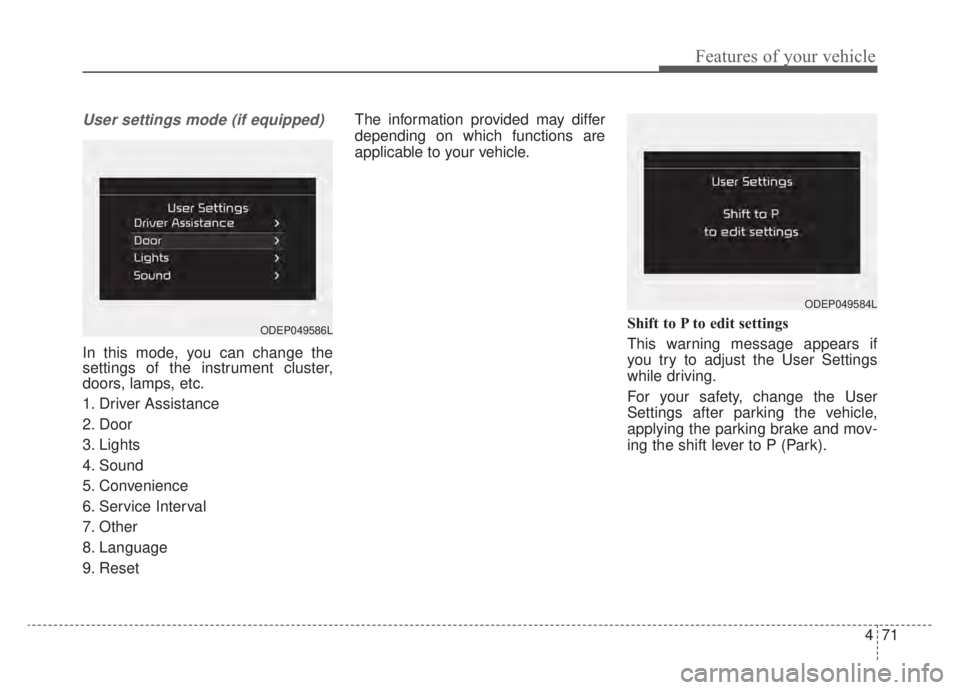
User settings mode (if equipped)
In this mode, you can change the
settings of the instrument cluster,
doors, lamps, etc.
1. Driver Assistance
2. Door
3. Lights
4. Sound
5. Convenience
6. Service Interval
7. Other
8. Language
9. ResetThe information provided may differ
depending on which functions are
applicable to your vehicle.
Shift to P to edit settings
This warning message appears if
you try to adjust the User Settings
while driving.
For your safety, change the User
Settings after parking the vehicle,
applying the parking brake and mov-
ing the shift lever to P (Park).
ODEP049584L
ODEP049586L
Page 212 of 687
475
Features of your vehicle
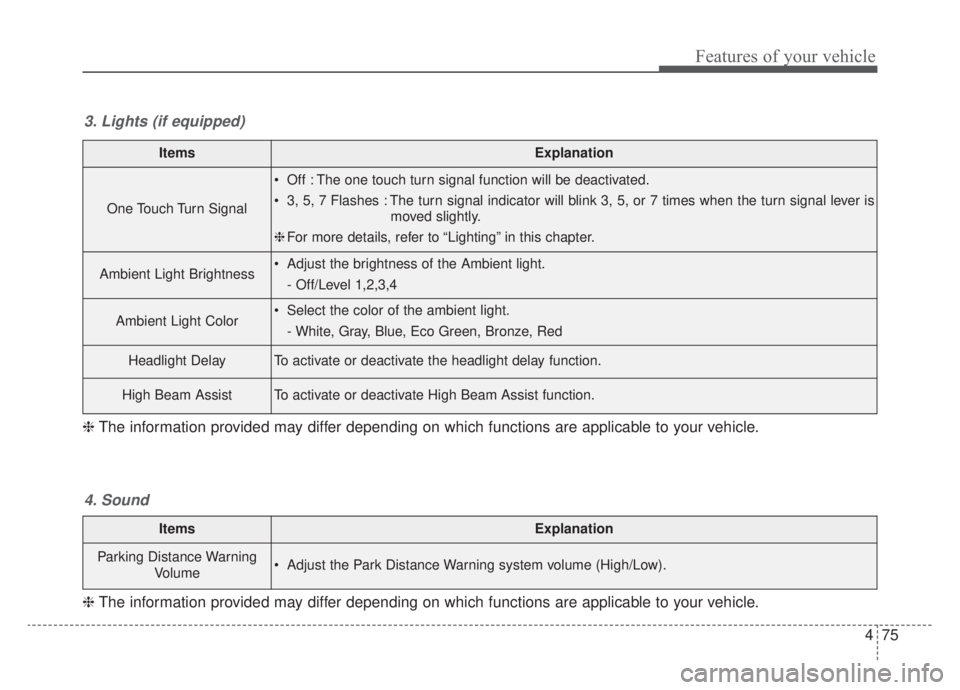
ItemsExplanation
One Touch Turn Signal
Off : The one touch turn signal function will be deactivated.
3, 5, 7 Flashes : The turn signal indicator will blink 3, 5, or 7 times when the turn signal lever ismoved slightly.
❈ For more details, refer to “Lighting” in this chapter.
Ambient Light Brightness Adjust the brightness of the Ambient light.
- Off/Level 1,2,3,4
Ambient Light Color Select the color of the ambient light.- White, Gray, Blue, Eco Green, Bronze, Red
Headlight DelayTo activate or deactivate the headlight delay function.
High Beam AssistTo activate or deactivate High Beam Assist function.
3. Lights (if equipped)
❈ The information provided may differ depending on which functions are applicable to your vehicle.
ItemsExplanation
Parking Distance Warning
Volume Adjust the Park Distance Warning system volume (High/Low).
4. Sound
❈The information provided may differ depending on which functions are applicable to your vehicle.
Page 213 of 687
Features of your vehicle
76
4
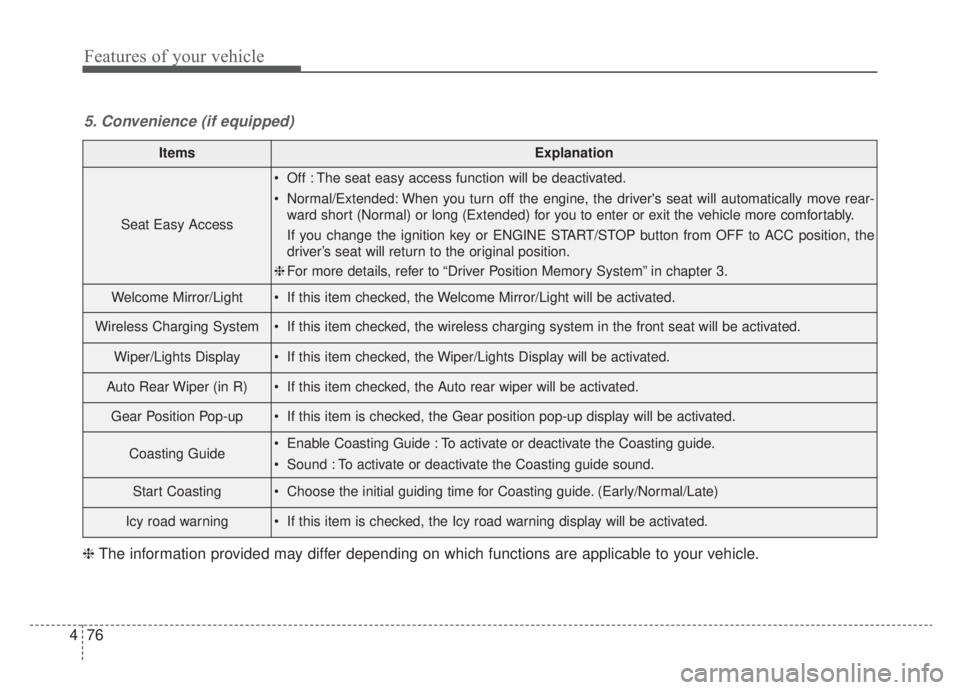
ItemsExplanation
Seat Easy Access
Off : The seat easy access function will be deactivated.
Normal/Extended: When you turn off the engine, the driver's seat will automatically move rear-
ward short (Normal) or long (Extended) for you to enter or exit the vehicle more comfortably.
If you change the ignition key or ENGINE START/STOP button from OFF to ACC position, the
driver’s seat will return to the original position.
❈ For more details, refer to “Driver Position Memory System” in chapter 3.
Welcome Mirror/Light If this item checked, the Welcome Mirror/Light will be activated.
Wireless Charging System If this item checked, the wireless charging system in the front seat will be activated.
Wiper/Lights Display If this item checked, the Wiper/Lights Display will be activated.
Auto Rear Wiper (in R) If this item checked, the Auto rear wiper will be activated.
Gear Position Pop-up If this item is checked, the Gear position pop-up display will be activated.
Coasting Guide Enable Coasting Guide : To activate or deactivate the Coasting guide.
Sound : To activate or deactivate the Coasting guide sound.
Start Coasting Choose the initial guiding time for Coasting guide. (Early/Normal/Late)
Icy road warning If this item is checked, the Icy road warning display will be activated.
5. Convenience (if equipped)
❈ The information provided may differ depending on which functions are applicable to your vehicle.
Page 223 of 687
Features of your vehicle
86
4
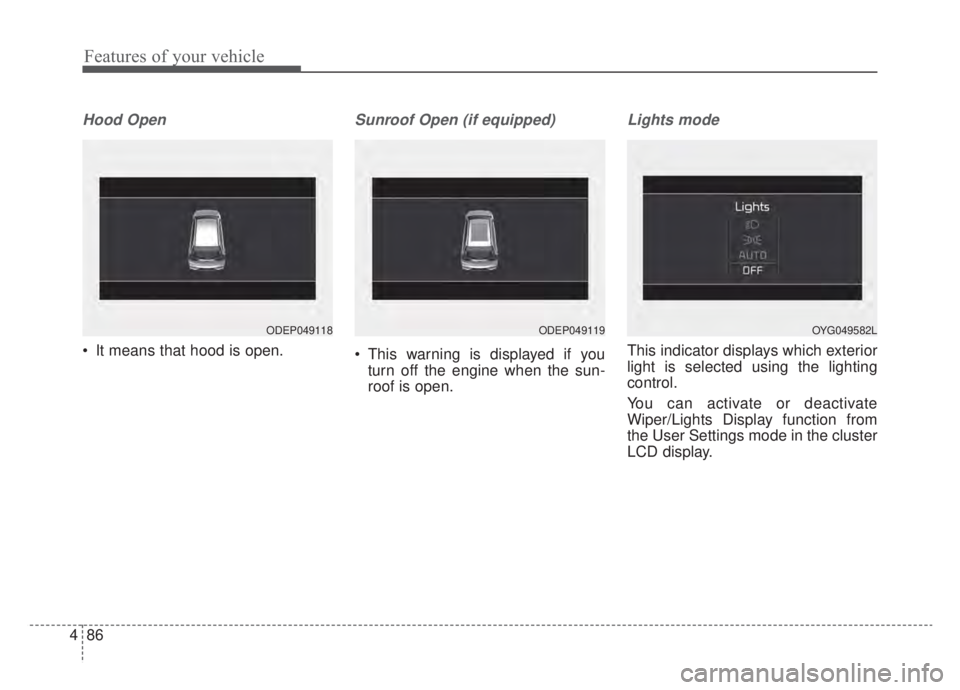
Hood Open
It means that hood is open.
Sunroof Open (if equipped)
This warning is displayed if you
turn off the engine when the sun-
roof is open.
Lights mode
This indicator displays which exterior
light is selected using the lighting
control.
You can activate or deactivate
Wiper/Lights Display function from
the User Settings mode in the cluster
LCD display.
ODEP049118ODEP049119OYG049582L
Page 224 of 687
487
Features of your vehicle
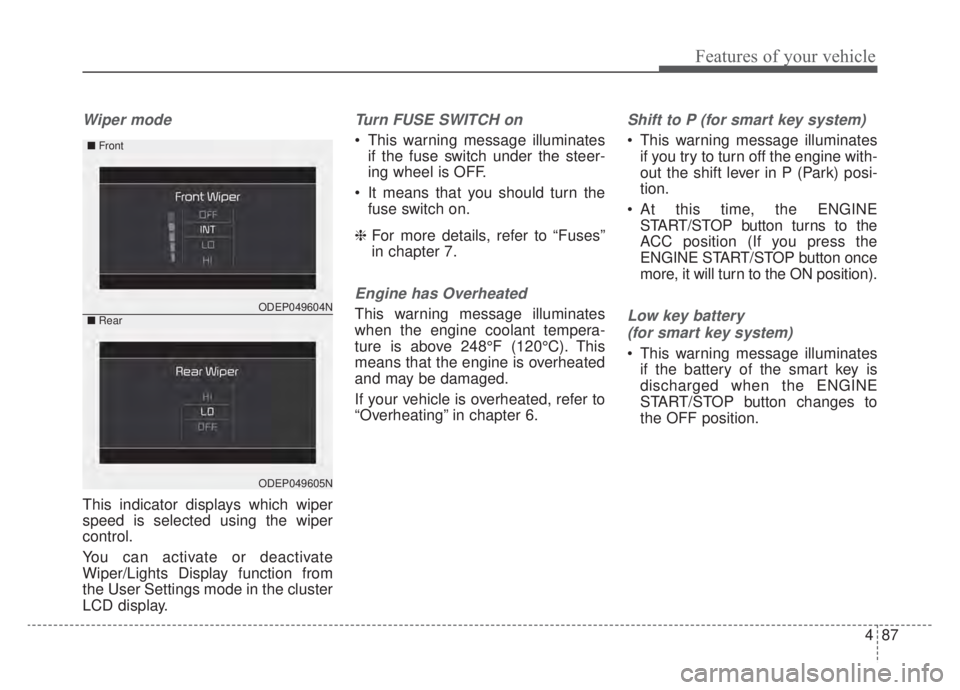
Wiper mode
This indicator displays which wiper
speed is selected using the wiper
control.
You can activate or deactivate
Wiper/Lights Display function from
the User Settings mode in the cluster
LCD display.
Turn FUSE SWITCH on
This warning message illuminatesif the fuse switch under the steer-
ing wheel is OFF.
It means that you should turn the fuse switch on.
❈ For more details, refer to “Fuses”
in chapter 7.
Engine has Overheated
This warning message illuminates
when the engine coolant tempera-
ture is above 248°F (120°C). This
means that the engine is overheated
and may be damaged.
If your vehicle is overheated, refer to
“Overheating” in chapter 6.
Shift to P (for smart key system)
This warning message illuminates
if you try to turn off the engine with-
out the shift lever in P (Park) posi-
tion.
At this time, the ENGINE START/STOP button turns to the
ACC position (If you press the
ENGINE START/STOP button once
more, it will turn to the ON position).
Low key battery
(for smart key system)
This warning message illuminates if the battery of the smart key is
discharged when the ENGINE
START/STOP button changes to
the OFF position.
ODEP049604N
ODEP049605N
■ Front
■Rear
Page 226 of 687
489
Features of your vehicle
Press START button again (for smart key system)
This warning message illuminates if you can not operate the ENGINE
START/STOP button when there is
a problem with the ENGINE
START/STOP button system.
It means that you could start the engine by pressing the ENGINE
START/STOP button once more.
If the warning illuminates each time you press the ENGINE
START/STOP button, have your
vehicle inspected by an authorized
Kia dealer.
Press START button with key (for
smart key system)
This warning message illuminates if you press the ENGINE
START/STOP button while the
warning message “Key not detect-
ed” is illuminating.
At this time, the immobilizer indica- tor light blinks.
Check BRAKE SWITH fuse
(for smart key system)
This warning message illuminates if the brake switch fuse is discon-
nected.
It means that you should replace the fuse with a new one. If that is
not possible, you can start the
engine by pressing the ENGINE
START/STOP button for 10 sec-
onds in the ACC position.
Shift to P or N to start engine
(for smart key system)
This warning message illuminates if you try to start the engine with
the shift lever not in the P (Park) or
N (Neutral) position.
✽ ✽ NOTICE
You can start the engine with the
shift lever in the N (Neutral) posi-
tion. But, for your safety, we recom-
mend that you start the engine with
the shift lever in the P (Park) posi-
tion.
Low washer fluid
This warning message illuminates
on the service reminder mode if
the washer fluid level in the reser-
voir is nearly empty.
It means that you should refill the washer fluid.
Low fuel
This warning message illuminatesif the fuel tank is nearly empty.
- When the low fuel level warning
light is illuminates.
Add fuel as soon as possible.