air KIA NIRO 2020 Manual PDF
[x] Cancel search | Manufacturer: KIA, Model Year: 2020, Model line: NIRO, Model: KIA NIRO 2020Pages: 687, PDF Size: 11.43 MB
Page 293 of 687
Features of your vehicle
156
4
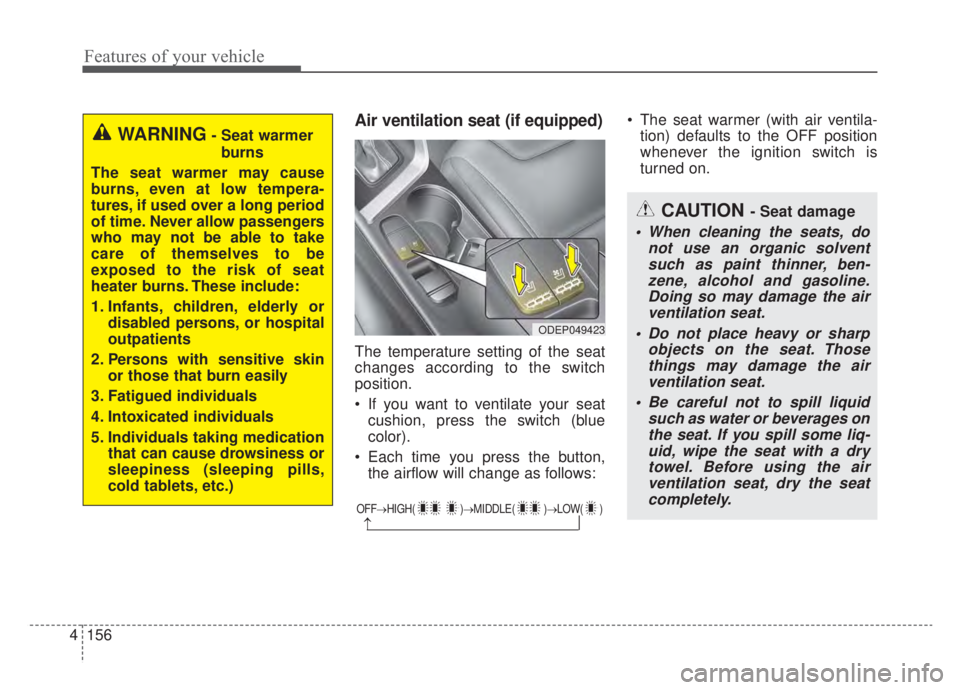
Air ventilation seat (if equipped)
The temperature setting of the seat
changes according to the switch
position.
If you want to ventilate your seat
cushion, press the switch (blue
color).
Each time you press the button, the airflow will change as follows: The seat warmer (with air ventila-
tion) defaults to the OFF position
whenever the ignition switch is
turned on.
OFF→ HIGH( )→ MIDDLE( )→LOW( )
→
CAUTION - Seat damage
When cleaning the seats, do
not use an organic solventsuch as paint thinner, ben-zene, alcohol and gasoline.Doing so may damage the airventilation seat.
Do not place heavy or sharp objects on the seat. Thosethings may damage the airventilation seat.
Be careful not to spill liquid such as water or beverages onthe seat. If you spill some liq-uid, wipe the seat with a drytowel. Before using the airventilation seat, dry the seatcompletely.
ODEP049423
WARNING- Seat warmer
burns
The seat warmer may cause
burns, even at low tempera-
tures, if used over a long period
of time. Never allow passengers
who may not be able to take
care of themselves to be
exposed to the risk of seat
heater burns. These include:
1. Infants, children, elderly or disabled persons, or hospital
outpatients
2. Persons with sensitive skin or those that burn easily
3. Fatigued individuals
4. Intoxicated individuals
5. Individuals taking medication that can cause drowsiness or
sleepiness (sleeping pills,
cold tablets, etc.)
Page 295 of 687
Features of your vehicle
158
4
Only use 12V electric accessories
which are less than 10A in electric
capacity.
Adjust the air-conditioner or heater to the lowest operating level when
using the power outlet.
Close the cover when not in use.
Some electronic devices can cause electronic interference when
plugged into a vehicle’s power out-
let. These devices may cause
excessive audio static and malfunc-
tions in other electronic systems or
devices used in your vehicle.
Push the plug in as far as it will go. If good contact is not made, the
plug may overheat and the fuse
may open.
Plug in battery equipped electronic devices with reverse current pro-
tection. The current from the bat-
tery may flow into the vehicle’s
electri cal/electronic system and
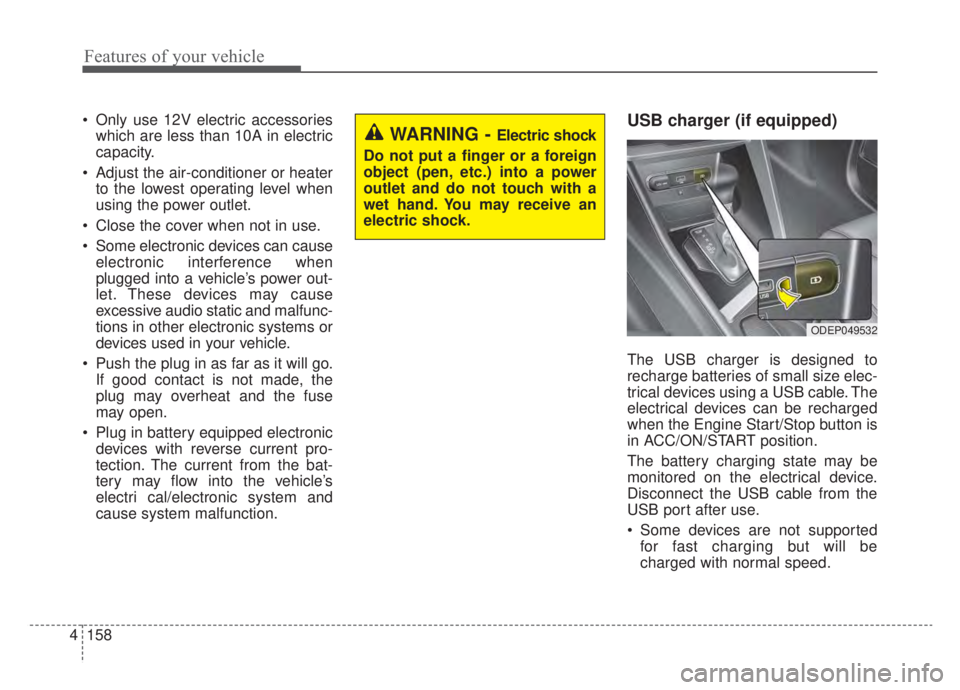
cause system malfunction.USB charger (if equipped)
The USB charger is designed to
recharge batteries of small size elec-
trical devices using a USB cable. The
electrical devices can be recharged
when the Engine Start/Stop button is
in ACC/ON/START position.
The battery charging state may be
monitored on the electrical device.
Disconnect the USB cable from the
USB port after use.
Some devices are not supportedfor fast charging but will be
charged with normal speed.
WARNING - Electric shock
Do not put a finger or a foreign
object (pen, etc.) into a power
outlet and do not touch with a
wet hand. You may receive an
electric shock.
ODEP049532
Page 300 of 687
4163
Features of your vehicle
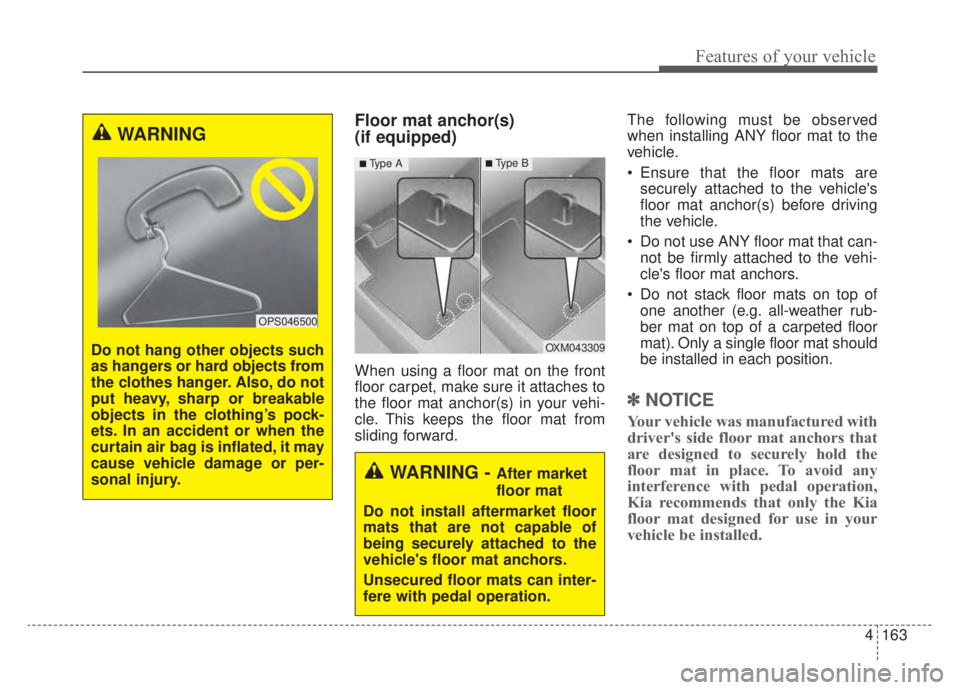
Floor mat anchor(s)
(if equipped)
When using a floor mat on the front
floor carpet, make sure it attaches to
the floor mat anchor(s) in your vehi-
cle. This keeps the floor mat from
sliding forward.The following must be observed
when installing ANY floor mat to the
vehicle.
Ensure that the floor mats are
securely attached to the vehicle's
floor mat anchor(s) before driving
the vehicle.
Do not use ANY floor mat that can- not be firmly attached to the vehi-
cle's floor mat anchors.
Do not stack floor mats on top of one another (e.g. all-weather rub-
ber mat on top of a carpeted floor
mat). Only a single floor mat should
be installed in each position.
✽ ✽ NOTICE
Your vehicle was manufactured with
driver's side floor mat anchors that
are designed to securely hold the
floor mat in place. To avoid any
interference with pedal operation,
Kia recommends that only the Kia
floor mat designed for use in your
vehicle be installed.
OXM043309
■Type A■Type B
WARNING - After market
floor mat
Do not install aftermarket floor
mats that are not capable of
being securely attached to the
vehicle's floor mat anchors.
Unsecured floor mats can inter-
fere with pedal operation.
WARNING
Do not hang other objects such
as hangers or hard objects from
the clothes hanger. Also, do not
put heavy, sharp or breakable
objects in the clothing’s pock-
ets. In an accident or when the
curtain air bag is inflated, it may
cause vehicle damage or per-
sonal injury.
OPS046500
Page 314 of 687
Driving your vehicle
45
Be sure the exhaust system does
not leak.
The exhaust system should be
checked whenever the vehicle is
raised to change the oil or for any
other purpose. If you hear a change in
the sound of the exhaust or if you drive
over something that strikes the under-
neath side of the vehicle, have the
exhaust system checked as soon as
possible by an authorized Kia dealer.
WARNING- Engineexhaust
Do not inhale exhaust fumes or
leave your engine running in a
enclosed area for a prolonged
time. Exhaust fumes contain
carbon monoxide, a colorless,
odorless gas that can cause
unconsciousness and death by
asphyxiation.WARNING- Open liftgate
Do not drive with the liftgate
open. Poisonous exhaust gases
can enter the passenger com-
partment. If you must drive with
the liftgate open proceed as fol-
lows:
1. Close all windows.
2. Open side vents.
3. Set the air intake control at “Fresh”, the air flow control
at “Floor” or “Face” and the
fan at the highest speed.
Page 341 of 687
531
Driving your vehicle
Wet brakes may impair the vehicle’s
ability to safely slow down; the vehi-
cle may also pull to one side when
the brakes are applied. Applying the
brakes lightly will indicate whether
they have been affected in this way.
Always test your brakes in this fash-
ion after driving through deep water.
To dry the brakes, apply them lightly
while maintaining a safe forward
speed until brake performance
returns to normal.
✽ ✽NOTICE
Do not depress the brake pedal con-
tinuously without the “ ” indica-
tor ON. The battery may be dis-
charged.
In the event of brake failure
If service brakes fail to operate while
the vehicle is in motion, you can
make an emergency stop with the
parking brake. The stopping dis-
tance, however, will be much greater
than normal.
Disc brakes wear indicator
When your brake pads are worn and
new pads are required, you will hear
a high-pitched warning sound from
your front brakes or rear brakes. You
may hear this sound come and go or
it may occur whenever you depress
the brake pedal.
Please remember that some driving
conditions or climates may cause a
brake squeal when you first apply (or
lightly apply) the brakes. This is nor-
mal and does not indicate a problem
with your brakes.
Always replace the front or rear
brake pads as pairs.
WARNING- Parking
brake
Avoid applying the parking
brake to stop the vehicle while it
is moving except in an emer-
gency situation. Applying the
parking brake while the vehicle
is moving at normal speeds can
cause a sudden loss of control
of the vehicle. If you must use
the parking brake to stop the
vehicle, use great caution in
applying the brake.
CAUTION- Replace brake pads
Do not continue to drive withworn brake pads. Continuing todrive with worn brake pads candamage the braking system andresult in costly brake repairs.
Page 343 of 687
533
Driving your vehicle
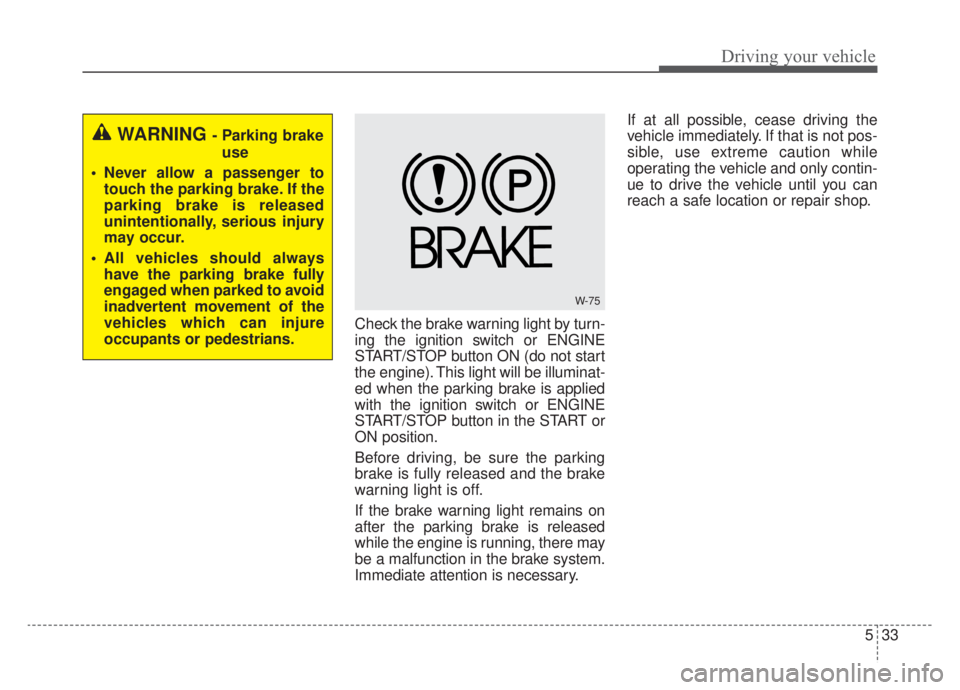
Check the brake warning light by turn-
ing the ignition switch or ENGINE
START/STOP button ON (do not start
the engine). This light will be illuminat-
ed when the parking brake is applied
with the ignition switch or ENGINE
START/STOP button in the START or
ON position.
Before driving, be sure the parking
brake is fully released and the brake
warning light is off.
If the brake warning light remains on
after the parking brake is released
while the engine is running, there may
be a malfunction in the brake system.
Immediate attention is necessary.If at all possible, cease driving the
vehicle immediately. If that is not pos-
sible, use extreme caution while
operating the vehicle and only contin-
ue to drive the vehicle until you can
reach a safe location or repair shop.
WARNING - Parking brake
use
Never allow a passenger to touch the parking brake. If the
parking brake is released
unintentionally, serious injury
may occur.
All vehicles should always have the parking brake fully
engaged when parked to avoid
inadvertent movement of the
vehicles which can injure
occupants or pedestrians.
W-75
Page 374 of 687
Driving your vehicle
64
5
The pedestrian has impaired
mobility.
When the pedestrian suddenly interrupts in front of the vehicle.
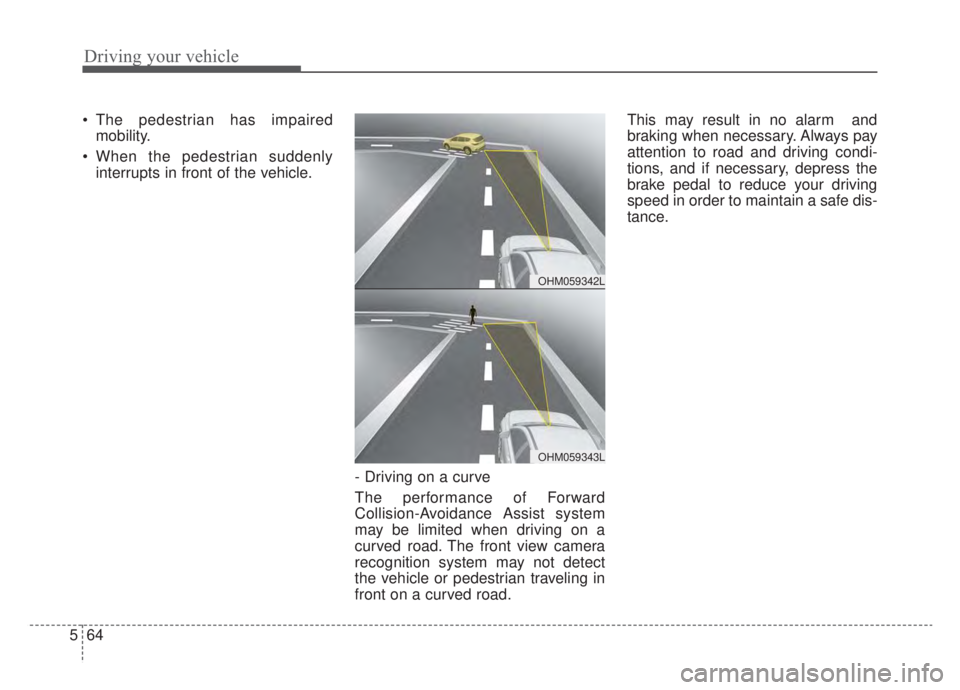
- Driving on a curve
The performance of Forward
Collision-Avoidance Assist system
may be limited when driving on a
curved road. The front view camera
recognition system may not detect
the vehicle or pedestrian traveling in
front on a curved road. This may result in no alarm and
braking when necessary. Always pay
attention to road and driving condi-
tions, and if necessary, depress the
brake pedal to reduce your driving
speed in order to maintain a safe dis-
tance.
OHM059342L
OHM059343L
Page 377 of 687

567
Driving your vehicle
Detecting pedestrians
The sensor may be limited when:
The pedestrian is not fully detectedby the front view camera recogni-
tion system, for example, if the
pedestrian is leaning over or is not
fully walking upright.
The pedestrian is moving very quickly or appears abruptly in the
camera detection area.
The pedestrian is wearing clothing that easily blends into the back-
ground, making it difficult to be
detected by the camera recogni-
tion system.
The outside lighting is too bright (e.g. when driving in bright sunlight
or in sun glare) or too dark (e.g.
when driving on a dark rural road
at night).
It is difficult to detect and distin- guish the pedestrian from other
objects in the surroundings, for
example, when there is a group of
pedestrians, or a large crowd. There is an item similar to a per-
son's body structure.
The pedestrian is small.
The pedestrian has impaired mobility.
In case of camera sensor recogni- tion is in a marginal state.
When the pedestrian suddenly interrupts in front of the vehicle.
When there is any other electro- magnetic interference.
When the construction area, rail or other metal object is near the
pedestrian.
In case of a large number of pedestrians are gathered.
When it is difficult to distinguish between surroundings and pedes-
trians.
When it is at night or in dark sur- roundings.WARNING
Do not use Forward Collision-Avoidance Assist system
when towing a vehicle.
Application of FCA system
while towing may adversely
affect the safety of your vehi-
cle or the towing vehicle.
Use extreme caution when the vehicle in front of you has
cargo that extends rearward
from the cab, or when the
vehicle in front of you has
higher ground clearance.
FCA system is designed to detect and monitor the vehicle
ahead in the roadway through
camera recognition. It is not
designed to detect bicycles,
motorcycles, or smaller
wheeled objects such as lug-
gage bags, shopping carts, or
strollers.
(Continued)
Page 378 of 687
Driving your vehicle
68
5
✽ ✽
NOTICE
In some instances, FCA system may
be cancelled when subjected to elec-
tromagnetic interference.
This device complies with Part 15
of the FCC rules.
Operation is subject to the following
three conditions:
1. This device may not cause harmful
interference.
2. This device must accept any inter- ference received, including inter-
ference that may cause undesired
operation.
3. Changes or modifications not expressly approved by the party
responsible for compliance could
void the user's authority to operate
the device. Radio frequency radiation exposure
information:
This equipment complies with FCC
radiation exposure limits set forth for
uncontrolled environment.
This equipment should be installed
and operated with minimum distance
of 8 in. (20 cm) between the radiator
(antenna) and your body.
This transmitter must not be co-
located or operating in conjunction
with any other antenna or transmit-
ter.(Continued)
Never try to test the operation
of FCA system. Doing so may
cause severe injury or death.
If the front glass or front view camera have been replaced or
repaired, have your vehicle
inspected by an authorized
Kia dealer.
If the system detects an object that has a similar
shape or characteristics of a
vehicle or a pedestrian, FCA
system may operate.
Page 395 of 687
585
Driving your vehicle
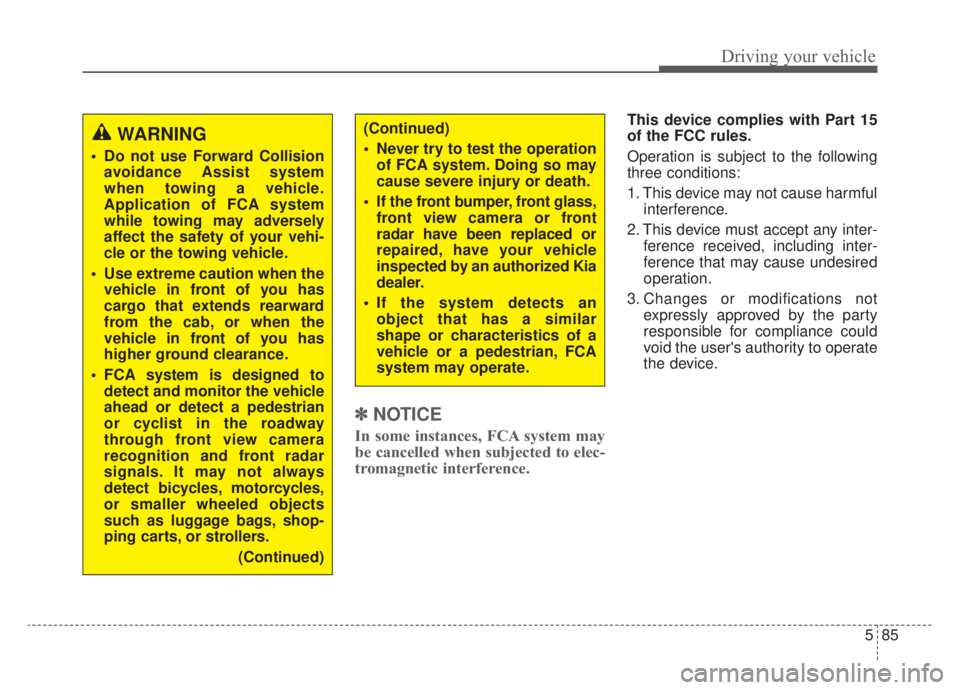
✽ ✽NOTICE
In some instances, FCA system may
be cancelled when subjected to elec-
tromagnetic interference.
This device complies with Part 15
of the FCC rules.
Operation is subject to the following
three conditions:
1. This device may not cause harmful
interference.
2. This device must accept any inter- ference received, including inter-
ference that may cause undesired
operation.
3. Changes or modifications not expressly approved by the party
responsible for compliance could
void the user's authority to operate
the device.(Continued)
Never try to test the operationof FCA system. Doing so may
cause severe injury or death.
If the front bumper, front glass, front view camera or front
radar have been replaced or
repaired, have your vehicle
inspected by an authorized Kia
dealer.
If the system detects an object that has a similar
shape or characteristics of a
vehicle or a pedestrian, FCA
system may operate.WARNING
Do not use Forward Collisionavoidance Assist system
when towing a vehicle.
Application of FCA system
while towing may adversely
affect the safety of your vehi-
cle or the towing vehicle.
Use extreme caution when the vehicle in front of you has
cargo that extends rearward
from the cab, or when the
vehicle in front of you has
higher ground clearance.
FCA system is designed to detect and monitor the vehicle
ahead or detect a pedestrian
or cyclist in the roadway
through front view camera
recognition and front radar
signals. It may not always
detect bicycles, motorcycles,
or smaller wheeled objects
such as luggage bags, shop-
ping carts, or strollers.
(Continued)