overheating KIA NIRO 2020 Owners Manual
[x] Cancel search | Manufacturer: KIA, Model Year: 2020, Model line: NIRO, Model: KIA NIRO 2020Pages: 687, PDF Size: 11.43 MB
Page 13 of 687
H11
Always keep the charging connec-tor and charging plug clean and
dry. Be sure to keep the charging
cable in a condition where there is
no water or moisture.
Before charging the battery, turn the vehicle OFF.
Be careful not to drop the charging connector. The charging connector
can be damaged.
Always inspect the charging con- nector terminals for damage or
overheating. Do not use if dam-
aged, as this may damage the
vehicle side charge connector and
is not a warrantable repair.AC Charge
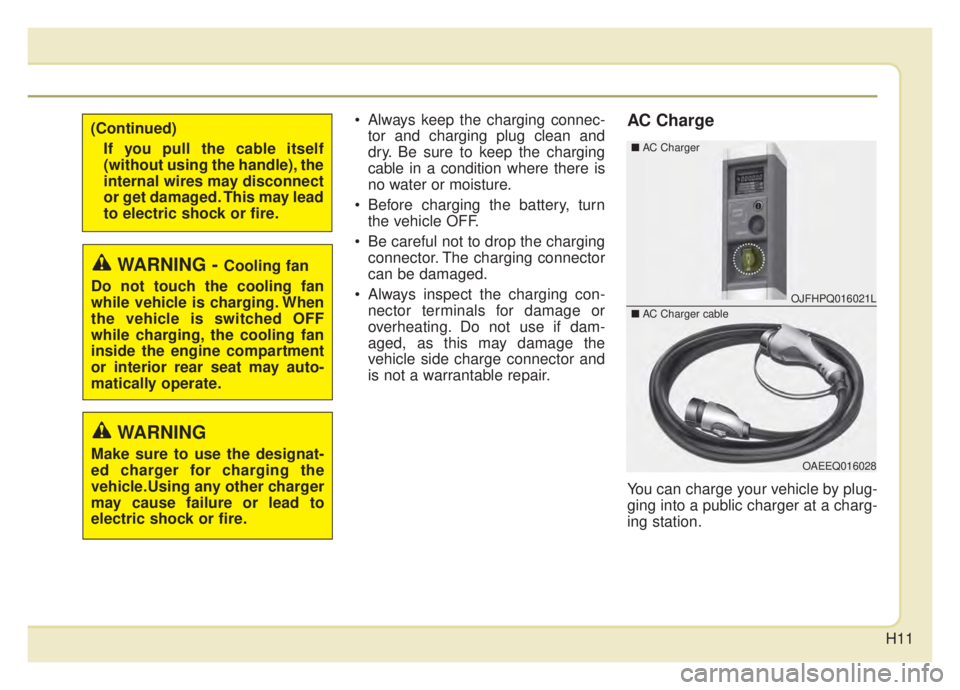
You can charge your vehicle by plug-
ging into a public charger at a charg-
ing station.
WARNING - Cooling fan
Do not touch the cooling fan
while vehicle is charging. When
the vehicle is switched OFF
while charging, the cooling fan
inside the engine compartment
or interior rear seat may auto-
matically operate.
OJFHPQ016021L
OAEEQ016028
\b AC Charger
\bAC Charger cable
WARNING
Make sure to use the designat-
ed charger for charging the
vehicle.Using any other charger
may cause failure or lead to
electric shock or fire.
(Continued)
If you pull the cable itself
(without using the handle), the
internal wires may disconnect
or get damaged. This may lead
to electric shock or fire.
Page 28 of 687
H26
Precautions for PortableCharging Cable (ICCB: In-Cable Control Box)
Use a portable charging cable that is certified by Kia.
Do not try to repair, disassemble, or adjust the portable charging cable.
Do not use an extension cord or adapter.
Stop using immediately if failure warning light occurs.
Do not touch the plug and charging connector with wet hands.
Do not touch the terminal part of the AC Charging connector and the AC
Charging inlet on the vehicle.
Do not connect the charging con- nector to voltage that does not
comply with regulations.
Do not use the portable charging cable if it is worn out, exposed, or
there exists any type of damage on
the portable charging cable. If the ICCB case and AC
Charging
connector is damaged, cracked, or
the wires are exposed in any way,
do not use the portable charging
cable.
Do not let children operate or touch the portable charging cable.
Keep the control box free of water.
Keep the AC Chargingconnector or
plug terminal free of foreign sub-
stances.
Do not step on the cable or cord. Do not pull the cable or cord and
do not twist or bend it.
Do not charge when there is light- ning.
Do not drop the control box, charg- ing connector, or place a heavy
object on the control box.
Do not place an object that can generate high temperatures near
the charger when charging. Charging with a worn out or dam-
aged household electric outlet can
result in a risk of electric shock. If
you are unsure about the condition
of a household electric outlet, have
it checked by a licensed electri-
cian.
Stop using the portable charging cable immediately if the household
electric outlet or any components
are overheating or you smell burn-
ing.
CHARGING THE PLUG-IN HYBRID VEHICLE (CONT.)
Page 184 of 687
447
Features of your vehicle
Electric Power Steering
(EPS)
The power steering uses a motor to
assist you in steering the vehicle. If
the engine is off or if the power steer-
ing system becomes inoperative, the
vehicle may still be steered, but it will
require increased steering effort.
The EPS is controlled by a power
steering control unit which senses
the steering wheel torque and vehi-
cle speed to command the motor.
The steering becomes heavier as the
vehicle’s speed increases and
becomes lighter as the vehicle’s
speed decreases for optimum steer-
ing control.
Should you notice any change in the
effort required to steer during normal
vehicle operation, have the power
steering checked by an authorized
Kia dealer. If the Electric Power Steering
System does not operate normally,
the warning light will illuminate on
the instrument cluster. The steering
wheel may require increased
steering effort. Take your vehicle to
an authorized Kia dealer and have
the vehicle checked as soon as
possible.
When you operate the steering wheel in low temperature, noise
may occur. If temperature rises, the
noise will likely disappear. This is a
normal condition.
When the vehicle is stationary, and the steering wheel is turned all the
way to the left or right continuous-
ly, the steering wheel becomes
harder to turn. The power assist is
limited to protect the motor from
overheating.
As time passes, the steering wheel
will return to its normal condition.
✽ ✽ NOTICE
The following symptoms may occur
during normal vehicle operation:
• The EPS warning light does not
illuminate.
• The steering gets heavy immedi- ately after turning the ENGINE
START/STOP button is ON posi-
tion. This happens as the system
performs the EPS system diagnos-
tics. When the diagnostics are
completed, the steering wheel will
return to its normal condition.
• A click noise may be heard from the EPS relay after turning the
ENGINE START/STOP button is
ON or OFF position.
• A motor noise may be heard when the vehicle is at a stop or at a low
driving speed.
• If the Electric Power Steering System does not operate normally,
the warning light will illuminate on
the instrument cluster. The steer-
ing wheel may become difficult to
control or operate abnormally.
Take your vehicle to an authorized
Kia dealer and have the vehicle
checked as soon as possible. (Continued)
STEERING WHEEL
Page 224 of 687
487
Features of your vehicle
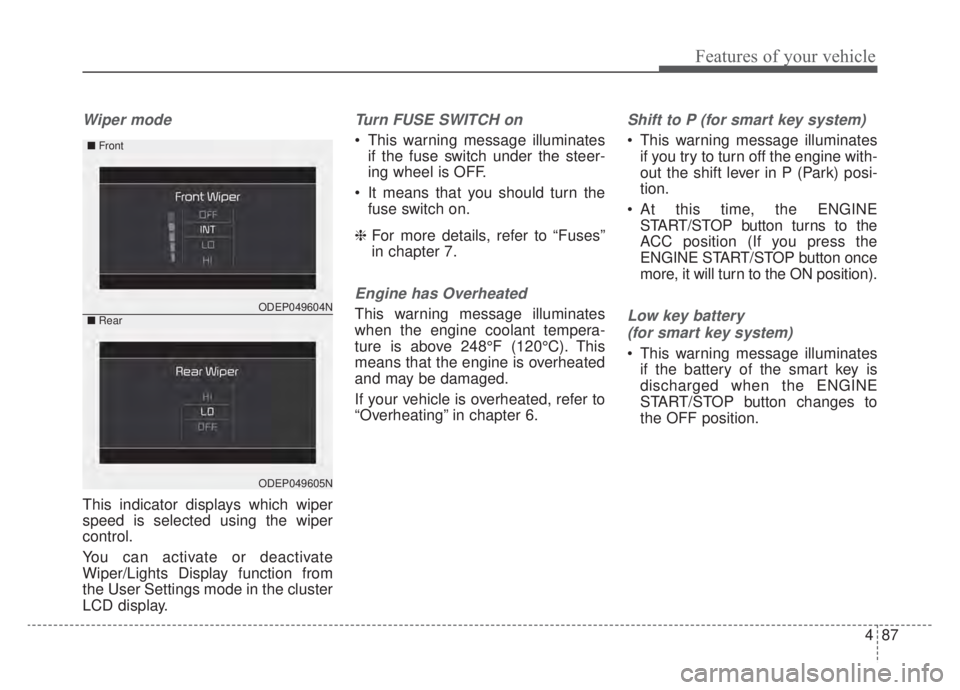
Wiper mode
This indicator displays which wiper
speed is selected using the wiper
control.
You can activate or deactivate
Wiper/Lights Display function from
the User Settings mode in the cluster
LCD display.
Turn FUSE SWITCH on
This warning message illuminatesif the fuse switch under the steer-
ing wheel is OFF.
It means that you should turn the fuse switch on.
❈ For more details, refer to “Fuses”
in chapter 7.
Engine has Overheated
This warning message illuminates
when the engine coolant tempera-
ture is above 248°F (120°C). This
means that the engine is overheated
and may be damaged.
If your vehicle is overheated, refer to
“Overheating” in chapter 6.
Shift to P (for smart key system)
This warning message illuminates
if you try to turn off the engine with-
out the shift lever in P (Park) posi-
tion.
At this time, the ENGINE START/STOP button turns to the
ACC position (If you press the
ENGINE START/STOP button once
more, it will turn to the ON position).
Low key battery
(for smart key system)
This warning message illuminates if the battery of the smart key is
discharged when the ENGINE
START/STOP button changes to
the OFF position.
ODEP049604N
ODEP049605N
■ Front
■Rear
Page 240 of 687
4103
Features of your vehicle
Master Warning light (if equipped)
This warning light informs the driv- er the following situations.
- Forward Collision-Avoidance Assist system malfunction (if equipped)
- Forward Collision-Avoidance Assist radar blocked (if equipped)
- Blind-Spot Collision Warning system malfunction (if equipped)
- Blind-Spot Collision Warning radar blocked (if equipped)
- Lamp malfunction
- LED headlamp malfunction (if equipped)
- High Beam Assist malfunction (if equipped)
- Tire Pressure Monitoring System (TPMS) malfunction
- Smart Cruise Control system mal- function (if equipped)
- Smart Cruise Control system radar blocked (if equipped) - Highway Driving Assist system mal-
function (if equipped)
- Lane Following Assist system mal- function (if equipped), etc.
The Master Warning Light illuminates
when one or more of the above warn-
ing situations occur. If the warning situ-
ation is resolved, the master warning
light will turn off.
Engine Coolant Temperature WarningLight
This warning light illuminates:
When the engine coolant tempera- ture is above 248°F (120°C). This
means that the engine is overheat-
ed and may be damaged.
If your vehicle is overheated, refer
to “If the engine overheats” in
chapter 6.
CAUTION - Engine
Overheating
Do not continue driving with theengine overheated. Otherwisethe engine may be damaged.
Page 278 of 687
4141
Features of your vehicle
Operation Tips
To keep dust or unpleasant fumesfrom entering the vehicle through
the ventilation system, temporarily
set the air intake control to the
recirculated air position. Be sure to
return the control to the fresh air
position when the irritation has
passed to keep fresh air in the
vehicle. This will help keep the driv-
er alert and comfortable.
Air for the heating/cooling system is drawn in through the grilles just
ahead of the windshield. Care
should be taken that these are not
blocked by leaves, snow, ice or
other obstructions.
To prevent interior fog on the wind- shield, set the air intake control to
the fresh air position and fan speed
to the desired position, turn on the
air conditioning system, and adjust
the temperature control to desired
temperature.Air conditioning (if equipped)
All Kia Air Conditioning Systems are
filled with R-1234yf refrigerant.
1.Start the engine. Press the air con-ditioning button.
2.Set the mode to the position.
3.Set the air intake control to the out- side air or recirculated air position.
4.Adjust the fan speed control and temperature control to maintain
maximum comfort.
When maximum cooling is desired, set the temperature control to the
extreme left position, set the mode
control to the MAX A/C position,
then set the fan speed control to
the highest speed.CAUTION - Excessive A/C
Use
When using the air conditioningsystem, monitor the tempera-ture gauge closely while drivingup hills or in heavy traffic whenoutside temperatures are high.Air conditioning system opera-tion may cause engine over-heating. Continue to use theblower fan but turn the air con-ditioning system off if the tem-perature gauge indicates engineoverheating.
CAUTION
When opening the windows inhumid weather, air conditioningmay create water dropletsinside the vehicle. Since exces-sive water droplets may causedamage to electrical equipment,air conditioning should only beused with the windows closed.
Page 335 of 687
525
Driving your vehicle
Ignition key interlock system
(if equipped)
The ignition key cannot be removed
unless the shift lever is in the P
(Park) position.
ENGINE START/STOP button inter-
lock system (if equipped)
The ENGINE START/STOP button
will not change to the OFF position
unless the shift lever is in the P
(Park) position.Good driving practices
Never move the shift lever from P(Park) or N (Neutral) to any other
position with the accelerator pedal
depressed.
Never move the shift lever into P (Park) when the vehicle is in motion.
Be sure the car is completely stopped before you attempt to shift
into R (Reverse) or D (Drive).
Never take the car out of gear and coast down a hill. This may be
extremely hazardous. Always leave
the car in gear when moving.
Do not "ride" the brakes. This can cause them to overheat and mal-
function. Instead, when you are
driving down a long hill, slow down
and shift to a lower gear. When you
do this, engine braking will help
slow the car.
Slow down before shifting to a lower gear. Otherwise, the lower
gear may not be engaged. Always use the parking brake. Do
not depend on placing the
transaxle in P (Park) to keep the
car from moving.
Exercise extreme caution when driving on a slippery surface. Be
especially careful when braking,
accelerating or shifting gears. On a
slippery surface, an abrupt change
in vehicle speed can cause the
drive wheels to lose traction and
the vehicle to go out of control.
Optimum vehicle performance and economy is obtained by smoothly
depressing and releasing the
accelerator pedal.
CAUTION
- Holding the Vehicle Using
Accelerator Pedal
Do not attempt to hold yourvehicle on a hill by applying theaccelerator pedal. This cancause your clutch and transmis-sion to be damaged as a resultof overheating.
Page 481 of 687
5171
Driving your vehicle
Rocking the vehicle
If it is necessary to rock the vehicle
to free it from snow, sand, or mud,
first turn the steering wheel right and
left to clear the area around your
front wheels. Then, shift back and
forth between R (Reverse) and any
forward gear in vehicles equipped
with a dual clutch transmission. Do
not race the engine, and spin the
wheels as little as possible. If you are
still stuck after a few tries, have the
vehicle pulled out by a tow vehicle to
avoid engine overheating and possi-
ble damage to the transaxle.The ESC system should be turned
OFF prior to rocking the vehicle.
Smooth cornering
Avoid braking or gear changing in
corners, especially when roads are
wet. Ideally, corners should always
be taken under gentle acceleration. If
you follow these suggestions, tire
wear will be held to a minimum.CAUTION- Vehicle rocking
Prolonged rocking may causeengine overheating, transaxledamage or failure, and tire dam-age.
CAUTION- Spinning tires
Do not spin the wheels, espe-cially at speeds more than 35mph (56 km/h). Spinning thewheels at high speeds when thevehicle is stationary couldcause a tire to overheat whichcould result in tire damage thatmay injure bystanders.
WARNING- Sudden
Vehicle Movement
Do not attempt to rock the vehi-
cle if people or objects are near-
by. The vehicle may suddenly
move forward or backwards as it
becomes unstuck.
Page 483 of 687
5173
Driving your vehicle
Driving in flooded areas
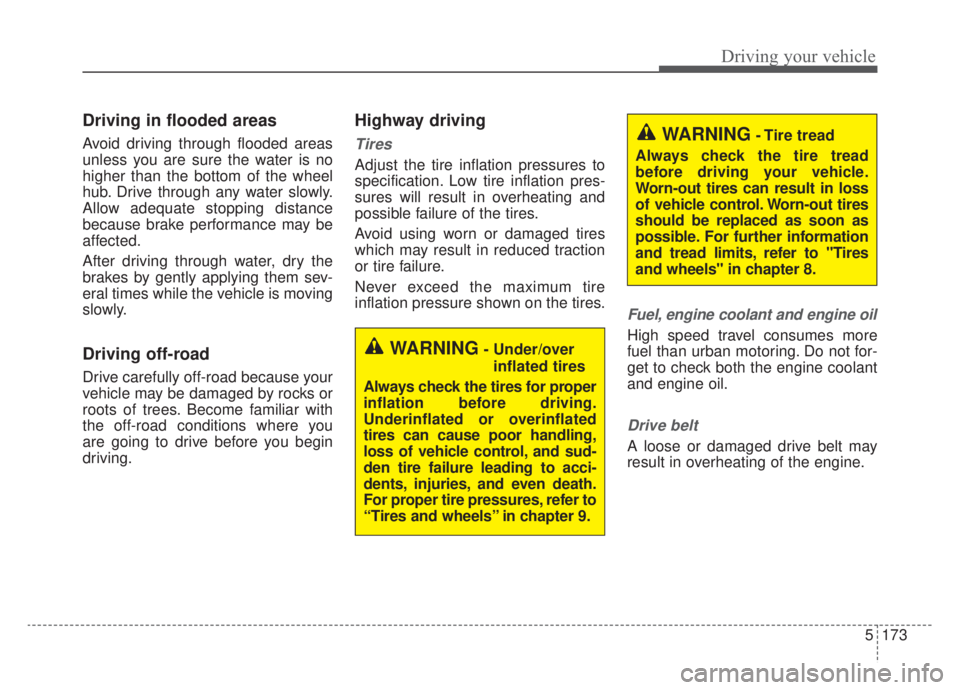
Avoid driving through flooded areas
unless you are sure the water is no
higher than the bottom of the wheel
hub. Drive through any water slowly.
Allow adequate stopping distance
because brake performance may be
affected.
After driving through water, dry the
brakes by gently applying them sev-
eral times while the vehicle is moving
slowly.
Driving off-road
Drive carefully off-road because your
vehicle may be damaged by rocks or
roots of trees. Become familiar with
the off-road conditions where you
are going to drive before you begin
driving.
Highway driving
Tires
Adjust the tire inflation pressures to
specification. Low tire inflation pres-
sures will result in overheating and
possible failure of the tires.
Avoid using worn or damaged tires
which may result in reduced traction
or tire failure.
Never exceed the maximum tire
inflation pressure shown on the tires.
Fuel, engine coolant and engine oil
High speed travel consumes more
fuel than urban motoring. Do not for-
get to check both the engine coolant
and engine oil.
Drive belt
A loose or damaged drive belt may
result in overheating of the engine.
WARNING- Under/overinflated tires
Always check the tires for proper
inflation before driving.
Underinflated or overinflated
tires can cause poor handling,
loss of vehicle control, and sud-
den tire failure leading to acci-
dents, injuries, and even death.
For proper tire pressures, refer to
“Tires and wheels” in chapter 9.
WARNING- Tire tread
Always check the tire tread
before driving your vehicle.
Worn-out tires can result in loss
of vehicle control. Worn-out tires
should be replaced as soon as
possible. For further information
and tread limits, refer to "Tires
and wheels" in chapter 8.
Page 498 of 687
What to do in an emergency
66
The following items should be reset
after the battery has been discharged
or the battery has been disconnected.
Auto up/down window
Sunroof
Trip computer
Climate control system
Driver position Memory System
Audio
As explained above, if the vehicle
cannot be started after pressing the
“12V Batt Reset” switch (1) due to
over discharge, try to jump-start
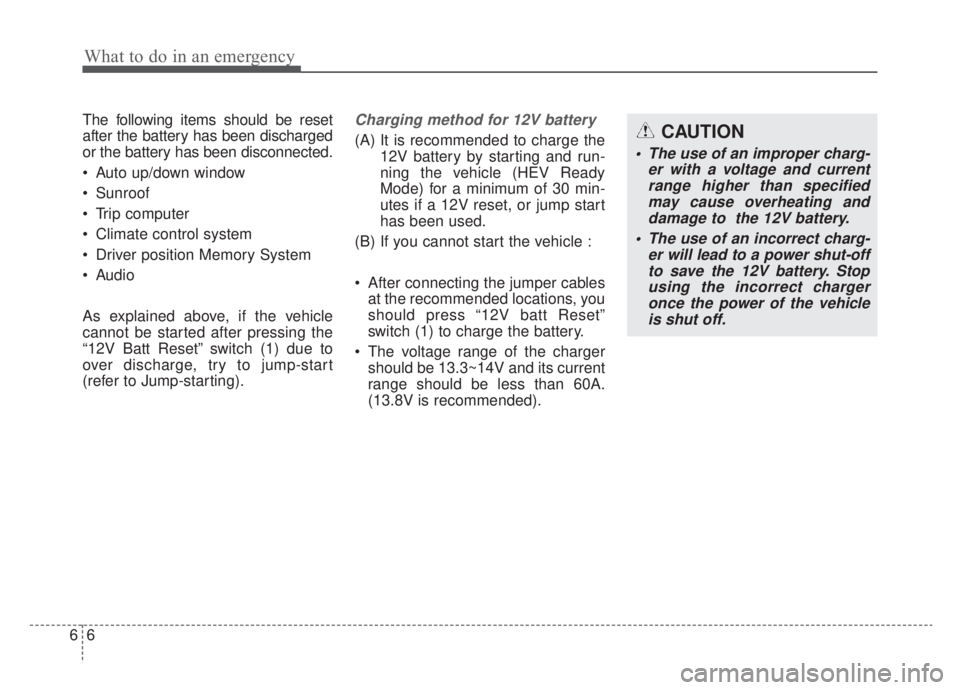
(refer to Jump-starting).Charging method for 12V battery
(A) It is recommended to charge the12V battery by starting and run-
ning the vehicle (HEV Ready
Mode) for a minimum of 30 min-
utes if a 12V reset, or jump start
has been used.
(B) If you cannot start the vehicle :
After connecting the jumper cables at the recommended locations, you
should press “12V batt Reset”
switch (1) to charge the battery.
The voltage range of the charger should be 13.3~14V and its current
range should be less than 60A.
(13.8V is recommended).CAUTION
• The use of an improper charg- er with a voltage and currentrange higher than specifiedmay cause overheating anddamage to the 12V battery.
The use of an incorrect charg- er will lead to a power shut-offto save the 12V battery. Stopusing the incorrect chargeronce the power of the vehicleis shut off.