Lcd KIA NIRO 2021 User Guide
[x] Cancel search | Manufacturer: KIA, Model Year: 2021, Model line: NIRO, Model: KIA NIRO 2021Pages: 710, PDF Size: 14.77 MB
Page 188 of 710
Features of your vehicle
48 4
✽
✽
NOTICE
Do not release the lever until the
operation is completed.
If you release the lever during oper-
ation, try again from step 2.
6. Release the sunroof control lever
after all operation has completed.
(The sunroof system has been
reset.)
❈For more detailed information,
contact an authorized Kia dealer.
✽ ✽
NOTICE
If the sunroof is not reset when the
vehicle battery is disconnected or
discharged, or related fuse is blown,
the sunroof may operate improper-
ly.
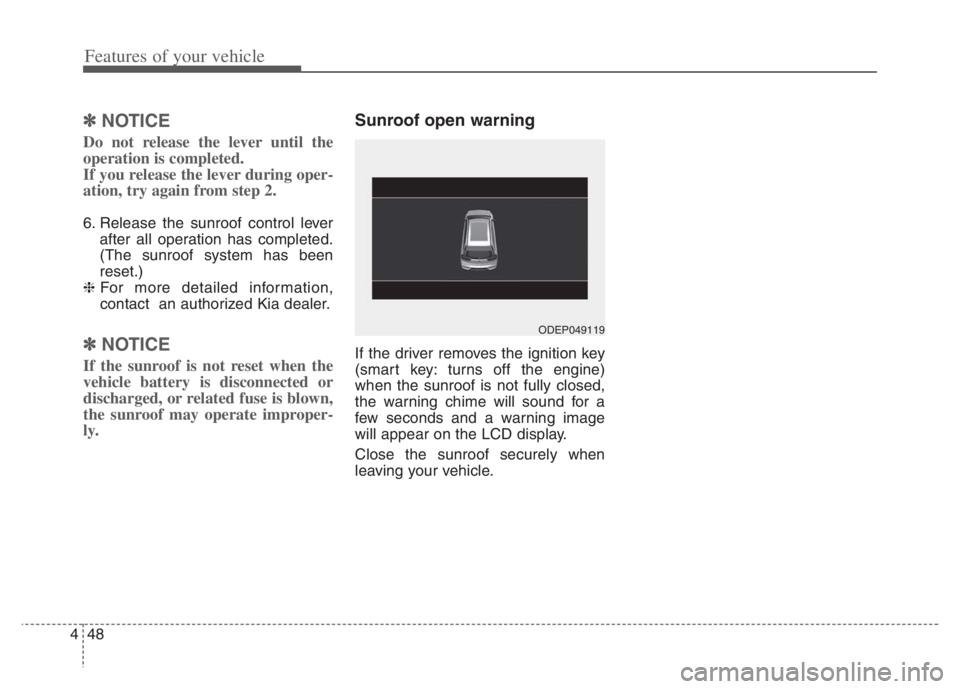
Sunroof open warning
If the driver removes the ignition key
(smart key: turns off the engine)
when the sunroof is not fully closed,
the warning chime will sound for a
few seconds and a warning image
will appear on the LCD display.
Close the sunroof securely when
leaving your vehicle.
ODEP049119
Page 207 of 710
467
Features of your vehicle
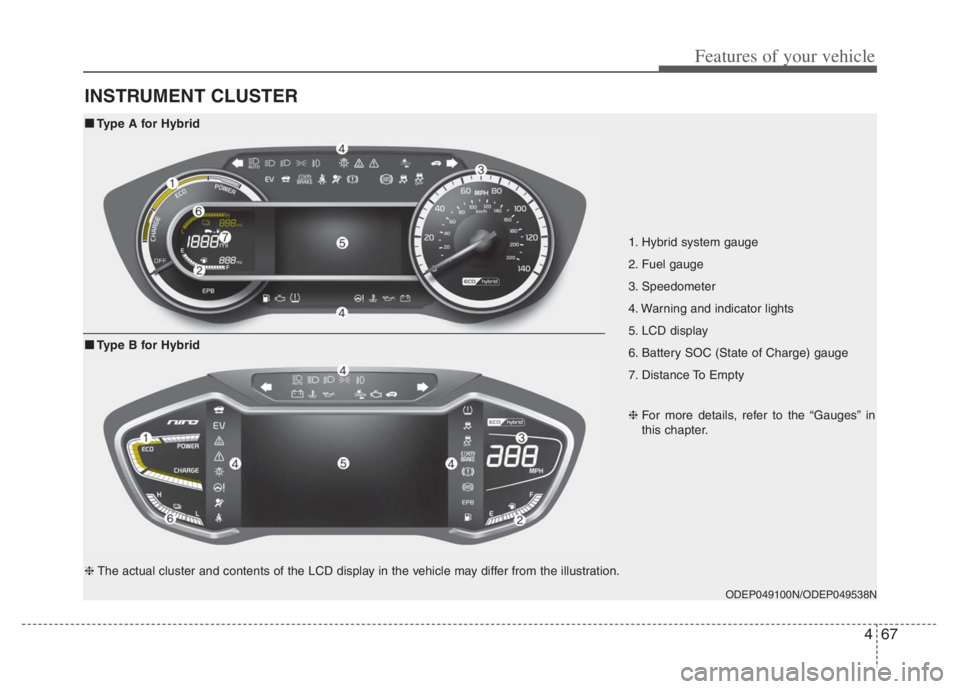
INSTRUMENT CLUSTER
1. Hybrid system gauge
2. Fuel gauge
3. Speedometer
4. Warning and indicator lights
5. LCD display
6. Battery SOC (State of Charge) gauge
7. Distance To Empty
ODEP049100N/ODEP049538N
■ ■
Type A for Hybrid
❈For more details, refer to the “Gauges” in
this chapter.
■ ■
Type B for Hybrid
❈The actual cluster and contents of the LCD display in the vehicle may differ from the illustration.
Page 208 of 710
Features of your vehicle
68 4
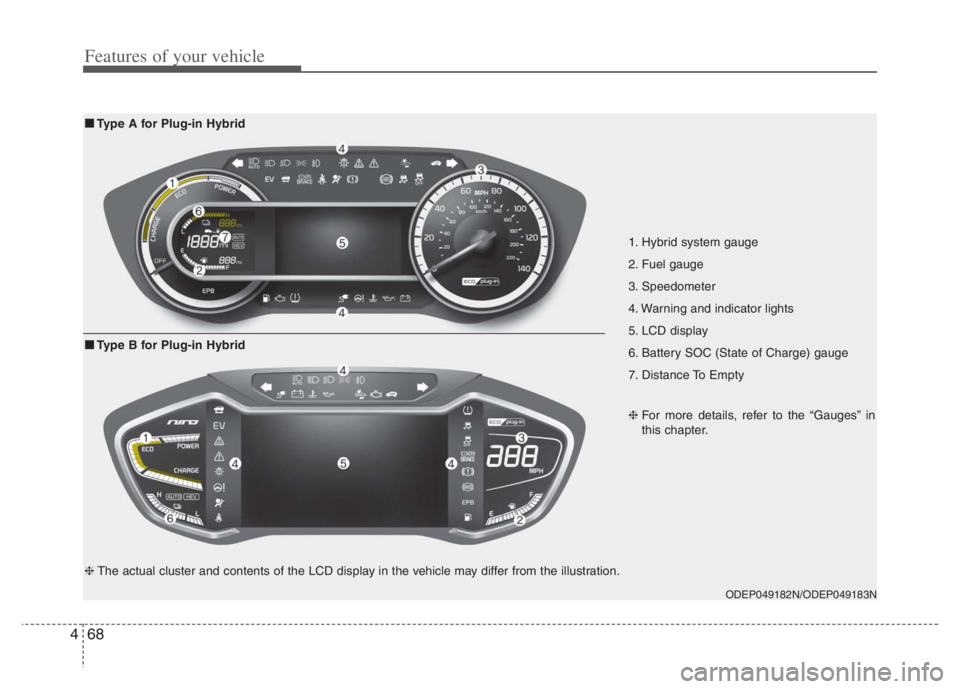
1. Hybrid system gauge
2. Fuel gauge
3. Speedometer
4. Warning and indicator lights
5. LCD display
6. Battery SOC (State of Charge) gauge
7. Distance To Empty
ODEP049182N/ODEP049183N
■ ■
Type A for Plug-in Hybrid
❈For more details, refer to the “Gauges” in
this chapter.
■ ■
Type B for Plug-in Hybrid
❈The actual cluster and contents of the LCD display in the vehicle may differ from the illustration.
Page 215 of 710
475
Features of your vehicle
Outside Temperature Gauge
This gauge indicates the current out-
side air temperatures by 1°F (1°C).
- Temperature range : -40 ~ 140°F (-40
~ 60°C)
The outside temperature on the dis-
play may not change immediately
like a general thermometer to pre-
vent the driver from being distracted.The temperature unit (from °C to °F
or from °F to °C) can be changed by
using the “User Settings” mode of the
LCD display.
❈For more details, refer to “LCD dis-
play” in this chapter.
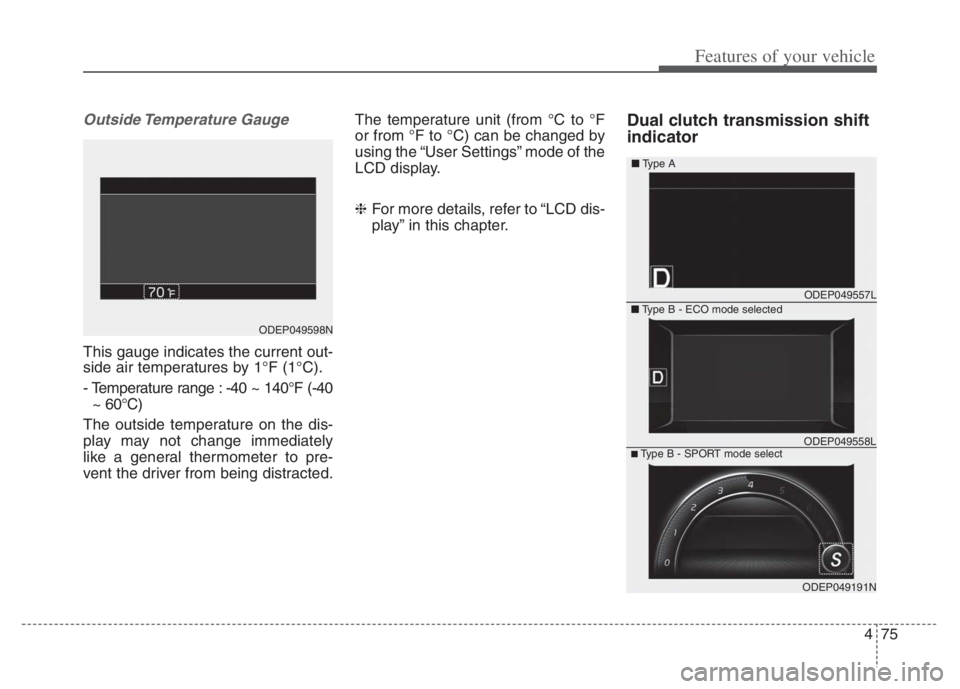
Dual clutch transmission shift
indicator
ODEP049598N
ODEP049557L
ODEP049191N
■Type A
■Type B - ECO mode selected
■Type B - SPORT mode selectODEP049558L
Page 217 of 710
477
Features of your vehicle
LCD Display Control
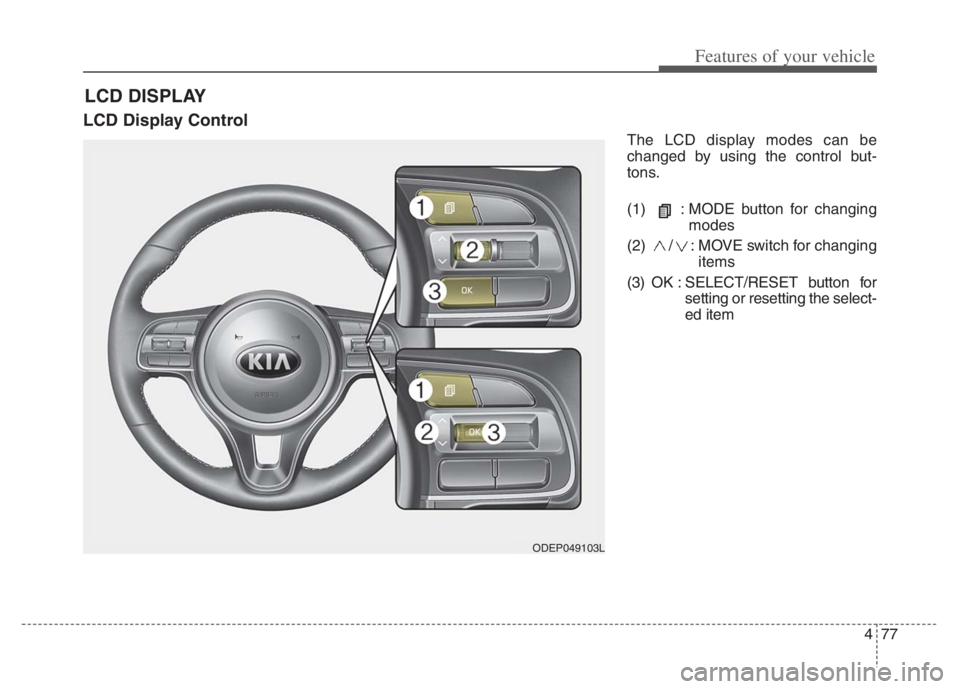
The LCD display modes can be
changed by using the control but-
tons.
(1) : MODE button for changing
modes
(2) / : MOVE switch for changing
items
(3) OK : SELECT/RESET button for
setting or resetting the select-
ed item
LCD DISPLAY
ODEP049103L
Page 218 of 710

Features of your vehicle
78 4
LCD Display Modes
RangeRoute Guidance
Control
Assist
Warning
AssistDriver AssistanceThe Master Warning
mode displays warn-
ing messages related
to the vehicle when
one or more functions
is not operating nor-
mally.
Fuel EconomyDestination InfoDoor
Accumulated InfoLights
Drive InfoSound
Digital SpeedometerConvenience
Driving StyleDriver Attention
WarningService Interval
Energy FlowTPMSOther
Engine TemperatureLanguage
Reset
Mode
Trip Computer TBT Driving Assist User Settings
Master warning
Up/Down
❈ ❈
The information provided may differ depending on which functions are applicable to your vehicle.
Page 220 of 710
Features of your vehicle
80 4
Tire Pressure
❈For more details, refer to “Tire
Pressure Monitoring System
(TPMS)” in chapter 6.Master warning mode
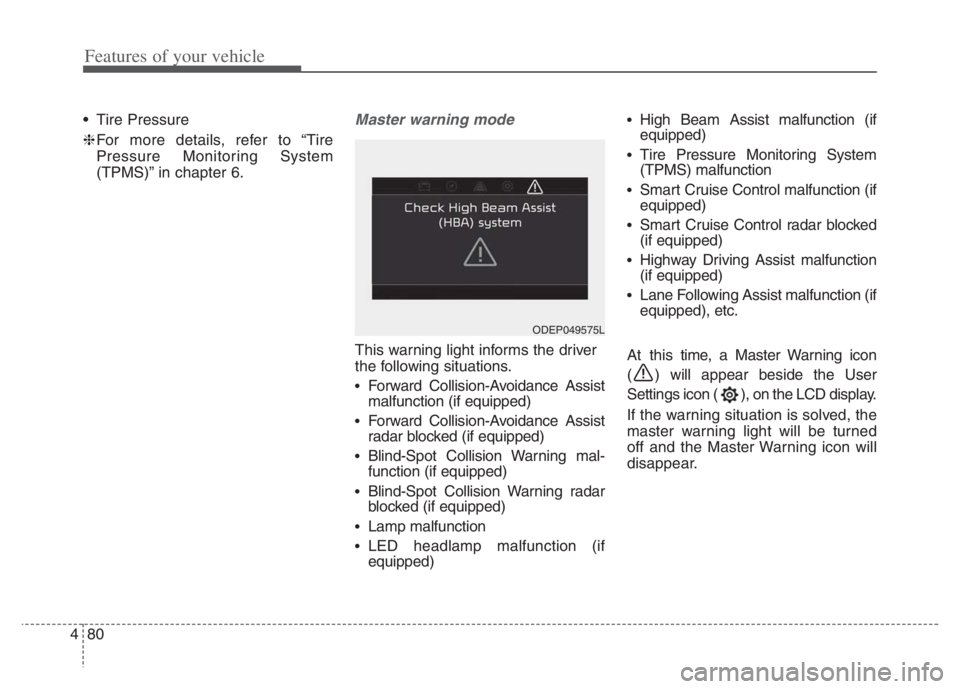
This warning light informs the driver
the following situations.
Forward Collision-Avoidance Assist
malfunction (if equipped)
Forward Collision-Avoidance Assist
radar blocked (if equipped)
Blind-Spot Collision Warning mal-
function (if equipped)
Blind-Spot Collision Warning radar
blocked (if equipped)
Lamp malfunction
LED headlamp malfunction (if
equipped)
High Beam Assist malfunction (if
equipped)
Tire Pressure Monitoring System
(TPMS) malfunction
Smart Cruise Control malfunction (if
equipped)
Smart Cruise Control radar blocked
(if equipped)
Highway Driving Assist malfunction
(if equipped)
Lane Following Assist malfunction (if
equipped), etc.
At this time, a Master Warning icon
( ) will appear beside the User
Settings icon ( ), on the LCD display.
If the warning situation is solved, the
master warning light will be turned
off and the Master Warning icon will
disappear.
ODEP049575L
Page 232 of 710

Features of your vehicle
92 4
Manual reset
To clear the average fuel economy
manually, press the OK button
(reset) on the steering wheel for
more than 1 second when the aver-
age fuel economy is displayed.Automatic reset
To make the average fuel economy
be reset automatically whenever
refueling, select the “Fuel Economy
Reset” mode in User Setting menu of
the LCD display (Refer to “LCD dis-
play”).
OFF - You may set to default man-
ually by using the trip switch reset
button.
After ignition - The vehicle will
automatically set to default once 4
hours pass after the ignition switch
or ENGINE START/STOP button is
turned to the OFF position.
After refueling - After refueling
more than 1.6 gallons (6 liters) and
driving over 1 mph (1 km/h), the
vehicle will reset to default auto-
matically.
✽ ✽
NOTICE
The average vehicle speed is not dis-
played, when the vehicle drives
shorter than 0.2 miles(300 meters)
or less than 10 seconds after turning
ON the ignition switch or ENGINE
START/STOP button.
Instant Fuel Economy (2)
This mode displays the instant fuel
economy while driving.
- Fuel economy range : 0.0 ~ 75
MPG or 0.0 ~ 30 L/100km, km/L
Page 235 of 710
495
Features of your vehicle
Warning messages
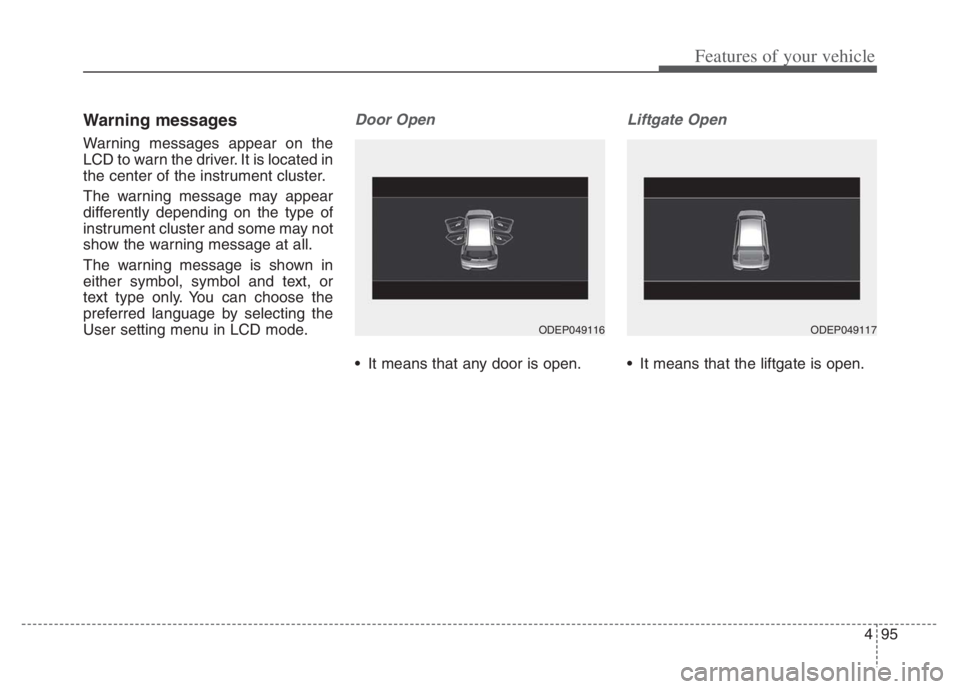
Warning messages appear on the
LCD to warn the driver. It is located in
the center of the instrument cluster.
The warning message may appear
differently depending on the type of
instrument cluster and some may not
show the warning message at all.
The warning message is shown in
either symbol, symbol and text, or
text type only. You can choose the
preferred language by selecting the
User setting menu in LCD mode.
Door Open
It means that any door is open.
Liftgate Open
It means that the liftgate is open.
ODEP049116ODEP049117
Page 236 of 710
Features of your vehicle
96 4
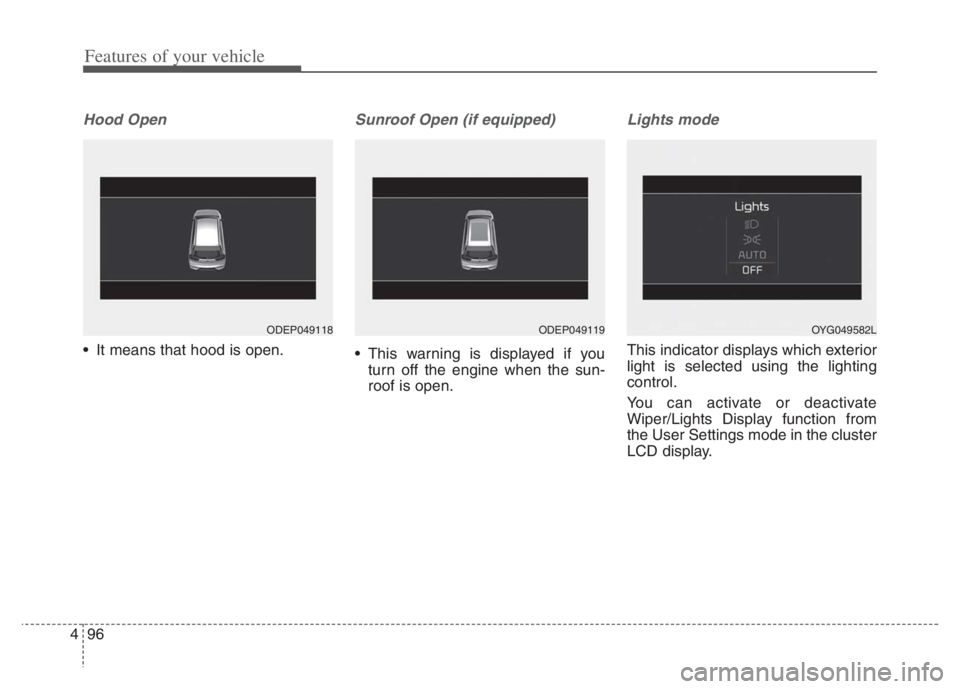
Hood Open
It means that hood is open.
Sunroof Open (if equipped)
This warning is displayed if you
turn off the engine when the sun-
roof is open.
Lights mode
This indicator displays which exterior
light is selected using the lighting
control.
You can activate or deactivate
Wiper/Lights Display function from
the User Settings mode in the cluster
LCD display.
ODEP049118ODEP049119OYG049582L