change wheel KIA NIRO 2021 User Guide
[x] Cancel search | Manufacturer: KIA, Model Year: 2021, Model line: NIRO, Model: KIA NIRO 2021Pages: 710, PDF Size: 14.77 MB
Page 413 of 710
Driving your vehicle
90
5
LKA activation
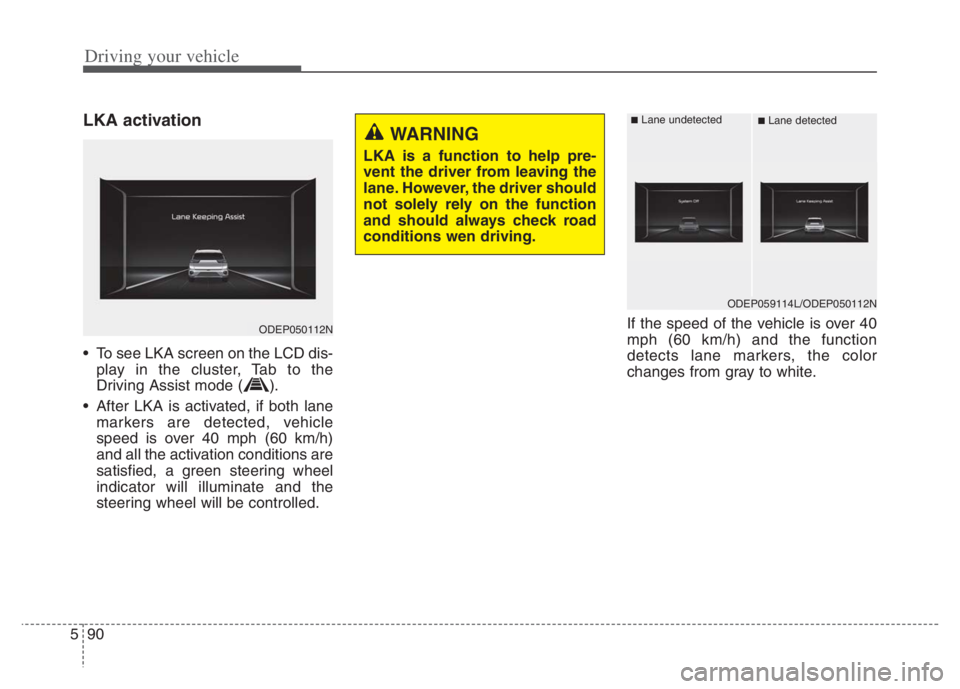
• To see LKA screen on the LCD dis-
play in the cluster, Tab to the
Driving Assist mode ( ).
After LKA is activated, if both lane markers are detected, vehicle
speed is over 40 mph (60 km/h)
and all the activation conditions are
satisfied, a green steering wheel
indicator will illuminate and the
steering wheel will be controlled. If the speed of the vehicle is over 40
mph (60 km/h) and the function
detects lane markers, the color
changes from gray to white.
ODEP050112N
WARNING
LKA is a function to help pre-
vent the driver from leaving the
lane. However, the driver should
not solely rely on the function
and should always check road
conditions wen driving.
ODEP059114L/ODEP050112N
■Lane undetected■Lane detected
Page 416 of 710

593
Driving your vehicle
LKA failure indicator
LKA failure indicator (yellow) will illu-
minate if LKA is not working properly.
If this occurs, have the system
checked by an authorized Kia dealer.LKA will be canceled when:
You change lanes with the turn sig-
nal.
- Using the turn signal to change
lanes.
- If you change lanes without the
turn signal on, the steering wheel
might be controlled.
LKA can transit to steering assist
mode when the car is near to mid-
dle of the lane after function on or
the lane was changed. LKA can
not assist steering if the vehicle fol-
lows lane marker too close contin-
uously before transition to steering
assist mode.
The control of ESC (Electronic
Stability Control) or VSM (Vehicle
Stability Management) is activated.
The steering will not be assisted
when your drive fast on a sharp
curve. The steering will not be assisted
when vehicle speed is below 34
mph (55 km/h) and over 125 mph
(200 km/h).
The steering will not be assisted
when you change lanes fast.
The steering will not be assisted
when you brake suddenly.
The steering will not be assisted
when the lane is very wide or nar-
row.
The steering will not be assisted
when only one side lane marker is
detected.
There are more than two lane
markers such as a construction
area.
Radius of a curve is too small.
When you turn steering wheel sud-
denly, LKA will be disabled tem-
porarily.
Driving on a steep slope or hill.
Page 440 of 710
5117
Driving your vehicle
To temporarily accelerate with
Cruise Control on:
If you want to speed up temporarily
when Cruise Control is on, depress
the accelerator pedal. Increased
speed will not interfere with Cruise
Control operation or change the set
speed.
To return to the set speed, take your
foot off the accelerator pedal.
To cancel Cruise Control, do
one of the following:
Depress the brake pedal.
Shift into N (Neutral) if equipped
with an Dual clutch transmission.
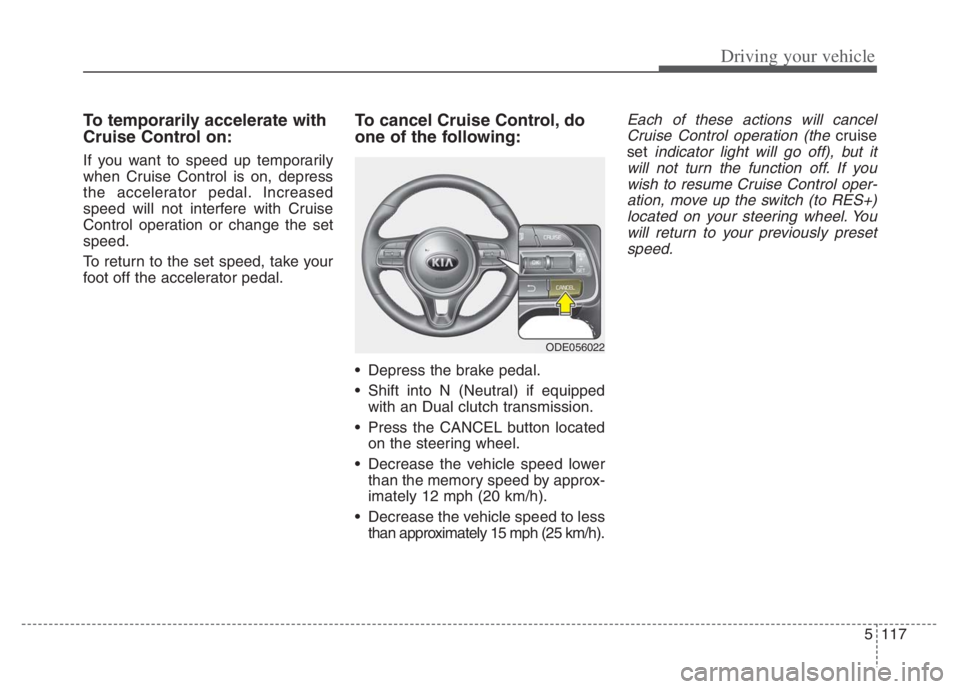
Press the CANCEL button located
on the steering wheel.
Decrease the vehicle speed lower
than the memory speed by approx-
imately 12 mph (20 km/h).
Decrease the vehicle speed to less
than approximately 15 mph (25 km/h).
Each of these actions will cancel
Cruise Control operation (the
cruise
set
indicator light will go off), but it
will not turn the function off. If you
wish to resume Cruise Control oper-
ation, move up the switch (to RES+)
located on your steering wheel. You
will return to your previously preset
speed.
ODE056022
Page 475 of 710
Driving your vehicle
152 5
LFA activation
If the vehicle is inside the lane with
both lanes recognized by the func-
tion, and there is no steep steering
made by the driver, LFA changes into
steering assist mode. The indicator
light will come on green, and the
function helps the vehicle stay in line
by controlling the steering wheel.
When the steering wheel is not con-
trolled temporarily, the indicator light
will flash green and changes to
white.
When the both lanes are not recog-
nized by the function, the function
controls the steering wheel limitedly
whether there is a vehicle in front or
not.
Warning
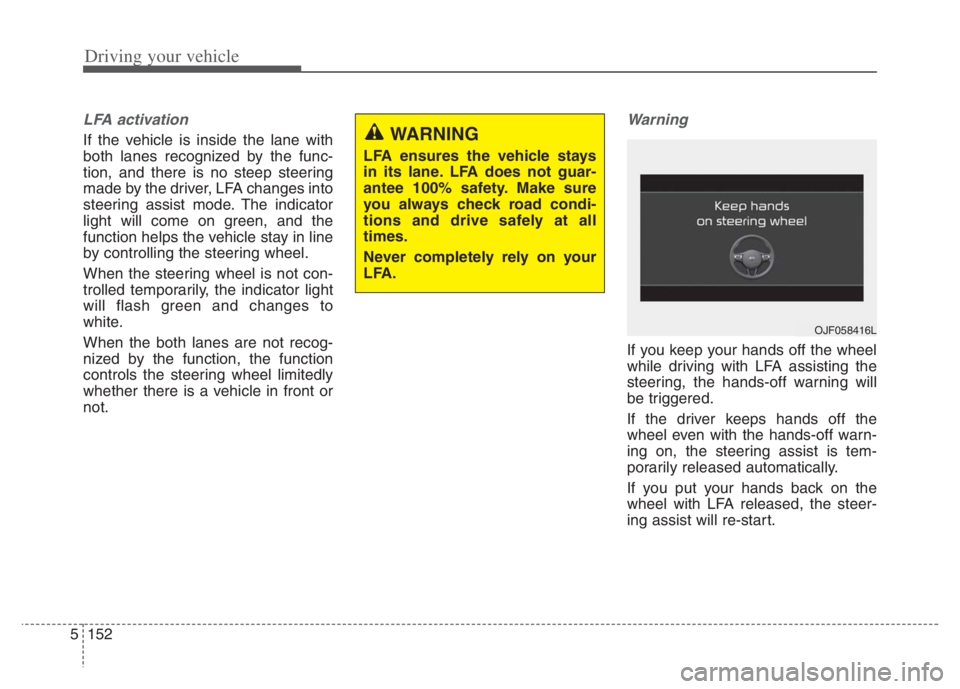
If you keep your hands off the wheel
while driving with LFA assisting the
steering, the hands-off warning will
be triggered.
If the driver keeps hands off the
wheel even with the hands-off warn-
ing on, the steering assist is tem-
porarily released automatically.
If you put your hands back on the
wheel with LFA released, the steer-
ing assist will re-start.
WARNING
LFA ensures the vehicle stays
in its lane. LFA does not guar-
antee 100% safety. Make sure
you always check road condi-
tions and drive safely at all
times.
Never completely rely on your
LFA.
OJF058416L
Page 477 of 710
Driving your vehicle
154 5
Limitation of the function
If the driver turns on the turn signal
light or the emergency warning
light to change the lane
- Operate the turn signal light
switch before changing the lane
- If you change the lane without
operating the turn signal lights,
steering reaction force of the
wheel may occur.
Once LFA is turned on or the lane
is changed, the vehicle should be
in the center of the road to switch
to the steering assist mode. If the
driver keeps driving along the lane,
LFA will not assist the steering.
When the ESC or VSM is activat-
ed, the function does not assist
steering.
When driving on a curved road at a
high speed, steering assist mode
may not work.
When driving at a speed faster
than 110 mph (180 km/h), steering
assist mode may not work. When sudden steering is made,
the function could be temporarily
deactivated.
If you change the lane in a hurry,
the function does not assist the
steering.
If the vehicle suddenly stops, it
does not assist the steering.
If the lane is too narrow or too
wide, steering is not assisted.
If the function is not able to recog-
nize a vehicle in front and either of
the lanes is not recognized, the
steering is not assisted
If the radius is too small for the
curve
Cautions for the driver
If the lane recognition is difficult or
limited for LFA as shown below, the
driver may need to be careful
because it may not operate or may
cause unnecessary operation.
• Roads or lane markings in bad con-
dition
- When The lane is tainted or invisible
- When the driver cannot see the
lane due to rain, snow, dust,
sand, oil, puddles, etc
- When roads are set or the colors
of the lane and road are not dis-
tinctive
- If there is a sign other than the
lane near the lane or a mark sim-
ilar to the lane
- When the lane is not clear or
damaged
- If the road is covered in the shad-
ows of objects around the road,
such as medians, guard rails,
noise walls, and trees
Page 481 of 710
Driving your vehicle
158 5
Steering control
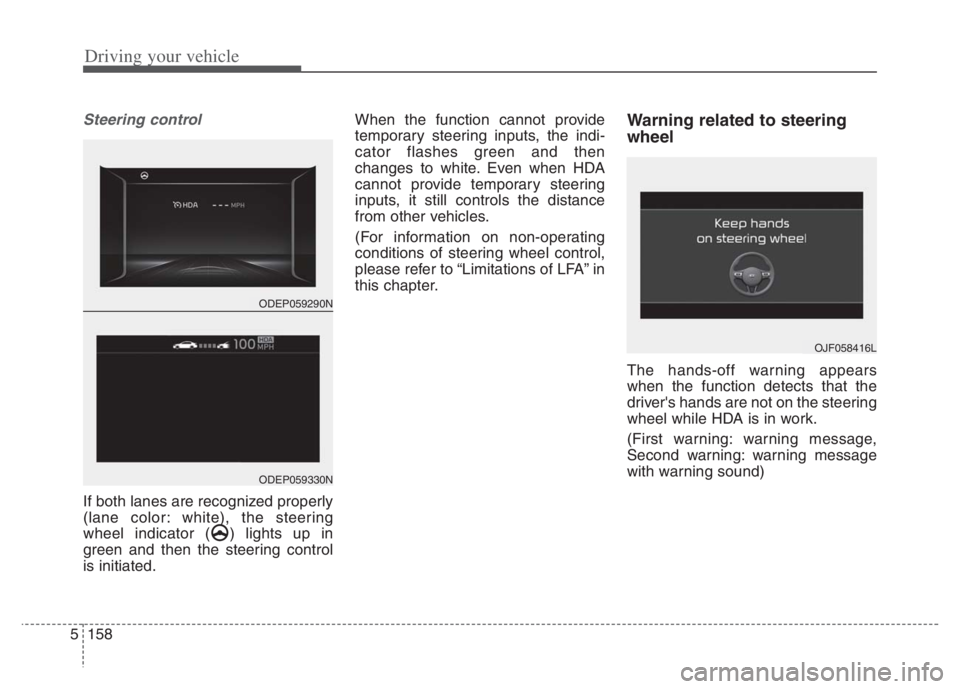
If both lanes are recognized properly
(lane color: white), the steering
wheel indicator ( ) lights up in
green and then the steering control
is initiated.When the function cannot provide
temporary steering inputs, the indi-
cator flashes green and then
changes to white. Even when HDA
cannot provide temporary steering
inputs, it still controls the distance
from other vehicles.
(For information on non-operating
conditions of steering wheel control,
please refer to “Limitations of LFA” in
this chapter.
Warning related to steering
wheel
The hands-off warning appears
when the function detects that the
driver's hands are not on the steering
wheel while HDA is in work.
(First warning: warning message,
Second warning: warning message
with warning sound)
OJF058416L
ODEP059290N
ODEP059330N
Page 482 of 710
5159
Driving your vehicle
When the hands-off warning
lasts for a certain period of
time
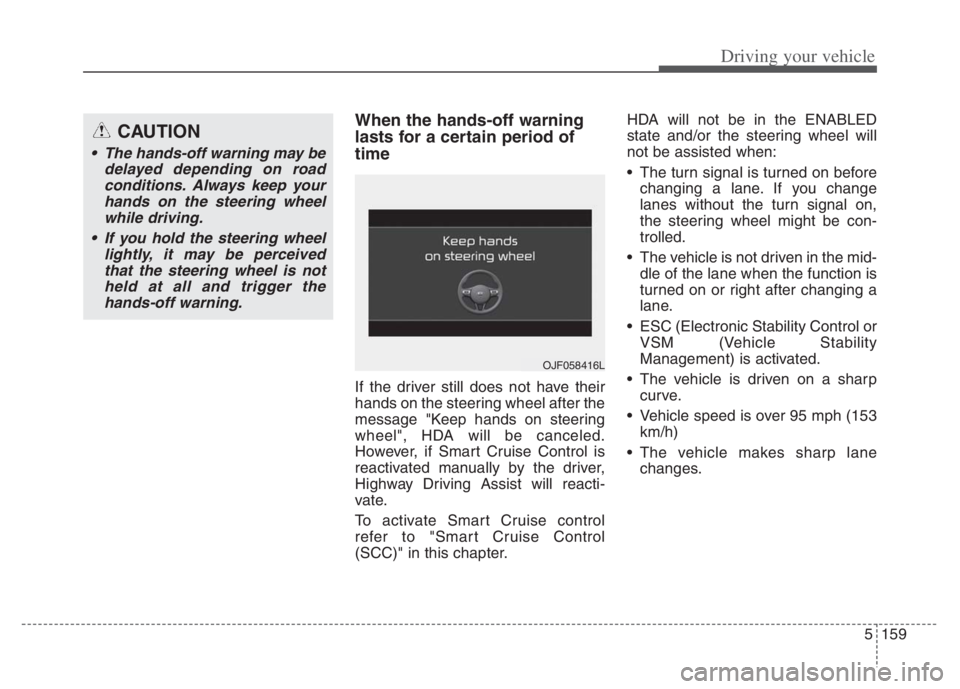
If the driver still does not have their
hands on the steering wheel after the
message "Keep hands on steering
wheel", HDA will be canceled.
However, if Smart Cruise Control is
reactivated manually by the driver,
Highway Driving Assist will reacti-
vate.
To activate Smart Cruise control
refer to "Smart Cruise Control
(SCC)" in this chapter.HDA will not be in the ENABLED
state and/or the steering wheel will
not be assisted when:
The turn signal is turned on before
changing a lane. If you change
lanes without the turn signal on,
the steering wheel might be con-
trolled.
The vehicle is not driven in the mid-
dle of the lane when the function is
turned on or right after changing a
lane.
ESC (Electronic Stability Control or
VSM (Vehicle Stability
Management) is activated.
The vehicle is driven on a sharp
curve.
Vehicle speed is over 95 mph (153
km/h)
The vehicle makes sharp lane
changes.
CAUTION
The hands-off warning may be
delayed depending on road
conditions. Always keep your
hands on the steering wheel
while driving.
If you hold the steering wheel
lightly, it may be perceived
that the steering wheel is not
held at all and trigger the
hands-off warning.
OJF058416L
Page 483 of 710
Driving your vehicle
160 5
The vehicle brakes suddenly.
Only one lane marker is detected.
The lane is very wide or narrow.
There are more than two lane
markers on the road (e.g. construc-
tion area).
Radius of a curve is too small.
The vehicle is driven on a steep
incline.
The steering wheel is turned sud-
denly.Automatic speed setting
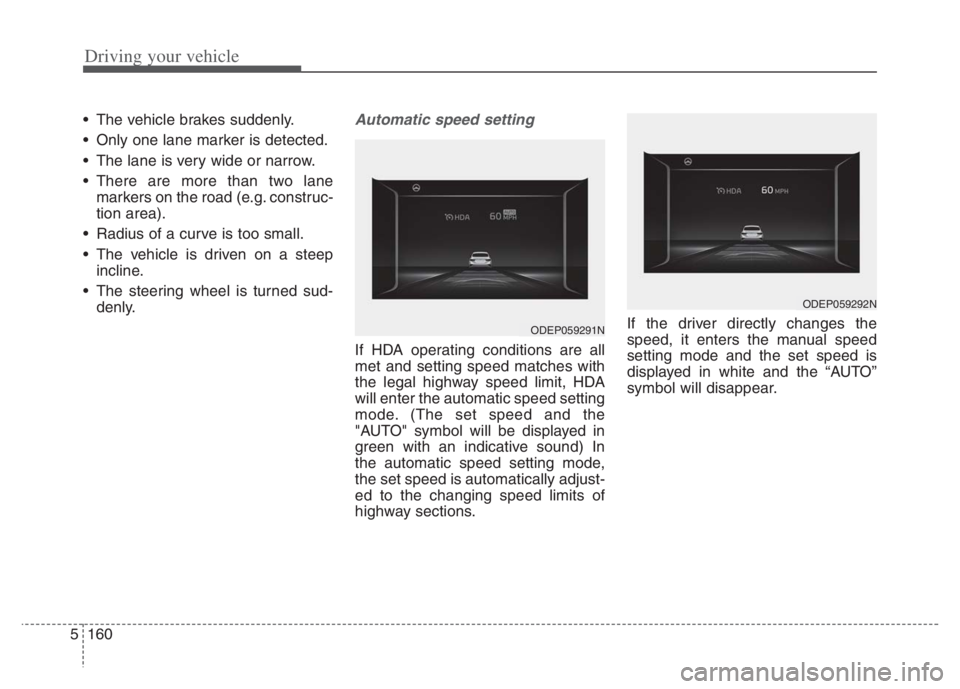
If HDA operating conditions are all
met and setting speed matches with
the legal highway speed limit, HDA
will enter the automatic speed setting
mode. (The set speed and the
"AUTO" symbol will be displayed in
green with an indicative sound) In
the automatic speed setting mode,
the set speed is automatically adjust-
ed to the changing speed limits of
highway sections.If the driver directly changes the
speed, it enters the manual speed
setting mode and the set speed is
displayed in white and the “AUTO”
symbol will disappear.
ODEP059291N
ODEP059292N
Page 505 of 710

Driving your vehicle
182 5
Your vehicle's fuel economy depends
mainly on your style of driving, where
you drive and when you drive.
Each of these factors affects how
many miles (kilometers) you can get
from a gallon (liter) of fuel. To operate
your vehicle as economically as pos-
sible, use the following driving sug-
gestions to help save money in both
fuel and repairs:
Drive smoothly. Accelerate at a
moderate rate. Don't make "jack-
rabbit" starts or full-throttle shifts
and maintain a steady cruising
speed. Don't race between stop-
lights. Try to adjust your speed to
the traffic so you don't have to
change speeds unnecessarily.
Avoid heavy traffic whenever pos-
sible. Always maintain a safe dis-
tance from other vehicles so you
can avoid unnecessary braking.
This also reduces brake wear.
Drive at a moderate speed. The
faster you drive, the more fuel your
vehicle uses. Driving at a moderate
speed, especially on the highway,
is one of the most effective ways to
reduce fuel consumption. Don't "ride" the brake pedal. This
can increase fuel consumption and
also increase wear on these com-
ponents. In addition, driving with
your foot resting on the brake pedal
may cause the brakes to overheat,
which reduces their effectiveness
and may lead to more serious con-
sequences.
Take care of your tires. Keep them
inflated to the recommended pres-
sure. Incorrect inflation, either too
much or too little, results in unnec-
essary tire wear. Check the tire
pressures at least once a month.
Be sure that the wheels are
aligned correctly. Improper align-
ment can result from hitting curbs
or driving too fast over irregular
surfaces. Poor alignment causes
faster tire wear and may also result
in other problems as well as
greater fuel consumption. Keep your vehicle in good condi-
tion. For better fuel economy and
reduced maintenance costs, main-
tain your vehicle in accordance
with the maintenance schedule in
chapter 8. If you drive your vehicle
in severe conditions, more frequent
maintenance is required (see
chapter 8 for details).
Keep your vehicle clean. For maxi-
mum service, your vehicle should
be kept clean and free of corrosive
materials. It is especially important
that mud, dirt, ice, etc. not be
allowed to accumulate on the
underside of the vehicle. This extra
weight can result in increased fuel
consumption and also contribute to
corrosion.
Travel lightly. Don't carry unneces-
sary weight in your vehicle. Weight
reduces fuel economy.
Don't let the engine idle longer
than necessary. If you are waiting
(and not in traffic), turn off your
engine and restart only when
you're ready to go.
ECONOMICAL OPERATION
Page 507 of 710
Driving your vehicle
184 5
Hazardous driving conditions
When hazardous driving conditions
are encountered such as water,
snow, ice, mud, sand, or similar haz-
ards, follow these suggestions:
Drive cautiously and allow extra
distance for braking.
Avoid sudden braking or steering.
When braking with non-ABS
brakes pump the brake pedal with
a light up-and-down motion until
the vehicle is stopped.
Do not pump the brake pedal on a
vehicle equipped with ABS. If stalled in snow, mud, or sand,
use the second gear. Accelerate
slowly to avoid spinning the drive
wheels.
Use sand, rock salt, or other non-
slip material under the drive
wheels to provide traction when
stalled in ice, snow, or mud.
Reducing the risk of a rollover
This multi-purpose passenger vehi-
cle is defined as a Sports Utility
Vehicle (SUV). Utility vehicles have a
significantly higher rollover rate than
other types of vehicles. SUV's have
higher ground clearance and a nar-
rower track to make them capable of
performing in a wide variety of off-
road applications. Specific design
characteristics give them a higher
center of gravity than ordinary vehi-
cles. An advantage of the higher
ground clearance is a better view of
the road, which allows you to antici-
pate problems. They are not
designed for cornering at the same
speeds as conventional passenger
vehicles, any more than low-slung
sports vehicles are designed to per-
form satisfactorily in off-road condi-
tions. Due to this risk, driver and pas-
sengers are strongly recommended
to buckle their seat belts. In a rollover
crash, an unbelted person is signifi-
cantly more likely to die than a per-
son wearing a seat belt. There are
steps that a driver can make to
reduce the risk of a rollover.
SPECIAL DRIVING CONDITIONS
WARNING- Downshifting
Do not downshift with a dual
clutch transmission while driv-
ing on slippery surfaces. The
sudden change in tire speed
could cause the tires to skid
and result in an accident.